


The FX Multi-Meter II MT4 Indicator is designed to solve this problem. By consolidating data from multiple currency pairs into one clear interface, it gives traders a quick and accurate view of the market. This tool helps simplify decision-making and increases efficiency, making trading smarter and less stressful.
How FX Multi-Meter II MT4 Indicator Works
The FX Multi-Meter II MT4 Indicator displays vital information about multiple currency pairs on a single screen. It tracks trend direction, strength, and momentum for each pair, helping traders quickly identify the most promising trading opportunities. Instead of opening multiple charts, a trader can monitor all key pairs in real time, saving time and avoiding confusion. This feature is particularly useful for day traders and scalpers who need fast insights without constantly switching windows.
Key Features and Benefits
One of the main advantages of this indicator is its ability to show trend strength using simple visual cues. Traders can immediately see which currencies are strong or weak, making it easier to plan entries and exits. Additionally, the FX Multi-Meter II MT4 Indicator is fully compatible with MetaTrader 4, and its customizable settings allow users to adjust alerts, timeframes, and display preferences. This flexibility ensures it fits into any trading style, whether someone is conservative or aggressive in their approach.
Trading with FX Multi-Meter II MT4 Indicator
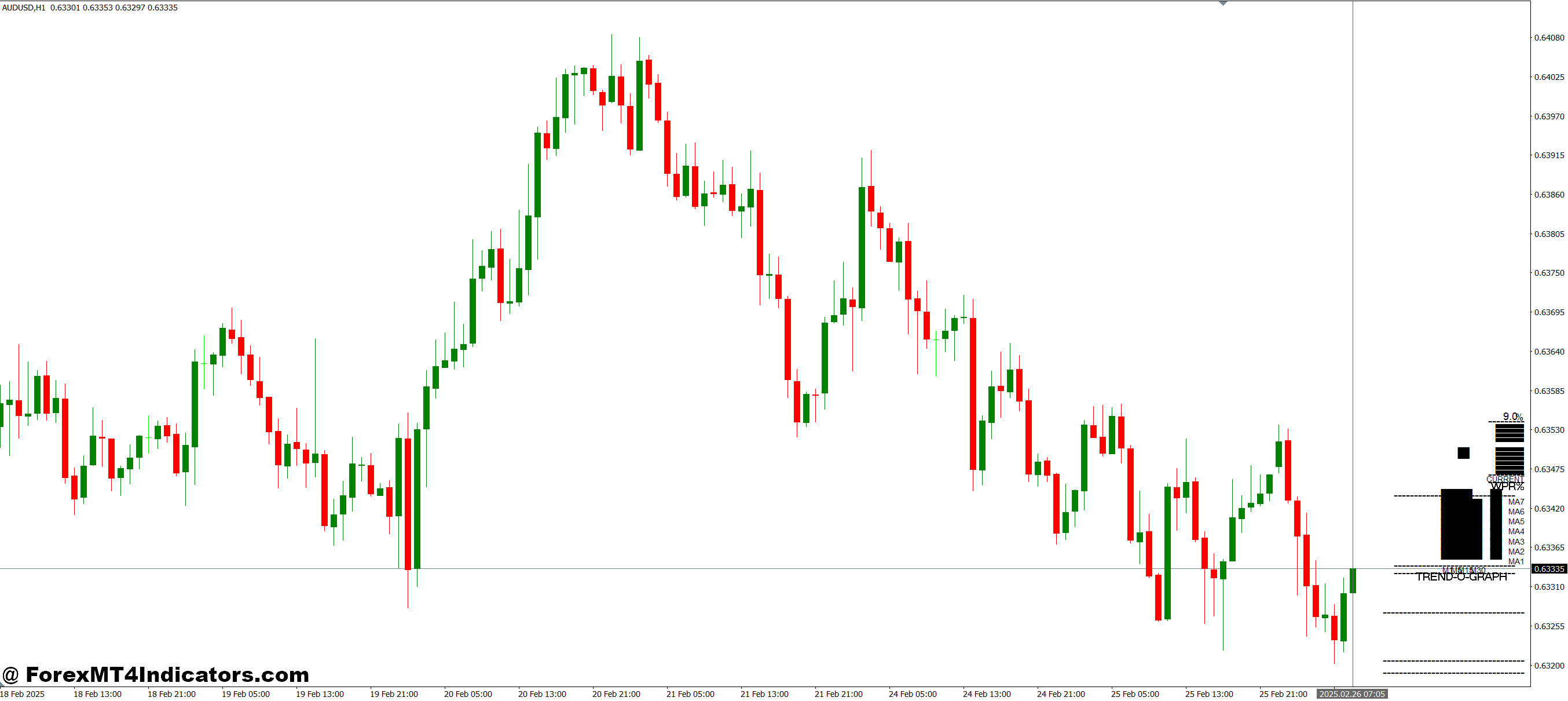
Using the FX Multi-Meter II is straightforward. Traders can look for pairs showing strong trends in alignment with their strategy. The indicator can also act as a confirmation tool when used alongside other technical analysis methods, such as moving averages or oscillators. By relying on this all-in-one overview, traders reduce guesswork and gain confidence in their trading decisions.
How to Trade with FX Multi-Meter II MT4 Indicator
Buy Entry
- Look for currency pairs showing strong bullish trends on the indicator.
- Confirm that the trend strength bars or arrows point upward for the chosen pair.
- Check that the momentum indicator (if available) aligns with the bullish signal.
- Optional: Cross-check with a moving average or support level for extra confirmation.
- Enter a buy trade when all the above conditions align.
- Place a stop-loss below the recent support or low to manage risk.
- Consider a take-profit near the next resistance level or based on your risk-reward ratio.
Sell Entry
- Look for currency pairs showing strong bearish trends on the indicator.
- Confirm that the trend strength bars or arrows point downward for the chosen pair.
- Check that the momentum indicator (if available) aligns with the bearish signal.
- Optional: Cross-check with a moving average or resistance level for extra confirmation.
- Enter a sell trade when all the above conditions align.
- Place a stop-loss above the recent resistance or high to manage risk.
- Consider a take-profit near the next support level or based on your risk-reward ratio.
Conclusion
The FX Multi-Meter II MT4 Indicator solves the problem of monitoring multiple currency pairs efficiently. It saves time, reduces errors, and helps traders make informed decisions quickly. For anyone looking to simplify their Forex trading workflow and spot opportunities faster, this indicator is a valuable addition to their MetaTrader 4 toolkit.
Recommended MT4/MT5 Broker
XM Broker
- Free $50 To Start Trading Instantly! (Withdraw-able Profit)
- Deposit Bonus up to $5,000
- Unlimited Loyalty Program
- Award Winning Forex Broker
- Additional Exclusive Bonuses Throughout The Year
- Exclusive 90% VIP Cash Rebates for all Trades!

Already an XM client but missing out on cashback? Open New Real Account and Enter this Partner Code: VIP90
(Free MT4 Indicators Download)



Enter Your Email Address below, download link will be sent to you.