

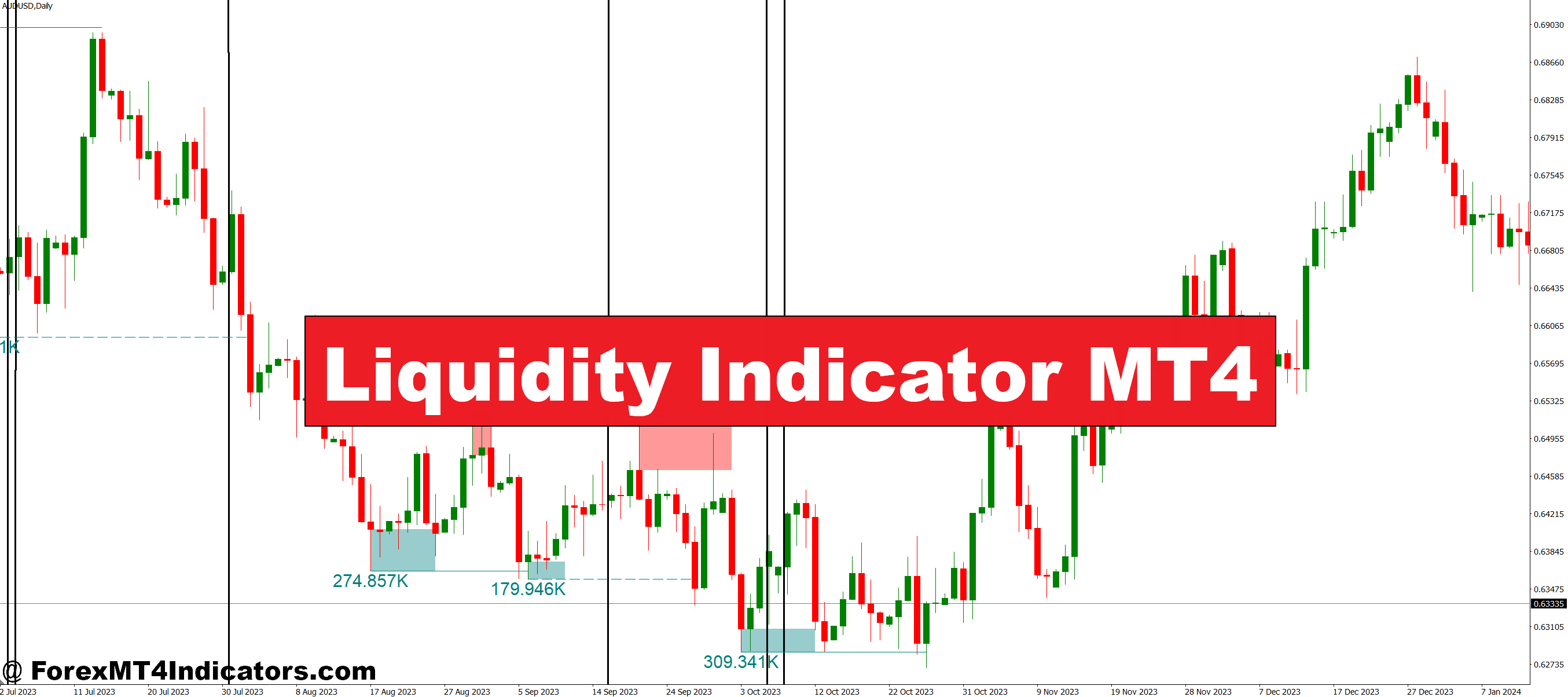
A liquidity indicator measures the concentration of buy and sell orders at various price levels. Unlike traditional volume indicators that show historical activity, liquidity tools attempt to visualize where orders are stacking up right now. For MT4 users, these indicators typically analyze tick data, order flow patterns, or calculate derived metrics from price movement and volume.
The core concept revolves around identifying zones where large players—banks, institutions, hedge funds—have placed significant orders. These areas often act as magnets or barriers for price action. When the market approaches high-liquidity zones, traders can anticipate stronger support or resistance. Conversely, low-liquidity areas tend to see rapid price moves as there’s less opposition to directional movement.
The Mechanics Behind Liquidity Measurement
Most MT4 liquidity indicators work through one of three calculation methods. The first analyzes volume clusters at specific price levels, building a histogram that shows where the most trading activity occurred. High volume at a price suggests liquidity concentration—either because large orders absorbed incoming trades or because that level attracted significant two-way flow.
The second method tracks tick velocity and spread fluctuations. When spreads tighten and tick activity increases, it signals healthy liquidity. The indicator marks these periods differently from times when spreads balloon and ticks slow down—a telltale sign of thin markets. Scalpers particularly value this information during the London-New York overlap versus the Asian session’s quieter hours.
The third approach uses delta volume or order flow imbalance. It measures the difference between market buy orders and market sell orders executed at the bid versus the ask. Persistent imbalances reveal institutional positioning, showing where smart money might be building positions.
Real-World Trading Applications
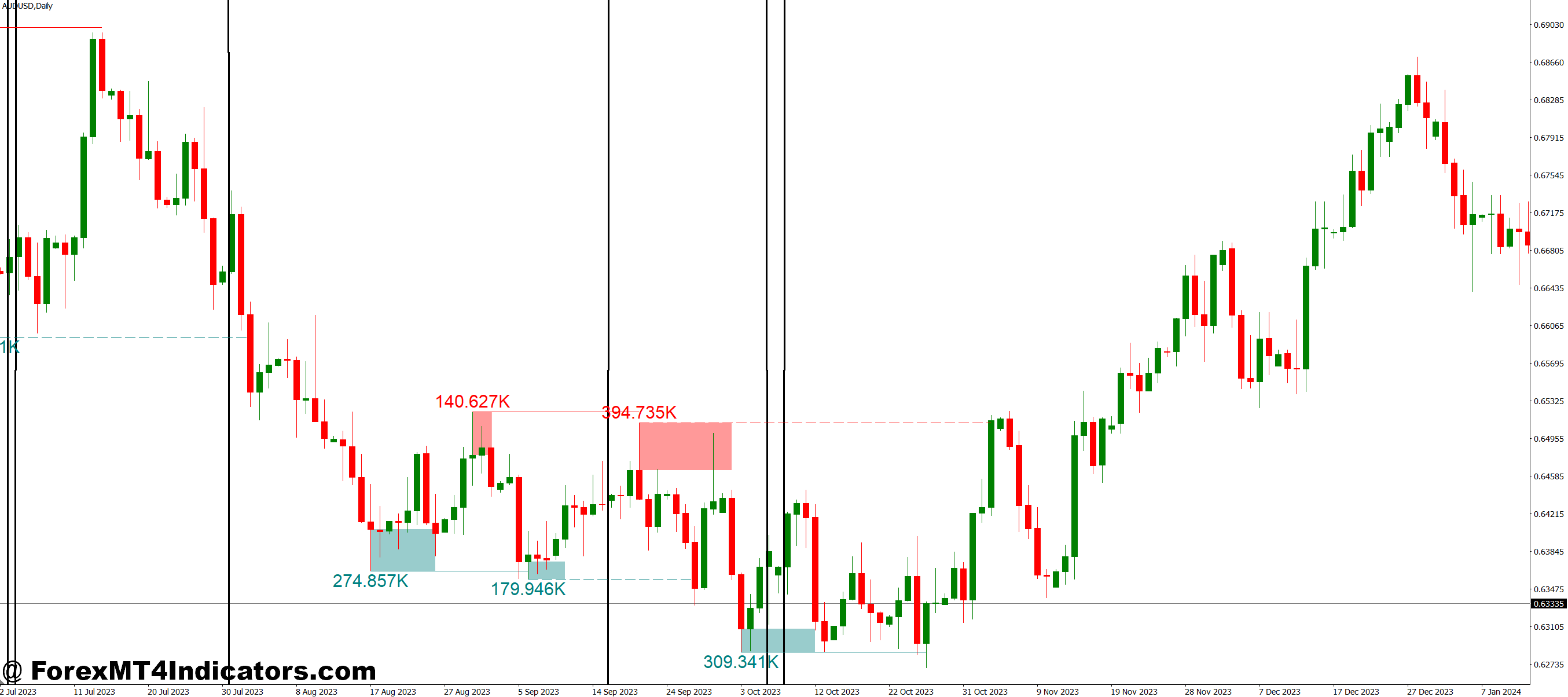
Here’s where theory meets practice. On a Wednesday morning, GBP/USD was grinding near 1.2650 during the London session. The liquidity indicator showed massive buy-side volume stacked between 1.2620-1.2630. Instead of shorting the pair as momentum suggested, traders who noticed this liquidity zone stayed patient. Price dipped to 1.2635, absorbed the sellers, and rallied 80 pips over the next four hours.
That’s not luck—it’s reading the market’s actual structure. The liquidity indicator revealed where institutional buyers were waiting, information not visible on standard candlestick charts.
For breakout traders, liquidity mapping prevents the classic trap. Before the Non-Farm Payroll release last month, EUR/USD was consolidating between 1.0850 and 1.0880. The liquidity indicator showed paper-thin order books above 1.0880 but deep liquidity at 1.0900. Smart traders recognized that a break above 1.0880 would likely accelerate to 1.0900 before finding resistance. That’s exactly what happened—a 50-pip gift for those paying attention to liquidity structure.
Customizing Your Liquidity Indicator Settings
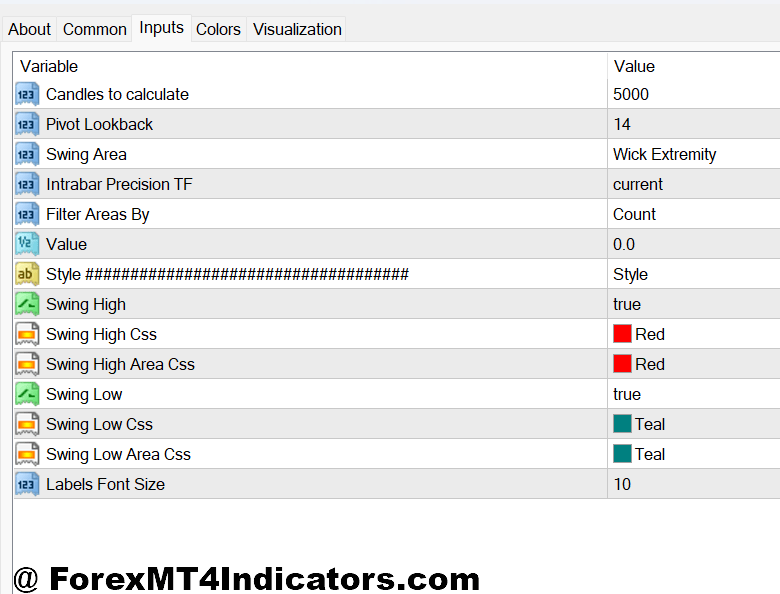
Default settings rarely work for everyone. The lookback period determines how much historical data the indicator analyzes. Shorter periods (20-50 bars) suit scalpers trading the 5-minute or 15-minute charts. They need current liquidity snapshots, not data from yesterday’s session. Swing traders on 4-hour or daily charts should extend the lookback to 100-200 bars to capture meaningful institutional positioning.
Threshold sensitivity controls which liquidity levels display. Set it too low, and the chart becomes cluttered with minor zones. Set it too high, and you might miss important levels. For volatile pairs like GBP/JPY, a higher threshold filters out noise. For stable pairs like EUR/CHF, lower sensitivity captures the subtle liquidity shifts that matter in range-bound conditions.
Color coding helps visual processing. Some traders use green for high-liquidity zones (potential support/resistance) and red for low-liquidity gaps (areas for quick moves). Others prefer heat maps where intensity indicates order concentration. The choice is personal, but consistency matters more than the specific scheme.
Advantages and Honest Limitations
The primary advantage is visibility. Standard MT4 gives traders price, volume, and indicators derived from those—that’s it. A liquidity indicator adds a dimension most retail platforms don’t offer: market depth. This edge helps time entries, set realistic targets, and avoid low-probability setups.
Risk management improves, too. Knowing that liquidity vanishes above your stop-loss level might convince you to tighten that stop or skip the trade entirely. On the flip side, spotting deep liquidity near your entry provides confidence to hold through minor adverse moves.
But here’s the truth: these indicators aren’t perfect. MT4 doesn’t access true market depth data from interbank or ECN order books. Most liquidity indicators for MT4 derive their readings from broker-provided data, which represents a fraction of the global forex market. You’re seeing an approximation, not the complete picture.
Latency creates another issue. By the time liquidity data reaches a retail MT4 terminal, processes through an indicator’s calculations, and displays on screen, the market has moved. High-frequency traders already reacted. This doesn’t make the information useless, but it requires understanding the lag.
False signals happen, especially during news events, when order books can flip instantaneously. That deep liquidity zone you identified might evaporate in seconds if a central bank surprises the market. Trading forex carries substantial risk. No indicator guarantees profits, and liquidity tools are no exception.
Comparison With Standard Volume Indicators
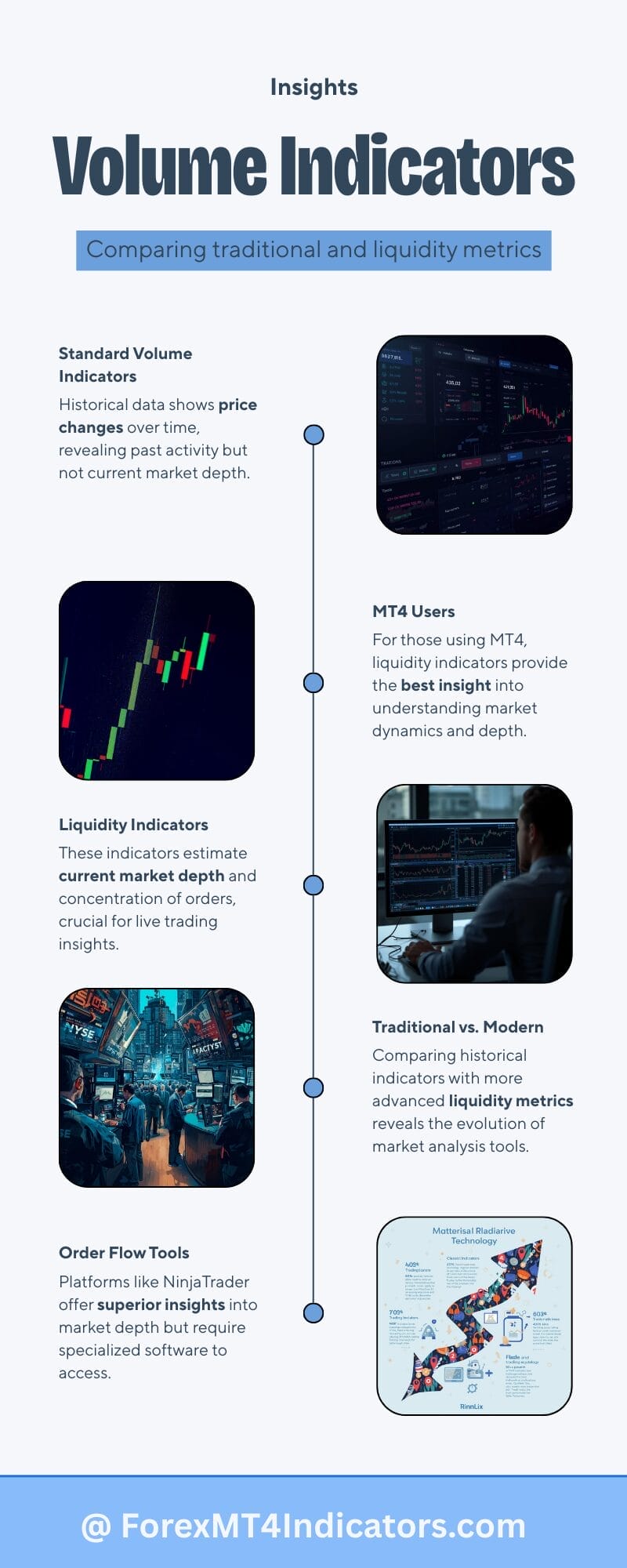
Traditional volume indicators on MT4 show tick volume—the number of price changes per period. That’s useful but indirect. High tick volume means activity, not necessarily where orders are sitting. A liquidity indicator attempts to show order concentration, which is forward-looking rather than purely historical.
The Volume Profile indicator comes closest to liquidity analysis by displaying volume distribution across price levels. However, it’s still backward-looking. The liquidity indicator, when properly coded, incorporates current order flow dynamics and spread behavior to estimate where orders exist now.
Order flow indicators from platforms like NinjaTrader or Sierra Chart offer superior data quality, but they require futures market access and different software. For MT4 traders committed to their platform, liquidity indicators provide the best available alternative for understanding market depth.
Making Liquidity Analysis Work
The liquidity indicator shines brightest when combined with price action and traditional technical analysis. Don’t trade solely based on liquidity zones. Instead, use them as confirmation. A bearish engulfing pattern at a major resistance level becomes more compelling if the liquidity indicator shows thin order books above and heavy selling pressure below.
Session awareness matters. Liquidity concentrations during the Tokyo session might hold when Asian traders are active, but dissolve once London opens and European institutions start trading. Context always trumps indicator signals.
Start with demo testing. Load the indicator on the EUR/USD and GBP/USD 1-hour charts. Observe how the price reacts around identified liquidity zones over two weeks. Do high-liquidity areas consistently provide support or resistance? Do low-liquidity gaps see faster price movement? This empirical observation builds confidence and reveals the indicator’s quirks before risking real capital.
How to Trade with Liquidity Indicator MT4
Buy Entry

- Wait for price to approach high-liquidity support zone – Enter long when EUR/USD on the 1-hour chart reaches within 5-10 pips of a major liquidity cluster below the current price, indicating institutional buy orders are stacked.
- Confirm with bullish rejection candle – Look for a strong bullish engulfing or hammer pattern at the liquidity zone; enter on the close with a stop 15-20 pips below the zone.
- Check spread tightening – Only take the trade if your liquidity indicator shows spreads narrowing to 1-2 pips or less on GBP/USD, confirming healthy order flow and avoiding thin market traps.
- Target the next liquidity void – Set your take profit at the nearest low-liquidity gap shown on the indicator, typically 30-50 pips away on 4-hour charts where price tends to accelerate.
- Avoid buying into liquidity dead zones – Skip trades if the indicator shows minimal orders between your entry and target; these areas create whipsaw conditions that stop you out.
- Use 1:2 minimum risk-reward – If your stop is 20 pips below the liquidity support, your target should be at least 40 pips at the next resistance or liquidity barrier.
- Don’t chase after breakouts through thin liquidity – If price already shot 30+ pips above a low-liquidity area, the easy money is gone; wait for a pullback to the next zone.
- Verify session alignment – Take BUY signals during London or New York sessions when liquidity is deepest; avoid Asian session entries on major pairs unless you see exceptional volume confirmation.
Sell Entry

- Enter at high-liquidity resistance clusters – Sell when GBP/USD on the 4-hour chart stalls within 10 pips of a major liquidity concentration above price, showing institutional sell orders waiting.
- Look for bearish rejection patterns – A shooting star or bearish engulfing at the liquidity zone gives your entry confirmation; place stop 20-25 pips above the high.
- Monitor spread widening as a warning – If spreads balloon from 2 pips to 5+ pips as price approaches your zone, skip the trade—liquidity is evaporating, and slippage will kill your edge.
- Target high-liquidity support below – Aim for the next major liquidity cluster on the downside, usually 40-60 pips away on the daily chart,s where institutional bids will likely absorb selling pressure.
- Avoid selling into liquidity vacuums blindly – Don’t short just because the indicator shows low liquidity below; without a clear support target, price can reverse before reaching any meaningful level.
- Risk no more than 1-2% per trade – Even with perfect liquidity alignment, protect your account; a 30-pip stop on a standard lot should match your risk tolerance.
- Skip trades during major news events – NFP, central bank decisions, and GDP releases can vaporize liquidity zones in seconds—your indicator data becomes obsolete instantly.
- Don’t sell at weak liquidity resistance – If the resistance zone shows thin orders on the EUR/USD 15-minute chart, the price will likely slice through it; wait for a 1-hour or 4-hour confirmation of substantial order concentration.
Conclusion
Liquidity indicators give MT4 traders a window into market structure that standard tools miss. They help identify where institutional orders cluster, where thin markets create risk, and where price is likely to accelerate or stall. When a major support level aligns with a high-liquidity zone, the probability of that level holding increases. When your target sits in a liquidity vacuum, expect quick moves—or quick reversals.
That said, these tools work best as supporting evidence, not primary signals. Combine liquidity analysis with solid risk management, technical analysis, and awareness of fundamental drivers. No single indicator, regardless of how sophisticated, replaces comprehensive market understanding. The traders who profit consistently are those who layer multiple analytical methods and adapt to changing market conditions.
Test the liquidity indicator on your preferred pairs and timeframes. See if it aligns with your trading style. You might discover that avoiding trades into liquidity dead zones saves more money than any other single adjustment to your strategy.
Recommended MT4/MT5 Broker
XM Broker
- Free $50 To Start Trading Instantly! (Withdraw-able Profit)
- Deposit Bonus up to $5,000
- Unlimited Loyalty Program
- Award Winning Forex Broker
- Additional Exclusive Bonuses Throughout The Year
- Exclusive 90% VIP Cash Rebates for all Trades!

Already an XM client but missing out on cashback? Open New Real Account and Enter this Partner Code: VIP90
(Free MT4 Indicators Download)



Enter Your Email Address below, download link will be sent to you.