

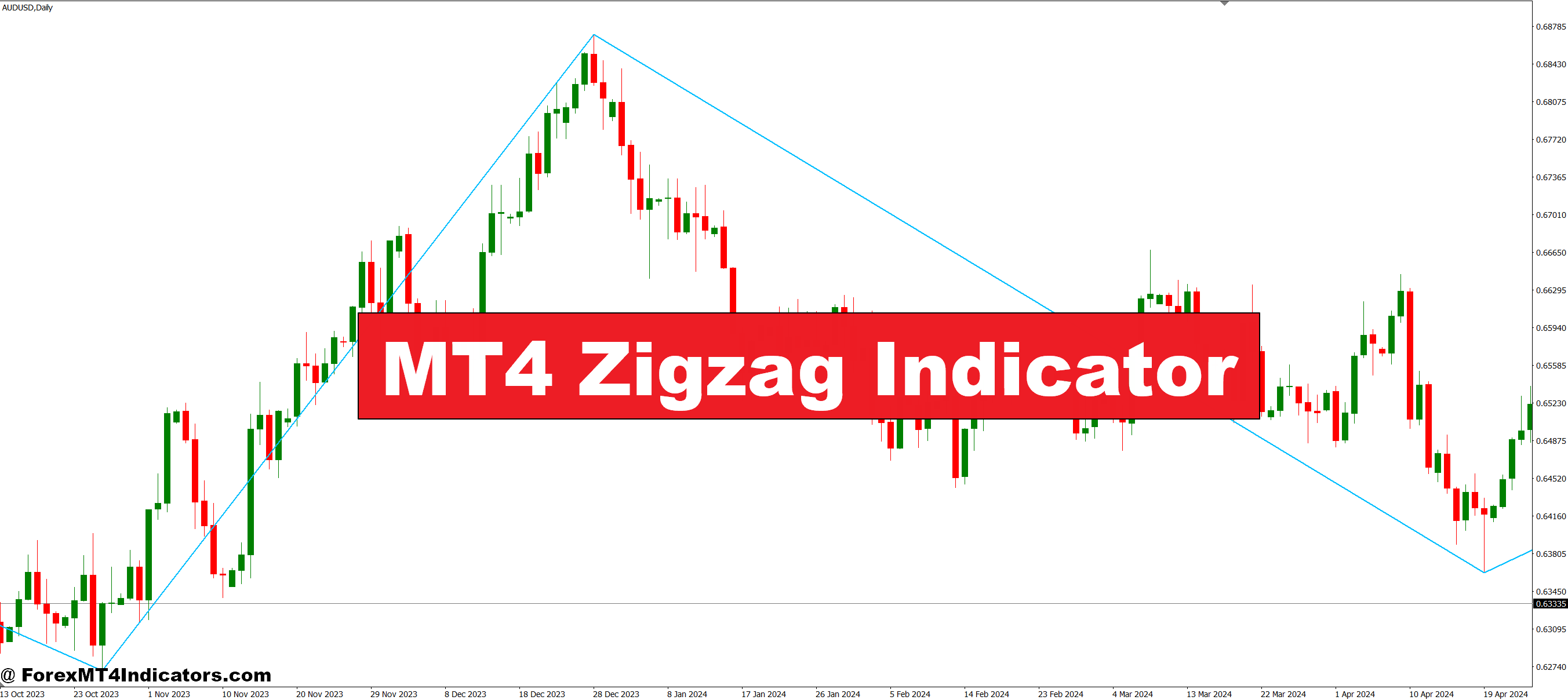
The Zigzag indicator plots lines connecting swing highs and swing lows based on a percentage or pip threshold you set. Think of it as a highlighter for significant price movements. If the price moves less than your threshold, the indicator ignores it. Once price swings beyond that threshold, it draws a line from the previous pivot point.
This isn’t a predictive tool—it won’t tell you where the price is headed next. What it does is provide clarity on where price has been, filtering out the minor retracements and fake-outs that plague shorter timeframes. For traders doing technical analysis, it’s like cleaning a dirty windshield. Suddenly, you can see the road.
The indicator works on any timeframe, from 1-minute scalping charts to monthly position trading setups. But here’s the catch: it repaints. That last pivot point shifts as new data comes in, which makes it useless for automated trading systems. For manual chart analysis, though? Solid.
How the Calculation Works
The MT4 Zigzag uses a depth-deviation-backstep formula. Sounds complicated, but stick with me.
- Depth sets how many bars back the indicator looks for high/low pivots. A setting of 12 means it checks the past 12 candles for the highest high or lowest low.
- Deviation defines the minimum price movement (in percentage terms) required to draw a new zigzag line. Set it to 5%, and the price must move 5% from the last pivot before the indicator registers a new swing.
- Backstep prevents the indicator from drawing two pivots too close together. If you set backstep to 3, the indicator won’t place another pivot point within 3 bars of the previous one.
Most traders stick with default settings (12, 5, 3), but these can be tweaked. Testing the indicator on GBP/JPY with a 10% deviation setting during the 2022 volatility showed cleaner swings than the default 5%—fewer lines, bigger moves highlighted.
Real Trading Applications
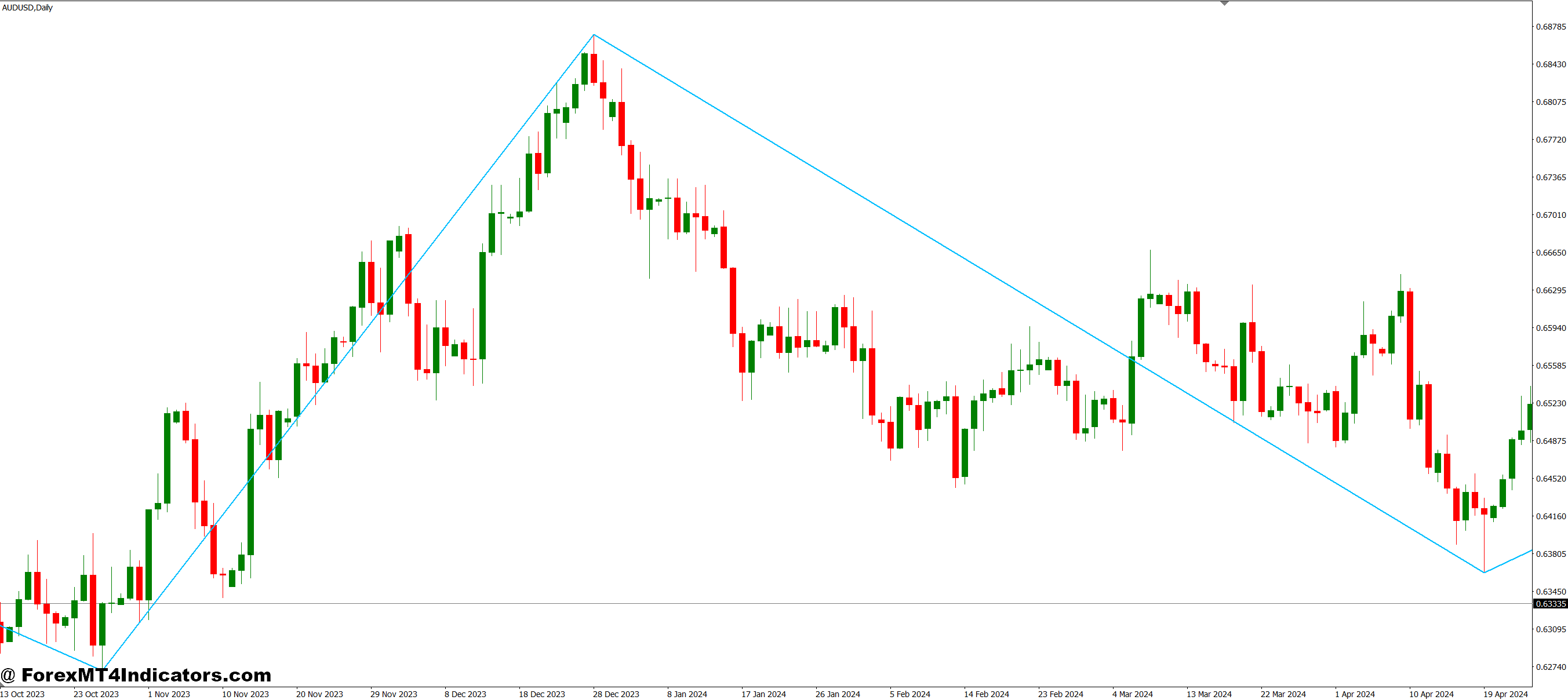
Let’s get practical. The Zigzag shines in three specific scenarios.
Pattern Recognition: Elliott Wave traders love this thing. When analyzing a potential impulse wave on the USD/CAD daily charts, the Zigzag connects the five-wave structure clearly. Instead of counting every micro-move, you see waves 1, 3, and 5 as distinct upswings, with waves 2 and 4 as the corrections. Harmonic pattern traders use it similarly—spotting ABCD patterns or Gartley setups becomes straightforward when the noise disappears.
Support and Resistance Mapping: Take a recent example from the AUD/USD 4-hour chart. The Zigzag connected three swing highs around the 0.6450 level over two weeks. Each time the price approached that zone and reversed, traders watching had a clear resistance level marked. No confusion about which high mattered—the Zigzag did that work.
Trend Confirmation: Here’s where it gets interesting. If Zigzag lines keep making higher highs and higher lows, you’re in an uptrend. Sounds obvious, but when you’re in the thick of trading, those lower timeframe wiggles mess with your head. The indicator on a 1-hour GBP/USD chart during a trending week will show a clear staircase pattern—each swing low higher than the last. That visual confirmation keeps you from fighting the trend.
But don’t use it for entry signals. A trader waiting for a Zigzag line to form before entering will always be late—the move already happened. Instead, use it for context. Where are the major swings? What’s the trend structure? Then take entries based on price action at those levels.
Customizing Settings for Different Markets
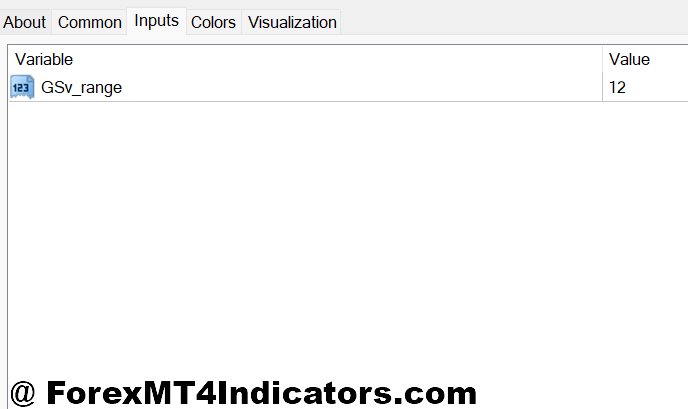
Default settings don’t fit all situations. Volatile pairs like GBP/JPY need different parameters than slower movers like EUR/CHF.
For high-volatility pairs during major news events (think NFP releases or FOMC meetings), bump the deviation to 8-10%. Otherwise, you’ll get zigzag lines drawn on every panic spike and reversal. The goal is to capture the real swings, not every knee-jerk reaction.
Scalpers working 5-minute charts might drop depth to 8 and deviation to 3%, catching smaller but still significant swings. That said, the lower you go, the more repainting becomes annoying. A swing that looked confirmed two bars ago might disappear if the price reverses slightly.
Position traders on weekly or monthly charts can increase depth to 20 and deviation to 10-15%. You want to see only the massive structural pivots—the 2020 pandemic crash low, the 2021 recovery high, and major trend reversals. Everything else is just noise at that scale.
Test your settings on historical data first. Pull up a chart from three months ago, apply your Zigzag parameters, and see if it highlights the swings that mattered. If it’s drawing lines on every minor pullback, tighten it up.
Advantages and Honest Limitations
What works: The Zigzag gives you perspective. When you’re stuck in analysis paralysis, staring at a messy chart, it brings clarity. Pattern identification becomes easier. Support and resistance levels jump out. It’s a visual cleanup tool that helps you think clearly about market structure.
What doesn’t work: The repainting kills any mechanical trading approach. You can’t code a strategy around it reliably because that last line keeps shifting. It’s also lagging by nature—it tells you what happened, not what will happen. Some traders get frustrated waiting for confirmation, watching the price move 50 pips before the Zigzag draws the line.
And here’s the thing nobody mentions enough: it can make you complacent. Traders start relying on it too much, ignoring the actual price action that creates those swings. You still need to understand why the price reversed at that level, what fundamentals drove the move, and where other traders are positioned. The Zigzag shows the bones of market structure, but you need to add the muscle yourself.
Compare it to a moving average—that smooths the price too, but at least it doesn’t repaint. The tradeoff? Moving averages lag even worse and don’t show you discrete swing points. Pivot points give you specific levels but don’t adapt to current price action as Zigzag does. Different tools, different purposes.
How to Trade with MT4 Zigzag Indicator
Buy Entry

- Wait for higher swing low confirmation – Enter long only after Zigzag draws a higher low than the previous one on 4-hour or daily charts, confirming uptrend structure.
- Buy the bounce at Zigzag support – When price returns to a previous Zigzag low that held 2-3 times (like EUR/USD testing 1.0800), enter on bullish candlestick confirmation with 20-30 pip stop below.
- Trade the breakout above Zigzag resistance – Once price closes above a Zigzag high that capped previous rallies, enter long with stop 15-20 pips below breakout candle on 1-hour charts.
- Use 50% retracement levels – Mark the midpoint between two Zigzag swings; buy when price pulls back 50% during an uptrend on GBP/USD 4-hour and shows reversal signals.
- Align with higher timeframe Zigzag – Only take longs when daily Zigzag shows uptrend structure, even if trading 1-hour setups; prevents fighting the bigger trend.
- Avoid buying during flat Zigzag patterns – Skip entries when the last 3-4 Zigzag swings form horizontal consolidation; wait for clear directional structure to emerge.
- Set profit targets at next Zigzag high – Project your take-profit to the previous swing high marked by Zigzag, typically 60-100 pips on major pairs, ensuring minimum 2:1 reward-risk.
- Confirm with volume spike – Don’t enter if the Zigzag swing low formed on weak volume; genuine reversals show increased participation at turning points.
Sell Entry

- Wait for lower swing high confirmation – Enter short only after Zigzag plots a lower high than the previous peak on 4-hour or daily timeframes, confirming downtrend.
- Sell the rejection at Zigzag resistance – When price tests a previous Zigzag high that rejected price 2-3 times, enter short on bearish rejection candle with 20-30 pip stop above.
- Trade breakdown below Zigzag support – After price closes below a Zigzag low that previously held, enter short with stop 15-20 pips above the breakdown candle on 1-hour EUR/USD.
- Short from 50% Zigzag retracement – During downtrends, sell when price retraces halfway up the previous Zigzag decline and shows bearish reversal patterns on 4-hour charts.
- Match higher timeframe Zigzag direction – Only short when daily Zigzag confirms downtrend structure; don’t fade 1-hour rallies against the daily trend direction.
- Skip choppy sideways Zigzag action – Avoid sells when last 3-4 Zigzag pivots bounce between the same highs and lows; wait for breakdown to resume trending conditions.
- Target previous Zigzag lows – Place take-profit at the last major Zigzag swing low, typically 70-120 pips away on GBP/USD, maintaining a 2:1 minimum reward-risk ratio.
- Never sell into strong Zigzag uptrends – If Zigzag shows 5+ consecutive higher highs and higher lows, avoid counter-trend shorts regardless of minor pullbacks; trend is too strong.
Conclusion
The MT4 Zigzag indicator won’t revolutionize your trading, but it’ll clean up your charts and sharpen your analysis. It filters market noise, highlights significant swings, and makes pattern recognition less of a guessing game. Traders doing technical analysis—especially those working with Elliott Waves, harmonics, or structural support and resistance—find it genuinely useful.
Just remember what it is: a visual filter, not a crystal ball. It shows you the skeleton of price movement after the fact. You still need confluence from other indicators, solid risk management, and an understanding of what moves markets. Trading forex carries substantial risk. No indicator guarantees profits, and the Zigzag’s repainting nature means you can’t blindly trust that last line.
Use it for context. Map out the major swings, identify the trend structure, and mark key levels. Then take your entries based on price action at those spots. That’s when this tool earns its place on your charts.
Recommended MT4/MT5 Broker
XM Broker
- Free $50 To Start Trading Instantly! (Withdraw-able Profit)
- Deposit Bonus up to $5,000
- Unlimited Loyalty Program
- Award Winning Forex Broker
- Additional Exclusive Bonuses Throughout The Year
- Exclusive 90% VIP Cash Rebates for all Trades!

Already an XM client but missing out on cashback? Open New Real Account and Enter this Partner Code: VIP90
(Free MT4 Indicators Download)



Enter Your Email Address below, download link will be sent to you.