

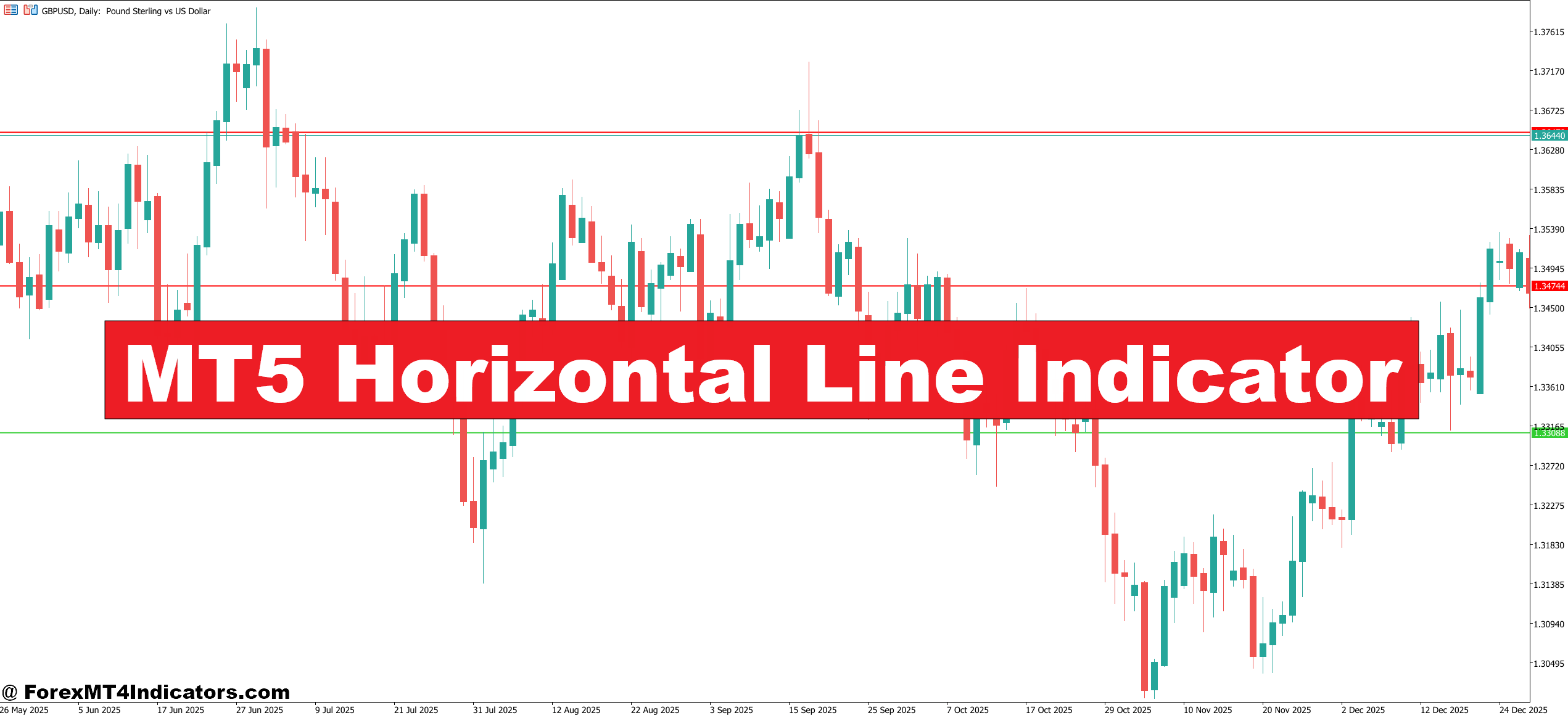
The MT5 Horizontal Line Indicator aims to reduce that stress. Instead of guessing where support or resistance might be, traders use this tool to mark and manage key price levels with precision. It doesn’t predict the market. It organizes it. By making important levels clear and consistent, it helps traders stay disciplined, especially during volatile sessions like London open or major news releases. Here’s how this simple-looking indicator fits into real trading workflows and why many experienced traders keep it on their charts.
What the MT5 Horizontal Line Indicator Is
At its core, the MT5 Horizontal Line Indicator is a technical tool that plots fixed horizontal price levels on a MetaTrader 5 chart. These lines usually represent support, resistance, previous highs or lows, daily open prices, or manually defined zones.
Unlike oscillators or trend-following tools, this indicator doesn’t calculate momentum or direction. It focuses on market structure. Price reacts to levels because other traders see them too. Banks, funds, and retail traders often place orders around round numbers and previous swing points. This indicator helps highlight those areas so traders can plan ahead instead of reacting late.
Some versions allow automatic plotting of daily, weekly, or monthly levels. Others are manual, giving traders full control. Both approaches serve the same goal: clarity.
How It Works in Practice
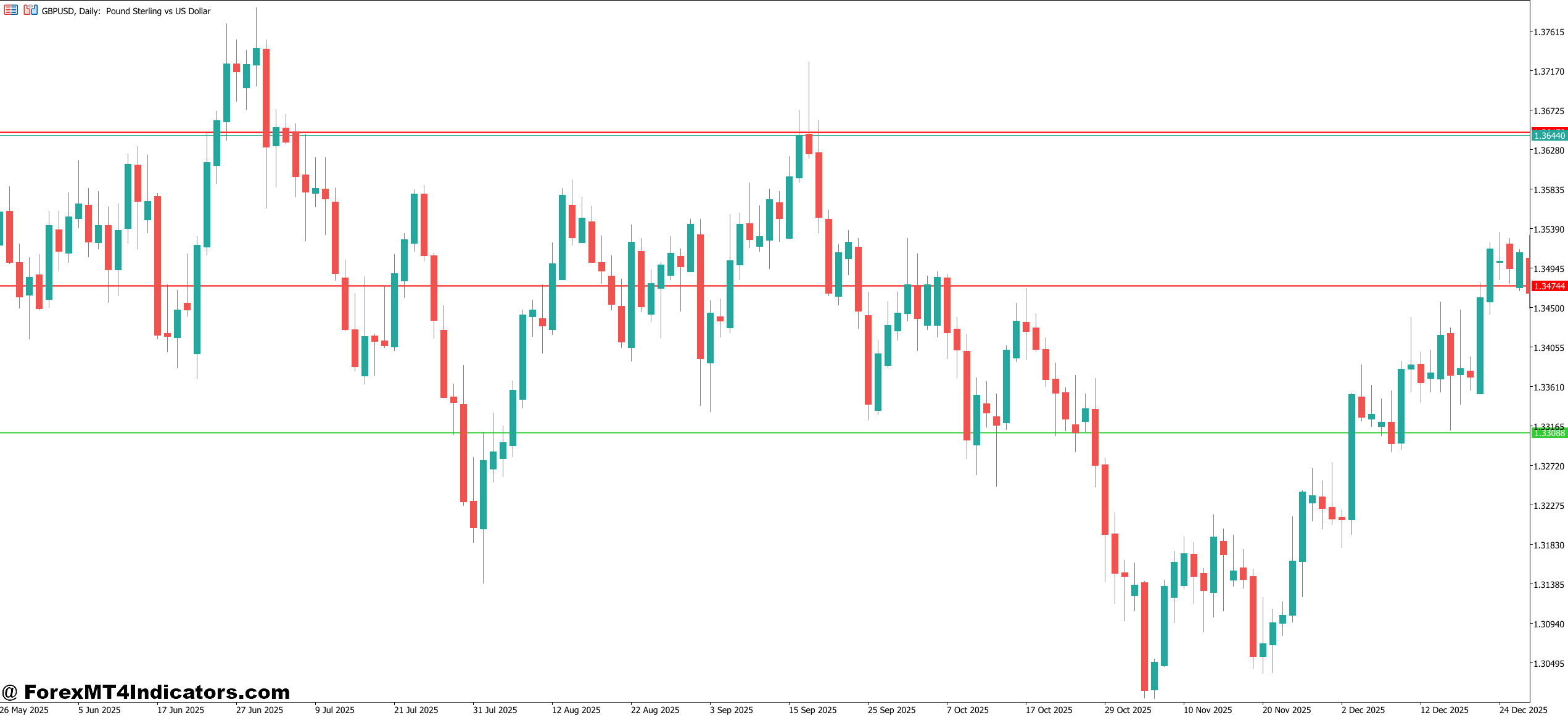
The logic behind the MT5 Horizontal Line Indicator is straightforward. The indicator reads price data and plots lines at predefined or user-selected prices. There’s no lag because horizontal lines don’t rely on averaging past candles.
For example, a trader might set the indicator to draw:
- Previous day high and low
- Weekly open price
- Round numbers every 50 or 100 pips
On EUR/USD, the indicator might place a line at 1.1000, another at the previous day high of 1.1042, and a weekly low near 1.0965. These levels don’t change unless price structure changes.
When testing this on volatile NFP days, traders often notice price stalling or spiking around these lines before choosing direction. That pause matters. It’s where fake-outs and reversals often start.
Practical Trading Applications with Real Examples
Traders rarely use the MT5 Horizontal Line Indicator alone. It works best with price action or confirmation tools.
Example 1: Intraday Breakout Setup
On EUR/USD, 1-hour chart, price ranged between 1.1020 and 1.1050 for most of the Asian session. A horizontal line marked the Asian high at 1.1050. During London open, price broke above the line, retested it, and printed a bullish engulfing candle. Traders using that level as confirmation entered long with a 25-pip stop and targeted the next resistance at 1.1100.
Example 2: Mean Reversion Trade
On GBP/USD, 15-minute chart, price hit a weekly resistance line at 1.2680. RSI (14) showed bearish divergence. Instead of chasing higher prices, traders waited for rejection at the horizontal line. A short entry near 1.2675 offered a cleaner risk-to-reward than guessing the top.
These scenarios show how fixed levels help avoid chasing price during chop or whipsaw conditions.
MT5 Horizontal Line Indicator Settings and Customization Tips
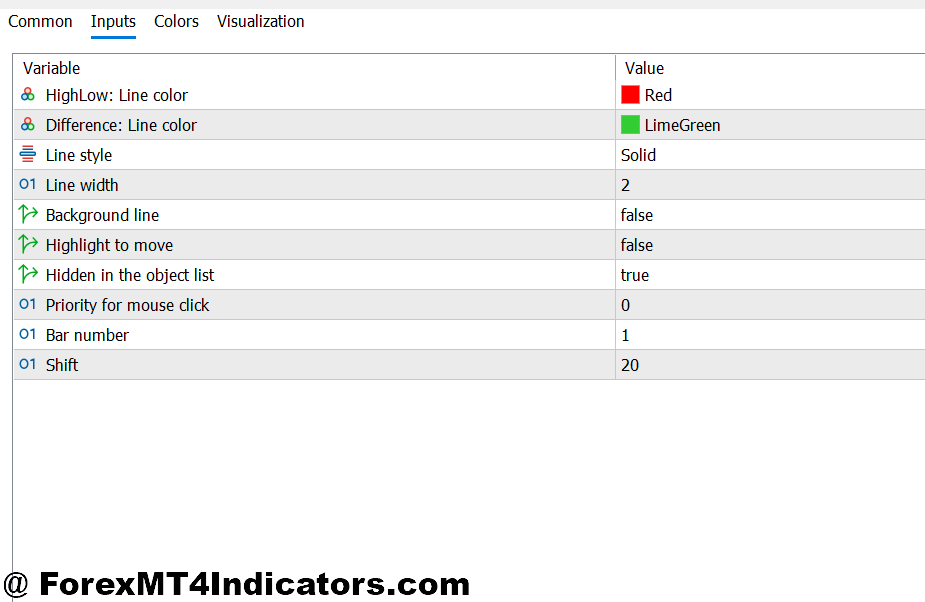
Most MT5 Horizontal Line Indicators offer flexible settings. Common parameters include line color, thickness, and label visibility. Experienced traders tweak these for quick chart reading.
For lower timeframes like M5 or M15, thinner lines reduce clutter. On H4 or daily charts, thicker lines stand out better. Many traders color-code levels:
- Red for resistance
- Blue for support
- Gray for session opens
Some indicators allow alerts when price touches a line. That’s useful during slow markets or when monitoring multiple pairs. On USD/JPY, for instance, an alert at a daily high can signal potential breakout or rejection without staring at the screen.
Advantages and Limitations
The biggest advantage of the MT5 Horizontal Line Indicator is simplicity. It keeps traders focused on price behavior around key levels. There’s no recalculation, no repainting, and no confusion during fast markets.
It also supports disciplined trade planning. Entries, stops, and targets become easier to define. That’s especially helpful for traders managing risk at 1% or less per trade.
That said, it has limits. Horizontal lines don’t tell traders when to buy or sell. They don’t account for trend strength or news impact. In strong trends, price can slice through levels without hesitation. Relying on lines alone can lead to premature countertrend trades.
Trading forex carries substantial risk. No indicator guarantees profits. Levels can fail, especially during unexpected news or low-liquidity periods.
Comparison with Similar Tools
Compared to pivot point indicators, the MT5 Horizontal Line Indicator offers more control. Pivot points auto-calculate levels, which some traders find restrictive. Horizontal lines let traders mark what matters to them.
Versus moving averages, horizontal lines focus on structure, not direction. Moving averages lag. Lines don’t. Many experienced traders combine both: using a 50-period EMA for trend bias and horizontal lines for execution.
Support and resistance indicators often automate level detection. That saves time but can clutter charts. Manual horizontal lines demand more judgment but improve market understanding over time.
How to Trade with MT5 Horizontal Line Indicator
Buy Entry

- Wait for support rejection – On EUR/USD 1-hour chart, wait for price to touch a marked support line and close back above it by 5–10 pips to confirm buyers are active.
- Buy the retest after breakout – If price breaks above a resistance line by at least 15 pips, wait for a pullback to the same level before entering long to avoid fake-outs.
- Confirm with candle close – Enter only after a bullish candle closes above the horizontal line on H1 or H4; don’t buy during an open candle.
- Trade in trend direction – On GBP/USD 4-hour chart, take buys at horizontal support only when price is above the 50 EMA to reduce countertrend risk.
- Use session timing – Look for buy setups during London or New York sessions; avoid Asian session buys unless range trading is planned.
- Set controlled stop-loss – Place stop 10–20 pips below the horizontal support to protect capital if the level fails.
- Target next key level – Set take-profit near the next resistance line, usually 30–60 pips on H1 setups, to maintain at least 1:2 risk-reward.
- Skip news-driven spikes – Don’t buy if price hits the line during high-impact news; levels often break without respect.
Sell Entry

- Wait for resistance rejection – On EUR/USD 1-hour chart, wait for price to hit resistance and close back below it by 5–10 pips before selling.
- Sell the pullback after breakdown – If price breaks below support by 15–20 pips, wait for a retest of that line to enter short with lower risk.
- Confirm bearish candle close – Enter sells only after a strong bearish close below the horizontal line on H1 or H4.
- Align with higher timeframe bias – On GBP/USD daily chart, focus on sell setups when price trades below previous weekly resistance.
- Avoid choppy markets – Don’t sell when price is stuck within a 20–25 pip range; horizontal lines lose reliability in chop.
- Protect with tight stop-loss – Place stop 10–25 pips above resistance to limit losses if buyers step in.
- Aim for logical targets – Take profit near the next support line, often 40–80 pips on H4 trades, instead of holding blindly.
- Reduce risk near news – Cut position size by 50% or stay out if a major USD or GBP news event is approaching.
Conclusion
The MT5 Horizontal Line Indicator earns its place by doing one job well. It helps traders see and respect important price levels. Traders using it often notice fewer impulsive entries and cleaner exits.
It highlights support and resistance clearly, supports structured trade planning, and works across timeframes and pairs. At the same time, it doesn’t replace market analysis or risk management. It complements them.
For traders refining their technical analysis, the next step is simple: mark key levels, watch how price behaves around them, and keep notes. Over time, those observations matter more than any single tool.
Recommended MT4/MT5 Broker
XM Broker
- Free $50 To Start Trading Instantly! (Withdraw-able Profit)
- Deposit Bonus up to $5,000
- Unlimited Loyalty Program
- Award Winning Forex Broker
- Additional Exclusive Bonuses Throughout The Year
- Exclusive 90% VIP Cash Rebates for all Trades!

Already an XM client but missing out on cashback? Open New Real Account and Enter this Partner Code: VIP90
(Free MT4 Indicators Download)



Enter Your Email Address below, download link will be sent to you.