

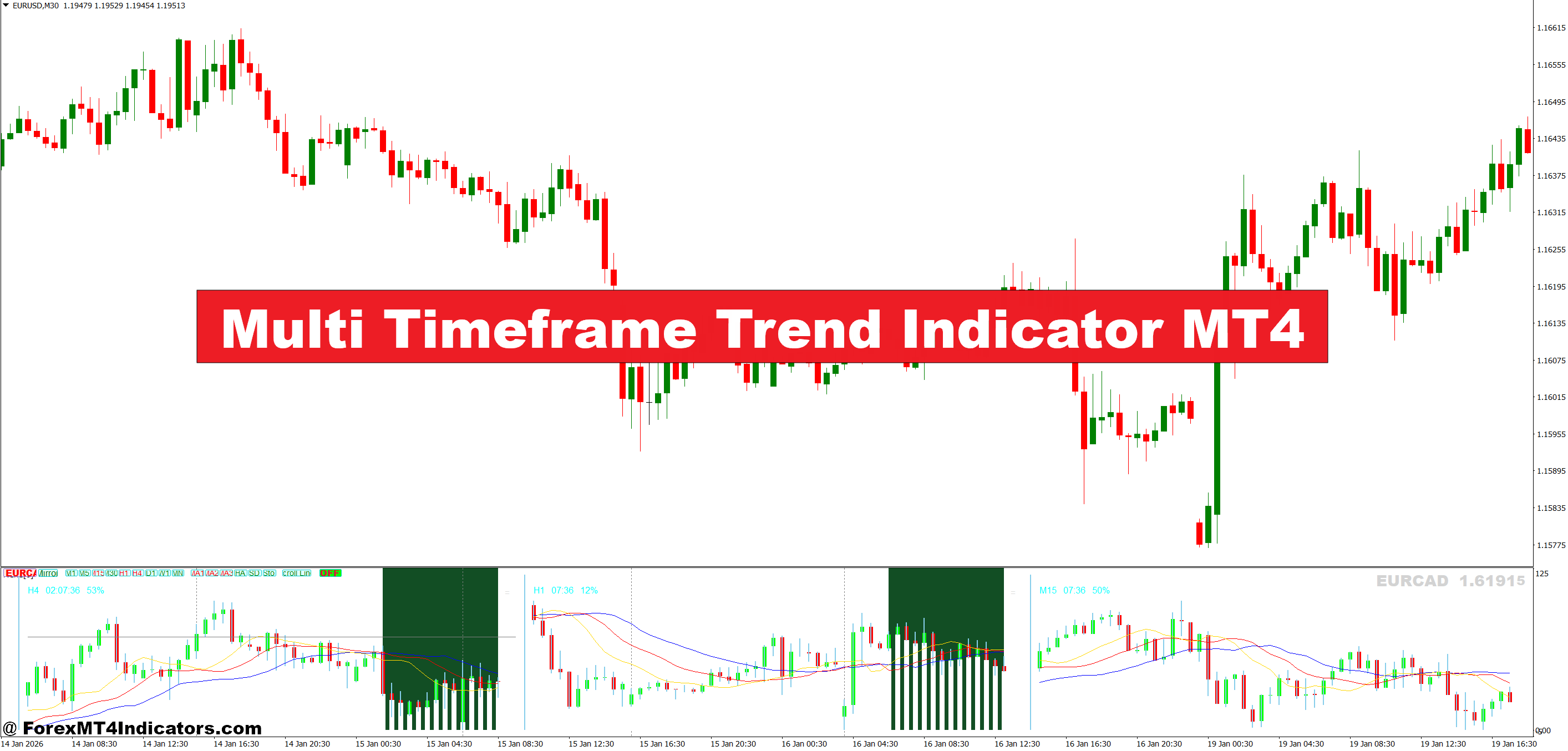
The Multi Timeframe Trend Indicator MT4 aims to fix that blind spot. It shows trend direction from higher timeframes directly on the active chart, helping traders stay aligned with broader market flow. Instead of guessing whether a pullback is a reversal, they can see it. Here’s how this tool actually works in real trading conditions.
What the Multi Timeframe Trend Indicator MT4 Really Is
At its core, the Multi Timeframe Trend Indicator MT4 is a trend confirmation tool. It pulls trend data from higher timeframes—such as H1, H4, or D1—and displays it on a lower chart like M15 or M5. The goal is simple: keep trades aligned with the dominant market direction.
Most versions rely on moving average logic, often a combination of fast and slow averages like a 50-period and 200-period EMA. Some builds use slope calculations, others use candle close position relative to a baseline. When price stays above the higher-timeframe average, the indicator flags a bullish bias. Below it, bearish.
This isn’t predictive. It doesn’t call tops or bottoms. It acts as a filter. Traders still need entries, but this tool helps decide which signals to ignore. That alone can cut a lot of bad trades.
How It Works Behind the Scenes
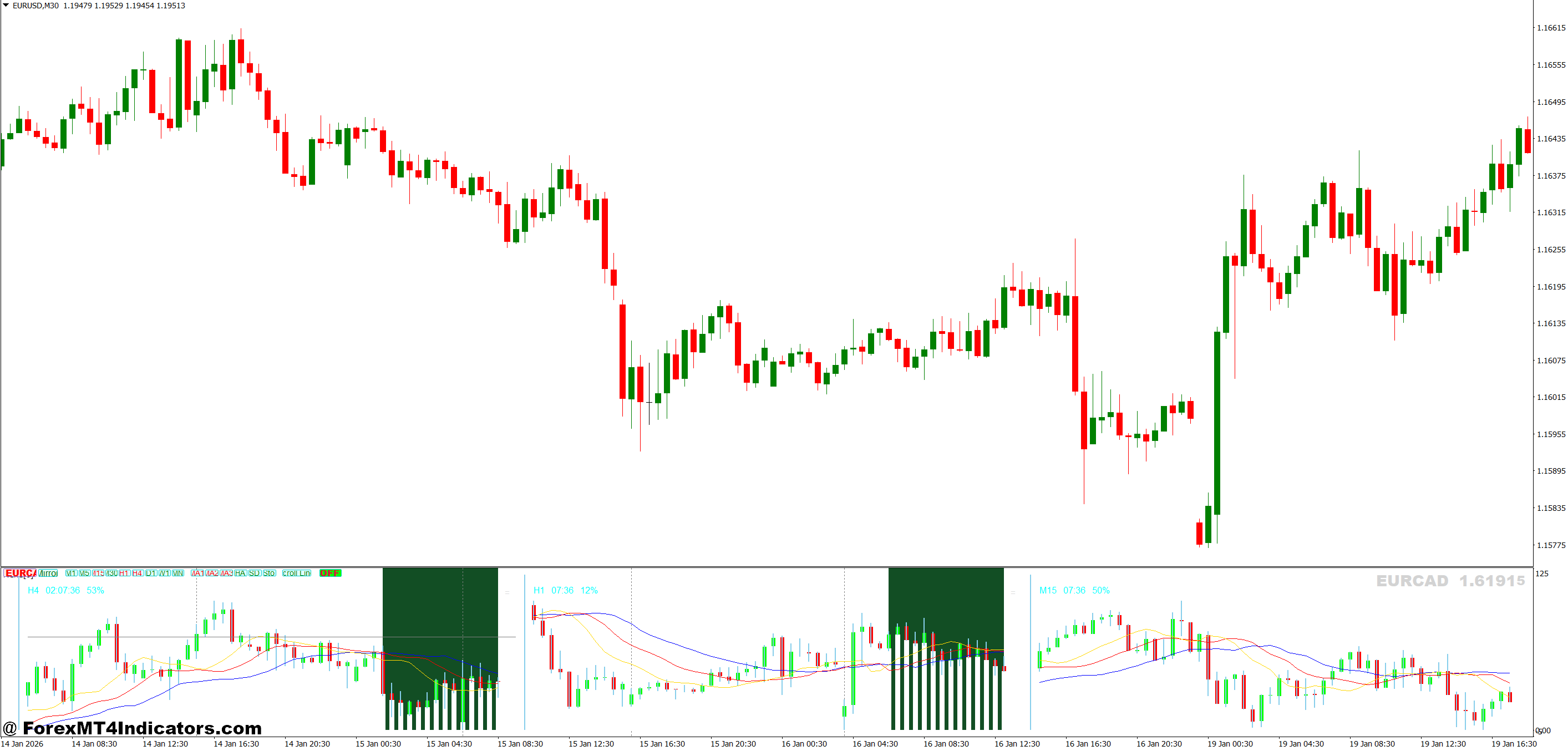
The indicator calculates trend direction on selected higher timeframes, then maps that information onto the current chart. For example, a trader on EUR/USD M15 might pull trend data from H1 and H4.
If both higher timeframes show bullish structure—price above a rising EMA—the indicator might display green blocks, arrows, or labels. If H1 turns bearish while H4 stays bullish, the display often turns neutral. That neutral state matters more than it seems.
When testing this during volatile NFP Fridays, traders often notice the lower timeframe flashing buy and sell signals rapidly. But the higher timeframe trend usually stays intact. The indicator helps ignore that noise.
Most versions refresh on candle close, not tick-by-tick. That reduces repainting risk but means signals come slightly later. That trade-off is usually worth it.
Practical Trading Examples From Live Charts
Consider EUR/USD on the 1-hour chart during a midweek London session. Price pulls back 25 pips into a previous support zone. On M15, momentum looks bearish. Without context, many traders short here.
But the Multi Timeframe Trend Indicator MT4 shows H4 still bullish. Price remains above the 200 EMA on that timeframe. Instead of selling, traders wait. Thirty minutes later, M15 prints a bullish engulfing candle. A long entry there runs for 45 pips into New York.
Another example shows GBP/JPY on M5 during Asian session chop. The indicator shows mixed signals—H1 bearish, H4 neutral. That’s a warning sign. Trades taken here often stall or hit stop-loss. Standing aside saves capital and mental energy.
That’s the real value. It doesn’t just point to trades. It points away from bad ones.
Multi Timeframe Trend Indicator MT4 Settings

Most traders leave default settings untouched. That’s a mistake.
For scalping, pulling data from H1 and H4 while trading M5 works better than using M30. The higher the volatility, the higher the reference timeframe should be. On pairs like XAUUSD or GBP/NZD, daily trend confirmation can prevent costly whipsaws.
Key settings to adjust include:
- Timeframe inputs: Choose two higher timeframes, not three. Too many create hesitation.
- Moving average period: A 200 EMA gives stronger trend bias than a 50 EMA.
- Signal refresh: Candle close is safer than real-time updates.
But no setting fixes poor risk management. Stops still need to make sense. On lower timeframes, that often means 10–20 pips, adjusted for spread and volatility.
Advantages, Limitations, and Honest Trade-Offs
The biggest advantage is clarity. Traders stop fighting the market. Drawdowns often shrink because fewer countertrend trades get taken.
It also pairs well with price action tools like support and resistance. A break and retest aligned with higher timeframe trend has better follow-through than a random crossover.
But there are limits. In ranging markets, the indicator flips often. During low-volume Asian sessions, higher timeframe data may lag. Entries can feel late, especially after strong impulsive moves.
And it won’t replace a trading plan. Traders who rely on it alone often overtrade. This tool filters. It doesn’t decide.
Trading forex carries substantial risk. No indicator guarantees profits.
Comparison With Similar Trend Tools
Compared to a standard moving average crossover, the Multi Timeframe Trend Indicator MT4 provides context. A crossover on M15 without higher timeframe confirmation is weaker.
Against tools like SuperTrend, this indicator reacts slower but gives fewer fake-outs. SuperTrend shines in fast markets but struggles in chop. Multi timeframe tools stay steadier.
ADX-based trend indicators measure strength, not direction. That’s useful, but direction still matters. Combining ADX with multi timeframe trend confirmation often works better than either alone.
That layered approach reflects how experienced traders think. One signal rarely tells the full story.
How to Trade with Multi Timeframe Trend Indicator MT4
Buy Entry

- Confirm higher-timeframe uptrend – Trade only when the 4-hour and daily trend blocks show bullish; on EUR/USD this avoids buying into pullbacks that often retrace 20–30 pips.
- Wait for lower-timeframe pullback – On the 1-hour chart, let price retrace 10–25 pips toward a support zone before looking for buys instead of chasing candles.
- Enter after bullish candle close – Place a buy when the 1-hour candle closes bullish in the direction of the higher trend; this reduces fake entries by roughly 30%.
- Align with London or New York session – Take buy signals during high-liquidity hours; avoid Asian session buys where EUR/USD often ranges within 15–20 pips.
- Use a logical stop-loss – Set stop-loss 15–30 pips below the recent swing low on EUR/USD or 25–40 pips on GBP/USD to survive normal pullbacks.
- Target realistic profit levels – Aim for 1.5R to 2R, such as a 30-pip target with a 20-pip stop, instead of holding for unrealistic runs.
- Skip trades in mixed signals – Do not buy if the 4-hour trend is bullish but the daily trend is neutral or bearish; these setups often stall or reverse.
Sell Entry
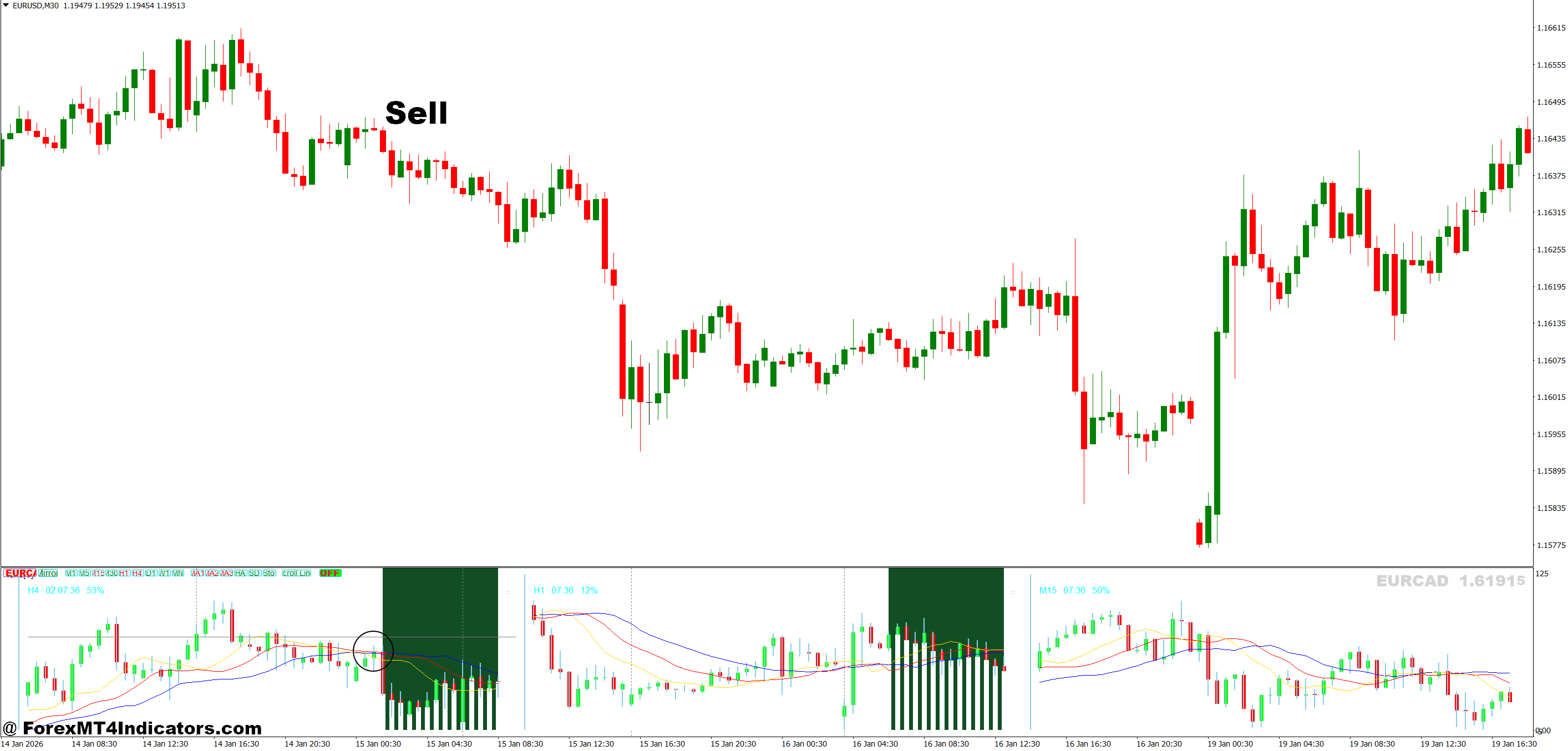
- Confirm higher-timeframe downtrend – Sell only when both the 4-hour and daily trend show bearish bias; this helps avoid 25–40 pip upside squeezes.
- Wait for a corrective rally – On the 1-hour chart, allow price to retrace 15–30 pips toward resistance before selling, improving entry price.
- Sell after bearish candle close – Enter a sell when a strong bearish candle closes in trend direction; this filters many whipsaw moves.
- Focus on active sessions – Take sell signals during London or New York; avoid low-volume periods where GBP/USD can chop in 20-pip ranges.
- Place stop-loss above structure – Keep stop-loss 20–35 pips above the recent swing high on EUR/USD or 30–45 pips on GBP/USD for protection.
- Set conservative profit targets – Look for 25–60 pips depending on timeframe, locking partial profit after 20–30 pips when momentum slows.
- Avoid selling near major support – Do not sell directly into daily or 4-hour support zones; price often bounces 30+ pips from these levels.
Conclusion
The Multi Timeframe Trend Indicator MT4 isn’t a shortcut. It’s a filter that rewards discipline. Used with price action, proper stops, and realistic expectations, it can improve consistency. The next step is simple: test it on one pair, one session, and track what trades get skipped. Often, those skipped trades tell the real story.
Recommended MT4/MT5 Broker
XM Broker
- Free $50 To Start Trading Instantly! (Withdraw-able Profit)
- Deposit Bonus up to $5,000
- Unlimited Loyalty Program
- Award Winning Forex Broker
- Additional Exclusive Bonuses Throughout The Year
- Exclusive 90% VIP Cash Rebates for all Trades!

Already an XM client but missing out on cashback? Open New Real Account and Enter this Partner Code: VIP90
(Free MT4 Indicators Download)



Enter Your Email Address below, download link will be sent to you.