


At its core, the No Supply No Demand Indicator MT4 is a volume spread analysis (VSA)–based tool. It scans candles for a combination of narrow price range and low tick volume. When those conditions line up, the indicator flags a potential lack of interest from buyers or sellers.
“No supply” usually appears during pullbacks in an uptrend. Price dips slightly, but volume contracts, suggesting sellers aren’t committed. “No demand” shows up during weak rallies in a downtrend, where buyers push price up with little volume behind the move.
This indicator doesn’t predict direction on its own. Instead, it gives context. Traders use it to confirm whether a pullback is healthy or whether a breakout attempt lacks real backing.
How the Indicator Works Behind the Scenes
The logic is fairly straightforward but easy to misuse. The indicator compares the current candle’s volume to a moving average of previous volumes, often over 20 or 30 bars. It also checks candle spread, meaning the distance between high and low.
For example, a no-supply signal might trigger when:
- The candle closes lower than the previous bar
- The spread is smaller than recent candles
- Tick volume is below the recent average
On EUR/USD’s 1-hour chart, this often shows up during London session pullbacks. Price may dip 15–20 pips, volume drops sharply, and the indicator marks the candle. That’s not a buy signal by itself. But if that candle forms near a rising 50-period EMA or prior support, it adds weight to the long idea.
When testing this on volatile NFP days, traders often notice fewer reliable signals during the announcement window. Volume spikes distort the logic. Outside those periods, the signals tend to align better with structure.
Practical Trading Applications With Real Scenarios
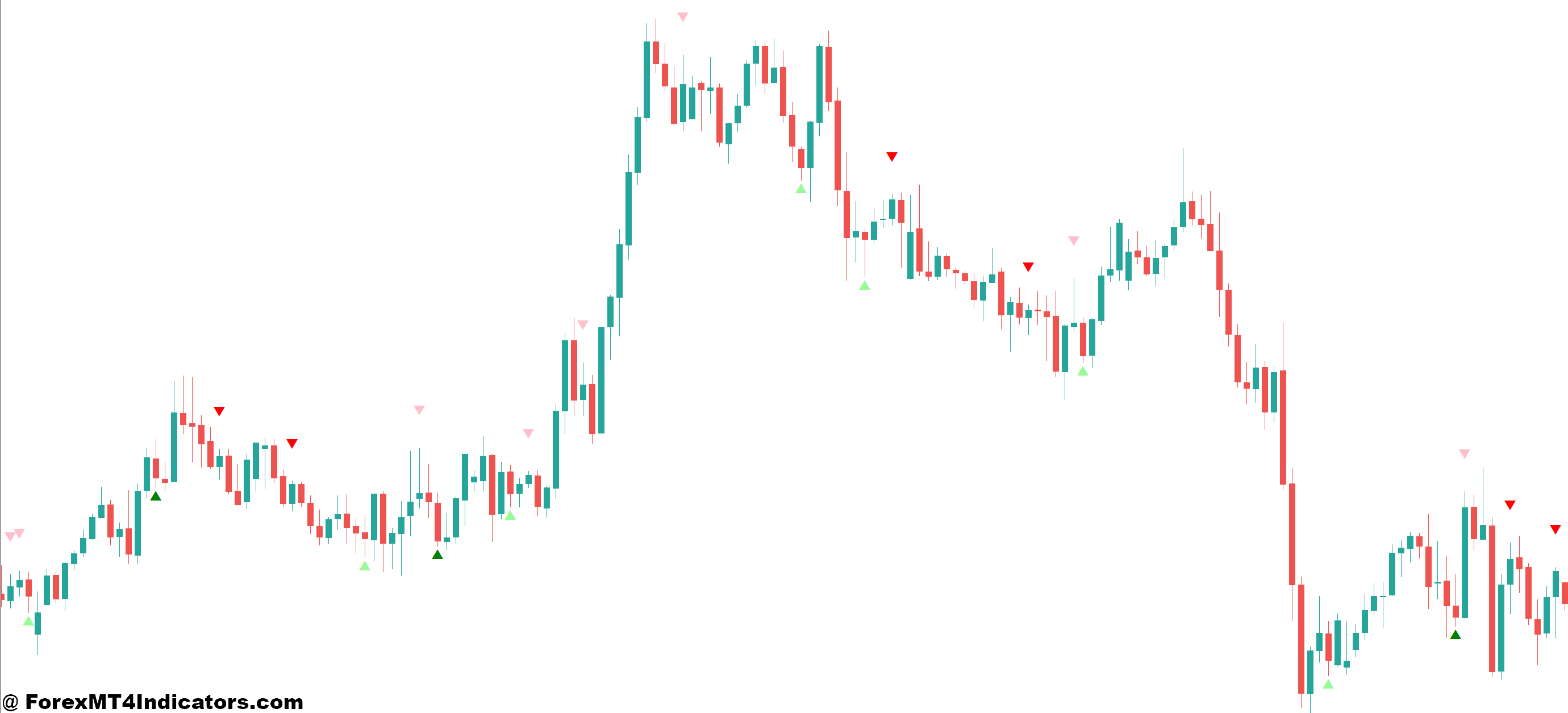
Most traders use the No Supply No Demand Indicator MT4 as a filter, not a trigger. One common setup pairs it with trend analysis.
Take GBP/USD on the 4-hour chart. Price trends higher for several days, then pulls back into a previous resistance-turned-support zone around 1.2650. During that pullback, two consecutive no-supply bars appear. Volume drops, spreads tighten, and price stops pushing lower. A trader might enter long on the next bullish close, placing a stop 25 pips below the structure low.
Another example shows the other side. On USD/JPY 30-minute chart, price rallies into a daily resistance near 148.80. The indicator prints a no-demand signal right at that level. Buyers pushed price up, but volume didn’t follow. Short entries after the next bearish candle often see 30–40 pip moves during New York session follow-through.
But here’s the thing: in ranging markets, this tool throws mixed signals. In low-volatility Asian sessions, almost every candle can look like no demand or no supply. Context matters.
Settings, Customization, and Trader Adjustments
Most versions of this indicator allow tweaks to volume period and sensitivity. A common default uses a 20-bar volume average. On lower timeframes like M15, some traders bump that to 30 bars to reduce noise.
For volatile pairs such as XAUUSD or GBP crosses, increasing the spread filter helps. That prevents wide candles with low volume from triggering misleading signals.
Experienced traders also match settings to sessions. During London and New York overlap, tighter filters work fine. During Asia, looser rules just create clutter.
One practical tip: keep it off exotic pairs. Tick volume data varies widely across brokers, and that inconsistency weakens signals.
Advantages, Limitations, and Honest Trade-Offs

The biggest strength of this indicator is timing. It helps traders wait. Seeing no supply during a pullback often keeps traders from jumping in too early.
It also pairs well with support and resistance, trendlines, and moving averages. Used this way, it sharpens entries and improves risk-to-reward.
But it has limits. Low volume doesn’t always mean smart money is stepping aside. Sometimes it just means traders are waiting for news. And in strong trends, price can keep running even when volume looks thin.
It also won’t work well as a standalone system. Traders who treat it as a signal generator often get chopped up.
Trading forex carries substantial risk. No indicator guarantees profits. Losses are part of the process, even with solid tools.
Comparison With Similar Indicators
Compared to a standard volume histogram, this indicator adds structure. It doesn’t just show volume; it interprets it alongside price spread. That’s useful.
Against tools like the 14-period RSI, the difference is clear. RSI measures momentum, not participation. A market can look oversold on RSI while still lacking buying interest. No supply highlights that gap.
Volume Profile and Market Profile offer deeper insight, but they’re heavier tools. The No Supply No Demand Indicator MT4 is simpler and faster to read, which suits short-term traders.
What makes this different? It focuses on absence rather than presence. That’s a subtle but valuable shift in thinking.
How to Trade with No Supply No Demand Indicator MT4
Buy Entry

- Confirm the trend first – Trade only in an uptrend on the 1-hour or 4-hour chart, with price holding above the 50 EMA on pairs like EUR/USD or GBP/USD.
- Spot a no-supply candle – Look for a narrow-range bearish candle with clearly lower volume during a pullback of 15–30 pips.
- Check location carefully – Take buys only near support, prior breakout levels, or a rising trendline; avoid mid-range entries.
- Wait for price confirmation – Enter buy after a bullish candle closes above the no-supply bar high, not before.
- Set a logical stop-loss – Place stops 20–30 pips below the recent swing low to avoid random spikes.
- Target realistic profits – Aim for 1.5R to 2R reward or the next resistance zone, often 40–70 pips on H1.
- Avoid news-driven sessions – Skip signals during high-impact events like NFP or CPI, where volume behavior becomes unreliable.
Sell Entry

- Define a clear downtrend – Sell only when price stays below the 50 EMA on the 1-hour or 4-hour chart, especially on GBP/USD.
- Identify a no-demand candle – Watch for a narrow bullish candle with weak volume after a 20–40 pip pullback.
- Sell at resistance zones – Focus on daily resistance, previous highs, or descending trendlines for higher-probability setups.
- Wait for bearish confirmation – Enter sell after a strong bearish close below the no-demand candle low.
- Control downside risk – Place stop-loss 25–35 pips above the resistance level or recent swing high.
- Lock profits methodically – Take partial profits at 1R and trail the rest using a 20-pip stop on H1 trades.
- Stay out of tight ranges – Don’t sell if the market is flat or stuck in a 30-pip box; signals fail more often in chop.
Conclusion
The No Supply No Demand Indicator MT4 works best as a confirmation tool, not a crystal-clear signal machine. Traders who get value from it tend to use it alongside structure and trend bias. The key points stand out:
- It highlights low participation during pullbacks or weak rallies
- It helps avoid entries during chop and fake-outs
- It performs best near support, resistance, and moving averages
- It struggles in flat, low-volume sessions
Used with patience, this indicator can improve entry timing and trade selection. The next step is simple: test it on one pair and one timeframe for several weeks. Watch how price reacts after signals. The market always tells the truth, but only if traders listen closely.
Recommended MT4/MT5 Broker
XM Broker
- Free $50 To Start Trading Instantly! (Withdraw-able Profit)
- Deposit Bonus up to $5,000
- Unlimited Loyalty Program
- Award Winning Forex Broker
- Additional Exclusive Bonuses Throughout The Year
- Exclusive 90% VIP Cash Rebates for all Trades!

Already an XM client but missing out on cashback? Open New Real Account and Enter this Partner Code: VIP90
(Free MT4 Indicators Download)



Enter Your Email Address below, download link will be sent to you.