

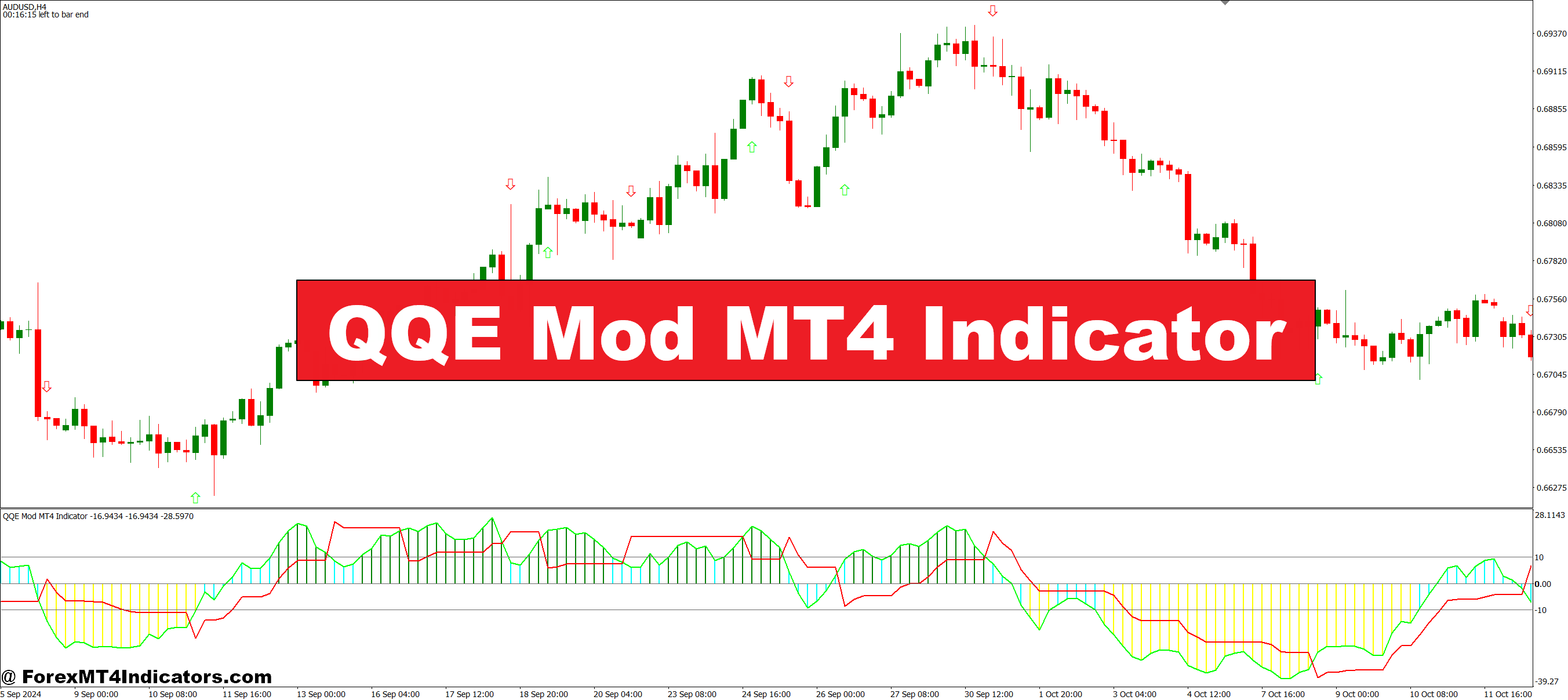
The QQE Mod indicator takes a different approach. It smooths out that noise while keeping the responsive edge traders need for quality entries. This modified version of the Qualitative Quantitative Estimation indicator doesn’t eliminate false signals—nothing does—, but it filters the junk better than standard momentum tools.
What the QQE Mod Indicator Actually Is
QQE Mod is a momentum oscillator that builds on the original QQE indicator, which itself was derived from the RSI. Think of it as RSI’s more sophisticated cousin. While standard RSI measures the speed of price changes, QQE Mod adds multiple smoothing layers and a volatility component that adapts to market conditions.
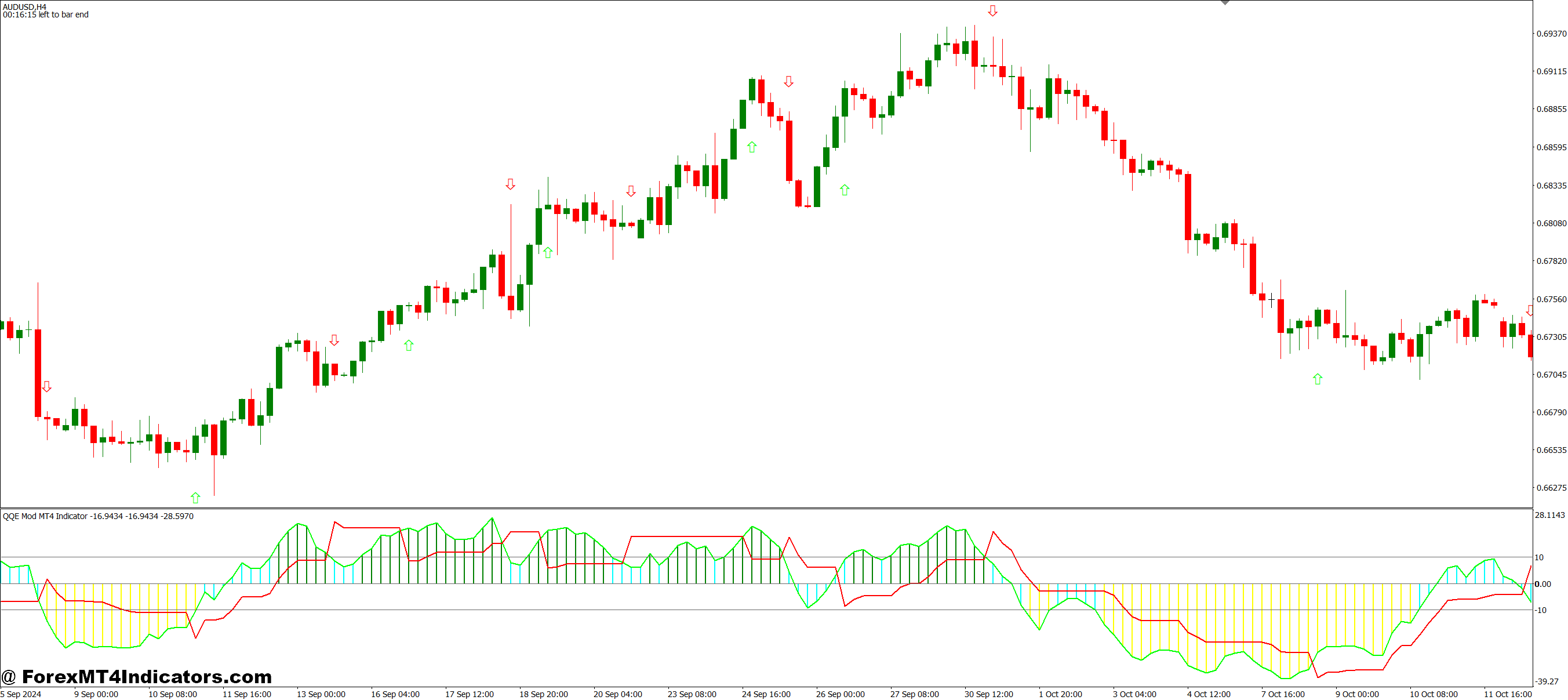
The indicator displays on a separate window below the price chart, similar to MACD or Stochastic. Traders typically see two main components: a faster-moving line (usually blue) and a slower signal line (often red or orange). When these lines cross, they generate potential entry signals. But here’s where it gets interesting—the QQE Mod also includes histogram bars that show the strength behind those crosses.
Unlike basic oscillators that use fixed thresholds (like RSI’s 30/70 levels), QQE Mod operates in a free-floating range. This means signals adapt to the current volatility environment rather than treating quiet Asian session price action the same as wild NFP announcements.
How QQE Mod Calculates Its Signals
The calculation starts with an RSI base, typically set to 14 periods, though some traders adjust this. That RSI value then goes through a smoothing process using a moving average—often a Wilder’s smoothing or exponential MA. This first smoothing step is where QQE diverges from standard RSI.
Next comes the volatility component. The indicator calculates an Average True Range (ATR)-based trailing level that moves with price momentum. This creates dynamic bands that expand during volatile periods and contract during consolidation. The “Mod” in QQE Mod refers to modifications that enhance these bands and add the histogram component for easier visual interpretation.
When the fast line crosses above the slow line, and the histogram turns positive (usually shown in green), that suggests building bullish momentum. The reverse—fast line crossing below with negative histogram bars—signals potential bearish pressure. The strength of the histogram bars matters. A weak crossover with barely visible bars often leads to quick reversals, while strong bars suggest genuine momentum shifts.
Using QQE Mod in Real Trading Scenarios
Let’s get practical. During a trending market, QQE Mod excels at entry timing. Say GBP/JPY is in a solid uptrend on the 4-hour chart. Price pulls back to the 20-period moving average, and traders start looking for continuation entries. When QQE Mod’s fast line crosses above the signal line while the price respects that moving average, that’s a high-probability setup.
A trader might enter long when the crossover occurs, place a stop below the recent swing low (maybe 50-60 pips depending on pair volatility), and target the next resistance level. The key is waiting for the histogram to show commitment—at least three to four bars of consistent color after the cross.
But QQE Mod shows its true value in choppy markets. On a typical Wednesday afternoon when EUR/USD is grinding sideways in a 40-pip range, standard RSI might generate six or seven signals. QQE Mod, with its smoothing, might only flash two. Those two are more likely to be actual breakout attempts rather than noise.
That said, the indicator isn’t magic. During the 2024 USD/JPY volatility in July (when Bank of Japan intervention rumors swirled), QQE Mod generated several false signals because the whipsaws were so violent. No smoothing algorithm can fully compensate for that kind of market chaos.
Settings That Matter (And Those That Don’t)

The default settings (RSI period of 14, RSI smoothing of 5, and QQE factor of 4.236) work reasonably well across multiple timeframes. But traders should adjust based on their trading style.
Scalpers using 5-minute or 15-minute charts might reduce the RSI period to 8 or 10 for faster reactions. Day traders on hourly charts usually stick closer to defaults. Swing traders looking at 4-hour or daily timeframes sometimes increase the RSI period to 21 for smoother signals.
The QQE factor controls band sensitivity. Lower values (around 3.0) make the indicator more responsive but increase false signals. Higher values (5.0 or above) reduce signals but improve reliability. There’s no perfect number—it depends on whether you’d rather catch more moves with lower accuracy or fewer moves with higher accuracy.
Here’s something many traders miss: the histogram threshold setting. Some QQE Mod versions let you filter out weak signals by requiring a minimum histogram strength before considering a cross valid. Setting this threshold at 10-15% of the indicator’s range can dramatically reduce losing trades.
The Good, The Bad, and When It Fails
QQE Mod’s biggest advantage is its filtering capability. It cuts noise better than RSI, Stochastic, or CCI while maintaining decent responsiveness. The visual clarity helps too—that histogram makes signal strength immediately obvious, unlike indicators where you’re squinting at line angles trying to determine conviction.
The indicator also adapts fairly well to different market conditions. Those volatility-adjusted bands mean signals during quiet periods aren’t treated identically to signals during major news events. This adaptability prevents the “indicator worked great last month, useless this month” problem that plagues fixed-parameter tools.
But limitations exist. QQE Mod lags—all smoothed indicators do. By the time a signal confirms, the price has already moved. In fast-trending markets, entries can be 10-20 pips away from optimal. Traders need to accept that trade-off or combine QQE Mod with faster confirmation methods like price action patterns.
Ranging markets pose problems, too. Yes, QQE Mod reduces false signals compared to other oscillators, but “reduces” doesn’t mean “eliminates.” Traders still get chopped up in tight ranges, just less frequently. The solution isn’t better indicator settings—it’s staying flat when market structure shows no clear direction.
Another issue: QQE Mod doesn’t provide price targets or stop placement guidance. It tells you when momentum might be shifting, but not how far the price will run. Traders need separate methods for trade management—trailing stops, support/resistance exits, or time-based stops.
Comparing QQE Mod to Standard Tools
Against standard RSI, QQE Mod wins on signal quality but loses on simplicity. RSI’s overbought/oversold levels give clear reference points. QQE Mod requires interpretation—is this crossover strong enough? That learning curve turns some traders off.
Compared to MACD, QQE Mod reacts faster to momentum shifts. MACD’s dual smoothing makes it lag considerably, especially on shorter timeframes. But MACD’s histogram shows momentum divergence more clearly, which some traders prefer for spotting trend exhaustion.
Stochastic oscillator users often like QQE Mod because it provides similar crossover signals without Stochastic’s tendency to hang in overbought/oversold zones during trends. When EUR/USD is running 200 pips in a day, Stochastic stays pegged at the top while QQE Mod continues generating useful information.
How to Trade with QQE Mod MT4 Indicator
Buy Entry

- Fast line crosses above signal line – Enter long when the blue line crosses above the red line and the histogram turns green with at least 3-4 consecutive positive bars showing momentum commitment.
- Histogram strength confirmation – Only take the buy signal if histogram bars reach at least 15-20% of the indicator’s visible range; weak crosses often reverse within 10-15 pips on EUR/USD 1-hour charts.
- Align with price structure – Wait for the crossover to occur near support levels or above the 20-period moving average on 4-hour timeframes to confirm trend direction before entering.
- Set stop below recent swing low – Place your stop loss 5-10 pips below the nearest swing low, typically 30-50 pips on GBP/USD, depending on volatility and timeframe used.
- Avoid during flat histogram periods – Skip buy signals when the histogram has been oscillating between positive and negative for the past 6-8 bars; this indicates choppy, ranging conditions.
- Check higher timeframe alignment – Verify the daily chart shows bullish structure before taking 1-hour or 4-hour buy signals; counter-trend trades have 60-70% higher failure rates.
- Risk no more than 1-2% per trade – Calculate position size based on your stop distance so a loss only impacts 1-2% of account balance, even if the setup looks perfect.
- Skip news event windows – Don’t enter within 30 minutes before or after high-impact news (NFP, FOMC, ECB) as QQE Mod signals become unreliable during volatile spikes.
Sell Entry

- Fast line crosses below signal line – Enter short when the blue line drops below the red line and histogram bars turn red with sustained negative momentum for 3+ bars.
- Wait for resistance rejection – Take sell signals that occur near key resistance zones or below the 50-period moving average on 4-hour charts to stack probabilities in your favor.
- Confirm with negative histogram depth – Look for histogram bars reaching -15 to -20 on the scale; shallow crosses under -5 often fail within 20-30 pips on EUR/USD.
- Place stop above recent swing high – Set stops 5-10 pips above the closest swing high, adjusting for pair volatility (GBP/JPY needs wider stops than EUR/USD).
- Ignore during strong uptrends – Don’t take sell signals when price is making higher highs and higher lows on the daily chart; fighting trends destroys accounts faster than bad entries.
- Check for divergence confirmation – Stronger sell setups occur when price makes higher highs, but QQE Mod makes lower highs, signaling momentum weakness before the cross.
- Target support levels or 1.5-2R minimum – Aim for the next support zone or at least 1.5 times your risk; don’t take trades with less than 30-pip potential on major pairs.
- Exit if histogram reverses quickly – If the histogram flips back to positive within 2-3 bars after your entry, exit immediately at breakeven or small loss rather than hoping for recovery.
Conclusion
QQE Mod sits in a sweet spot between responsiveness and reliability. It’s not the fastest indicator, not the smoothest, not the most accurate—but it balances those factors better than most alternatives.
Trading forex carries substantial risk. No indicator guarantees profits, and even the best tools fail in certain market conditions. QQE Mod improves odds when used correctly with proper risk management, but it can’t overcome poor position sizing or emotional decision-making. Traders should test any new indicator on demo accounts for at least 50 trades before risking real capital.
The QQE Mod indicator works best when traders understand what it’s actually telling them—momentum shifts with strength confirmation—and what it isn’t—a standalone trading system. Combined with solid price action reading, reasonable expectations, and disciplined risk control, it can filter entries more effectively than standard oscillators. Just don’t expect it to work miracles during sideways chop or news-driven chaos. No indicator can.
Recommended MT4/MT5 Broker
XM Broker
- Free $50 To Start Trading Instantly! (Withdraw-able Profit)
- Deposit Bonus up to $5,000
- Unlimited Loyalty Program
- Award Winning Forex Broker
- Additional Exclusive Bonuses Throughout The Year
- Exclusive 90% VIP Cash Rebates for all Trades!

Already an XM client but missing out on cashback? Open New Real Account and Enter this Partner Code: VIP90
(Free MT4 Indicators Download)



Enter Your Email Address below, download link will be sent to you.