

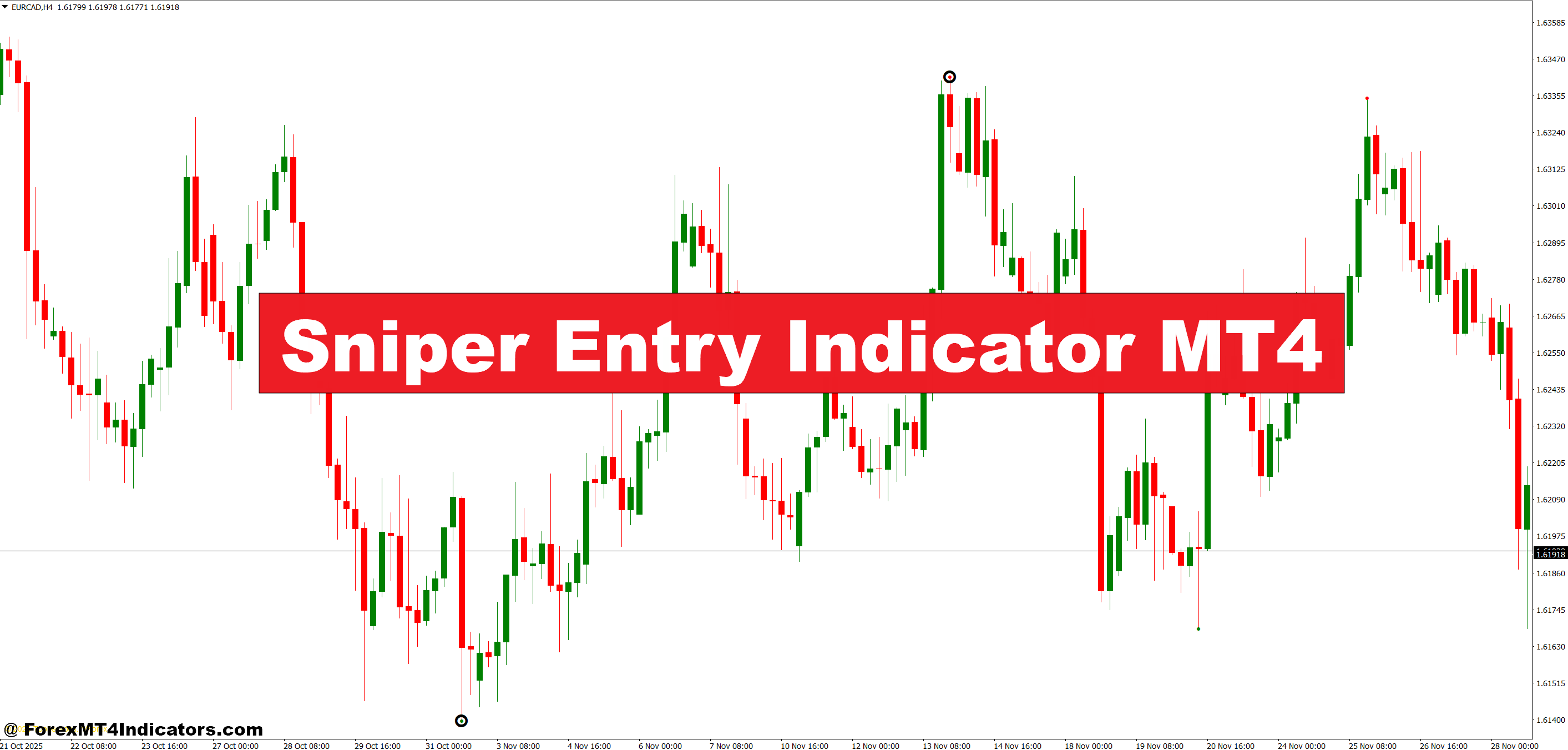
The Sniper Entry Indicator is a technical analysis tool built for the MetaTrader 4 platform that generates buy and sell signals based on price momentum and trend direction. Unlike basic moving average crossovers, this indicator combines multiple data points to filter out weak signals and focus on entries that have a higher statistical chance of success.
When conditions align, the indicator plots arrows directly on the chart—typically a blue arrow for long entries and a red arrow for short entries. These arrows appear at specific candles where the indicator’s algorithm detects favorable conditions. Traders don’t need to calculate anything manually or interpret complex oscillators. The visual signals do the heavy lifting.
What sets it apart from simpler indicators is the filtering mechanism. The Sniper Entry doesn’t fire off signals on every minor price wiggle. It waits for confirmation across its internal calculations before displaying an arrow, which means fewer signals overall but potentially better quality entries.
The Logic Behind the Signals
While different versions of the Sniper Entry Indicator exist, most rely on a combination of trend-following and momentum-based components. The core logic typically involves analyzing recent price action to determine if the market is in a trending state or choppy consolidation. When the algorithm detects a trend gaining strength, it looks for pullback completion or momentum acceleration to trigger an entry signal.
Here’s what happens under the hood: The indicator measures the relationship between current price and recent price history across several periods. When price breaks above a certain threshold during an uptrend—or below it during a downtrend—and momentum confirms the move, the arrow appears. Some versions also incorporate volatility filters to avoid signaling during extremely choppy conditions where whipsaws are common.
Testing this on the EUR/USD 15-minute chart during the London session showed that signals often appeared right as price finished a brief retracement and resumed the main trend. On one particular setup in late December, an uptrend on the H1 chart produced a blue arrow just as price bounced off the 20-period EMA. The trade captured 35 pips before hitting the profit target.
How Traders Actually Use This Tool
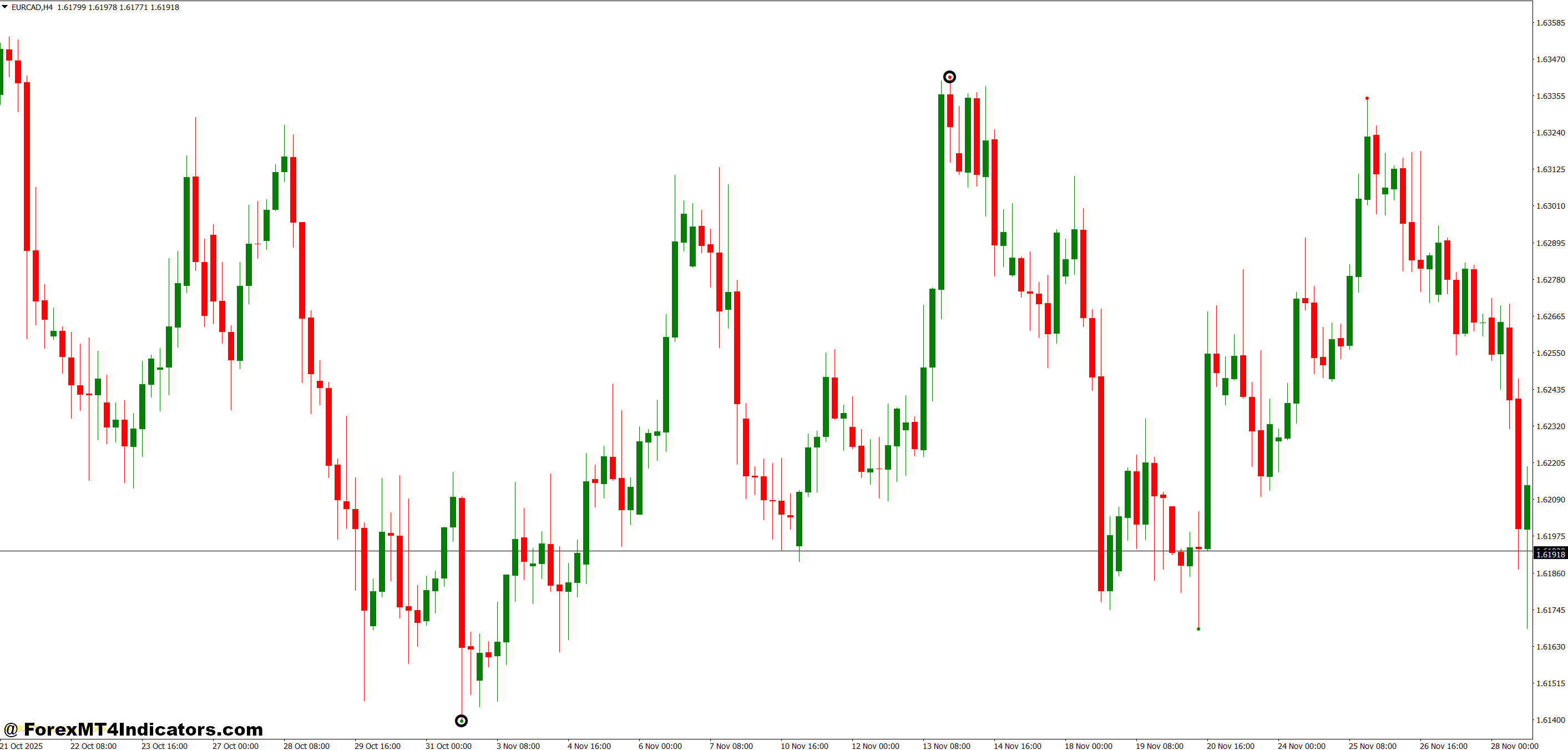
The indicator works best when combined with basic market structure awareness. Don’t just take every arrow blindly. Instead, use the signals as confirmation for setups you’re already watching. If you’ve identified a support zone on the daily chart and price pulls back to that zone on the H4, wait for the Sniper Entry arrow to confirm the bounce before entering.
For scalpers working the 5-minute charts, the indicator can highlight quick momentum bursts. One trader reported using it on USD/JPY during the Asian session to catch 10-15 pip moves when volatility was lower. The key was setting a tight stop loss (8-10 pips) and taking profit quickly rather than holding for larger moves.
Swing traders get value from higher timeframes. On the 4-hour or daily chart, signals appear less frequently but tend to capture larger trends. A signal on GBP/JPY’s daily chart in early January aligned with a broader downtrend, leading to a multi-day position that gained over 150 pips. That said, waiting for daily signals requires patience—sometimes you’ll go several days without a setup.
The indicator also helps newer traders avoid overtrading. When you’re relying on clear visual signals rather than gut feeling, there’s less temptation to force trades that aren’t really there. It creates discipline by default.
Sniper Entry Indicator MT4 Settings and Customization Options
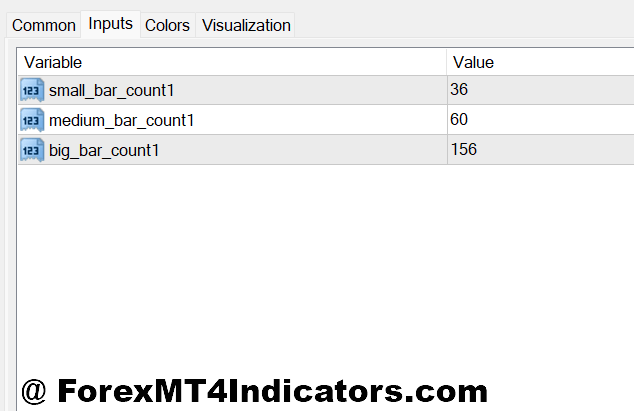
Most versions of the Sniper Entry Indicator come with adjustable parameters. The sensitivity setting controls how easily the indicator generates signals. Lower sensitivity means fewer but potentially more reliable arrows. Higher sensitivity produces more signals but increases the risk of false entries during choppy markets.
For faster timeframes like M5 or M15, traders often reduce sensitivity to filter out market noise. On these charts, price bounces around more, and you don’t want an arrow appearing every time there’s a minor bounce. A sensitivity setting around 3-4 (if the scale goes to 10) typically works better than maxing it out at 10.
The lookback period is another parameter worth adjusting. This controls how many candles the indicator analyzes to determine trend strength. Shorter lookback periods (10-15 candles) make the indicator more reactive to recent price action, which suits scalping. Longer periods (30-50 candles) smooth out the signals and work better for position trading.
Alert settings matter too. Enable pop-up alerts or sound notifications so you don’t miss signals when stepping away from the charts. Some traders set up email alerts for daily timeframe signals since they don’t need to watch those charts constantly.
Where It Excels and Where It Falls Short
The Sniper Entry Indicator shines during clear trending markets. When EUR/USD is grinding steadily higher or lower over several hours or days, the signals tend to align well with profitable entries. It’s particularly useful for traders who struggle with entry timing but have a decent grasp of trend identification.
Another strength is its simplicity. You don’t need a PhD in statistics to use it. The arrows appear, you evaluate the broader context, and you decide whether to take the trade. That straightforward approach prevents analysis paralysis.
But here’s the thing—no indicator works in all market conditions. During consolidation or range-bound periods, the Sniper Entry can generate false signals. Price whipsaws back and forth, arrows appear, but the follow-through never materializes. This is especially common during low-volume sessions or right before major news releases when the market is waiting for direction.
The indicator also doesn’t incorporate fundamental analysis. If you get a buy signal on USD/CAD five minutes before a surprise interest rate decision, that signal isn’t accounting for what’s about to happen. Traders need to check the economic calendar and avoid taking signals during high-impact events.
Compared to something like a MACD crossover system, the Sniper Entry provides clearer visual cues with less interpretation required. However, MACD shows you the strength of momentum in real-time, while the Sniper Entry only tells you when conditions meet its criteria. They’re different tools for different purposes. Some traders run both simultaneously—using MACD for context and the Sniper Entry for timing.
How to Trade with Sniper Entry Indicator MT4
Buy Entry

- Wait for the blue arrow confirmation – Don’t enter the moment you see price bounce; wait for the indicator’s blue arrow to appear on the candle close, especially on EUR/USD 1-hour charts where false bounces happen frequently.
- Check the trend on higher timeframe – Before taking any buy signal on the 15-minute chart, confirm the 4-hour chart shows an uptrend or at minimum sideways movement, not a clear downtrend.
- Place stop loss 5-10 pips below the signal candle low – On GBP/USD, if your blue arrow appears at 1.2650 with a candle low of 1.2642, set your stop at 1.2632 to account for spread and minor wicks.
- Target 1:2 or 1:3 risk-reward minimum – If risking 15 pips, aim for at least 30-45 pips profit; anything less makes the win rate needed too high to stay profitable long-term.
- Avoid signals during major news releases – Skip any buy arrow that appears within 15 minutes before or after NFP, FOMC, or central bank announcements, even if it looks perfect.
- Look for confluence with support zones – The strongest buy signals occur when the blue arrow appears right at a daily support level or near the 50-period moving average on the 4-hour chart.
- Skip low-volatility Asian session signals – Unless trading USD/JPY specifically, buy signals during 11 PM – 3 AM EST often lead to small ranges and whipsaw moves that hit stops before profit.
- Cancel the trade if price closes below the signal candle – If EUR/USD triggers your buy entry but the next candle closes lower than the arrow candle’s low, exit immediately rather than hoping for recovery.
Sell Entry

- Wait for red arrow on candle close – Don’t short on a bearish-looking candle until the red arrow actually prints; premature entries on GBP/USD 1-hour charts regularly get stopped out before the real move begins.
- Verify downtrend on daily chart first – Taking sell signals on lower timeframes works best when the daily chart shows lower highs and lower lows, not during consolidation or uptrends.
- Set stop loss 5-10 pips above the signal candle high – If your red arrow appears on a candle with a high of 1.0850 on EUR/USD, place stops at 1.0860 to survive normal volatility.
- Use trailing stops once in 20+ pip profit – When EUR/USD moves 20 pips in your favor, trail your stop to breakeven, then continue trailing every 10 pips to lock gains during extended moves.
- Never short into major support levels – If a red arrow appears but price is sitting on weekly support or a round number like 1.1000, skip it—reversal risk is too high even with a signal.
- Avoid Friday afternoon signals after 12 PM EST – Weekend risk means taking sell signals late Friday often results in gap openings Monday that blow past your stops.
- Check for bearish momentum confirmation – The best sell signals happen when RSI is below 50 and the price is making lower highs on the 4-hour chart, not just random red arrows in choppy markets.
- Exit if price breaks above the signal candle high – When GBP/JPY closes above your red arrow candle’s high, the setup is invalidated—cut the loss immediately rather than hoping it reverses.
Final Thoughts on Making It Work
The Sniper Entry Indicator MT4 serves a specific purpose: helping traders pinpoint entries with less guesswork. It won’t replace sound trading fundamentals like risk management, position sizing, or understanding market context. But when used as part of a broader strategy, it can improve entry precision and reduce the emotional component of pulling the trigger on trades.
Three key takeaways stand out. First, combine it with your own market analysis rather than trading arrows blindly. Second, adjust settings based on your timeframe and trading style—what works for a day trader won’t suit a swing trader. Third, accept that no indicator catches every move or avoids every false signal.
Trading forex carries substantial risk. No indicator guarantees profits, and past performance doesn’t predict future results. The Sniper Entry Indicator is a tool, not a magic solution. Test it on a demo account first, adjust the parameters to fit your strategy, and only risk capital you can afford to lose. Real success comes from understanding why signals work in certain conditions and having the discipline to sit out when they don’t.
Recommended MT4/MT5 Broker
XM Broker
- Free $50 To Start Trading Instantly! (Withdraw-able Profit)
- Deposit Bonus up to $5,000
- Unlimited Loyalty Program
- Award Winning Forex Broker
- Additional Exclusive Bonuses Throughout The Year
- Exclusive 90% VIP Cash Rebates for all Trades!

Already an XM client but missing out on cashback? Open New Real Account and Enter this Partner Code: VIP90
(Free MT4 Indicators Download)



Enter Your Email Address below, download link will be sent to you.