

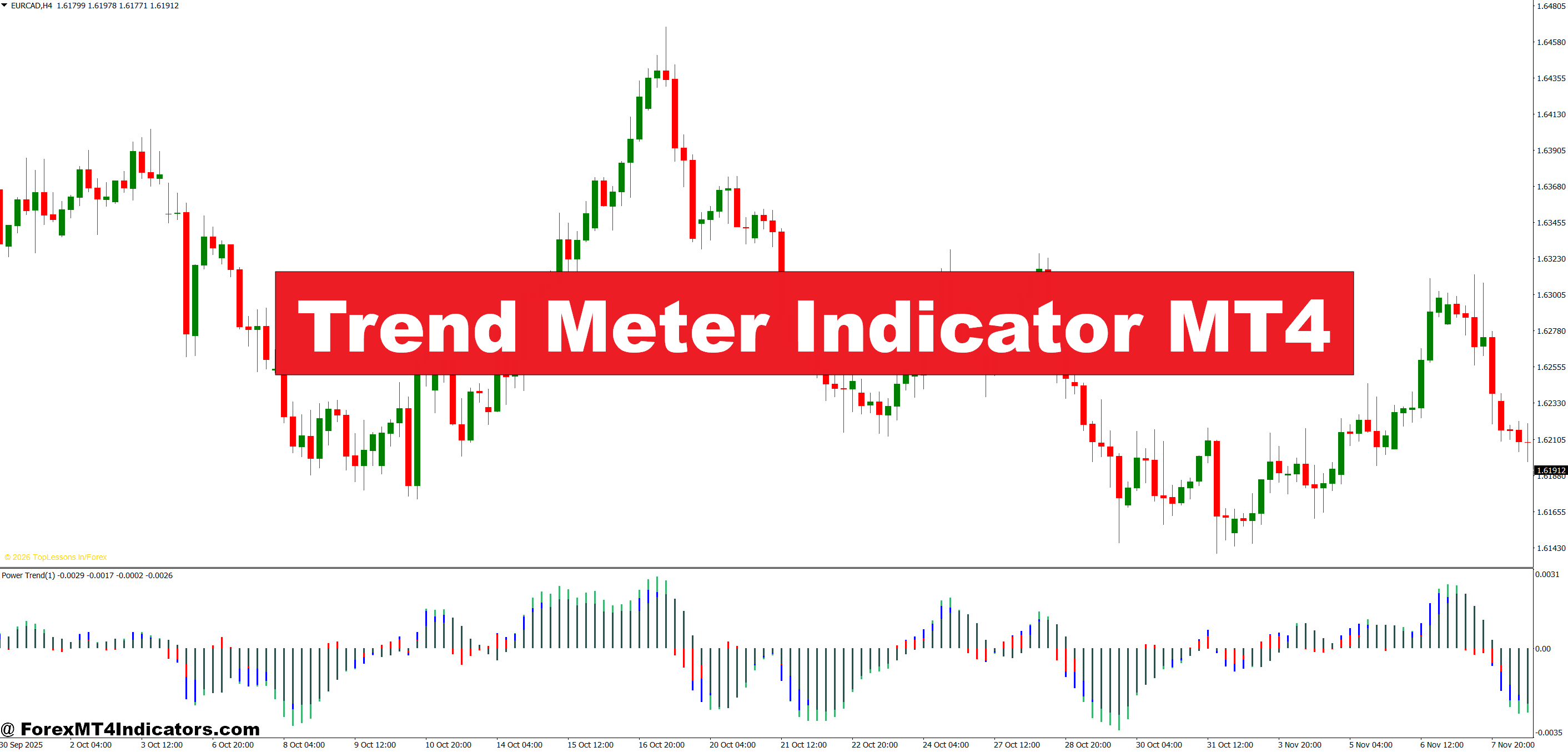
The Trend Meter Indicator MT4 calculates individual currency strength by analyzing price movements across all major pairs containing that currency. When you see the meter showing USD strength at +80, it means the dollar is gaining value against most other currencies in your basket. Conversely, a reading of -80 indicates broad weakness.
The calculation process runs through 28 major pairs every time it updates. For each currency, the indicator measures its performance against seven other counterparts, then averages those results into a single strength value. This happens simultaneously across multiple timeframes—typically M15, H1, H4, and D1—giving traders a complete picture from short-term scalping to longer swing positions.
What sets this apart from price-based indicators like moving averages is the focus on currency strength rather than pair behavior. When EUR/USD moves up, is the euro strengthening or the dollar weakening? The Trend Meter answers that question directly.
Reading the Display and Making Trade Decisions

The indicator displays as a dashboard, usually in a chart corner, showing eight currency rows with strength bars extending left (weakness) or right (strength). Colors shift from red (weak) through neutral to green (strong). Each currency shows values across four timeframes in separate columns.
Here’s how traders use this information. Say you’re looking at the H1 column and notice GBP showing +75 while JPY shows -70. That’s a 145-point spread suggesting strong divergence. A GBP/JPY long position would align with that strength differential. But check the H4 and D1 columns first. If those timeframes show conflicting signals, you’re potentially trading against the bigger picture.
The real edge comes from spotting alignment. When a currency shows positive values across all four timeframes, that’s confirmation of a sustained trend. Back in March 2024, during the Fed’s hawkish stance, USD showed consistent strength readings above +60 across all timeframes for weeks. Traders riding that wave with pairs like EUR/USD short or USD/JPY long saw consistent profits.
Trend Meter Indicator MT4 Settings
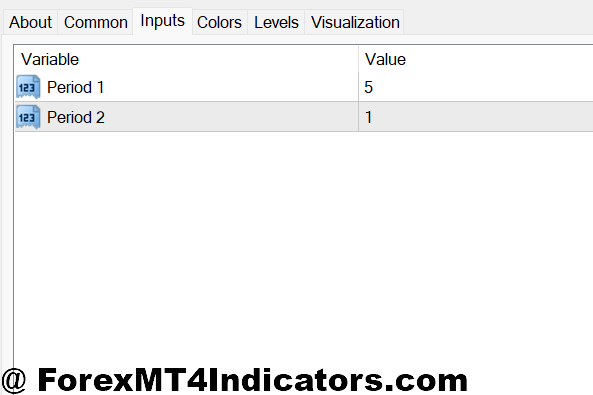
The standard Trend Meter setup uses periods of 21 for calculations, but scalpers often drop this to 14 or even 10 for faster reactions. Day traders typically stick with the default 21, while swing traders might increase it to 34 or 55 to filter out daily noise.
Timeframe selection matters more than most traders realize. The default M15/H1/H4/D1 combination works well for day trading, but position traders should swap M15 for W1 to see the weekly trend. Scalpers might prefer M5/M15/H1/H4 to catch intraday momentum shifts faster.
Color thresholds need adjustment based on market volatility. During low-volatility summer months, a +40 reading might signal decent strength. But during major news events or crisis periods, you’ll want to see +60 or higher before considering that currency truly strong. Some traders adjust these thresholds seasonally—tighter during August doldrums, wider during high-impact news months.
Real Trading Scenarios and Strategy Integration
Consider a typical setup: It’s the London open, and AUD shows +65 across H1 and H4, while CAD shows -55 on both timeframes. You pull up AUD/CAD and see price respecting an H4 support level. The currency strength divergence confirms directional bias, and the support level provides a technical entry point. Risk is defined below support with a stop loss, while targets aim for previous H4 resistance.
That said, the Trend Meter works best as a filter, not a standalone system. Pairing it with price action makes sense. When GBP shows strength but GBP/USD is hitting major resistance, that’s a conflict worth noting. Maybe the strength is real, but timing’s wrong. Or perhaps other GBP pairs offer better opportunities without that resistance overhead.
Some traders use the indicator to avoid bad trades more than finding good ones. If your technical setup looks perfect but the Trend Meter shows both currencies near neutral (-20 to +20), you’re probably staring at a ranging market. Those trades often lead to stops getting hit before any real move develops.
Advantages and Honest Limitations
The biggest advantage is perspective. Instead of getting tunnel vision on one pair, traders see the entire currency landscape. This prevents situations where you’re long EUR/USD based on euro strength, not realizing USD weakness is driving the move—a distinction that matters when the dollar suddenly catches a bid.
Multi-timeframe analysis happens automatically. No need to flip between four different chart windows. The dashboard updates in real-time, saving hours of manual analysis each week.
But here’s the thing: strength readings lag. By the time a currency hits +80, the biggest part of the move may be over. This isn’t a leading indicator predicting future moves—it confirms what’s already happening. For traders wanting to catch trends early, you’ll need to combine this with other tools.
The indicator also struggles during news events. When NFP drops and USD spikes 100 pips in three minutes, the Trend Meter takes several candles to reflect that change accurately. High-frequency traders won’t find much value during these volatile windows.
And like any technical tool, it doesn’t account for fundamentals. If a currency shows technical strength but the central bank just announced surprise rate cuts, that strength probably won’t last. The meter doesn’t read headlines or analyze economic data.
How It Compares to Currency Strength Meters and Correlation Tools
Standard currency strength meters and the Trend Meter serve similar purposes but calculate differently. Basic strength meters often use simple moving averages of individual currencies, while the Trend Meter incorporates multiple timeframe analysis in its core design.
Correlation matrices show which pairs move together, but they don’t indicate which currency drives that correlation. When EUR/USD and GBP/USD both trend up, a correlation matrix shows them moving together. The Trend Meter reveals whether that’s happening due to USD weakness (both GBP and EUR show strength) or euro/sterling strength (USD shows neutral).
Traditional oscillators like RSI or Stochastic measure momentum on individual pairs. The Trend Meter measures absolute currency strength, which provides different information. A pair can show overbought on RSI while the underlying currency still shows room to run when compared against its counterparts.
How to Trade with Trend Meter Indicator MT4
Buy Entry

- Strength divergence above +50/-50 – Enter long when your base currency shows +50 or higher while the quote currency reads -50 or lower across H1 and H4 timeframes, creating a minimum 100-point strength gap that signals clear directional bias.
- Triple timeframe alignment – Take buy positions only when M15, H1, and H4 all show positive readings (+30 or higher) for your base currency, confirming short-term momentum matches the broader trend structure.
- Post-retracement entry at support – Wait for EUR/USD or GBP/USD to pull back to 4-hour support while the base currency maintains +40 strength, then enter long with stop loss 20-30 pips below support for favorable risk-reward.
- Strength surge from neutral – Buy when a currency jumps from -10/+10 neutral range to +60 within 2-3 candles on the H1 chart, indicating fresh momentum, but avoid if news events caused the spike.
- Cross-pair confirmation – Before buying EUR/USD, verify EUR shows strength against multiple pairs (EUR/GBP, EUR/JPY positive readings), not just USD weakness driving the move.
- Scale in on strength holding – If your initial position is profitable and the strength reading holds above +55 for 4+ hours on H4 chart, add 50% position size with stop moved to breakeven on original entry.
- Avoid strength extremes – Don’t buy when readings exceed +80, as this often marks exhaustion rather than continuation; wait for pullback to +50-60 range before entering.
- Skip during range conditions – Never take buy signals when both currencies show readings between -25 and +25, indicating choppy sideways action where stop losses get hit before any real trend develops.
Sell Entry

- Negative strength confirmation – Enter short when your base currency shows -50 or lower while quote currency reads +50 or higher across H1 and H4, creating clear downward pressure with 100+ point differential.
- Bearish timeframe stack – Sell only when three consecutive timeframes (H1, H4, D1) all display negative readings below -30 for your base currency, confirming weakness across multiple time horizons.
- Resistance rejection with weakness – Short GBP/USD or EUR/USD at 4-hour resistance zones when base currency reads -40 or lower, placing stop loss 25-35 pips above resistance to protect against false breakouts.
- Rapid weakness development – Take sell positions when currency drops from neutral territory to -60 within 1-2 hours, but verify price action confirms the move and volume supports the breakdown.
- Isolation of weak currency – Before shorting, check the weak currency shows negative readings against at least three other pairs (not just strength in your quote currency) to confirm genuine weakness.
- Trail stops on persistent weakness – If short position is winning and strength stays below -55 for multiple H4 candles, trail stop loss to lock profits while giving the trend room to continue.
- Don’t chase extreme weakness – Avoid selling when readings hit -80 or below, as these extremes often precede reversals; wait for bounce back to -50/-60 before shorting the pullback.
- Stay out during mixed signals – Skip sell setups when H1 shows -40 but H4 shows +20, as timeframe conflicts typically result in whipsaw losses rather than clean trending moves.
Final Thoughts on Practical Application
The Trend Meter Indicator MT4 serves its purpose best when traders understand what it measures and what it doesn’t. It excels at showing relative currency strength across multiple timeframes, helping traders avoid choppy pairs and focus on clear trends. The multi-timeframe dashboard saves analysis time and provides quick visual confirmation of market conditions.
That said, no indicator guarantees profitable trades. Trading forex carries substantial risk of capital loss. The Trend Meter confirms trends—it doesn’t predict them, doesn’t account for fundamentals, and can lag during fast markets. Traders who combine it with solid price action analysis, proper risk management, and realistic expectations will find it useful. Those expecting it to solve all trading problems will end up disappointed.
The real value comes from what the indicator helps you avoid: trading ranges when you thought trends existed, backing the wrong currency in a pair, or missing the bigger picture while focused on a single chart. Use it as one component of a complete trading approach, not as a magic solution.
Recommended MT4/MT5 Broker
XM Broker
- Free $50 To Start Trading Instantly! (Withdraw-able Profit)
- Deposit Bonus up to $5,000
- Unlimited Loyalty Program
- Award Winning Forex Broker
- Additional Exclusive Bonuses Throughout The Year
- Exclusive 90% VIP Cash Rebates for all Trades!

Already an XM client but missing out on cashback? Open New Real Account and Enter this Partner Code: VIP90
(Free MT4 Indicators Download)



Enter Your Email Address below, download link will be sent to you.