

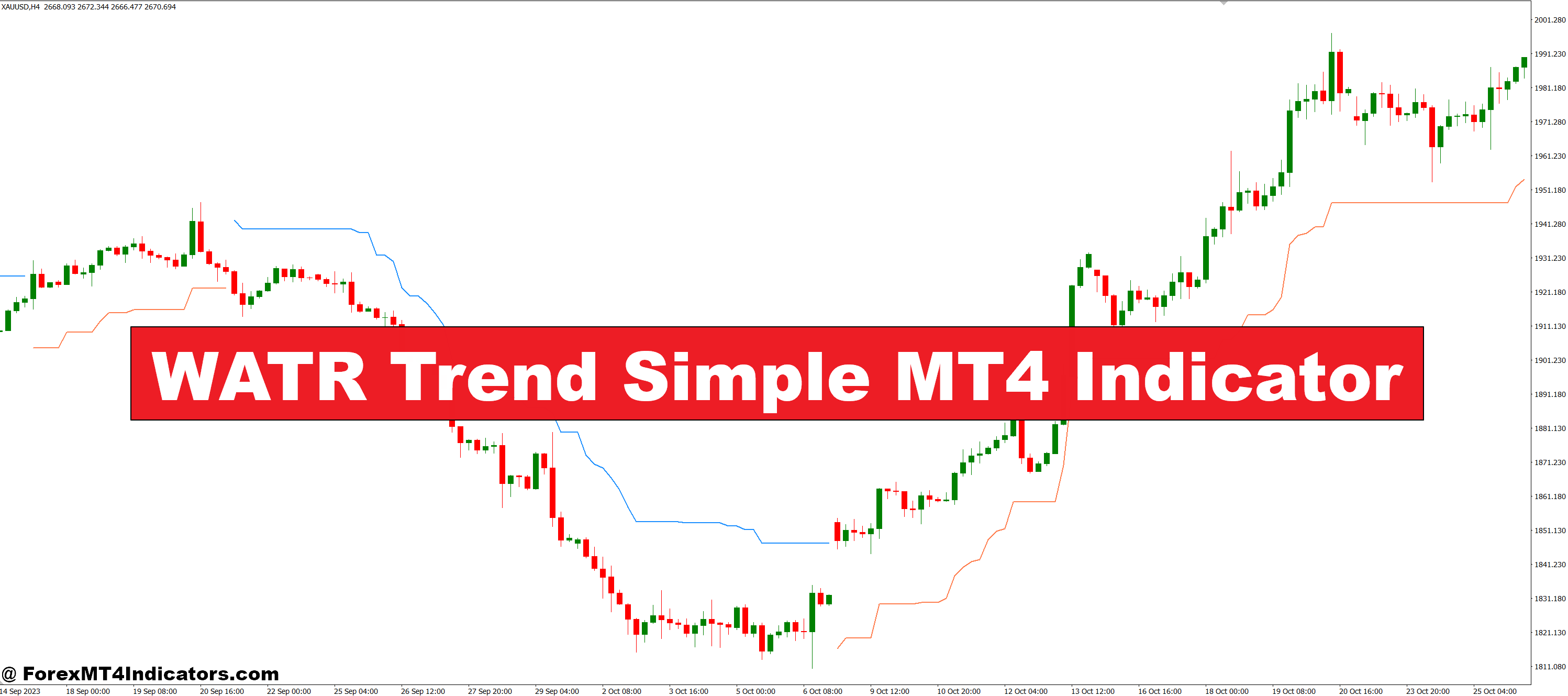
The WATR Trend Simple MT4 Indicator is a custom trend-following tool designed to help traders easily identify the direction of the market. It uses a combination of price and volatility to determine the current trend and displays it directly on the chart. When the trend is bullish, it plots a line below the price; when it’s bearish, the line moves above the price. This makes it easy to see at a glance whether to buy or sell, without needing to interpret complex signals.
Why It Stands Out
Unlike some indicators that repaint or lag too much, WATR Trend Simple gives reliable signals that are stable once confirmed. It works well on most timeframes and currency pairs, making it a flexible tool for day traders and swing traders alike. Its color-coded trend line helps reduce confusion, especially for beginners who may find other tools too overwhelming. The simplicity of its display lets traders focus on price action while still being guided by trend direction.
How It Can Improve Your Trading

This indicator helps reduce emotional decision-making by giving a clear visual cue for the trend. Instead of guessing whether the trend is up or down, traders can follow the WATR line with more confidence. It works great as a stand-alone indicator or when used with others, like RSI or MACD, for confirmation. Whether trading Forex, metals, or indices, the WATR Trend Simple MT4 Indicator helps cut through the noise and brings clarity to your charts.
How to Trade with WATR Trend Simple MT4 Indicator
Buy Entry

- Wait for the WATR Trend line to appear below the price (typically changes to a bullish color like blue or green).
- Confirm that recent candles are closing above the WATR line.
- Check that there is no strong resistance nearby or that price is breaking above it.
- Enter a buy trade once the trend shift is clear and supported by price action.
- Set your stop-loss below the WATR line or the most recent swing low.
- Take profit at the next resistance level or use a trailing stop to follow the trend.
Sell Entry

- Wait for the WATR Trend line to appear above the price (usually changes to a bearish color like red or orange).
- Confirm that recent candles are closing below the WATR line.
- Make sure there’s no nearby strong support or that price is breaking below it.
- Enter a sell trade when the trend reversal is confirmed.
- Place your stop-loss above the WATR line or the recent swing high.
- Set your target at the next support zone or use a trailing stop to maximize gains.
Conclusion
The WATR Trend Simple MT4 Indicator offers an easy yet effective way to read the market. For traders looking for a straightforward trend tool that doesn’t require hours of analysis, this indicator is a solid choice. It’s designed to save time, reduce stress, and support smarter trading decisions. Whether you’re just starting out or already experienced, this tool can help you stay on the right side of the market.
Recommended MT4/MT5 Broker
XM Broker
- Free $50 To Start Trading Instantly! (Withdraw-able Profit)
- Deposit Bonus up to $5,000
- Unlimited Loyalty Program
- Award Winning Forex Broker
- Additional Exclusive Bonuses Throughout The Year
- Exclusive 90% VIP Cash Rebates for all Trades!

Already an XM client but missing out on cashback? Open New Real Account and Enter this Partner Code: VIP90
(Free MT4 Indicators Download)



Enter Your Email Address below, download link will be sent to you.