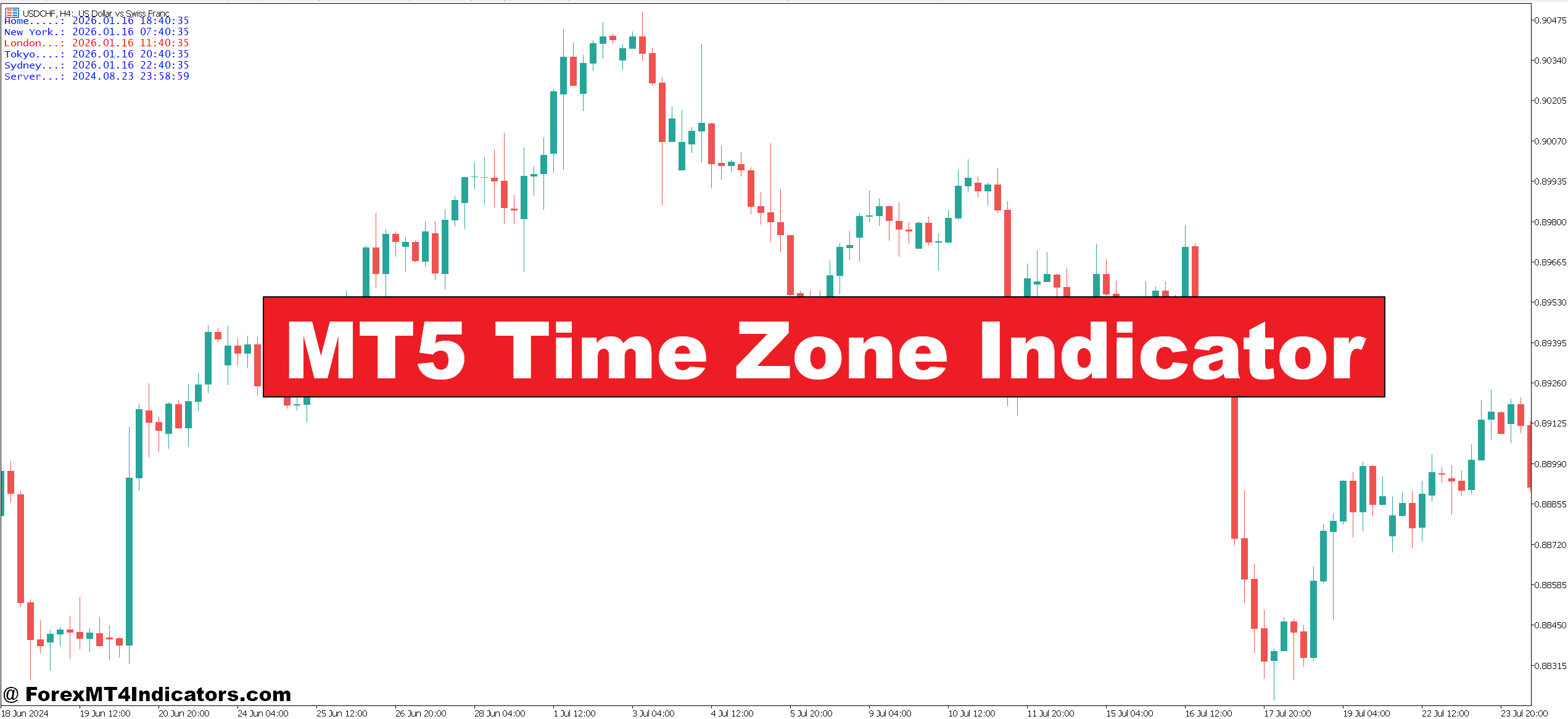
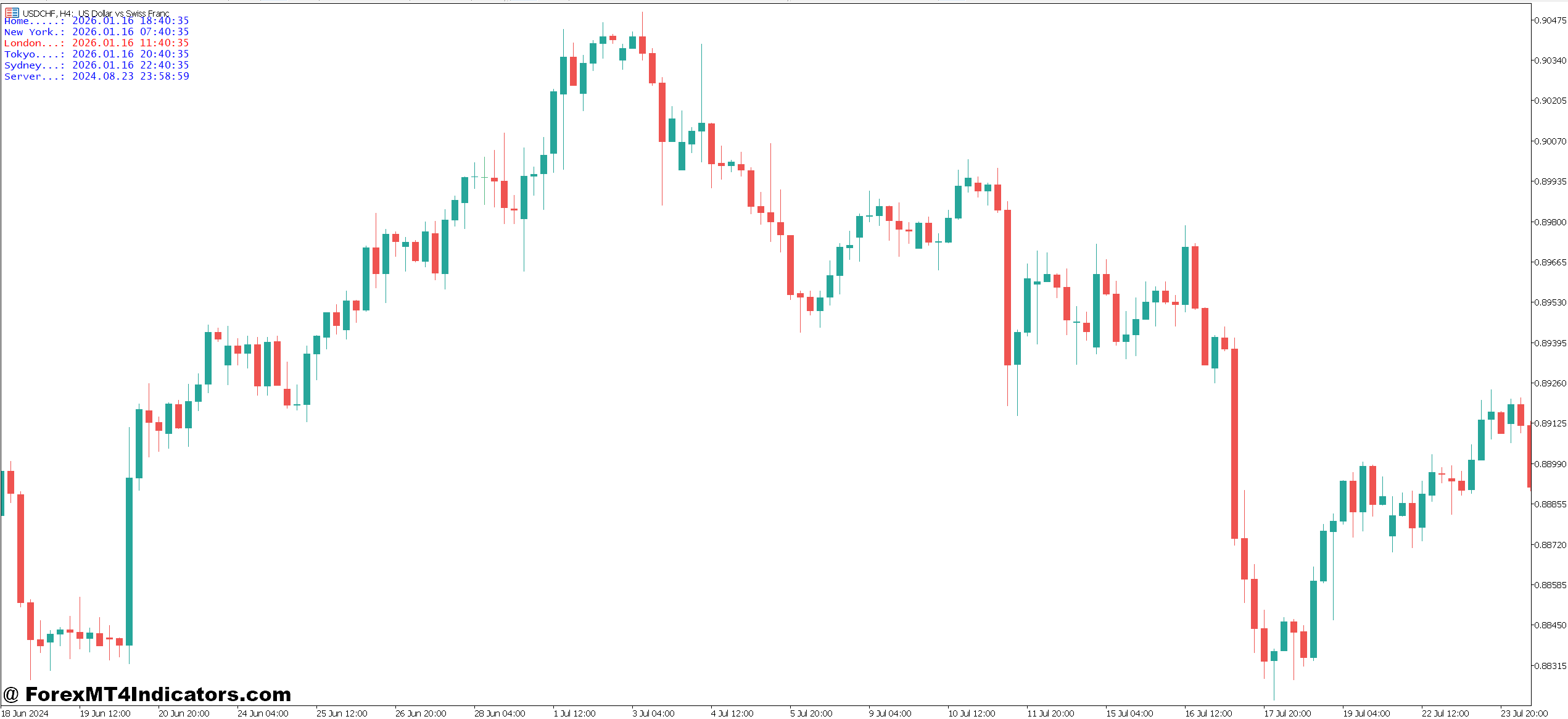
The MT5 Time Zone Indicator solves this by overlaying vertical lines or colored boxes directly on your chart, marking when major trading sessions begin and end. Traders can see at a glance whether they’re in the New York open, the London-Tokyo overlap, or the dead zone between sessions.
What the MT5 Time Zone Indicator Actually Does
This indicator adds visual markers to MetaTrader 5 charts that represent different global trading sessions. Unlike your broker’s server time, which might be GMT+2 or GMT+3, the time zone indicator converts everything to the actual session times that matter: Sydney, Tokyo, London, and New York.
The tool typically displays vertical lines or shaded background areas that mark session boundaries. Some versions show the session name right on the chart. The indicator calculates these zones based on your local time or GMT offset, then adjusts for daylight saving changes automatically.
What makes this different from just knowing what time it is? When you’re looking at a 4-hour chart going back three weeks, you can instantly see that a particular breakout happened right at the London open, or that a currency pair tends to range during the Asian session. That pattern recognition is harder to spot when you’re just looking at price bars without session context.
How Traders Use Time Zone Markers in Real Scenarios
Session-based trading strategies rely heavily on this visual reference. Take the GBP/JPY, which is notorious for big moves during the London session. A trader using this indicator noticed that between 3 AM and 5 AM EST (the London open period), the pair frequently made 40-60 pip moves. By marking these zones on the chart, they could prepare pending orders before the session started rather than chasing price.
The real power shows up during session overlaps. The London-New York overlap, roughly 8 AM to 12 PM EST, generates the highest volume of the trading day. When a support level breaks during this window, follow-through is more reliable than a break during the Asian session. The indicator makes these overlaps obvious with color-coded backgrounds—no mental math required.
Here’s a practical example: A breakout trader watches for consolidation patterns during Asian hours (7 PM to 4 AM EST). They set alerts for when price approaches range highs or lows, but they don’t take trades until the London session marker appears on their chart. This simple rule filtered out low-volume fake-outs and improved their win rate from 52% to 64% over a three-month period.
Customization Settings That Actually Matter
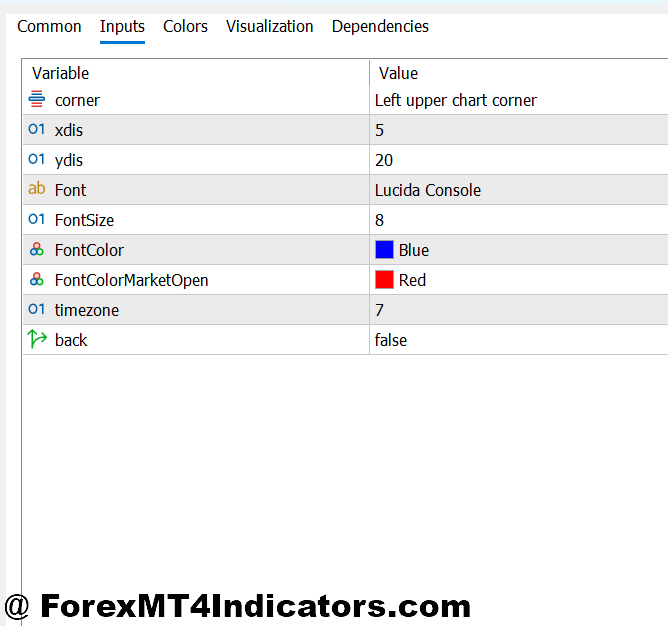
Most MT5 time zone indicators let you adjust the GMT offset to match your broker’s server time. This is critical. If your broker runs on GMT+3 during summer, you need to input that offset or your session markers will be three hours off. Check your broker’s server time in the Market Watch window, then adjust accordingly.
You can typically customize:
- Session colors and display style. Some traders prefer subtle background shading in gray for Asian, blue for London, and green for New York. Others want bold vertical lines only at session opens. It depends on whether you’re a visual person or prefer minimal chart clutter.
- Which sessions to show. If you only trade European hours, turn off the Sydney and Tokyo markers to reduce noise. Scalpers often display all four sessions plus the overlaps, while swing traders might only mark the New York close (5 PM EST), which resets daily high/low levels.
- Line thickness and text labels. On a 15-minute chart, thin lines work fine. But on a daily chart where you’re looking back months, thicker lines or text boxes that say “London Open” make session identification faster.
One setting many traders overlook is daylight saving time adjustment. The U.S. and UK change clocks on different dates. A good indicator auto-adjusts, but cheaper versions require manual updates twice a year. Missing this means your markers will be an hour off for several weeks.
The Honest Advantages and Real Limitations
The primary advantage is instant context. You’ll stop wondering why a currency pair suddenly woke up from a three-hour range—you’ll see the London session marker and connect the dots. This awareness prevents poor timing decisions, like entering a breakout trade at 4 PM EST when New York is winding down and liquidity is dropping.
Session markers also help with stop-loss placement. Many traders get stopped out by spikes at the Sydney or Tokyo open, then watch price reverse and hit their target. By seeing these session opens marked on historical charts, you learn to place stops beyond the typical opening spike range, maybe 15-20 pips wider than you’d otherwise use.
That said, this indicator won’t tell you which direction to trade. It’s purely informational. You still need a strategy for entries and exits. Some new traders assume that slapping session markers on a chart will somehow generate signals. It won’t. This is a context tool, not a trading system.
The indicator can also clutter busy charts, especially if you’re running multiple indicators already. On a 5-minute scalping chart with Bollinger Bands, RSI, and moving averages, adding four session boxes might create visual overload. You have to balance the value of session awareness against chart readability.
Compared to a simple vertical line indicator, the time zone version offers automatic session calculation and labeling. But compared to a full-featured session indicator that includes volume profiles by session or VWAP calculations, this is a basic tool. It does one job well: showing you when sessions start and end.
Making the Most of Session Context

Smart traders combine session markers with other analysis. They might note that EUR/USD respects support during Asian hours but breaks it decisively during London. Or that gold tends to reverse at the New York open. These patterns only become obvious when you can visually separate session behavior.
The indicator works on any timeframe, but it’s most useful on intraday charts from 15-minute to 4-hour. On a weekly chart, session markers don’t add much value. On a 1-minute chart, you already know what session you’re in because you’re watching price in real-time.
Risk management improves when you understand session behavior. Trading forex carries substantial risk, and no indicator guarantees profits. But knowing that volatility typically spikes at the London open means you can reduce position size during that hour if you’re risk-averse, or increase it if you’re hunting momentum moves. The indicator doesn’t make that decision—it provides the information you need to make it.
Final Thoughts on Time Zone Tools
The MT5 Time Zone Indicator delivers three core benefits: it eliminates session timing guesswork, helps traders recognize session-based patterns in historical data, and prevents the common mistake of trading strategies during the wrong sessions. These advantages are straightforward but genuinely useful for anyone trading multiple currency pairs across different time zones.
This isn’t a magic bullet. It’s a visual aid that makes session-aware trading easier. Pair it with a solid strategy, proper risk management, and realistic expectations. The indicator’s greatest value comes from helping traders avoid mistakes—like entering breakouts during low-volume periods—rather than generating new opportunities. That might sound modest, but in forex, avoiding bad trades is often more profitable than finding perfect entries.
Level up your trading
Learn to read the chart — not just the indicator
eBook · Instant PDF
Video Course · 12 modules
Recommended MT4/MT5 Brokers
- ✓ *FREE *$50 to start (withdrawable)
- ✓ Deposit bonus up to $5,000
- ✓ Negative balance protection
Trading forex and CFDs carries a significant risk of loss and is not suitable for everyone. Broker links are affiliate links — we may earn a commission at no cost to you.
Free MT4 Indicator Download

Enter Your Email Address below, download link will be sent to you.