

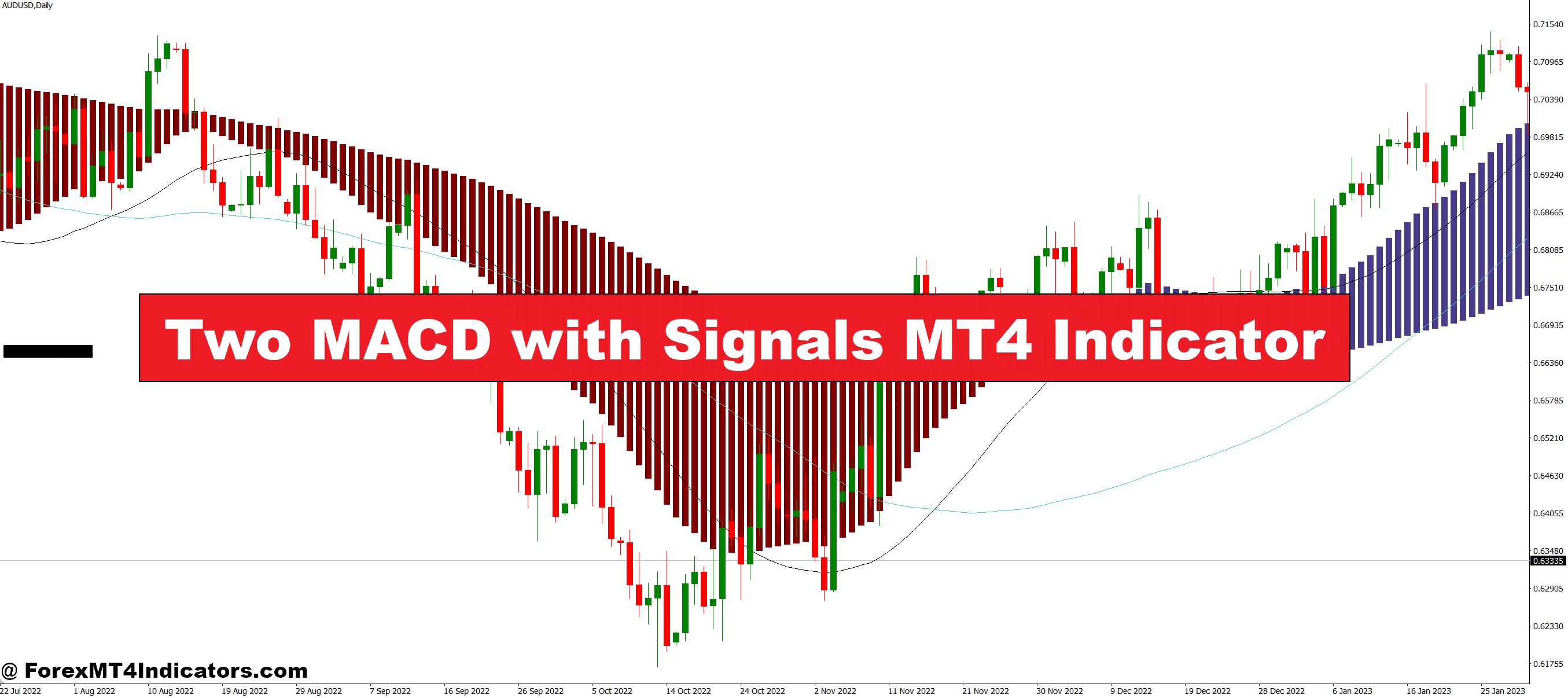
The Two MACD with Signals MT4 Indicator helps solve this issue by combining two MACD settings on one chart, giving a clearer view of trend speed, momentum changes, and early signal opportunities. With this tool, traders can spot stronger confirmation and make more confident decisions.
How the Two MACD with Signals MT4 Indicator Works
The indicator places two MACD variations together: one fast and one slow. This helps traders see momentum in both short-term and long-term movements. The fast MACD reacts quickly to new price action, while the slow MACD helps filter out noise and confirms major trends. When both MACDs move in the same direction, it suggests a stronger trend. When they disagree, it warns the trader to be careful.
Two MACD lines paired with signal arrows make it easier to spot early momentum shifts without manually analysing the chart. This setup works well for forex, indices, gold, and crypto pairs.
Why Traders Prefer Dual MACD Signals
Many traders use this indicator because it simplifies decision-making. Instead of checking multiple windows, the two MACDs appear in one place, helping users see a clear direction. The indicator also gives visual signals, such as arrows or color changes, making it easier for new and experienced traders alike.
By watching the fast MACD cross first, traders can expect early signals. Then, when the slow MACD confirms, they gain higher confidence. This combination leads to fewer false entries and a better understanding of trend strength.
Best Market Conditions for This Indicator

The Two MACD with Signals MT4 Indicator works best in trending markets where price moves in a steady direction. Traders in the United States often use it during active sessions like New York and London because momentum is strong. It also performs well on higher timeframes, such as H1, H4, and Daily, where signals become more reliable.
Still, traders should avoid using it in tight sideways markets, since MACD lines may cross too often. Adding support, resistance, or price-action confirmation can improve accuracy.
How to Trade with Two MACD with Signals MT4 Indicator
Buy Entry
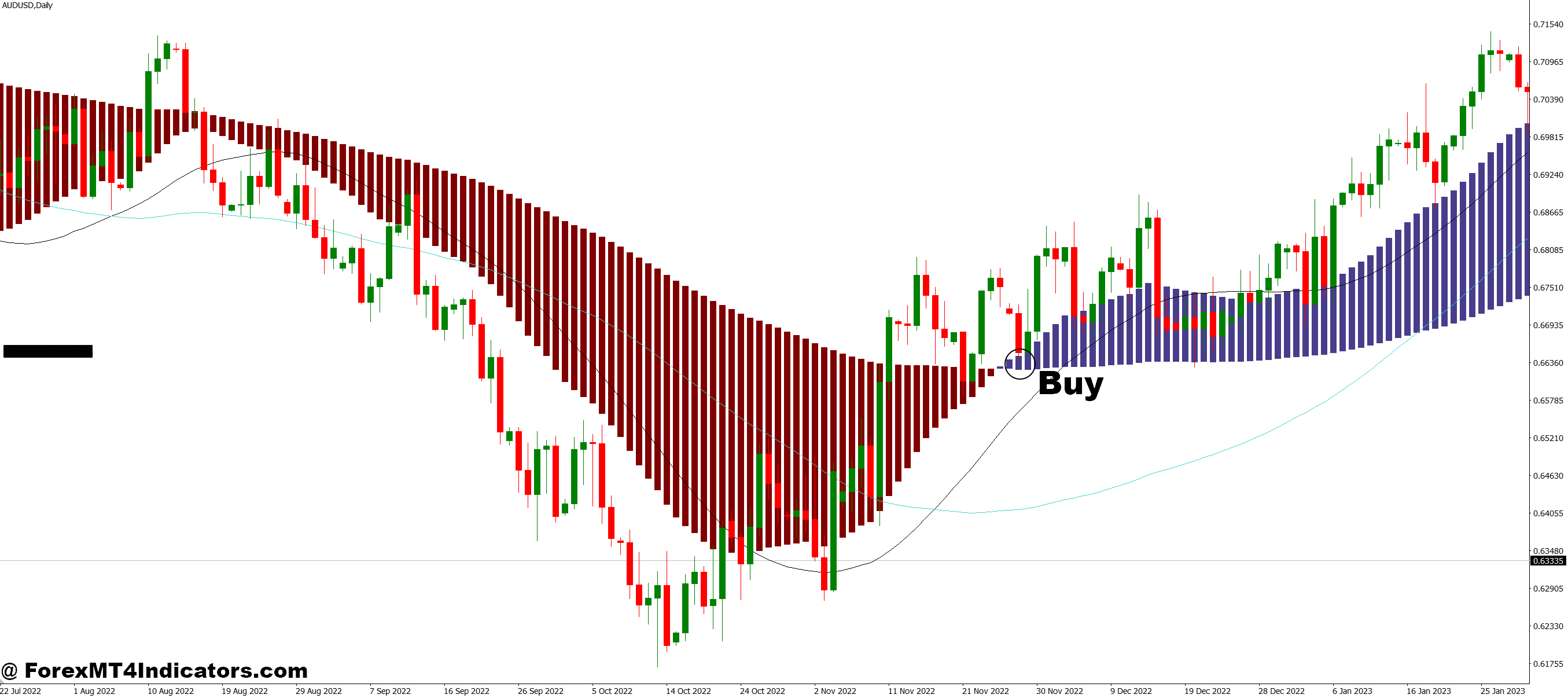
- The fast MACD crosses above its signal line.
- The slow MACD also moves upward or confirms the upward trend.
- A buy arrow or bullish signal appears from the indicator.
- Histogram bars start increasing above the zero line (momentum growing).
- Price stays above a key support level or shows bullish price action.
- Optional: Enter on a retest or pullback for a safer entry.
Sell Entry
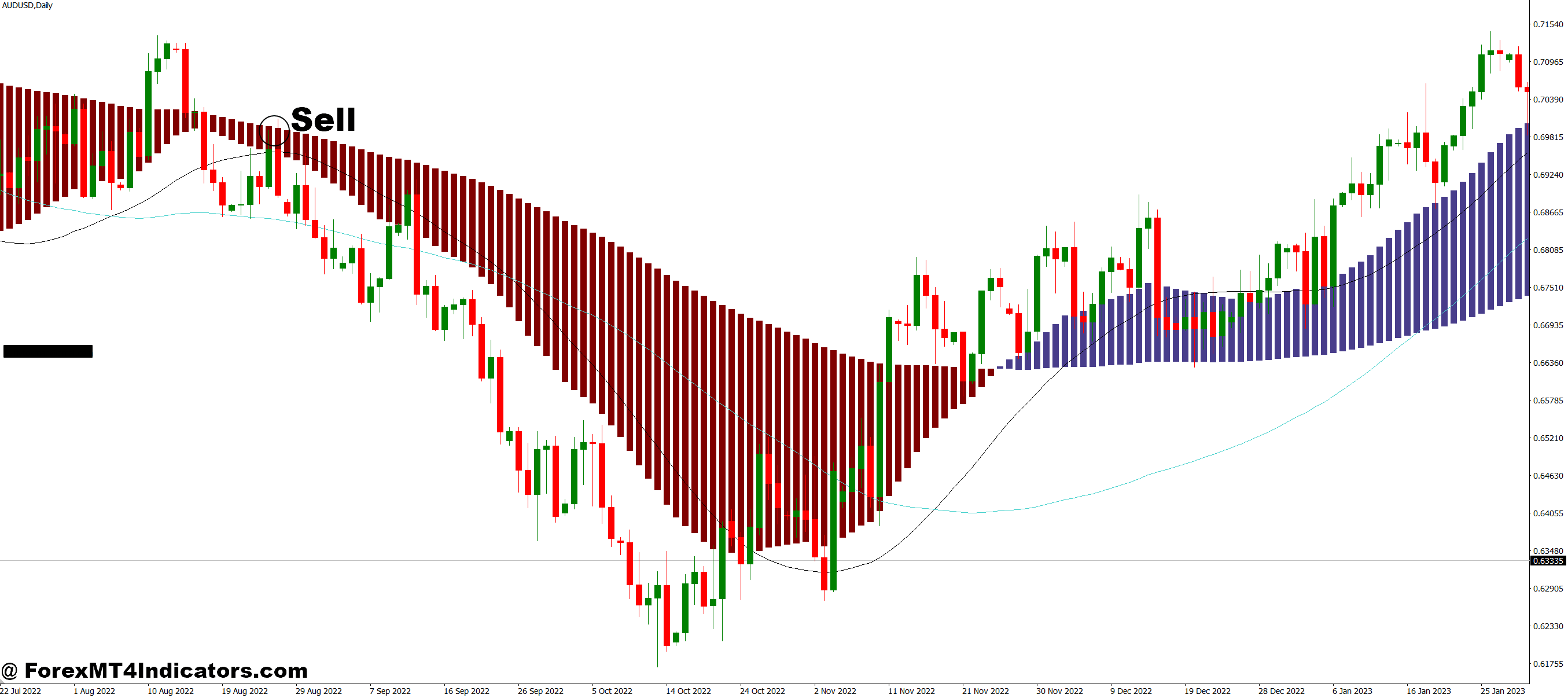
- The fast MACD crosses below its signal line.
- The slow MACD also moves downward or confirms the bearish trend.
- A sell arrow or bearish signal appears from the indicator.
- Histogram bars start increasing below the zero line (momentum weakening).
- Price stays below a key resistance level or shows bearish price action.
- Optional: Enter after a pullback for improved accuracy.
Conclusion
The Two MACD with Signals MT4 Indicator provides traders with a clearer, more confident way to read momentum. By combining fast and slow MACD readings, it reduces late entries and helps spot strong trend confirmation. Whether someone trades forex, gold, or indices, this tool offers an easy, effective way to understand market movements and improve timing.
Recommended MT4/MT5 Broker
XM Broker
- Free $50 To Start Trading Instantly! (Withdraw-able Profit)
- Deposit Bonus up to $5,000
- Unlimited Loyalty Program
- Award Winning Forex Broker
- Additional Exclusive Bonuses Throughout The Year
- Exclusive 90% VIP Cash Rebates for all Trades!

Already an XM client but missing out on cashback? Open New Real Account and Enter this Partner Code: VIP90
(Free MT4 Indicators Download)



Enter Your Email Address below, download link will be sent to you.