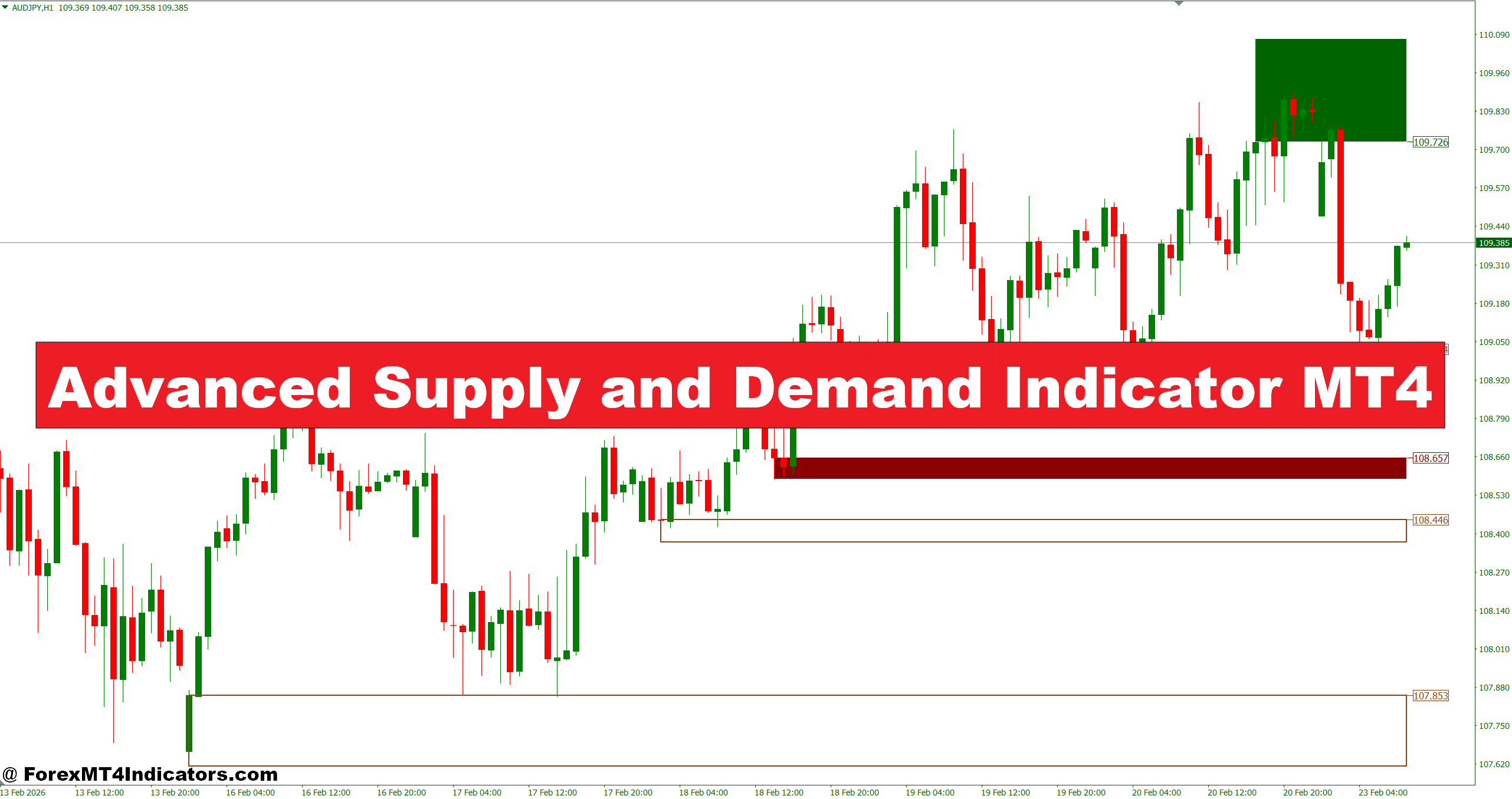
Supply and demand trading isn’t new. The concept goes back decades — price moves in waves, leaving behind zones where banks and institutional traders placed large orders. When price returns to those zones, it tends to react. The problem has always been consistency in identifying them.
The Advanced Supply and Demand Indicator for MT4 scans historical price action and automatically marks those zones based on impulse moves. When a sharp, one-directional candle pushes price significantly away from a consolidation area, the indicator labels that origin point as either a supply zone (where selling pressure dominates) or a demand zone (where buying absorbed the move).
What separates the advanced version from basic scripts is how it handles zone freshness. Zones that haven’t been tested hold more weight. Once price re-enters and closes through a zone, the indicator flags it as “broken” or removes it entirely, keeping the chart clean rather than cluttered with stale levels.
How the Zone Detection Logic Works
The indicator looks for a specific sequence: a base (consolidation candles) followed by an explosive move. That base becomes the zone. The stronger the impulse candle leaving the base — measured by body size relative to surrounding candles — the more significant the zone gets treated.
On the EUR/USD 1-hour chart, for example, if five ranging candles form between 1.0850 and 1.0870, then a 60-pip bullish candle launches away from that range, the indicator marks 1.0850–1.0870 as a demand zone. When price comes back to re-test that area, traders have a defined entry region rather than a vague approximation.
Some versions also calculate zone strength based on how far price traveled from the base. A 150-pip move after a tight 10-pip consolidation carries more institutional weight than a 30-pip move from a wide range. Traders who understand this distinction use the indicator’s zone grading feature — typically displayed as color-coded boxes or strength ratings — to prioritize higher-quality setups over marginal ones.
Practical Application Across Timeframes
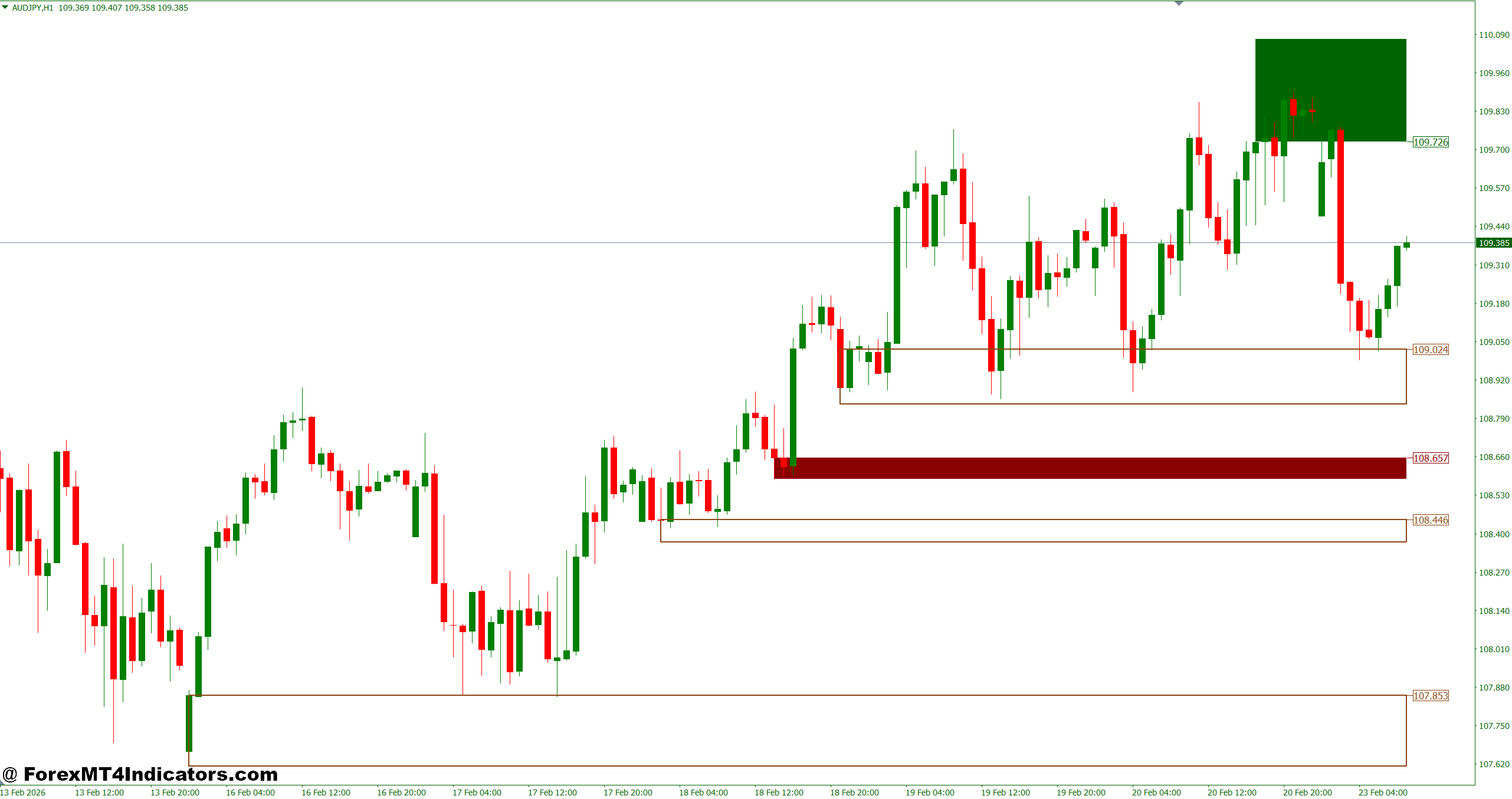
Here’s where things get interesting. The indicator’s usefulness shifts depending on which timeframe traders work on.
On the daily chart, supply and demand zones from this indicator align well with weekly pivots and major support/resistance levels. A trader analyzing USD/CAD might notice a daily demand zone sitting at 1.3420–1.3440 that coincides with a previous swing low. That confluence makes the zone worth watching even before price arrives.
On the 4-hour chart, the zones work well for swing traders looking to hold positions for two to five days. When testing this on volatile NFP days, the zones marked by the indicator often acted as reversal areas — not because the news didn’t matter, but because institutional orders already sitting at those levels absorbed the spike.
Scalpers using the 15-minute chart should be cautious. Smaller timeframes generate more zones, more false re-tests, and more chop. The signal-to-noise ratio drops. Pairing the indicator with a trend filter on the 1-hour or 4-hour chart helps, so trades on the 15-minute align with the bigger structure.
Advanced Supply and Demand Indicator MT4 Settings Worth Adjusting
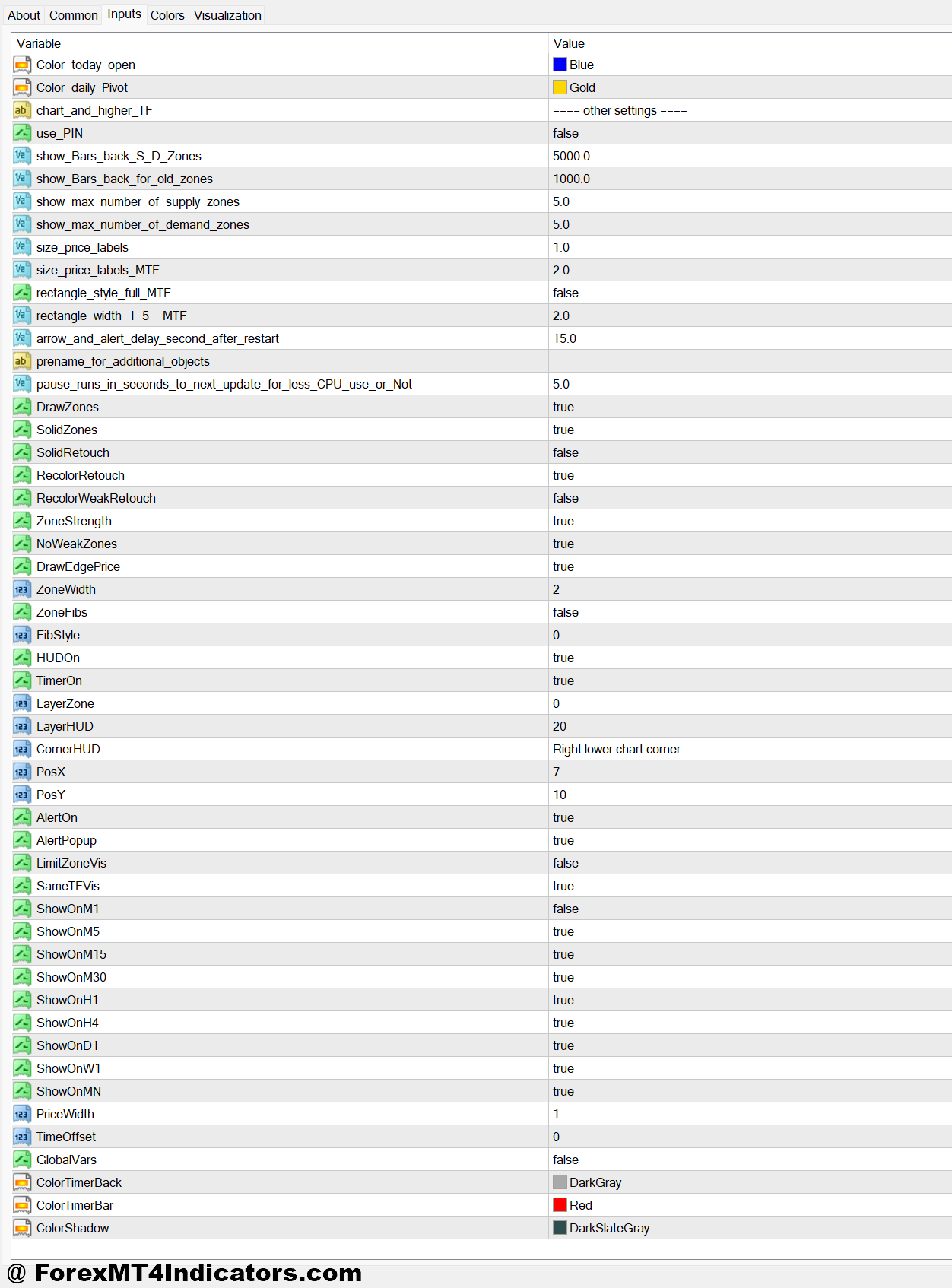
The default settings work for most major pairs on the 1-hour and 4-hour charts. But traders working with volatile instruments like XAU/USD or indices often need to widen the “zone padding” parameter slightly — adding 5–10 pips of buffer prevents premature entries before price fully reaches the zone.
The lookback period setting controls how far back the indicator searches for valid bases. A 100-bar lookback on the daily chart gives a clean view without overwhelming the chart. Going too high introduces outdated zones that haven’t been relevant for months.
Strengths and Weaknesses
The indicator saves time. That’s the most practical benefit. Drawing zones manually for ten currency pairs across three timeframes takes an hour. The indicator does it in seconds, and it removes the subjective bias that affects manual analysis.
Zone-to-zone trading also becomes more systematic. Traders can set price alerts at zone boundaries and step away from the screen — something that’s hard to do when relying on self-drawn lines that shift every session.
That said, supply and demand zones don’t work in trending markets the way they do in ranging ones. During a strong dollar rally in 2022, EUR/USD sliced through demand zone after demand zone without pausing. The indicator kept marking new zones as price fell, but many of those zones failed almost immediately. Context matters. No zone-based tool prevents losses when macro conditions push price in one direction for weeks.
The indicator also doesn’t factor in volume data by default. High-volume demand zones carry more conviction than low-volume ones, and without that layer, some zones look equal when they’re not.
Supply and Demand vs Standard Support/Resistance Indicators
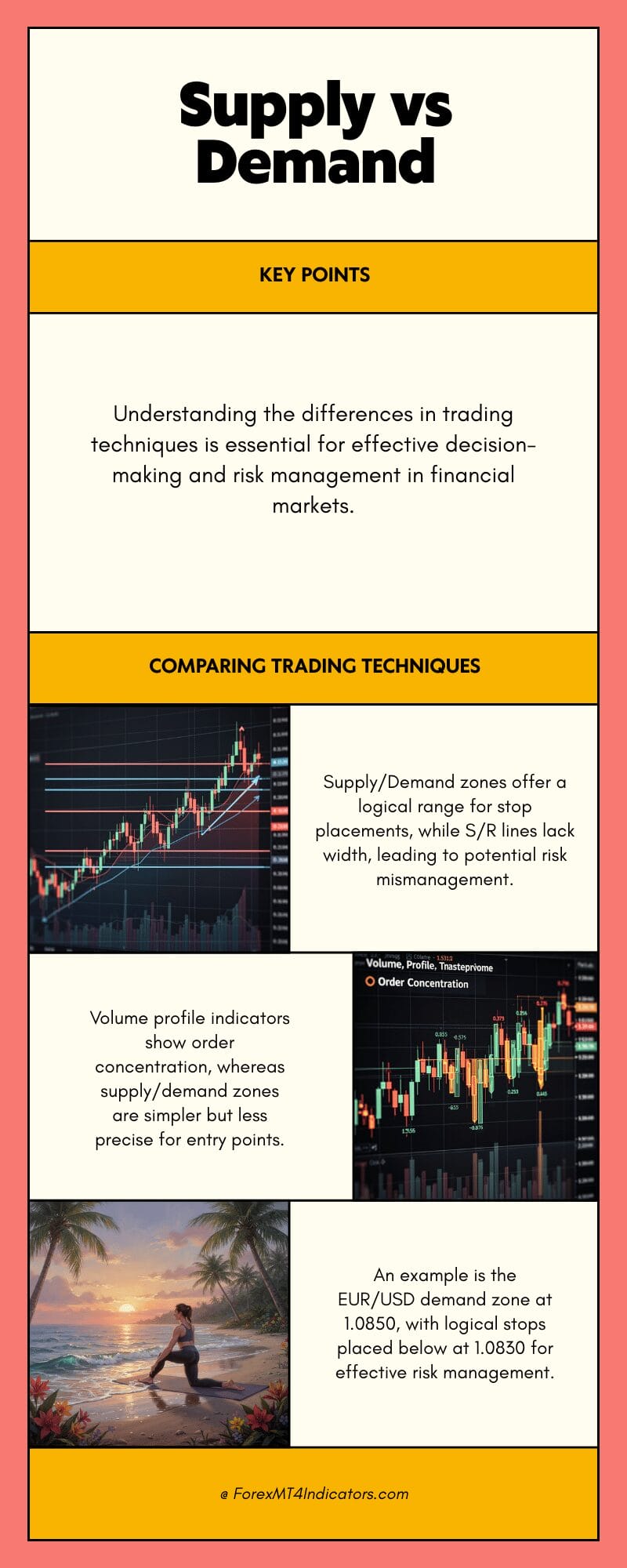
Traditional support/resistance indicators draw horizontal lines at swing highs and swing lows. That’s useful, but it misses the zone concept. A single line doesn’t tell a trader how wide the order cluster is or where to place a stop logically.
Supply and demand zones, by contrast, give a range. A trader entering EUR/USD at the bottom of a demand zone at 1.0850 places a stop below 1.0830 — below the zone’s origin. That’s a specific, logical stop placement based on where the zone would be invalidated. A flat S/R line at 1.0850 doesn’t offer the same clarity.
Compared to volume profile indicators, supply and demand zones are simpler to interpret but less precise about exactly where the heaviest order concentration sits. Volume profile shows peaks and valleys within price ranges. Supply and demand zones show the origin of impulse moves. Both approaches have value — many experienced traders use them together.
How to Trade with Advanced Supply and Demand Indicator MT4
Buy Entry
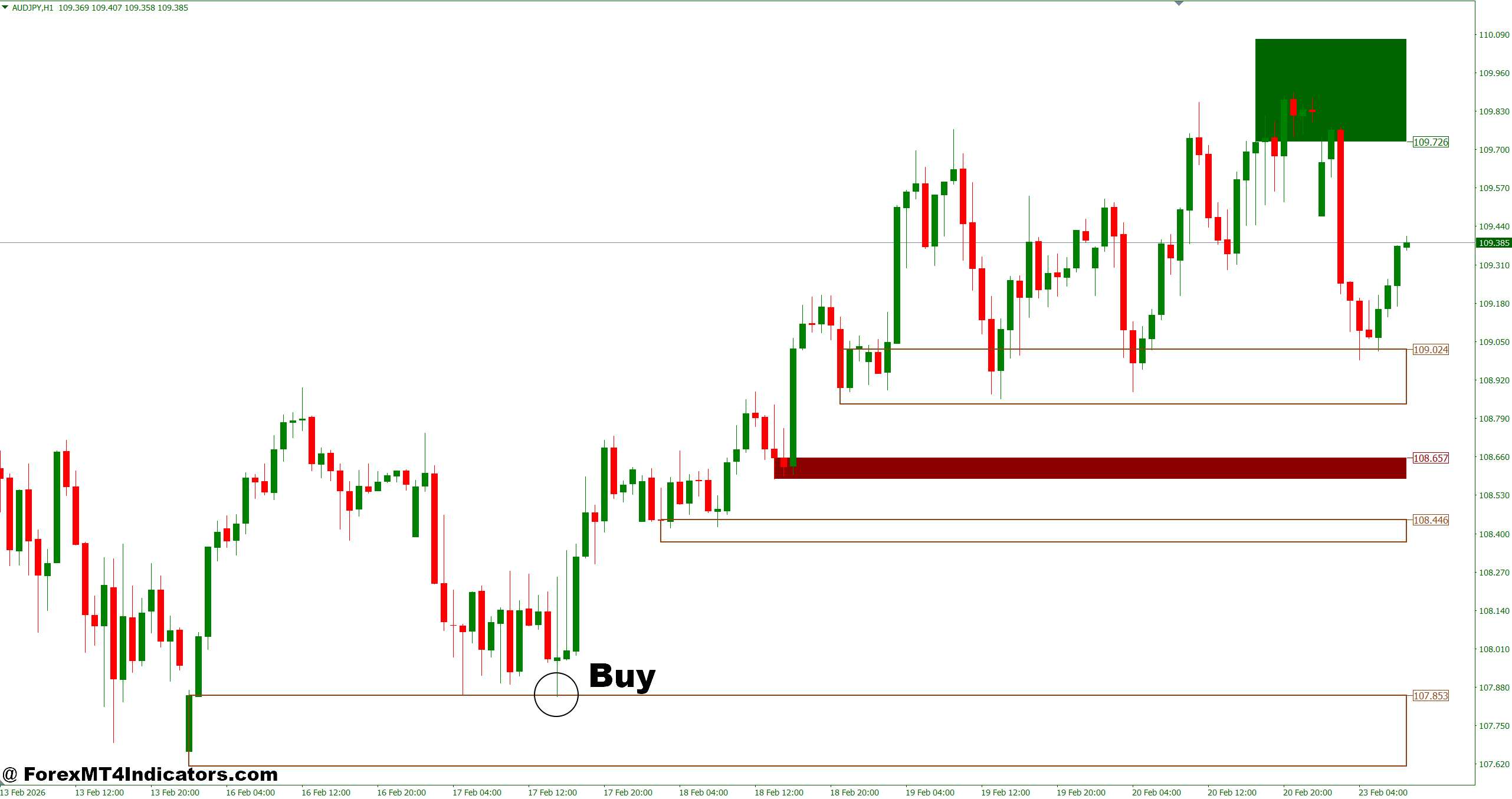
- Wait for price to enter a demand zone – Let price fully retrace into the marked zone on the 1-hour or 4-hour chart before considering an entry. Chasing price mid-move is a quick way to get caught in a fake-out.
- Look for a bullish rejection candle – A hammer, pin bar, or engulfing candle forming inside the zone on EUR/USD or GBP/USD confirms buyers are defending the level. Don’t enter on the first touch without confirmation.
- Check zone freshness before entering – Only trade demand zones that haven’t been tested before. A zone tested two or three times loses its edge and signals weakening institutional interest.
- Confirm trend alignment on the daily chart – Buy signals on the 1-hour carry more weight when the daily trend is also pointing up. Counter-trend demand trades fail more often, especially on volatile pairs like GBP/JPY.
- Set stop-loss 5–10 pips below the zone low – Place the stop beneath the demand zone’s origin candle, not just below the entry candle. This keeps the trade logical and avoids getting stopped by normal wick noise.
- Target the nearest supply zone for take-profit – Let the indicator’s supply zone mark your exit. A demand zone at 1.0850 targeting supply at 1.0950 gives a clean 100-pip target with a defined risk-reward.
- Avoid entries during major news releases – NFP, CPI, or central bank decisions spike price erratically through zones. Wait 15–30 minutes after the news settles before trusting any zone reaction.
- Skip the trade if the zone is too wide – A demand zone wider than 30–40 pips on a 1-hour chart makes stop placement impractical. Tight, clean bases produce better entries than wide, messy consolidations.
Sell Entry
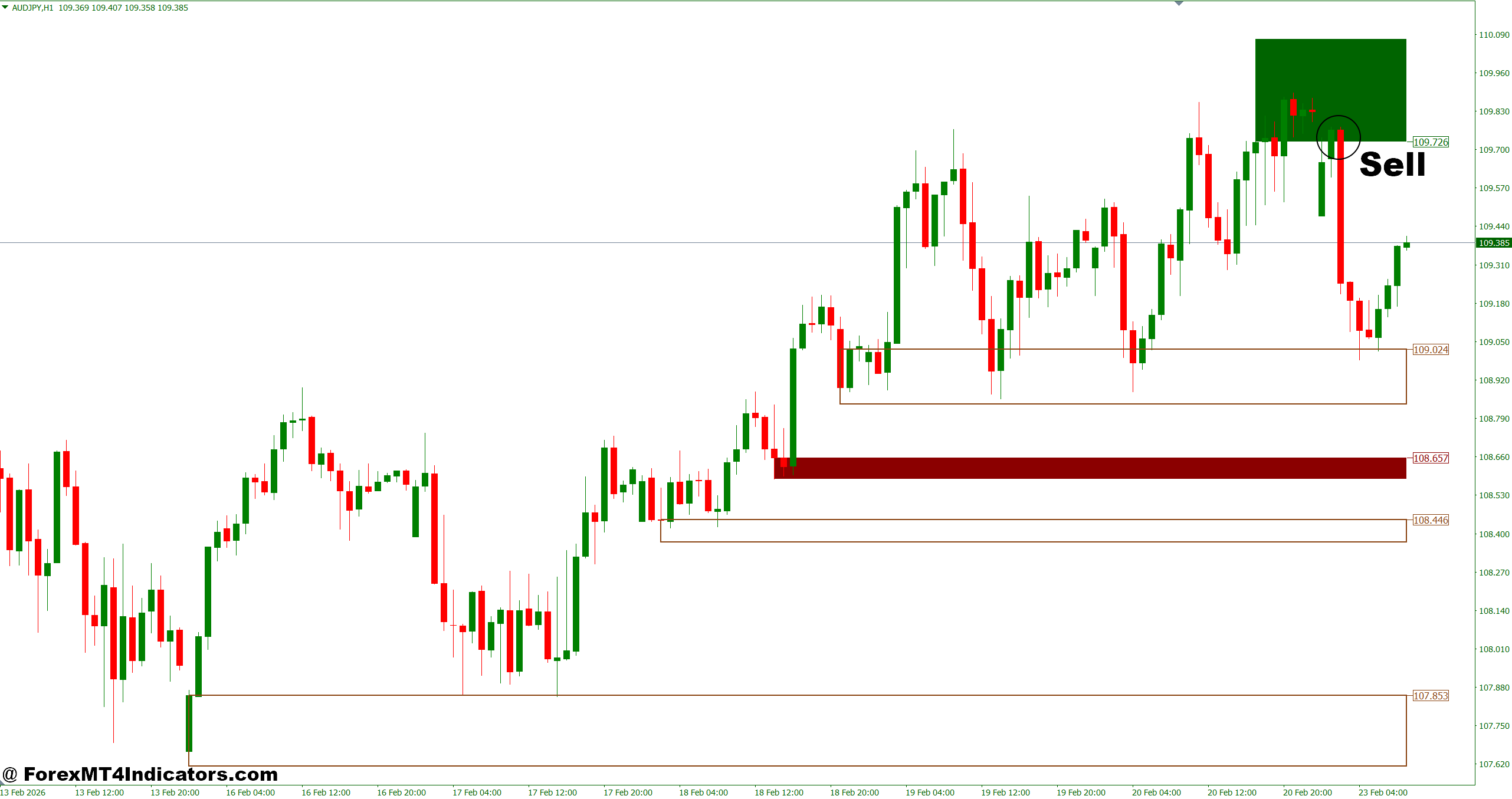
- Wait for price to rally into a supply zone – Let price come up to the marked supply zone on the 1-hour or 4-hour chart rather than shorting in open space. Patience here separates good trades from guesses.
- Look for a bearish rejection candle at the zone – A shooting star, bearish engulfing, or strong bearish close inside the supply zone on pairs like EUR/USD or USD/CAD signals sellers stepping in hard.
- Confirm the zone hasn’t been breached – If price has already closed above the supply zone on a prior candle, the zone is compromised. A broken supply zone often flips to demand — don’t short into it blindly.
- Align with a downtrend on the 4-hour chart – Sell signals hit harder when the 4-hour trend is already bearish. Shorting supply zones in an uptrend is a low-probability trade that drains accounts gradually.
- Place stop-loss 5–10 pips above the zone high – The stop goes above the supply zone’s ceiling, not just above the entry wick. Anything tighter invites premature stop-outs on normal price noise.
- Target the nearest demand zone below – If supply sits at 1.2750 on GBP/USD and the nearest demand zone is at 1.2650, that’s your 100-pip target. Don’t move the target mid-trade based on emotion.
- Avoid shorting supply zones in strong bullish momentum – If RSI is above 70 and three consecutive bullish candles just closed, the zone may get smashed through. Wait for momentum to stall before pulling the trigger.
- Don’t take the trade if spread is unusually wide – On pairs like GBP/JPY or during low-liquidity Asian sessions, a wide spread eats into the risk-reward immediately. Only trade when execution conditions are clean.
Final Thoughts
The Advanced Supply and Demand Indicator MT4 gives traders a structured way to identify high-probability reversal areas without spending hours drawing levels manually. It’s not a standalone strategy. Entries still need confirmation — a rejection candle, RSI divergence, or a volume spike at the zone adds conviction before risking capital.
The best results come from pairing it with trend direction from a higher timeframe, using zone strength ratings to filter out marginal setups, and treating broken zones as potential resistance flips rather than discarding them entirely. Like any technical tool, it works better in some market conditions than others — ranging markets reward zone traders, trending markets punish them.
Level up your trading Learn to read the chart — not just the indicator eBook · Instant PDF Video Course · 12 modules Trading forex and CFDs carries a significant risk of loss and is not suitable for everyone. Broker links are affiliate links — we may earn a commission at no cost to you.Recommended MT4/MT5 Brokers
Free MT4 Indicator Download

Enter Your Email Address below, download link will be sent to you.