

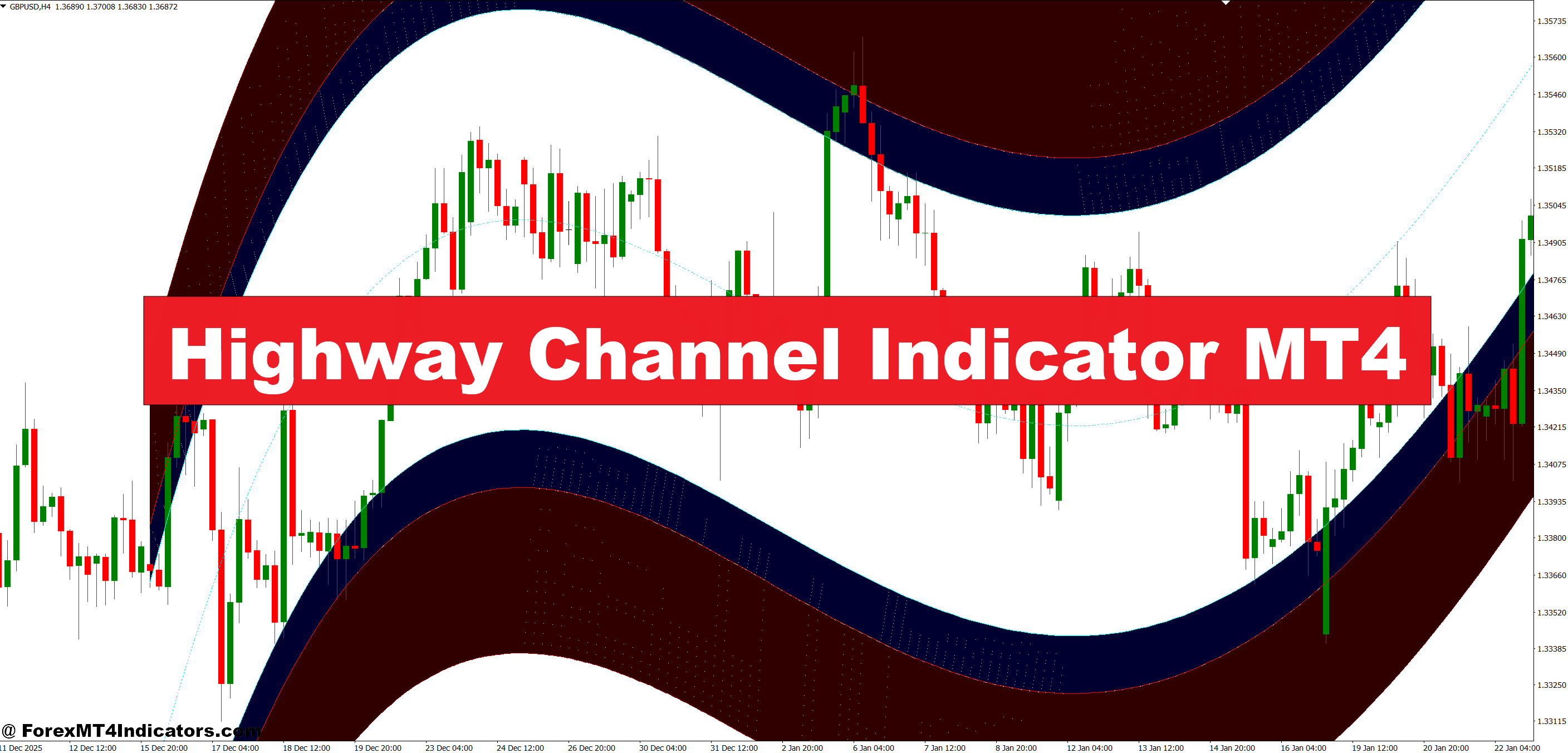
The Highway Channel is a trend-following and range-identification tool. It plots two lines — an upper band and a lower band — around a moving average or price-based calculation. The space between them is the “channel.” When price stays inside, the market is consolidating. When it breaks cleanly above or below, that’s usually worth paying attention to.
The name comes from the way the bands look on a chart: two parallel lines with price running between them, like a road. It’s not a new concept — Keltner Channels and Donchian Channels work on similar principles. But the Highway Channel version available for MT4 tends to use a tighter, more responsive calculation. That makes it better suited for intraday trading on the 1-hour and 4-hour charts.
How the Calculation Works
The indicator doesn’t use a single static formula across all versions, since it’s a custom-built MT4 tool. That said, most versions follow a similar structure. The center line is typically a 20-period or 14-period exponential moving average (EMA). The upper and lower bands are then calculated by adding and subtracting a multiple of the Average True Range (ATR) from that center line.
Here’s the basic logic:
- Center Line = EMA(Close, Period)
- Upper Band = Center Line + (ATR Multiplier × ATR)
- Lower Band = Center Line − (ATR Multiplier × ATR)
The ATR component is what makes this different from a simple moving average envelope. ATR adjusts automatically based on how volatile the market is at that moment. On a quiet day, the bands tighten. During a news spike or a volatile session, they widen. That self-adjusting behavior is the main reason traders like this tool over fixed-width channels.
Most versions let traders adjust the EMA period and the ATR multiplier directly from the indicator settings. The default multiplier is usually set somewhere between 1.5 and 2.5, depending on the version.
Reading the Channel in Real Trades
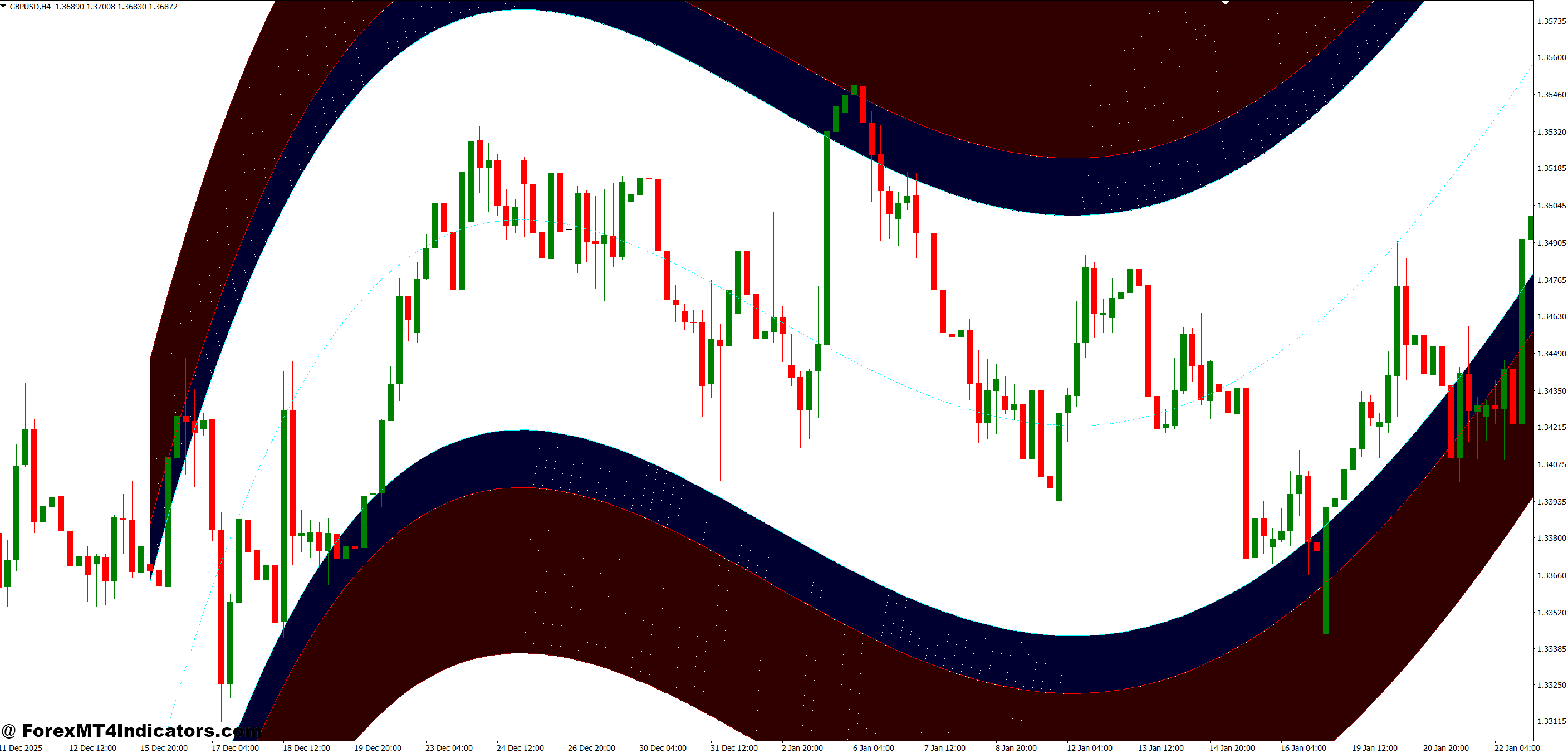
This is where most traders either get it right or get it completely wrong. The channel isn’t just about waiting for a breakout. It’s about understanding what’s happening inside the channel first.
When price is bouncing between the upper and lower bands on a 1-hour chart, the market is in a range. Traders who understand this can trade the boundaries — buying near the lower band and selling near the upper band, as long as the overall trend isn’t strongly directional. On EUR/USD during a low-volatility Asian session, for example, this approach can pick up 15-30 pips per trade without chasing.
But here’s the thing — the real money comes from the breakouts. When price closes above the upper band or below the lower band with conviction, that’s often the start of a move. On GBP/USD on a recent 4-hour chart, price had been consolidating inside a tight Highway Channel for about two days. Once it closed a full candle above the upper band, it ran over 120 pips in the next session. The channel breakout didn’t predict the move in advance, but it gave a clear, objective entry signal.
And what about false breakouts? They happen. Price can wick above the band and snap right back. One way to filter these out: wait for the close of the candle, not just the wick. A wick touch without a close is often just a fake-out, especially during low-liquidity hours.
Highway Channel Indicator MT4 Adjusting Settings
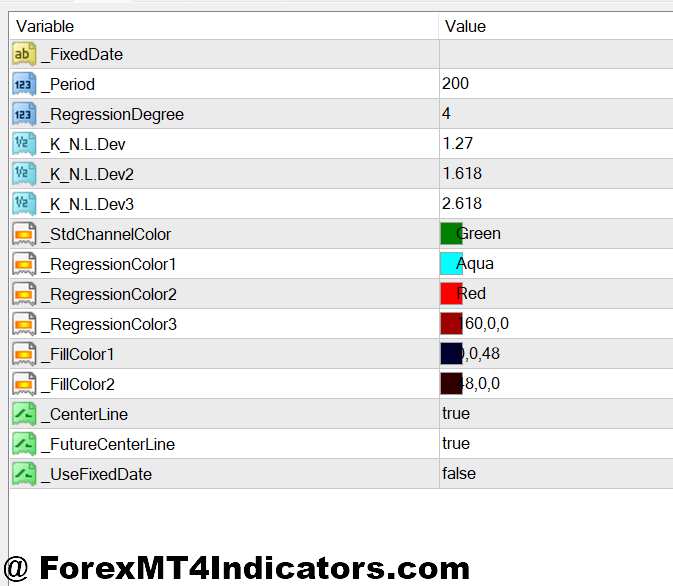
The default settings work okay on a 4-hour chart for swing traders. But if you trade the 1-hour, you’ll probably want to tweak things a bit.
On the 1-hour chart, a shorter EMA period — around 12 to 14 — keeps the channel responsive enough to catch intraday moves. The ATR multiplier can stay around 1.5. Going higher than 2.0 on this timeframe tends to make the bands too wide, and price rarely reaches the edges often enough to trade.
On the 4-hour chart, bump the EMA period up to 18 or 20. An ATR multiplier of 2.0 to 2.5 works well here. The wider bands give swing traders room to breathe and reduce the number of whipsaw signals.
For scalpers on the 15-minute chart, the indicator can still be useful, but it requires patience. Set the EMA to around 10 and the ATR multiplier to 1.2 or 1.3. At this level, the channel will be tight, and price action tends to be noisier. Use it as a confirmation tool rather than your primary entry signal.
One thing worth noting: always check the channel on a higher timeframe before acting on a signal from a lower one. A breakout on the 1-hour chart that contradicts the 4-hour channel direction is usually better left alone.
Where the Indicator Falls Short

No tool is perfect, and the Highway Channel has a few real weaknesses that traders should know about before relying on it.
First, it lags. Because it’s built on a moving average and ATR, both of which are backward-looking, the channel won’t snap to sudden price changes instantly. During a fast-moving market — like right after a central bank announcement — the bands can lag behind by several candles. In those moments, the channel can give misleading reads.
Second, it struggles in strong trending markets. When price is running steadily in one direction, the channel keeps expanding and price stays on one side of it. Traders sometimes interpret this as a continued breakout when it’s actually just the trend pulling the channel along. Pairing the Highway Channel with a trend filter — like a 200 SMA — helps here. If price is well above the 200 SMA and the channel is expanding upward, that’s a trend confirmation, not just a breakout.
Third, the indicator works best on liquid pairs. On exotic or low-volume pairs, the ATR calculation can be skewed by large gaps and thin spreads. EUR/USD, GBP/USD, and USD/JPY tend to give the cleanest signals.
How It Compares to Other Channel Indicators
Traders often pit the Highway Channel against Keltner Channels and Bollinger Bands. All three draw bands around price, but the logic behind them is different enough to matter.
Bollinger Bands use standard deviation from a simple moving average. They react quickly to volatility changes but can be erratic during news events. Keltner Channels use ATR, just like the Highway Channel, but typically with a longer period and wider multiplier. They’re smoother, which makes them better for longer-term trend following but slower to react intraday.
The Highway Channel sits in the middle. Its tighter default settings and EMA-based center line give it a responsiveness that Keltner Channels don’t have, without the noise that Bollinger Bands can introduce. For MT4 traders who want a channel-based tool for the 1-hour or 4-hour chart, it’s a solid choice. Not the only one — but a practical one.
How to Trade with Highway Channel Indicator MT4
Buy Entry
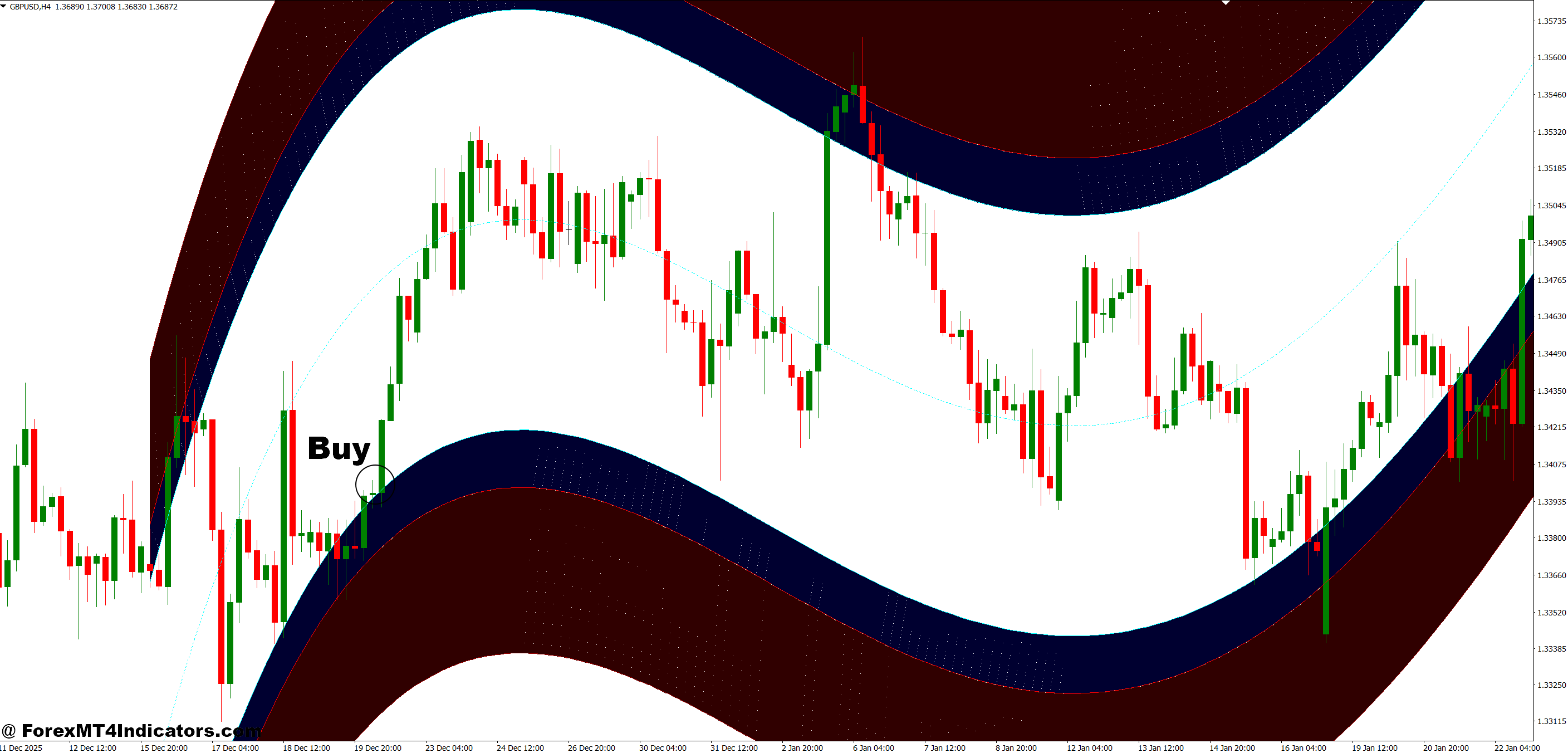
- Wait for a close above the upper band – On the 1-hour chart, only enter after a full candle closes above — not just a wick touch. Wick fakes on EUR/USD happen constantly during low-liquidity hours.
- Confirm with the 4-hour trend – The 4-hour channel must also be pointing up. A 1-hour breakout against a 4-hour downtrend is a trap, not a trade.
- Set your stop loss 15–20 pips below the upper band – Place it just under the band you broke. If price snaps back and closes below, the signal is dead — get out clean.
- Target the next 30–40 pips above entry – On GBP/USD 1-hour, channel breakouts typically run 30–40 pips before the first pullback. Don’t chase beyond that without a trailing stop.
- Skip entries during NFP or ECB weeks on EUR/USD – News spikes create fake breakouts. The channel widens too fast for reliable reads. Wait for the dust to settle.
- Use a 1.5x risk-to-reward minimum – If your stop is 18 pips, your target should be at least 27 pips. Smaller setups on this indicator eat your account over time.
- Check that the center line (EMA) is sloping up – A flat or falling EMA means the market isn’t actually trending. A breakout on a flat center line is usually just chop.
- Scale in only after the first 10 pips in profit – Don’t double up at entry. Wait for the trade to prove itself. Add 50% of your original position once you’re safely in the green.
Sell Entry
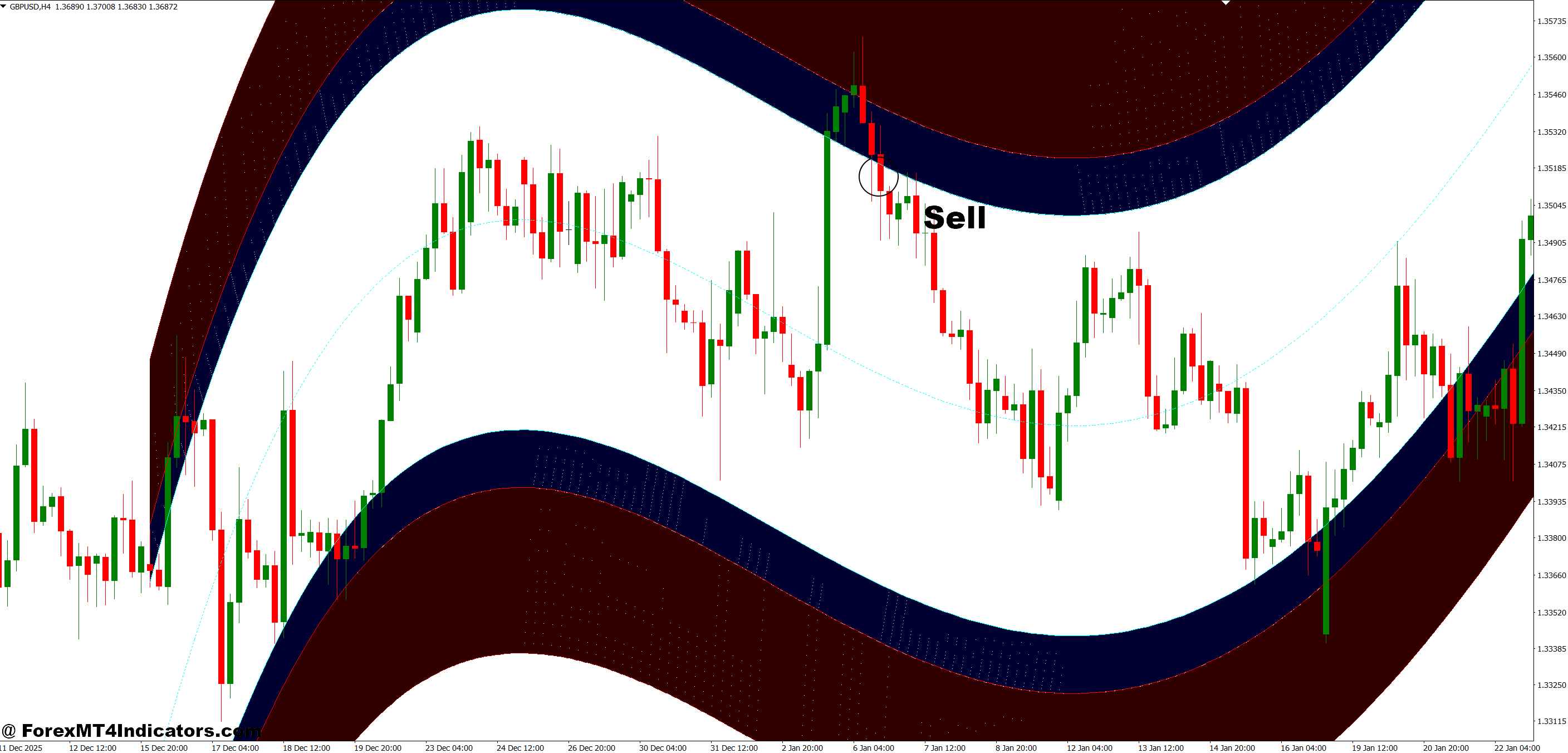
- Wait for a close below the lower band – Same rule as the buy side — the candle must close below, not just wick down. USD/JPY is especially prone to lower-band wick fakes on the 1-hour.
- Confirm the 4-hour channel is tilting down – A sell signal on the 1-hour only works cleanly when the 4-hour trend agrees. Otherwise you’re fighting the bigger move.
- Place your stop loss 15–20 pips above the lower band – Tight, defined risk. If price reclaims the band with a close, exit immediately — the breakout failed.
- Target 30–40 pips below your entry – On EUR/USD daily, clean sell breakouts tend to extend 35–50 pips. On the 1-hour, 30–40 is more realistic before a bounce.
- Avoid shorting during major USD bullish news – CPI, Fed decisions, and jobs data can spike dollar pairs hard. Selling into those on a channel signal usually ends badly.
- Keep position size at 1% of account or less – Short trades on channel breakouts can reverse fast. A 1% risk cap means one bad trade won’t wreck your balance sheet.
- Watch the center line direction before entering – If the EMA is still rising, a lower-band close is likely a temporary dip, not a real breakdown. Patience pays here.
- Trail your stop once price moves 15 pips in your favor – Lock in gains early. A trailing stop set 12–15 pips behind the current price keeps you in the trade if it keeps dropping.
Final Thoughts
The Highway Channel Indicator for MT4 isn’t going to overhaul your trading overnight. What it does is give you a clear, objective framework for identifying range-bound and breakout conditions on a chart. When price is inside the channel, the market is consolidating. When it breaks out cleanly, traders have a defined signal to work with. The key is pairing it with good trade management and a higher-timeframe confirmation — not treating it as a standalone system.
If you’re already using channel-based analysis or trend-following strategies, adding the Highway Channel to your MT4 setup is worth the time. Start on the 4-hour chart with default settings, watch how it behaves for a couple of weeks, and adjust from there. And remember: no indicator removes risk from trading forex. Position sizing and stop losses matter more than any single tool on your screen.
Level up your trading Learn to read the chart — not just the indicator eBook · Instant PDF Video Course · 12 modules Trading forex and CFDs carries a significant risk of loss and is not suitable for everyone. Broker links are affiliate links — we may earn a commission at no cost to you.Recommended MT4/MT5 Brokers
Free MT4 Indicator Download

Enter Your Email Address below, download link will be sent to you.