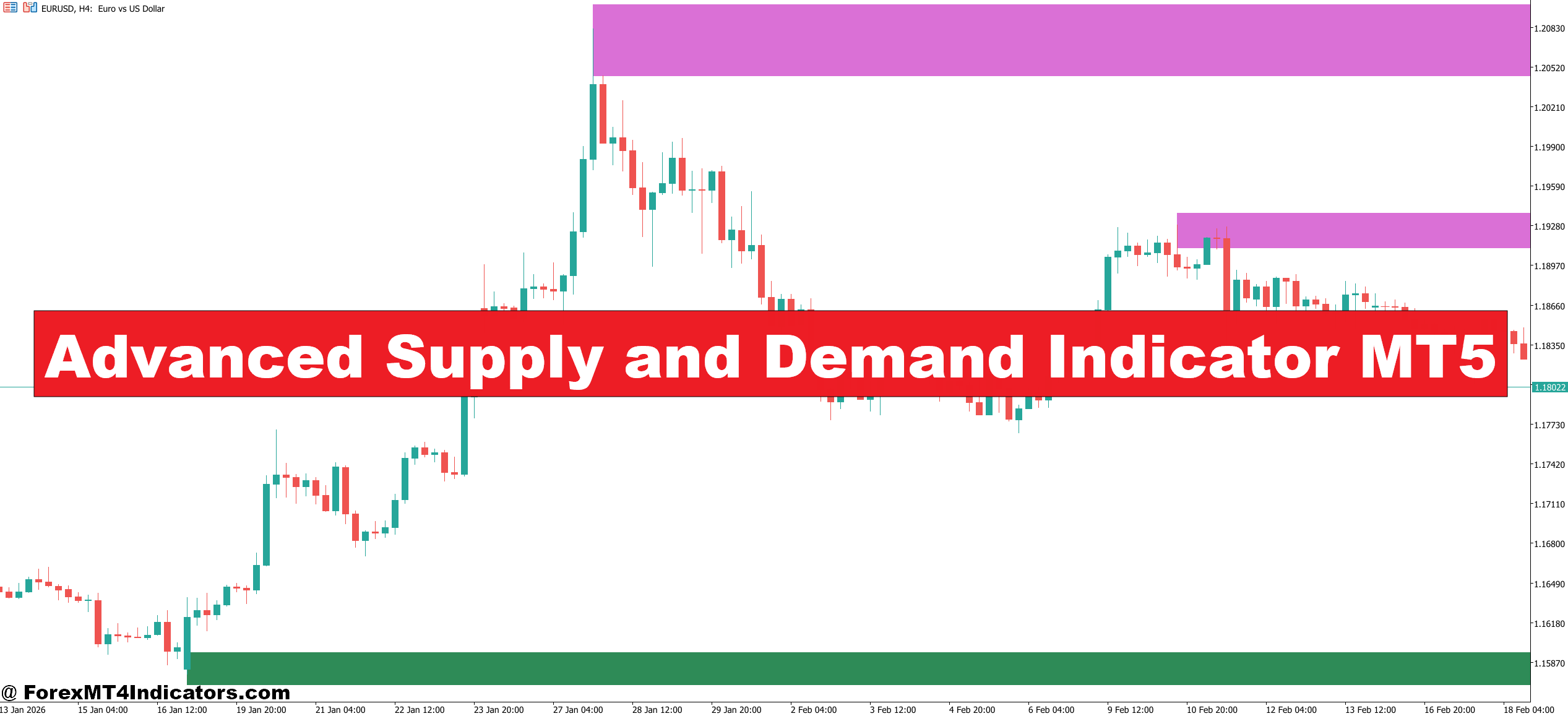
At its core, this tool identifies price zones — not individual levels — where price has previously moved away sharply. The logic is straightforward: if price shot up quickly from a specific area, that suggests buyers absorbed a significant amount of supply at that level. When price returns, those buyers may defend it again.
The indicator automatically draws rectangular zones on the chart representing demand (below current price) and supply (above current price). Unlike a basic support/resistance line, these zones have depth. They reflect the full range of price action that preceded a strong move, not just a single candle’s close.
What separates the “advanced” version from simpler alternatives is the scoring and filtering logic. It typically ranks zones based on factors like: how fast price left the zone (impulse strength), how many times price has revisited it (freshness), and whether the zone aligns with a higher-timeframe structure. A zone that price has never returned to after formation carries more weight than one that’s been tested three times.
How the Zone Detection Logic Works
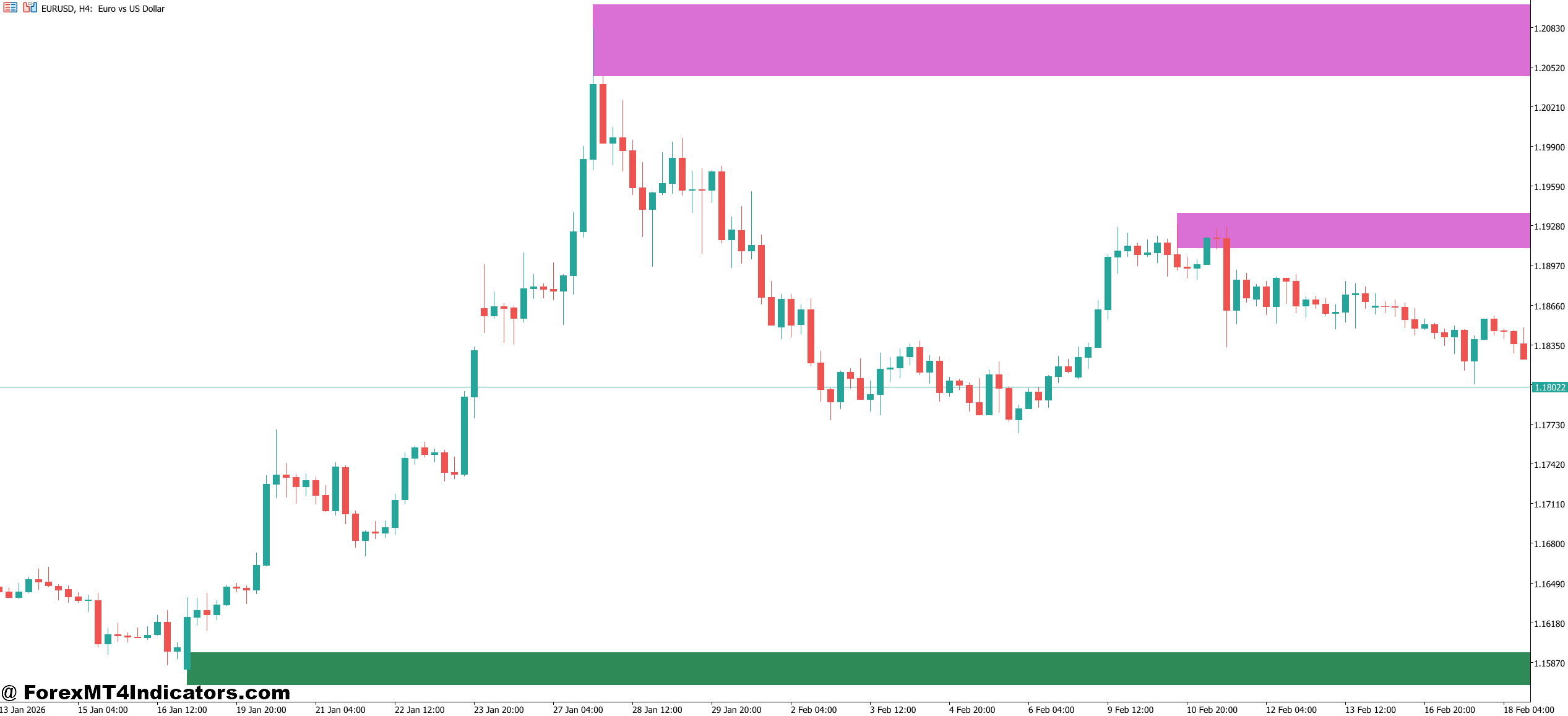
The indicator scans back through historical bars looking for what traders call a “base” — a consolidation area immediately before a strong directional move. When it finds one, it marks the high and low of that consolidation as the zone boundaries.
The calculation gets more nuanced from there. Most implementations look at the ratio between the base candles and the departure candle. If a tight three-candle consolidation launches into a 40-pip move, the zone scores higher than if that same base only produced a 10-pip drift. Some versions also factor in ATR (Average True Range) to normalize zone strength across different currency pairs and volatility environments.
Here’s the thing — the indicator isn’t predicting anything. It’s pattern-matching. It’s saying: this structure looked like institutional accumulation or distribution in the past. When price comes back, watch closely.
On a practical level, when testing this on volatile NFP days, well-defined supply zones on the 1-hour EUR/USD chart often act as hard ceilings during the initial news spike — price blows through weaker zones but respects the high-scoring fresh ones. That’s not a coincidence. It reflects order flow concentration.
Advanced Supply and Demand Indicator MT5 Settings and Customization
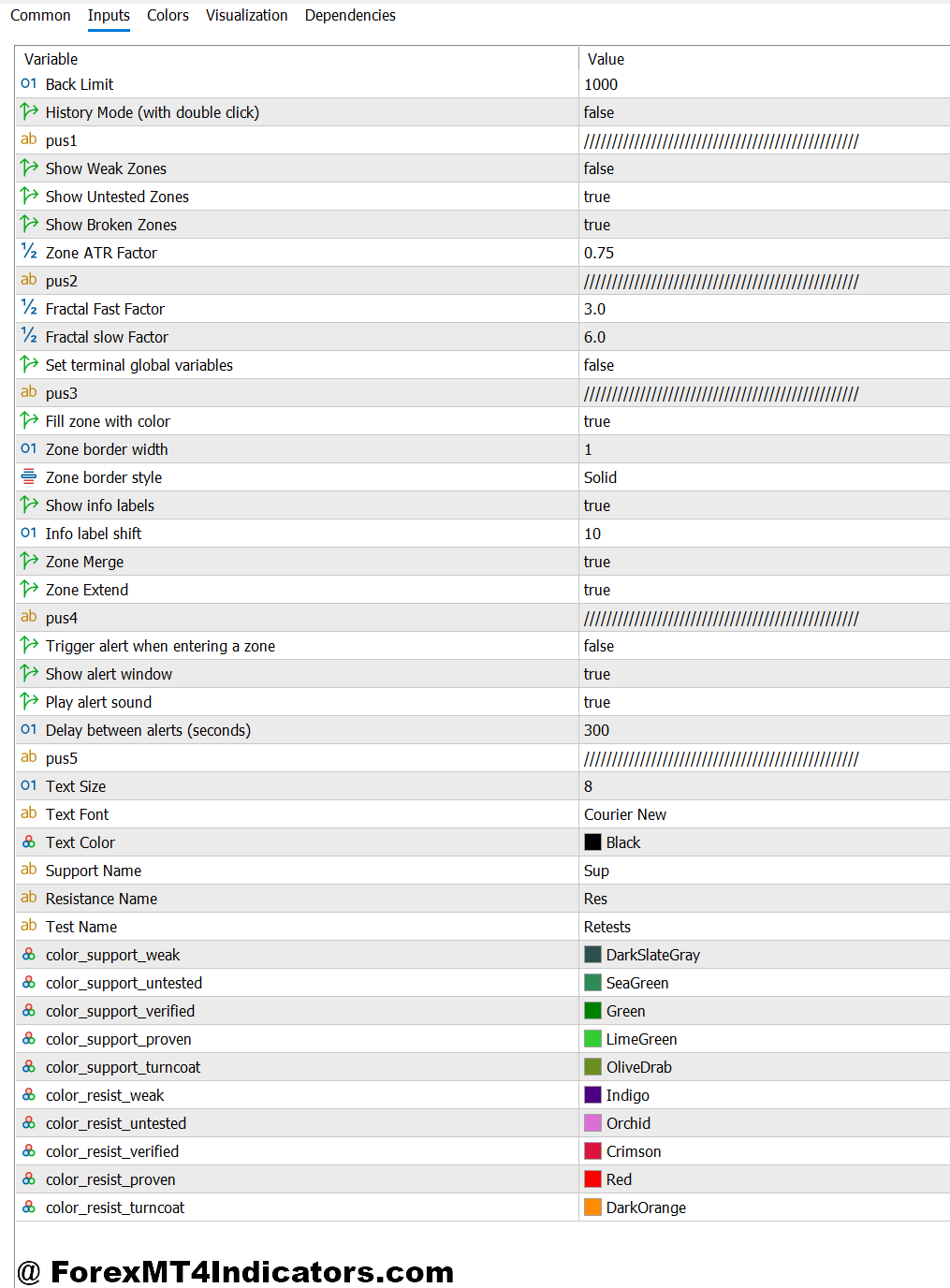
Most MT5 versions of this indicator come with adjustable parameters. The key ones to understand:
Zone Strength Threshold controls how aggressive the filter is. A higher setting shows only the cleanest, sharpest zones. A lower setting clutters the chart with marginal areas that tend to fail more often. For day trading on the 15-minute or 1-hour chart, staying at medium-to-high threshold reduces noise significantly.
Mitigation Style determines what “used up” looks like. Some traders set it to remove a zone the moment price touches it. Others prefer zones to stay active until price closes beyond them. For swing traders holding positions over multiple sessions, the close-based mitigation setting tends to reduce premature exits.
HTF (Higher Timeframe) Overlay is where things get genuinely useful. Enabling the daily or 4-hour zones to display on a 15-minute chart lets traders see when a short-term entry aligns with a major structural area. When a 15-minute demand zone sits inside a daily demand zone, that confluence matters.
That said, don’t crank every setting to maximum sensitivity. On GBP/JPY during London open, an oversensitive setup will draw zones every 20 pips — practically useless in a market that moves 150 pips in two hours.
Where It Works Well – and Where It Doesn’t
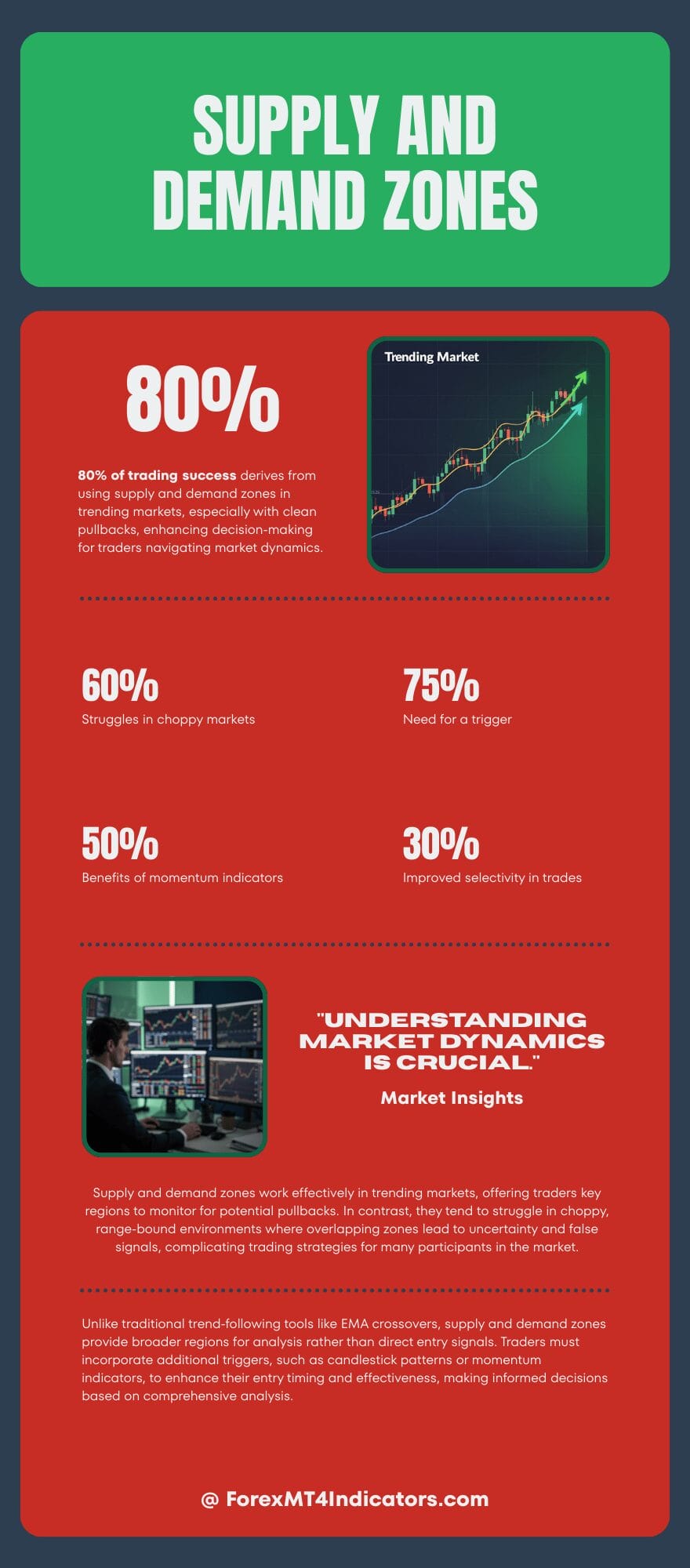
The indicator performs best in trending markets that pull back cleanly. Think USD/JPY in a strong dollar environment: price rallies, consolidates briefly, continues higher. Those consolidation zones become demand areas on the way back down, and the indicator marks them clearly.
Choppy, range-bound markets are a different story. When EUR/GBP spends a week oscillating in a 40-pip range, the tool draws overlapping zones that cancel each other out. Traders trying to use it mechanically in that environment will get whipsawed. Price respects zones better when there’s directional momentum in the market — something this indicator can’t tell you on its own.
And unlike trend-following tools like a 20/50 EMA crossover, supply and demand zones don’t give you a signal to act. They give you a region to watch. Traders still need a trigger — a candlestick pattern, a break of a minor structure, or an RSI divergence — to time the actual entry inside the zone.
Pairing it with a momentum filter like the MACD or stochastic oscillator meaningfully improves selectivity. Entering a demand zone when momentum is also turning up beats entering blindly every time price taps the zone.
How to Trade with Advanced Supply and Demand Indicator MT5
Buy Entry
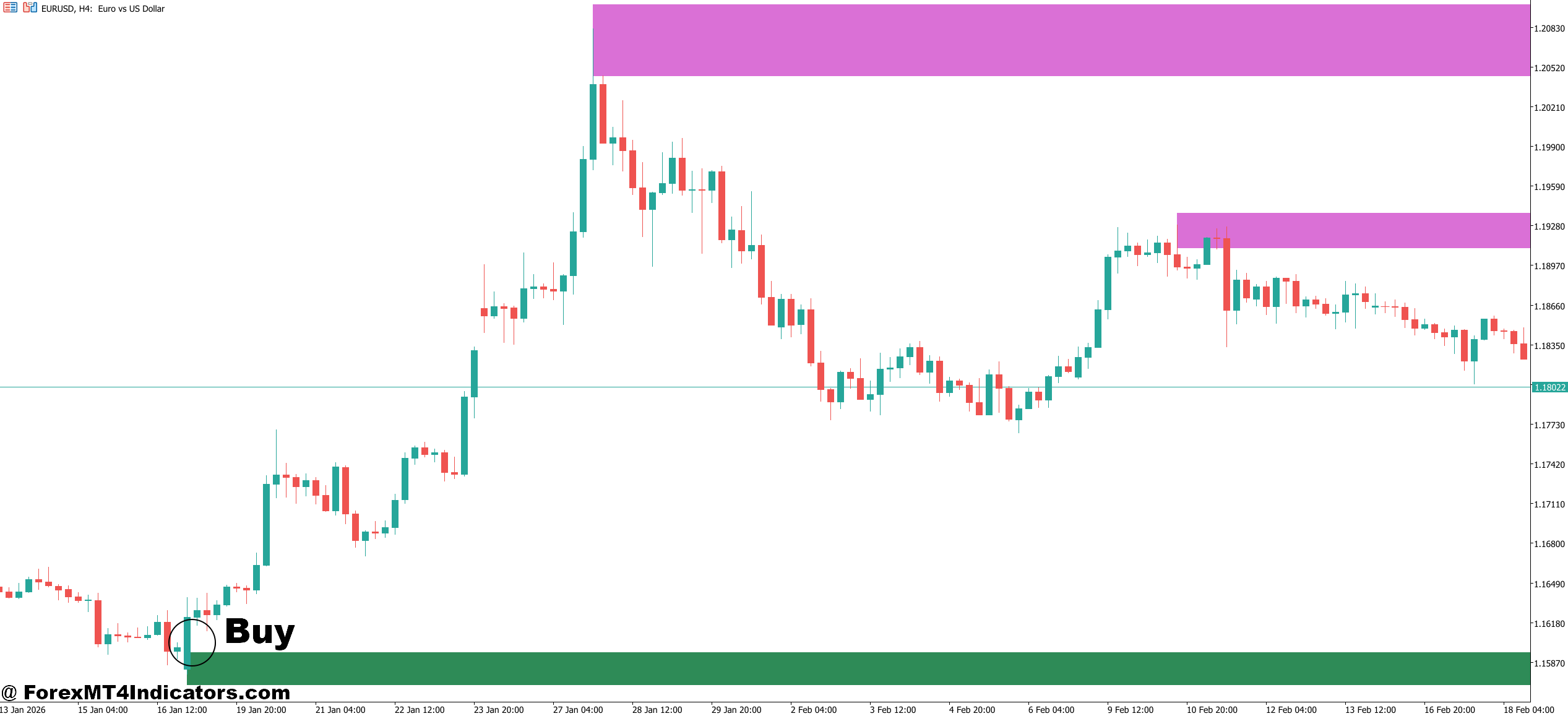
- Price taps a fresh demand zone – Wait for price to touch an untested demand zone on the 1-hour or 4-hour chart before considering any long entry.
- Bullish rejection candle forms inside the zone – Look for a pin bar or engulfing candle closing above the zone’s upper boundary, confirming buyers are defending the level.
- Higher timeframe zone aligns – Only take the trade if the 4-hour demand zone sits inside a daily demand zone on EUR/USD or GBP/USD — confluence improves success rate significantly.
- Set stop-loss 5-10 pips below zone low – Place the stop beneath the entire demand rectangle, not just the entry candle, to avoid getting stopped by normal wick noise.
- Target the nearest supply zone for take-profit – Aim for at least a 1:2 risk-reward ratio; skip the trade if the nearest supply zone is less than 20 pips away.
- Check momentum before entering – Confirm stochastic or RSI is turning upward inside the zone; entering against flat momentum leads to slow, choppy price action.
- Avoid entries during major news releases – Don’t enter demand zones within 30 minutes of NFP or CPI data — news spikes blow through even strong zones regularly.
- Skip overused zones – If price has already revisited the demand zone two or more times, treat it as weak; fresh untouched zones carry significantly more weight.
Sell Entry
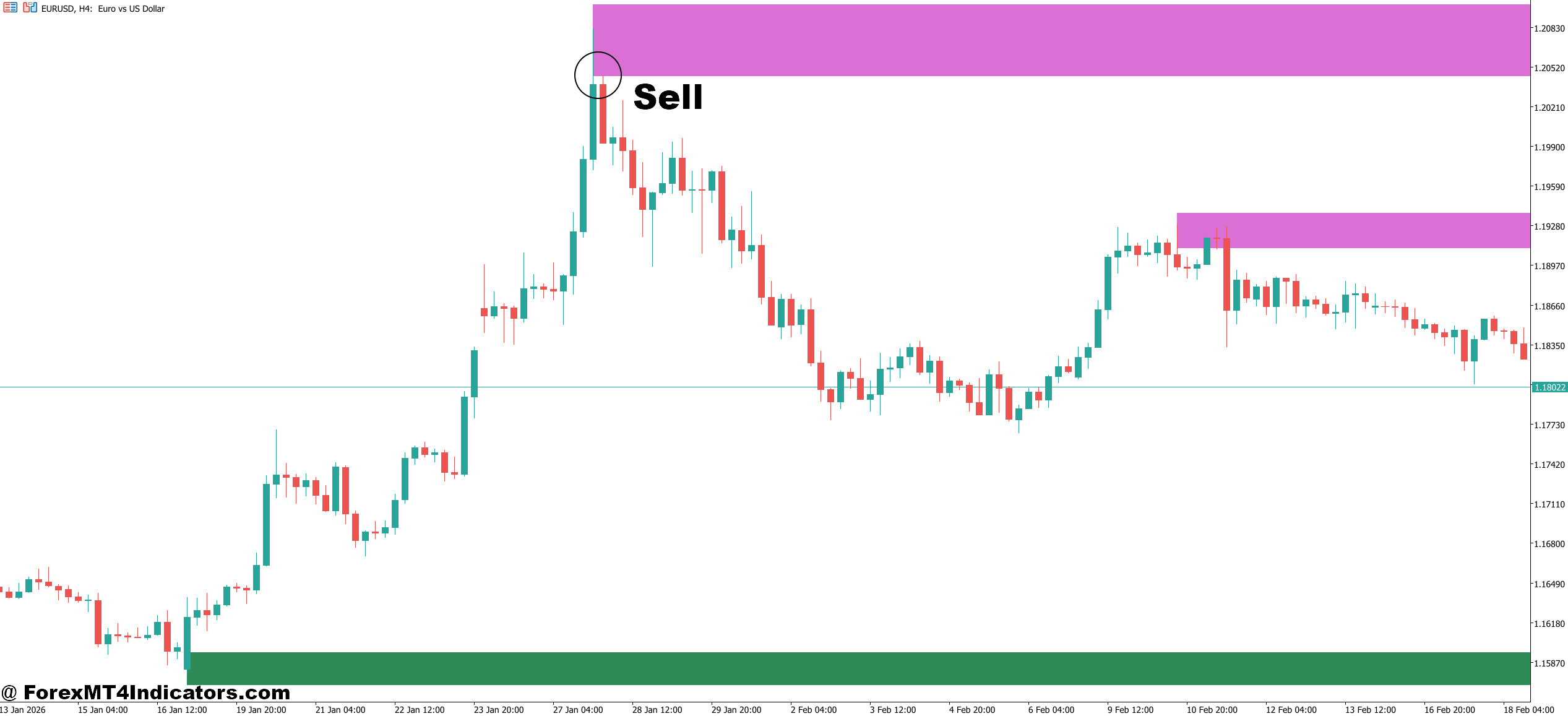
- Price reaches a fresh supply zone – Wait for price to push into an untested supply zone on the 1-hour or 4-hour chart before looking for any short entry.
- Bearish rejection candle confirms the zone – A bearish engulfing or shooting star candle closing below the zone’s lower edge signals sellers are active at that level.
- Daily supply zone adds confluence – On GBP/USD or EUR/USD, only take the short if the 1-hour supply zone sits within a larger daily supply area for stronger institutional backing.
- Place stop-loss 5-10 pips above zone high – Position the stop above the full supply rectangle to account for wicks and avoid premature exits on minor spikes.
- Target the nearest demand zone with 1:2 minimum reward – If the closest demand zone is less than 20 pips below entry, skip the trade — the reward doesn’t justify the risk.
- Confirm downward momentum – Use MACD histogram turning negative or RSI dropping below 50 as a secondary confirmation before pulling the trigger on the short.
- Don’t short into obvious support clusters – If a strong daily demand zone sits directly below your supply zone entry, the trade is low quality — price rarely drops cleanly through major support.
- Avoid late entries after price has already dropped – If price has moved more than 15 pips away from the supply zone before you enter, the setup is compromised; wait for the next clean touch instead.
Honest Takeaways for Traders Considering This Tool
The Advanced Supply and Demand Indicator MT5 is genuinely useful for traders who already have a working understanding of market structure. It saves time by automating zone identification that would otherwise require manual chart work. The HTF confluence feature alone can sharpen entry quality for swing traders.
But it’s not a standalone system. Price will fake through zones. High-impact news can blow past even the strongest levels. And no matter how well a zone is drawn, position sizing and stop placement still determine whether a trade survives.
Traders who treat the zones as areas of interest rather than guaranteed reversal points tend to get the most out of this tool. Test it on a demo account first — specifically on pairs you already trade — and compare its zone placement to how you’d draw levels manually. If it’s identifying the same areas you’d mark yourself, that’s a good sign it fits your trading approach.
Level up your trading Learn to read the chart — not just the indicator eBook · Instant PDF Video Course · 12 modules Trading forex and CFDs carries a significant risk of loss and is not suitable for everyone. Broker links are affiliate links — we may earn a commission at no cost to you.Recommended MT4/MT5 Brokers
Free MT4 Indicator Download

Enter Your Email Address below, download link will be sent to you.