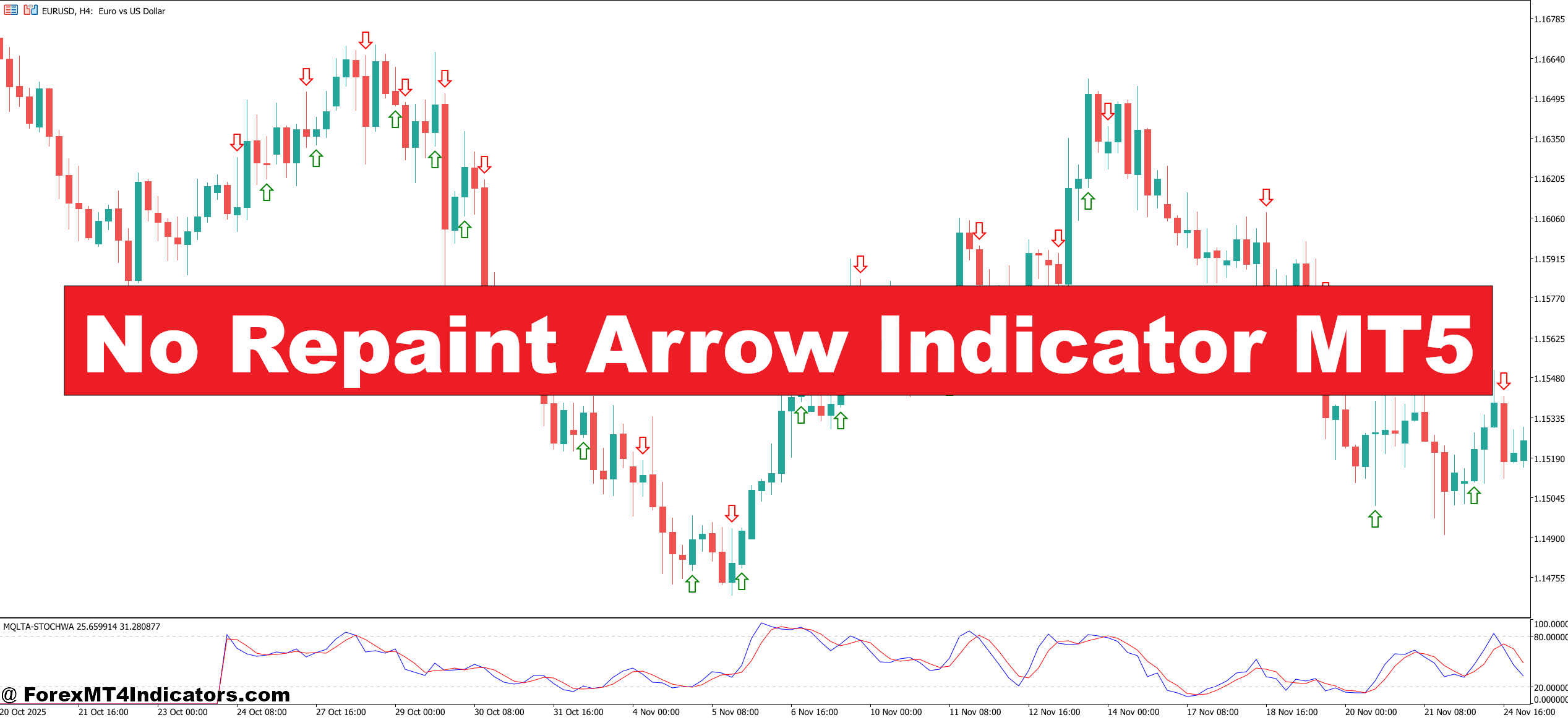
Most standard arrow indicators calculate signals based on real-time price. As the candle develops, the signal updates — which means an arrow might appear mid-candle and vanish before close. That’s repainting.
A true no repaint arrow indicator MT5 only confirms a signal after candle close. The logic is baked into the code: the arrow plots on the previous closed candle, not the current live one. This one distinction separates useful tools from misleading ones.
The underlying logic varies by indicator, but most versions combine two or more of the following: moving average crossovers, RSI divergence detection, ATR-based volatility filters, and candlestick pattern recognition. Some builds use a custom oscillator that measures momentum shift across multiple timeframes before firing a signal. The result is an arrow that, once it appears, stays there.
How the Signal Logic Works in Practice
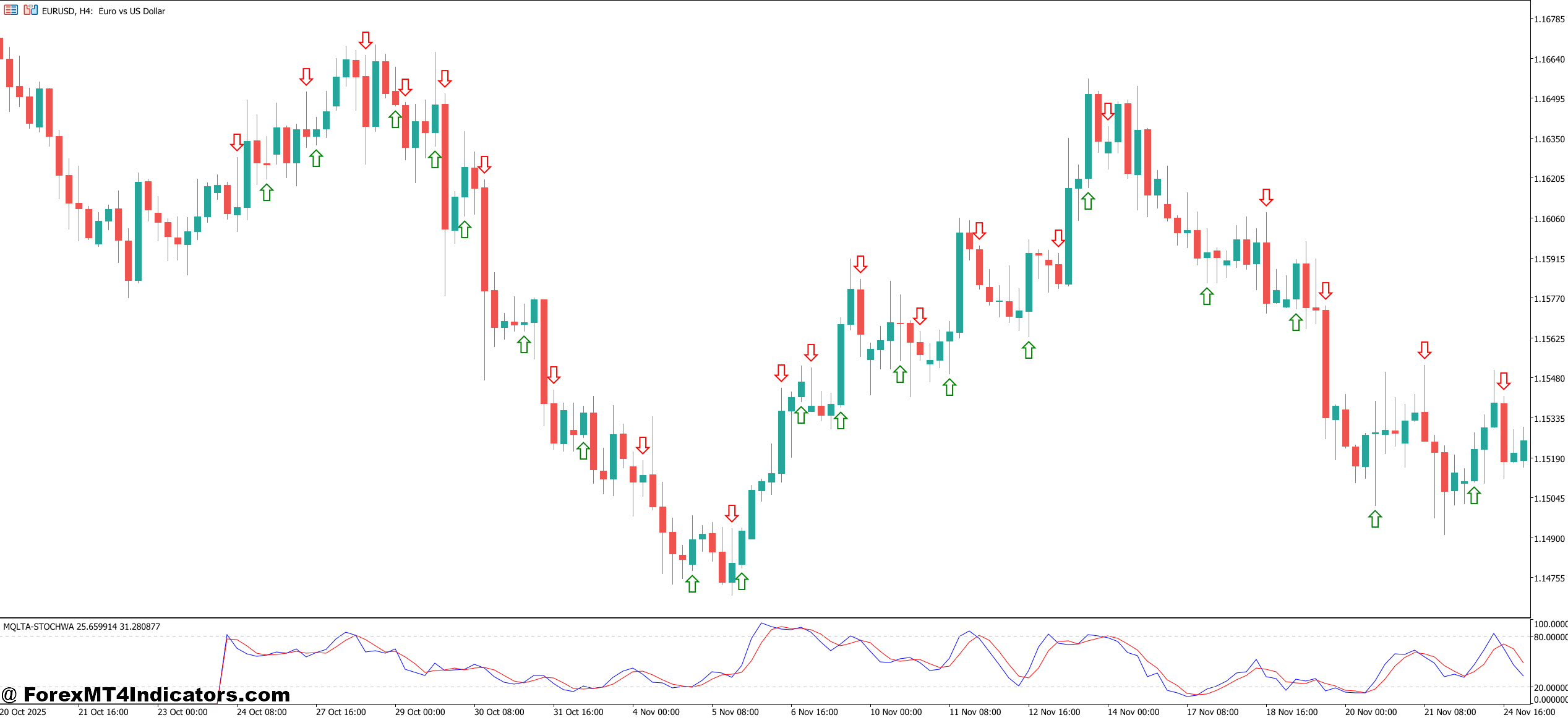
Take a EUR/USD setup on the 1-hour chart during a trending session. Price has been pushing higher, pulling back to a key support zone near a 50-period EMA. The indicator detects a momentum shift — RSI climbs back above 50, the short-term MA crosses above the medium-term MA, and a bullish engulfing candle closes. At that point, a blue upward arrow locks in below the closed candle.
That’s the signal. No waiting. No recalculating. The arrow won’t move.
Compare that to a standard signal indicator where the arrow shows during a developing candle and disappears when price temporarily dips. Traders act on the first arrow, price moves against them, and the arrow vanishes. They assume they made a mistake. In reality, the indicator just hadn’t confirmed anything yet.
On GBP/USD during NFP volatility — one of the messiest conditions to trade — the no repaint behavior becomes even more valuable. Because the signal only prints post-candle, the wild wicks and indecision candles during news don’t generate false entries. Traders who’ve tested this during high-impact news sessions often find the signal frequency drops sharply, which is exactly what should happen in choppy price action.
No Repaint Arrow Indicator MT5 Settings and Customization
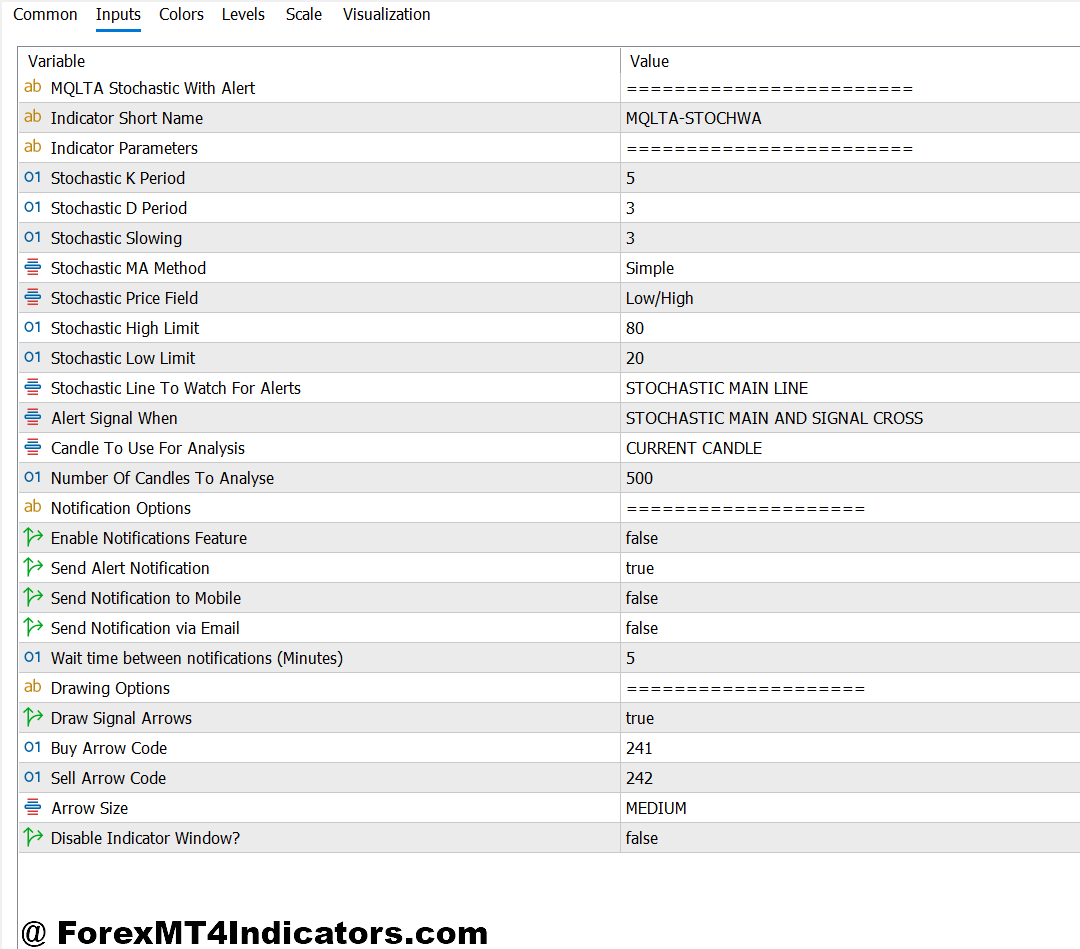
Most MT5 versions of this indicator come with adjustable parameters. The most important ones to understand:
The signal sensitivity setting controls how strict the confirmation criteria are. Lower values produce more frequent arrows but carry more noise. Higher values mean fewer signals, but each one carries more weight. On the M15 chart for scalping EUR/USD, a sensitivity of 3–4 tends to work well. On the H4 or daily chart for swing trading, pushing that to 6–8 filters out most of the chop.
ATR multiplier affects how much volatility the indicator requires before printing a signal. During low-volatility Asian session conditions, keeping this multiplier lower (around 1.2–1.5) allows the indicator to fire on smaller moves. During London or New York overlap, bumping it to 2.0 or higher keeps the signals reserved for genuine breakouts.
Some versions include a trend filter — typically a longer EMA like the 200-period — that only allows buy arrows above it and sell arrows below it. This single addition significantly reduces counter-trend losses, especially on pairs like USD/JPY that trend hard for extended periods.
Honest Assessment: Where It Works and Where It Doesn’t
Here’s the thing — no indicator is complete without knowing its weaknesses.
The no repaint arrow indicator MT5 performs well in trending markets. EUR/USD on the H1 during a strong directional move, GBP/JPY following a Bank of England decision, AUD/USD during commodity-driven trends — these are environments where confirmed signals add genuine value.
Ranging markets are a different story. When EUR/GBP spends three weeks consolidating in a 40-pip range, even a well-configured indicator generates false signals at range boundaries. The arrows still don’t repaint, but they do point in the wrong direction. Losing trades happen. That’s the nature of technical analysis, not a flaw unique to this tool.
One legitimate limitation worth calling out: because the signal only confirms on candle close, entry is always on the next candle open. On fast-moving pairs during breakouts, that delay can mean entering after 15–20 pips of initial move are already gone. Traders using this on lower timeframes during volatile sessions need to account for that gap between signal and execution.
Compared to the standard Arrows & Curves indicator or basic MA crossover systems, the no repaint version sacrifices signal frequency for signal integrity. That trade-off is worth it for most swing traders, but scalpers working sub-5-minute charts may find the delay frustrating.
How to Trade with No Repaint Arrow Indicator MT5
Buy Entry
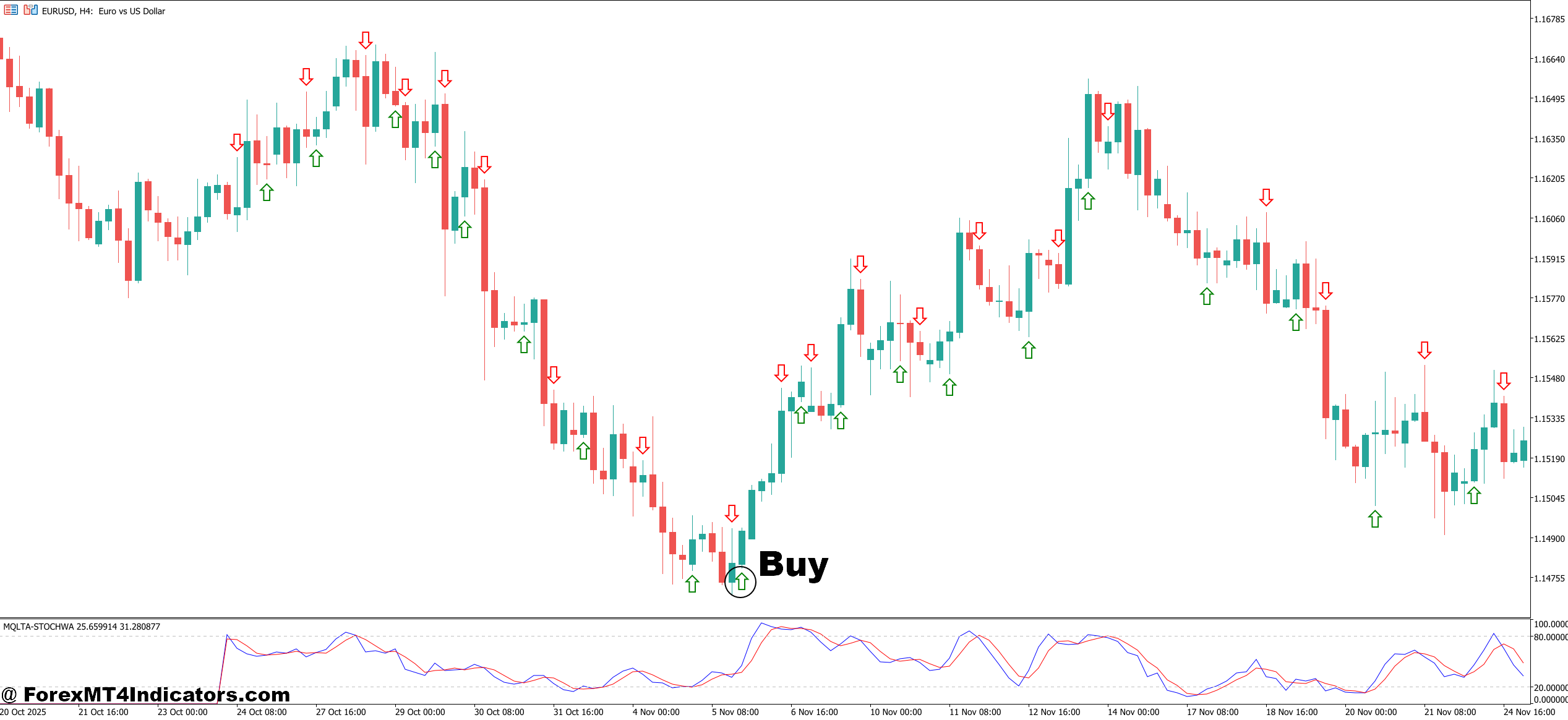
- Blue arrow confirms on closed candle – Wait for the candle to fully close before entering. Never jump in mid-candle, even if the arrow appears early.
- Price sits above the 200 EMA – Only take buy signals when price is trading above the long-term trend filter. Counter-trend longs have a much lower success rate.
- Enter on the open of the next candle – Place your buy order at the open of the candle immediately following the signal candle on the 1-hour or 4-hour chart.
- Set stop loss 5–10 pips below the signal candle’s low – On EUR/USD, this typically means a 12–18 pip stop on the 1-hour chart depending on volatility.
- Target a minimum 1:2 risk-reward ratio – If your stop is 15 pips, your first take-profit should sit at least 30 pips away.
- Confirm with a nearby support level – Signals that form directly above a key support zone or previous structure high carry significantly more weight.
- Avoid buy signals during major news within 30 minutes – NFP, CPI, and central bank decisions create wicks that can stop you out before the move begins.
- Look for RSI above 50 on the same timeframe – A buy arrow with RSI already in bullish territory adds a layer of confirmation most traders skip.
Sell Entry
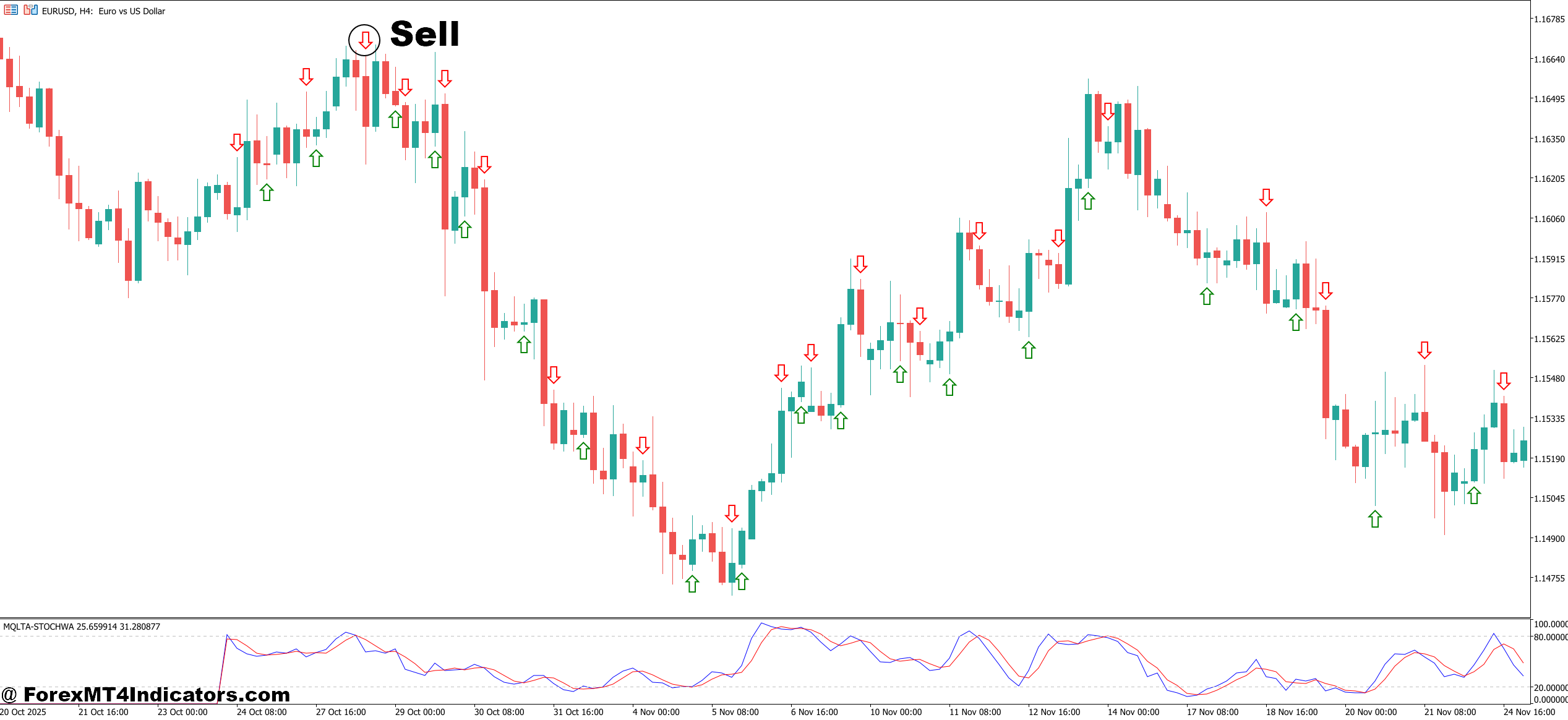
- Red arrow locks in on candle close – Confirm the signal candle is fully closed on your chosen timeframe before executing. On GBP/USD, patience here saves unnecessary losses.
- Price must trade below the 200 EMA – Sell signals above the long-term moving average are low-probability. Skip them regardless of how clean the arrow looks.
- Enter at the open of the following candle – On the 4-hour chart, this gives a cleaner entry without chasing price into an already-extended move.
- Place stop loss 5–10 pips above the signal candle’s high – Tight enough to protect capital, but wide enough to avoid normal noise on pairs like EUR/USD or USD/JPY.
- Target nearby support or previous swing low – Don’t set arbitrary pip targets. Let market structure define where price is realistically heading.
- Skip signals in tight consolidation zones – If price has moved less than 20 pips in the last 10 candles on the 1-hour chart, the signal is likely a fake-out. Stand aside.
- Check for bearish confirmation on the daily chart – A sell signal on the 1-hour that aligns with a bearish daily trend dramatically improves the trade’s edge.
- Avoid selling into major round-number support – Levels like 1.0500 on EUR/USD or 1.2500 on GBP/USD act as magnets for buy orders. Selling into them rarely ends well.
Putting It All Together
The no repaint arrow indicator MT5 solves a genuine problem. It doesn’t promise easy money – nothing in trading does – but it gives traders a signal they can actually trust at face value. Once that arrow appears, it’s there to stay.
Traders who’ve used it consistently highlight three practical advantages: reduced second-guessing on entries, cleaner backtesting that actually reflects live conditions, and a natural filter for low-quality setups in choppy markets. That said, it works best as one piece of a broader strategy — not a standalone system. Combining it with support/resistance levels, volume analysis, or a higher-timeframe trend filter significantly improves results.
The traders who get the most from this tool treat it as confirmation, not prediction. Price action still leads. The indicator just flags when conditions align.
Level up your trading Learn to read the chart — not just the indicator eBook · Instant PDF Video Course · 12 modules Trading forex and CFDs carries a significant risk of loss and is not suitable for everyone. Broker links are affiliate links — we may earn a commission at no cost to you.Recommended MT4/MT5 Brokers
Free MT4 Indicator Download

Enter Your Email Address below, download link will be sent to you.