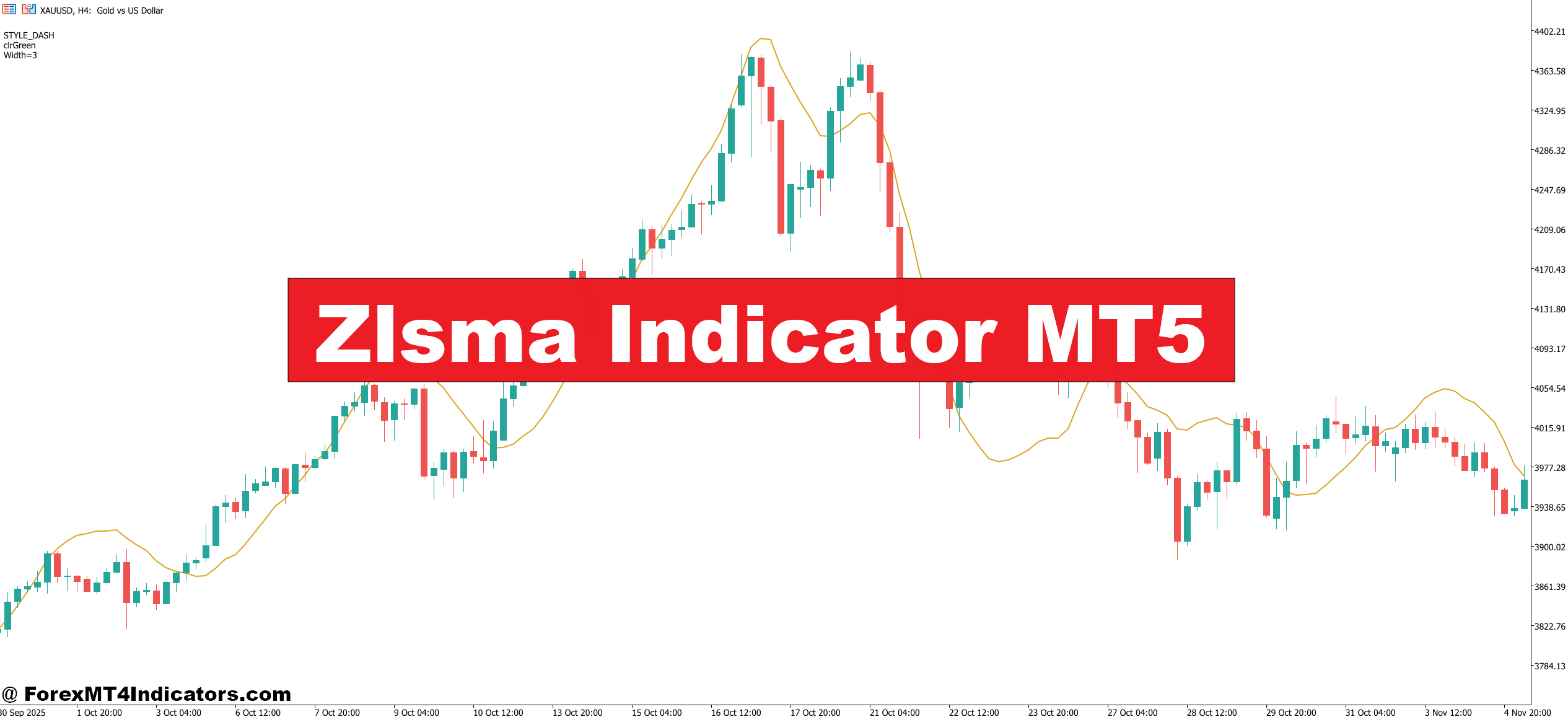
The ZLSMA indicator for MT5 was built to fix exactly that. It combines zero-lag logic with smoothing to give traders faster, cleaner signals without the whipsaw that comes with raw price action. This article breaks down how the ZLSMA works, how to actually use it, and where it falls short.
What the ZLSMA Indicator Actually Is
ZLSMA stands for Zero Lag Smoothed Moving Average. It’s a hybrid indicator — part zero-lag EMA, part least squares moving average (LSMA). The zero-lag component removes the inherent delay built into standard exponential moving averages by applying an error-correction factor to the calculation. The LSMA portion fits a linear regression line to price data over a set period, then plots the endpoint of that line.
Put them together and you get a moving average that tracks price closely, responds quickly to directional changes, and still filters out minor fluctuations. That’s a harder balance to strike than it sounds.
The ZLSMA shows up as a colored line on the MT5 chart. Most versions change color — green when trending up, red when trending down — making it easy to read direction at a glance.
How the Calculation Works
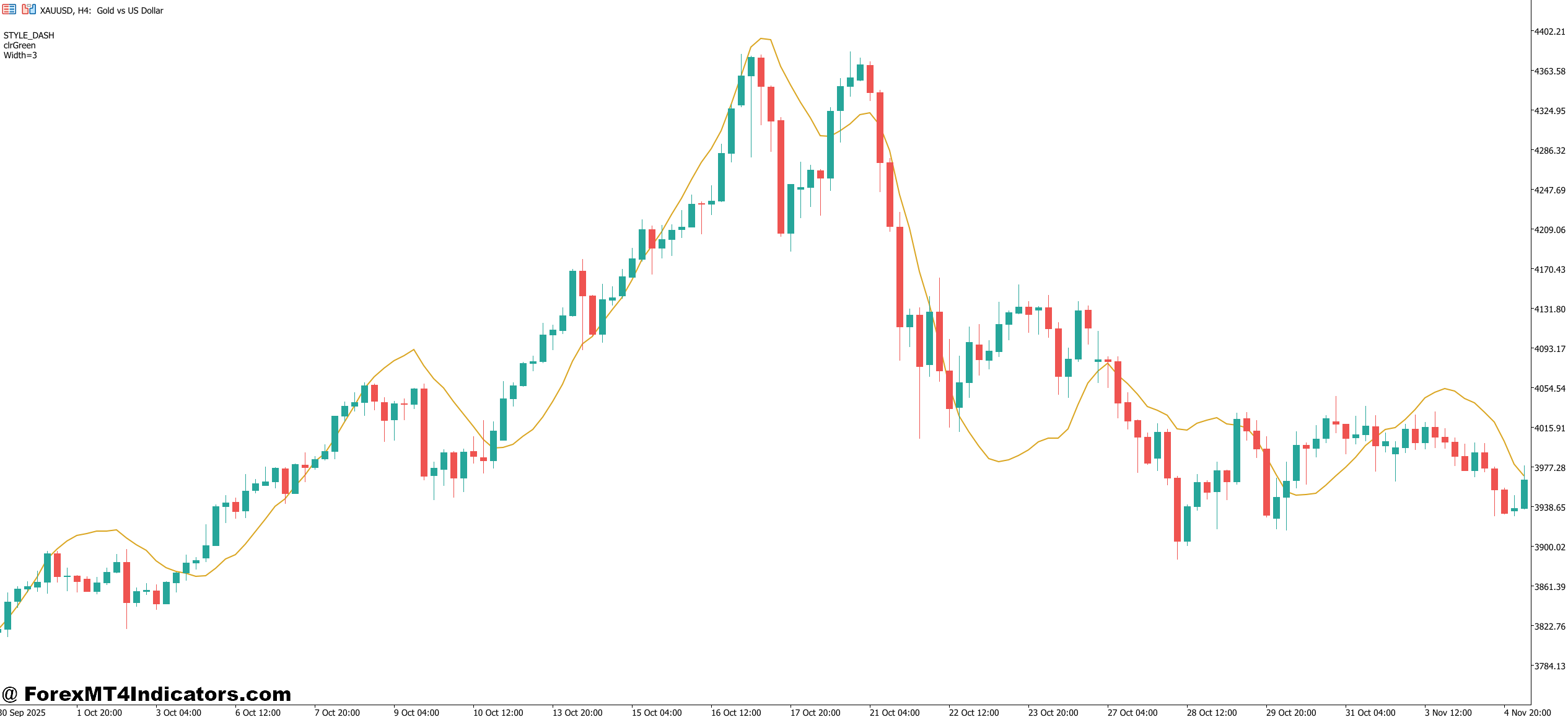
The ZLSMA uses a two-step process. First, it calculates a standard LSMA over the selected period (commonly 32 bars by default). Then it applies a zero-lag correction by doubling the LSMA value and subtracting a second LSMA calculated over half the original period.
The formula looks something like: ZLSMA = 2 × LSMA(n) − LSMA(n/2)
This subtraction pulls the indicator forward in time relative to price, reducing the lag that plagues most trend-following tools. The result isn’t perfect — no formula eliminates lag entirely — but it gets meaningfully closer than a standard 50 EMA or even a hull moving average on the same timeframe.
Using the ZLSMA in Real Trading Scenarios
Here’s where it gets practical. On a EUR/USD 1-hour chart during a clean trending session — say, the London-New York overlap on a day without major news — the ZLSMA (32 period, close) tends to hug price tightly in the direction of the trend. When price pulls back to touch the line and then continues in the original direction, that’s a usable entry signal.
Testing this on volatile NFP days tells a different story. The indicator flips color rapidly as price spikes and reverses, generating false signals in both directions. That’s expected behavior for any trend-following tool in a news environment — but worth knowing before going live.
A more reliable setup: use the ZLSMA on the 4-hour chart to identify trend direction, then drop to the 15-minute chart to time entries. If the 4H ZLSMA is green and price on the 15M pulls back before resuming upward, that confluence gives a higher-probability trade structure. Traders who add a basic support/resistance level at the pullback zone report tighter stops and better reward-to-risk ratios on this setup.
On GBP/JPY — a pair known for sharp moves — the 32-period setting can lag during fast sessions. Dropping to a 21-period shortens response time, though it does introduce more noise during sideways consolidation.
Zlsma Indicator MT5 Settings and Customization
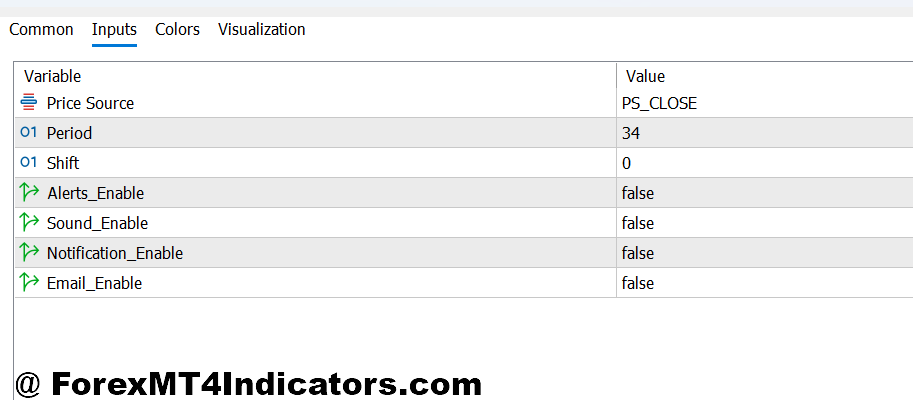
The default period on most MT5 versions is 32, applied to closing prices. That works reasonably well on the 1H and 4H charts for major pairs. For scalpers on the 5M or 15M charts, periods between 14 and 21 tend to perform better because they stay closer to fast-moving price action.
Source price matters too. Most traders use close, but some switch to (high+low)/2 for a slightly smoother line. On volatile pairs like USD/JPY or XAU/USD, that smoothing can reduce color-change noise.
Color thresholds are adjustable in most builds. Setting a minimum number of consecutive bars before confirming a color change helps filter out whipsaws during choppy, range-bound sessions — a setting worth experimenting with before committing real capital.
Honest Strengths and Weaknesses
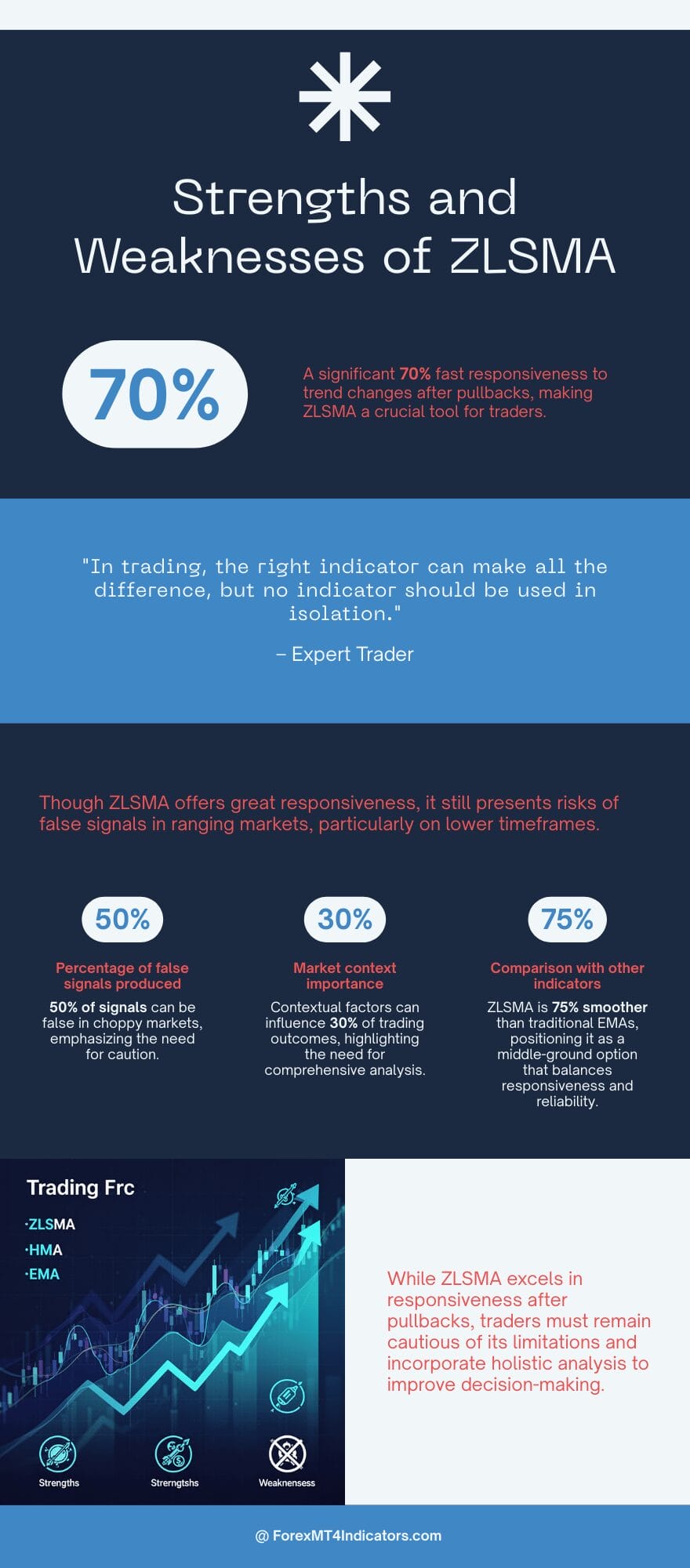
The ZLSMA’s main strength is responsiveness. It reacts to trend changes faster than a standard EMA of the same period, which matters when traders are trying to catch trend continuations after pullbacks.
That said, it’s still a lagging indicator at its core. The zero-lag correction reduces delay; it doesn’t remove it. In ranging markets — and forex spends a lot of time in ranges — the ZLSMA produces frequent false signals. A color flip from green to red followed immediately by another flip back is a common frustration, particularly on lower timeframes.
Compared to a Hull Moving Average (HMA), the ZLSMA tends to be slightly smoother, which reduces noise but also means it’s marginally slower to confirm reversals. Versus a simple 50 EMA, it’s noticeably more responsive. Traders who’ve used both often describe the ZLSMA as sitting in a useful middle ground — not as reactive as raw price, not as slow as a standard MA.
No indicator works in isolation. Using ZLSMA without volume data, market structure context, or awareness of key economic events is how traders end up chasing signals into bad trades.
How to Trade with Zlsma Indicator MT5
Buy Entry
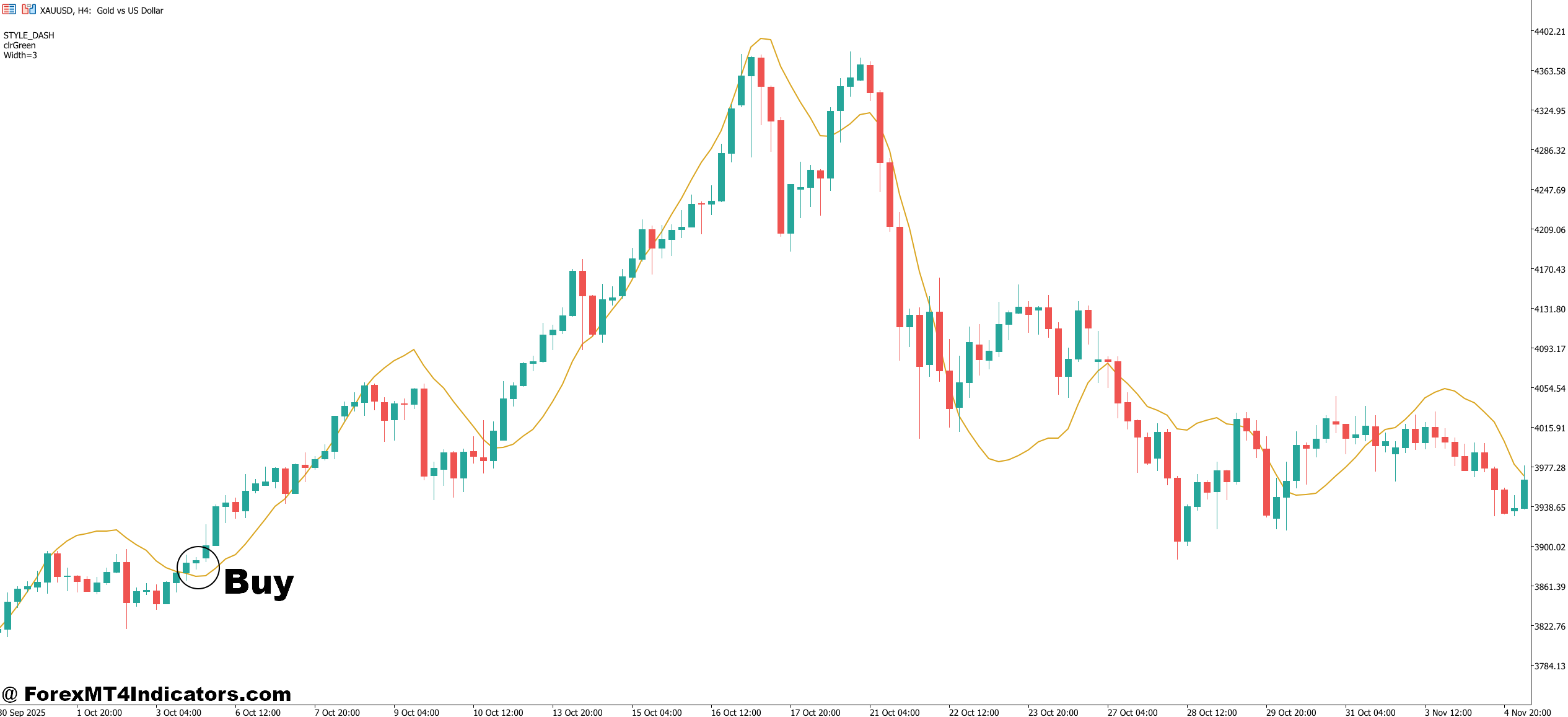
- ZLSMA turns green – Wait for the line to fully flip green before entering; a single green candle isn’t enough confirmation.
- Price closes above ZLSMA – Enter on the candle close, not mid-candle, to avoid fake-outs on EUR/USD 1-hour charts.
- Pullback touches ZLSMA from above – Buy when price dips back to the line and bounces; this offers tighter stops of 10-15 pips on major pairs.
- 4-hour ZLSMA is green – Only take 1-hour buy signals when the higher timeframe agrees; skipping this filter kills most bad trades.
- ZLSMA slope is angled upward – A flat green line means weak momentum; wait for a visible upward angle before committing.
- Price reclaims a key support level with green ZLSMA – Confluence with structure on GBP/USD daily chart significantly improves win rate.
- Avoid buying during the first 15 minutes after NFP or CPI – News spikes flip ZLSMA color rapidly; wait for the dust to settle.
Sell Entry
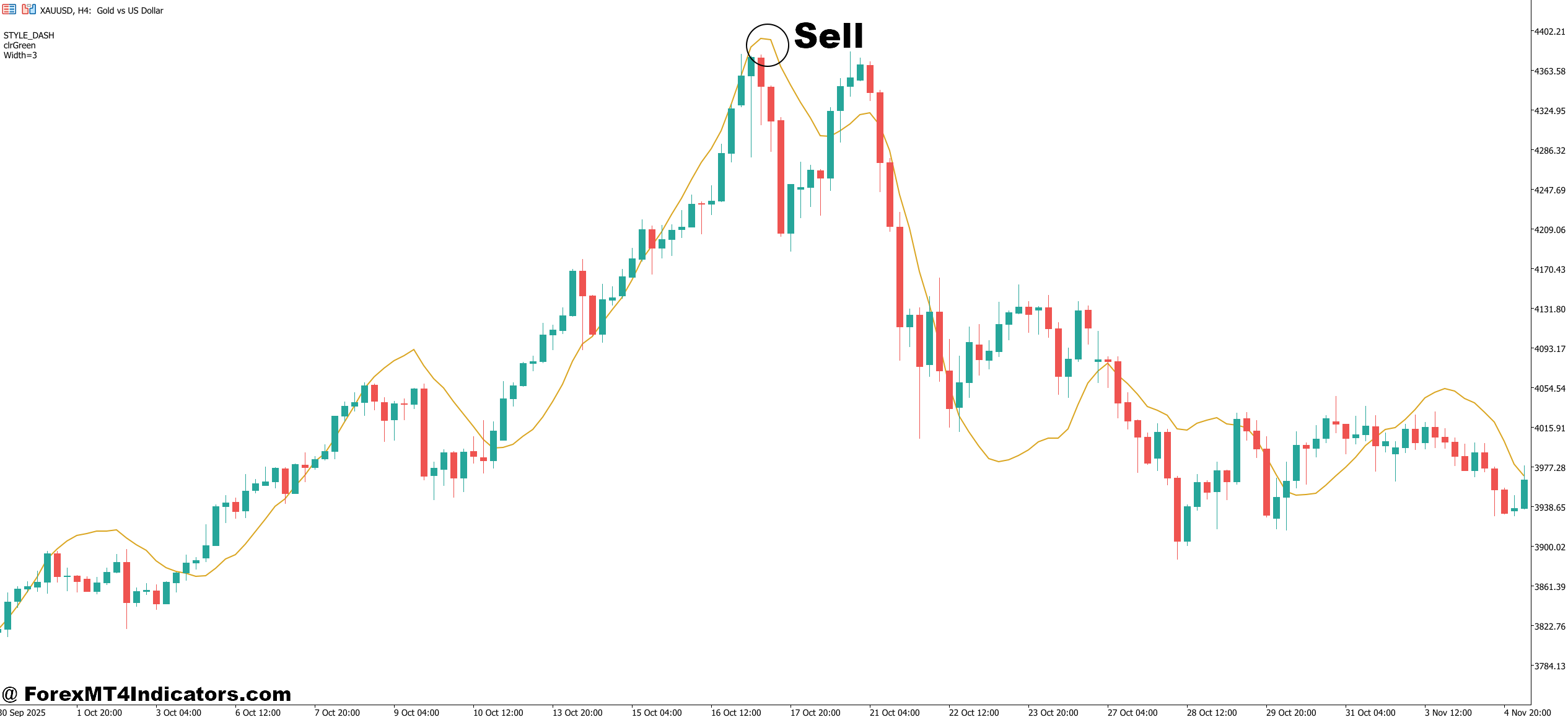
- ZLSMA turns red – Confirm the full color change on candle close before entering short; partial flips often reverse immediately.
- Price closes below ZLSMA – A clean close beneath the line on the 4-hour EUR/USD chart signals meaningful bearish momentum.
- Dead-cat bounce back to ZLSMA – Sell when price retraces up to the red line but fails to close above it; ideal stop placement is 10-12 pips above the line.
- 4-hour ZLSMA is red – Only take 1-hour sell signals in alignment with the higher timeframe trend; counter-trend shorts get chopped.
- ZLSMA slope angles sharply downward – Steep red slopes on GBP/USD 1-hour during London session produce the cleanest short entries.
- Price breaks a key resistance level with red ZLSMA – Sell the retest of broken support-turned-resistance when ZLSMA confirms the direction.
- Skip sell signals in the last 30 minutes of the NY session – Low liquidity causes erratic closes that make ZLSMA color unreliable.
Is the ZLSMA Worth Adding to Your MT5 Setup?
The ZLSMA indicator offers a genuine improvement over standard moving averages for trend identification and entry timing. It’s not a shortcut to profitability — but as one component in a broader trading system, it earns its place on the chart.
Traders who benefit most from it tend to use it as a trend filter rather than a standalone signal generator. The color-change feature makes it fast to read, and the reduced lag helps with entries that would otherwise feel late. The key is pairing it with solid risk management and avoiding it entirely during high-impact news releases.
Level up your trading Learn to read the chart — not just the indicator eBook · Instant PDF Video Course · 12 modules Trading forex and CFDs carries a significant risk of loss and is not suitable for everyone. Broker links are affiliate links — we may earn a commission at no cost to you.Recommended MT4/MT5 Brokers
Free MT4 Indicator Download

Enter Your Email Address below, download link will be sent to you.