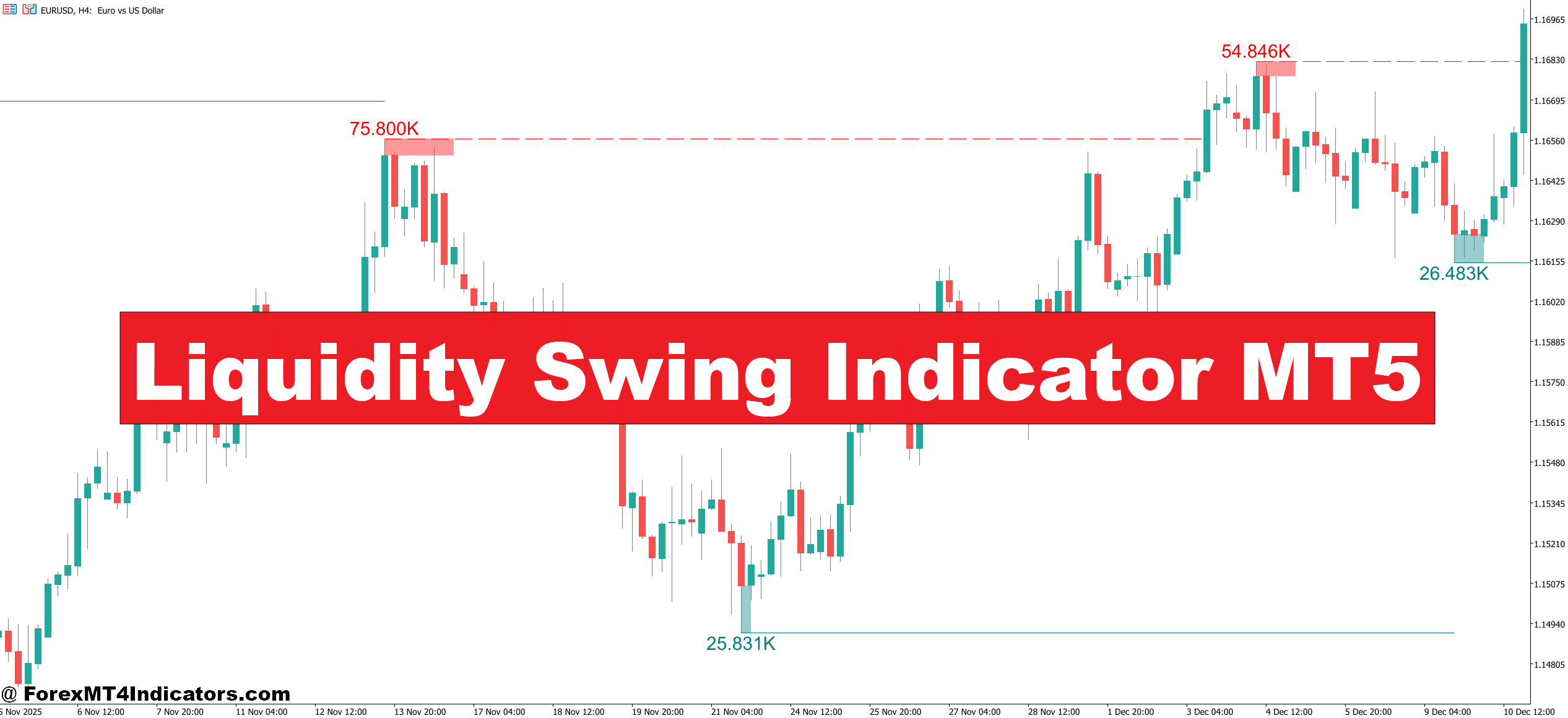
The Liquidity Swing Indicator identifies swing highs and swing lows on the chart and marks the liquidity pools sitting just above or below them. The logic is straightforward: retail traders place stop-loss orders in predictable locations — just above resistance swings and just below support swings. Institutions and large participants know this. Price gets driven into those areas to fill large orders before reversing.
The indicator automates the detection of these swing points and draws visual zones showing where buy-side and sell-side liquidity rests. Unlike a standard zigzag indicator, which just connects highs and lows mechanically, this tool focuses on the significance of those levels. Not every swing matters equally. A swing high that formed during a high-volume session on EUR/USD carries more weight than a minor pip fluctuation on a quiet Asian session.
When price approaches a marked liquidity zone, traders get a visual cue. That alone saves considerable chart time.
How It Works Under the Hood
The indicator scans historical bars and identifies swing points using a configurable lookback period — typically set between 5 and 20 bars. A swing high forms when a candle’s high exceeds the highs of X candles on both sides. Same logic applies in reverse for swing lows.
Once those pivots are identified, the tool plots horizontal lines or zones at those price levels. It also tracks whether a level has been “swept” — meaning price has traded through it briefly — or whether it remains untouched. Untouched liquidity is generally considered more significant. An untapped swing high from three weeks ago on the 4-hour EUR/USD chart, for example, represents a pocket of resting stop orders that price may eventually come back to collect.
Some versions of the indicator also color-code levels based on how recently they formed. Fresh liquidity levels get highlighted differently from older, potentially stale ones. This distinction matters in practice. Testing this on GBP/USD during NFP release weeks, fresh swing levels near recent highs tended to get swept cleanly before reversal, while older levels sometimes got ignored entirely as context shifted.
Applying It to Real Trades
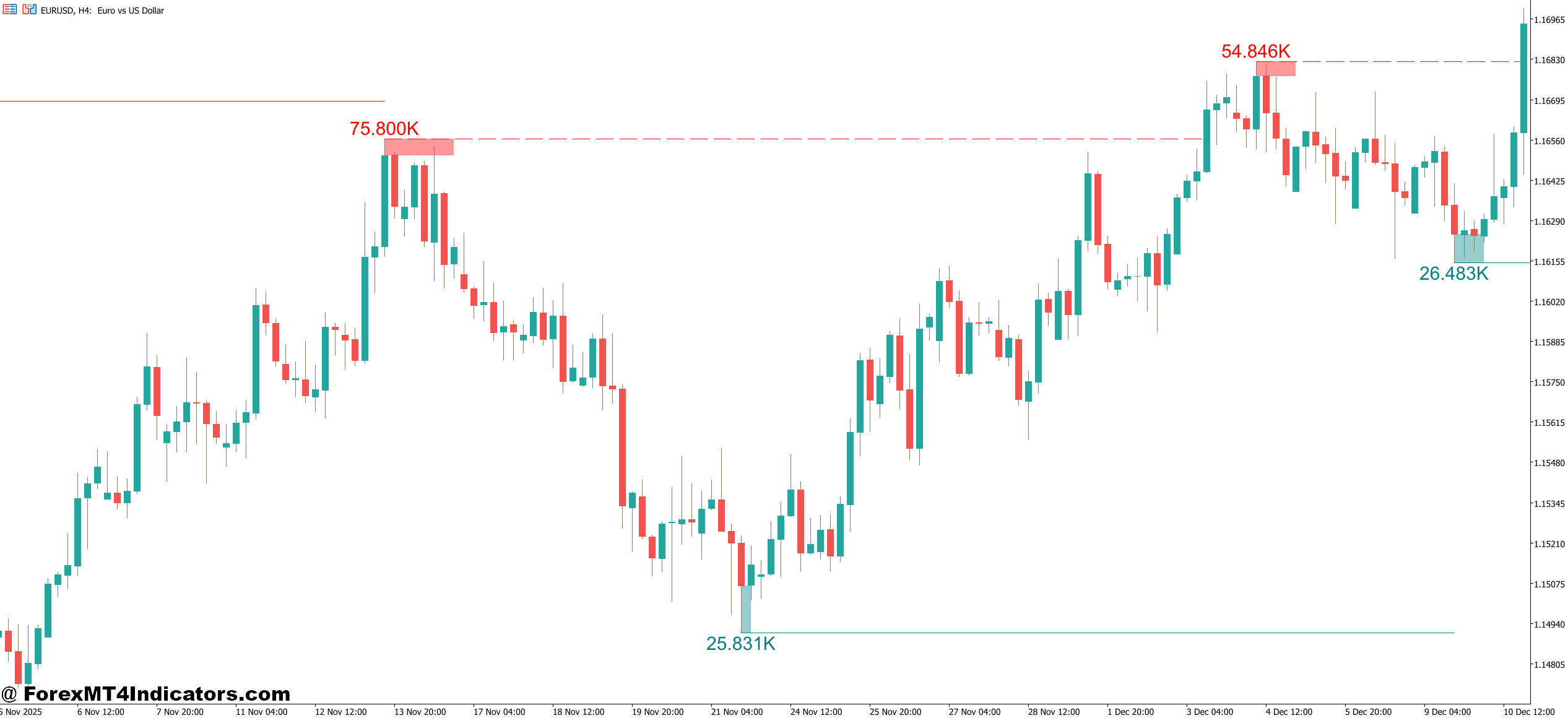
Here’s a practical example. Say EUR/USD has been ranging for two days on the 1-hour chart. The range high sits at 1.0850, and the indicator marks buy-side liquidity above that level. Price then rallies sharply, punches through 1.0850, and triggers stops before quickly reversing back below it. That sweep is the signal. A trader using this indicator would watch for that sweep and then look for confirmation — a strong bearish candle, a break of a minor structure low, or a shift in market structure — before entering short.
The tool doesn’t tell traders to enter automatically. It identifies where the raid is likely to happen. Entry confirmation still requires judgment or a secondary confluences like order blocks, fair value gaps, or a plain old trend context.
On higher timeframes — the daily or 4-hour — the indicator works well for identifying medium-term targets. If price is trending up and there’s a cluster of sell-side liquidity (resting stops below swing lows) sitting 200 pips lower, that zone often acts as a magnet during pullbacks.
Liquidity Swing Indicator MT5 Settings and Customization
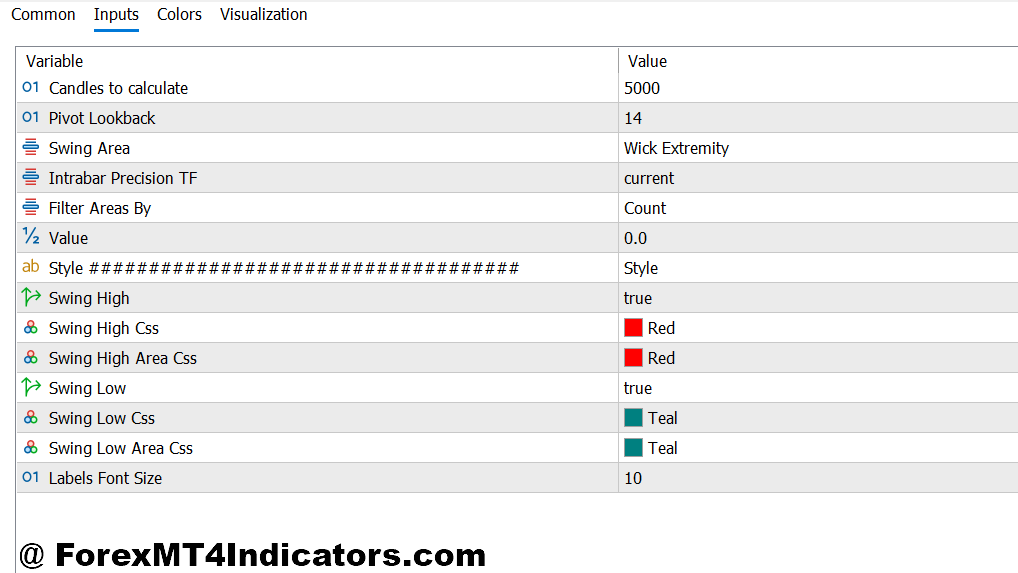
The main parameters traders adjust are the swing detection period and the visual style of the zones.
A shorter lookback (5-8 bars) produces more signals and identifies smaller, shorter-term liquidity pools. This works on the 15-minute or 1-hour chart for intraday setups. A longer lookback (15-20 bars) filters out noise and marks only significant structural swings, which suits the 4-hour and daily charts better.
Some builds include a “sweep confirmation” feature that only marks a level as swept after price closes back inside the prior range. That filter reduces false alerts significantly. On choppy pairs like USD/CHF during low-volume sessions, without that filter, the indicator throws up a lot of noise that leads to premature entries.
Color settings, line thickness, and alert functionality are usually customizable. Setting up alerts for when price enters a liquidity zone is worth the five minutes of setup — it’s easy to miss these setups in real time when watching multiple pairs.
How to Trade with Liquidity Swing Indicator MT5
Buy Entry
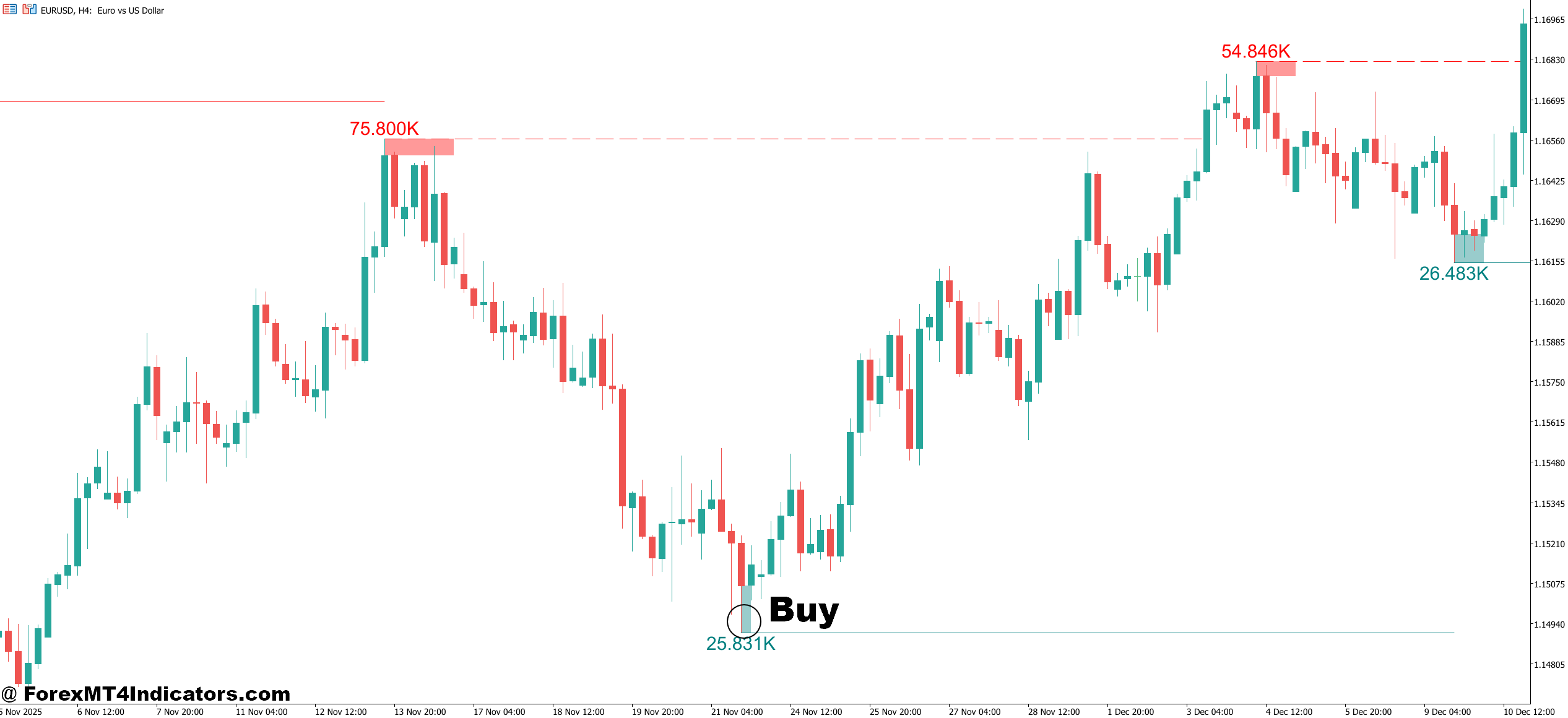
- Sell-side liquidity swept – Wait for price to wick below a marked swing low on EUR/USD or GBP/USD, then close back above it on the 1-hour chart before entering long.
- Confirmation candle required – Only enter after a bullish engulfing or strong close above the swept level — don’t jump in on the wick itself.
- 4-hour structure aligned – Check that the higher timeframe trend is bullish before taking 1-hour buy signals; counter-trend setups fail more often.
- Stop below the swept low – Place stop-loss 5-10 pips under the liquidity sweep candle’s low to stay protected if price re-tests the zone.
- Target next buy-side liquidity – Aim for the nearest swing high marked by the indicator, typically 20-50 pips on EUR/USD intraday setups.
- Avoid during news events – Don’t take buy signals within 15 minutes of NFP or CPI releases; sweeps during news often extend further than expected.
- Fresh levels only – Prioritize untouched sell-side liquidity zones over levels price has already visited twice or more.
Sell Entry
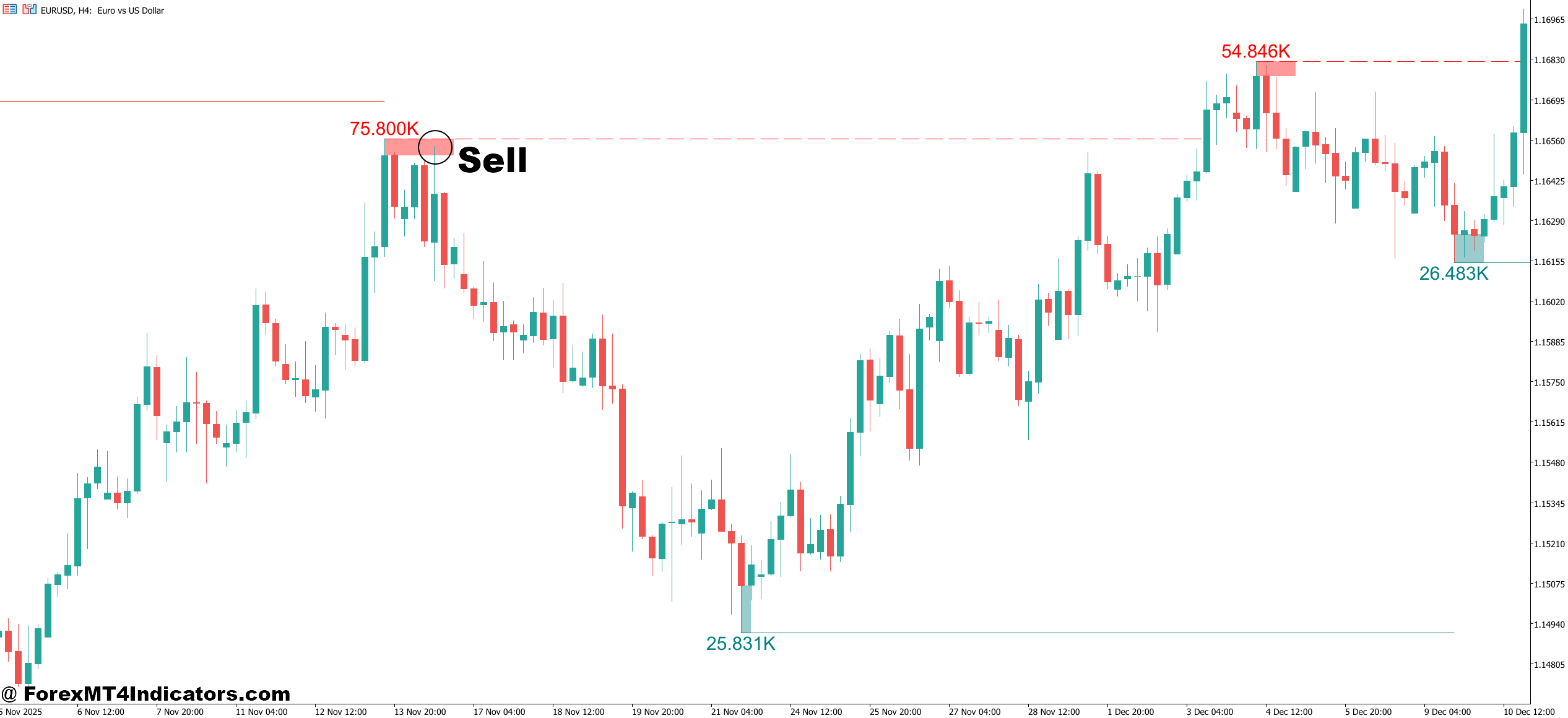
- Buy-side liquidity swept – Look for price to spike above a marked swing high on GBP/USD or EUR/USD, then close back below it on the 1-hour or 4-hour chart before entering short.
- Bearish close confirms the raid – Wait for the candle to close back inside the range after the sweep — an unclosed wick alone isn’t enough to act on.
- Daily trend points down – Only take sell signals when the daily chart shows lower highs and lower lows; fading sweeps in a strong uptrend is a low-probability play.
- Stop above the swept high – Set stop-loss 5-10 pips above the sweep candle’s high to account for re-tests without getting stopped out prematurely.
- Target nearest sell-side liquidity – Aim for the next swing low marked by the indicator, usually 20-40 pips below entry on EUR/USD 1-hour setups.
- Skip choppy ranging markets – If price has swept the same level twice in 24 hours without follow-through, skip the signal — the market is likely in a chop phase.
- Avoid Asian session low-volume sweeps – Sweeps during the Tokyo session on GBP/USD often lack the follow-through seen during London or New York overlap hours.
Honest Limitations
No indicator reads market intent with certainty. That’s just how trading works. The Liquidity Swing Indicator can mark a level that gets swept and then price just keeps going — what looks like a fake-out turns into a genuine breakout. This happens most often during strong trending conditions or major news events when institutional flows overwhelm the usual liquidity dynamic.
The tool also performs better in markets with clear structure. Ranging pairs with frequent whipsaws can produce messy signals, especially on lower timeframes. Traders who rely solely on sweep signals without checking broader trend context tend to get hurt in those environments.
And like any swing-based tool, it repaints on some builds. Always verify whether the indicator version being used repaints historical signals or locks them in on candle close. Backtesting results can look very different depending on that distinction.
Level up your trading Learn to read the chart — not just the indicator eBook · Instant PDF Video Course · 12 modules Trading forex and CFDs carries a significant risk of loss and is not suitable for everyone. Broker links are affiliate links — we may earn a commission at no cost to you.Recommended MT4/MT5 Brokers
Free MT4 Indicator Download

Enter Your Email Address below, download link will be sent to you.