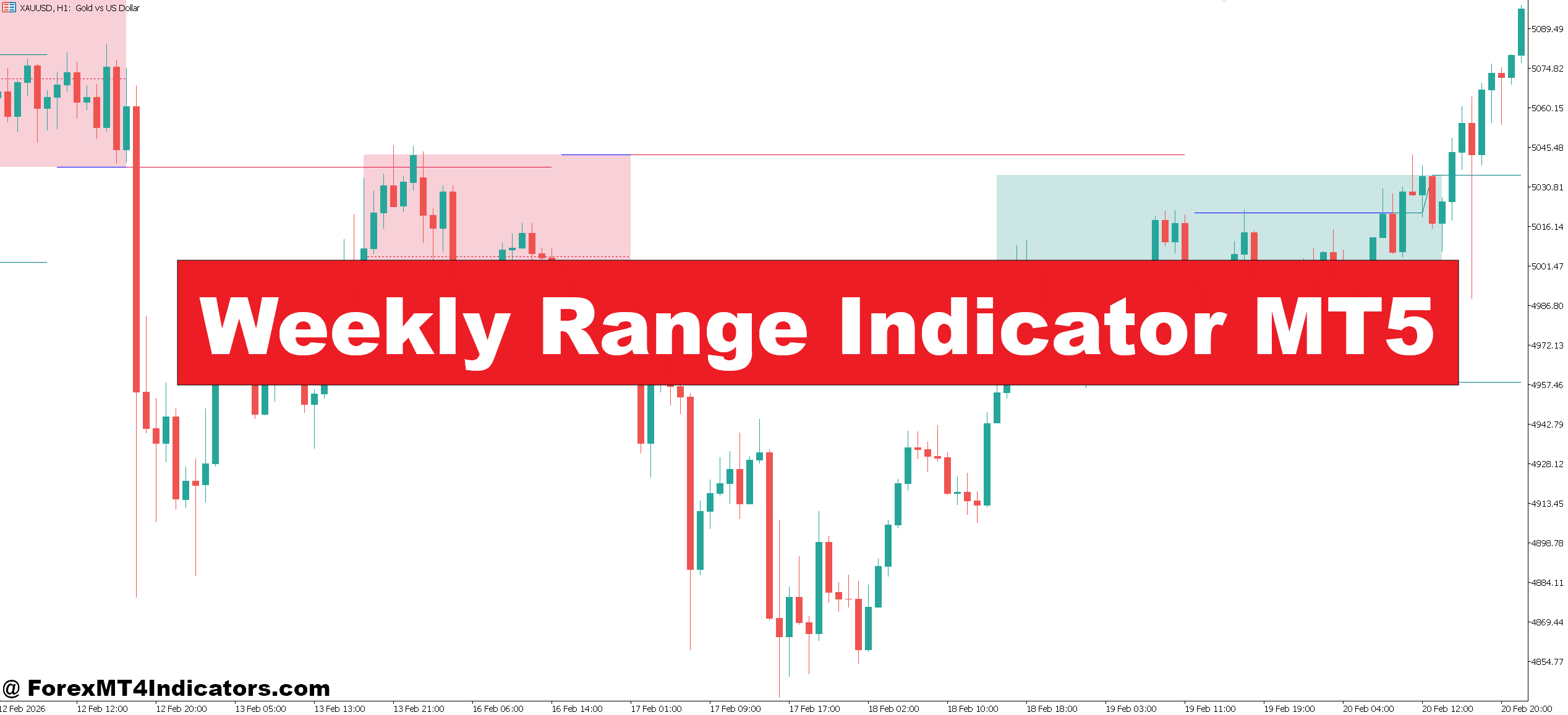
The Weekly Range Indicator MT5 is a technical analysis tool that plots the expected price range for the current week based on previous weeks’ data. It typically shows a projected high and low level derived from average weekly volatility.
In simple terms, it answers one key question: How far is price likely to move this week?
Most versions of this indicator calculate the Average Weekly Range (AWR) over a set number of past weeks—commonly 5, 10, or 20 weeks. Then, it applies that average to the current week’s opening price to estimate potential boundaries.
For example, if GBP/USD has an average weekly range of 180 pips, the indicator will plot levels roughly 90 pips above and below the weekly open. These levels act as dynamic support and resistance zones.
How the Indicator Works in Real Trading
The logic behind the Weekly Range Indicator MT5 is based on volatility behavior. Markets tend to move within a certain range over time, and while there are exceptions, this range often repeats.
Here’s how it typically works:
- The indicator measures past weekly highs and lows
- It calculates the average range over a selected period
- It projects that range onto the current week
- It plots upper and lower boundary levels on the chart
In practice, these levels act like “soft limits.” Price can break them, especially during high-impact news, but most of the time, they provide strong reaction zones.
Example Scenario
Consider EUR/USD on the 1-hour chart:
- Average Weekly Range (10 weeks): 160 pips
- Weekly open: 1.0800
- Projected high: 1.0960
- Projected low: 1.0640
By Wednesday, price reaches 1.0950. A trader who understands weekly range behavior knows the pair is near its statistical limit. Instead of buying, they might look for reversal signals like bearish engulfing candles or divergence.
When testing this on volatile NFP days, price often overshoots the range briefly, then snaps back. That’s a classic trap for breakout traders.
Practical Application in Different Market Conditions
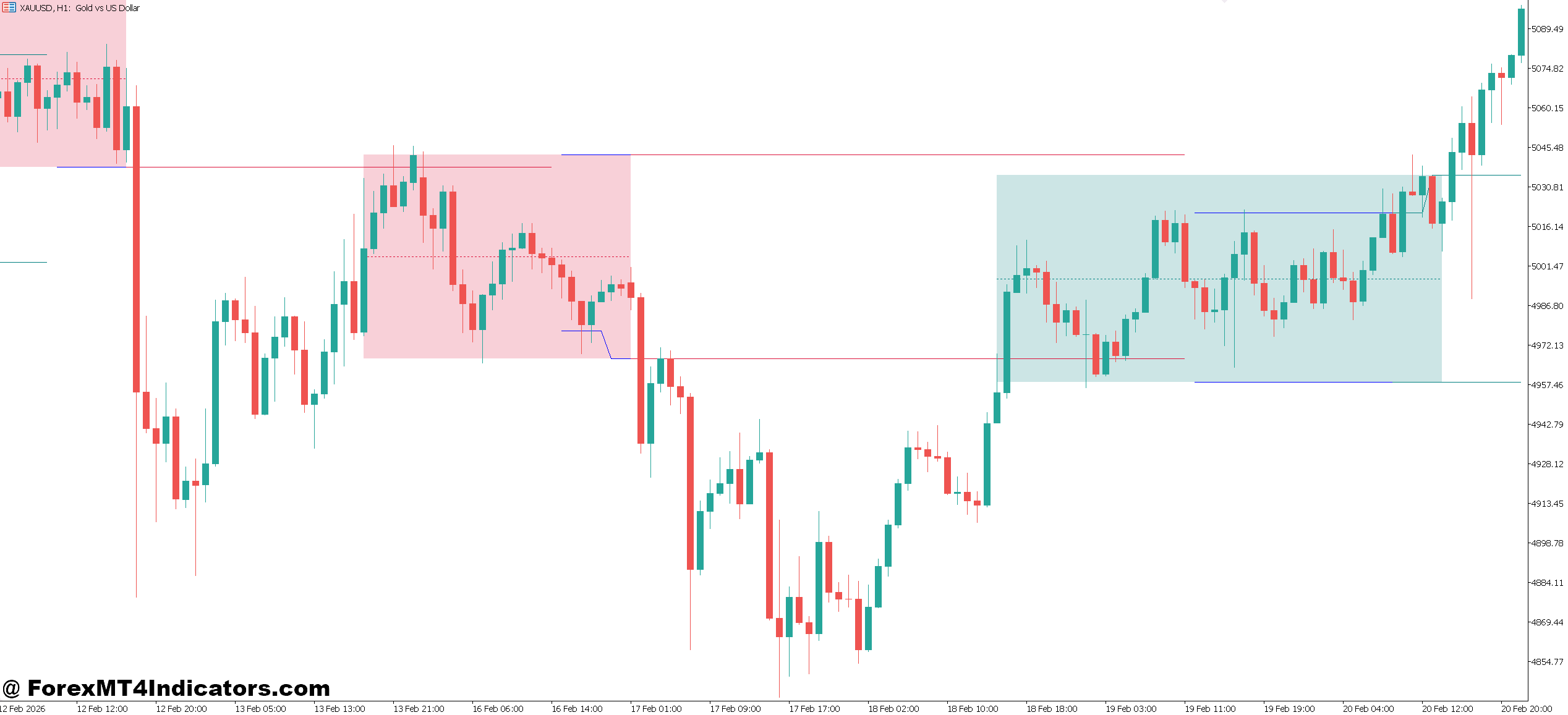
The Weekly Range Indicator MT5 is not just about plotting levels—it’s about context.
1. Trend Markets
In strong trends, price may ride the upper or lower boundary for extended periods. But even then, entries near the extremes carry more risk.
For example, during a bullish trend on USD/JPY:
- Buying near the weekly low often offers better risk-to-reward
- Buying near the weekly high increases the chance of a pullback
2. Ranging Markets
This is where the indicator shines.
When the market is in consolidation:
- Upper range acts as resistance
- Lower range acts as support
- Traders can execute mean-reversion strategies
A trader might sell near the upper boundary with a 20–30 pip stop loss and target the mid-range.
3. News-Driven Volatility
High-impact events like interest rate decisions can push price beyond the range. But here’s the catch—those moves don’t always hold.
Experienced traders often wait for price to return inside the range before taking trades. This helps avoid fake-outs.
Weekly Range Indicator MT5 Settings and Customization
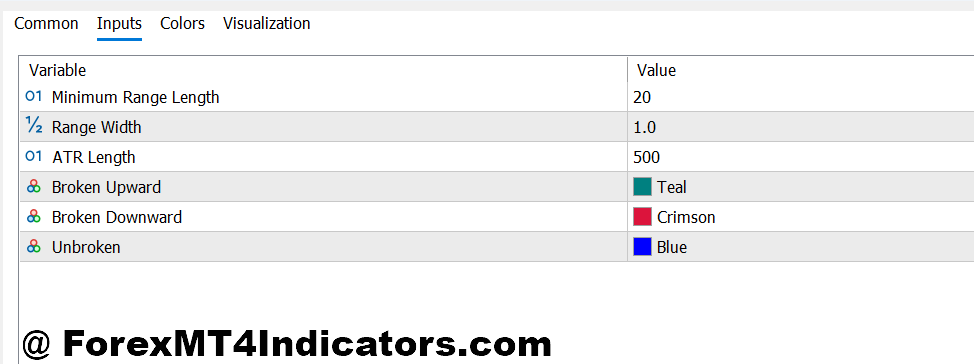
The Weekly Range Indicator MT5 allows several adjustments depending on trading style.
Key Parameters
- Lookback Period:
5 weeks (more reactive) or 20 weeks (more stable) - Display Levels:
Some versions show 50%, 75%, and 100% range levels - Timeframe Compatibility:
Works best on H1, H4, and Daily charts
Customization Tips
- For scalping, combine it with lower timeframe entries (M15 or M5)
- For swing trading, stick to H4 or Daily charts
- Use a 10-week average for balanced results
A trader testing GBP/USD on H4 found that using a 10-week range provided the most consistent reaction zones, especially during London sessions.
Advantages and Limitations
Advantages
The biggest strength of this indicator is clarity. It simplifies decision-making by showing where price is likely stretched.
It also improves risk management. Traders can avoid entering trades when price is already near exhaustion.
Another benefit is its compatibility with other tools. It works well with support/resistance, RSI, and price action setups.
Limitations
No indicator is perfect, and this one is no exception.
During strong breakout weeks, price can exceed the projected range by 50–100 pips. Traders relying only on the range may miss trend continuation opportunities.
Also, the indicator doesn’t predict direction. It only shows potential limits. Traders still need confirmation from price action or other indicators.
Comparison with Similar Indicators
The Weekly Range Indicator MT5 is often compared with tools like:
- ATR (Average True Range)
- Daily Range Indicators
- Pivot Points
Here’s how it differs:
- ATR measures volatility but doesn’t plot exact price levels
- Daily Range Indicators focus on shorter-term movement
- Pivot Points are based on previous day/week calculations, not averages
The Weekly Range Indicator stands out because it combines historical consistency with forward projection. It gives a clearer picture of where price might stall during the current week.
How to Trade with Weekly Range Indicator MT5
Buy Entry
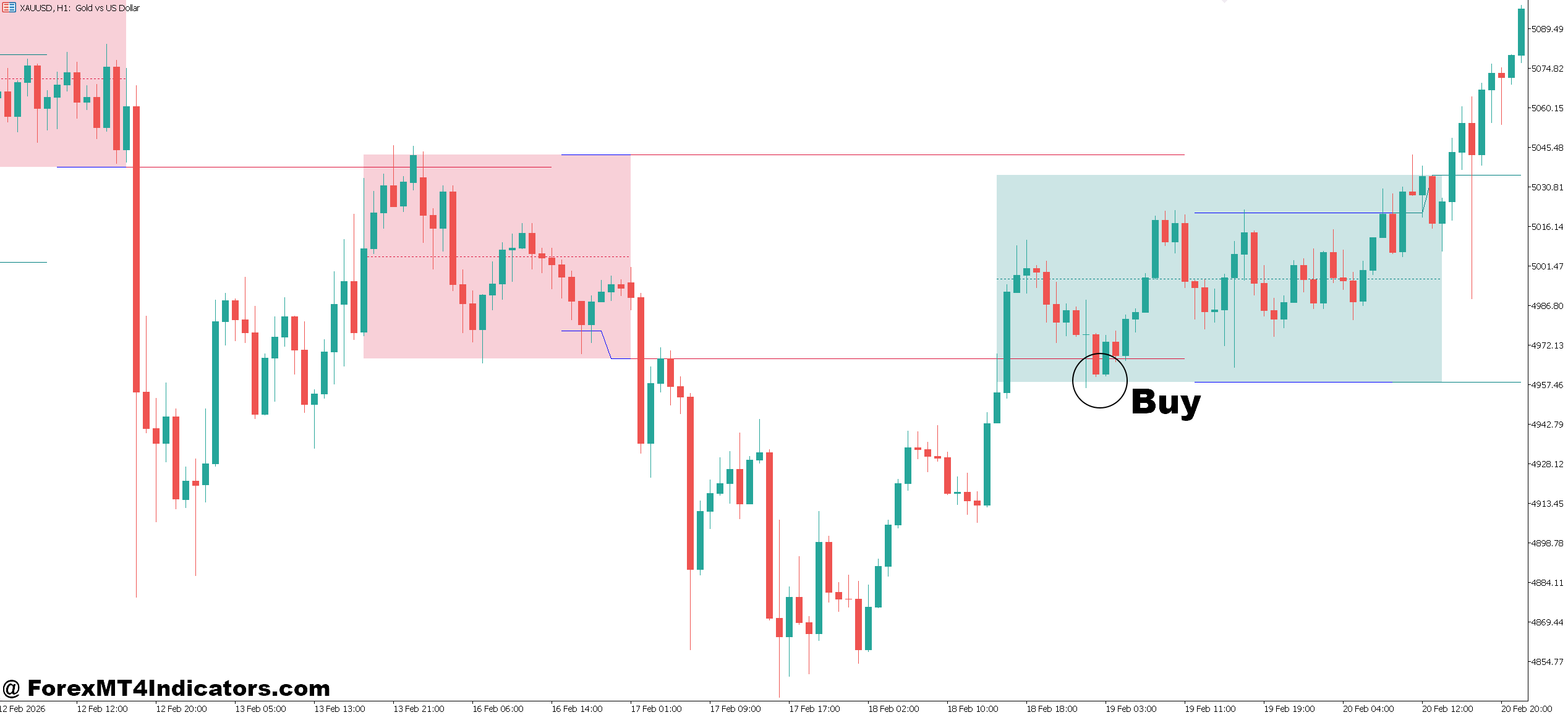
- Buy near weekly low zone – Enter when price is within 10–20 pips of the lower range on EUR/USD (H1) and shows bullish rejection, because this area often acts as support.
- Wait for bullish confirmation candle – Take a buy after a strong bullish engulfing or pin bar closes on H4, confirming buyers are stepping in near the weekly low.
- Use mid-range as target – Set take profit at 50% of the weekly range (e.g., 70–90 pips on GBP/USD), as price often retraces to the middle before deciding direction.
- Place tight stop loss below range – Keep stop loss 15–25 pips below the weekly low to protect against fake breakdowns while maintaining good risk-reward.
- Trade with higher timeframe bias – Only buy if Daily trend is bullish, increasing probability that price will bounce from the lower boundary.
- Combine with RSI oversold – Enter when RSI (14) is below 30 on H1 near weekly low, adding confirmation of potential reversal.
- Avoid buying during strong news spikes – Skip trades if price breaks the weekly low during high-impact events like NFP, as moves can extend 50–100 pips beyond range.
- Look for London session entries – Focus buys during London open when volatility increases and reversals from weekly lows are more reliable.
Sell Entry
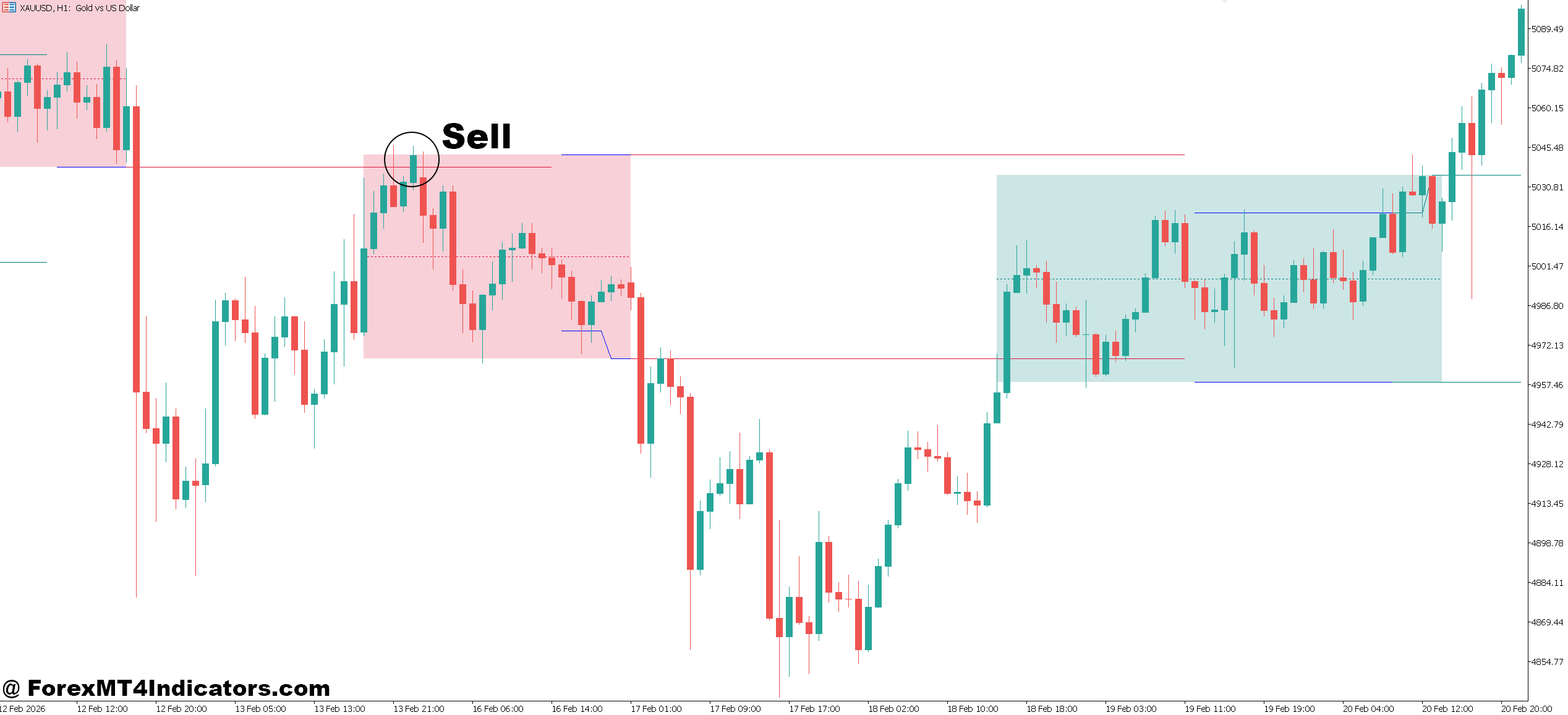
- Sell near weekly high zone – Enter when price is 10–20 pips below the upper range on GBP/USD (H1), as this level often acts as resistance.
- Wait for bearish rejection candle – Sell after a bearish engulfing or shooting star forms on H4, confirming sellers are defending the weekly high.
- Target mid-range levels – Aim for 50% of the weekly range (e.g., 60–80 pips on EUR/USD), where price commonly pulls back.
- Set stop loss above range – Place stop 15–25 pips above the weekly high to avoid being stopped out by minor spikes.
- Trade against overextended moves – Sell only when price has already moved 80–100% of its weekly range, signaling exhaustion.
- Use confluence with resistance zones – Enter sell trades when weekly high aligns with key resistance or supply zones on H4 or Daily.
- Avoid selling in strong uptrends – Skip signals if Daily trend is strongly bullish, as price can break the range and continue higher.
- Watch for New York session reversals – Many reversals from weekly highs occur during NY session, especially after London trend exhaustion.
Conclusion
The Weekly Range Indicator MT5 offers a practical way to understand market limits and avoid poor timing decisions. It doesn’t replace strategy, but it adds a strong layer of context.
Traders who use it effectively tend to focus on key ideas: price often respects historical range behavior, entries near extremes carry higher risk, and combining this tool with price action improves accuracy. It also helps filter out impulsive trades, especially during mid-week volatility.
That said, no setup is foolproof. Trading forex carries substantial risk. No indicator guarantees profits. The smart approach is to test the Weekly Range Indicator MT5 on demo accounts, observe how price reacts at range levels, and build a strategy around it.
Level up your trading Learn to read the chart — not just the indicator eBook · Instant PDF Video Course · 12 modules Trading forex and CFDs carries a significant risk of loss and is not suitable for everyone. Broker links are affiliate links — we may earn a commission at no cost to you.Recommended MT4/MT5 Brokers
Free MT4 Indicator Download

Enter Your Email Address below, download link will be sent to you.