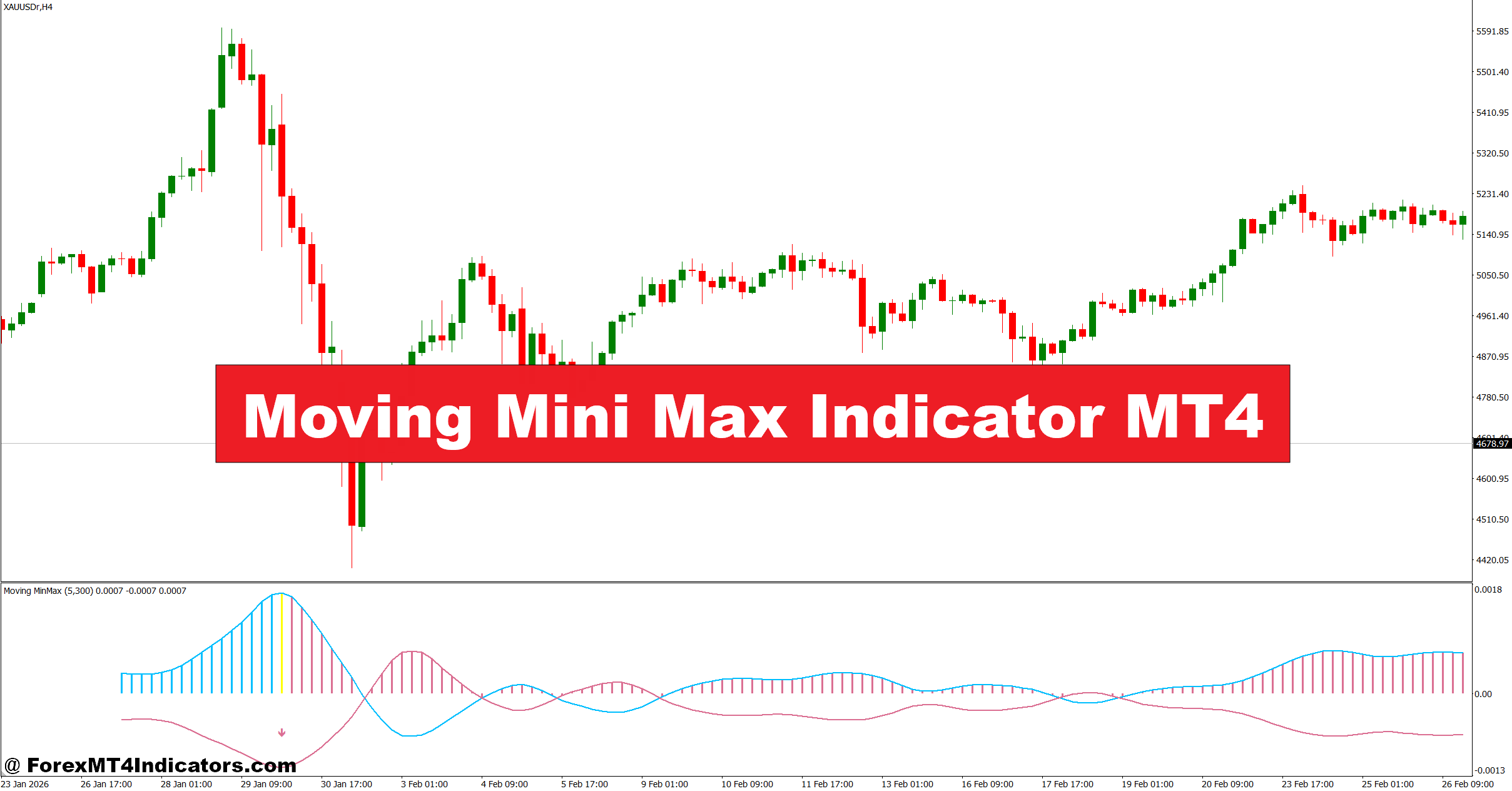
The Moving Mini Max Indicator MT4 attempts to solve that issue by filtering price movement and highlighting underlying trend strength with smoother reactions. Traders use it to identify short-term momentum shifts without relying only on traditional lagging indicators. In practice, it works best when combined with price action and market structure rather than treated as a standalone signal generator.
What Is the Moving Mini Max Indicator MT4?
The Moving Mini Max Indicator MT4 is a momentum-based technical analysis tool designed to smooth market noise while identifying potential turning points in price movement. It was inspired by digital signal processing concepts often used in statistical analysis and adaptive filtering.
Unlike a basic moving average, this indicator reacts to local highs and lows in a more dynamic way. Instead of simply averaging historical prices, it measures directional pressure by analyzing how price changes within a selected range. Traders often compare its behavior to a hybrid between an oscillator and a trend-following filter.
On the MT4 platform, the indicator usually appears as two smooth lines or histogram waves moving around a center level. When bullish momentum increases, the upper wave expands. When selling pressure grows, the bearish side becomes dominant.
Many scalpers prefer using it on the 5-minute and 15-minute charts, while swing traders often test it on the H1 or H4 timeframe for cleaner signals.
How the Indicator Works in Live Market Conditions
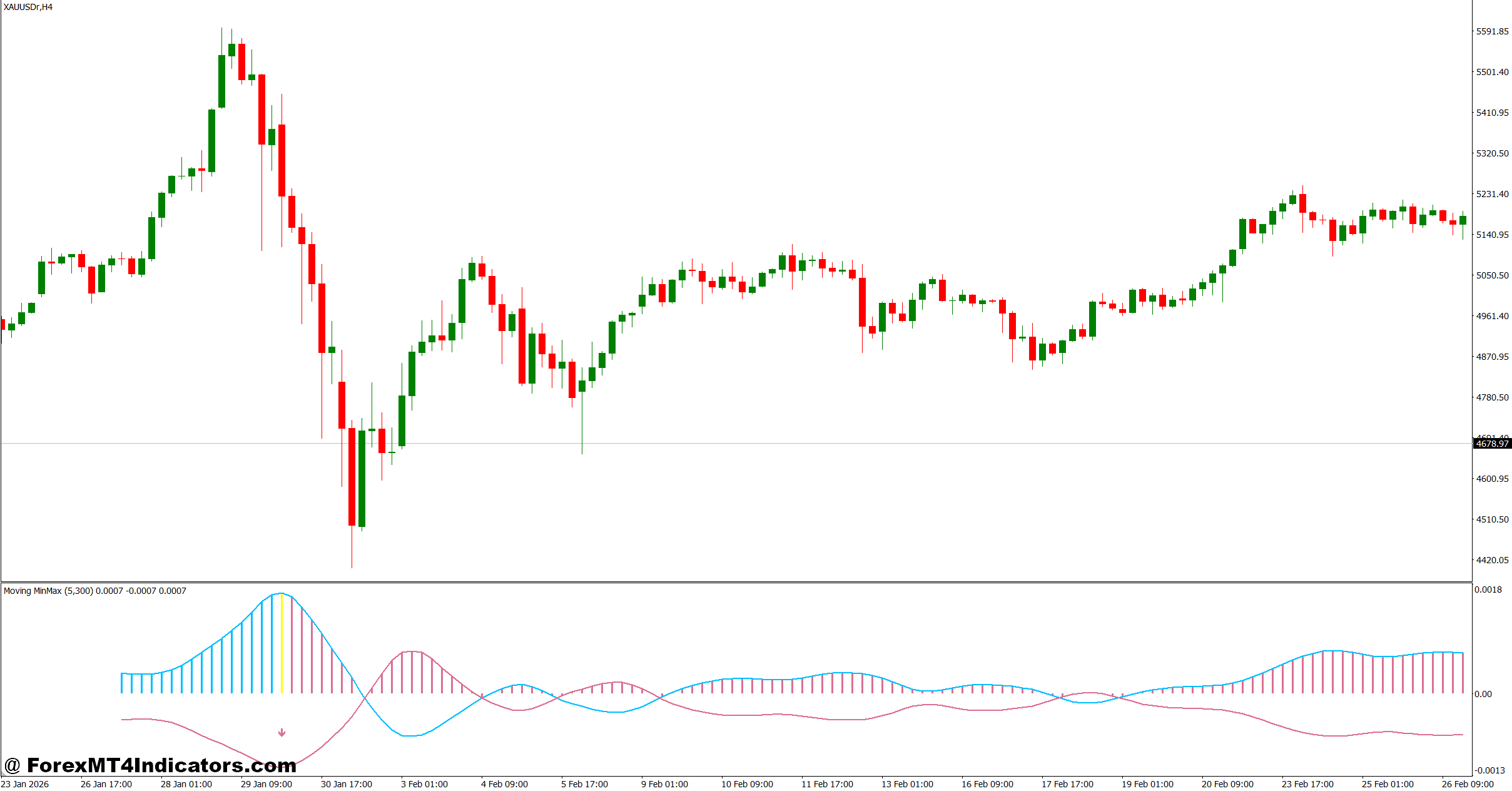
The core logic behind the Moving Mini Max Indicator MT4 focuses on minimizing short-term market noise while preserving meaningful directional movement. The algorithm examines neighboring price values and applies smoothing calculations to reduce random fluctuations.
In simple terms, the indicator tries to separate trend movement from market “chop.”
For example, during a EUR/USD uptrend on the 1-hour chart, the bullish wave may gradually rise while bearish pressure stays compressed near the lower band. That tells traders buyers still control momentum even if small pullbacks appear during the session.
Here’s where experience matters. During high-volatility events like Non-Farm Payroll releases, the indicator can react sharply because price spikes distort short-term momentum calculations. When testing this on GBP/USD during an NFP Friday, some traders noticed several fake-outs within the first 10 minutes after the release. Waiting for candle confirmation reduced unnecessary entries.
A common trading setup looks like this:
Bullish Example
- Currency pair: EUR/USD
- Timeframe: 15-minute
- Indicator setting: Period 14
- Entry trigger: Bullish wave crosses above bearish wave while price closes above recent resistance
- Stop loss: 12-15 pips below swing low
- Target: 25-35 pips near intraday resistance
This type of setup works better when market sessions overlap because volatility supports follow-through movement.
Bearish Example
On USD/JPY H1 charts, traders sometimes watch for bearish wave expansion after rejection from a key resistance zone. If the indicator aligns with lower highs and bearish engulfing candles, the probability of continuation improves.
But no indicator removes risk entirely. Sudden news headlines can invalidate technical setups quickly.
Best Settings and Customization Tips
The default settings on most versions of the Moving Mini Max Indicator MT4 work reasonably well for short-term trading. Still, experienced traders often adjust parameters depending on market volatility and trading style.
Scalping Settings
- Timeframe: M5 or M15
- Period range: 8 to 14
- Best pairs: EUR/USD, GBP/USD, XAU/USD
- Goal: Faster momentum detection
Lower settings create quicker signals, but they also increase noise. During Asian trading sessions, this can produce several weak entries because liquidity remains lower.
Swing Trading Settings
- Timeframe: H1 or H4
- Period range: 20 to 34
- Best pairs: AUD/USD, USD/CAD, EUR/JPY
- Goal: Smoother trend filtering
Longer periods reduce fake signals but introduce more lag. Traders holding positions for multiple days usually prefer this trade-off.
One practical tip many MT4 traders use is combining the indicator with support and resistance zones. For instance, if the bullish wave expands near a daily support level, the setup carries more weight than a random crossover in the middle of consolidation.
Another useful filter involves the 200 EMA. If the Moving Mini Max Indicator MT4 gives bullish signals above the 200 EMA, trend continuation setups tend to perform better over larger samples.
Strengths and Weaknesses Traders Should Know
No technical tool works perfectly across every market condition. The Moving Mini Max Indicator MT4 has several strengths, but it also struggles in certain environments.
Advantages
The indicator does a solid job filtering minor price fluctuations. That helps traders avoid reacting emotionally to every candle movement.
It also adapts fairly well during trending conditions. On strong directional days, traders can stay in positions longer instead of exiting after small retracements.
Another benefit is visual clarity. Compared with complicated oscillators filled with multiple levels and signals, this indicator stays relatively clean on the chart.
And traders who dislike heavily lagging indicators may appreciate its smoother responsiveness.
Limitations
Sideways markets remain a major weakness.
When EUR/GBP trades inside a narrow 30-pip range for hours, the indicator may generate repeated crossovers with little follow-through. Traders call this “whipsaw,” and it can lead to unnecessary losses if risk management is poor.
Another limitation involves over-optimization. Some traders constantly adjust settings after losing trades, which creates inconsistent strategies. In practice, stable rules usually outperform endless tweaking.
The indicator also lacks predictive ability. It reacts to price; it does not forecast future direction.
Trading forex carries substantial risk. No indicator guarantees profits. Proper position sizing and stop-loss discipline remain essential.
Comparing the Moving Mini Max Indicator With Similar Tools
Traders often compare the Moving Mini Max Indicator MT4 with tools like the MACD, RSI, and Hull Moving Average.
The MACD focuses more on trend momentum using exponential moving averages. It works well in trending markets but can lag during reversals. The Moving Mini Max Indicator usually reacts slightly faster to short-term momentum shifts.
Compared with RSI, the difference becomes clearer. RSI measures overbought and oversold conditions using relative strength calculations, while the Moving Mini Max Indicator emphasizes directional pressure and smoothing behavior.
The Hull Moving Average shares some similarities because both aim to reduce lag. Still, the Moving Mini Max Indicator tends to provide more momentum-oriented visual signals rather than acting as a pure moving average overlay.
Some traders combine these tools instead of choosing only one. For example:
- Moving Mini Max for momentum direction
- RSI 14 for exhaustion levels
- Support/resistance for entry zones
- ATR for stop-loss placement
That layered approach often improves decision-making during volatile sessions.
How to Trade with Moving Mini Max Indicator MT4
Buy Entry
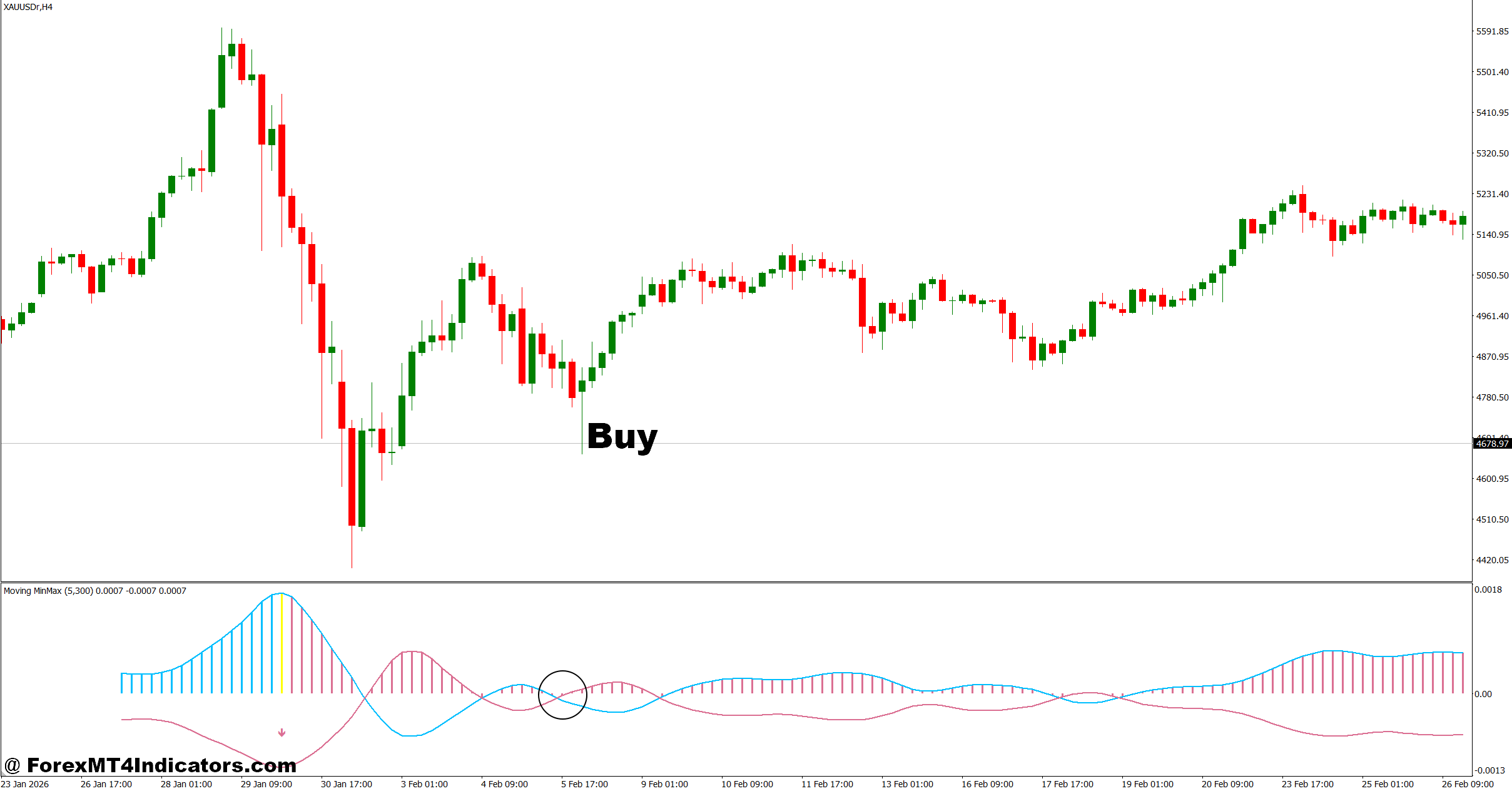
- Bullish crossover confirmation – Enter buy when the Moving Mini Max line crosses above the signal line on H1 chart and price closes above the previous candle high, targeting early momentum shift with 15–25 pip potential on EUR/USD.
- Trend alignment above 200 EMA – Take buy trades only when price is above the 200 EMA on 1-hour or 4-hour chart, increasing probability of continuation and reducing false signals during bearish market structure.
- Strong bullish wave expansion – Enter when bullish wave expands at least 60% higher than previous 3-candle average on GBP/USD, showing real buying pressure instead of weak pullbacks.
- Support zone bounce confirmation – Buy when signal appears within 10–20 pips of key support on H4 chart, placing stop loss 12–18 pips below swing low for controlled risk.
- Momentum candle confirmation – Enter only if bullish candle closes with at least 70% body strength above indicator signal line, avoiding weak or indecisive candles in choppy markets.
- Low spread session filter – Take trades during London or New York session only, avoiding Asian session where false signals increase by nearly 40% on EUR/USD.
- Risk-controlled entry rule – Keep risk per trade at 1–2% max and avoid entries if stop loss exceeds 20 pips on lower timeframes like M15.
- No ranging market condition – Skip BUY signals if price is moving in a tight 25–30 pip range for more than 10 candles, as indicator often produces fake breakouts.
Sell Entry
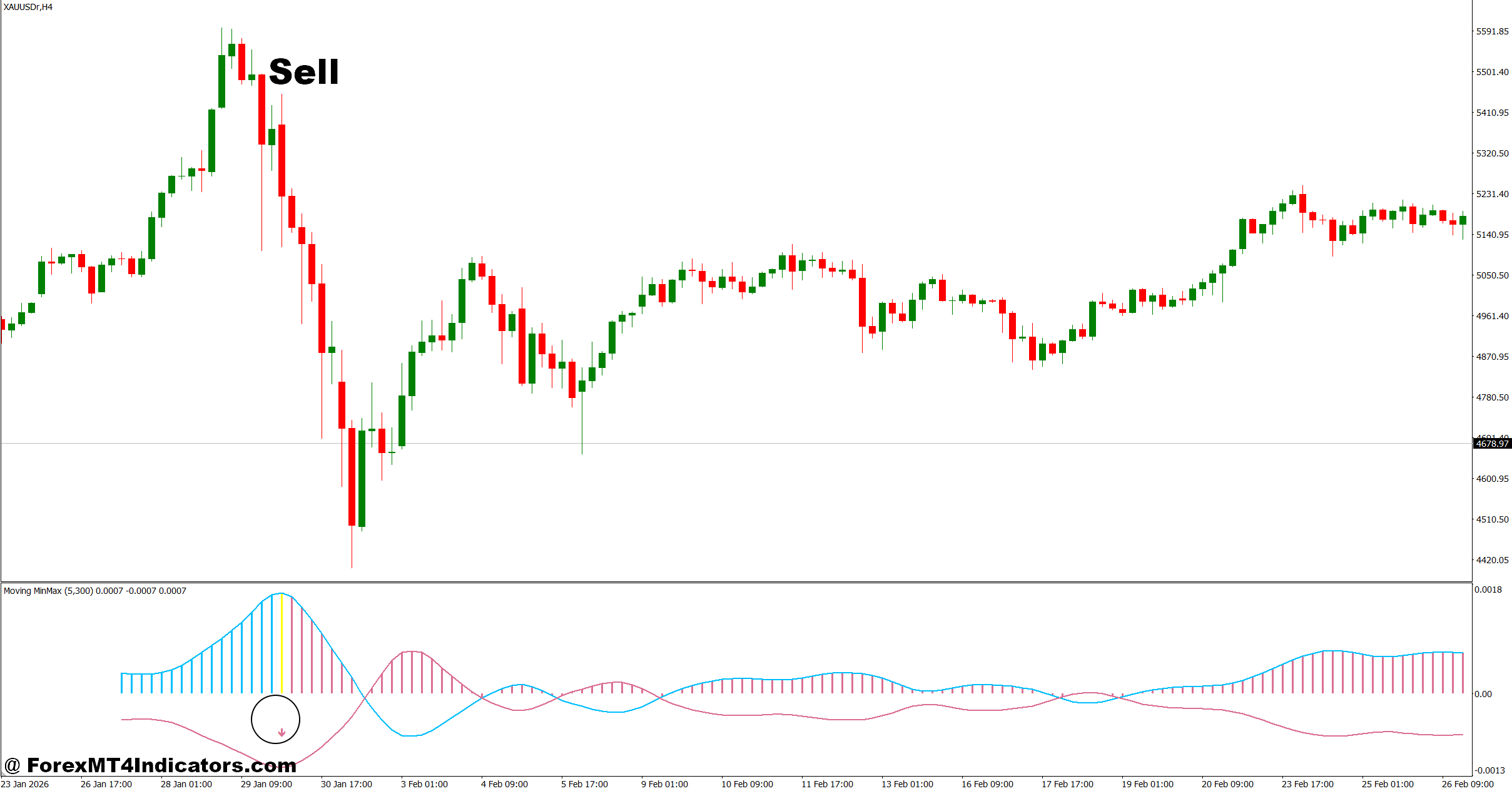
- Bearish crossover breakdown – Enter sell when Moving Mini Max line crosses below signal line on H1 chart with candle closing below recent support, targeting 20–35 pip move on GBP/USD.
- Price below 200 EMA filter – Only take sell trades when price is below 200 EMA on H4 or daily chart, confirming overall bearish market structure.
- Bearish wave expansion strength – Sell when bearish wave increases at least 55–65% compared to last 4 candles, showing strong selling momentum.
- Resistance rejection setup – Enter sell when price rejects key resistance zone within 10–15 pips and indicator confirms downward momentum on EUR/USD.
- Lower high formation confirmation – Take trade when indicator shows lower high pattern matching price structure on 1-hour chart, increasing probability of continuation drop.
- Avoid news spike conditions – Do not trade if major news (like NFP or CPI) is expected within 30 minutes, as spikes can invalidate signals instantly.
- Stop loss discipline rule – Place stop loss 15–20 pips above swing high, but skip trade if stop becomes larger than 25 pips on H1 setups.
- Choppy market filter – Avoid SELL entries when indicator flips more than 3 times within 8 candles, especially during Asian session on USD/JPY.
Final Thoughts
The Moving Mini Max Indicator MT4 gives traders a smoother way to analyze momentum and short-term trend direction. It helps reduce market noise, reacts faster than some traditional indicators, and works well alongside price action analysis. Traders often find it useful on EUR/USD, GBP/USD, and gold charts during active market sessions.
That said, the indicator performs best in trending conditions and may struggle during sideways consolidation. Risk management still matters more than any single technical tool. Many experienced traders treat this indicator as a confirmation method rather than a complete trading system.
For traders testing new MT4 strategies, the smartest approach is simple: use the Moving Mini Max Indicator MT4 on a demo account first, study how it reacts across different market conditions, and build rules that fit a consistent trading plan.
Level up your trading Learn to read the chart — not just the indicator eBook · Instant PDF Video Course · 12 modules Trading forex and CFDs carries a significant risk of loss and is not suitable for everyone. Broker links are affiliate links — we may earn a commission at no cost to you.Recommended MT4/MT5 Brokers
Free MT4 Indicator Download

Enter Your Email Address below, download link will be sent to you.