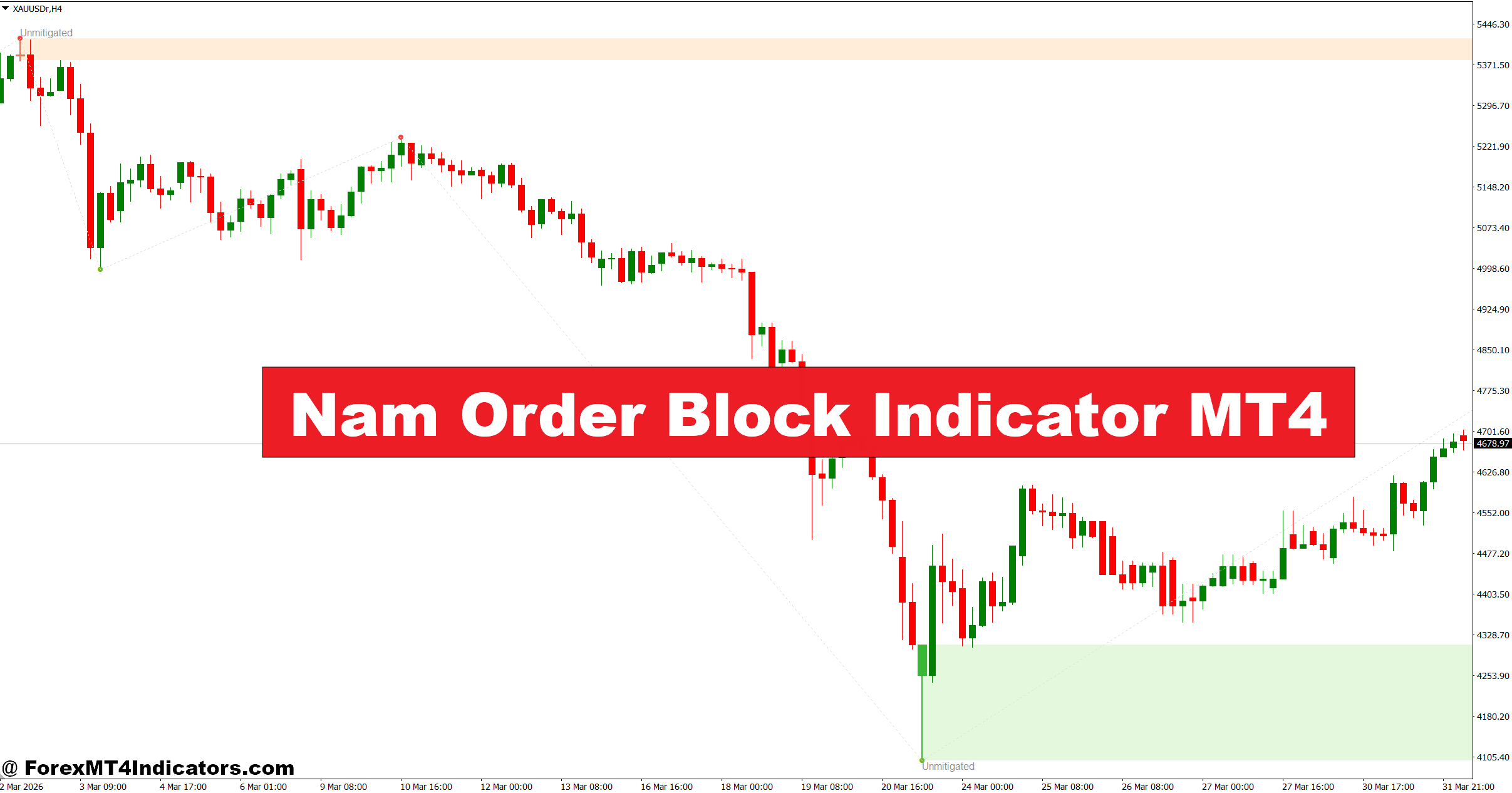
The Nam Order Block Indicator MT4 aims to solve this by highlighting key institutional zones where price is likely to react. Instead of guessing, traders get a visual map of potential supply and demand areas. These zones can help improve entry timing and reduce unnecessary risks.
Let’s break down how this indicator works and how traders can actually use it in real market conditions.
What Is Nam Order Block Indicator MT4?
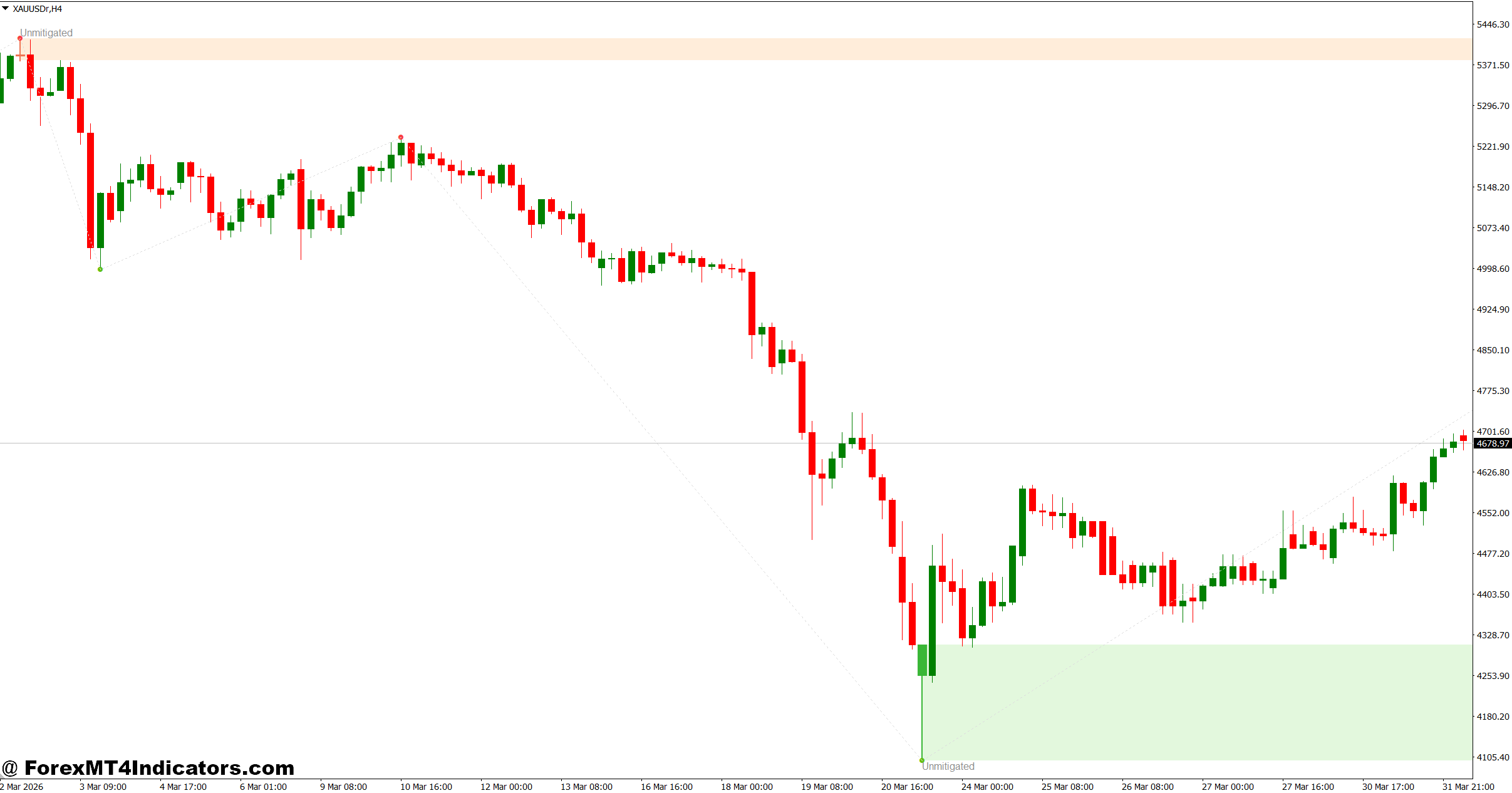
The Nam Order Block Indicator MT4 is a technical tool designed to identify order blocks—areas where large market participants (banks or institutions) have placed significant buy or sell orders. These zones often act as strong support and resistance levels.
In simple terms, an order block forms before a strong price move. For example, if EUR/USD suddenly rallies 80 pips, the last bearish candle before that move often marks a bullish order block. That zone becomes important when price returns to it.
Unlike traditional support/resistance tools, this indicator focuses on market structure and liquidity. It doesn’t just mark random levels; it tries to show where smart money may have entered.
Traders often combine this with price action analysis to confirm entries instead of relying on signals alone.
How the Indicator Works in Live Markets
The logic behind the Nam Order Block Indicator MT4 is based on identifying consolidation zones followed by impulsive moves. These moves signal that strong buying or selling pressure entered the market.
Here’s the basic idea:
- The indicator scans for the last opposite candle before a strong breakout
- It marks that area as an order block zone
- When price revisits that zone, it signals a potential reaction
For example, on GBP/USD H1 chart, price may drop sharply by 60 pips after a small consolidation. The indicator will highlight the last bullish candle before the drop as a bearish order block. When price retraces back to that zone, traders watch for sell opportunities.
But not every zone works. During choppy markets, price can break through these levels easily. That’s why experienced traders wait for confirmation like rejection candles or lower timeframe structure breaks.
When testing this on high-impact news days like NFP, the zones often get violated due to extreme volatility. So it’s better to avoid relying solely on the indicator during such events.
Practical Trading Applications
Using the Nam Order Block Indicator MT4 becomes more effective when combined with a clear trading plan.
One common approach is the pullback strategy. Let’s say EUR/USD is in an uptrend on the 1-hour chart. The indicator marks a bullish order block around 1.0820. Instead of buying at market highs, traders wait for price to retrace into that zone.
Once price enters the zone, they look for confirmation:
- A bullish engulfing candle
- A rejection wick showing buying pressure
- Break of minor resistance on lower timeframe
For instance, if price touches the zone and forms a bullish candle with a 15-pip wick, that often signals buyers stepping in. A trader might enter with a 20–30 pip stop loss below the zone and aim for 40–60 pips profit.
Another use case is stop hunting awareness. Sometimes price dips slightly below the order block before reversing. This fake-out can trap early buyers. Skilled traders wait for that liquidity sweep before entering.
Scalpers on M15 or M5 charts also use smaller order blocks, but these are less reliable. Higher timeframes like H1 and H4 generally produce stronger zones.
Nam Order Block Indicator MT4 Settings and Customization
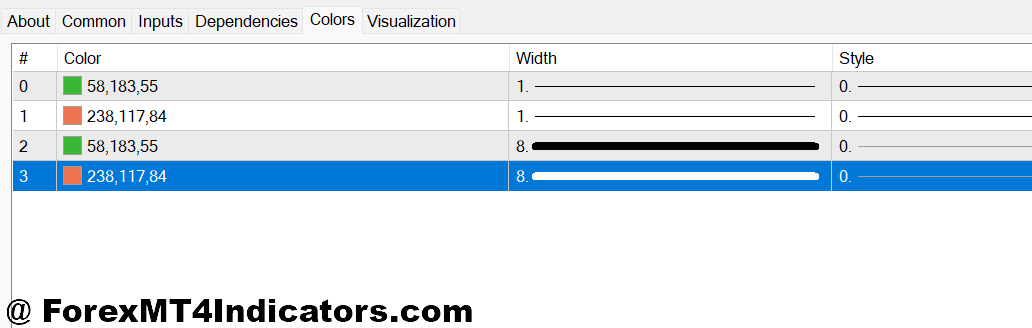
The Nam Order Block Indicator MT4 usually comes with adjustable parameters to fit different trading styles.
Common settings include:
- Lookback period – Defines how many candles the indicator scans for order blocks
- Zone sensitivity – Controls how strong a move must be before marking a zone
- Color customization – Helps differentiate bullish and bearish blocks
For scalping, traders often reduce the lookback period to capture recent zones. For swing trading, increasing the lookback helps identify stronger levels from higher timeframes.
Pairs also matter. Major pairs like EUR/USD and GBP/USD tend to respect order blocks better than highly volatile pairs like GBP/JPY. During Asian sessions, zones may be weaker due to low liquidity.
Some traders even remove weaker zones manually and keep only the most obvious ones. That small step can improve clarity and decision-making.
Advantages and Limitations
The Nam Order Block Indicator MT4 offers clear benefits, but it’s not perfect.
Advantages:
- Helps identify institutional price zones
- Improves entry timing during pullbacks
- Works well with price action strategies
- Reduces guesswork in support/resistance analysis
Limitations:
- Not all zones hold, especially in ranging markets
- Can repaint or adjust zones depending on settings
- Less effective during high-impact news events
- Requires confirmation for reliable entries
Compared to standard support/resistance indicators, this tool focuses more on liquidity and market structure. However, tools like supply and demand indicators or pivot points can sometimes offer similar insights with less complexity.
What makes this indicator different? It attempts to align retail traders with institutional behavior, but it still depends on how well the trader reads price action around those zones.
How to Trade with Nam Order Block Indicator MT4
Buy Entry
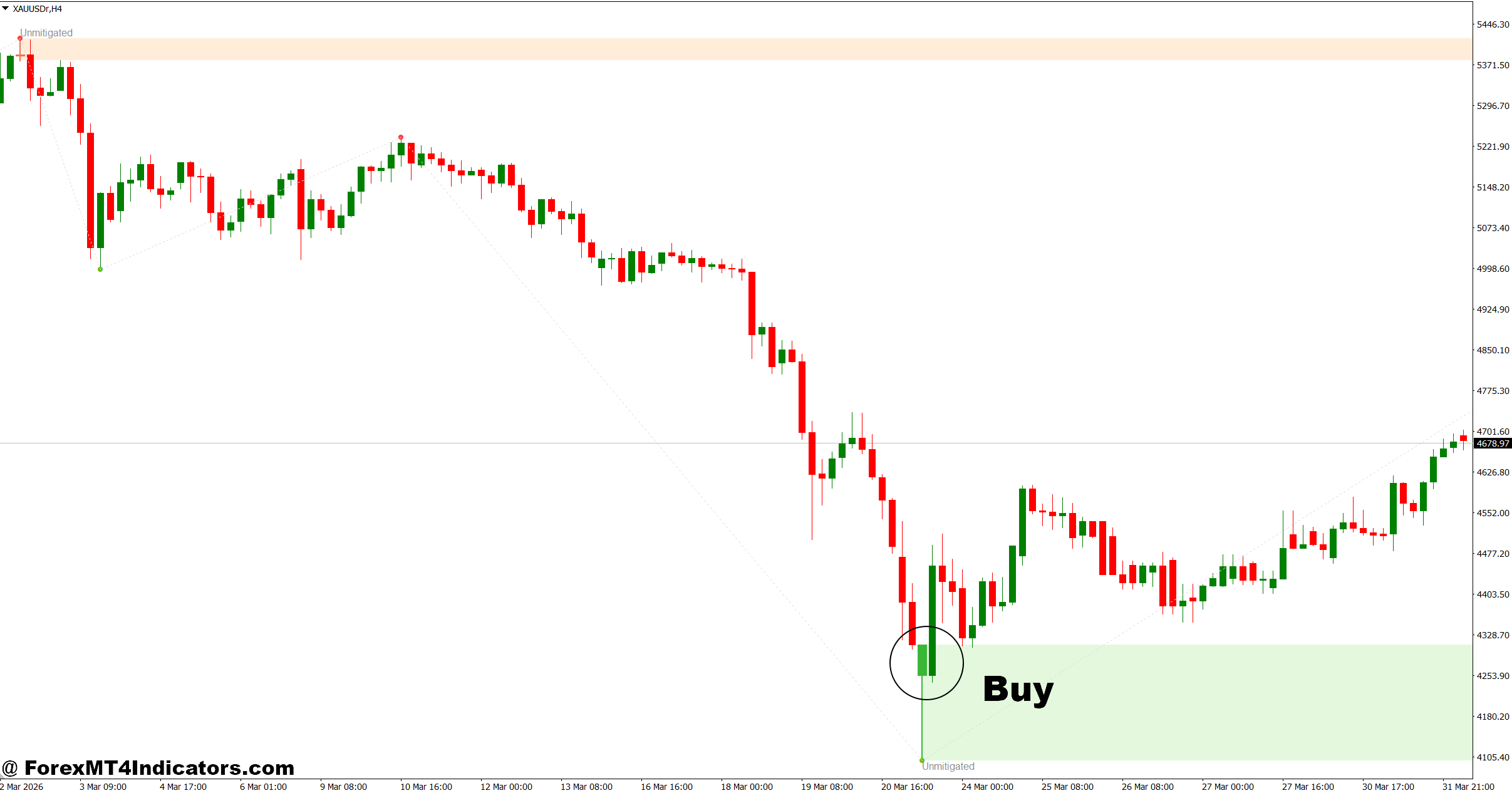
- Wait for bullish order block retest – Enter buy when price revisits a marked demand zone on EUR/USD (H1) and holds above it; ideal stop loss 20–30 pips below the zone.
- Look for bullish engulfing confirmation – If a strong engulfing candle forms inside the order block, it signals buyer strength; target 40–60 pips on H1 setups.
- Trade with higher timeframe trend – Only take buys when H4 or Daily trend is bullish; counter-trend trades often fail or give small moves (10–15 pips only).
- Enter after liquidity sweep – If price dips 10–15 pips below the order block and quickly reverses, it often traps sellers; this is a strong entry signal.
- Use lower timeframe break of structure – On M15, wait for a higher high after touching the zone before entering; this improves win rate significantly.
- Avoid weak zones in ranging markets – If GBP/USD is moving sideways within 30–40 pips, skip trades as order blocks lose strength in chop.
- Confirm with session timing – London and New York sessions give stronger moves; Asian session trades may only yield 10–20 pips.
- Manage risk per trade – Risk only 1–2% of account balance per trade, even if the setup looks perfect, to protect against unexpected reversals.
Sell Entry
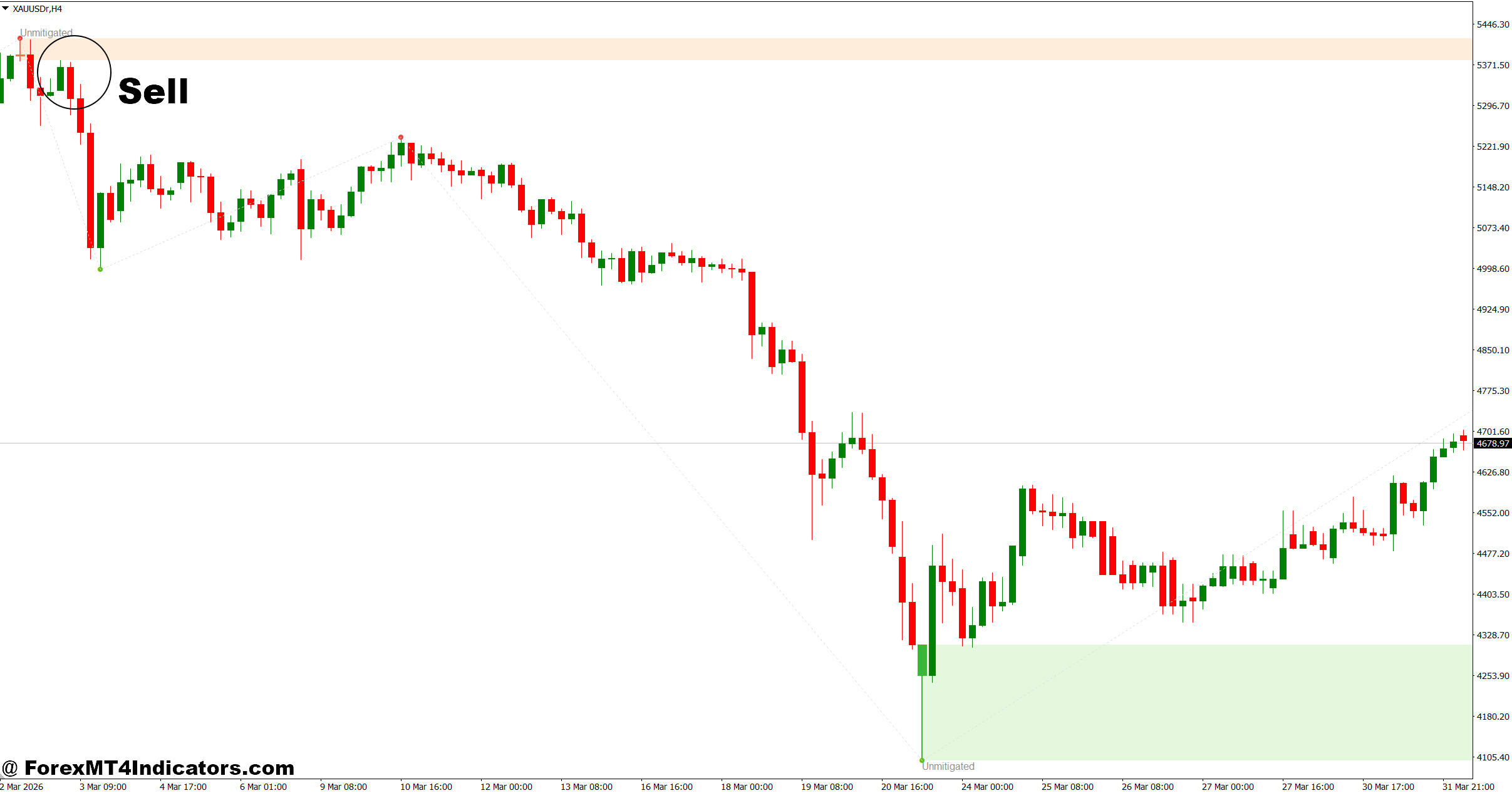
- Wait for bearish order block retest – Sell when price returns to a supply zone on GBP/USD (H1) and shows rejection; place stop loss 20–30 pips above the zone.
- Look for bearish rejection candle – A long upper wick (15–25 pips) inside the zone shows selling pressure; enter after candle close.
- Follow the dominant downtrend – Use H4 trend direction; selling against trend often leads to quick stop-outs or small gains.
- Enter after fake breakout – If price breaks above the order block by 10–20 pips and then drops back, it signals a trap; strong sell opportunity.
- Use M15 confirmation – Wait for lower low formation after touching the zone; this confirms sellers are in control.
- Avoid trading during news events – High-impact news (like NFP) can break zones easily; spreads widen and setups become unreliable.
- Target realistic profit levels – Aim for 30–50 pips on H1 and 80–120 pips on H4; don’t overhold trades expecting huge moves.
- Control position size carefully – Keep risk below 2% per trade and adjust lot size based on stop loss distance to avoid large drawdowns.
Conclusion
The Nam Order Block Indicator MT4 gives traders a structured way to spot potential institutional zones and refine their entries. It works best when combined with patience and confirmation rather than used as a standalone signal tool. Traders who test it on higher timeframes often see more consistent reactions compared to lower ones.
Key takeaways include focusing on strong impulsive moves, waiting for clean retests, and avoiding trades during major news spikes. The indicator can improve timing, but it won’t remove risk entirely.
Trading forex carries substantial risk. No indicator guarantees profits.
For those willing to practice and review past charts, this tool can become a useful part of a disciplined trading strategy.
Level up your trading Learn to read the chart — not just the indicator eBook · Instant PDF Video Course · 12 modules Trading forex and CFDs carries a significant risk of loss and is not suitable for everyone. Broker links are affiliate links — we may earn a commission at no cost to you.Recommended MT4/MT5 Brokers
Free MT4 Indicator Download

Enter Your Email Address below, download link will be sent to you.