

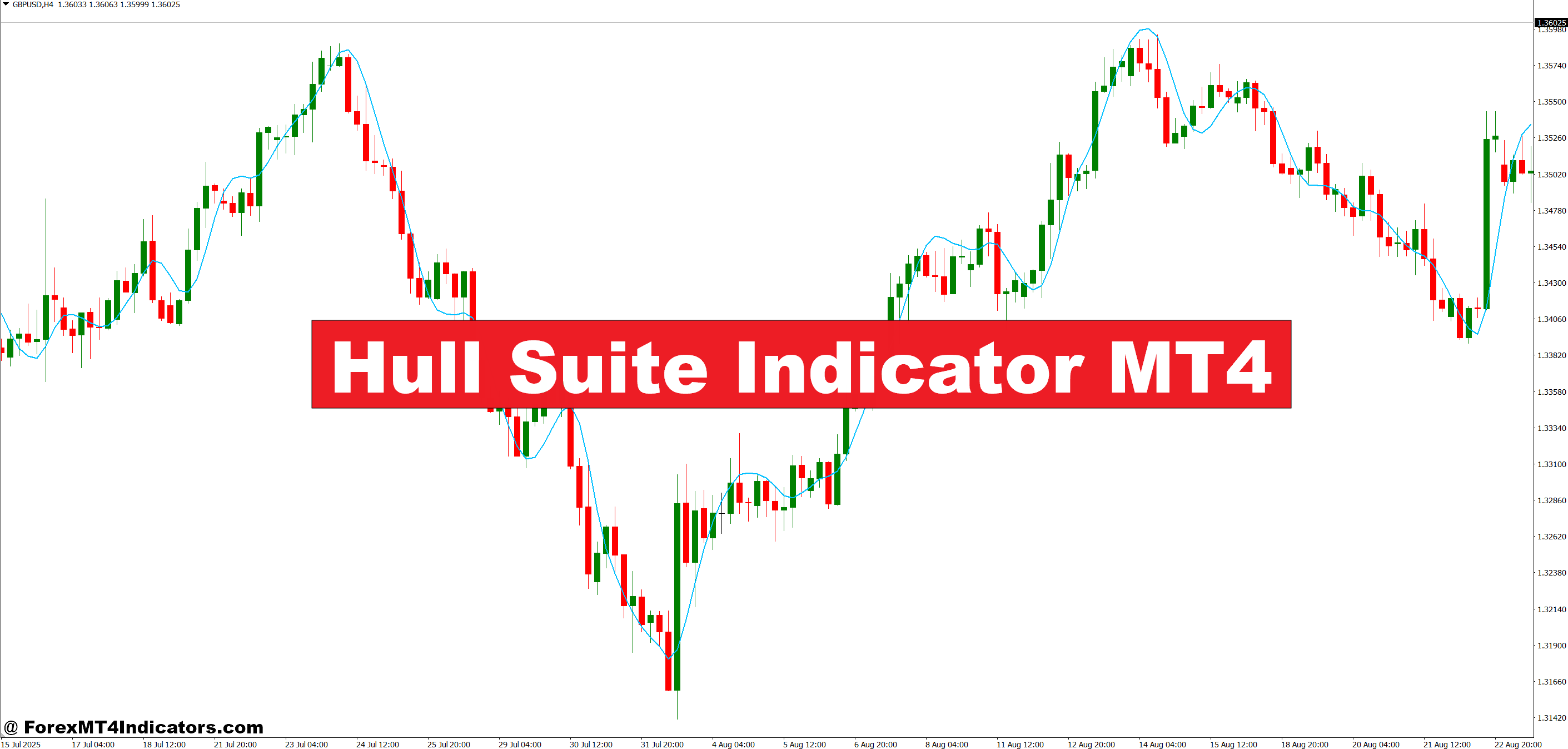
The Hull Suite is based on the Hull Moving Average (HMA), originally developed by Alan Hull in 2005. Hull designed the HMA to solve a specific problem: traditional moving averages — whether simple, exponential, or weighted — all sacrifice responsiveness for smoothness, or vice versa. The HMA attempts to deliver both.
The Hull Suite packages this concept into a visual overlay on the chart. Instead of a single line, it typically displays a colored zone or band that shifts between bullish and bearish states. Green (or blue, depending on the version) signals an uptrend. Red signals a downtrend. The color flip acts as the primary signal — when the band changes from red to green, it suggests bullish momentum is building. The reverse flags a potential shift to bearish conditions.
What separates it from slapping a 20-period EMA on a chart? Speed and smoothness. The HMA reacts to price changes faster than an EMA of the same period while producing fewer whipsaws than a short-period SMA. That combination is rare, and it’s why the Hull Suite has developed a loyal following among MT4 users.
How the Hull Moving Average Calculation Works
Understanding the math behind it helps traders trust (or question) the signals they see. Here’s the basic logic:
The HMA uses weighted moving averages in a layered process. First, it calculates a WMA with a full period — say, 16. Then it calculates a WMA with half that period — 8. The half-period WMA is doubled and the full-period WMA is subtracted from it. That difference is then smoothed again using a WMA with a period equal to the square root of the original (in this case, 4).
The result? A moving average that hugs price action closely during trends but doesn’t jitter wildly during consolidation. The square root smoothing step is the key innovation — it’s what gives the HMA its characteristic responsiveness without excessive noise.
For the Hull Suite specifically, the indicator often plots an upper and lower boundary around the HMA value, creating that filled zone on the chart. Some versions use the HMA alongside a secondary smoothed average to generate the band width.
Practical Trading Setups with the Hull Suite
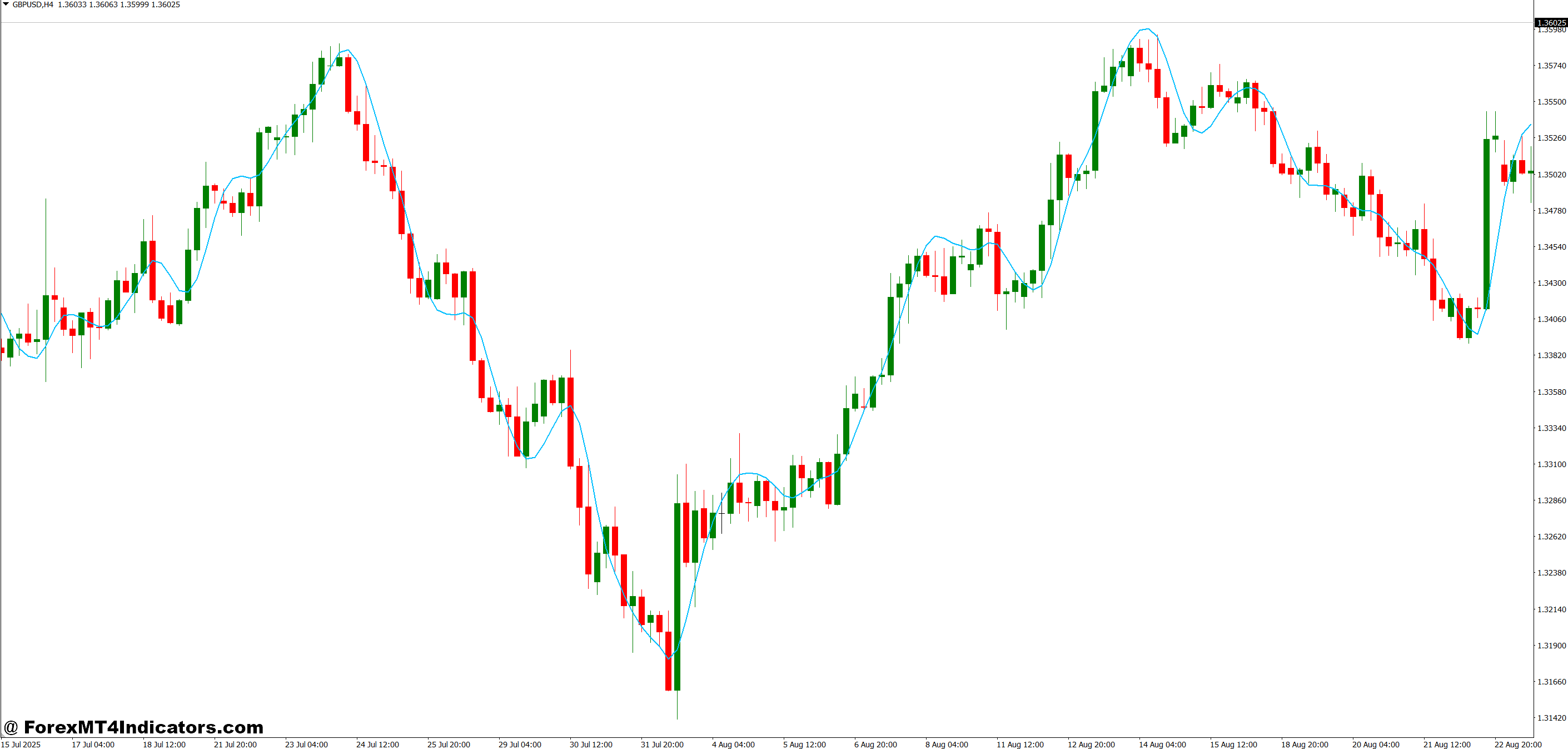
Here’s where things get useful. On a GBP/USD 1-hour chart during the London session, the Hull Suite flipped from red to green at 1.2645 on a recent Tuesday. Price had been grinding lower since the Asian session, but the flip coincided with a bounce off a known support zone. A trader entering long at 1.2650 with a stop below 1.2620 could have captured a 55-pip move into the New York overlap — a clean 1:1.8 risk-to-reward setup.
That said, the indicator doesn’t work in isolation. The strongest signals tend to appear when the Hull Suite color change aligns with other factors: a key support or resistance level, a higher-timeframe trend, or a momentum divergence on RSI or MACD.
One approach that experienced traders favor is using the Hull Suite on a higher timeframe — the 4-hour or daily — to establish the trend bias, then dropping to the 15-minute or 1-hour chart for entries. If the daily Hull Suite shows green, only long setups get taken on the lower timeframe. This filter alone can eliminate a significant number of losing trades during choppy, directionless markets.
Hull Suite Indicator MT4 Settings and Customization
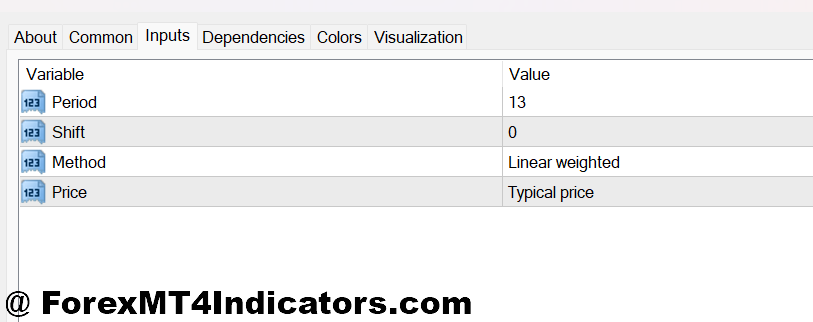
The default period on most MT4 versions of the Hull Suite is 16, which works reasonably well on the 1-hour and 4-hour charts for major pairs like EUR/USD, GBP/USD, and USD/JPY. Shorter periods (9–12) increase sensitivity and suit scalpers on the 5-minute or 15-minute chart, though false signals increase. Longer periods (20–34) smooth things out for swing traders watching daily or weekly charts.
A common mistake is cranking the period too low on volatile pairs like GBP/JPY. The pair’s average daily range regularly exceeds 150 pips, and a 9-period Hull Suite on a 15-minute chart will flip colors multiple times in a single session. That’s not a signal — that’s noise.
For cross-pairs with lower liquidity, like EUR/NZD or GBP/AUD, bumping the period up by 4–6 from the default helps filter out the erratic price swings these pairs are known for.
Strengths and Honest Limitations
Where it shines: The Hull Suite excels in trending markets. When EUR/USD spent three weeks in a steady downtrend earlier this year, the Hull Suite stayed red on the 4-hour chart almost uninterrupted. Traders who followed that color bias and shorted rallies had a clear edge.
Where it struggles: Ranging, sideways markets are the Hull Suite’s weakness — and this is true of virtually every trend-following tool. During a 200-pip range on USD/CHF that lasted nearly two weeks, the Hull Suite produced six color flips, and five of them were false signals. Traders relying solely on the indicator during that stretch gave back profits quickly.
Compared to a standard EMA crossover system, the Hull Suite offers fewer false signals during trends but roughly similar performance in chop. Against the Supertrend indicator, it’s a closer contest — both track trends well, though the Hull Suite tends to signal earlier while the Supertrend provides clearer stop-loss levels with its built-in ATR calculation.
No indicator removes the need for discretion. The Hull Suite is a filter, not a strategy. Pairing it with volume analysis, candlestick patterns at key levels, or even a simple RSI divergence check can make a real difference in trade quality.
How to Trade with Hull Suite Indicator MT4
Buy Entry
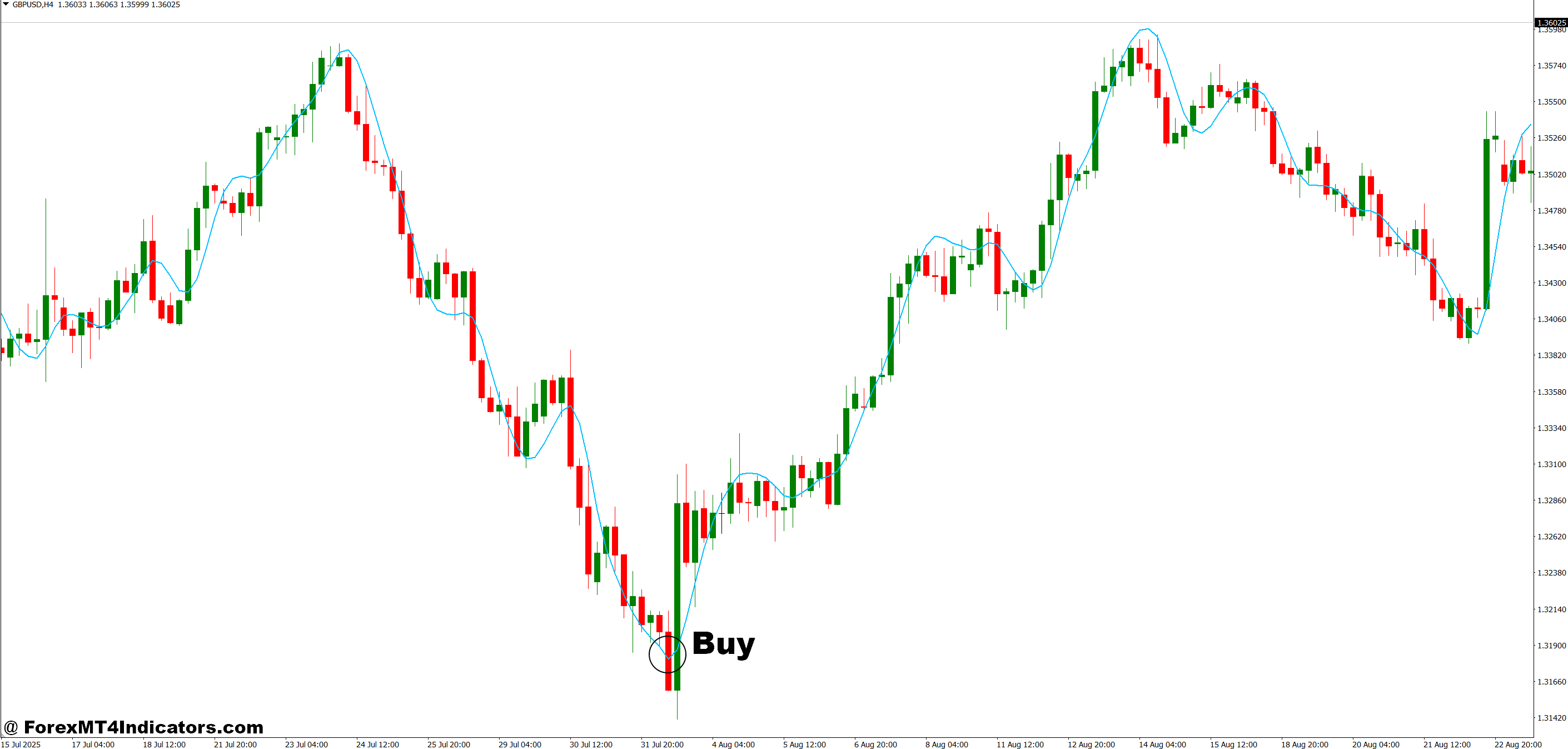
- Wait for a red-to-green color flip – Enter long only after the Hull Suite band fully changes to green on a closed candle, not mid-candle, to avoid premature entries.
- Confirm with higher timeframe bias – Check the 4-hour or daily Hull Suite is also green before taking buy signals on the 1-hour chart; trading against the bigger trend cuts your win rate by 30-40%.
- Enter on the first pullback after the flip – Don’t chase the initial color change. Wait for price to dip back toward the Hull band on EUR/USD or GBP/USD, then enter when it bounces with a bullish engulfing or pin bar.
- Place stops 10-15 pips below the recent swing low – Tight stops under the last support level protect capital; if the Hull Suite just flipped green at 1.0840 on EUR/USD, a stop at 1.0820 keeps risk controlled.
- Avoid buy signals during ranging markets – If price has crossed the Hull band more than three times in the last 20 candles on the 1-hour chart, the market is choppy. Sit out and wait for a clean trend.
- Use RSI above 50 as a momentum filter – A Hull Suite green flip paired with RSI crossing above 50 on the same candle produces higher-probability long entries, especially on GBP/USD during the London session.
- Target 1.5 to 2x your risk in pips – If your stop is 20 pips, aim for 30-40 pips profit. Move your stop to breakeven once price travels 1x your initial risk to protect the position.
- Skip the signal near major resistance – A green flip 10 pips below a daily resistance zone on USD/JPY is a trap, not a trade. Let price break and retest the level first before committing.
Sell Entry
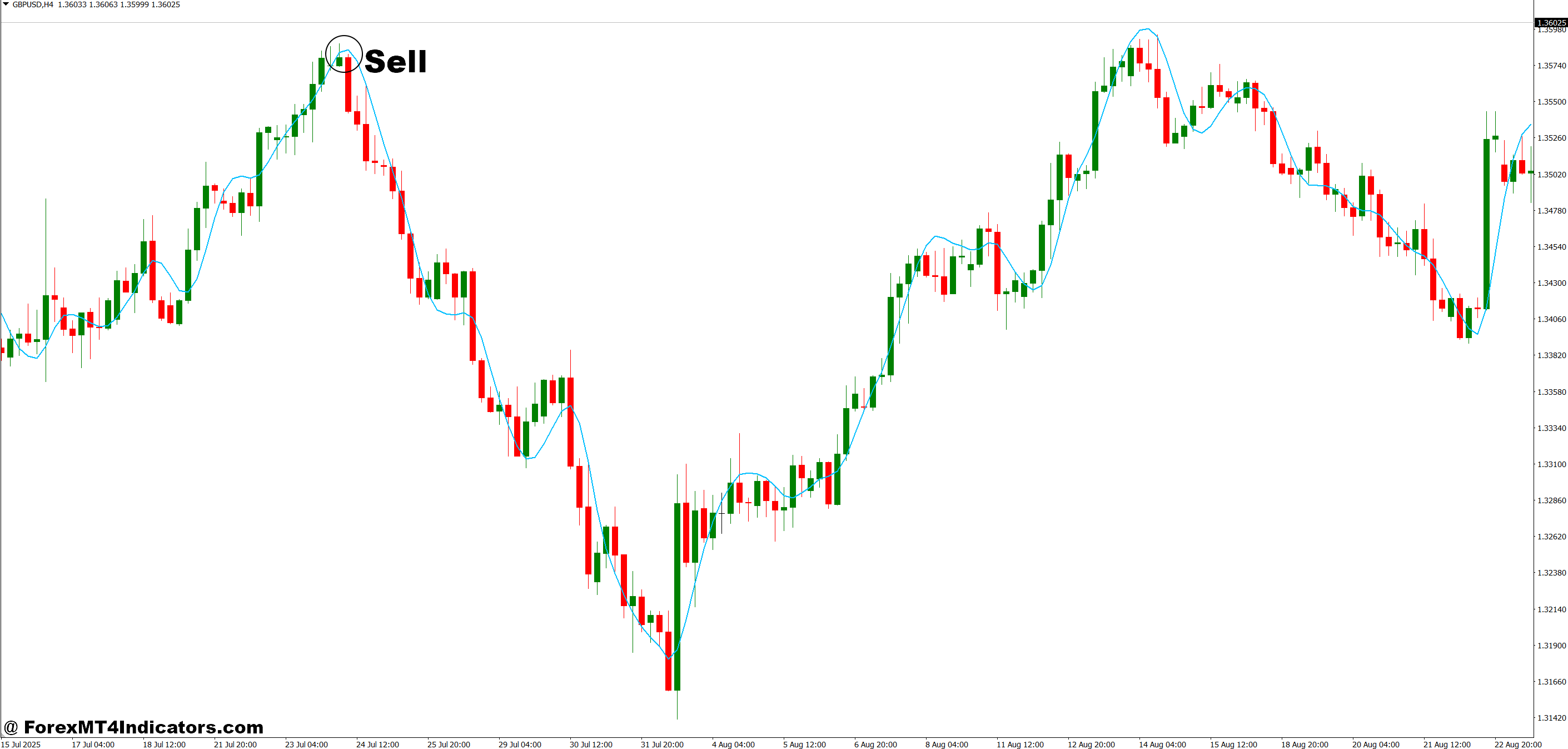
- Enter short on a green-to-red color flip – Sell only after the Hull Suite band closes red on a completed candle; the 4-hour chart on EUR/USD gives the most reliable short signals with this indicator.
- Align with the daily trend direction – If the daily Hull Suite is red and the 1-hour flips red after a brief pullback, that’s a high-confidence short setup. Don’t fight a green daily band with lower-timeframe sells.
- Sell the retest, not the breakdown – After the band turns red, wait for price to rally back into the Hull zone and reject it. This gives a tighter stop and better risk-to-reward, often 1:2 or better on GBP/USD.
- Set stops 10-15 pips above the recent swing high – If the Hull Suite flipped red at 1.2710 on GBP/USD, place your stop at 1.2730 and let the market prove you wrong before taking the loss.
- Don’t short into strong support zones – A red flip 15 pips above a weekly support level on EUR/USD is likely to bounce. Check the daily chart for nearby demand zones before pulling the trigger.
- Add MACD confirmation for stronger signals – A Hull Suite red flip combined with MACD crossing below its signal line filters out roughly 40% of false sell signals, particularly during low-volume Asian sessions.
- Trail your stop using the Hull band edge – As price moves in your favor, move your stop-loss to 5 pips above the upper edge of the red Hull band every 3-4 candles. This locks in profit while letting winners run.
- Avoid selling during high-impact news releases – Skip any signal that forms within 30 minutes before or after NFP, CPI, or central bank rate decisions. Spreads widen and whipsaws spike, making even valid signals unreliable.
Making the Hull Suite Work in a Real Trading Plan
The Hull Suite Indicator MT4 offers a genuinely useful improvement over traditional moving averages – faster response, smoother output, and a clear visual signal that’s easy to read in real time. It works best as a trend-direction filter on higher timeframes combined with a separate entry trigger on lower timeframes. Traders should test different period settings across the pairs and sessions they trade most, and they need to accept that no color-coded band will save them during sideways chop. The honest edge here isn’t magic – it’s reduced lag. And in a market where being a few candles late often means the difference between a winner and a loser, that matters.
Level up your trading Learn to read the chart — not just the indicator eBook · Instant PDF Video Course · 12 modules Trading forex and CFDs carries a significant risk of loss and is not suitable for everyone. Broker links are affiliate links — we may earn a commission at no cost to you.Recommended MT4/MT5 Brokers
Free MT4 Indicator Download

Enter Your Email Address below, download link will be sent to you.