

The useful starting point is the contract, not a download button. FXOpen Markets, FXOpen UK and FXOpen EU have different terms and platform offerings. Read the FXOpen country and entity guide before choosing a registration route. A translated website or an accessible form does not prove that your application will be accepted.
Understand the two account layers
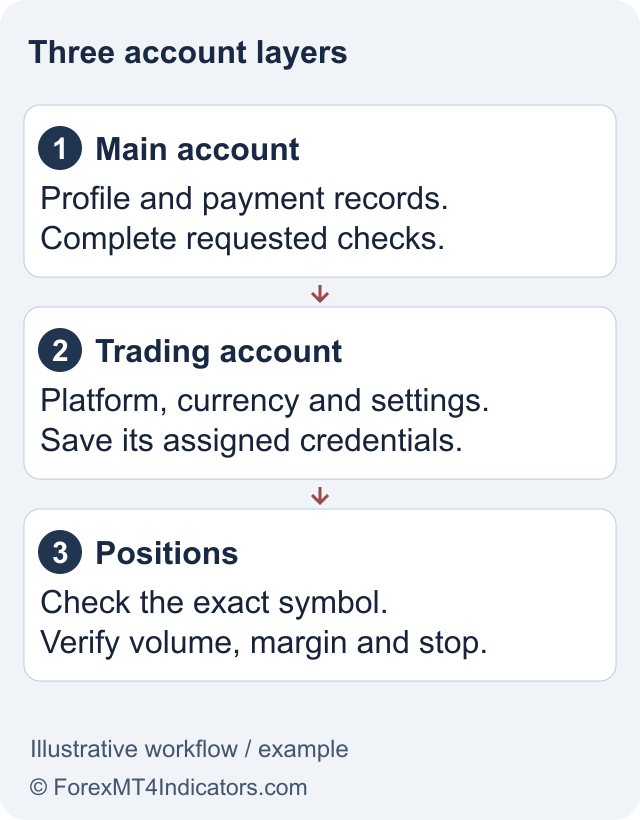
The Main account is the profile used for administration in the Client Portal. A trading account sits underneath it and has a specific platform, account currency and trading login. FXOpen’s Main account guide separates these functions. Downloading a terminal does not automatically create a trading account.
For example, reaching the portal dashboard after registering does not mean the same email and password will connect a MetaTrader terminal. First identify the trading account offered by your entity. The account-types guide explains current choices and why old STP, Micro or Crypto-account references need a date check.
Prepare before completing the form
- Use your actual residence, legal name and contact details. Keep control of the email address and phone used for the application.
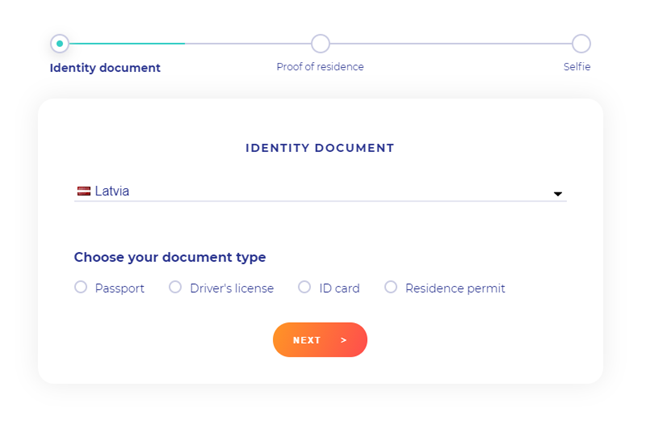
- Have your identity and address evidence available. Read the current upload instructions before scanning or photographing it.
- Decide whether the applicant is you personally or a legal entity. Do not put company funds through an individual application to avoid corporate questions.
- Choose a recoverable password and a private device. A referral relationship does not require giving an introducer access to the account.
Keep the intended account purpose clear. Someone learning order entry can start with a demo account. Someone considering a live account should understand the proposed entity and costs before making a payment.
Register in a deliberate sequence
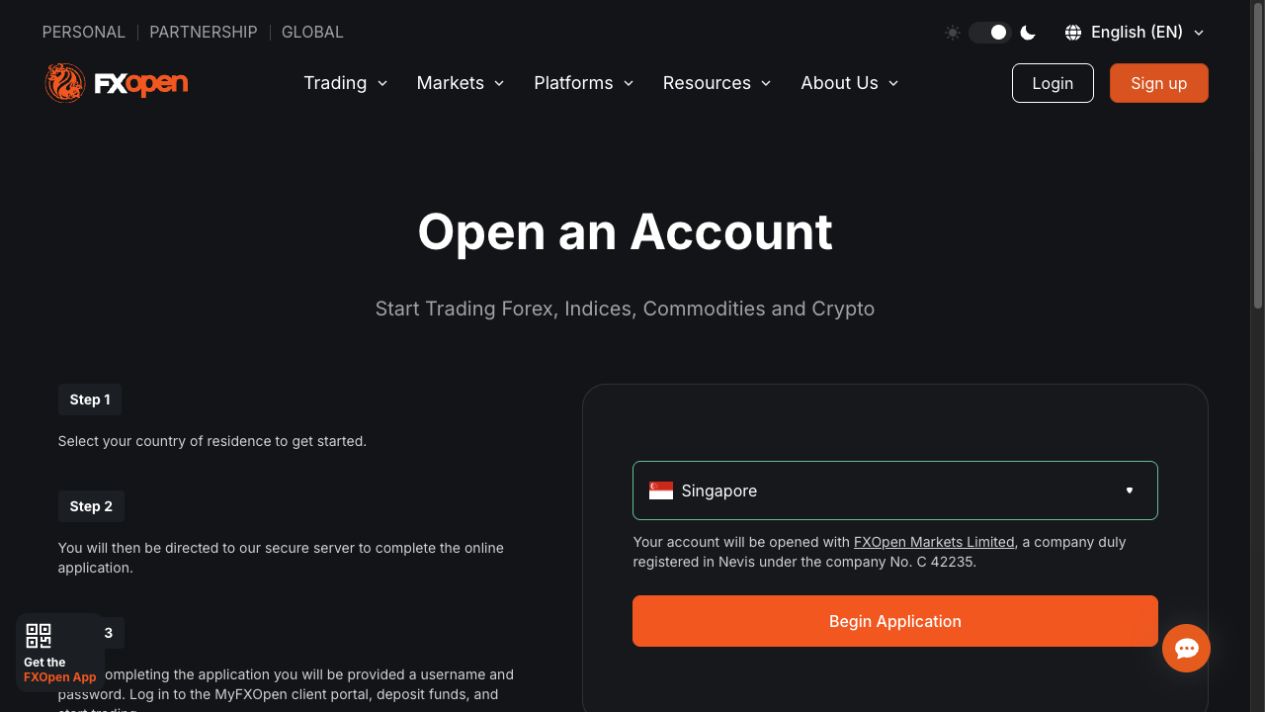
- Enter through the relevant official FXOpen website. Check the address and the legal entity in its footer and application documents. Read any residence warning rather than clicking through it automatically.
- Choose the correct applicant and residence. Follow the live form’s fields. The provider’s registration instructions describe both website and app routes; their screens are not identical.
- Complete the personal details and questionnaire accurately. Use the name shown on your documents. Experience questions are not a quiz to unlock the most aggressive leverage setting.
- Finish the requested identity checks. Follow our verification guide for document preparation and rejected-upload triage. Additional information can be requested.
- Review the available trading accounts. Select the supported platform and currency deliberately. Check the account agreement and costs instead of relying on an old review’s minimum deposit.
- Record which credentials belong to which account. Keep the account number, entity and platform together. Use the login guide if the portal works but the terminal does not.
These steps describe the published workflow. We did not submit an application or measure approval times. Registration is not a guarantee of acceptance, access to every instrument, or permission to trade in your jurisdiction.
Separate account opening from funding
Before depositing, read the funding instructions alongside the withdrawal rules for the same entity. Check the paying account’s ownership, currency, method limits and return route. A method minimum and a trading-account opening minimum can be different.
A minimum deposit also says little about position size. In an illustrative USD1,000 account, a chosen 1% risk budget is USD10. That is a planning assumption, not a recommended risk level or a broker requirement. The lot size calculator then needs the stop distance and instrument specifications to estimate a position. Registering successfully does not make a large leveraged trade affordable.
If the application stops
Read the exact field error. A missing document, a contact-detail mismatch and a residence restriction require different answers. Repeating the application with a different country does not resolve eligibility.
For a missing email, confirm the address and check spam before requesting another message. If you already have a profile, recover it rather than creating duplicates. FXOpen’s account-opening FAQ describes one Main account per client. If the form still fails, record the page address, time and error wording, then use the official support route. Leave passwords and full identity documents out of public screenshots.
Frequently asked questions
Does registering create an MT4 or MT5 account?
Not by itself. Main account registration and platform-specific trading accounts are separate. Choose an account actually offered by your entity and use its own credentials.
Can I register through the FXOpen App?
FXOpen documents an app registration route as well as the website route. Use the app linked by your entity and follow its current residence and verification requirements.
Should I deposit to speed up approval?
A payment is not a substitute for approval or document checks. Resolve the application status first and read the funding and withdrawal conditions before paying.
What if I already have a Main account?
Recover access to the existing profile or ask official support to clarify its status. Do not create a second profile to bypass a problem.
Sources and review scope
Checked on 11 September 2026 against public provider instructions and documents. We did not open, fund or verify an account, contact support, place an order or test a withdrawal. These are documented workflows; current account prompts, entity terms and individual eligibility can differ.
Official broker websites
Read the current terms and restrictions for your actual residence. These links do not establish that a broker or service is available or authorised where you live.
Forex and CFD trading carries a significant risk of loss and is not suitable for everyone. These are affiliate links; we may earn a commission if you use them.