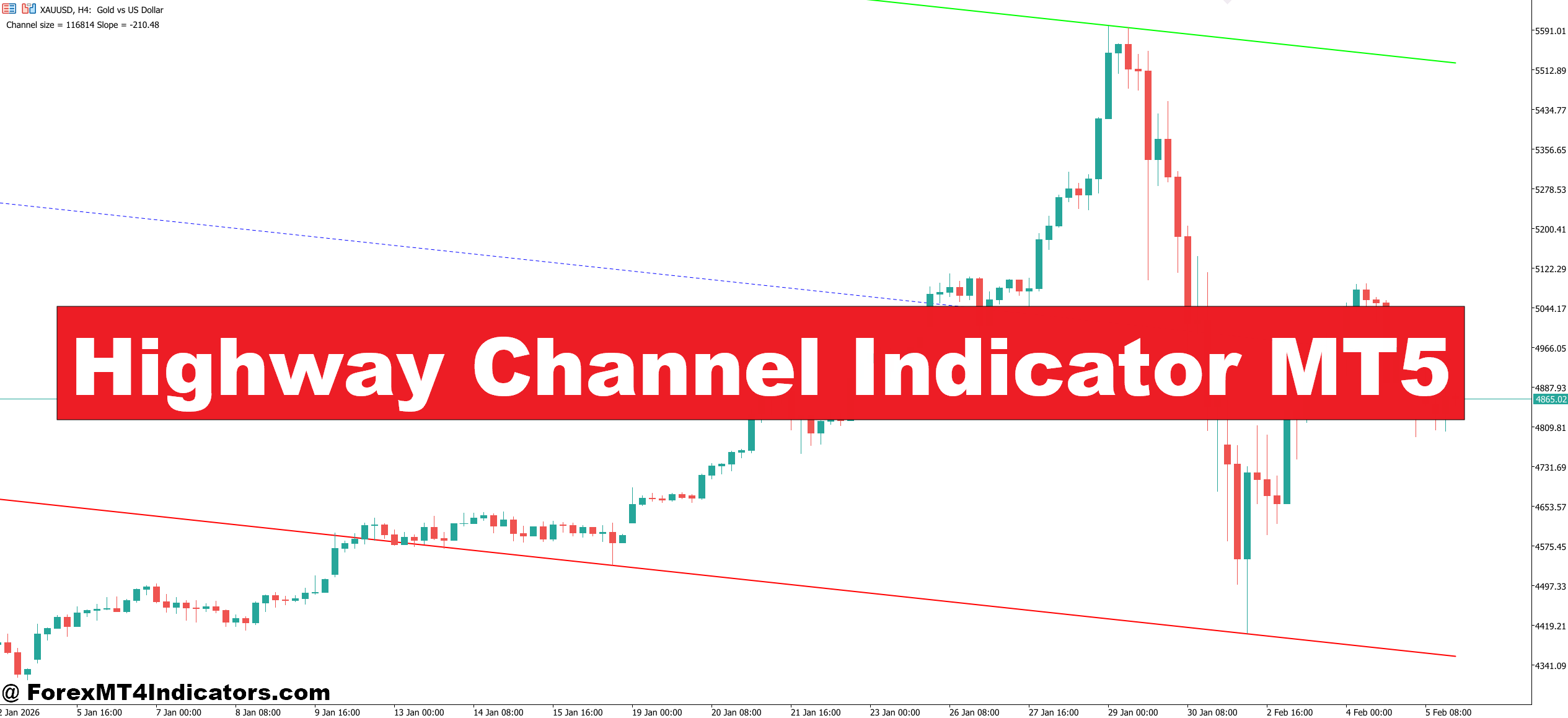
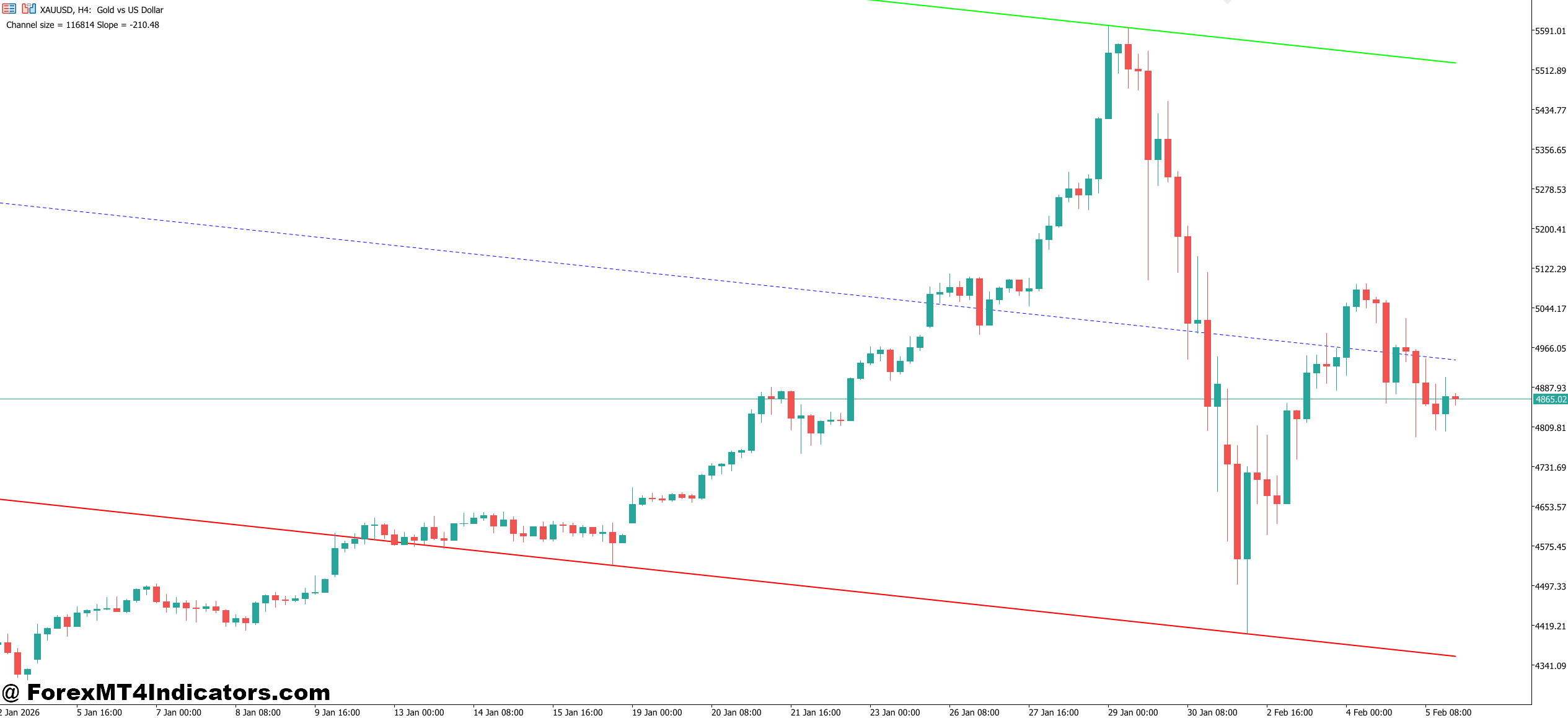
The Highway Channel Indicator is a trend-following technical analysis tool designed for MetaTrader 5. It draws two boundary lines — an upper band and a lower band — that form a channel around price action. Think of it as a highway with guardrails. When price stays between the lines, the trend is intact. When it breaks through, something meaningful might be happening.
Unlike static support and resistance lines that traders draw manually, this indicator recalculates its channel boundaries in real time based on recent price data. Most versions use a combination of moving average logic and volatility-based calculations (similar in spirit to Bollinger Bands or Keltner Channels, but with a different smoothing approach). The result is a channel that expands during high-volatility conditions and contracts when the market quiets down.
One key distinction: the Highway Channel typically uses a median line running through the center. This midline acts as a directional filter. When price is trading above it, bullish momentum tends to dominate. Below it, bears are in control. That three-line structure — upper boundary, midline, lower boundary — gives traders more decision points than a simple moving average crossover ever could.
How Traders Actually Use It
Trend Confirmation and Ride-the-Channel Trades
The most straightforward application is trend following. When EUR/USD is trending higher on a 1-hour chart, for instance, price will often pull back to the channel’s midline or lower boundary before resuming upward. Experienced traders treat those pullbacks as buying opportunities rather than signs of reversal.
Here’s a specific example: during a recent NFP week, GBP/USD established a clear upward-sloping highway channel on the 4-hour timeframe. Price touched the lower channel boundary three times over four trading days, and each touch produced a bounce of 40-60 pips. Traders who bought at the lower band with stops just below it captured solid risk-to-reward entries — often 1:2 or better.
But the channel isn’t just for entries. It also helps with exits. When price reaches the upper boundary and starts showing rejection wicks or bearish engulfing candles, that’s a signal to tighten stops or take partial profits.
Breakout Trades
The other popular approach involves trading breakouts from the channel. When price closes convincingly outside the upper or lower boundary — especially on increased volume or during a news catalyst — it often signals the start of a new impulse move.
A word of caution here: false breakouts (fake-outs) are common, particularly during the Asian session or around minor news events. Smart traders wait for a candle close outside the channel, not just a wick. Some add a filter like the 14-period RSI to confirm momentum before committing to a breakout trade.
Highway Channel Indicator MT5 Settings
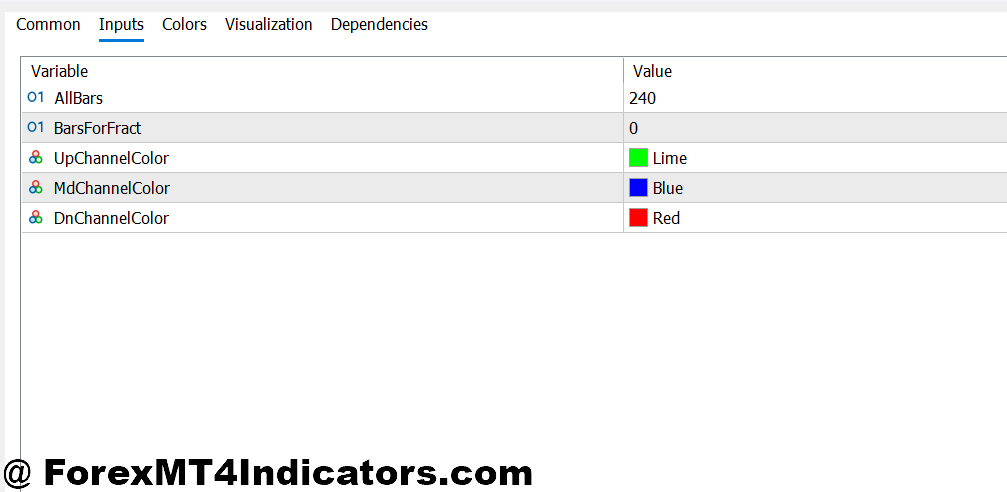
Most versions of the Highway Channel Indicator MT5 offer adjustable parameters. The two most important settings are the channel period (which controls how many bars the calculation looks back) and the channel width multiplier (which determines how far the bands sit from the median line).
Shorter periods (10-20) make the channel more responsive. This suits scalpers working on 5-minute or 15-minute charts who need quick signals. The trade-off is more noise and more false signals during choppy, range-bound markets.
Longer periods (30-50) smooth out the channel and work better for swing traders on 4-hour or daily charts. The signals come less frequently, but they tend to be higher quality. On USD/JPY daily charts, a 40-period setting has historically done a good job of capturing multi-week trends without too many whipsaws.
For currency pairs with naturally higher volatility — like GBP/JPY or XAU/USD — widening the channel multiplier helps prevent premature stop-outs. On calmer pairs like EUR/CHF, a tighter setting keeps the channel relevant.
Strengths and Honest Limitations
The Highway Channel Indicator MT5 does several things well. It provides clean visual structure, adapts to changing volatility, and works across multiple timeframes and asset classes. When combined with candlestick patterns or momentum oscillators, it becomes a genuinely useful part of a trading system.
That said, no indicator works in isolation. The Highway Channel struggles during extended sideways chop — those consolidation phases where price bounces randomly between narrow boundaries. During these periods, the channel lines flatten out and produce conflicting signals. Traders who rely solely on the channel without reading the broader market context will get chopped up.
It also lags, as any indicator based on historical price data will. By the time the channel confirms a new trend direction, the first chunk of the move has already happened. This isn’t a flaw unique to this tool — it applies to every trend-following indicator from simple moving averages to Ichimoku clouds.
How Does It Compare?
Compared to Bollinger Bands, the Highway Channel tends to produce smoother boundaries with fewer erratic expansions during single-candle spikes. Against Keltner Channels, the difference often comes down to the underlying calculation — ATR-based versus the Highway Channel’s own smoothing formula. Neither is objectively better. The right choice depends on personal preference and how each tool fits within a trader’s existing system.
How to Trade with Highway Channel Indicator MT5
Buy Entry
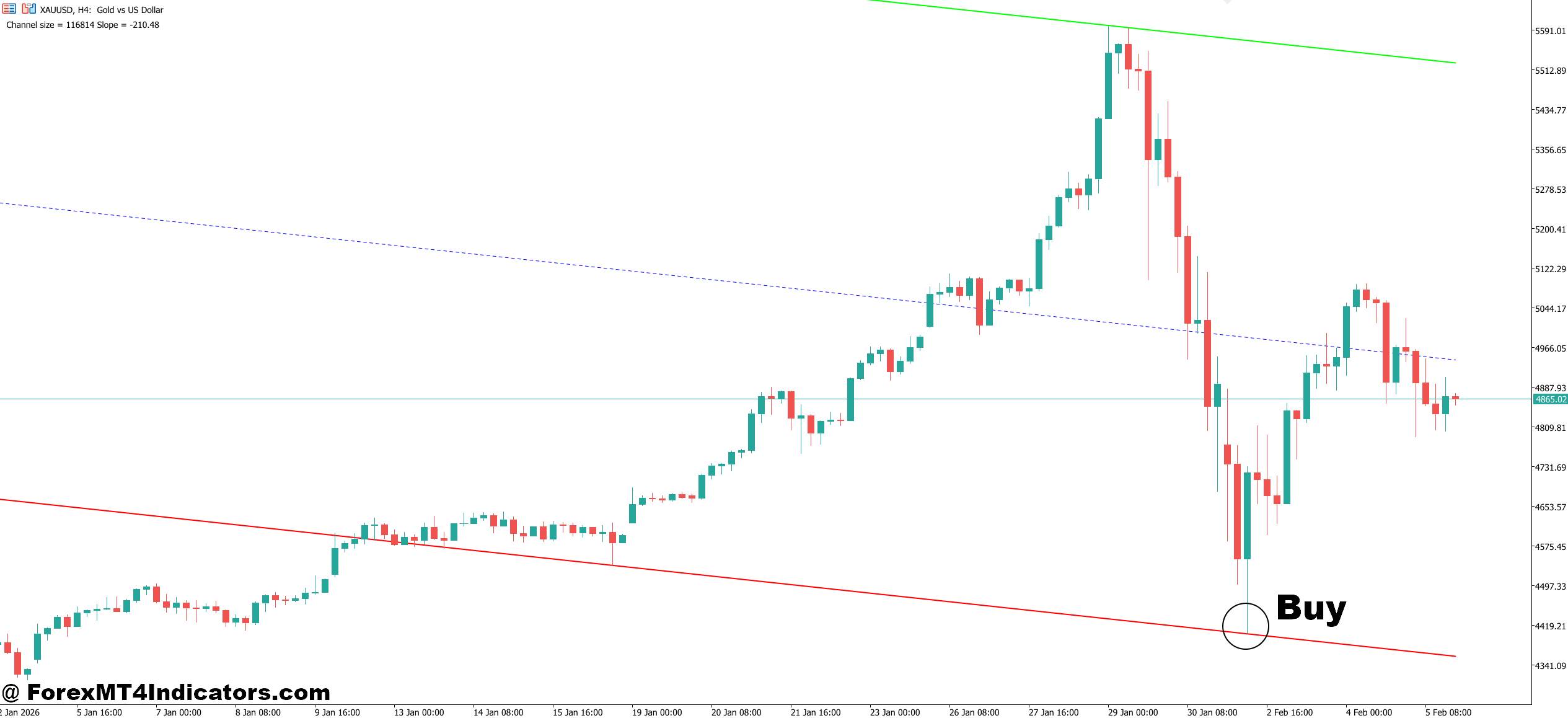
- Wait for price to touch the lower channel boundary – A bounce off the lower band on EUR/USD (1-hour or 4-hour chart) signals a potential long entry. Don’t jump in on the first touch; wait for a bullish confirmation candle to close above the band.
- Confirm the channel slope is rising – Only take buy signals when both channel lines are angled upward. A flat or declining channel means the trend isn’t supporting longs, and you’re fighting the current.
- Look for bullish rejection wicks at the midline – When price pulls back to the center line and prints a pin bar or hammer with a 10–15 pip wick below it, that’s a high-probability re-entry point during an active uptrend.
- Use RSI (14-period) as a momentum filter – Enter long only when RSI is between 40 and 60 on the pullback. If RSI is already above 70, the move may be overextended and you risk buying the top of the channel.
- Set stop-loss 5–10 pips below the lower channel band – Placing stops just outside the channel gives your trade room to breathe without exposing you to excessive risk. On GBP/USD 4-hour charts, this typically means a 25–40 pip stop.
- Target the upper channel boundary for take-profit – Measure the distance from entry to the upper band and aim for at least a 1:2 risk-to-reward ratio. If the channel is only 30 pips wide, the trade may not be worth the spread and commissions.
- Avoid buying during major news releases – Skip buy setups 30 minutes before and after NFP, CPI, or central bank decisions. The channel bands lose reliability when volatility spikes unpredictably, and whipsaws can trigger stops instantly.
- Check the daily chart for trend alignment – A buy signal on the 1-hour chart carries more weight when the daily Highway Channel is also sloping upward. Trading against the higher timeframe trend drops your win rate significantly.
Sell Entry
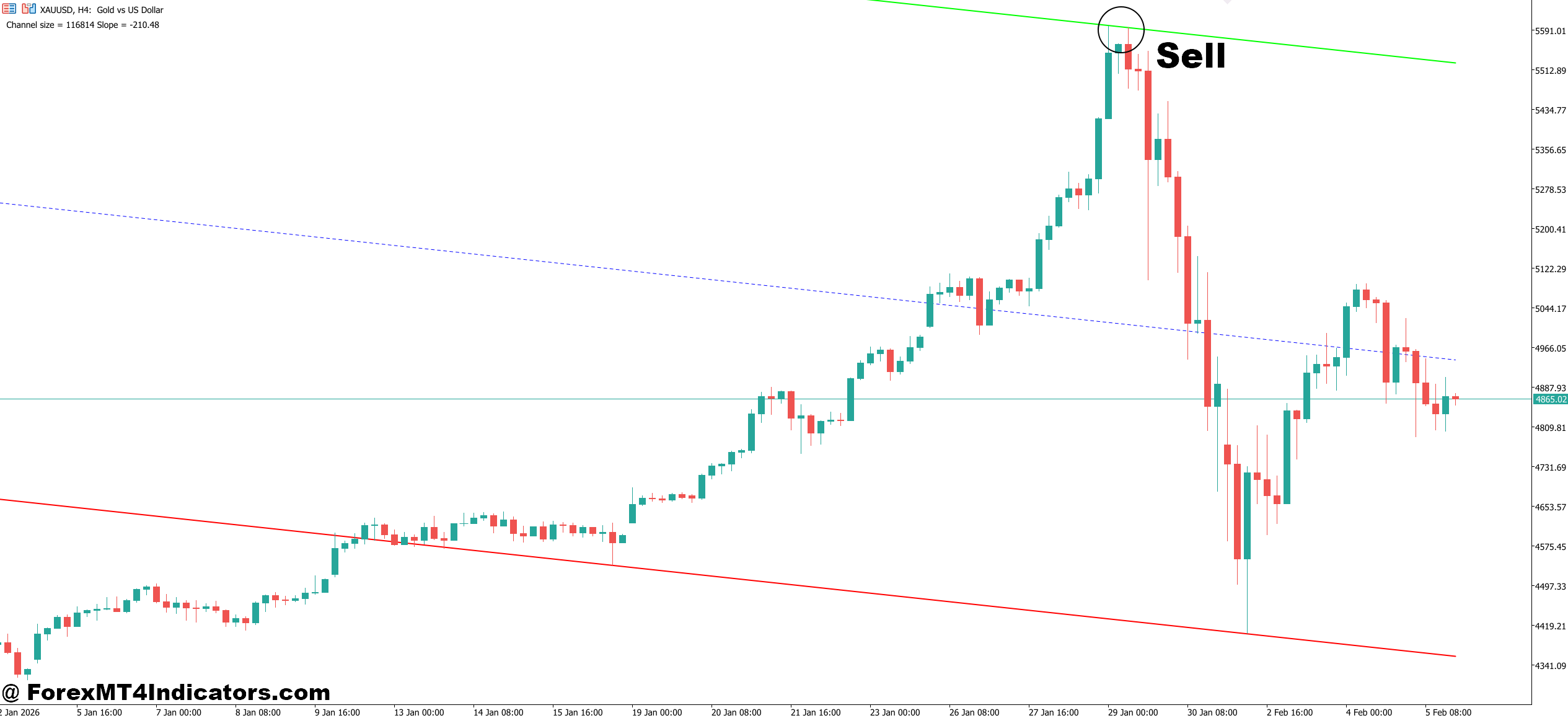
- Enter short when price rejects the upper channel boundary – A bearish engulfing candle or shooting star at the upper band on GBP/USD (1-hour chart) gives a clear short entry. The stronger the rejection wick, the better the setup.
- Confirm the channel slope is falling – Sell signals work best when the Highway Channel is angled downward on your trading timeframe. A flat channel means range conditions, and breakout fakeouts become more common.
- Watch for midline failures on the retest – When price rallies back to the center line in a downtrend but can’t close above it, that failed retest is a reliable short entry. This pattern shows sellers are still in control.
- Use MACD histogram as a sell confirmation – Enter short when the MACD histogram prints a lower bar after crossing below the signal line. This adds a momentum layer that filters out weak setups, especially on the 4-hour EUR/USD chart.
- Place stop-loss 5–10 pips above the upper channel band – Keep stops tight but outside the channel to avoid getting clipped by normal volatility. On daily charts for pairs like USD/JPY, this may mean a 40–60 pip stop.
- Take profit at the lower channel boundary – Measure the full channel width from your entry and aim for the lower band. If the channel width gives you less than a 1:1.5 risk-to-reward, skip the trade entirely.
- Don’t sell into strong support zones – If the lower channel band aligns with a major daily support level, weekly pivot, or round number like 1.2500, expect a bounce. That congestion makes clean sell entries unreliable and increases the chance of a reversal.
- Avoid shorting when the channel is contracting sharply – A rapidly narrowing channel means volatility is drying up and a breakout is likely. Selling into a squeeze often results in getting stopped out when the expansion move fires off in the opposite direction.
Putting It All Together
The Highway Channel Indicator MT5 offers a structured, visual approach to trend identification and trade management. It excels at defining channel boundaries that adapt to market volatility, provides clear entry and exit zones when price respects the channel, and works well as a confirmation layer alongside momentum tools like RSI or MACD.
It won’t predict the future, and it won’t save a trader from poor risk management. The real value comes from using it as one piece of a broader strategy — combining the channel’s structure with solid price action reading and disciplined position sizing. Traders who test it thoroughly on demo accounts across different market conditions before committing real capital will get the most out of it.
Level up your trading Learn to read the chart — not just the indicator eBook · Instant PDF Video Course · 12 modules Trading forex and CFDs carries a significant risk of loss and is not suitable for everyone. Broker links are affiliate links — we may earn a commission at no cost to you.Recommended MT4/MT5 Brokers
Free MT4 Indicator Download

Enter Your Email Address below, download link will be sent to you.