

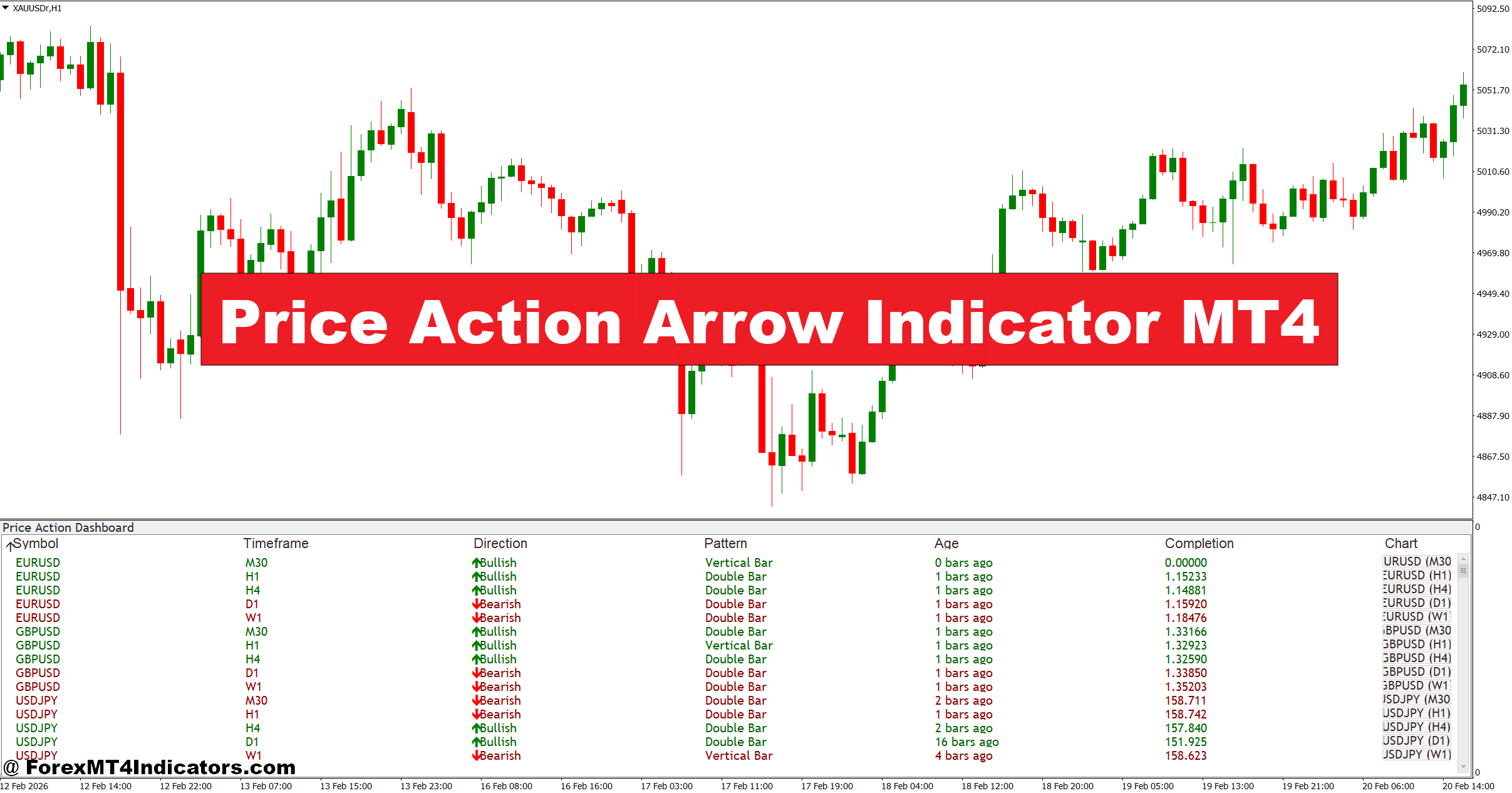
The Price Action Arrow Indicator MT4 is a technical analysis tool designed to mark potential buy and sell signals directly on a price chart. It places up arrows for bullish signals and down arrows for bearish signals, helping traders spot possible trade entries without scanning every candle manually.
Unlike oscillators such as the MetaTrader 4 built-in RSI or MACD, this indicator focuses primarily on price behavior itself. It analyzes recent candlestick patterns, short-term momentum shifts, and local support or resistance levels.
Most versions of the indicator rely on conditions such as:
- A strong bullish candle breaking above previous highs
- A bearish rejection near resistance
- Momentum shifts after small pullbacks
- Confirmation from recent candle structure
For example, when testing this indicator on GBP/USD on the 15-minute chart, arrows often appeared after a small consolidation followed by a strong breakout candle. That signal typically suggested momentum continuation rather than a random entry.
The idea is simple: highlight moments where price action suggests that buyers or sellers are gaining control.
How the Indicator Works Behind the Scenes
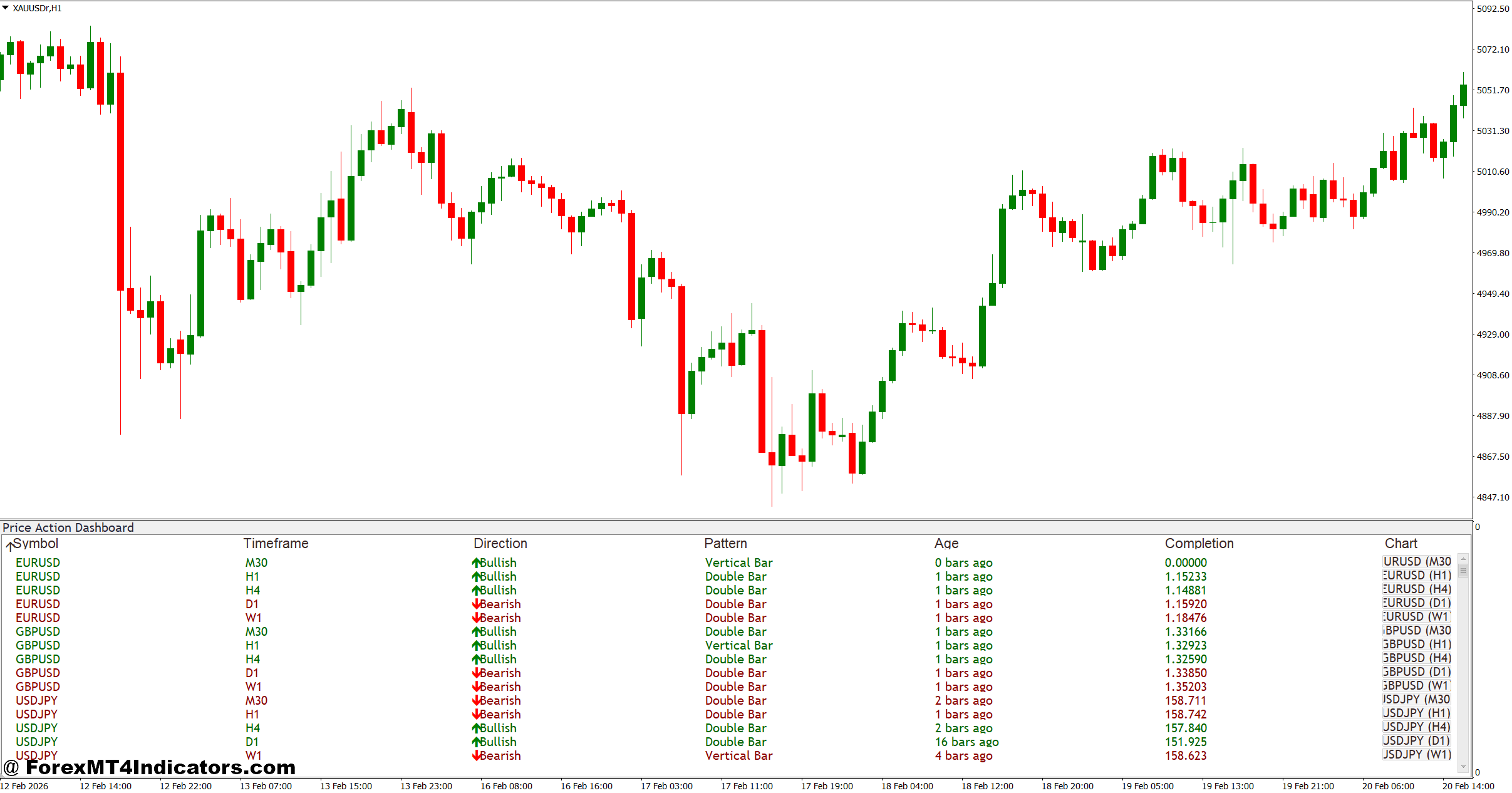
Many arrow indicators rely on a mix of candlestick pattern recognition and short-term trend filters. While the exact formula depends on the developer, the common logic usually includes three elements.
1. Candle Strength Detection
The indicator analyzes candle bodies and wicks to determine momentum. For instance:
- A bullish candle closing near its high may signal buyer strength.
- A long upper wick near resistance can indicate rejection.
If the candle meets specific strength conditions, the algorithm prepares a potential signal.
2. Recent High and Low Analysis
Price structure also matters. The indicator typically compares the current candle with several previous candles.
Example logic:
- If the current candle breaks above the highest high of the last 5 candles, a bullish arrow may appear.
- If price drops below the lowest low of the last 5 candles, a bearish arrow might trigger.
This approach attempts to capture micro breakouts in market structure.
3. Noise Filtering
Markets often move sideways. Good arrow indicators add filters to avoid signals during choppy conditions.
These filters might include:
- Minimum candle range (for example, 10–15 pips on major pairs)
- Trend direction confirmation
- ATR-based volatility thresholds
Without these filters, arrows would appear too frequently and create many false signals.
Practical Trading Applications
The real question traders ask is simple: When should they actually take the trade?
The indicator works best when combined with basic price structure concepts.
Trend Continuation Entries
One of the most reliable uses is trading in the direction of a clear trend.
Example:
- Pair: EUR/USD
- Timeframe: 1-hour chart
- Market condition: Uptrend
Price pulls back toward a rising support zone. After two small bearish candles, a strong bullish candle forms and the indicator prints an up arrow.
In practice, traders often enter 2–3 pips above the signal candle high. A stop loss may sit 15–20 pips below the recent swing low.
This type of setup focuses on continuation rather than guessing reversals.
Reversal Signals at Key Levels
The indicator can also help identify turning points.
Example:
- Pair: USD/JPY
- Timeframe: 30-minute chart
Price reaches a daily resistance level and forms a rejection candle with a long upper wick. Shortly after, the indicator prints a down arrow.
Some traders wait for confirmation from the next candle close before entering. That extra step helps avoid false reversals.
Volatile News Sessions
When testing the tool during NFP releases, arrows appeared frequently due to sudden volatility. But signals were unreliable during the first few minutes of the release.
Experienced traders usually avoid trading arrow signals during major economic announcements until the market stabilizes.
Price Action Arrow MT4 Indicator Settings and Customization
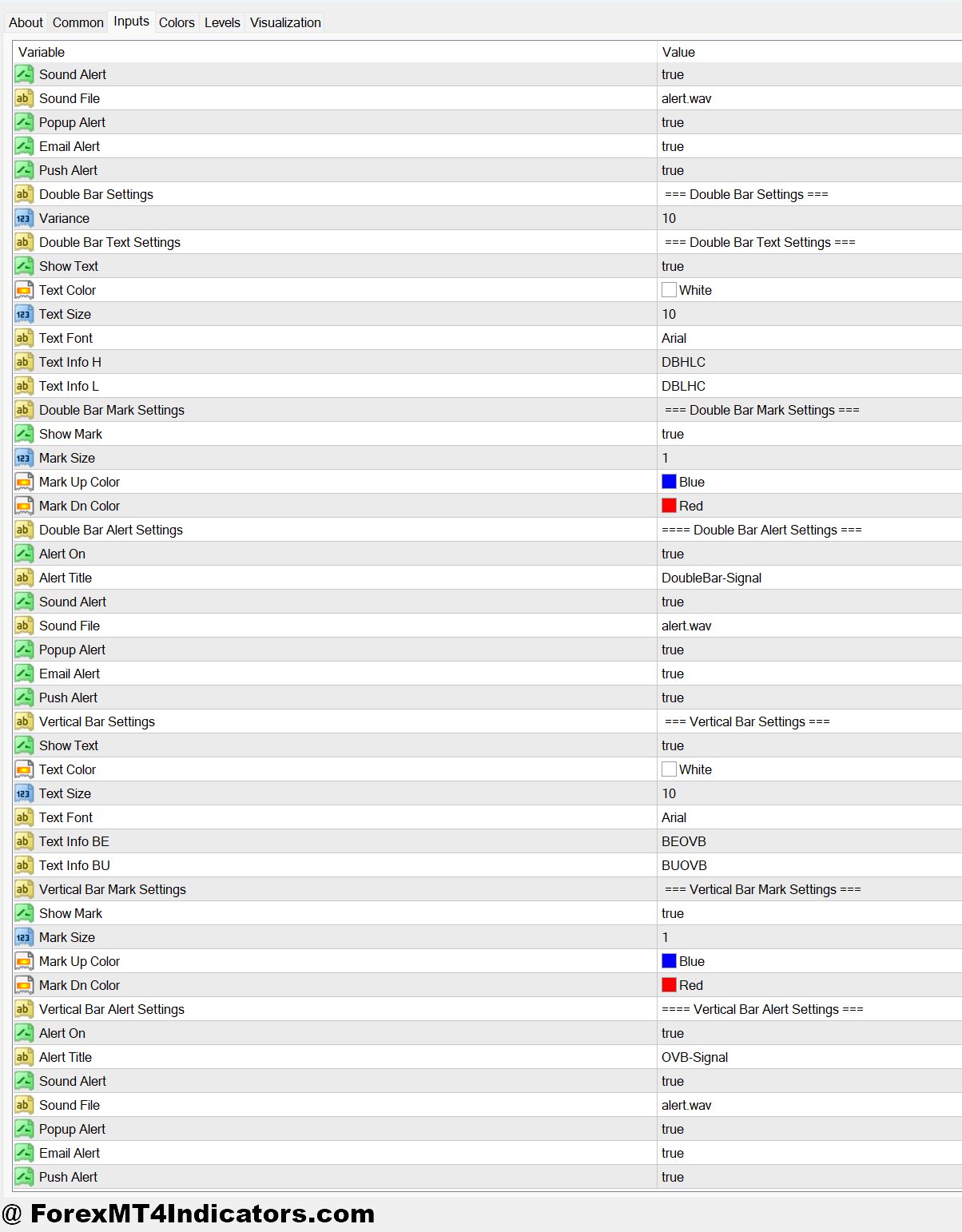
Most versions of the Price Action Arrow Indicator MT4 include adjustable parameters. Tweaking these can improve performance depending on the trading style.
Common settings include:
Signal Sensitivity
Lower values create more arrows but increase noise. Higher values reduce signals but improve quality.
Many traders start with a lookback period of 5–10 candles.
Timeframe Compatibility
- Scalpers often use M5 or M15 charts
- Intraday traders prefer M30 or H1
- Swing traders may test H4 charts
The indicator tends to perform better on higher timeframes because price patterns become more reliable.
Alert Options
Some versions include:
- Popup alerts
- Email notifications
- Sound alerts
These features help traders monitor several pairs without watching charts constantly.
Advantages and Limitations
Every trading tool has strengths and weaknesses. The Price Action Arrow Indicator MT4 is no exception.
Advantages
- Visual clarity: Arrows make it easy to spot potential entries without complex analysis.
- Faster decision making: Traders can react quickly when signals appear during active sessions like London or New York.
- Works with price structure: Unlike many indicators, this tool focuses directly on candle behavior.
Limitations
- False signals in ranging markets: Sideways conditions often produce whipsaws.
- Lagging behavior: Even though the indicator uses price action, signals appear after a candle closes, not before.
- Needs confirmation: Relying only on arrows can lead to poor trades. Combining signals with support and resistance analysis improves results significantly.
Trading forex carries substantial risk. No indicator guarantees profits, and traders should always manage risk carefully.
Comparison With Similar Arrow Indicators
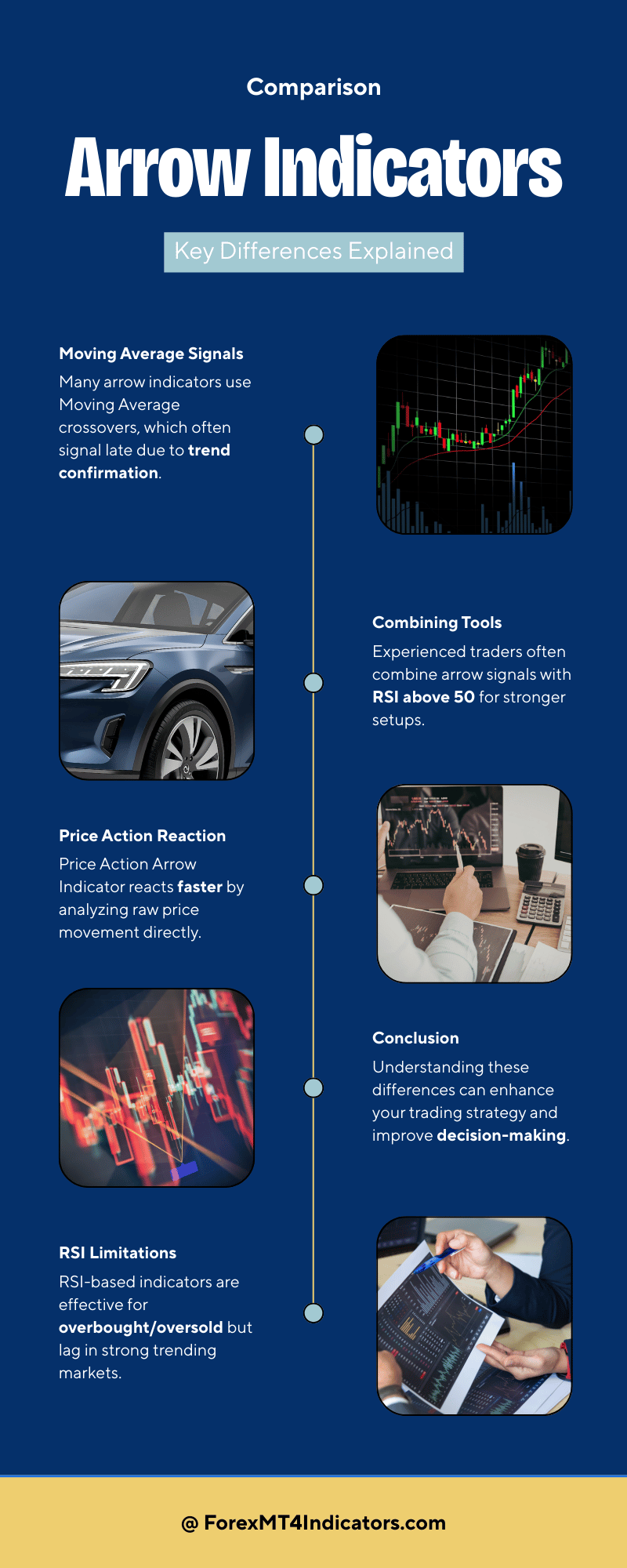
Many traders compare this tool with common signal indicators available on MetaTrader platforms.
For example, some arrow indicators depend heavily on the Moving Average crossover logic. These signals often appear late because they wait for trend confirmation.
The Price Action Arrow Indicator MT4 tends to react faster since it analyzes raw price movement rather than averaging data.
Another comparison involves indicators based on the Relative Strength Index. RSI signals work well for overbought and oversold conditions but can remain extreme during strong trends. Arrow signals based on price patterns may capture continuation trades earlier.
That said, many experienced traders combine tools. For instance, an arrow signal aligned with RSI above 50 in an uptrend often produces stronger setups.
How to Trade with Price Action Arrow Indicator MT4
Buy Entry
- Wait for a bullish arrow after a pullback – When the indicator prints an upward arrow on the EUR/USD 1-hour chart after a small retracement in an uptrend, consider entering 3–5 pips above the signal candle high. This often indicates buyers stepping back into the trend.
- Confirm the signal near support – If a buy arrow appears close to a recent support zone or previous swing low, it strengthens the setup. For example, on GBP/USD H1, place a 15–20 pip stop loss below support to control risk.
- Trade strong momentum candles – Enter only if the arrow appears on a bullish candle with at least a 10–15 pip body. Small candles usually mean weak momentum and can lead to false signals.
- Use higher timeframe confirmation – Check the 4-hour trend direction before entering. If the H4 chart shows higher highs and higher lows, a buy arrow on the 1-hour chart has a better probability.
- Enter after a breakout arrow – When price breaks a recent resistance level by 8–12 pips and the indicator prints a buy arrow, it often signals a continuation move. A typical target could be 20–40 pips on major pairs.
- Avoid signals during tight ranges – If price is moving inside a 10–15 pip sideways range, ignore buy arrows. Ranging markets often create whipsaw signals.
- Add basic risk control – Risk no more than 1–2% of account balance per trade. Even strong arrow signals can fail during sudden volatility.
- Watch session timing – Buy arrows during the London or early New York session tend to perform better on pairs like EUR/USD because liquidity and momentum are stronger.
Sell Entry
- Take a bearish arrow after trend pullback – In a downtrend on GBP/USD 1-hour chart, wait for a pullback toward resistance and enter 3–5 pips below the signal candle low once a sell arrow appears.
- Confirm the arrow near resistance – A bearish arrow that forms near a previous resistance level or supply zone increases the probability of a move lower. A common stop placement is 15–25 pips above the swing high.
- Look for strong bearish candles – The best sell signals appear when the arrow forms on a candle with a 12–20 pip bearish body, showing clear selling pressure.
- Use higher timeframe trend direction – If the 4-hour chart of EUR/USD is trending down, sell arrows on the 1-hour timeframe often produce better continuation trades.
- Trade breakdown setups – When price drops below a recent support level by 8–10 pips and the indicator shows a sell arrow, it may signal a breakout continuation. Many traders aim for 25–50 pip targets on H1 setups.
- Avoid signals during major news events – Don’t take sell arrows right before releases like NFP or CPI. Volatility can create quick reversals and stop losses.
- Skip weak signals in choppy markets – If the chart shows alternating bullish and bearish candles within a 20-pip range, ignore sell arrows until a clear trend forms.
- Protect profits with trailing stops – Once the trade moves 20–30 pips in profit, consider trailing the stop 10–15 pips above price to lock in gains while allowing the trend to continue.
Conclusion
The Price Action Arrow Indicator MT4 offers a simple way to highlight potential trade entries directly on the chart. For traders who rely on price structure, it can act as a helpful visual assistant rather than a decision maker.
In practice, its value comes from how it’s used. Traders often notice that signals work best during trending markets, confirmation from support or resistance improves accuracy, and higher timeframes reduce noise and fake signals.
Still, it isn’t a standalone system. Smart traders combine it with risk management, market context, and patience. A good next step is testing the indicator on a demo account, reviewing at least 50–100 signals, and learning how it behaves across different currency pairs. Over time, patterns begin to stand out, and that’s where real confidence develops.
Level up your trading Learn to read the chart — not just the indicator eBook · Instant PDF Video Course · 12 modules Trading forex and CFDs carries a significant risk of loss and is not suitable for everyone. Broker links are affiliate links — we may earn a commission at no cost to you.Recommended MT4/MT5 Brokers
Free MT4 Indicator Download

Enter Your Email Address below, download link will be sent to you.