

What is confirmed, and what still needs checking?
TradingView announced a UK FXOpen integration in December 2022 and later documented mobile integration in June 2024. FXOpen’s TradingView FAQ remains accessible, and TradingView’s current Level 2 data guide still lists FXOpen. Those are useful references, but they answer different questions from current onboarding eligibility.
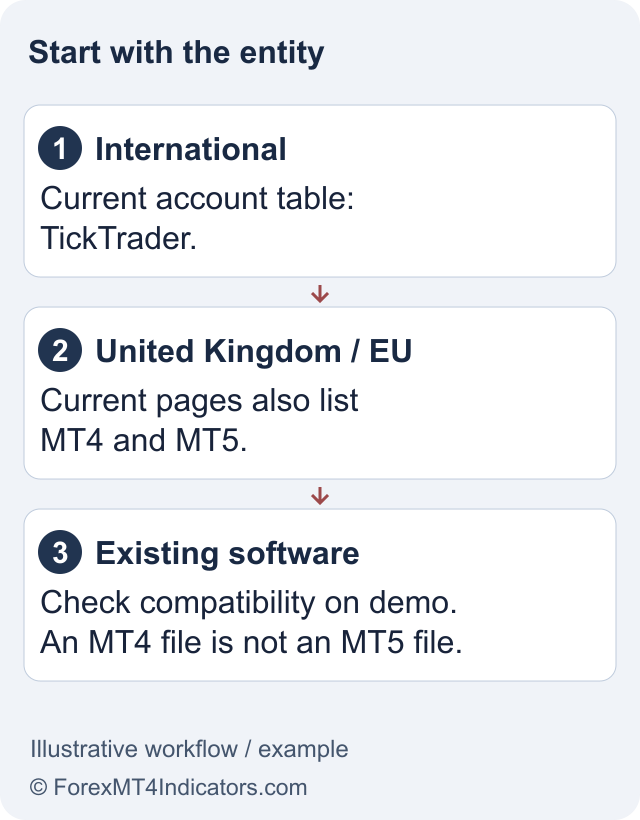
The current FXOpen platform navigation and account tables do not settle whether a new account under every entity can connect. This guide therefore does not describe a tested live connection or declare that TradingView has closed the integration. Begin with the FXOpen review to identify the company and current account offering.
Ask the entity directly whether it supports TradingView for your residence, account type and live or demo status. Request the account-creation and credential instructions for that route. A general answer that FXOpen supports TickTrader is not the same as confirmation of TradingView access.
Use a conditional connection check
If your entity confirms eligibility, use the current TradingView Trading Panel to locate the FXOpen broker connection. Follow the official connection flow rather than typing credentials into a broker-themed page sent through a message. Stop if the expected broker entry is absent or the account type is unsupported.
- Identify the FXOpen legal entity and eligible trading account.
- Check whether FXOpen appears in the current TradingView broker connection interface available to you.
- Follow the entity’s current instructions for the required account and authentication.
- After connecting, verify the account number, demo or live status, available symbols and trading permissions.
- Practise a suitable demo workflow before relying on the integration for live position management.
These are verification steps for the reader, not a claim that we completed them. The FXOpen login guide can help separate an account-password problem from a missing broker integration. Repeated password resets will not fix an unsupported entity or account type.
A chart symbol is not necessarily a tradable broker instrument
TradingView can display analysis for many data sources. Before placing an order through a connected broker, confirm that the instrument belongs to that account’s tradable list. Do not assume that a chart selected for analysis has the same contract, trading hours or available order types as the broker instrument.
Record the order size units, account currency and stop behaviour shown by the connection. The risk-reward calculator can help compare a hypothetical stop and target, but it does not check whether the broker supports that symbol or guarantee a fill at either level.
Paper Trading, historical chart analysis and a connected broker account serve different purposes. A simulated order or a Pine strategy result is not evidence of a live FXOpen execution. Likewise, an alert should not be assumed to place a broker order automatically without a separately verified, authorized implementation.
Where do deposits, withdrawals and charges belong?
The FXOpen TradingView FAQ places funding and withdrawals with the broker and describes integration access separately from normal trading charges. Use the deposit guide and withdrawal guide to check the account’s payment route. A TradingView subscription does not replace broker verification or payment requirements.
Check costs in two places. Your TradingView plan can have its own features and subscription price; the FXOpen account has spread, commission, overnight and other applicable charges. Neither an integration label nor a free chart account establishes that a trade has zero cost.
Do not deposit solely to unlock an assumed connection. Confirm the account route first, then review current terms for funding, conversion and withdrawals. If the integration cannot be confirmed, the TickTrader guide explains the directly documented terminal option without assuming that it reproduces every TradingView feature.
When the connection is missing or an order is rejected
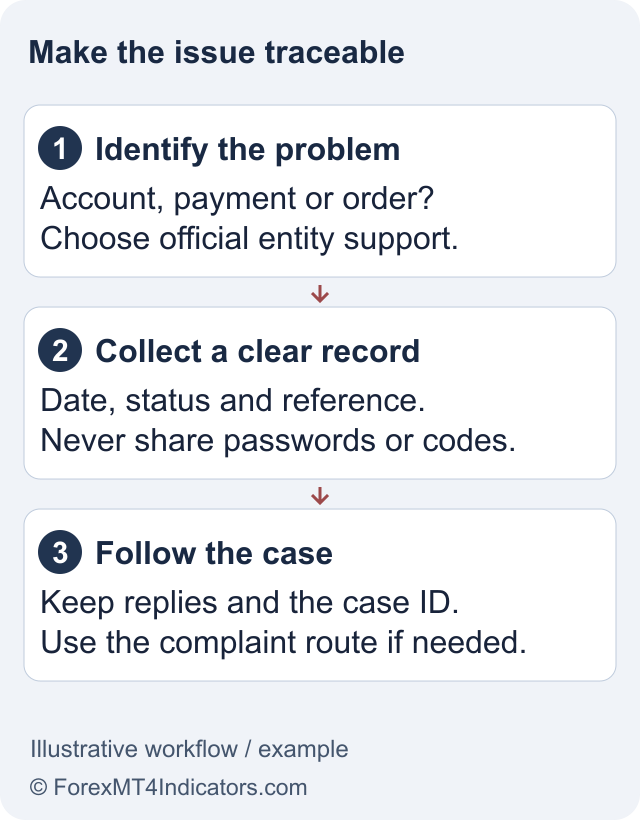
Use the failed step to narrow the issue. A missing broker entry is an availability question. A rejected login is an authentication or account-compatibility question. A successful connection followed by an order error is a trading-permission, symbol or order-parameter question. Each needs different evidence.
For official support, collect the entity, account type, device, error text and approximate time. If an order was submitted, retain its broker order ID and compare the broker account record before trying again. Repeated submissions can make it harder to tell whether the original instruction was accepted.
If a live position needs attention, use an already-authorized broker access route and official support. Avoid installing an unfamiliar bridge in response to an urgent error. CFDs involve leveraged loss risk, and a charting interface cannot remove that risk or promise uninterrupted access.
Frequently asked questions
Is FXOpen on TradingView now?
There are official integration announcements and accessible current support references. They do not establish new-account access for every entity. Check the current TradingView broker entry and obtain confirmation for your exact FXOpen account before depositing specifically to use the connection.
Does every TickTrader account work with TradingView?
That was not established by the reviewed public sources. TickTrader availability and TradingView account compatibility are separate checks. Ask the legal entity holding your account which account type and authentication route it currently supports for TradingView.
Can I withdraw money through TradingView?
FXOpen’s FAQ directs funding and withdrawals to the broker. Use the official FXOpen portal and the method available to your verified account. Broker processing, payment fees and bank arrival are separate from the TradingView charting or subscription service.
Why is FXOpen missing from my Trading Panel?
The cause cannot be identified from a missing entry alone. Current availability, region and account eligibility need checking. Do not treat an old launch article as a workaround; confirm support with FXOpen and TradingView before creating another account or funding one.
Does a TradingView strategy test prove FXOpen execution quality?
No. A historical strategy result or Paper Trading order is not a live broker fill. It does not establish current spread, slippage, order acceptance or withdrawal performance. Evaluate account compatibility and live trading conditions separately from chart analysis.
Sources and review scope
Checked 11 September 2026. This guide uses public official documents and platform instructions. It does not report a funded account, trade, withdrawal or live connectivity test. Account eligibility and the agreement for your legal entity take priority over general product pages.
Official broker websites
Read the current terms and restrictions for your actual residence. These links do not establish that a broker or service is available or authorised where you live.
Forex and CFD trading carries a significant risk of loss and is not suitable for everyone. These are affiliate links; we may earn a commission if you use them.