Last updated:
Last updated: November 18, 2026 · By: Tim Morris
An AI expert advisor (EA) is a MetaTrader trading robot whose decisions come from a trained machine-learning model instead of fixed rules. On MT5 the model can run live and be backtested through ONNX; MT4 has no native ONNX support. AI cannot create an edge a strategy lacks, and an AI that can place trades is not a tested system.
What does an AI expert advisor actually mean?
When a seller says “AI EA”, they almost never mean one specific thing. Pulling the cases apart clears up most of the confusion.
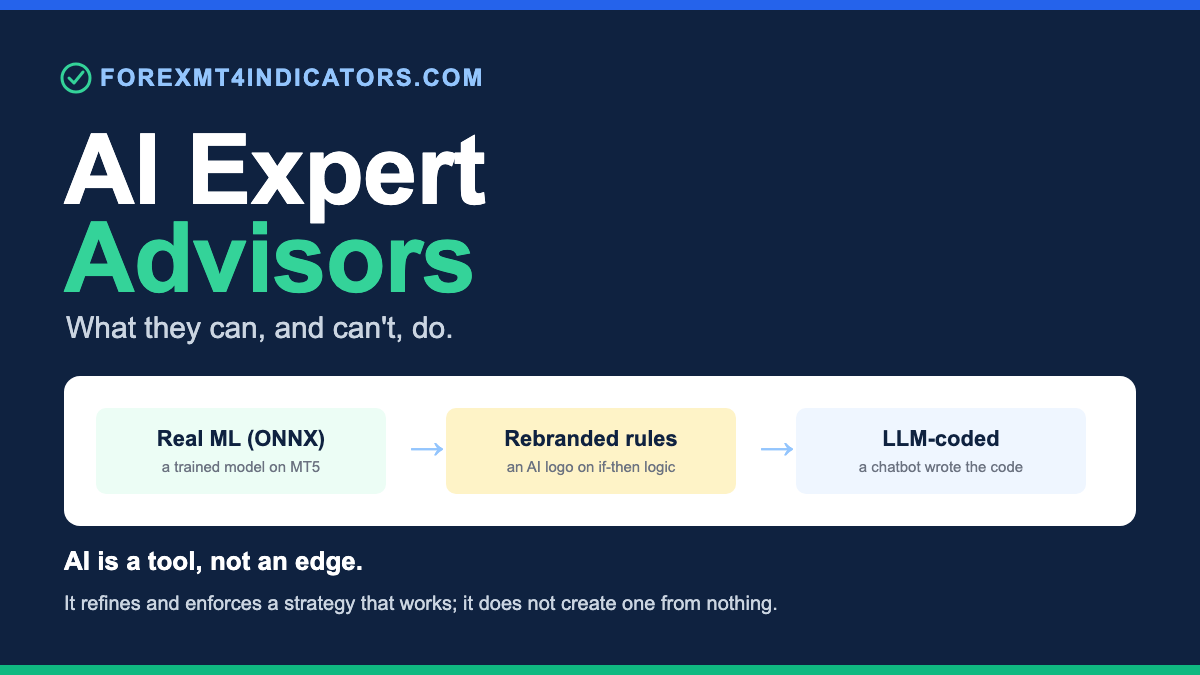
The first case is a real machine-learning EA. A model such as a neural network or gradient-boosted trees is trained offline on historical data, and its trained weights then drive live decisions.
The second case is a rule-based EA wearing an AI badge. The logic is a normal set of if-then conditions (moving-average crosses, RSI thresholds, grid rules), and nothing in it learns anything. The “AI” is on the sales page, not in the code.
The third case is an EA whose code was written with help from a chatbot. MQL is MetaTrader’s programming language (MQL4 for MT4, MQL5 for MT5), and an LLM (large language model, the technology behind chatbots such as ChatGPT) can help write it. The finished robot still runs plain rules, and the model that helped type the code is not inside it.
A fourth thing, which is not an EA at all, arrived with MetaTrader 5 build 6060 (23 July 2026): the terminal’s built-in AI Assistant, which can place trades itself if you allow it.
| Type | Where the AI runs | Testable in the MT5 Strategy Tester? | Runs on MT4? | How to check |
|---|---|---|---|---|
| Machine-learning EA | Inside the EA, as an ONNX model | Yes, the same model runs on history | No native ONNX support | Ask what it trained on, over what period |
| Rule-based EA branded “AI” | Nowhere: plain if-then rules | Yes, as ordinary rules | Yes | Ask what the model is and how it learned |
| EA written with a chatbot | In the chatbot, only while coding | Yes, it is plain rules | Yes, if written in MQL4 | Compile it and read it against your rules |
| MT5 AI Assistant trading | A language model connected to the terminal | No, its calls cannot be replayed | No built-in equivalent | Check the AI Assistant’s Trading setting |
These get blended on purpose, because “we trained a neural network” sells better than “we wrote some rules with a chatbot”. Knowing which one you are looking at is the whole game. For the wider question of whether to hand trading to any robot, see forex robots vs manual trading.
What AI can genuinely do in an EA today
Machine learning is not snake oil, and dismissing all of it would be as dishonest as the hype.
On MT5, a trained model can run live and be tested. You train in Python with scikit-learn, TensorFlow or PyTorch, export the model to ONNX and load that file inside the EA, so the model that trades is the one you backtest in the MT5 Strategy Tester.
A model can act as a pattern recogniser on features you choose (candle shape, volatility bands, spread). It outputs a probability rather than a hard yes or no, and that probability can gate a rule-based entry instead of replacing it.
Regime detection is another honest use. A classifier can label the current market as trending, ranging or high-volatility, and the EA can switch parameters or stand aside.
Execution discipline is where automation earns its keep, AI or not. An EA enforces rules 24 hours a day, five days a week, without fear or boredom, and sizes by formula every time. A clean example is a rule-based RSI EA, which applies one RSI rule the same way every time and holds one position at a time.
An LLM is a legitimate coding assistant too. It speeds up writing and debugging MQL, such as turning a regression-channel indicator for MT4 into cleaner code, and explains errors. It helps you build the EA; it does not sit inside it thinking.
Risk overlays round out the honest list. A model can scale position size, cut exposure when volatility spikes, or flatten before a known event. That smooths your risk curve; it does not, on its own, manufacture a winning edge.
What AI EAs cannot do
Overfitting is the number-one killer. FX has a low signal-to-noise ratio, so a flexible model easily memorises historical noise, looks brilliant on the backtest, and falls apart on new data. Regime change makes it worse: relationships learned in a calm trending stretch stop holding when volatility or correlation shifts.
There is no free edge. AI does not conjure an edge from a dataset that never contained one, and if your underlying idea has no advantage, a fancier model only fails with more confidence.
An LLM is not a tested trading system, even when it can trade. Since MetaTrader 5 build 6060 (23 July 2026), the terminal’s AI Assistant can run on a model from OpenAI, Anthropic or another provider and, if its Trading setting allows it, place, modify and close trades. Those decisions are not an EA, so they cannot be replayed in the Strategy Tester and may not repeat tomorrow, and MetaQuotes states that you alone are responsible for AI-assisted actions and trading results. Keep that setting on no trading, or on manual confirmation.
A developer can also have an EA call a hosted LLM over the internet through WebRequest, but those decisions cannot be meaningfully backtested: WebRequest is disabled in the Strategy Tester, and even a workaround would replay history the model may already have seen in training, with answers that change from run to run. Any pitch that says “ChatGPT analyses and trades your account” deserves hard questions about what is connected and how it was tested.
Costs are often left out of the test entirely: spread (the gap between the bid and ask prices), slippage, commission and swaps (overnight financing charges). That flatters every result.
Execution and latency erode thin edges. Fill delays and requotes (the broker offering a new price instead of filling yours) quietly eat the small statistical advantage a model might have.
Gold note. “AI” gold EAs are marketed heavily, and gold punishes an overfit model harder than a major pair: XAU/USD can swing tens of dollars per ounce in a session, and on a standard 100-ounce lot a $10 per ounce move is a $1,000 swing. The verified-track-record bar for a gold EA is higher, not lower.
The “AI” marketing claims to distrust
We have watched a lot of these pages, and the wording repeats.
| Marketing claim | What it usually means | What to ask for |
|---|---|---|
| “Powered by AI” or “neural network inside” | Ordinary rules, or a network that never learned anything | What the model is and what it trained on |
| “Uses ChatGPT to analyse the market and trade live” | Technically possible on MT5 since build 6060, which is why it proves nothing: no Strategy Tester history, no reproducibility | A verified live track record of that exact setup |
| “Guaranteed profits” or “100% win rate” | A story, not a strategy: no system wins every trade | Nothing; walk away |
| “Backtest: +40% in 30 days” | A curve fit or one cherry-picked month, usually before real costs | Out-of-sample results after spread, commission and swaps |
| “Adapts to any market condition” | It breaks on regime change, the condition that matters | Results across more than one market regime |
| “Verified on Myfxbook”, shown as a screenshot | Nothing: a screenshot is trivial to fake | A live link showing Track Record and Trading Privileges both verified |
| “Set and forget passive income” | No plan for retraining, monitoring or drawdowns | Who monitors it, and when the model is retrained |
| “AI finds hidden patterns so it cannot lose” | A pattern in noise mistaken for a durable edge | Evidence the pattern survives costs on unseen data |
Even a genuine verified account can mislead if it ran only through one favourable stretch. We reviewed one product carrying several of these tells in our Black Diamond EA review, where the “AI-powered” claim sat next to results we could not independently verify.
How to tell a real AI EA from a rebranded one
You do not need to read the source code. A short list of questions separates the genuine article from a sticker.
Ask whether there is an actual trained model. On MT5 that means an ONNX file the EA loads, and a seller who built one can describe what it was trained on, on how much data, and over what period. Vagueness here is the answer.
Ask for a real verified track record. Not a screenshot, a live link with the proper verified badges, ideally running long enough to have met more than one market regime.
Ask about forward testing and out-of-sample results. A serious builder holds back data the model never saw and shows how it performed there; if every number comes from the stretch the model was fitted on, treat it as a fitting exercise, not a result. Our walk-forward efficiency calculator compares the in-sample and out-of-sample results you enter.
Ask how it works on MT4. With no native ONNX runtime there, a real model must be hand-ported into MQL4 or run through a fragile bridge, and most MT4 “AI EAs” are rules branded as AI.
If the honest answer to all of that is “there is an AI logo and a countdown”, you have your answer.
Can ChatGPT write an expert advisor?
Yes, a chatbot such as ChatGPT can write MQL code that compiles, and that saves real time. Compiling is not the same as trading your rules, though, and that gap is where accounts get hurt. Treat every chatbot EA as a first draft from a fast junior programmer who has never placed a trade.
What a chatbot does well
- Boilerplate. Inputs, the OnInit and OnTick skeleton (OnTick is the function MetaTrader runs on every new price), indicator handles and a trade object look much the same in most EAs.
- Compiler errors. It explains them well, as long as you paste the exact error text, the line number and the code around it.
- Clear rules into code. “Buy when the 10 SMA crosses above the 50 SMA on a closed H1 bar, stop 20 pips, target 40 pips” can be coded; “buy in an uptrend” cannot. Our guide on how to create an expert advisor shows how to write numbered rules first.
Since MT5 build 6060, MetaEditor (the MT5 code editor) has its own AI Assistant that generates MQL5 programs, analyses code, detects errors and suggests fixes, and later builds added Strategy Tester tasks such as configuring optimisation. Even MetaQuotes’ example prompt in the build 6060 release note asks for a 500-point stop (50 pips on a 5-digit quote), so always say points or pips. The same review checklist below applies, because code that compiles still has to follow your rules.
A chatbot can only work from source code. A compiled .ex4 or .ex5 file gives it nothing to read, as the difference between EX4 and MQ4 files explains.
The mistakes that bite in MQL
Chatbots can make any of these mistakes, and several compile without complaint. Naming MT5 in the prompt helps against mixed MQL4 calls; it does not add a new-bar gate, a retcode check or a magic number.
Two terms first: a pip is 0.0001 on EUR/USD, while a point is the smallest price step (0.00001 on a 5-digit quote), so 1 pip = 10 points. Volume is in lots, and 1.00 lot is usually 100,000 units of the base currency on a forex pair.
| Chatbot mistake | What goes wrong live | Fix in code |
|---|---|---|
| MQL4 and MQL5 mixed together | It will not compile: in MQL5, iMA returns a handle, and OrderSend takes two structures, not MQL4’s 11 parameters | Create the handle once in OnInit and read it with CopyBuffer |
| Invented functions and constants | Names such as ORDER_FILLING_AUTO do not exist; the compiler catches those, but not a real function used the wrong way | Check every name in the MQL5 reference; here SetTypeFillingBySymbol picks the filling mode |
| No new-bar check | OnTick runs on every price change, so an entry rule can fire on every tick | A new-bar gate, reading closed bars only |
| Points treated as pips | On a 5-digit EUR/USD quote, 20 * Point is a 2-pip stop; a 3-digit USD/JPY quote has the same trap | Pip size = 10 points on 3- and 5-digit quotes |
| Stops level and freeze level ignored | The broker rejects a stop closer than its stops level, and refuses to change a stop or target once price is within its freeze level | Skip the trade if the stop or target sits inside the broker minimum distance |
| No retcode check | OrderSend returning true only means the request passed basic checks | Read the retcode: accept 10009 DONE or 10008 PLACED, log 10010 DONE_PARTIAL and anything else |
| Netting and hedging confused | A netting account holds one position per symbol, so a “new” buy adds to it and a sell reduces or reverses it, your manual trade included | Check the account’s margin mode before counting positions |
| Lots not normalised | A calculated 0.1347 lots is rejected if it does not fit the volume step, minimum and maximum | Round down to the step, as our lot size calculator does, and skip below the minimum |
| No magic number | The EA cannot tell its own trades from yours or another EA’s | Set a magic number and count only positions that carry it |
Gold note. Brokers disagree on what an XAU/USD pip is (our XAU/USD pip calculator uses $0.01 as the house convention and shows the same move under the $0.10 convention), so size gold stops in dollars of price: a $5 stop on 0.10 lot (10 ounces) risks $50. Enter your broker’s point size, contract size and volume step (from the MT5 Specification window) into our symbol specification checker before you trust any pip maths in code.
Before and after: a flawed snippet and the fix
This is the kind of code a chatbot can produce when you ask for “an MA cross EA” without naming the platform. It is labelled flawed on purpose: it puts MQL4 calls in an MQL5 file. Compiled in MetaEditor 5 (build 6157), the flawed version fails with 11 errors.
// FLAWED EXAMPLE: typical chatbot output. Do not use it.
void OnTick()
{
   // MQL4 calls: in MQL5, iMA returns a handle, not a price
   double fast = iMA(NULL, 0, 10, 0, MODE_SMA, PRICE_CLOSE, 0);
   double slow = iMA(NULL, 0, 50, 0, MODE_SMA, PRICE_CLOSE, 0);
   double lots = AccountBalance() / 50000;   // e.g. 0.1347, never rounded to the step

   if(fast > slow)                           // checked on every tick, on the forming bar
      OrderSend(Symbol(), OP_BUY, lots, Ask, 3,
                Ask - 20 * Point,            // 20 points = 2 pips on a 5-digit quote
                Ask + 40 * Point);           // no magic number, result never checked
}
The corrected version is a complete MQL5 EA. It compiled with 0 errors and 0 warnings in MetaEditor 5 (build 6157) on 18 November 2026. It is a teaching example, not a strategy: a moving-average cross has no proven edge.
//+------------------------------------------------------------------+
//| MaCrossCorrected.mq5                                             |
//| Educational example: the fixed version of a typical chatbot EA.  |
//| An MA cross has no proven edge; test before any real money.      |
//+------------------------------------------------------------------+
#property copyright "ForexMT4Indicators.com"
#property version   "1.01"
#property description "Educational MA-cross EA showing the fixes for common chatbot mistakes"

#include <Trade/Trade.mqh>

input int    InpFastPeriod = 10;        // Fast SMA period
input int    InpSlowPeriod = 50;        // Slow SMA period
input double InpLots       = 0.10;      // Lots (rounded down to the volume step)
input double InpStopPips   = 20;        // Stop loss (pips)
input double InpTakePips   = 40;        // Take profit (pips)
input long   InpMagic      = 26111801;  // Magic number: tags this EA's trades

CTrade   trade;
int      fastHandle  = INVALID_HANDLE;
int      slowHandle  = INVALID_HANDLE;
datetime lastBarTime = 0;
double   pipSize     = 0;

int OnInit()
{
   // MQL5: iMA returns a handle once; values are read later with CopyBuffer
   fastHandle = iMA(_Symbol, PERIOD_CURRENT, InpFastPeriod, 0, MODE_SMA, PRICE_CLOSE);
   slowHandle = iMA(_Symbol, PERIOD_CURRENT, InpSlowPeriod, 0, MODE_SMA, PRICE_CLOSE);
   if(fastHandle == INVALID_HANDLE || slowHandle == INVALID_HANDLE)
      return(INIT_FAILED);

   // 3- and 5-digit quotes: 1 pip = 10 points (0.0001 on EUR/USD, 0.01 on USD/JPY)
   pipSize = (_Digits == 3 || _Digits == 5) ? 10 * _Point : _Point;

   trade.SetExpertMagicNumber(InpMagic);
   trade.SetTypeFillingBySymbol(_Symbol);
   lastBarTime = iTime(_Symbol, PERIOD_CURRENT, 0);   // no entry on the first tick
   return(INIT_SUCCEEDED);
}

void OnDeinit(const int reason)
{
   IndicatorRelease(fastHandle);
   IndicatorRelease(slowHandle);
}

void OnTick()
{
   if(!IsNewBar() || HasOpenPosition())
      return;

   double fast[], slow[];
   ArraySetAsSeries(fast, true);
   ArraySetAsSeries(slow, true);
   if(CopyBuffer(fastHandle, 0, 1, 2, fast) < 2 || CopyBuffer(slowHandle, 0, 1, 2, slow) < 2)
   {
      Print("MA data not ready, retrying on the next tick");
      lastBarTime = 0;   // reopen the new-bar gate so this bar's signal is not lost
      return;
   }

   // closed bars only: [0] = last closed bar, [1] = the bar before it
   if(fast[0] > slow[0] && fast[1] <= slow[1]) Open(ORDER_TYPE_BUY);
   if(fast[0] < slow[0] && fast[1] >= slow[1]) Open(ORDER_TYPE_SELL);
}

bool IsNewBar()
{
   datetime t = iTime(_Symbol, PERIOD_CURRENT, 0);
   if(t == lastBarTime) return(false);
   lastBarTime = t;
   return(true);
}

bool HasOpenPosition()
{
   // Netting account: one position per symbol, shared with your manual trades
   if((ENUM_ACCOUNT_MARGIN_MODE)AccountInfoInteger(ACCOUNT_MARGIN_MODE) != ACCOUNT_MARGIN_MODE_RETAIL_HEDGING)
      return(PositionSelect(_Symbol));

   // Hedging account: count only this EA's positions on this symbol
   for(int i = PositionsTotal() - 1; i >= 0; i--)
   {
      ulong ticket = PositionGetTicket(i);   // also selects the position
      if(ticket > 0 && PositionGetString(POSITION_SYMBOL) == _Symbol &&
         PositionGetInteger(POSITION_MAGIC) == InpMagic)
         return(true);
   }
   return(false);
}

double NormaliseLots(double lots)
{
   double step   = SymbolInfoDouble(_Symbol, SYMBOL_VOLUME_STEP);
   double minLot = SymbolInfoDouble(_Symbol, SYMBOL_VOLUME_MIN);
   double maxLot = SymbolInfoDouble(_Symbol, SYMBOL_VOLUME_MAX);
   if(step <= 0) return(0);
   lots = MathFloor(lots / step + 1e-8) * step;   // round down to the step
   if(lots < minLot) return(0);                   // too small: skip, never round up
   return(MathMin(lots, maxLot));
}

void Open(ENUM_ORDER_TYPE type)
{
   double lots = NormaliseLots(InpLots);
   if(lots <= 0) { Print("Lots below the broker minimum, trade skipped"); return; }

   double ask   = SymbolInfoDouble(_Symbol, SYMBOL_ASK);
   double bid   = SymbolInfoDouble(_Symbol, SYMBOL_BID);
   double price = (type == ORDER_TYPE_BUY) ? ask : bid;

   // Broker minimum distance: stops level to place, freeze level to change later.
   // Stops are measured from the closing price, so the spread is added on top.
   double stopsLevel  = (double)SymbolInfoInteger(_Symbol, SYMBOL_TRADE_STOPS_LEVEL) * _Point;
   double freezeLevel = (double)SymbolInfoInteger(_Symbol, SYMBOL_TRADE_FREEZE_LEVEL) * _Point;
   double minDist     = MathMax(stopsLevel, freezeLevel) + (ask - bid);
   double stopDist    = InpStopPips * pipSize;
   double takeDist    = InpTakePips * pipSize;
   if(stopDist <= minDist || takeDist <= minDist)
   { Print("Stop or target inside the broker minimum distance, trade skipped"); return; }

   int    dir = (type == ORDER_TYPE_BUY) ? 1 : -1;
   double sl  = NormalizeDouble(price - dir * stopDist, _Digits);
   double tp  = NormalizeDouble(price + dir * takeDist, _Digits);

   bool sent = (type == ORDER_TYPE_BUY) ? trade.Buy(lots, _Symbol, price, sl, tp)
                                        : trade.Sell(lots, _Symbol, price, sl, tp);
   // true only means the request passed basic checks: read the server's retcode
   uint rc = trade.ResultRetcode();
   if(!sent || (rc != TRADE_RETCODE_DONE && rc != TRADE_RETCODE_DONE_PARTIAL && rc != TRADE_RETCODE_PLACED))
      Print("Order failed, retcode ", rc, ": ", trade.ResultRetcodeDescription());
   else if(rc == TRADE_RETCODE_DONE_PARTIAL)
      Print("Order not fully filled, retcode ", rc, ": check the open volume");
}
Every row of the mistakes table has its fix in this code. Two details matter if you copy it: a failed indicator read reopens the new-bar gate so the next tick retries, and a partial fill is logged rather than treated as a failure.
How to review an EA a chatbot wrote
- Compile it with 0 errors and 0 warnings. Warnings often flag real bugs, such as an unchecked return value or a lossy type conversion.
- Read every line against your written rules. If you cannot name the rule a line enforces, find out before you test it.
- Backtest it in the Strategy Tester in “Every tick based on real ticks” mode, with your broker’s spread and commission.
- Watch it in visual mode. Match each entry, stop and exit on the chart to a rule.
- Run it for weeks on a demo account. Live fills, slippage and broker limits show up there, not in the tester.
An EA that compiles but trades nothing like your rules usually has a logic fault, not a syntax one, and that is what our EA repair service audits and fixes. If you would rather not read code at all, a no-code EA builder is the other route.
Use a chatbot as a coding assistant, not as your trader: it does not know whether your rules make money or how your broker will fill them. Only the tester and a demo account can tell you that.
The honest bottom line
AI is a tool, not an edge. On MT5 it can put a trained, testable model on your chart, classify regimes, enforce your rules without emotion and smooth your risk. What it cannot do is invent an advantage that was never in your idea, or survive a market that has changed its behaviour.
Treat any AI EA the way you would treat a manual strategy: demand a real trained model where the label promises one, insist on a verified live track record, forward test on a demo account, and never fund it with money you cannot afford to lose. The badge is marketing. The track record is the trade.
Rather have it built? Our in-house development team led by Tim Morris can turn your written rules into a custom MT4 or MT5 EA, with a free quote, a fixed price before you pay and the source code included. It is built and tested to follow your rules; no honest developer can promise those rules make money.
Risk disclaimer: Forex and CFD trading carries a high level of risk and may not be suitable for all traders. The strategies and indicators described in this article are educational. Past performance does not guarantee future results. Always test on a demo account before risking real capital.
Frequently asked questions
Do AI expert advisors actually work?
Some do what they claim, but none removes the need for an edge. On MT5 a genuine trained model can run live inside an EA through ONNX and be tested in the Strategy Tester. Most products sold as “AI EAs” are rule-based EAs wearing the label, and even a real model fails if the strategy behind it has no edge or was overfitted to history. Judge any of them on out-of-sample tests and a verified live track record, not on the AI badge.
Can ChatGPT trade forex for me automatically?
Technically yes on MT5, and that is the risk. Since build 6060 (23 July 2026), the MetaTrader 5 AI Assistant can run on a model from OpenAI (the company behind ChatGPT), Anthropic or another provider and, if its Trading setting allows it, place, modify and close trades. Those calls cannot be backtested in the Strategy Tester, may not repeat, and MetaQuotes makes you solely responsible for the results. Set Trading to off or to manual confirmation, use the model to write and debug MQL code, and let tested rules do the trading.
Can ChatGPT write a working MT5 expert advisor?
It can write one that compiles, which is not the same as one that works. Chatbots can mix MQL4 and MQL5 calls when you do not name the platform. Even when you do, they can treat points as pips and skip broker checks such as the stops level and volume step. Give it numbered rules, then read every line, test in the Strategy Tester on real ticks, and run it on demo for weeks before real money.
Why won’t my ChatGPT-written EA compile?
MQL4-only names such as the Ask price variable, the OP_BUY order type, the AccountBalance() function and MQL4’s 11-parameter OrderSend do not exist in MQL5, so the compiler rejects them. Tell the chatbot which platform you use, paste the exact error with its line number, and fix one error at a time. If you only have a compiled .ex4 or .ex5 file, there is no source code for anyone to fix.
How do I run a machine-learning model inside an MT5 EA?
Train the model in Python (scikit-learn, TensorFlow or PyTorch) and export it to ONNX format. In the EA, (1) embed the file with #resource and load it with OnnxCreateFromBuffer, or load the file with OnnxCreate; (2) set the input and output shapes with OnnxSetInputShape and OnnxSetOutputShape; (3) pass your features to OnnxRun once per closed bar and use the output to gate a rule; (4) free the model with OnnxRelease in OnDeinit. Then run the EA in the Strategy Tester, where the same model trades history before it trades your account.
Can AI predict forex prices?
Not in the way sellers mean. A model outputs a probability from the features it was given, not a forecast you can bank, because FX has a low signal-to-noise ratio and relationships shift when the market regime changes. Treat any “predicts the next candle” claim as marketing until out-of-sample tests and a verified live record say otherwise.
Why do AI EAs look amazing in backtests but lose live?
Overfitting. FX has a low signal-to-noise ratio, so a flexible model memorises historical noise instead of learning a durable pattern, which produces a beautiful backtest that fails on new data. Add omitted costs like spread, slippage and swaps, plus regime change, and the paper result rarely holds. Only forward and out-of-sample testing tell you anything real.
Are AI forex robots safe or a scam?
Some are honest software; many are marketing. Warning signs are a promise of fixed profits or a perfect win rate, a Myfxbook screenshot instead of a live link, no account of what the model is or how it was trained, and an MT4 product claiming a live neural network. Even a genuine robot with a live Myfxbook link showing Track Record and Trading Privileges verified can lose money, so test it on a demo account and never fund it with money you cannot afford to lose.
Can an MT4 EA run a real machine-learning model?
Not as an ONNX file. MT4 has no built-in ONNX runtime, so a trained model must be hand-ported into MQL4 code (workable for a small model such as a logistic regression) or run through a fragile external bridge; MT5 loads it directly. Most “AI EAs” sold for MT4 are rule-based systems branded as AI, so ask which route a seller used.
Explore forex broker accounts
Visit these broker websites to check the account options, regional availability and terms that apply to you before opening an account.
Trading forex and CFDs carries a significant risk of loss and is not suitable for everyone. Broker links are affiliate links; we may earn a commission if you use them.