

An FBS demo account uses virtual funds to practise the platform. Choose a realistic setup, keep it separate from live accounts and check expiry rules for the specific account.
Use a demo for a defined learning task
A demo account can help you learn where the controls are and how position size changes the displayed result. It cannot tell you that you will obtain the same execution, emotions or payment experience with real money. The FBS demo page describes virtual-money access without a real deposit.
Start with one task: connect the correct server, find a symbol specification, practise an order type or record a risk calculation. This is more informative than opening large simulated positions simply because the virtual balance allows it.
Create or select the demo account
Check provider and residence eligibility. Use the official site and your real profile details. A demo route should not be used to evade a provider or local restriction.
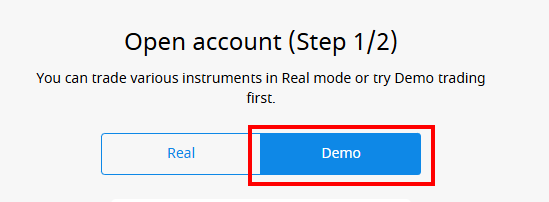
Open the account-creation menu. The demo help describes the account-number selector followed by Add new account.
Choose Demo explicitly. Check the label before proceeding. Do not assume the most recently selected account is a demo account.
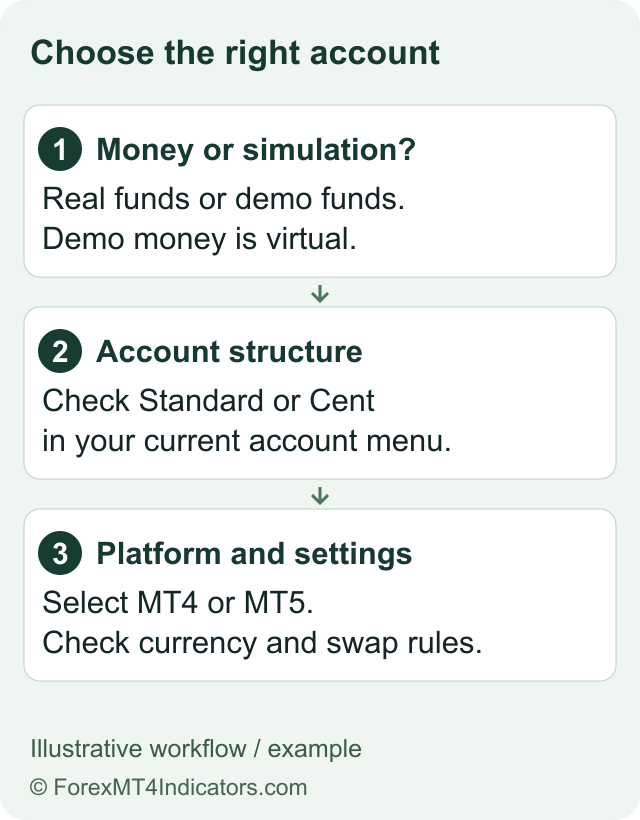
Select the available account and platform. Choose the appropriate MT4 or MT5 route, account currency, leverage and virtual balance shown in the form. Available settings can vary.
Save the demo credentials privately. Use the assigned account number, trading password and demo server in the matching terminal.
Confirm the account in the terminal. Before practising, check its identity and virtual balance. The login guide explains why a real server and demo server are not interchangeable.
The marketing page advertises up to USD 10,000 in starting virtual funds. We have not tested every menu or minimum/maximum balance setting. Choose the value actually offered and avoid presenting virtual funds as a withdrawable bonus.
Run a small, repeatable practice session
| Practice task | Record | What it does not prove |
|---|---|---|
| Read the contract specification | Symbol, contract size, minimum volume and session. | That every account has the same contract. |
| Estimate position size | Your assumed stop distance and chosen cash risk. | That a stop always fills at the requested price. |
| Inspect an order ticket | Volume, direction, order type and stop/target fields. | That a real order would have identical execution. |
| Review a completed demo exercise | What you intended, what the platform displayed and what you misunderstood. | That the method is profitable in live trading. |
Use the pip-value calculator and risk/reward calculator for educational comparisons. Keep the inputs written down so another person could follow the same calculation.
Do not assume one expiry period for every demo
The provider has published different time descriptions in its help and educational material. The specific account-archive help distinguishes account/platform routes, while the general demo page does not provide one universal expiry period. We have not independently observed an account reaching expiry.
Check the policy for the account you actually created. If it stops connecting, inspect the error and archive status before resetting passwords or reinstalling the terminal. Support can clarify the current rule for that account. Keep a private copy of useful practice notes because access to a demo should not be treated as permanent storage.
Separate finishing practice from choosing a live account
Learning the interface does not decide whether FBS or any other broker is suitable. Review the named company, country restrictions, payment rules and costs separately. The FBS review, fees guide and account comparison cover those decisions.
If your practice shows recurring sizing mistakes or confusion about order types, that is useful evidence to continue learning. There is no requirement to convert a demo into real-money trading. A real deposit should never be treated as the reward for completing a tutorial.
Questions traders ask
Can I withdraw FBS demo money?
No. A demo balance is virtual practice money, not a cash balance or a withdrawable promotion.
Do I have to deposit to use the demo route?
The provider’s demo page describes virtual-money practice without a real deposit. Check the route available for your residence.
Does every FBS demo expire after the same number of days?
Do not assume that. The provider’s specific archive guidance distinguishes routes and platforms, and some broader content differs. Confirm the rule for your account.
Does a profitable demo prove live profitability?
No. A simulation does not establish real execution, trading behaviour under financial pressure or future returns.
Choose your next step
Connect an MT4 demo. Connect an MT5 demo. Troubleshoot account access. Compare account categories.
Sources and review scope
Reviewed on 9 September 2026. This guide uses public provider instructions and our educational explanation. We did not open or fund an FBS account, submit identity documents, place a trade, or test a withdrawal. Screenshots identify their source and show only the steps or documentation described in their captions.
Official broker websites
Read the current terms and restrictions for your actual residence. These links do not establish that a broker or service is available or authorised where you live.
Forex and CFD trading carries a significant risk of loss and is not suitable for everyone. These are affiliate links; we may earn a commission if you use them.