

Prepare clear documents that match your FBS profile, submit them only through the official verification area, and check the stated reason if a request is rejected.
Verification is a document check, not a deposit
FBS verification and account funding are separate tasks. The official verification instructions describe identity and address evidence, while the withdrawal process depends on a verified profile. A deposit confirmation does not prove that verification has passed.
Start with the company and residence shown in your account application. The same brand can have different entities and onboarding requirements. Our registration guide explains the residence-first screen we observed; the country guides cover separate local questions.
Prepare the files before uploading
| Check | What to look for |
|---|---|
| Correct person | Your own government-issued identity document, with details matching the application. |
| Readable image | Colour, visible text and photo, without glare hiding important details. |
| Required evidence | Use the identity and address documents requested by the current verification screen. |
| File requirements | The current help lists JPG, PNG, HEIC, WEBP and PDF, with a combined maximum of 50 MB. |
| Privacy | Upload through the official authenticated process. Do not post documents or verification codes in public chats. |
The file-size limit comes from the published help, not from an upload we performed. If the live form gives a different rule, follow the current form and obtain clarification before repeatedly resubmitting. The help does not establish one universal address-document age limit or approval time for every applicant.
Submit the request step by step
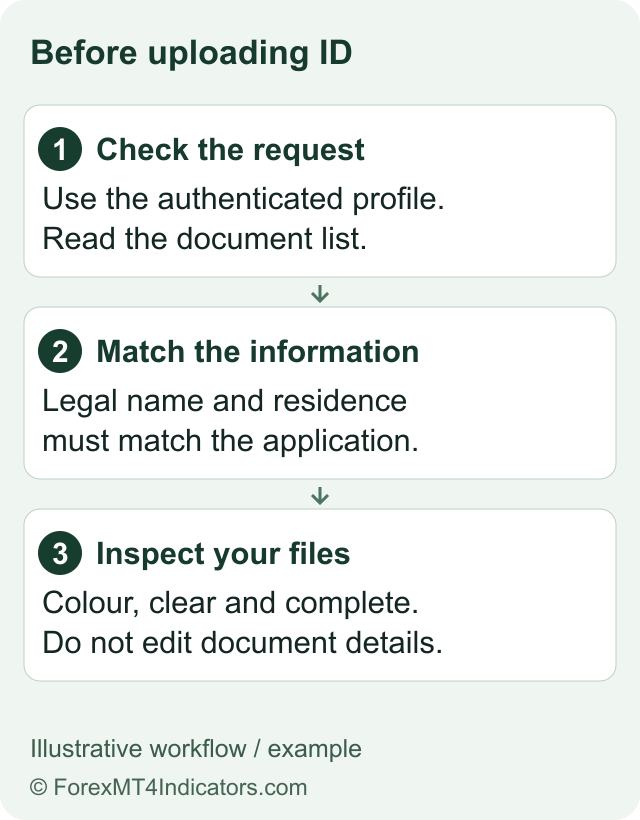
Sign in to the correct profile. Use the official Trader Area rather than a link sent by an unknown social-media account. If access fails, use login recovery first.
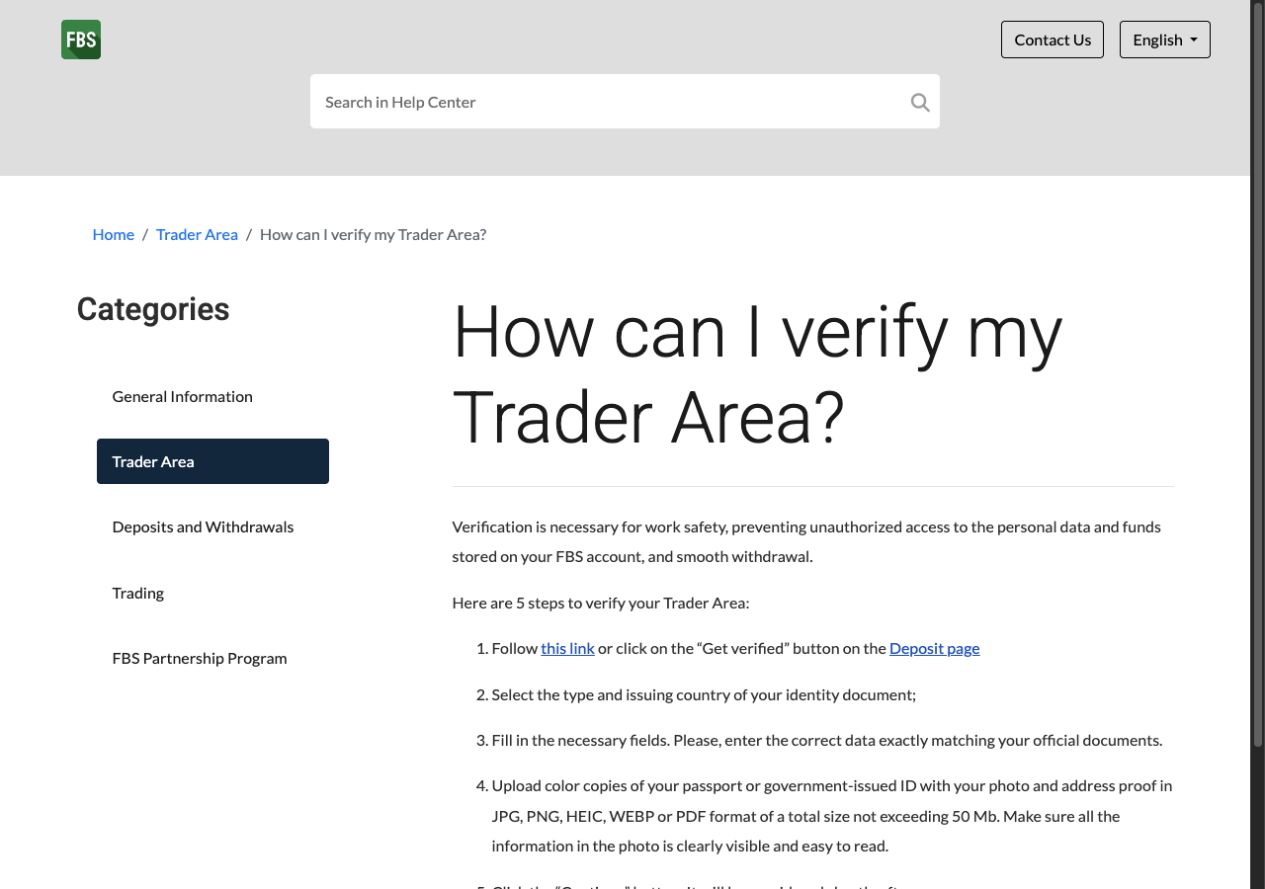
Open the verification request. The help links to identity verification and describes a Get verified button on the deposit page. Opening that request does not mean you need to deposit first.
Choose the document type and issuing country. Use the document you actually hold. Its issuing country is not automatically the same as your current country of residence.
Enter matching personal details. Compare every field with the document. A nickname, transposed date or old address can create a mismatch.
Upload the requested clear evidence. Check orientation, edges and readability before sending. Do not alter factual document details to match a mistaken form entry.
Submit and check the status. The published instructions use Continue. Review the verification page and the email address linked to the profile for acceptance, rejection or a request for more information.
This is a walkthrough of the public instructions. We did not submit an identity document or measure processing time. Screenshots of the help explain the process; they are not a record of our own application.
Resolve the reason, then resubmit once
A rejected request is a reason to read the message closely, not to upload the same file repeatedly. Separate image-quality problems from identity or residence mismatches. For a blurred image, take a clearer photograph of the original document. For a name or address mismatch, establish which record needs correcting through the legitimate process.
If the reason is unclear, give support the rejection wording and request reference through the authenticated channel. Describe the problem without broadcasting the identity image. Never send a password or one-time code to a person claiming they can accelerate approval.
Check status before planning a withdrawal
Do not assume that a visible balance means all withdrawal prerequisites are complete. Check verification, the method used to deposit and the recipient details separately. The withdrawal guide covers method ordering; withdrawal troubleshooting separates a verification issue from a payment-provider delay.
Verification also does not certify that a broker is suitable for you. Keep the company and protection checks in the FBS review separate from the upload result. Our broker-selection checklist explains that wider decision.
Questions traders ask
Do I need to deposit before verifying FBS?
The published verification process links to identity verification and a Get verified button. Verification and depositing are separate actions.
Which file formats does FBS list?
The help checked for this guide lists JPG, PNG, HEIC, WEBP and PDF, with a combined maximum of 50 MB. Check the current upload form before submitting.
How long does FBS verification take?
We did not measure it. The cited help says to check the verification status and email notification; it does not establish a universal approval deadline.
Does successful verification guarantee a withdrawal?
No. Payment-method rules, account conditions and the specific request still matter. Verification is one prerequisite, not a guarantee of payment.
Choose your next step
Review registration details. Recover official access. Understand withdrawal steps. Prepare a support request.
Sources and review scope
Reviewed on 9 September 2026. This guide uses public provider instructions and our educational explanation. We did not open or fund an FBS account, submit identity documents, place a trade, or test a withdrawal. Screenshots identify their source and show only the steps or documentation described in their captions.
Official broker websites
Read the current terms and restrictions for your actual residence. These links do not establish that a broker or service is available or authorised where you live.
Forex and CFD trading carries a significant risk of loss and is not suitable for everyone. These are affiliate links; we may earn a commission if you use them.