

Can you still use MT4 with FXOpen?
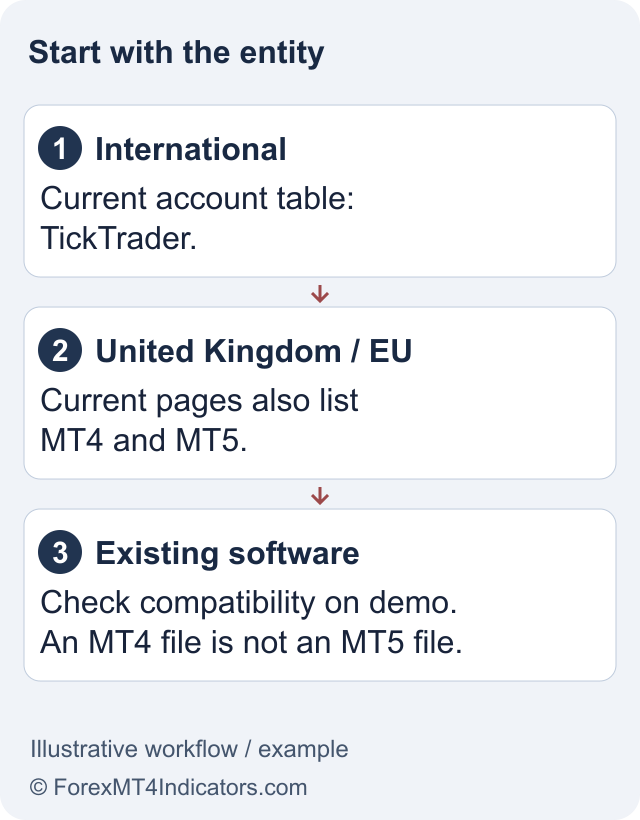
The current ECN account comparison separates the entities. FXOpen Ltd in the UK and FXOpen EU Ltd list MT4; FXOpen Markets Limited lists TickTrader ECN accounts. A generic download page or an old tutorial cannot establish access for an international client. Start with the FXOpen review if you have not identified the company that would hold your account.
This matters most if you already own an MT4 Expert Advisor (EA), a program that can automate orders. A working EA file does not help if the chosen broker account cannot connect to MT4. Ask which platform appears in your actual account-creation screen before arranging funding or paying to move the EA.
The FXOpen UK guide explains the UK entity and eligibility checks. If your available route is International, compare TickTrader and its conversion limitations before assuming an existing MT4 setup can be transferred. A country selector is not permission to choose a different regulator.
Download the terminal from the correct entity
For an eligible UK account, the official FXOpen MT4 page links to desktop, web and mobile versions. Use the corresponding regional website for an EU account. Start from a bookmarked broker domain and follow its platform links; a sponsored search result or a file shared in a chat group is a weaker way to identify the installer.
- Confirm the legal entity in the client agreement and that MT4 is offered for your account.
- Choose the operating-system link on that entity’s official platform page.
- Install or open the terminal, then locate the login details for the MT4 trading account.
- Keep demo and live account details separately labelled. Opening the application does not prove which account is connected.
The terminal is only one part of the setup. Your client portal handles identity checks and account administration; the trading terminal connects to a specific trading account. Downloading MT4 does not create an approved live account or remove funding restrictions.
Enter the trading account credentials, not the portal email
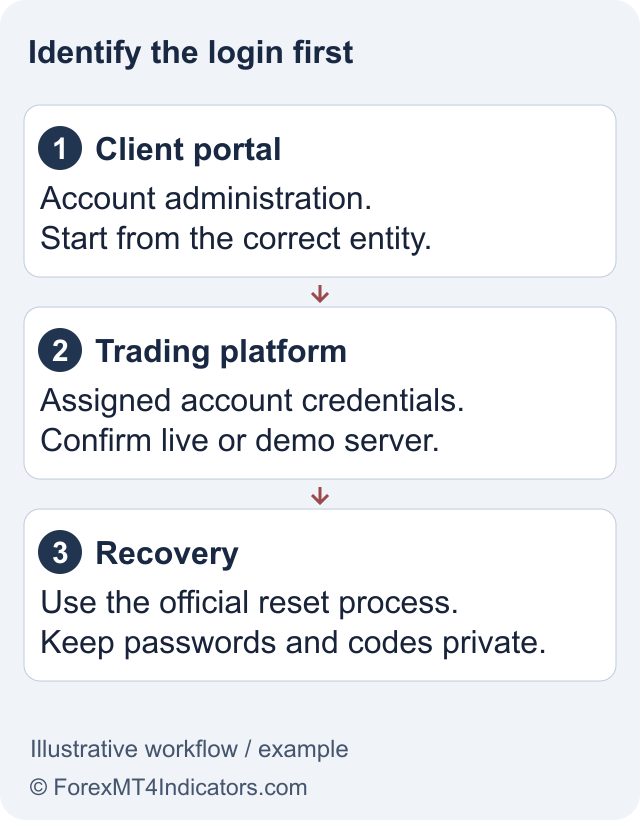
MetaQuotes’ MT4 authorization instructions use an account number, password and server. In the desktop terminal, the login command is available from the File menu or the account’s Navigator menu. Copy the server from the broker’s current account details rather than choosing a familiar-looking name from an old guide.
The master or standard password permits trading. An investor password provides viewing access and cannot place orders. If prices move but you cannot trade, check access type before repeatedly resetting the password. The FXOpen login guide separates portal recovery from trading-account recovery.
For an invalid-account error, compare all three fields with the same account record. Check that you have not paired a demo server with a live account, pasted a space into the account number, or entered an MT5 account in MT4. If that fails, send official support the error text, platform version and server name, without sharing your password.
Check indicators and EAs before a platform move
MT4 tools belong to the MQL4 ecosystem. MT5 uses a different program environment, and MetaQuotes publishes a code migration reference because conversion requires adaptation. Renaming a file or changing the download folder does not establish compatibility.
For a demo check, record the symbol, timeframe, indicator settings and exact program version. Compare the displayed outputs with the tool’s documentation. For an EA, also review position sizing, spread limits, order errors and whether the program creates duplicate trades after reconnecting. These are checks for you to perform, not test results claimed by this review.
Keep a chart-indicator issue separate from an execution issue. A missing indicator suggests an installation or compatibility problem. A rejected order can instead involve volume, permissions, market hours or margin. The corrective action depends on which part failed.
Before an order, check the contract rather than the label
An MT4 symbol name alone does not tell you the full contract size, minimum volume, spread or overnight charge. Open the broker’s symbol specification and compare it with the size you intend to use. A familiar gold symbol can still have different trading conditions from another broker’s account.
Use the lot size calculator to plan a hypothetical risk amount, then confirm its contract and currency assumptions against FXOpen’s specification. The platform’s margin requirement is a separate constraint; a trade that can be opened can still exceed your planned loss.
Free terminal access does not remove spreads, commissions, swaps or losses. Forex and CFD trading carries a high risk of loss. A demo can help you learn controls, but it cannot establish future live execution quality or returns.
Frequently asked questions
Does FXOpen still offer MT4?
Current UK and EU account pages list MT4. The current international ECN table lists TickTrader instead. Confirm the entity and platform assigned to your own account; the existence of an MT4 installer does not prove that every FXOpen client can use it.
Why does my FXOpen MT4 login say invalid account?
First check the account number, password and exact server together. Demo and live accounts can use different servers, and an MT5 account is not an MT4 login. If the details match, contact official support with the error message and platform version, without disclosing the password.
Can I use my portal email to log in to MT4?
MT4 authorization uses the trading account number, trading password and server. Your client-portal email serves a different access function. Retrieve the details from the approved trading account record rather than assuming the two logins are interchangeable.
Can my MT4 EA run on TickTrader?
An MT4 program is not a native TickTrader program. FXOpen documents a source-code converter with limitations, and converted EAs require the specified TickTrader account mode. Availability of a converter does not establish that your EA will compile, trade correctly or retain its performance.
Is the FXOpen MT4 download free?
The official platform page describes free terminal access. Trading can still incur spread, commission, overnight and other applicable account charges, as well as losses. Check the fee schedule for your legal entity and instrument before treating free software as a free trading service.
Sources and review scope
Checked 11 September 2026. This guide uses public official documents and platform instructions. It does not report a funded account, trade, withdrawal or live connectivity test. Account eligibility and the agreement for your legal entity take priority over general product pages.
Official broker websites
Read the current terms and restrictions for your actual residence. These links do not establish that a broker or service is available or authorised where you live.
Forex and CFD trading carries a significant risk of loss and is not suitable for everyone. These are affiliate links; we may earn a commission if you use them.