

Which FXOpen accounts can use MT5?
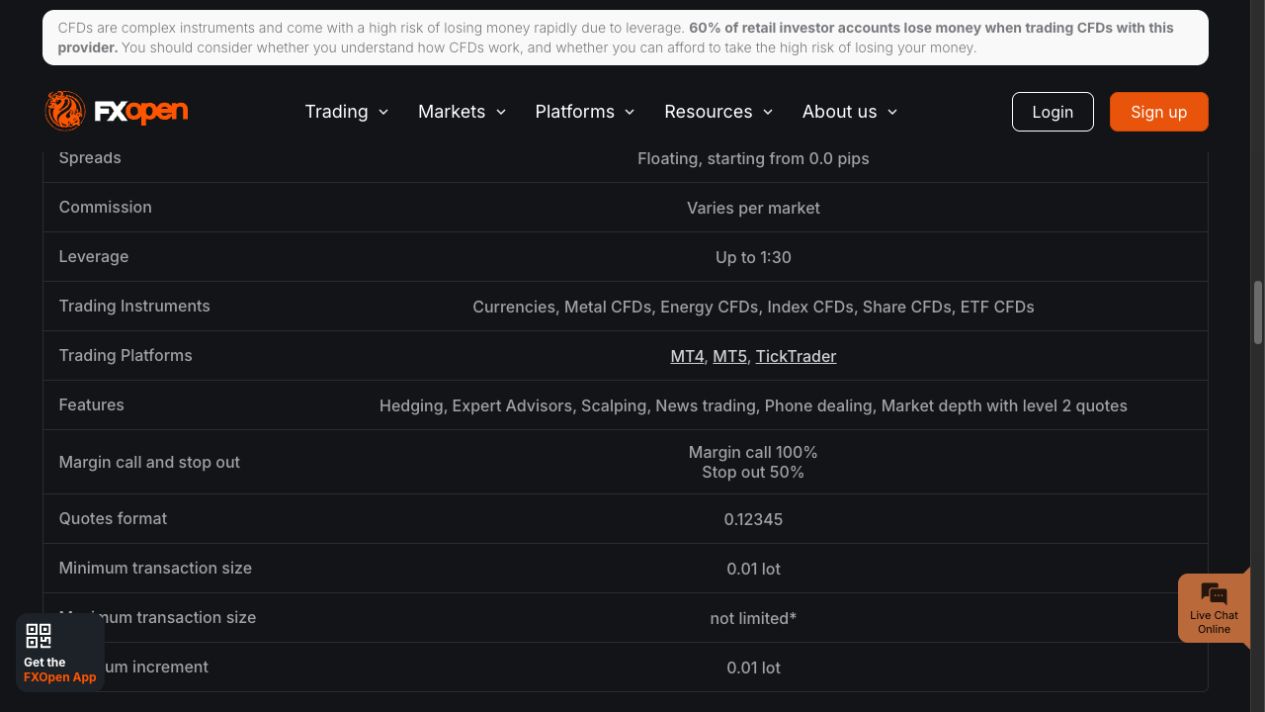
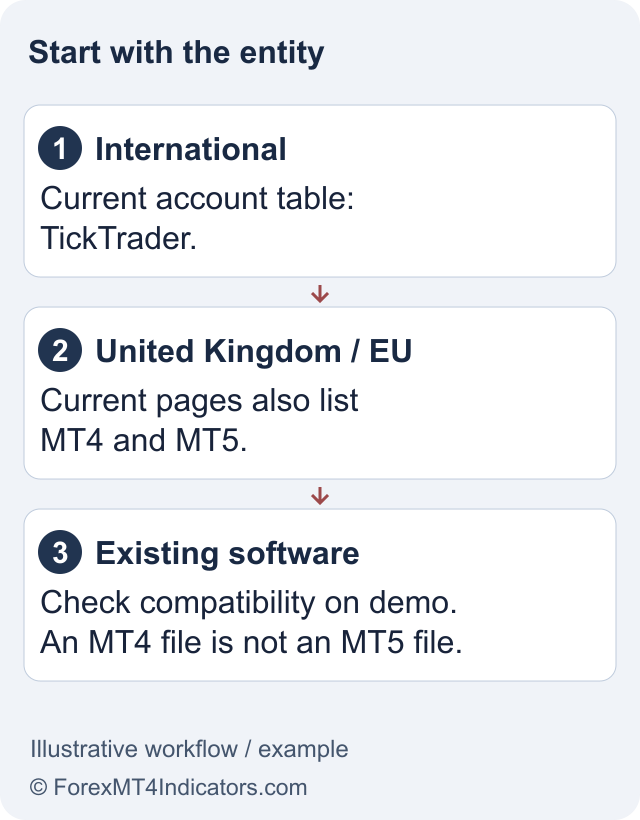
FXOpen’s current entity account table lists MetaTrader 5 for its UK and EU businesses. International clients should not rely on older comparison pages that still mention it. The FXOpen review explains why the brand, the legal company and the platform need to be checked separately.
The useful question is whether MT5 appears for your approved account. Residence, onboarding checks and the entity’s current product offering determine the answer. An existing MetaQuotes download or demo login cannot substitute for that confirmation. The FXOpen EU guide covers the EU route and its protections.
For an International account, TickTrader is the current documented alternative. Do not assume you can select the UK or EU company solely to preserve an existing EA; eligibility and the client agreement still apply.
Set up an eligible MT5 account in the right order
The official UK MT5 page links to desktop, web and mobile access. Use the equivalent regional broker page for an EU account. These links identify the platform route; they do not confirm your personal account approval or the availability of every market shown in marketing copy.
- Confirm the entity, account type and MT5 choice in the official client portal.
- Complete the checks requested by that entity before treating the account as ready for live trading.
- Download MT5 through the regional broker page and retrieve the trading-account details.
- Log in to the stated server, confirm whether the account is demo or live, and inspect the available symbols.
- Practise order entry and account monitoring on a suitable demo before making a live trading decision.
Keep a short setup record: operating system, terminal version, account type and server. If support needs to investigate a connection issue later, those details are more useful than a screenshot showing only the broker logo.
MT5 login and read-only access
MetaQuotes’ MT5 connection guide specifies the trading account number, master or investor password, and server. The desktop command is File, then Login to Trade Account. The master password grants trading access; investor access allows viewing and analysis but does not permit trading.
A successful portal login and a failed MT5 login can therefore coexist. They authenticate different things. Use the FXOpen login troubleshooting guide to identify which access needs recovery, and avoid resetting every password at once.
If an account connects but a symbol is unavailable, check the account’s product list and trading session before blaming the connection. If an order is rejected, record the order error and inspect volume, margin and permissions. Reinstalling the platform is unlikely to fix an account-specific trading restriction.
Do not assume MT5 means a particular position mode
The broker’s MT5 page describes the platform’s support for both netting and hedging. That is a software capability, not proof that your account offers a switch between them. Confirm the actual account configuration before running a strategy that depends on separate opposing positions.
The practical distinction is how exposure is recorded. In netting, orders on the same symbol change a combined position. In hedging, separate positions can coexist. An EA designed around individual tickets can behave differently if its account assumptions are wrong, even when its entry signal looks unchanged.
Test position management, not just the opening signal. A useful demo exercise checks a partial reduction, an opposite-direction order and the resulting position record. Record expected behaviour first so an unexpected result is visible instead of being accepted as normal.
Moving from MT4 requires more than copying files
MetaQuotes’ MQL4-to-MQL5 reference documents changes in events, indicators and other programming interfaces. Use an MT5-compatible edition of the indicator or EA, or have the source adapted and reviewed. An MT4 compiled file is not made compatible by renaming it.
The MT4 guide helps you compare the original environment. Keep the same documented strategy inputs when evaluating a port, but also check symbol names, contract sizes and position handling. A successful compile is evidence that code builds; it does not establish that the trading logic is equivalent.
MT5’s strategy tester can support research, but historical output depends on data and assumptions. Check costs, trade sizing and testing periods, and leave a separate period for evaluation. This guide does not provide a backtest result or claim a converted EA is profitable.
Check trading costs and order size
The broker offers free MT5 access, but spreads, commissions and overnight charges can still apply. Check the schedule for your entity and the instrument, including the account currency used for fees. A lower displayed spread does not describe the complete cost of holding a position.
Use the lot size calculator for a hypothetical risk calculation, then reconcile its inputs with the actual symbol specification. Treat margin availability and planned loss as separate checks. Forex and CFD trading can cause substantial losses; a familiar platform does not make a trade suitable.
Frequently asked questions
Can international FXOpen clients open an MT5 account?
The current International ECN table lists TickTrader, while UK and EU tables list MT5. Older international pages can contain MetaTrader references. Confirm the current account choice with the entity holding your account before funding or paying for software migration.
Is an MT4 account number also an MT5 login?
Do not assume so. MT5 needs credentials issued for the relevant trading account and its server. Retrieve those details from the official account record. Using the correct password with the wrong account type or server can still prevent a connection.
Does FXOpen MT5 always use hedging?
The platform supports netting and hedging, but the configuration of your account must be confirmed separately. Before using an EA that requires multiple opposing positions, inspect the account mode and test its position-management behaviour on a compatible demo.
Can I copy an MT4 indicator into MT5?
Use an MT5-compatible version. MQL4 and MQL5 have different programming interfaces and require adaptation where relevant. Copying or renaming a compiled file does not port it. Check that any converted indicator produces the intended outputs under documented settings.
Why can I view my MT5 account but not place trades?
Investor-password access is read-only for trading. If you are using master access, an order can still be blocked by account permissions, the instrument session, volume or margin requirements. Record the specific error before contacting official support.
Sources and review scope
Checked 11 September 2026. This guide uses public official documents and platform instructions. It does not report a funded account, trade, withdrawal or live connectivity test. Account eligibility and the agreement for your legal entity take priority over general product pages.
Official broker websites
Read the current terms and restrictions for your actual residence. These links do not establish that a broker or service is available or authorised where you live.
Forex and CFD trading carries a significant risk of loss and is not suitable for everyone. These are affiliate links; we may earn a commission if you use them.