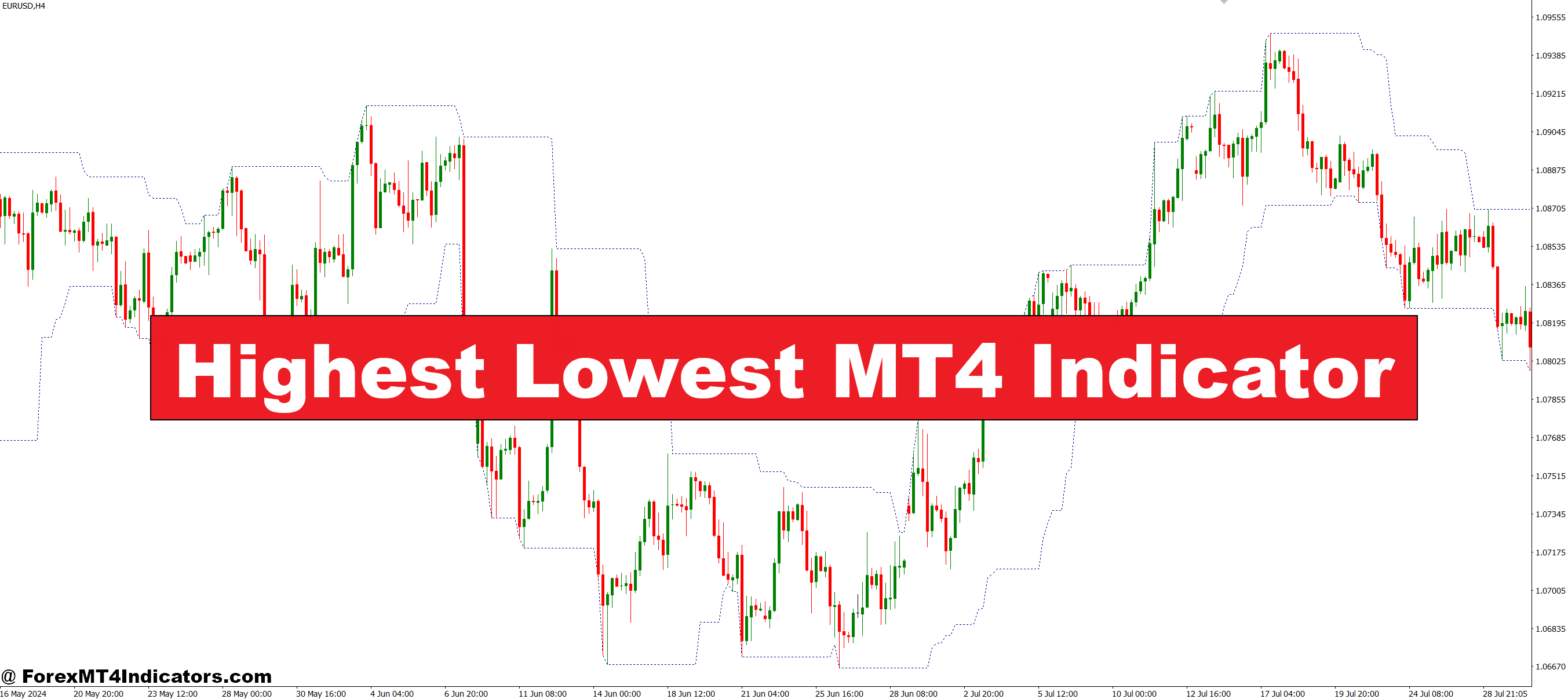
The Highest Lowest MT4 Indicator is designed to automatically highlight the highest highs and lowest lows of a selected period. Instead of manually checking charts, traders can instantly see where price has reversed in the past. These levels often act as natural support and resistance zones, giving traders a clear idea of where the market could react again. By using it, they can save time and reduce the guesswork involved in technical analysis.
Why This Indicator Matters
Price highs and lows are some of the most reliable reference points in trading. When the market pushes to a new high, it shows strength. When it breaks to a new low, it shows weakness. Traders who ignore these signals risk missing out on profitable moves or entering trades at the wrong time. The Highest Lowest MT4 Indicator takes these important points and makes them visible right on the chart, ensuring traders never overlook them.
How Traders Can Use It
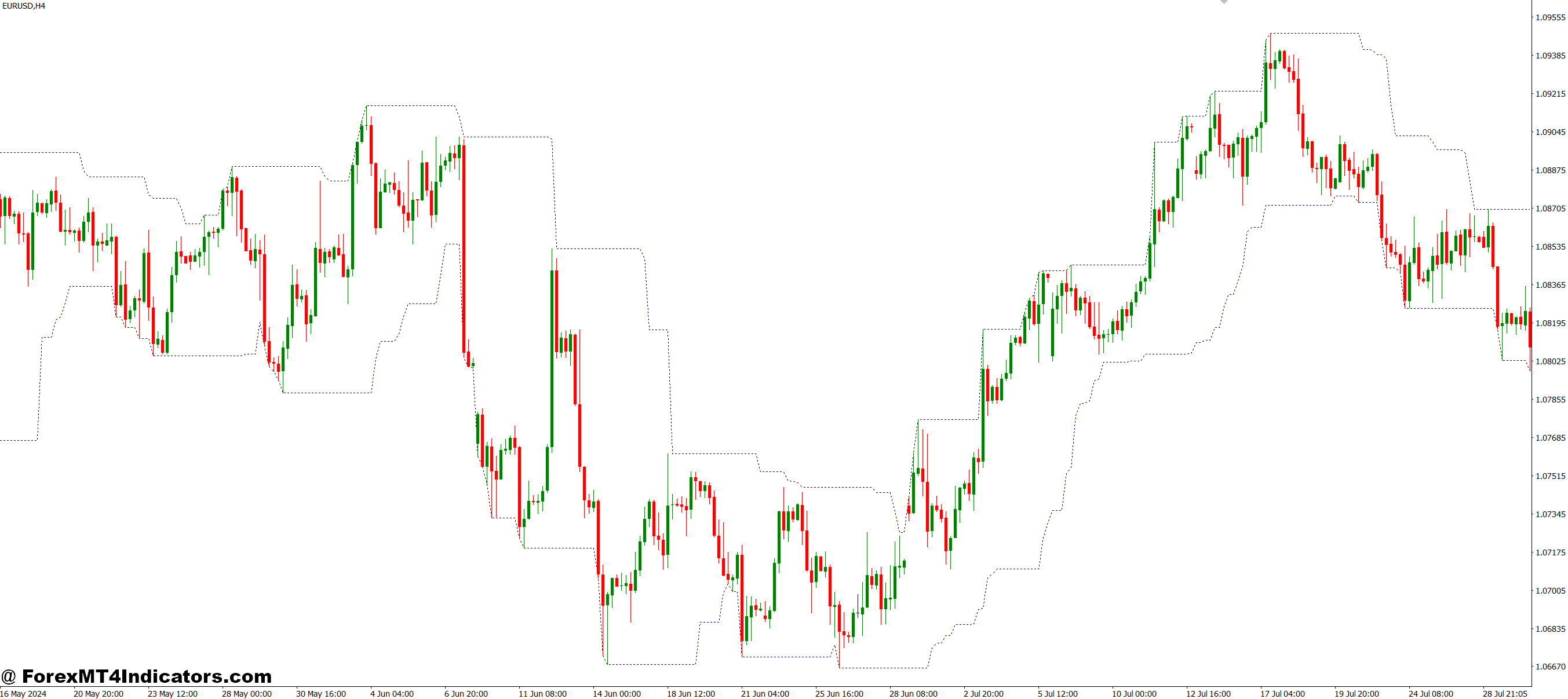
This indicator can be applied in different ways. Some traders use it to confirm trend direction—if price keeps breaking higher highs, it suggests an uptrend. Others look for reversals when price touches a previous high or low. Day traders, swing traders, and even long-term traders can all benefit, as the indicator adapts to multiple timeframes. By combining it with other tools like moving averages or candlestick patterns, traders can improve their accuracy and make smarter trading decisions.
How to Trade with Highest Lowest MT4 Indicator
Buy Entry
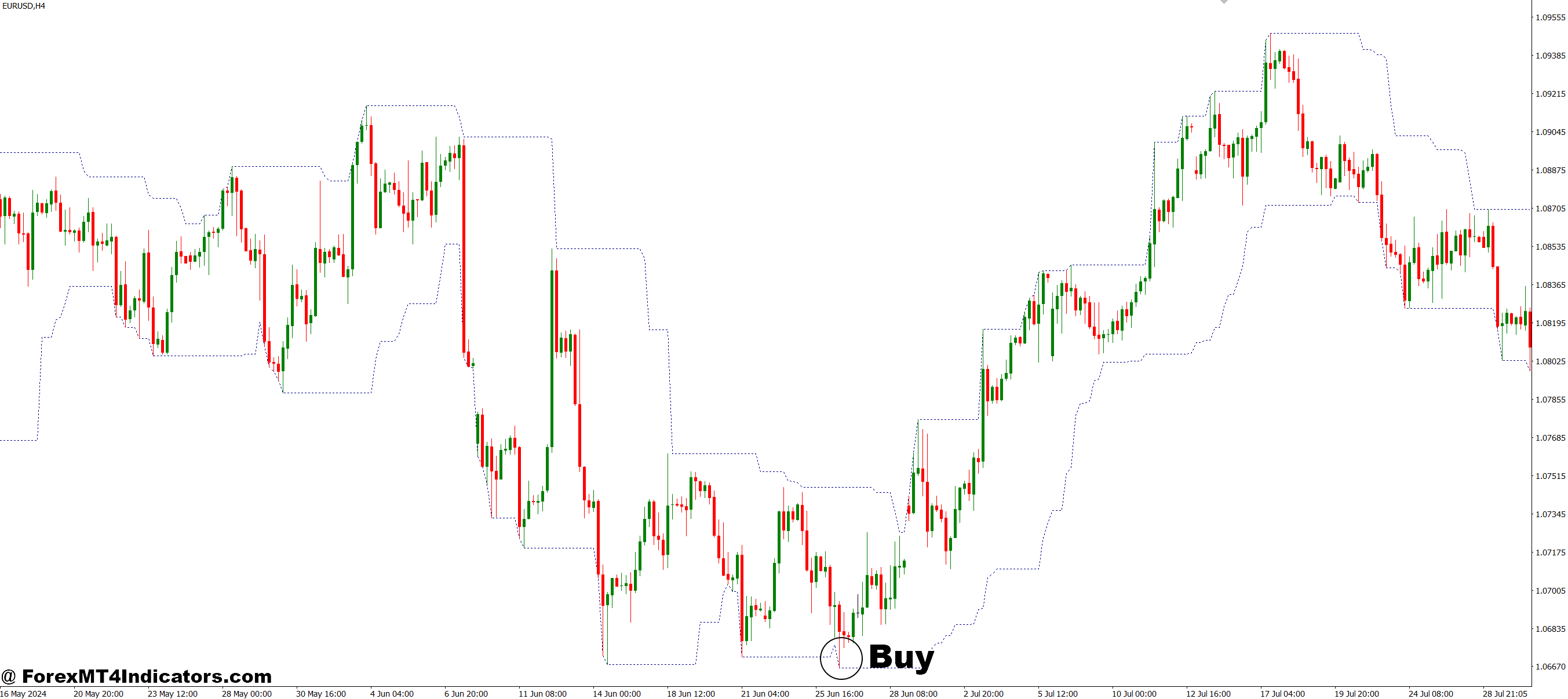
- Wait for the price to approach or bounce from the most recent lowest point highlighted by the indicator.
- Confirm that the market shows signs of reversal (e.g., bullish candlestick patterns).
- Enter a buy trade when the price holds above the marked low level.
- Place a stop-loss just below the recent lowest level.
- Target the nearest resistance zone or the indicator’s highest level for profit.
Sell Entry
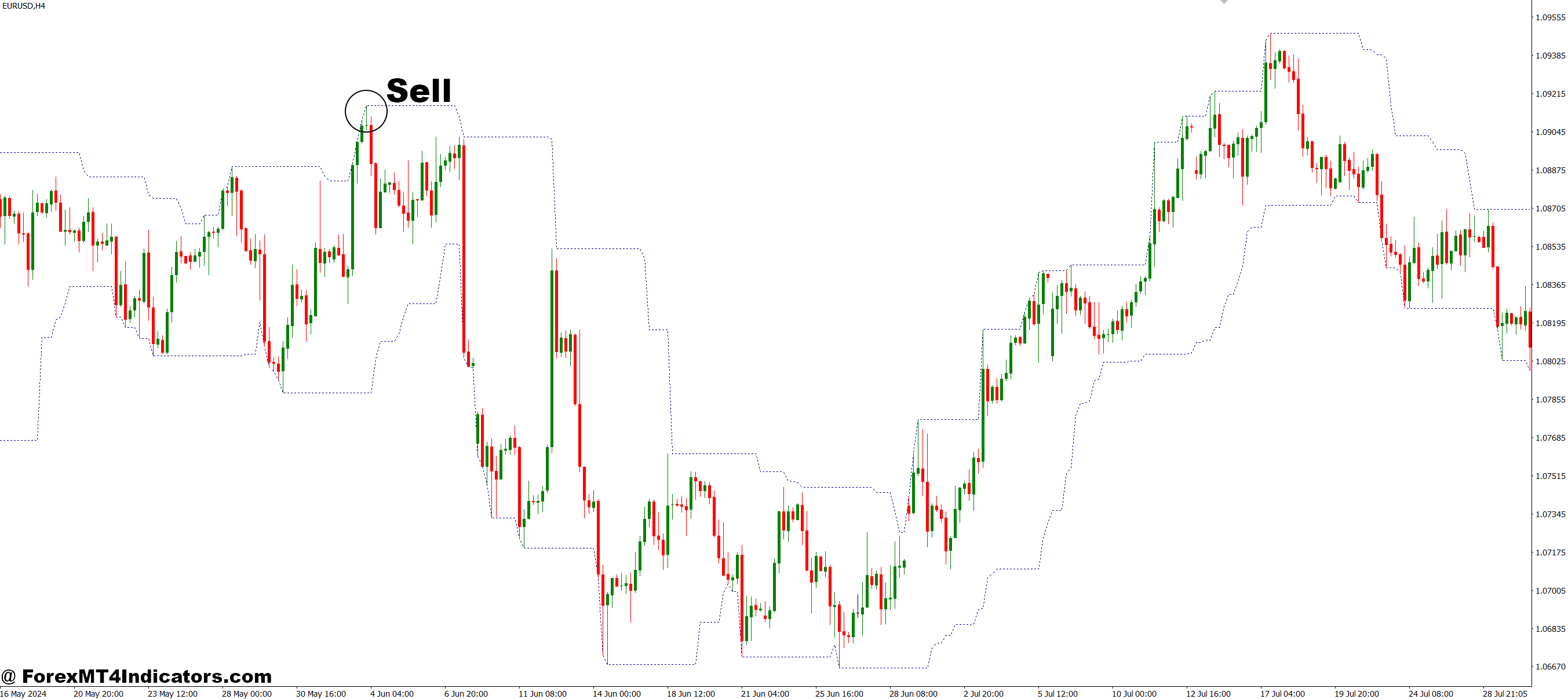
- Wait for the price to approach or bounce from the most recent highest point highlighted by the indicator.
- Confirm that the market shows bearish signals (e.g., reversal candlesticks).
- Enter a sell trade when the price holds below the marked high level.
- Place a stop-loss just above the recent highest level.
- Target the nearest support zone or the indicator’s lowest level for profit.
Conclusion
The Highest Lowest MT4 Indicator is more than just a charting tool—it’s a practical guide to understanding market behavior. By clearly marking the most important price levels, it helps traders reduce uncertainty and boost confidence in their strategies. Whether they trade short-term or long-term, this indicator can provide valuable insights for better timing and more effective decision-making.
Level up your trading
Learn to read the chart — not just the indicator
eBook · Instant PDF
Video Course · 12 modules
Recommended MT4/MT5 Brokers
- ✓ *FREE *$50 to start (withdrawable)
- ✓ Deposit bonus up to $5,000
- ✓ Negative balance protection
Trading forex and CFDs carries a significant risk of loss and is not suitable for everyone. Broker links are affiliate links — we may earn a commission at no cost to you.
Free MT4 Indicator Download
Enter Your Email Address below, download link will be sent to you.