

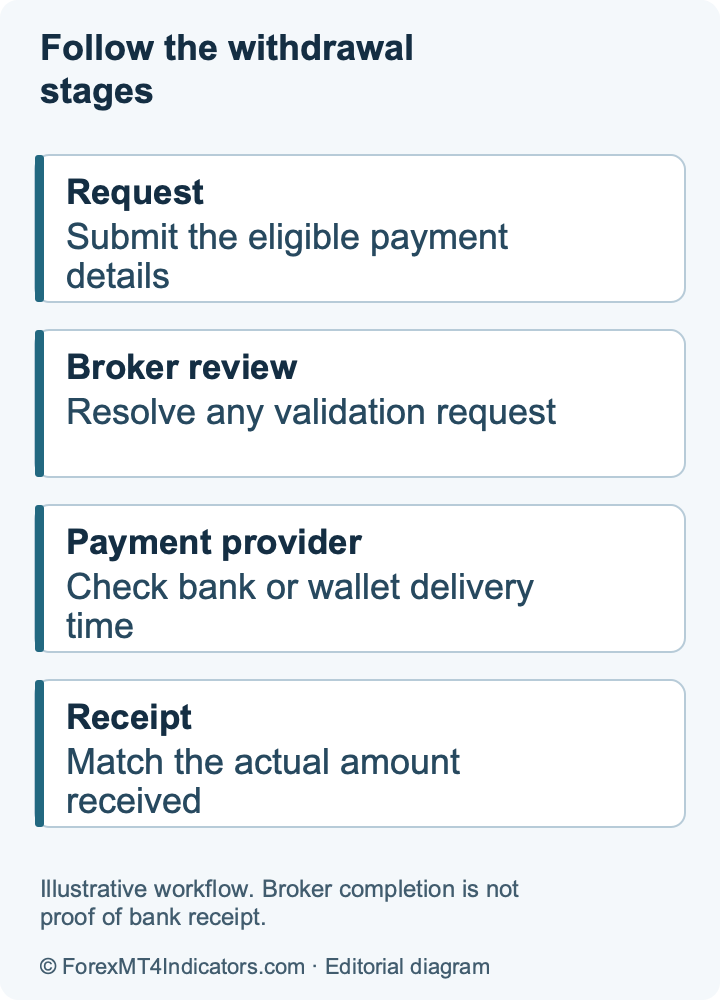
A delay needs an explanation, but the word pending alone does not establish why it happened. Start with the existing request and preserve its reference. Cancelling, changing methods and resubmitting at the same time can make an already unclear payment harder to trace.
Read the status before taking another action
| Status or symptom | What to establish next |
|---|---|
| Pending or Validation | Whether the request is queued or needs an account/AML check |
| Processing | Whether the broker is reviewing it or handing it to the provider |
| Sent to Payment System | The dispatch date, method and provider trace |
| Partially Completed | Which split payments arrived and which remain outstanding |
| Cancelled or Rejected | The exact reason in Details before resubmission |
This distinction follows JustMarkets’ rejection guidance. Compare the status with the method’s current estimate in the normal withdrawal guide. Count bank days for a bank-day estimate; a weekend does not automatically mean the stated processing window has expired.
A rejected request usually needs one specific correction
Open Transaction History and select Details. If the message requests ID or address verification, fix that request through the verification guide. If it recommends the original payment source, use the named eligible method rather than repeatedly selecting a new bank account.
Other documented causes include unconfirmed payment-account ownership, a withdrawal amount that does not match the returnable deposit, a currency restriction or a temporary error. Ask which condition failed if the message is unclear. Do not send a fresh deposit merely because an unknown person says it will unlock the withdrawal.
If access itself is the problem, resolve the Personal Area login separately. A password error cannot be diagnosed by changing the withdrawal amount.
When the broker says the payment was sent
Ask for the date, amount, currency, destination and trace reference for the payment. Check that these match your request and the account you are monitoring. A card transaction may appear as a payout or as a refund against an earlier deposit, and a single withdrawal may be split into several entries. That is documented in the bank-card withdrawal guide.
Match each received entry once. If two partial credits arrived, subtract their total from the requested amount before reporting the remaining difference. For example, a $100 request with credits of $40 and $35 leaves $25 unresolved, assuming all entries use the same currency and there are no separately disclosed adjustments.
Give the confirmed payment trace to the receiving bank or wallet provider through its official support route. A broker’s dispatch confirmation and a recipient account statement answer different parts of the investigation.
Build a useful evidence packet
- The original withdrawal reference and trading-account number.
- Submission and status-change dates, including timezone where relevant.
- Requested amount, currency and payment method.
- The exact error or rejection text.
- Provider references and any partial credits already received.
- Your previous support ticket and the answer still needed.
Keep passwords, one-time codes, card security codes and unrelated account details out of ordinary messages. Supply full financial documents only through the confirmed secure channel when specifically required. Redact unrelated transactions in an initial explanation if the full document is not requested.
Escalate the issue through the contracted company
Use our support and complaints guide to find the right channel, then ask a precise question: which stage holds the payment, what evidence is missing and what is the next expected update? Keep the original timeline in one case rather than scattering it across social-media replies.
If ordinary support does not resolve the issue, identify the company named in your agreement and its formal complaint procedure. The entity guide helps you avoid sending a global account complaint to a different group company’s regulator. Available escalation rights depend on the actual contract and jurisdiction.
A public review can describe your experience, but it does not replace a trace request or formal complaint. Preserve the records and distinguish facts you can document from conclusions about the reason for the delay.
Frequently asked questions
What does pending mean?
It means the request has not completed. Check the detailed status and whether the company has asked for information; pending alone does not establish the cause of a delay.
Why was my withdrawal rejected?
Read the reason in Transaction History details. Documented causes include verification, return-to-source, payment ownership, amount or currency restrictions and processing errors.
What if JustMarkets says the money was paid?
Ask for the dispatch details and provider trace, then compare them with the receiving account. Check for split card credits or refunds linked to earlier deposits before reporting the amount still missing.
When should I make a formal complaint?
Use the contracted company’s complaint procedure if ordinary support does not resolve the documented issue. Keep the request reference, timeline and prior responses; escalation rights depend on that entity and jurisdiction.
Sources and scope
Official public documentation checked on 14 September 2026. Account-specific screens and the agreement with your assigned company govern. This guide does not claim a funded-account or execution test.