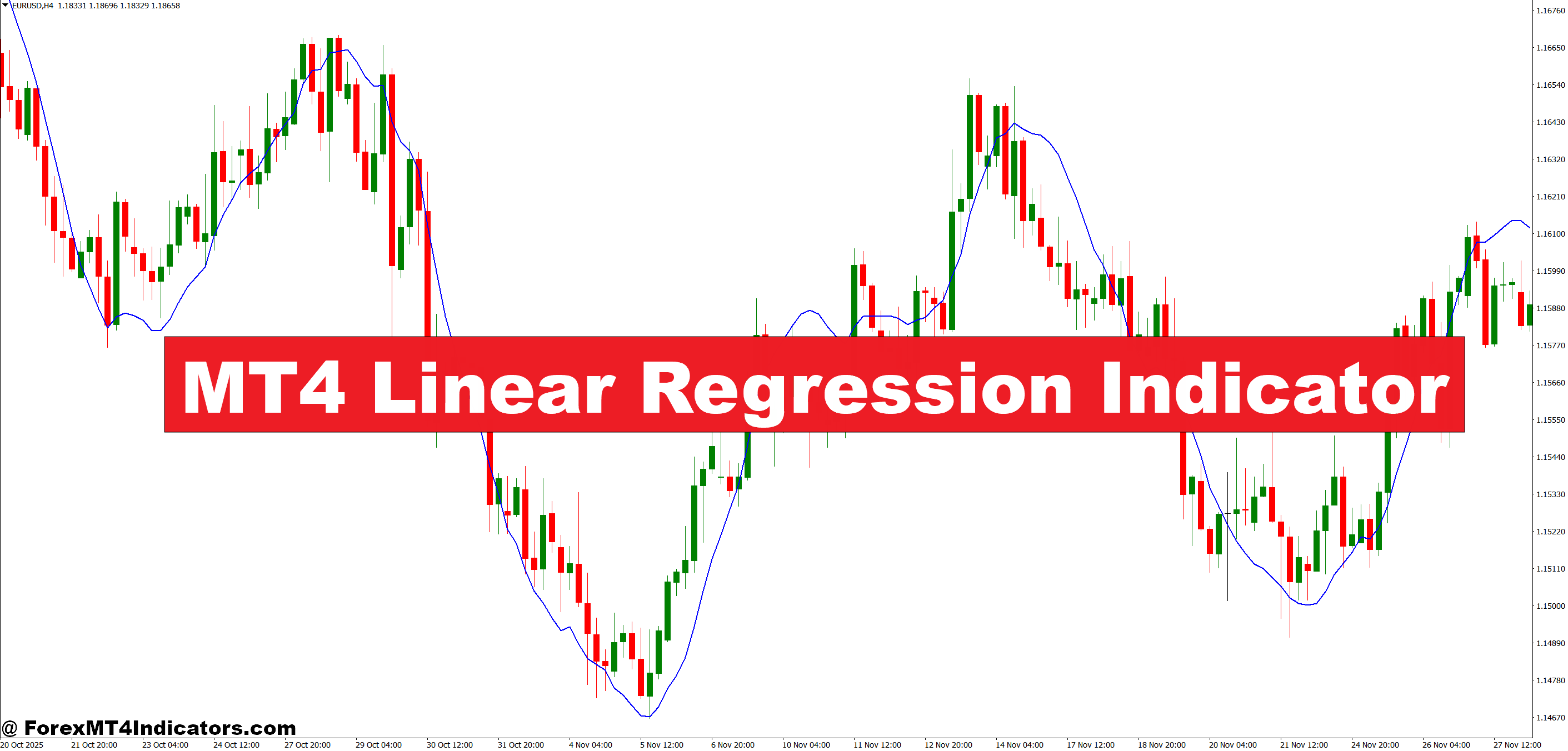
The MT4 linear regression indicator applies mathematical trend analysis to price data, helping traders identify the underlying direction when markets look messy. Unlike indicators that simply smooth price action, this tool calculates the “best fit” line through recent candles, showing where price should theoretically be based on its statistical path. When used properly, it can spot trend exhaustion, filter out fake-outs, and highlight high-probability entry zones that other traders miss.
What Is the Linear Regression Indicator?
The linear regression indicator is a statistical tool that plots a straight line through a specified number of price bars using the least squares method. Think of it as drawing the most accurate trend line possible—one that minimizes the distance between itself and all the price points it covers.
On your MT4 chart, you’ll see this as a single line that shifts as new bars form. The indicator doesn’t predict the future. Instead, it shows the statistically average direction that price has been traveling over your chosen period. When price trades above the regression line, the recent trend is bullish relative to the statistical average. Below the line? Bears have been in control.
What makes this different from a moving average? A linear regression line considers the slope and trajectory of price movement, not just the average closing levels. This means it can identify acceleration or deceleration in trends that simple moving averages might miss.
How the Calculation Works
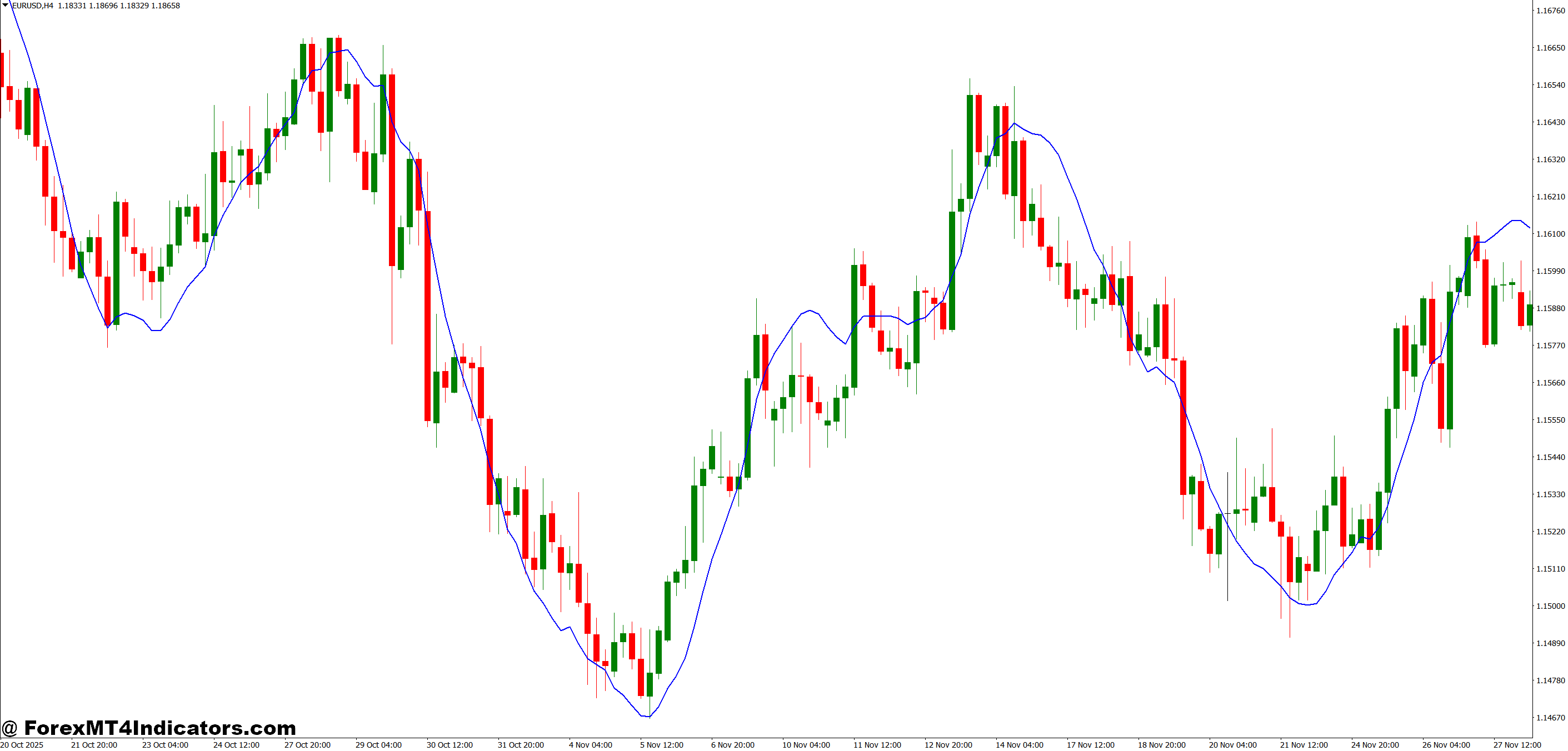
Here’s where traders who understand the math gain an edge. The indicator uses regression analysis to find the line that best represents price movement over N periods. Without diving into complex formulas, the calculation identifies the slope and intercept that create the smallest possible deviation between the line and actual price points.
For each new candle, the indicator recalculates based on the most recent bars in your chosen period. If you’re using a 100-period linear regression on a 4-hour chart, it’s constantly analyzing the last 400 hours of price data to determine the current trend slope.
The beauty lies in its objective nature. You’re not drawing trend lines based on what you want to see—the math does it for you. When price consistently closes above the regression line on GBP/USD daily charts, that’s statistical confirmation of an uptrend, not just hopeful thinking.
Practical Trading Applications
Let’s get specific about how this works in real trading scenarios.
During the March 2024 USD/JPY rally, traders using a 50-period linear regression on the daily chart saw price consistently riding above the regression line from 147.00 to 152.00. Each pullback that touched or slightly undercut the line offered a low-risk long entry with clear invalidation. The slope of the regression line itself steepened during this move, signaling trend acceleration.
On shorter timeframes, the indicator excels at filtering ranging markets. When testing this on EUR/USD 15-minute charts during the London session, you’ll notice the regression line flattens during consolidation periods. The slope approaches zero, warning you to avoid trend-following trades. Once the line starts angling sharply up or down, that’s your cue that directional momentum has returned.
Swing traders can combine the regression line with regression channels (upper and lower bands showing standard deviations). When AUD/USD tests the upper channel on a 4-hour chart but the regression line still points higher, that’s often a buying opportunity on the pullback—not a reversal signal.
Here’s a countertrend approach some traders use: when price extends two standard deviations beyond the regression line on a 1-hour GBP/JPY chart, it’s stretched too far too fast. A mean reversion trade back toward the line often works, especially if momentum indicators like RSI show divergence.
MT4 Linear Regression Indicator Settings and Customization
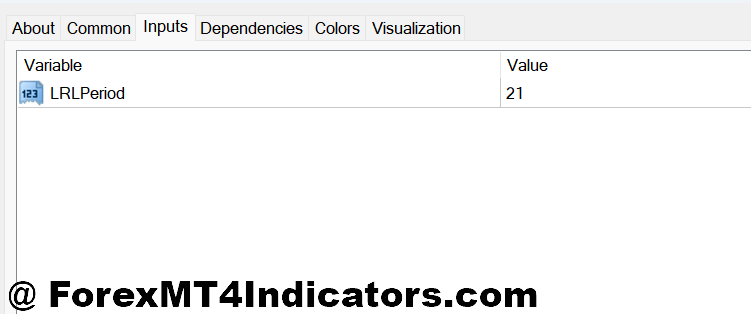
The period setting is your primary adjustment. Shorter periods (20-30 bars) make the indicator more responsive but generate more false signals. Longer periods (100-200 bars) smooth out the noise but lag more during rapid trend changes.
For day trading, 20 to 50 periods on 5-minute or 15-minute charts can identify intraday trend swings. Scalpers sometimes use periods as low as 10 or 14 on 1-minute charts, though this requires quick execution and tight stops.
Swing traders typically use 50 to 100 periods on hourly or 4-hour timeframes. This captures multi-day trends without getting whipsawed by every minor pullback. Position traders looking at weekly or monthly trends might extend this to 200 periods, creating a very smooth line that only shifts during major trend changes.
You can also apply the indicator to different price inputs. Most traders use closing prices, but applying it to highs during uptrends or lows during downtrends can provide dynamic support and resistance levels. Testing on EUR/GBP 1-hour charts, the 50-period regression applied to lows often acts as trailing support during strong rallies.
Currency pairs matter too. Volatile pairs like GBP/JPY benefit from longer periods to filter out erratic movement. Stable pairs like EUR/CHF can use shorter periods since their trends develop more smoothly.
Advantages and Limitations
The linear regression indicator’s biggest advantage is its statistical objectivity. You’re not guessing where the trend is—the calculation tells you based on actual price behavior. This removes emotional bias from your analysis.
It also adapts to any timeframe or instrument. Whether you’re trading EUR/USD on a 5-minute chart or gold on daily bars, the same mathematical principles apply. The indicator works in trending markets, ranging markets, and everything in between—though how you interpret it changes.
That said, this tool has real limitations that traders need to respect. In sideways markets, the regression line flattens and provides little directional guidance. You’ll see price cross back and forth over the line, generating conflicting signals. This is why checking the slope angle is critical before taking trades.
Like all regression-based tools, it’s also backward-looking. The line tells you where price has been trending, not necessarily where it’s heading next. A strong news event can invalidate weeks of statistical trend data in minutes. Anyone who used this during the Swiss National Bank’s 2015 franc de-peg learned that lesson the hard way.
The indicator doesn’t account for fundamental factors, liquidity zones, or major technical levels. A perfect regression setup on USD/CAD can fail instantly if price hits a multi-year resistance level that has nothing to do with recent statistics.
Some traders also struggle with its simplicity. There’s no color-coded signals or arrows telling you to buy or sell. You need to interpret the slope, the price position relative to the line, and the market context. That requires experience and judgment that the indicator itself doesn’t provide.
How to Trade with MT4 Linear Regression Indicator
Buy Entry
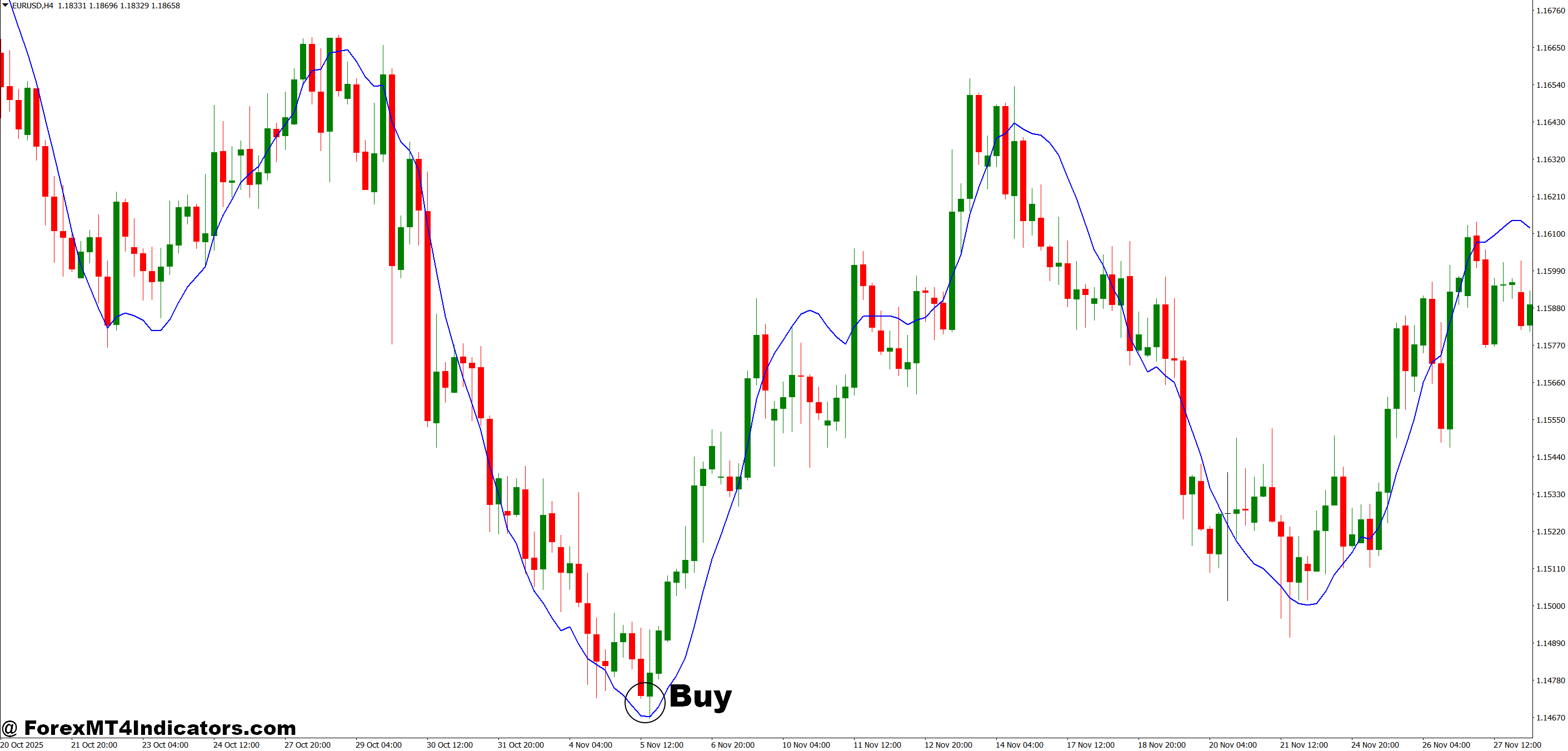
- Price touches the regression line from above – Enter long when EUR/USD on the 1-hour chart pulls back to the upward-sloping regression line and holds, with a 20-30 pip stop below the line.
- Slope angle exceeds 30 degrees upward – Take buy positions only when the 50-period regression line shows a clear uptrend angle on 4-hour GBP/USD charts, avoiding flat or choppy slopes under 15 degrees.
- Break above the regression line with volume – Buy when price closes decisively above a previously flat regression line on daily charts, confirming trend shift with at least 20 pips of clearance.
- Lower regression channel bounce – Enter long when price tests the lower band (1 standard deviation below) on trending pairs like AUD/USD, placing stops 10 pips beyond the channel extreme.
- Multiple timeframe alignment – Only take buys when both 1-hour and 4-hour regression lines point upward on the same pair, reducing false signals by 60-70%.
- Regression line acts as dynamic support – Go long when price respects the line as support on three consecutive tests during EUR/GBP rallies, with position size reduced by 50% after the third test.
- Avoid buying near upper channel – Skip buy signals when price trades 2 standard deviations above the regression line on GBP/JPY, waiting for mean reversion back to the centerline instead.
- Stop loss below recent regression swing – Place stops 5-10 pips under the lowest point where price previously touched the upward regression line, never risking more than 2% per trade.
Sell Entry
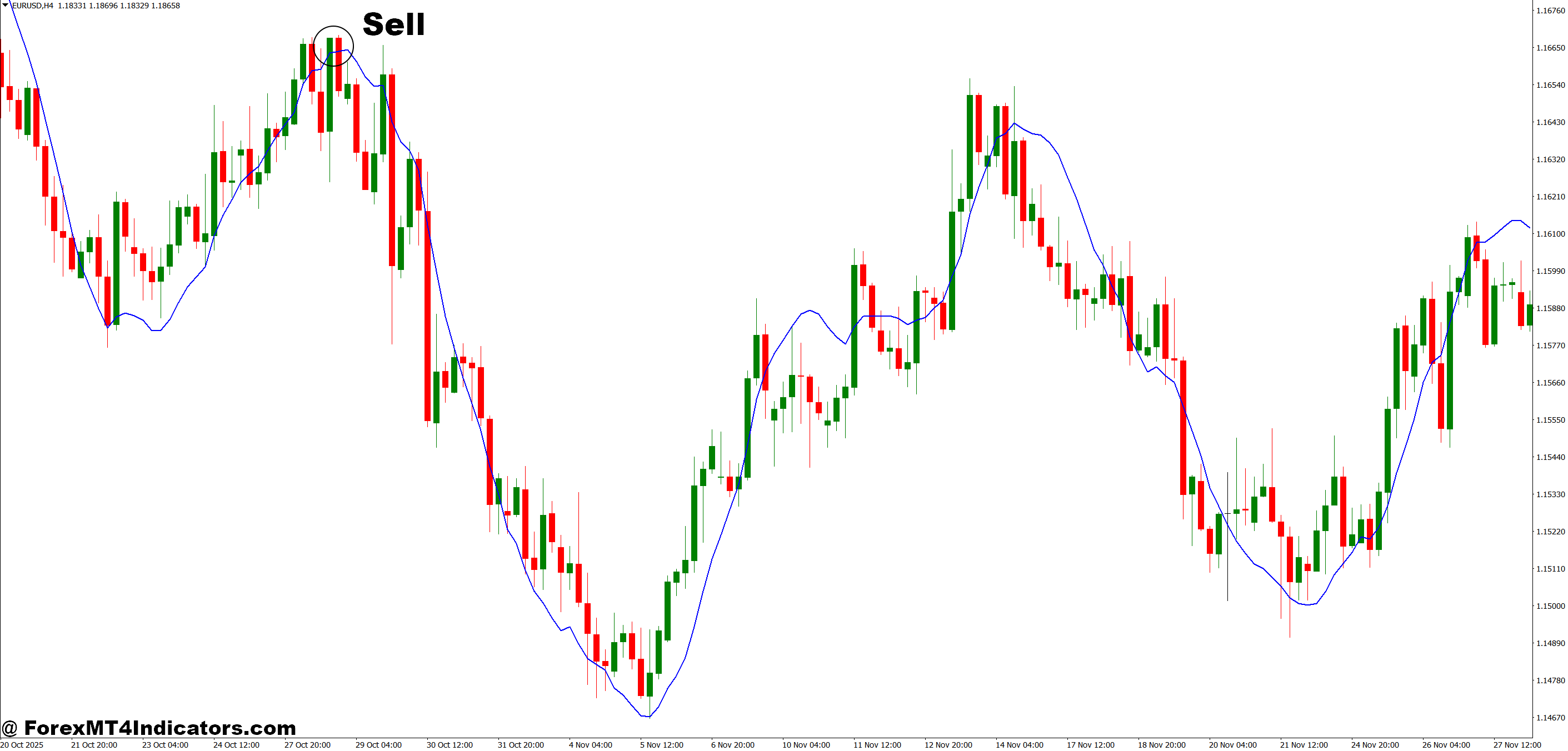
- Price rejects the regression line from below – Short when USD/JPY on 4-hour charts rallies into a downward-sloping regression line and reverses, with stops 25 pips above the line.
- Downward slope steeper than -20 degrees – Enter sell trades when the 100-period regression line on daily EUR/USD shows aggressive downward angle, avoiding sluggish declines under -10 degrees.
- Break below the regression line – Sell when price closes beneath an upward regression line on 1-hour charts with at least 15-20 pip clearance, signaling potential trend reversal.
- Upper channel rejection in downtrends – Short when GBP/USD tests the upper regression band during established downtrends, placing stops 10 pips above the channel boundary.
- Flattening upward slope as reversal warning – Take shorts when a previously steep regression line (40+ degrees) flattens to under 20 degrees on 4-hour charts, indicating momentum loss.
- Regression line becomes dynamic resistance – Sell when price fails to break above the downward regression line twice within 50 pips on EUR/GBP, confirming resistance with 1.5% position risk.
- Skip sells during ranging regression – Never short when the regression line oscillates horizontally (under 10-degree angle) on any timeframe, as direction is undefined and whipsaws likely.
- Trail stops using the regression line – Move sell stops to 10 pips above the falling regression line as USD/CAD trends lower, locking profits while giving the trade room to develop.
Bringing It All Together
The MT4 linear regression indicator gives traders a statistically grounded view of price trends without the subjectivity of hand-drawn lines. It calculates the most accurate representation of recent price direction, helps filter out false signals in choppy markets, and can identify mean reversion opportunities when price overstretends. The slope angle tells you if momentum is building or fading, while price position relative to the line confirms trend direction or warns of exhaustion.
But it’s not a standalone solution. The indicator works best when combined with price action analysis, volume confirmation, and awareness of key support and resistance levels. Use shorter periods for active trading on intraday charts, longer periods for swing and position trades on higher timeframes. Test different period settings on your preferred pairs to find what filters noise without lagging too much.
Don’t expect the regression line to predict turning points or call exact entries. Instead, use it as a trend filter and directional guide that keeps you aligned with the statistical flow of price. When you combine this objective analysis with proper risk management and market context, you’re trading with math on your side—not against it.
Level up your trading Learn to read the chart — not just the indicator eBook · Instant PDF Video Course · 12 modules Trading forex and CFDs carries a significant risk of loss and is not suitable for everyone. Broker links are affiliate links — we may earn a commission at no cost to you.Recommended MT4/MT5 Brokers
Free MT4 Indicator Download

Enter Your Email Address below, download link will be sent to you.