

Last updated:
The RSI Filter Indicator for MetaTrader 4 is an advanced instrument that has greatly improved the forex trading industry. This indicator is a more sophisticated take on the traditional RSI indicator, with modifications to remove false signals and produce more accurate trading signals. This is an especially helpful tool for traders whose trading strategies need to be precise and accurate.
Understanding the RSI Filter Indicator
An innovative tool called the RSI Filter Indicator measures the momentum of a specific currency pair using a histogram. The color-coded histogram gives investors a clear idea of the market’s momentum.
This is not the case with the traditional RSI indicator, which represents momentum with a line graph. An indispensable tool for any trader, the RSI Filter Indicator offers a more accurate depiction of market conditions.
Advantages of the RSI Filter Indicator
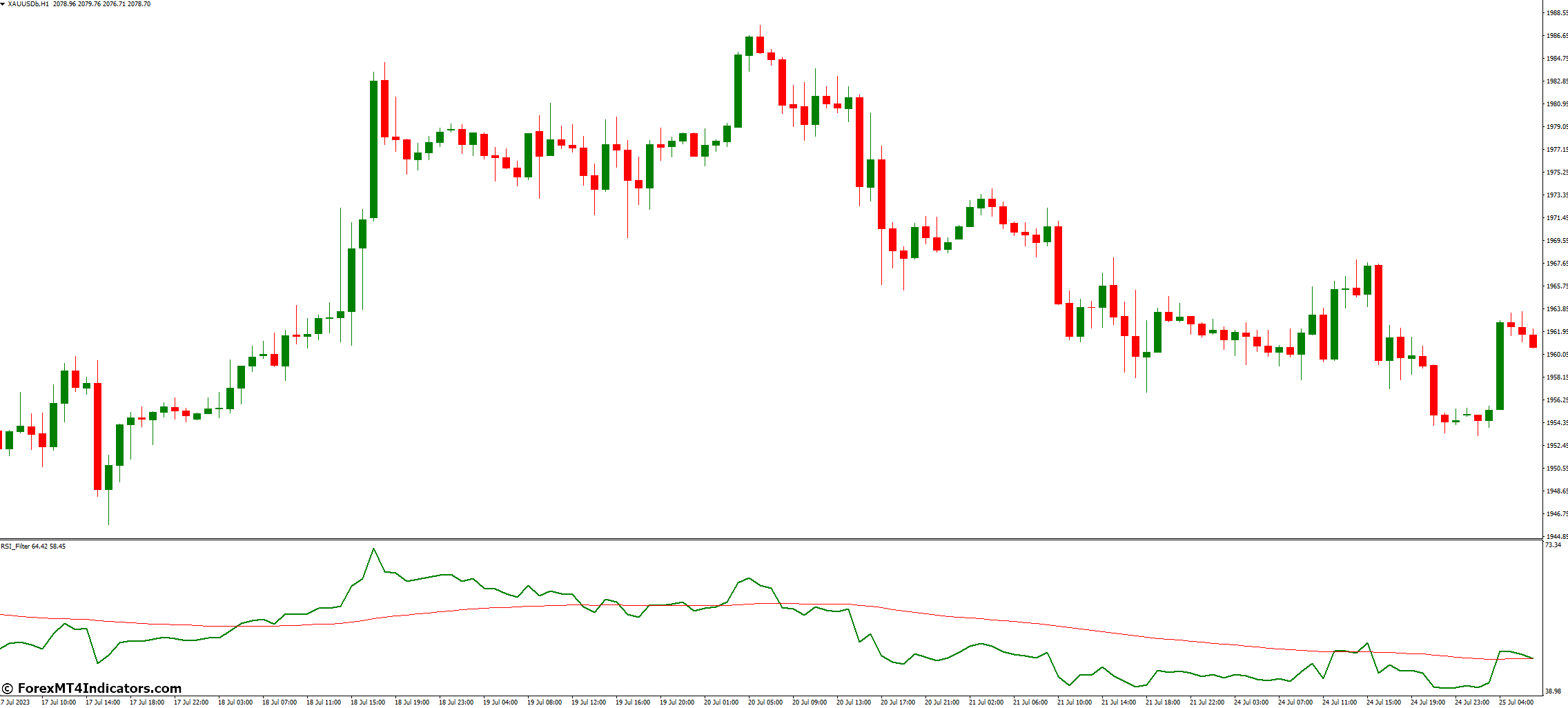
Compared to the traditional RSI indicator, the RSI Filter Indicator offers several advantages. Eliminating false signals is one of its primary benefits. False signals have the potential to cause large losses in the volatile world of foreign exchange trading.
The RSI Filter Indicator gives traders more dependable trading signals by removing these false signals. The RSI Filter Indicator is a flexible trading tool because it performs better in all kinds of market conditions.
How to Trade with RSI Filter Indicator MetaTrader 4
Buy Entry
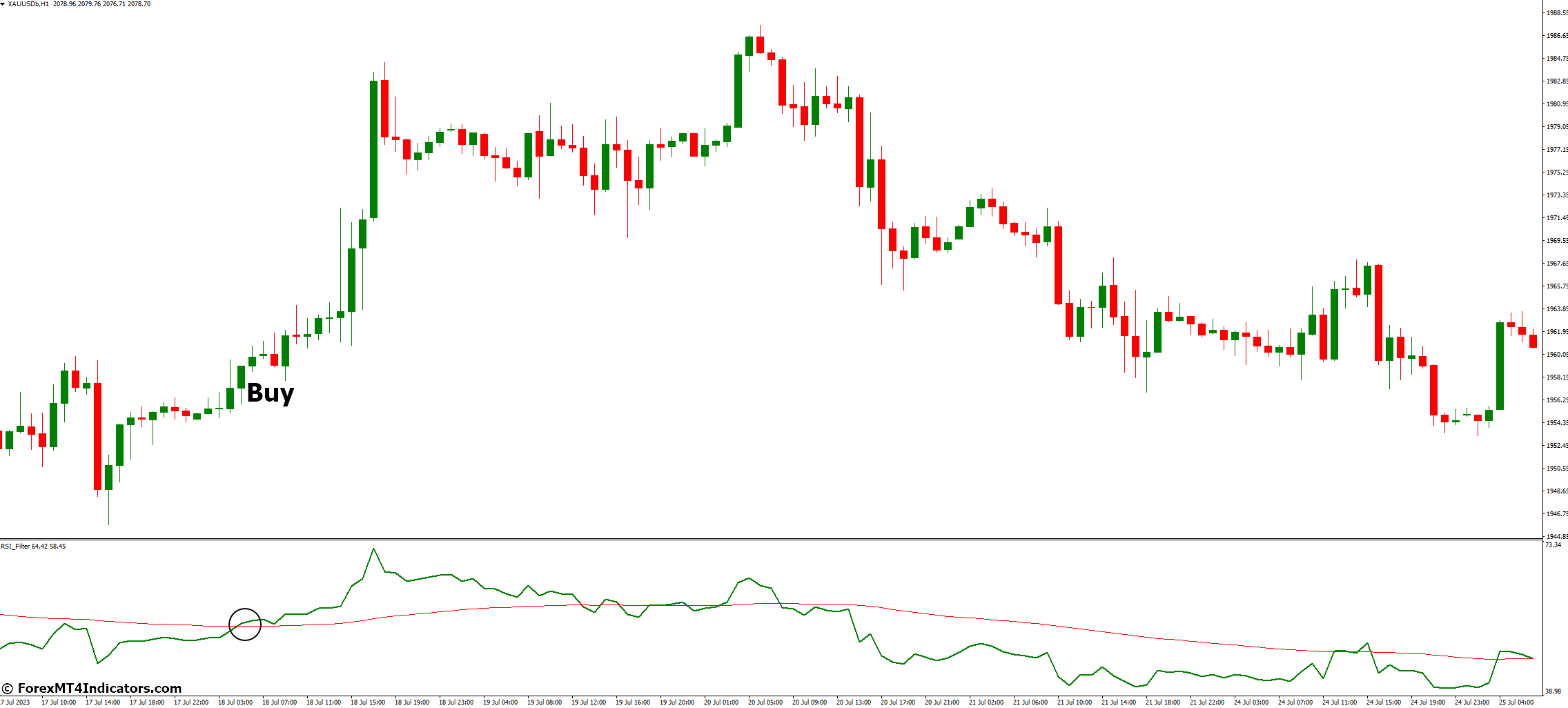
- Wait for the green RSI Filter line to cross above the red RSI line. This indicates a potential bullish market trend.
- Enter a buy position at the opening of the next candle.
- Set the stop-loss below the most recent swing low.
- Set the take-profit level at a point where the potential reward is at least twice the risk (2:1 reward-to-risk ratio).
Sell Entry
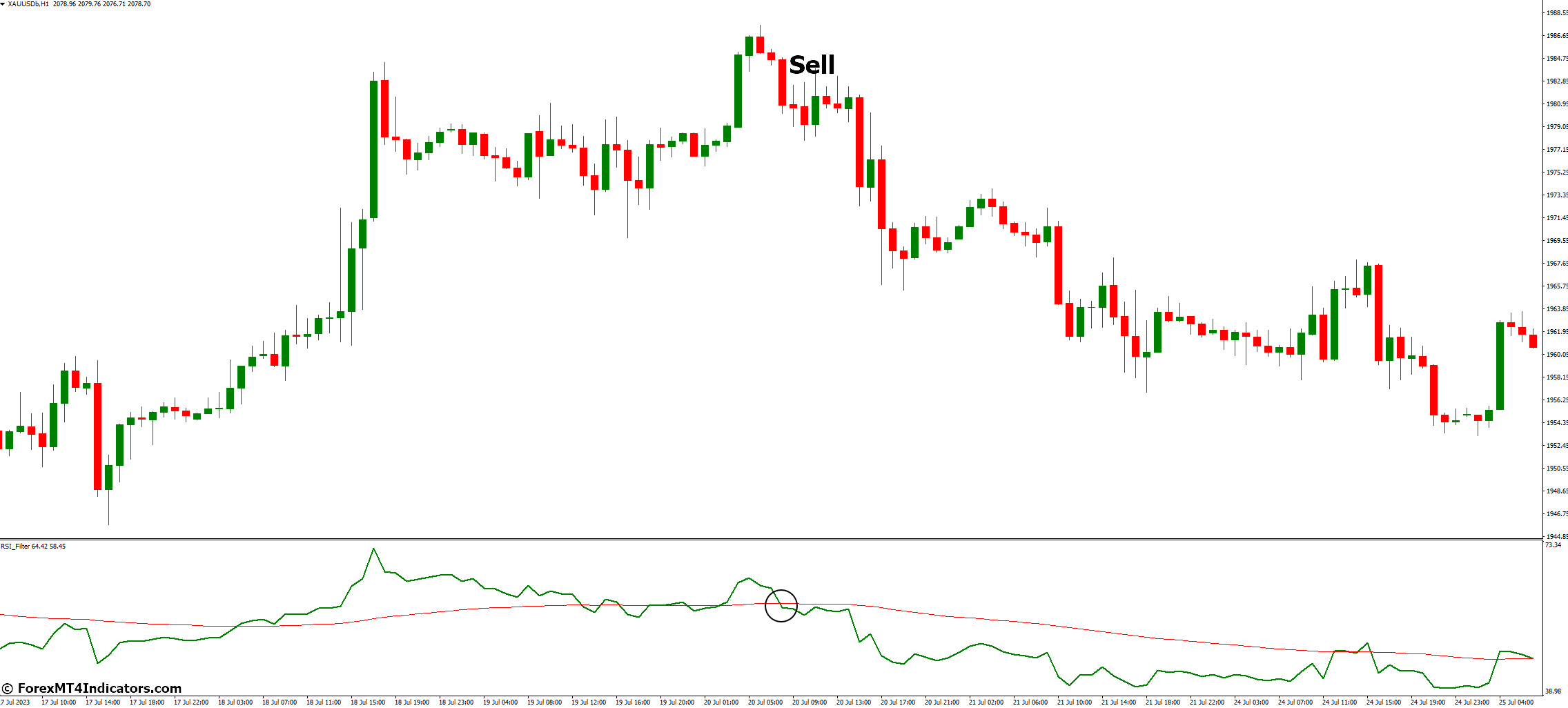
- Wait for the green RSI Filter line to cross below the red RSI Filter line. This indicates a potential bearish market trend.
- Enter a sell position at the opening of the next candle.
- Set the stop-loss above the most recent swing high.
- Set the take-profit level at a point where the potential reward is at least twice the risk (2:1 reward-to-risk ratio).
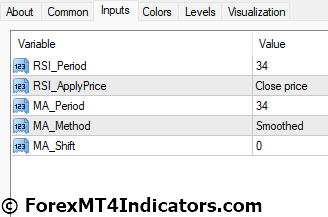
RSI Filter Indicator Settings
Conclusion
In conclusion, the RSI Filter Indicator for MetaTrader 4 is an effective instrument that can greatly improve a trader’s capacity to make profitable deals. This indicator eliminates false signals and provides accurate trading signals, making it an essential tool for any serious trader. Check it out on your MetaTrader 4 platform right now to see how it affects your trading approach!
Level up your trading
Learn to read the chart — not just the indicator
eBook · Instant PDF
Video Course · 12 modules
Recommended MT4/MT5 Brokers
- ✓ *FREE *$50 to start (withdrawable)
- ✓ Deposit bonus up to $5,000
- ✓ Negative balance protection
Trading forex and CFDs carries a significant risk of loss and is not suitable for everyone. Broker links are affiliate links — we may earn a commission at no cost to you.
Free MT4 Indicator Download

Enter Your Email Address below, download link will be sent to you.