

Use your profile credentials for FBS Trader Area and the assigned account number, trading password and server for MetaTrader. Most troubleshooting starts by identifying which login failed.
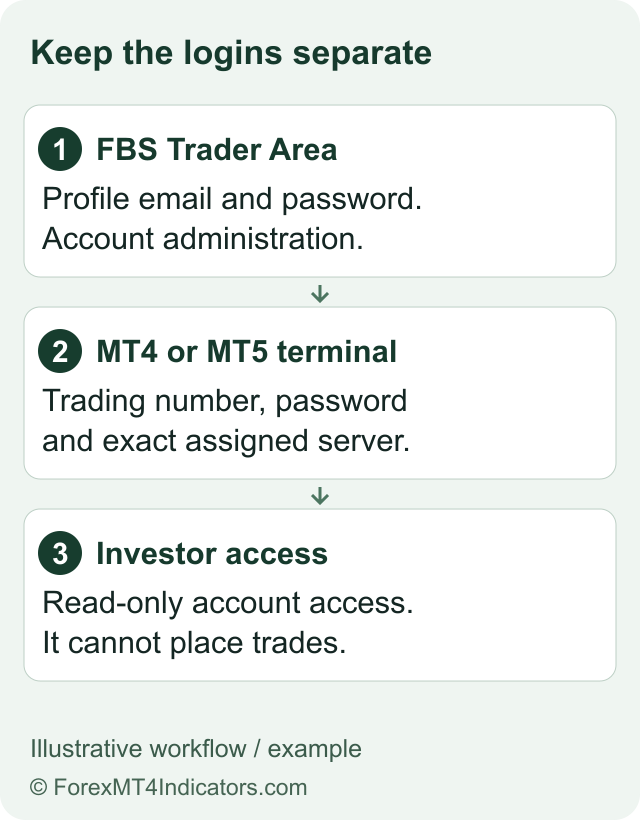
There is more than one FBS login
| Where you want to go | What to use | What it controls |
|---|---|---|
| FBS Trader Area | Your profile sign-in method | Profile, verification, trading-account details and account-management functions. |
| MT4 or MT5 | The matching trading-account number, password and assigned server | The selected trading account in the correct terminal. |
| Investor access | The account credentials with an investor password, where provided | Observation rather than permission to place trades. |
The FBS MetaTrader login instructions identify the separate account number, password and server. A successful email login to Trader Area does not show that you have selected the right account inside MT4 or MT5. Our account guide helps identify the account category; the registration guide explains how those credentials are issued.
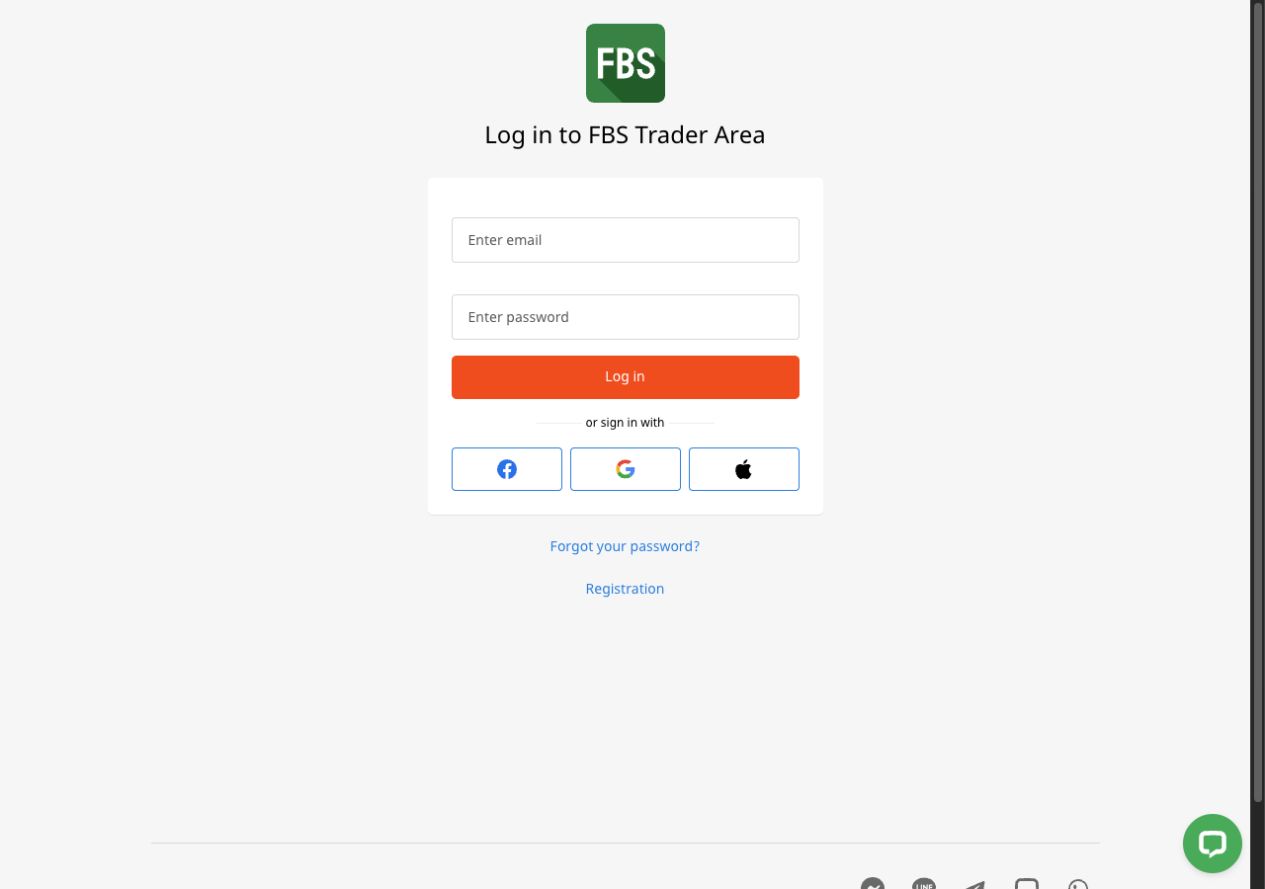
Sign in to Trader Area carefully
Start at the official FBS website. Use its Log in route and inspect the address before entering anything. Avoid sending credentials into a form reached from an unsolicited message.
Use the original sign-in method. An email/password profile and a social sign-in route are not always recovered in the same way. Use the option associated with your registration.
Check the account shown after sign-in. A profile may contain several trading accounts. Open the details of the exact account you intend to use.
Keep the recovery process private. If you need a password reset, request it through the official login process. Use only the resulting message sent to your own email and never share the code.
We inspected public access screens and instructions, not a funded profile. If the interface asks for an additional security check, follow the current official process instead of trying to disable or bypass it.
Connect the trading account to MetaTrader
Match the platform first. Use MT4 for the MT4 account or MT5 for the MT5 account. A valid account number can still fail when entered into the wrong platform.
Find the assigned server in Trader Area. Copy the exact name from that account’s information. Demo and Real servers are separate; do not pick one merely because it has FBS in its name.
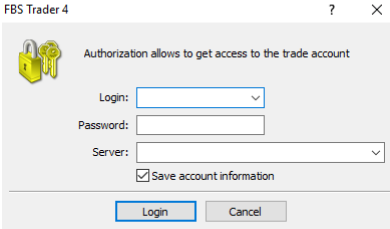
Open the terminal login command. FBS documents File, then Login to Trade Account on desktop. Enter the account number and trading password, then select the assigned server.
Check the account identity and connection. Confirm the account number, real/demo status and connection before relying on prices or attempting an action. Use a demo account to learn the interface.
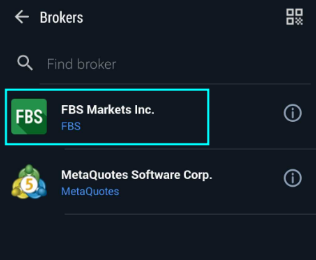
On mobile, add an existing account. The provider instructions describe finding FBS Markets Inc and selecting the matching server. Menu labels differ between MT4, MT5 and operating systems.
A watch-only session is not a trading malfunction if you used an investor password. MetaQuotes’ MT4 authorization help explains the difference between master and investor access. Do not switch into trading access merely to test a live order.
Troubleshoot the symptom you actually have
| Symptom | First check | Avoid |
|---|---|---|
| Invalid account or authorization failure | Platform version, account number, server and correct password type. | Creating more profiles before checking the existing record. |
| No connection | Internet access, assigned server and the provider’s current service information. | Repeated reinstalls that erase useful settings or evidence. |
| Quotes visible but trading unavailable | Read-only access, market/session availability and account status. | Treating every grey button as a password problem. |
| An old demo account no longer works | Check the archive policy for that account type. | Assuming every demo has the same lifetime. |
For a platform-specific setup sequence, use FBS MT4 or FBS MT5. A reinstall is a later troubleshooting choice, after preserving the account/server details and the exact error message.
Send a useful support request
Record the platform version, device, error wording, approximate time and whether the account is real or demo. Share account identifiers only inside a legitimate private support channel, and leave passwords and one-time codes out. The support guide explains how to distinguish access help from a formal complaint.
Logging in does not confirm that deposits or withdrawals are currently available. For those tasks, check verification and the separate payment instructions. Our guide to how forex brokers work explains why the trading platform and provider account service are different parts of the same arrangement.
Questions traders ask
Why does my FBS email password fail in MT4?
MetaTrader uses the assigned trading-account credentials. Check the account number, trading password, exact server and matching MetaTrader version.
Where can I find my FBS server?
Look in Trader Area for the information belonging to the exact trading account. Do not guess between demo and real servers.
Can an investor password place trades?
Investor access is intended for observation rather than trading permission. Use the password type appropriate to your intended access.
Should I reinstall MT4 for every login error?
No. Check the account number, platform, server, password type and current error first. Preserve useful settings and records before considering a reinstall.
Choose your next step
Understand account creation. Set up MT4. Set up MT5. Contact the official support route.
Sources and review scope
Reviewed on 9 September 2026. This guide uses public provider instructions and our educational explanation. We did not open or fund an FBS account, submit identity documents, place a trade, or test a withdrawal. Screenshots identify their source and show only the steps or documentation described in their captions.
- Register with FBS
- FBS MetaTrader login help
- FBS account archive help
- FBS invalid-account troubleshooting
Official broker websites
Read the current terms and restrictions for your actual residence. These links do not establish that a broker or service is available or authorised where you live.
Forex and CFD trading carries a significant risk of loss and is not suitable for everyone. These are affiliate links; we may earn a commission if you use them.