The Accurate Trend Arrow Indicator MT4 is designed to reduce that frustration by giving traders visual buy and sell arrows based on changing market conditions. Still, timing a trend isn’t easy. A single false entry can lead to unnecessary losses, emotional trading, and a series of poor decisions that damage an account.
The challenge becomes even bigger during fast-moving sessions like London or New York, where prices can reverse within minutes. Chasing every signal often results in getting caught in market chop instead of real trends. That’s where a well-designed trend arrow indicator can help. It doesn’t replace trading knowledge, but it gives traders another layer of confirmation before making a decision.
The sections below explain how the Accurate Trend Arrow Indicator MT4 works, when it performs best, and where traders should remain cautious.
What Is the Accurate Trend Arrow Indicator MT4?
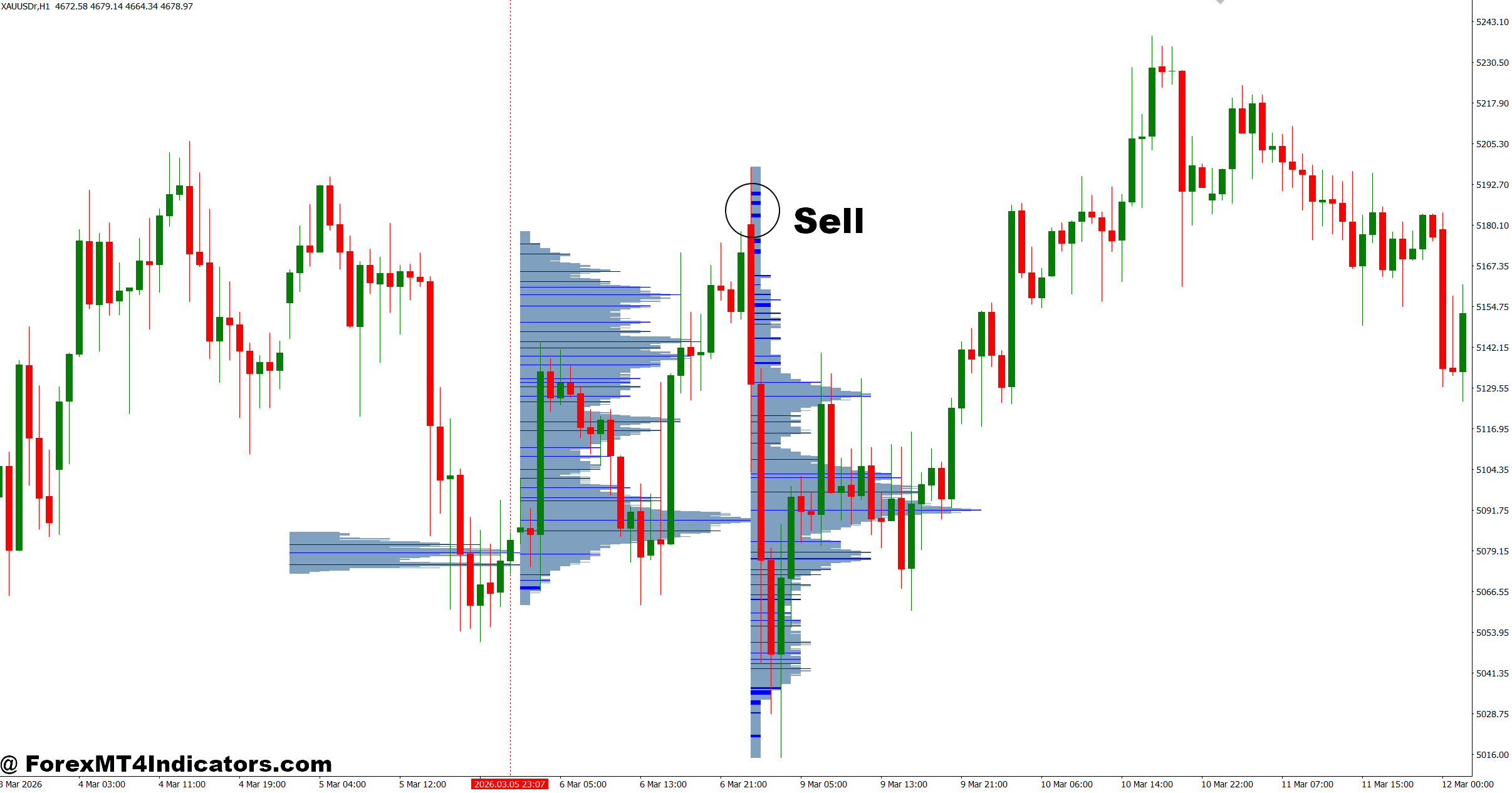
The Accurate Trend Arrow Indicator MT4 is a trend-following technical indicator that places buy and sell arrows directly on the MetaTrader 4 chart. These arrows appear when the indicator detects a possible shift in market momentum based on its internal calculations.
Unlike a simple moving average crossover, many versions of this indicator combine several technical factors, including moving averages, momentum measurements, price direction, and filtering algorithms. The goal is to reduce random signals during sideways markets while highlighting stronger trend opportunities.
Instead of forcing traders to interpret several indicators at once, the arrow acts as a visual alert. That makes chart analysis quicker, especially for traders monitoring multiple currency pairs.
In practice, many traders combine the indicator with support and resistance levels instead of trading every arrow automatically.
How the Indicator Generates Trading Signals
Although different versions may use slightly different formulas, the calculation usually follows a similar process.
First, the indicator measures short-term and long-term trend direction using moving averages or weighted price calculations. Next, it evaluates market momentum to determine whether buyers or sellers have enough strength to continue pushing price.
Some versions also include volatility filters that ignore weak market movement.
For example:
- Price closes above the trend filter.
- Momentum rises above a predefined threshold.
- The previous candle confirms bullish strength.
- A buy arrow appears on the next candle.
The opposite process creates a sell signal.
Here’s a practical example.
On the EUR/USD 1-hour chart, price breaks above a resistance level after several hours of consolidation. The Accurate Trend Arrow Indicator MT4 prints a buy arrow once the breakout candle closes. Rather than entering immediately, experienced traders often wait for a small pullback of 10 to 20 pips before entering. This approach usually offers a better risk-to-reward ratio than chasing the breakout.
During trending markets, traders may hold positions until an opposite arrow appears or until price reaches a major resistance area.
Using the Accurate Trend Arrow Indicator MT4 in Real Trading
A trend arrow should never be viewed as an automatic trading system. Market structure still matters.
One effective approach is to combine the indicator with higher timeframe analysis.
For instance, imagine GBP/USD is making higher highs and higher lows on the 4-hour chart. A trader then switches to the 30-minute timeframe and waits for a fresh buy arrow after a minor pullback. Since both timeframes agree, the probability of the trade improves.
Another example comes from USD/JPY during the Asian session.
The indicator may generate several arrows while price moves inside a narrow 25-pip range. Those signals often lead to whipsaws because the market lacks momentum. Waiting until the London session opens usually produces cleaner setups.
When testing this indicator on volatile NFP days, many traders noticed that entering immediately after the first arrow often resulted in unnecessary stop-loss hits. Waiting for the news candle to close before acting reduced false entries significantly.
Some practical trading guidelines include:
Trend Confirmation
Only take buy arrows when price remains above the 200-period moving average.
Only take sell arrows when price stays below the same moving average.
Support and Resistance
Ignore arrows that appear directly into strong support or resistance zones.
For example, if a buy arrow appears only 8 pips below weekly resistance, the upside may be too limited to justify the risk.
Risk Management
Many traders risk between 1% and 2% of account balance per trade.
A common stop-loss placement is 15 to 30 pips below the recent swing low for buy trades or above the recent swing high for sell trades.
Trading forex carries substantial risk. No indicator guarantees profits.
Settings, Strengths, and Limitations
Most versions of the Accurate Trend Arrow Indicator MT4 allow traders to adjust sensitivity settings.
Lower sensitivity produces fewer arrows but usually filters more market noise.
Higher sensitivity generates earlier entries but also increases the number of false signals.
General guidelines include:
- Scalping (M5-M15): Faster sensitivity with additional confirmation from RSI or volume.
- Intraday Trading (M30-H1): Medium settings often provide a balance between speed and accuracy.
- Swing Trading (H4-Daily): Slower settings help eliminate unnecessary signals during normal market pullbacks.
No single setting works perfectly across every currency pair.
EUR/USD often performs well using moderate sensitivity because of its steady liquidity. Gold (XAU/USD), on the other hand, usually requires wider stop-loss levels and more conservative entries due to larger price swings.
The indicator also has limitations.
During ranging markets, arrows can alternate quickly between buy and sell signals. This creates fake-outs that frustrate traders looking for clean trends.
Strong economic news can also invalidate technical signals. A perfect-looking buy arrow may fail instantly after an unexpected central bank announcement.
That said, these weaknesses are common among most trend-following indicators.
How It Compares With Other Trend Indicators
The Accurate Trend Arrow Indicator MT4 shares similarities with tools like moving average crossovers, Supertrend indicators, and Parabolic SAR. The difference is presentation.
Moving averages require traders to interpret crossovers manually.
Parabolic SAR frequently changes direction during ranging conditions.
Supertrend provides excellent trend confirmation but may react later after large market moves.
The Accurate Trend Arrow Indicator MT4 simplifies decision-making by converting its internal calculations into visual arrows. That makes it especially useful for traders who prefer cleaner charts.
Still, experienced traders rarely rely on a single indicator.
Many combine the trend arrows with price action, candlestick confirmation, Fibonacci retracements, and market structure analysis. When several pieces of evidence align, confidence in the trade naturally improves.
How to Trade with Accurate Trend Arrow Indicator MT4

Final Thoughts
The Accurate Trend Arrow Indicator MT4 can be a useful addition to a trader’s toolbox when it’s used with realistic expectations. It helps identify possible trend changes, provides clear visual signals, works best alongside support and resistance analysis, and performs better when higher timeframe trends agree with lower timeframe entries. At the same time, traders should remember that no technical indicator predicts every market move. False signals will happen, especially during sideways conditions or major news events. Careful risk management, patience, and regular chart practice remain far more valuable than any single indicator. Used wisely, the Accurate Trend Arrow Indicator MT4 can become a reliable confirmation tool rather than the sole reason to enter a trade.
Level up your trading
Learn to read the chart — not just the indicator
eBook · Instant PDF
Video Course · 12 modules
Recommended MT4/MT5 Brokers
- ✓ *FREE *$50 to start (withdrawable)
- ✓ Deposit bonus up to $5,000
- ✓ Negative balance protection
Trading forex and CFDs carries a significant risk of loss and is not suitable for everyone. Broker links are affiliate links — we may earn a commission at no cost to you.
Free MT4 Indicator Download
Enter Your Email Address below, download link will be sent to you.