

TradingView’s Tickmill integration requires a Tickmill Trader Raw account. TradingView currently says this integration is unavailable to EU and UK clients; MT4 and MT5 accounts are not substitutes.
The most important setup choice happens before you open a chart. A broker can support several platforms while connecting only one account family to TradingView. With Tickmill, the current supported route is Tickmill Trader Raw.
We checked Tickmill’s platform page and TradingView’s own account-eligibility documentation. This guide covers that integration, not simply viewing Tickmill-related symbols on a TradingView chart.
Check the supported account and region first
TradingView’s current support page states that Tickmill Trader Raw is the account to connect and says the integration is unavailable to EU and UK clients. It also identifies a demo option. Check these conditions before opening an account specifically for TradingView.
Your country, legal entity and account menu still determine what Tickmill can offer. An accessible marketing page is not confirmation that the integration is enabled for you. See the country guide and account comparison.
An MT4 or MT5 account remains a MetaTrader account. Do not try to solve an unsupported connection by repeatedly entering its credentials into the TradingView broker panel.
Connect through the official workflow
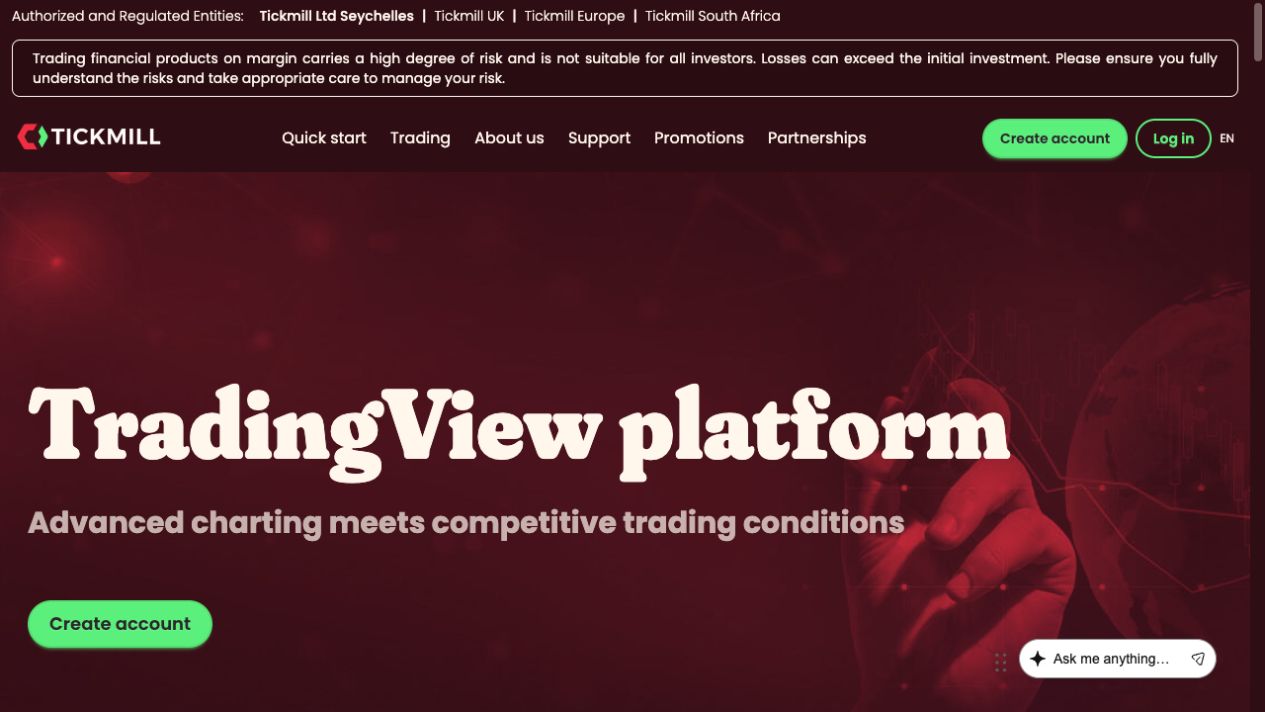
- Check your eligibility. Confirm the residence and entity restrictions and that Tickmill Trader Raw is available in your account menu.
- Create the supported demo or live account. Follow the official setup process. If live, complete the required account checks before considering funding.
- Sign in to TradingView. Use TradingView’s genuine website or supported application, then open its broker connection area.
- Select Tickmill and follow the authorisation flow. Use the connection described by TradingView’s official Tickmill tutorial, not a third-party form asking you to disclose credentials.
- Confirm the linked account. Check its identifier, whether it is demo or live, and the supported trading symbols.
- Practise the order workflow. On demo, inspect quantity, order type, stop and target settings. Check the order status rather than assuming a click was filled.
TradingView’s official connection help provides a short video. We did not authorise an account connection, so private confirmation screens and successful execution are outside this review’s evidence.
TradingView Raw costs differ from MetaTrader Raw
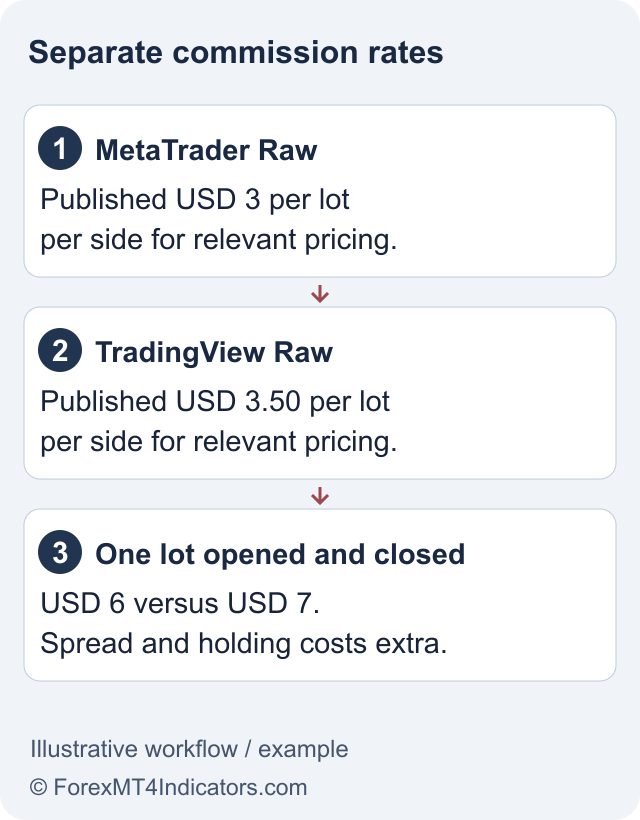
Tickmill’s global account table currently advertises TradingView Raw with USD as its base currency, a starting deposit of USD 100 and commission of USD 3.50 per lot per side for the relevant forex and metals pricing. Spread floors start at zero, but a minimum quoted spread is not an average spread or a guaranteed fill.
For an illustrative one-lot forex position opened and closed at that commission rate, commission totals USD 7: USD 3.50 to open plus USD 3.50 to close. Spread, financing and any other applicable charges are separate. The same volume under the current USD 3 MetaTrader Raw rate would have USD 6 round-trip commission.
This arithmetic compares the published commission schedules only. It does not tell you the cheapest venue for a real order. Check the instrument, current spread and overnight terms in the fees guide.
A TradingView subscription is a separate decision
The broker connection and a paid TradingView subscription are different products. Tickmill advertises a subscription offer tied to qualifying monthly trading activity. Its eligibility, qualifying instruments, lot weights and activation conditions matter; the headline alone does not establish that a subscription is free for you.
Do not increase trading just to reach a subscription threshold. Commissions and losses can exceed the value of the plan. If the offer matters, read the current linked promotion terms and check eligibility before including any benefit in a cost comparison.
If the connection or order fails
Start with the account family and region. Then check the exact error, authentication status and whether the selected symbol is tradable through the connected account. A chart symbol available for analysis is not necessarily an orderable instrument at that broker.
Also distinguish a platform issue from a trading-account restriction. A disconnected session, closed market, unsupported symbol and insufficient margin require different fixes. Save the time, order reference and message for official support.
If you need MQL4 or MQL5 desktop automation, compare MT4 and MT5. A TradingView chart connection does not install those programs or turn an indicator into an automated strategy.
Frequently asked questions
Which Tickmill account connects to TradingView?
TradingView’s official documentation identifies Tickmill Trader Raw. A MetaTrader account is not the supported substitute.
Is the Tickmill integration available in the UK?
TradingView currently states that it is unavailable to EU and UK clients. Check for a later official change before opening an account for this purpose.
Can I connect a demo?
TradingView’s account-support page identifies a Tickmill Trader Raw demo option. Follow the current official connection route and regional conditions.
Is TradingView Raw commission the same as MetaTrader Raw?
The current global table differs: USD 3.50 per lot per side for the relevant TradingView Raw pricing, compared with USD 3 for MetaTrader Raw. Other costs and instrument exceptions still apply.
Does the connection include a free paid subscription?
Not automatically. Tickmill’s subscription promotion has separate eligibility and qualifying-activity conditions.
Sources and review scope
Checked on 11 September 2026 using public provider documents and public screens. We did not open or fund an account, submit identity documents or test live order execution. Screenshots show the public interface; instructions after sign-in describe the documented workflow. Available features depend on your residence, legal entity and account.
Official broker websites
Read the current terms and restrictions for your actual residence. These links do not establish that a broker or service is available or authorised where you live.
Forex and CFD trading carries a significant risk of loss and is not suitable for everyone. These are affiliate links; we may earn a commission if you use them.