

Start Tickmill registration from its official website, check the entity serving your country, then complete your profile and verification. Creating a profile does not place a trade.
The first useful check is whether Tickmill can offer you an account where you actually live. A country appearing in a language selector is not enough. Read the country and entity guide before entering personal information.
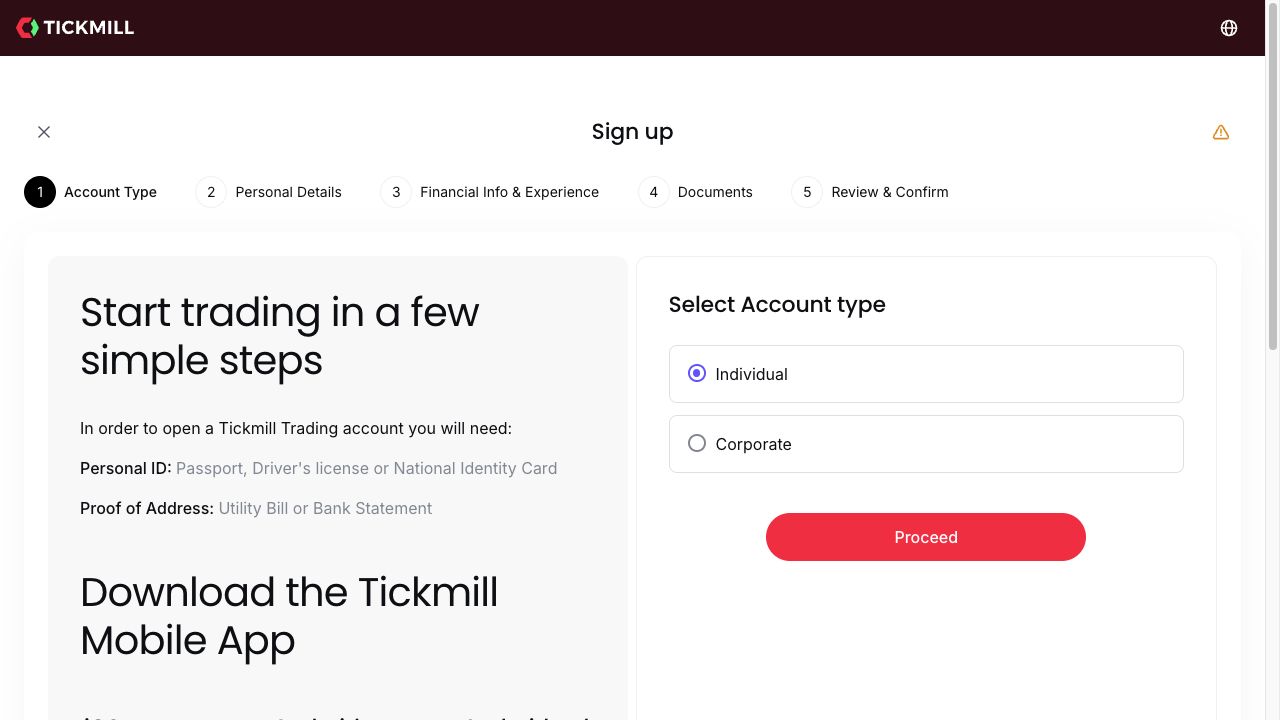
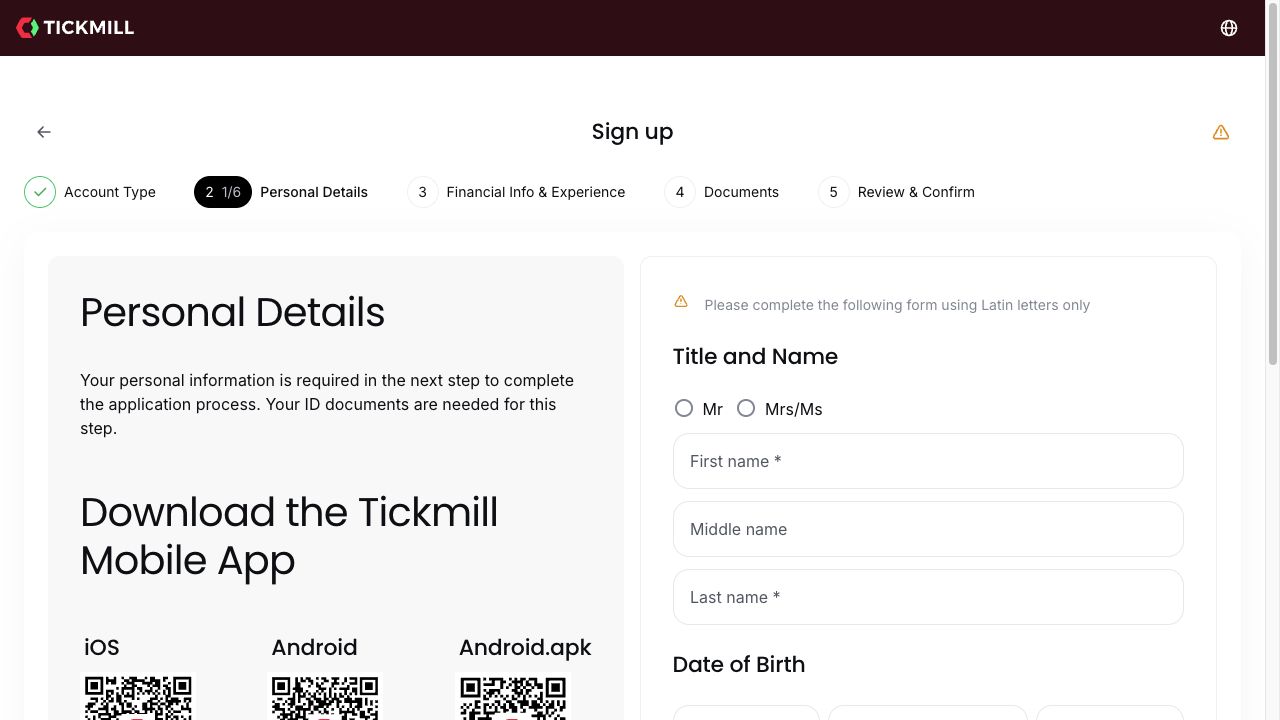
The public registration screen we inspected divides the application into Account Type, Personal Details, Financial Info & Experience, Documents, and Review & Confirm. We viewed the blank individual application without submitting it. Your route may differ with the entity and account requested.
Before you start
Have access to your own email address and gather a readable identity document and proof of address. The public opening screen lists a passport, driving licence or national ID as identity examples, and a utility bill or bank statement for address evidence. That list is a starting point, not a promise that every document will pass review.
Choose an email you can recover securely. Do not let an introducer fill in an application using their own contact details. Your name, residence and later payment details should describe the same person.
How to register, step by step
- Open Tickmill through its official route. Check the website address before entering information. Read the entity shown for your residence and the agreement that entity offers.
- Select the account holder type. The public page distinguishes Individual and Corporate. A personal trading account belongs under the individual route; a company application has different ownership checks.
- Complete Personal Details. The next screen asks for a title, legal name and date of birth. It requests Latin characters. Match your documents and follow the field instructions; do not shorten your name to a nickname.
- Answer financial and trading-experience questions accurately. These help determine the service the provider can offer. There is no useful shortcut in choosing an answer because you think it will unlock higher leverage.
- Upload the requested documents. Use the secure application flow and follow its current format and validity requirements. Our verification guide explains common reasons a document needs another upload.
- Review before confirming. Check the entity, address and declarations. Only accept terms you have read and understood. Follow the email and on-screen instructions for the application outcome.
We stopped at the blank public form. We have not verified an approval time, and completing the form does not guarantee acceptance.
Choose the trading account after the profile
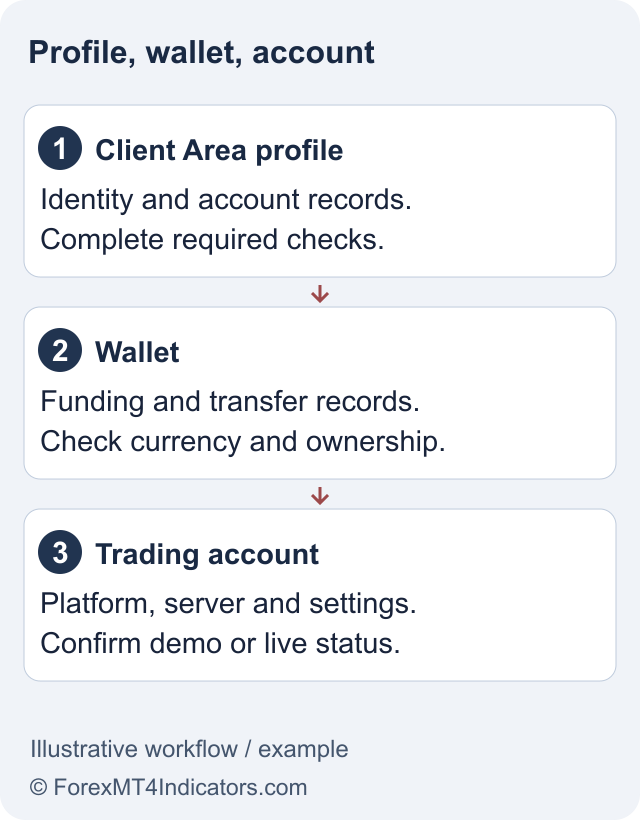
A Client Area profile, a wallet and a trading account perform different jobs. Your profile holds personal details, the wallet handles funds, and a trading account provides the platform login and conditions. Do not assume a successful profile login means an MT4 account already exists.
Compare Classic, Raw and TradingView Raw before choosing. An MT4 account does not become an MT5 or TradingView account by downloading different software. Check the account currency too; repeated currency conversions can add avoidable costs.
If your purpose is practice, follow the demo-account guide. Demo money has no withdrawal value, but the environment lets you learn order entry without funding a live account.
What to do before the first deposit
Check the method and minimum shown for your wallet, whether the payment account must be in your own name, and how withdrawals return to that method. A displayed starting deposit is an entry requirement, not a sensible position size. Use the deposit walkthrough and withdrawal rules together.
Do not deposit solely because a promotion appears on a landing page. The Welcome Account offer has its own country exclusions and conditions. A normal live account and a promotional account are not interchangeable.
If registration stops
Check the specific field message first. A name-format issue needs a corrected field; an unsupported residence needs an eligibility answer. Repeating the application with a different country or borrowed identity is not a fix.
If an email does not arrive, check the address and spam folder, then use the official recovery or support route. If you already have a profile, recover it rather than opening duplicates. Save the wording of a technical error, the page URL and the time it occurred, without sharing passwords or full identity documents in public.
Frequently asked questions
Can I register without depositing?
Profile registration and funding are separate actions. The public form can be started without making a payment; account approval and the conditions for live trading still apply.
Do I need a separate registration for MT4 and MT5?
A Client Area profile can manage trading accounts, but each platform account needs the correct platform-specific credentials. Check the available account choices after approval.
How long does approval take?
We have not measured approval times. Document quality, entity checks and additional information requests can change the processing time.
Can someone register for me?
Keep control of your own contact details and application. Submit accurate identity and residence information and use the provider’s approved corporate or authorised-representative process where relevant.
Sources and review scope
Checked on 11 September 2026 using public provider documents and public screens. We did not open or fund an account, submit identity documents or test live order execution. Screenshots show the public interface; instructions after sign-in describe the documented workflow. Available features depend on your residence, legal entity and account.
Official broker websites
Read the current terms and restrictions for your actual residence. These links do not establish that a broker or service is available or authorised where you live.
Forex and CFD trading carries a significant risk of loss and is not suitable for everyone. These are affiliate links; we may earn a commission if you use them.