

A login problem is easier to solve once you name the destination. “RoboForex login” can mean the management website, a MetaTrader terminal, R StocksTrader or the proprietary app. A password that works in one of those places does not prove that another platform is misconfigured.
Choose the right sign-in route
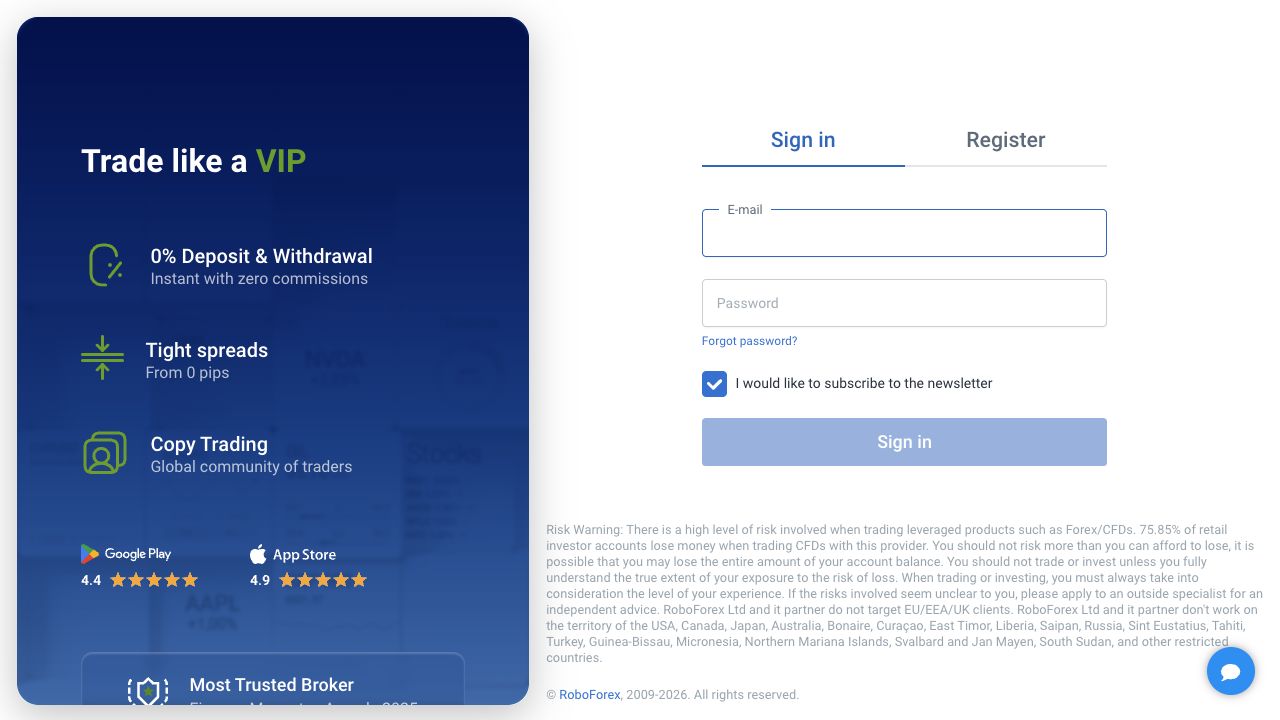
The official Members Area login reviewed on 15 September 2026 displays email and password fields. Its recovery link leads to Members Area password recovery. We inspected the blank public form without logging in or submitting an email address.
| Destination | Information to identify | Why a mismatch happens |
|---|---|---|
| Members Area | Registered email and profile password | A terminal account number is not the email login. |
| MT4 or MT5 | Trading account number, trading password and exact server | Wrong platform or real/demo server can reject otherwise valid credentials. |
| R StocksTrader | Its official sign-in route and account selection | A MetaTrader server name does not identify an R StocksTrader account. |
| MobileTrader or WebTrader | The account type supported in the current app interface | A similar logo does not make every login workflow identical. |
Recover the management profile
- Check the address first. Open the login from a saved official route. Do not enter credentials into a link sent by an unsolicited “account manager.”
- Check the email. Use the address registered to the Members Area, not another address used with a platform marketplace.
- Remove simple entry errors. Check keyboard language and accidental leading or trailing spaces. A password manager can help distinguish saved profiles.
- Use the recovery link when needed. Request recovery for your own profile, then inspect the message’s destination before opening it. Do not share a recovery link.
- Escalate lost email access. The provider’s account-management instructions direct clients without access to their email to support. Do not create duplicate profiles as a workaround.
If your phone number or second factor is unavailable, describe that separately to support. Password recovery does not automatically replace every authentication factor. Keep control of the registered email while a support case is open and use the provider’s actual instructions for any identity recheck.
Diagnose MT4 or MT5 access
Open the account record in Members Area and confirm four items together: platform, account number, real/demo status and server. Copy the exact server label rather than choosing the first result containing the broker name. Then follow the MT4 setup guide or MT5 setup guide for that terminal.
MetaQuotes’ MT4 authorization documentation distinguishes normal trading access from investor access. An investor password can allow account viewing while preventing trading. Therefore, a connected chart with disabled order controls is a different problem from a terminal that cannot authenticate.
Do not paste your Members Area email into a numeric trading-account field. If an MT4 account is selected, switching to the MT5 application does not convert it. Likewise, a demo account and a real account may use different servers even when both appear in the same management profile.
Read the failure before changing settings
For an invalid-account message, recheck platform, server and account details first. For a connection error, record whether prices are moving and whether the same official website is reachable on your connection. Avoid disabling device security broadly or trying an unverified mirror to force access.
If the terminal connects but a symbol cannot trade, note the exact error, symbol, time and account status. Market sessions, permissions and order specifications can prevent a trade without making the password wrong. The demo guide offers a controlled way to practise normal order handling before using real funds.
After an unexpected sign-in or password change
Stop treating an unfamiliar alert as routine troubleshooting. Enter through the official route, review the account and contact the provider if activity is not yours. Change compromised credentials from a trusted device and keep the relevant notification. Never pay an unsolicited “unlock fee” or disclose a verification code to somebody claiming to be support.
Use our support guide to assemble the error text and chronology. Include the platform version and server name, but redact passwords and recovery tokens. If you are actually opening your first profile, return to the registration guide; if a document review is the blocker, use the verification guide.
Frequently asked questions
Are my Members Area and MT4 passwords the same?
Do not assume they are. Members Area is the management profile; MT4 uses a trading account, its password and the correct server. Read the actual account details. An investor password may allow viewing without permission to trade.
Where is the RoboForex password-reset page?
Use the recovery link on the official Members Area login page. The public route observed for this guide was my.roboforex.com/en/remind/. Check the complete address before using it and never forward a recovery link to a chat contact.
Why can I view an account but not trade?
One possibility is investor access, which does not permit trading. Check the actual login type, account permissions and error message before assuming the connection is broken. A moving price chart alone does not prove that the account has permission to submit orders.
Can an MT4 account log in to MT5?
An account must match its platform and server. Installing MT5 does not convert an MT4 account into an MT5 account. Find the platform in the account record, then use the corresponding terminal and assigned server.
What should I send support?
Send the account identifier through the secure channel, platform/version, server, time and exact error. Do not send passwords, one-time codes or unredacted recovery links. Keep the original error and existing case reference so the next reply concerns the same issue.
Sources and scope
Checked 15 September 2026. This guide concerns RoboForex Ltd and its current public instructions. Public pages and blank forms were reviewed; we did not open or fund an account, upload identity documents, place an order or test a withdrawal. Source conditions and the account-specific screen take priority where availability differs.
- Public Members Area login
- Members Area functions
- MetaQuotes MT4 authorization
- MT4 provider downloads
- MT5 provider downloads
- Official support contacts
For the wider broker context, return to our Forex broker guide library.