

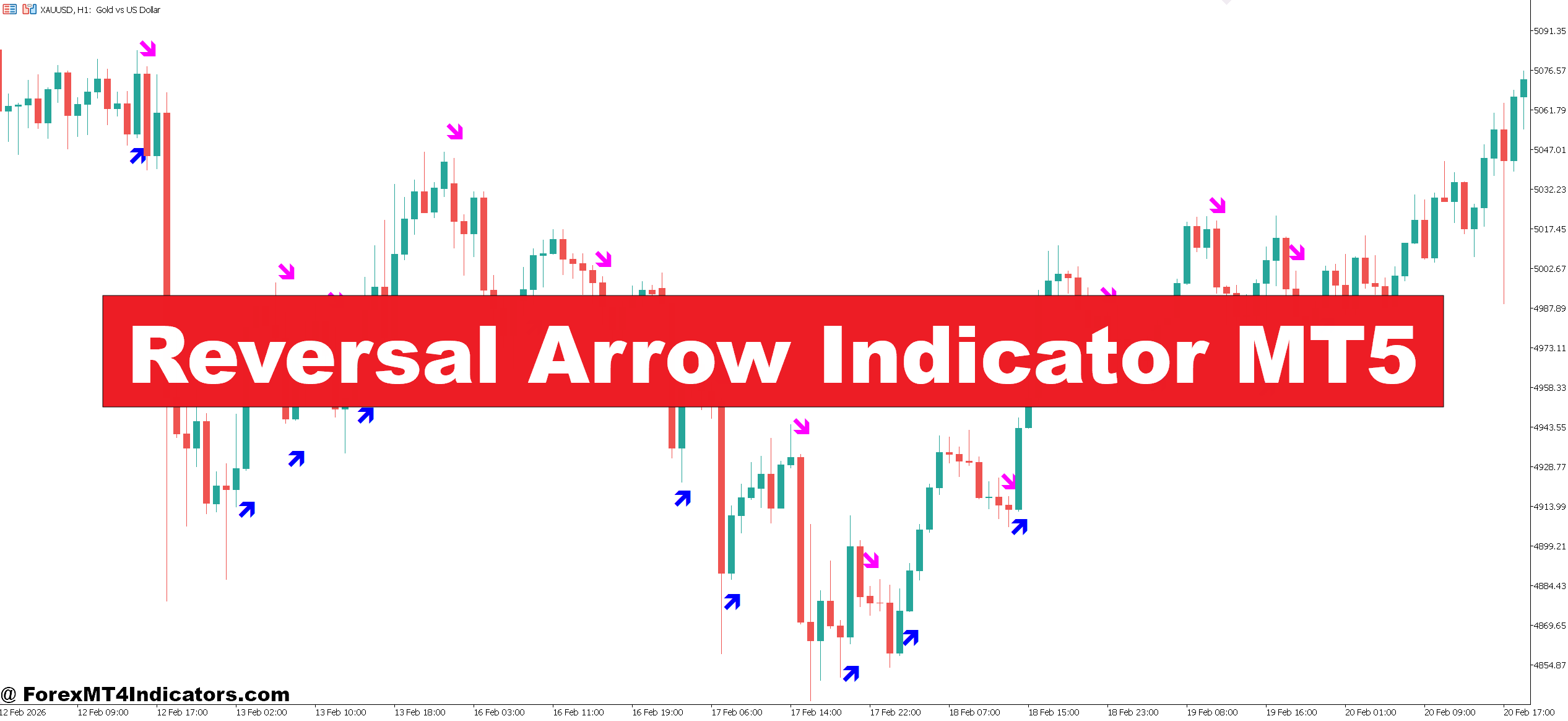
The Reversal Arrow Indicator MT5 was created to help traders spot possible turning points on the chart. Instead of constantly guessing where price may change direction, the indicator places visual arrows directly on the chart when certain reversal conditions appear.
Traders often use it as a confirmation tool alongside price action, support and resistance levels, or other indicators. The sections below explain how the indicator works and how traders apply it in real market conditions.
Understanding the Reversal Arrow Indicator MT5
The Reversal Arrow Indicator MT5 is a visual technical tool designed for the MetaTrader 5 platform. It identifies potential market turning points and marks them with arrows on the price chart.
A typical setup shows:
- Up arrows indicating a potential bullish reversal
- Down arrows suggesting a possible bearish reversal
The main purpose is to simplify the process of spotting reversal signals without manually analyzing multiple indicators.
Most versions of this indicator rely on a combination of technical signals such as:
- Overbought and oversold levels
- Momentum shifts
- Short-term price structure changes
- Moving average deviations
When these conditions align, the indicator prints an arrow at or near the candle where the reversal may begin.
However, the arrows should not be treated as automatic entry signals. Experienced traders usually confirm them with nearby support or resistance zones before placing a trade.
How the Indicator Generates Signals
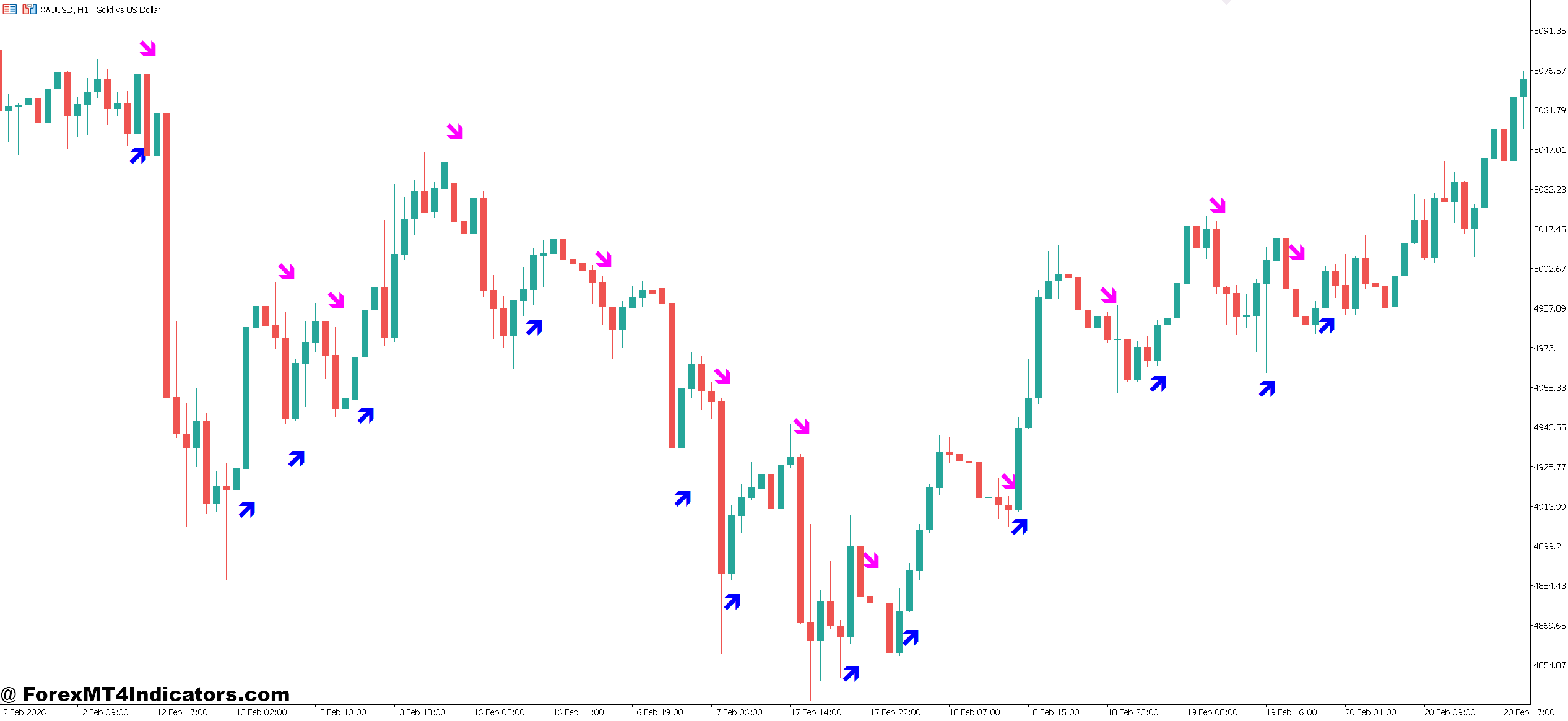
Behind the arrows, the indicator typically blends several common technical concepts. While different versions may vary slightly, the logic often includes momentum and price exhaustion signals.
For example, a bullish arrow might appear when:
- Price becomes oversold based on an oscillator calculation
- Selling pressure begins to weaken
- A bullish candle closes above recent short-term momentum levels
A bearish arrow often appears when:
- Price reaches an overbought level
- Buying pressure slows down
- A bearish candle closes below a short-term trigger level
In practice, the indicator watches how price behaves during strong moves. When momentum fades, it marks the potential turning point.
Consider a real trading example.
On the EUR/USD 1-hour chart, price drops nearly 90 pips during the London session. Near a previous support level, a bullish arrow appears after a strong bullish candle closes. Traders who entered after the signal and placed a stop loss 20 pips below the recent low could potentially capture a 40–50 pip recovery move.
That said, reversals do not always lead to large trends. Sometimes price only pulls back briefly before continuing in the original direction. This is why confirmation matters.
Practical Trading Applications
The Reversal Arrow Indicator MT5 becomes more useful when combined with price structure and market context.
Many traders look for signals around key zones.
Trading with Support and Resistance
One effective approach is waiting for arrows near strong price levels.
For instance, imagine GBP/USD on the 30-minute chart approaching a resistance level that has rejected price twice earlier in the day. If a bearish arrow appears at that level along with a bearish engulfing candle, it creates a stronger case for a short trade.
A trader might:
- Enter after the arrow candle closes
- Place a stop loss 15–25 pips above the resistance
- Target the next support area 40–60 pips lower
Trend Pullback Strategy
The indicator can also help during pullbacks within a trend.
Suppose USD/JPY is trending upward on the 4-hour chart. Price retraces toward the 50-period moving average. When a bullish arrow appears during the pullback, traders often see it as a signal that the trend may resume.
This type of setup tends to be more reliable than trying to trade against the trend.
High-Volatility Events
Signals during major news events should be treated carefully. When testing the indicator during Non-Farm Payroll releases, many traders notice quick arrows forming due to sharp price spikes. These signals can produce whipsaws if used without caution.
Waiting for the candle to close helps filter many false signals.
Reversal Arrow Indicator MT5 Settings and Customization
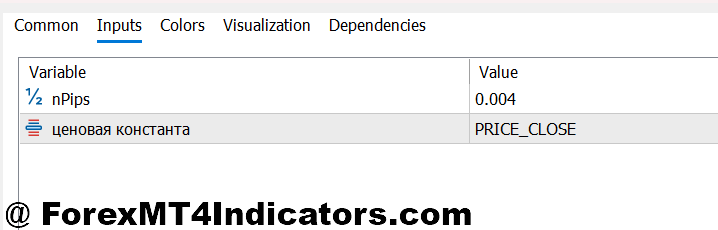
Most versions of the Reversal Arrow Indicator MT5 allow traders to adjust a few important parameters.
Common settings include:
- Arrow sensitivity: Lower sensitivity produces fewer signals but often improves accuracy. Higher sensitivity generates more arrows, which may help scalpers but can increase noise.
- Calculation period: This setting determines how much historical data the indicator analyzes. A longer period may produce smoother signals on higher timeframes.
- Alert notifications: Some traders enable pop-up or mobile alerts so they don’t need to constantly watch the chart.
Timeframe Suggestions
Different trading styles require different settings.
- Scalping: M5 or M15 charts
- Intraday trading: M30 or H1
- Swing trading: H4 or Daily
For example, on XAU/USD (Gold) H1, many traders reduce signal frequency to avoid excessive arrows during volatile price swings.
Testing settings in a demo account helps identify the most stable configuration for each pair.
Advantages and Limitations
Like any technical tool, the indicator has both strengths and weaknesses.
Advantages
One clear benefit is visual simplicity. Arrows quickly highlight potential reversal points without requiring complex chart analysis.
It also saves time. Traders who monitor several currency pairs can quickly scan charts for signals rather than manually evaluating each price move.
Another advantage is flexibility. The indicator works across many instruments including forex, indices, and commodities.
Limitations
Reversal signals can appear too early during strong trends. A market trending aggressively may produce several arrows before an actual reversal occurs.
Another issue is ranging markets. During sideways conditions, arrows may appear frequently as price moves between small support and resistance levels.
Because of this, traders often combine the indicator with tools such as moving averages, RSI, or support and resistance zones.
And it’s important to remember: Trading forex carries substantial risk. No indicator guarantees profits.
Comparison With Similar Reversal Indicators
The Reversal Arrow Indicator MT5 belongs to a large group of signal-based indicators.
Some traders compare it with tools like:
- ZigZag indicators
- Fractal indicators
- RSI divergence signals
ZigZag indicators highlight swing highs and lows but usually repaint until price confirms the move. Fractals identify market turning points but often appear several candles late.
Arrow-based reversal indicators attempt to strike a balance between early detection and visual clarity.
Still, they perform best when used alongside price action rather than as standalone systems.
How to Trade with Reversal Arrow Indicator MT5
Buy Entry
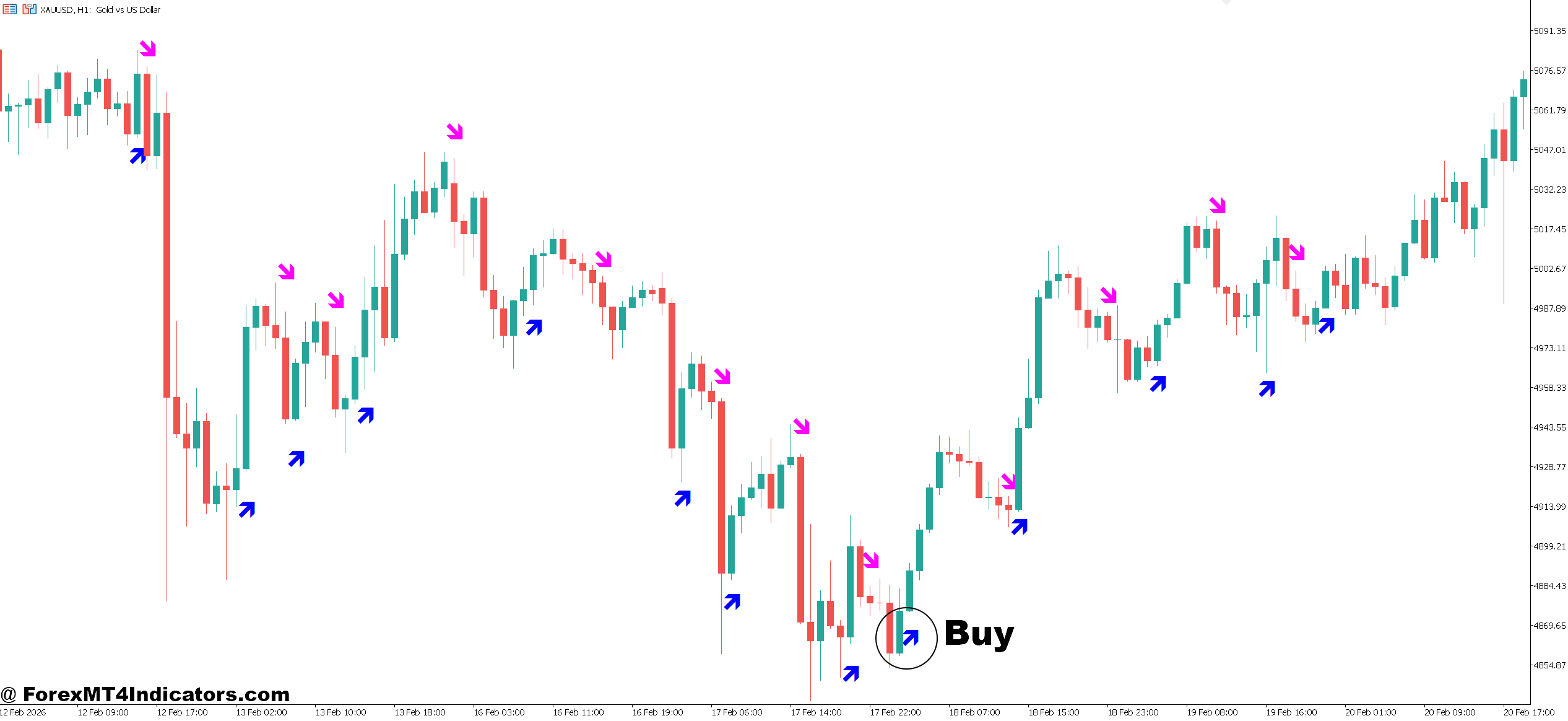
- Bullish arrow appears at support – Enter when a green arrow forms near a strong support zone; on EUR/USD H1, aim for 20–30 pips above support.
- Confirm with bullish candle close – Wait for the candle forming the arrow to close above the previous candle’s high to avoid fake-outs.
- Trend pullback setup – On GBP/USD H4 uptrend, buy when a bullish arrow forms near the 50 EMA during a retracement; target 40–60 pips.
- Volume spike confirmation – Enter when the arrow coincides with above-average volume; helps validate the reversal signal.
- Oversold oscillator alignment – Check RSI below 30; if bullish arrow appears, it increases probability of a move upward.
- Avoid signals in strong downtrend – Ignore buy arrows when price is far below major resistance; risk of whipsaw is high.
- Set stop-loss wisely – Place stop 15–25 pips below the arrow candle low to limit losses.
- Target previous highs – Use nearby resistance for take profit; EUR/USD H1 often gives 40–50 pip swings.
Sell Entry
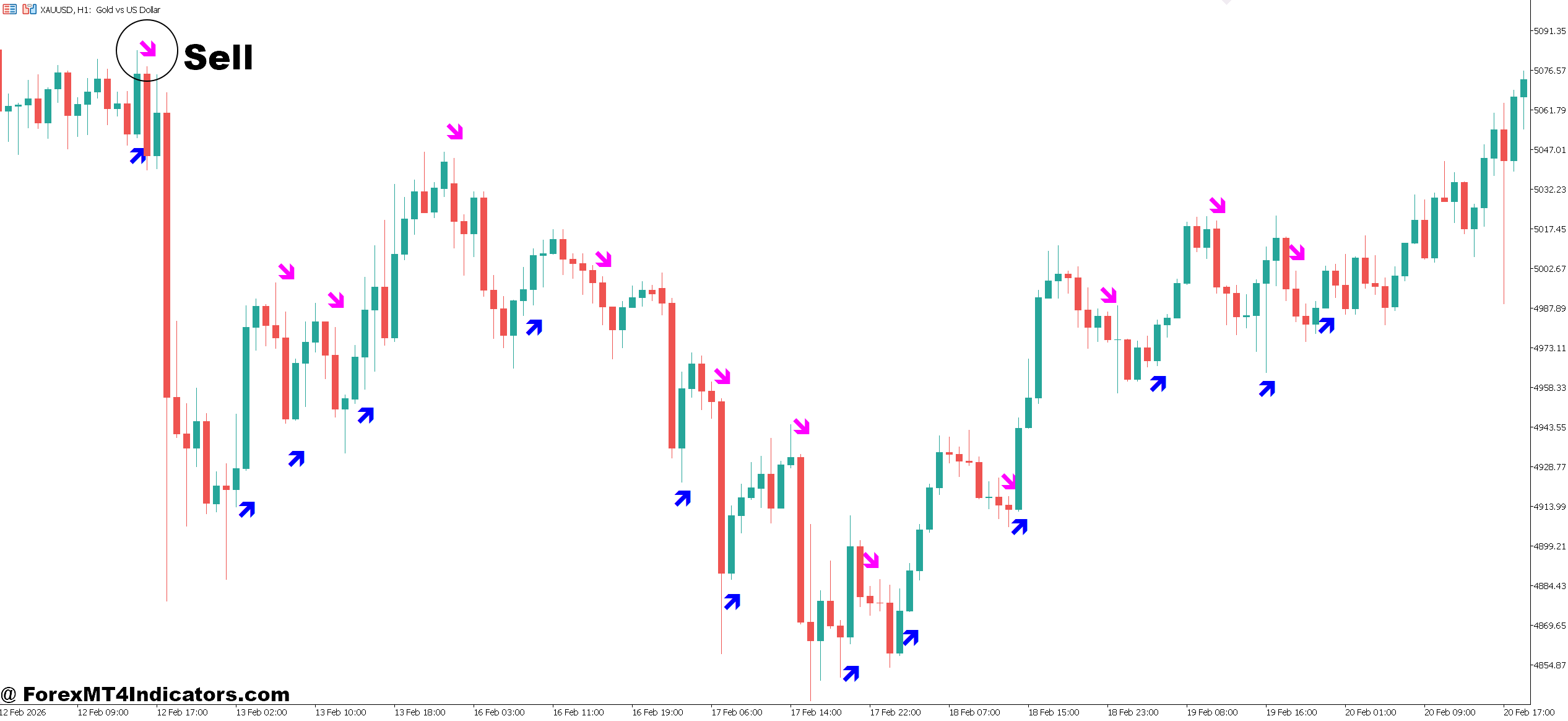
- Bearish arrow at resistance – Enter when a red arrow forms near a strong resistance; GBP/USD H1 often drops 20–30 pips from resistance.
- Confirm with bearish candle close – Wait for arrow candle to close below the previous candle’s low to filter false signals.
- Trend pullback continuation – On EUR/USD H4 downtrend, sell when a bearish arrow forms near the 50 EMA during retracement; target 40–60 pips.
- Volume spike confirmation – Look for higher-than-average selling volume to validate the reversal.
- Overbought oscillator alignment – RSI above 70 with a bearish arrow signals stronger reversal probability.
- Avoid signals in strong uptrend – Skip sell arrows far above support levels; high chance of reversal failure.
- Set stop-loss strategically – Place stop 15–25 pips above the arrow candle high.
- Target previous lows – Use nearby support for take profit; typical move 40–50 pips on H1 charts.
Conclusion
The Reversal Arrow Indicator MT5 offers a simple way to identify potential turning points in the market. It doesn’t predict the future, but it can highlight moments where momentum begins to shift.
Traders often find value in a few key areas: recognizing reversal zones quickly, spotting pullbacks within trends, and reducing the time spent scanning charts. Real trading results still depend on confirmation from support and resistance levels, proper risk management, and patience during volatile conditions.
Used thoughtfully, the indicator becomes a helpful guide rather than a decision-maker. Testing it on pairs like EUR/USD or GBP/USD across multiple timeframes is a practical next step. Over time, traders learn which signals deserve attention and which ones are better ignored.
Level up your trading Learn to read the chart — not just the indicator eBook · Instant PDF Video Course · 12 modules Trading forex and CFDs carries a significant risk of loss and is not suitable for everyone. Broker links are affiliate links — we may earn a commission at no cost to you.Recommended MT4/MT5 Brokers
Free MT4 Indicator Download

Enter Your Email Address below, download link will be sent to you.