

The Cvd Indicator MT4 becomes useful. Many traders struggle with false breakouts, weak trend continuation, and entries that look good but fail quickly. The result is frustration, emotional decision-making, and unnecessary account drawdown.
The Cvd Indicator MT4 helps traders read market pressure by focusing on buying and selling activity rather than relying only on candles. It adds another layer of context that can improve timing and confidence when used correctly. Understanding how it works and where it fits into a trading plan makes a noticeable difference.
What Is the Cvd Indicator MT4?
The Cvd Indicator MT4 (Cumulative Volume Delta Indicator) is a technical analysis tool that tracks the difference between aggressive buying and aggressive selling over time. Instead of showing total volume alone, it measures the net flow between buyers and sellers.
Volume Delta works with a simple idea:
- Positive delta suggests stronger buying pressure.
- Negative delta suggests stronger selling pressure.
- Cumulative delta adds those values together over time to reveal broader market participation.
Since spot forex lacks centralized exchange volume, MT4 versions of the CVD indicator commonly use tick volume as a proxy. Tick volume tracks price changes and often gives useful insight into market activity.
For example, if EUR/USD prints higher highs but cumulative delta starts falling, traders may treat that as a warning that the move lacks real participation.
This indicator is commonly used for:
- Trend confirmation
- Spotting divergence
- Entry timing
- Detecting exhaustion
- Supporting breakout decisions
But it shouldn’t replace price action.
How the Cvd Indicator MT4 Works in Real Trading
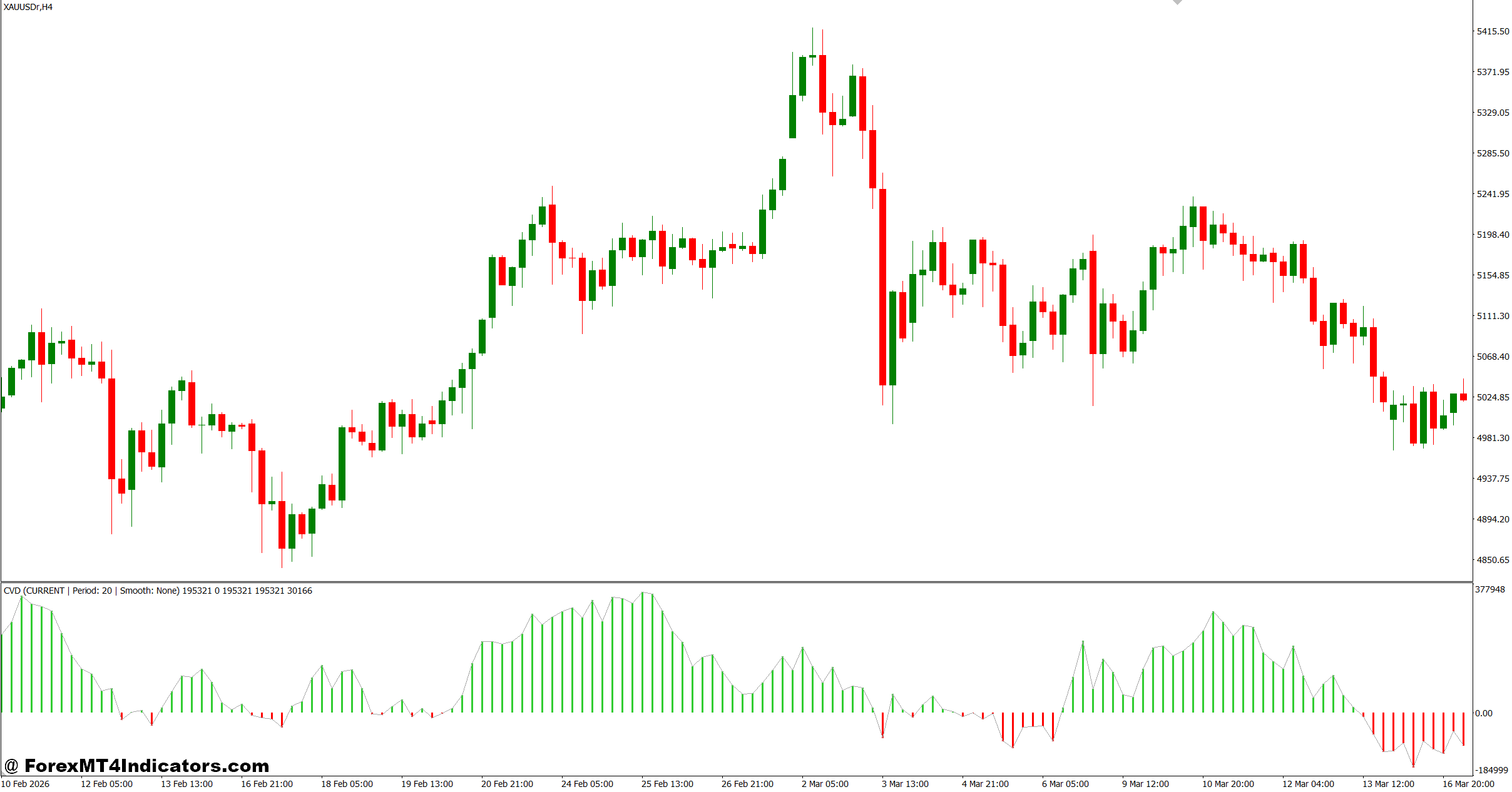
The indicator calculates volume pressure by comparing upward and downward activity inside each candle and accumulating those values into a running total.
The basic workflow looks like this:
- Measure buying activity.
- Measure selling activity.
- Calculate the difference (delta).
- Add results continuously.
The visual output usually appears as a line or histogram beneath price.
Imagine GBP/USD on the 30-minute chart.
Price breaks above resistance at 1.2850 and moves 35 pips higher. At the same time, the CVD line climbs steadily. That alignment suggests active participation and gives traders more confidence to hold.
Now consider another example.
USD/JPY rises 50 pips during the London session but the CVD line stays flat or declines. That mismatch may signal weakening pressure and increase the risk of a fake-out.
When testing this on volatile NFP days, many traders notice CVD reacts quickly to shifts in momentum. But fast reactions can also create noise during rapid news spikes.
One practical tip: wait for candle close confirmation instead of reacting to every CVD fluctuation.
Using CVD with Market Structure
Experienced MT4 traders rarely use CVD alone.
A common setup combines:
- Support and resistance zones
- Trend direction
- CVD confirmation
- Entry trigger candle
Example setup:
EUR/USD – 1-hour chart
Price retests previous support at 1.1210.
CVD starts rising while bullish engulfing candles appear.
- Entry: Buy above confirmation candle
- Stop Loss: 20–25 pips below structure
- Target: 45–60 pips
This approach creates clearer rules and reduces emotional entries.
Best Settings and Customization for Different Trading Styles
No single setting works for everyone.
Most MT4 CVD versions allow adjustments for smoothing periods, calculation sensitivity, and display style.
Scalping (M5–M15)
- Faster smoothing
- Higher responsiveness
- Works best during London and New York overlap
- Watch for increased noise
Example pairs:
- EUR/USD
- GBP/USD
- XAU/USD
Intraday Trading (M30–H1)
- Balanced smoothing
- Better signal quality
- Useful for trend continuation
Suggested observation:
Wait for two confirming bars before entry.
Swing Trading (H4–Daily)
- Slower settings
- Focus on broader accumulation trends
- Fewer signals but generally cleaner
Some traders make the mistake of increasing sensitivity too much. That often creates whipsaw conditions and unnecessary trades.
Testing settings over at least 50 historical trades gives a more realistic expectation.
Cvd Indicator MT4 Advantages, Limitations, and Comparison
Every indicator has strengths and trade-offs.
Advantages
- Adds insight beyond raw price movement
- Helps identify hidden weakness in trends
- Useful for spotting divergence
- Works alongside support and resistance
- Can improve breakout validation
Limitations
- Tick volume isn’t true centralized forex volume
- Signals may lag during low liquidity
- Sensitive settings can create false readings
- Less effective during sideways chop
Trading forex carries substantial risk. No indicator guarantees profits.
What makes this different from standard momentum tools?
- Compared with MACD, CVD focuses more on participation than moving averages.
- Compared with RSI, CVD highlights buying and selling imbalance instead of overbought or oversold conditions.
- Compared with OBV (On Balance Volume), cumulative delta often gives a more detailed view of directional pressure.
- That said, RSI and MACD remain stronger for trend filtering, while CVD often shines in timing and confirmation.
How to Trade with Cvd Indicator MT4
Buy Entry
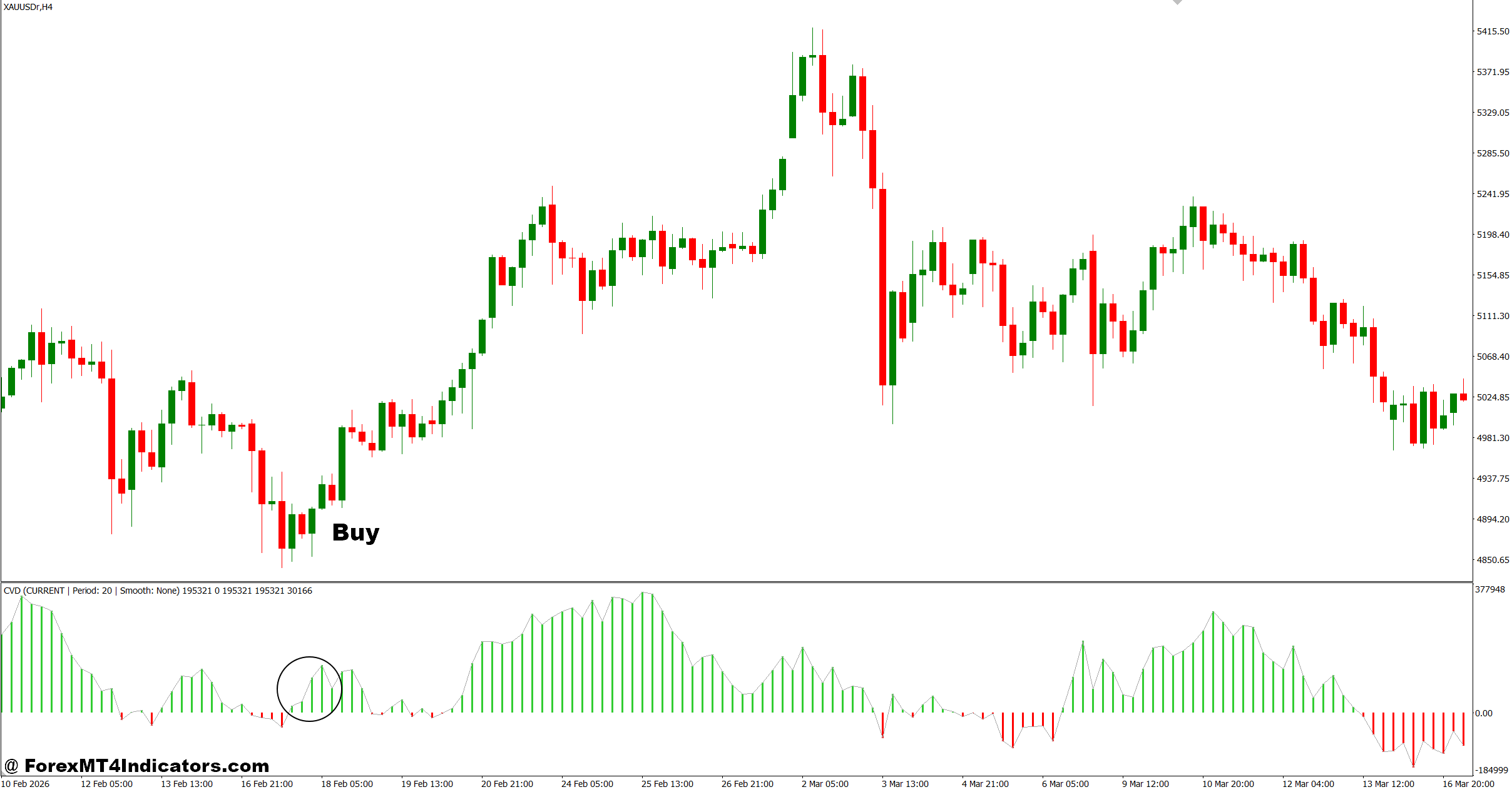
- Bullish CVD divergence confirmed – When EUR/USD on the 1-hour chart makes a lower low but CVD forms a higher low, traders look for a buy after a 15–20 pip bullish confirmation candle closes above support.
- CVD rising with breakout – If GBP/USD breaks resistance with a 25–40 pip impulse move and CVD rises above its previous high, buy entries are triggered on the retest within 10–15 pips.
- Support zone + positive delta – On the 4-hour chart, when price holds a key level (like 1.1200 on EUR/USD) and CVD stays positive for 3–5 candles, traders enter buys with 30–50 pip stop loss below structure.
- Momentum shift confirmation – If CVD flips from negative to positive within 6–10 candles on M30 charts, and price closes above EMA 50, a buy setup becomes valid.
- Breakout with volume support – When price breaks a daily high with at least 60% stronger CVD increase compared to previous session, traders aim for 50–80 pip continuation targets.
- Pullback entry setup – After a 100+ pip uptrend on GBP/USD (H1), if CVD stays stable during a 20–30 pip pullback, buy entries are taken on bullish rejection candles.
- Low risk entry rule – Avoid buying if CVD rises but price fails to break structure within 2–3 candles; this often signals fake momentum or weak participation.
Sell Entry
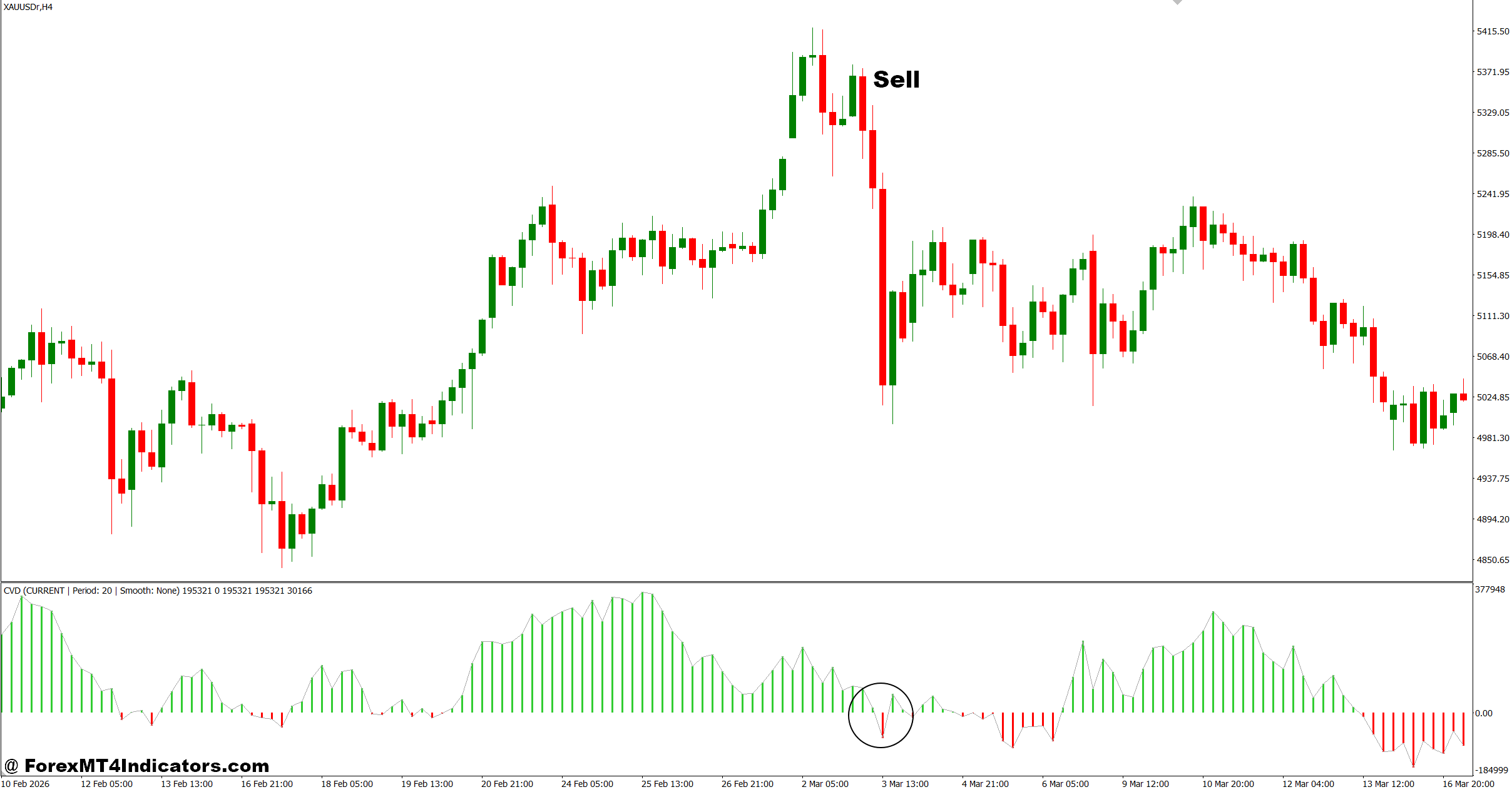
- Bearish divergence signal – When EUR/USD on the 1-hour chart forms a higher high but CVD prints a lower high, traders look for sells after a 15–25 pip breakdown candle closes below support.
- CVD drop during resistance rejection – If GBP/USD hits resistance and CVD falls sharply by 30–40% within 3 candles, sell entries are triggered on confirmation close below EMA 20.
- Breakdown with strong selling pressure – On the 4-hour chart, when price drops below support with CVD confirming a negative spike, traders target 40–70 pips continuation.
- Weak breakout failure – If price breaks a high but CVD fails to increase (stays flat or negative), sell entries are taken when price returns 10–15 pips back into range.
- Trend exhaustion signal – After a 120+ pip downtrend on EUR/USD daily chart, if CVD starts flattening for 5–8 candles, traders prepare for sell exits or reversal avoidance.
- EMA rejection + CVD decline – When price rejects EMA 50 on M30 and CVD drops for 3 consecutive candles, sell entries are valid with tight 20–30 pip stop loss.
- No trade condition warning – Avoid selling when CVD is falling but price is still making strong higher highs; this often leads to fake breakdowns and whipsaws.
Final Thoughts on Cvd Indicator MT4
The Cvd Indicator MT4 offers traders a different perspective by tracking buying and selling pressure instead of watching candles alone. Key takeaways are straightforward: it can help confirm trends, reveal divergence before reversals, improve entry timing, and support market structure analysis. At the same time, it has limitations because forex volume data is indirect and market conditions change.
Used with price action, support and resistance, and disciplined risk management, this indicator becomes more practical. Traders who test it across multiple pairs and timeframes often gain a clearer understanding of where it adds value—and where it doesn’t.
Level up your trading Learn to read the chart — not just the indicator eBook · Instant PDF Video Course · 12 modules Trading forex and CFDs carries a significant risk of loss and is not suitable for everyone. Broker links are affiliate links — we may earn a commission at no cost to you.Recommended MT4/MT5 Brokers
Free MT4 Indicator Download

Enter Your Email Address below, download link will be sent to you.