

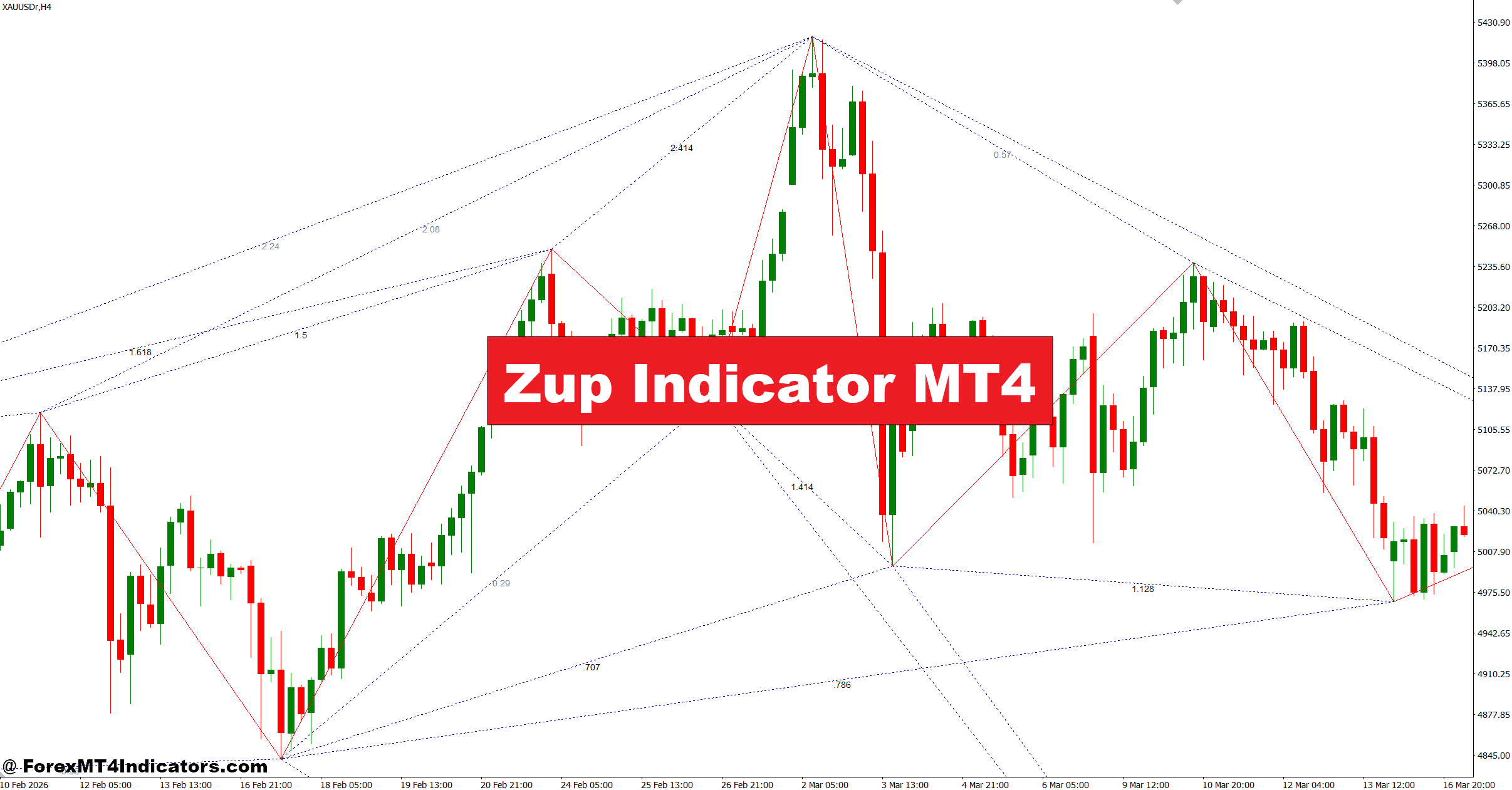
The Zup Indicator MT4 attracts attention. Instead of focusing only on moving averages or momentum readings, this indicator attempts to identify geometric market structures and harmonic price formations. The idea is simple—spot areas where price behavior suggests a higher probability of reversal or continuation.
For traders who struggle with timing entries or filtering weak setups, Zup provides another layer of analysis. It doesn’t remove risk, and it doesn’t predict the market. But when combined with price action and disciplined trade management, it can help traders organize decisions with more structure.
Here’s how this indicator works and where it fits inside a practical trading approach.
What Is the Zup Indicator MT4?
The Zup Indicator MT4 is an advanced technical analysis tool built for MetaTrader 4 that specializes in detecting harmonic patterns and market geometry. Traders often use it to locate formations such as Gartley, Butterfly, Bat, Crab, and other Fibonacci-based structures.
Unlike traditional indicators that produce simple buy or sell arrows, Zup maps price swings and measures proportional relationships between those swings.
The indicator continuously scans historical and live market data to identify potential pattern completion zones. These zones may become areas where price reacts.
One reason traders keep using Zup is flexibility. It can display:
- Harmonic patterns
- Fibonacci retracement and extension levels
- ZigZag structures
- Dynamic support and resistance zones
- Pattern projection areas
A trader viewing GBP/USD on the 4-hour chart may notice a developing Butterfly pattern while the indicator highlights possible reversal points before price reaches them.
That creates preparation instead of reaction.
How the Zup Indicator Works in Real Market Conditions
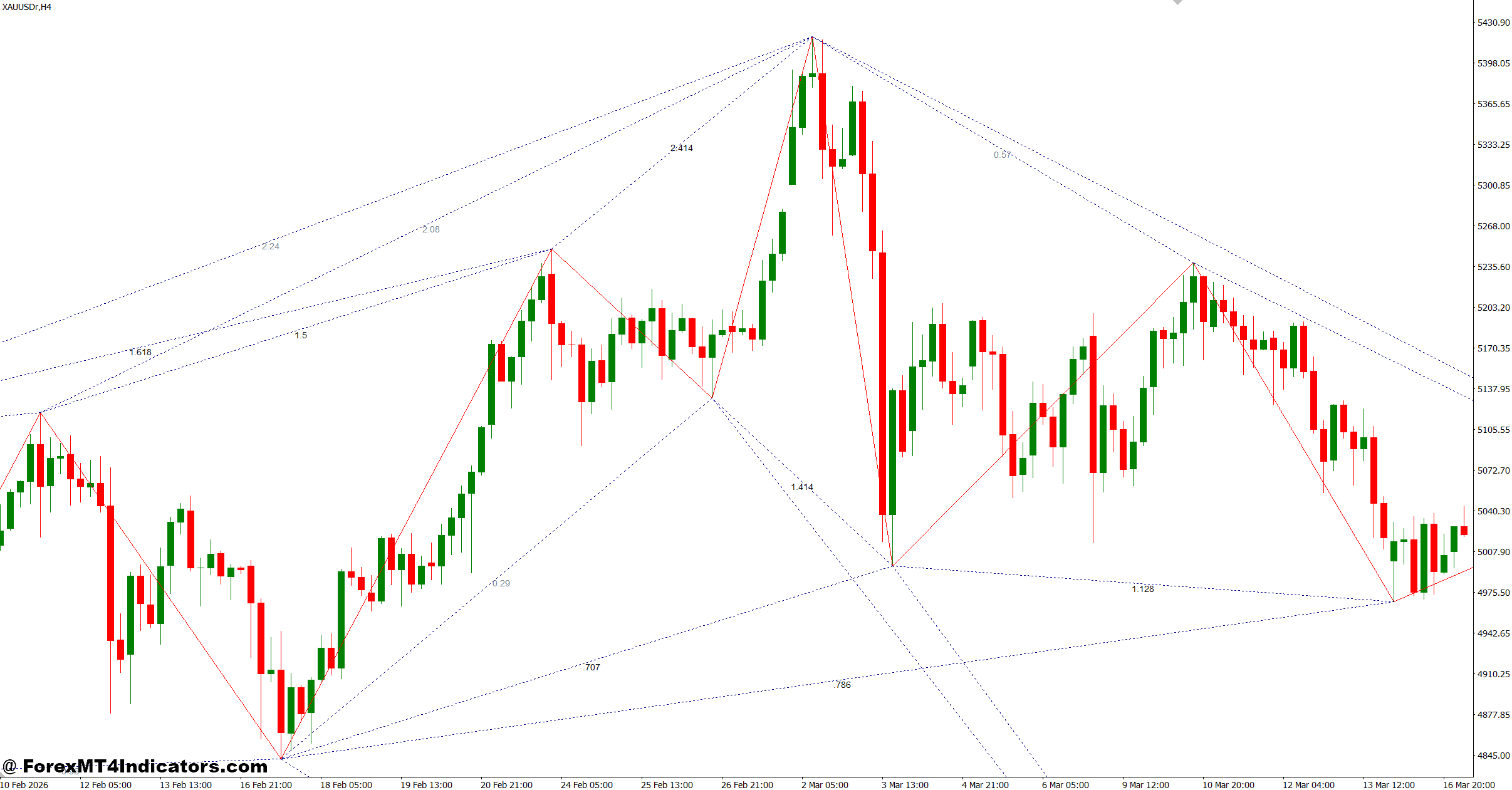
At its core, Zup uses swing highs and swing lows generated through ZigZag calculations. It then applies Fibonacci ratios to evaluate whether those swings match recognized harmonic structures.
For example:
- XA leg establishes the initial move
- AB retraces a measured portion of XA
- BC extends from AB
- CD completes the structure using predefined ratios
When ratios align within accepted harmonic ranges, the indicator marks a possible completion zone.
This sounds technical, but in practice traders look for confirmation rather than automatic entries.
Consider EUR/USD on the 1-hour timeframe.
Price rallies 120 pips, retraces about 61.8%, and begins forming another upward leg. Zup identifies a potential Gartley completion near a resistance level. Instead of entering immediately, the trader waits for:
- Bearish engulfing candle
- Lower timeframe rejection
- Reduced buying momentum
Only after confirmation does the trader consider a short trade.
When testing this during volatile NFP sessions, many traders notice that harmonic projections often appear early. That’s useful, but it also means confirmation matters more than pattern detection alone.
Practical Trading Applications and Entry Ideas
Using Zup for Reversal Trades
Most traders apply Zup as a reversal framework.
A common process looks like this:
- Identify completed harmonic structure
- Mark projected reversal zone
- Wait for candle confirmation
- Define stop loss beyond invalidation point
- Target previous structure levels
- Example: USD/JPY on the 4-hour chart forms a Bat pattern near a weekly resistance area.
- Entry: Sell after bearish confirmation candle
- Stop: 25–40 pips above pattern invalidation
- Target: First support zone, Partial profit at 1:2 risk-reward
Using Zup With Trend Confirmation
Zup also works inside trends.
Suppose EUR/AUD trends upward on the daily chart.
Instead of trading every harmonic signal, traders may only take bullish patterns aligned with the dominant direction.
This reduces whipsaw trades.
Many experienced traders combine Zup with:
- 200 EMA for trend direction
- RSI (14) for momentum confirmation
- Support and resistance mapping
- Session timing filters
The indicator performs better as a decision framework than a stand-alone signal generator.
Settings, Customization, and Optimization
One reason traders like this tool is the number of adjustable parameters.
Popular configuration ideas include:
Short-Term Trading (M15–H1)
- ZigZag Depth: 12–18
- Pattern Sensitivity: Medium
- Fibonacci Accuracy: Standard
Useful for active intraday trading but can generate more noise.
Swing Trading (H4–Daily)
- ZigZag Depth: 24–48
- Pattern Filtering: High
- Pattern Confirmation Enabled
This setup reduces false structures and highlights cleaner opportunities.
Currency Pair Considerations
Not all pairs behave the same.
- EUR/USD often produces cleaner harmonic structures.
- GBP/JPY may create larger extensions and more fake-outs.
- AUD/USD tends to respond better during stable market sessions.
A practical tip traders discover over time: avoid changing settings every week. Consistency helps reveal whether results come from the strategy or random adjustments.
Zup Indicator MT4 vs Other Technical Indicators
What makes Zup different? Most standard indicators react after price movement. Compare it with common tools:
Moving Average
Tracks direction but reacts slowly during reversals.
RSI
Measures momentum but doesn’t project price structure.
ZigZag
Shows swings but lacks harmonic validation.
Zup Indicator
Attempts to combine swing structure with Fibonacci relationships.
That said, complexity is both a strength and limitation.
Advantages:
- Excellent visual structure analysis
- Supports advanced harmonic trading
- Flexible customization
- Useful for planning entries
Limitations:
- Can overwhelm new traders
- Multiple patterns may appear simultaneously
- False signals occur in ranging markets
- Requires confirmation and experience
No indicator replaces market context.
Trading forex carries substantial risk. No indicator guarantees profits.
How to Trade with Zup Indicator MT4
Buy Entry
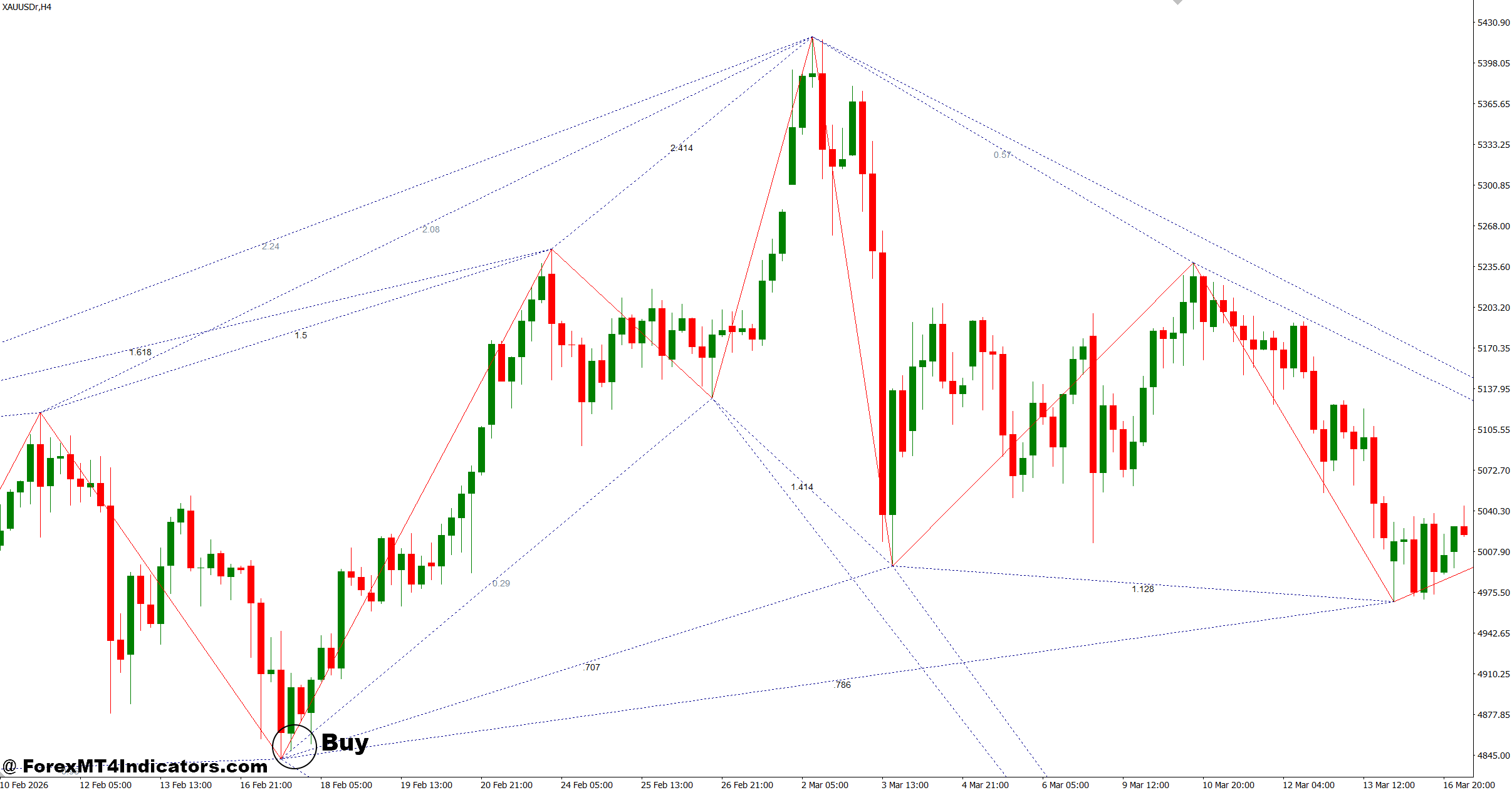
- Wait for bullish harmonic completion – Enter BUY when Zup completes a bullish pattern on EUR/USD 1-hour and price closes above the reversal zone.
- Confirm with bullish candle – Take entry only after an engulfing or pin bar forms; place a 20–30 pip stop loss.
- Trade with higher timeframe trend – Buy only if the 4-hour trend remains bullish to reduce fake-outs.
- Use Fibonacci confluence – Enter when the pattern ends near 61.8% or 78.6% retracement levels.
- Target minimum 1:2 reward ratio – Risk 25 pips to aim for at least 50 pips profit.
- Scale out on strong moves – Close 50% position after +40 pips and trail the rest.
- Avoid news volatility – Skip BUY setups 30 minutes before major USD or GBP releases.
- Check support reaction – Prefer entries when GBP/USD daily support aligns with Zup reversal signals.
Sell Entry
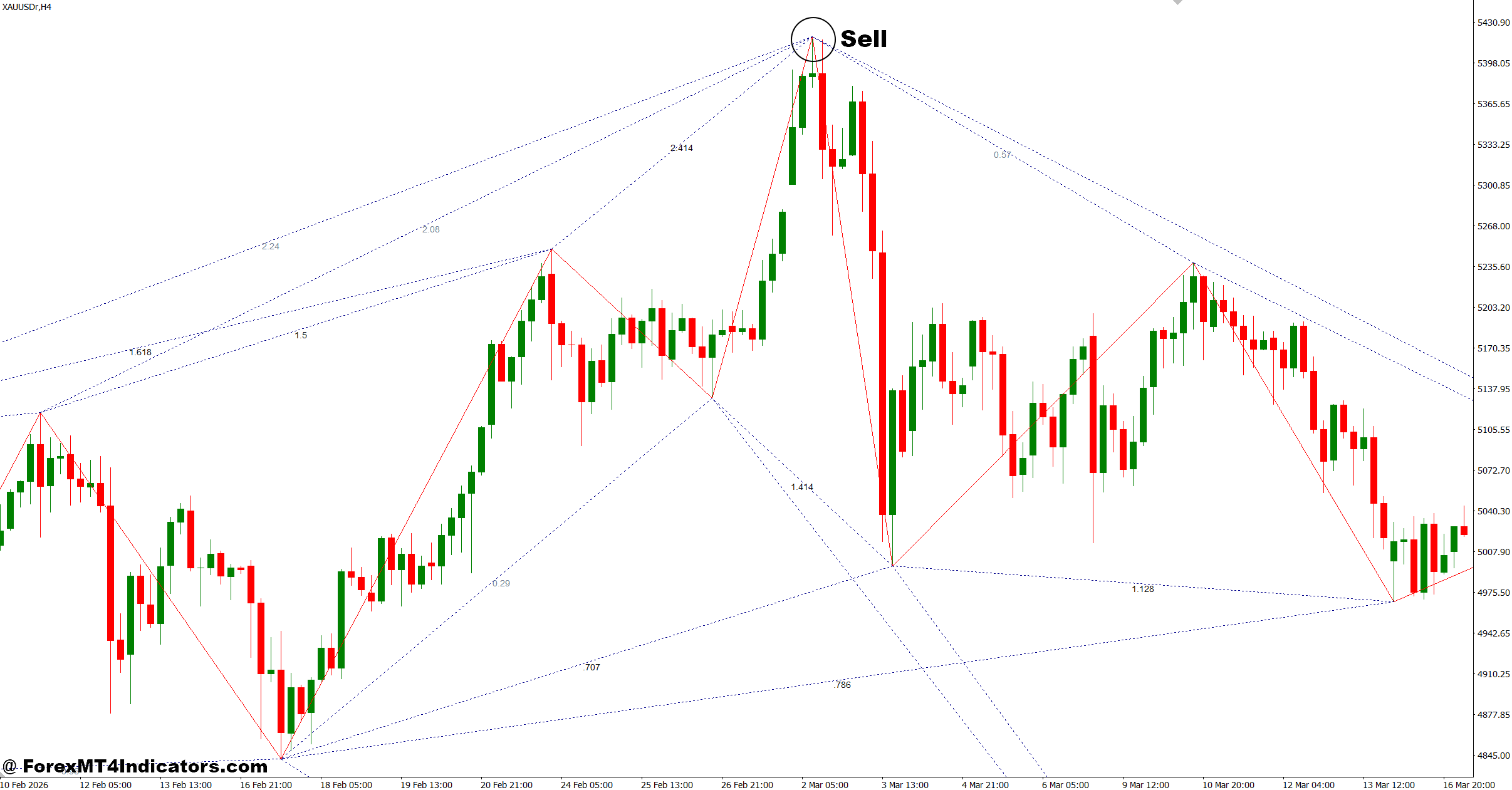
- Enter after bearish pattern completion – Sell when Zup confirms a bearish harmonic setup on EUR/USD 4-hour chart.
- Wait for rejection candle – Use bearish engulfing or long upper wick confirmation before entry.
- Place stop beyond pattern high – Keep stops around 25–40 pips above invalidation level.
- Trade only with trend direction – Avoid countertrend SELL signals during strong bullish sessions.
- Use resistance confirmation – Stronger setups appear when Zup aligns with previous resistance zones.
- Secure profit early – Move stop to breakeven after 30–40 pips gain.
- Skip low-volume sessions – Avoid entries during market chop and late Asian session.
- Avoid overlapping patterns – Ignore SELL signals if Zup shows multiple unfinished structures at once.
Closing Thoughts
The Zup Indicator MT4 gives traders a structured way to study market swings and potential reversal zones rather than relying on impulse decisions. Its strongest value comes from pattern recognition, Fibonacci analysis, and planning ahead of price movement.
Key takeaways include: use confirmation before entry, adjust settings based on timeframe, combine the indicator with trend analysis, and accept that some patterns will fail. Traders who expect automatic profits may be disappointed, but those who treat Zup as part of a broader trading process often find it useful for building discipline and improving timing.
Testing the indicator on a demo account across different market conditions is usually the best next step before applying it to live capital.
Level up your trading Learn to read the chart — not just the indicator eBook · Instant PDF Video Course · 12 modules Trading forex and CFDs carries a significant risk of loss and is not suitable for everyone. Broker links are affiliate links — we may earn a commission at no cost to you.Recommended MT4/MT5 Brokers
Free MT4 Indicator Download

Enter Your Email Address below, download link will be sent to you.