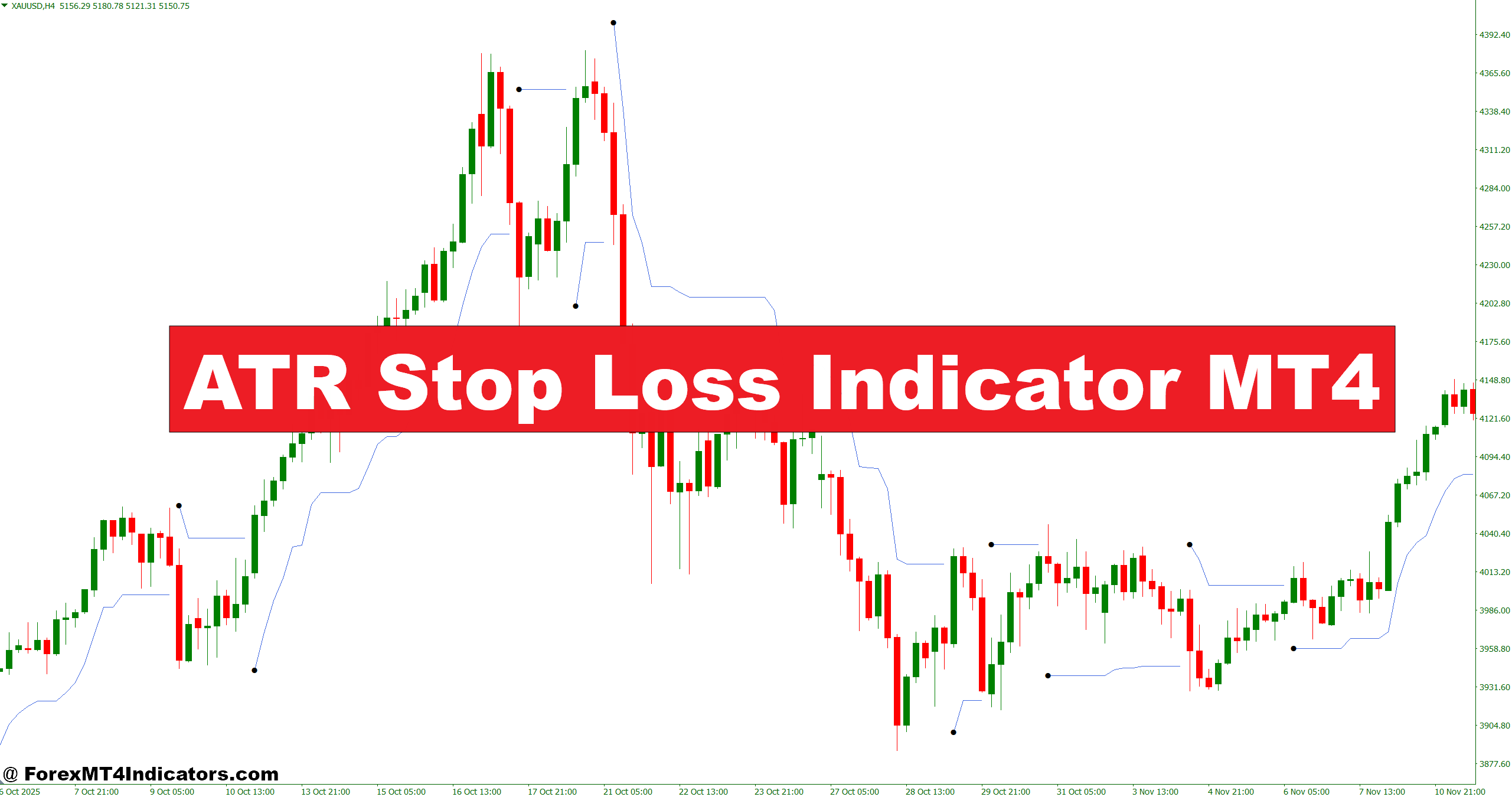
The ATR Stop Loss Indicator MT4 addresses this issue by adjusting stop levels based on real-time volatility. Instead of guessing where to place protection, traders use data derived from price movement itself. Let’s break down how it works and how traders can apply it effectively in live market conditions.
What Is the ATR Stop Loss Indicator MT4?
The ATR Stop Loss Indicator MT4 is a volatility-based tool built around the Average True Range (ATR). ATR measures how much price moves on average over a set number of periods, usually 14 by default.
Unlike trend indicators such as moving averages, ATR does not predict direction. It measures market activity. The indicator then calculates dynamic stop-loss levels by multiplying the ATR value by a chosen factor (commonly 1.5x, 2x, or 3x).
For example:
- If EUR/USD on the 1-hour chart has a 14-period ATR of 18 pips
- And the trader selects a 2x multiplier
- The suggested stop distance becomes 36 pips
This approach adapts automatically. During high-impact events like Non-Farm Payroll (NFP), ATR expands, widening stops. During quiet Asian sessions, it contracts.
But volatility-based stops require discipline. Traders must still define position size properly.
How the Indicator Calculates Stop Levels
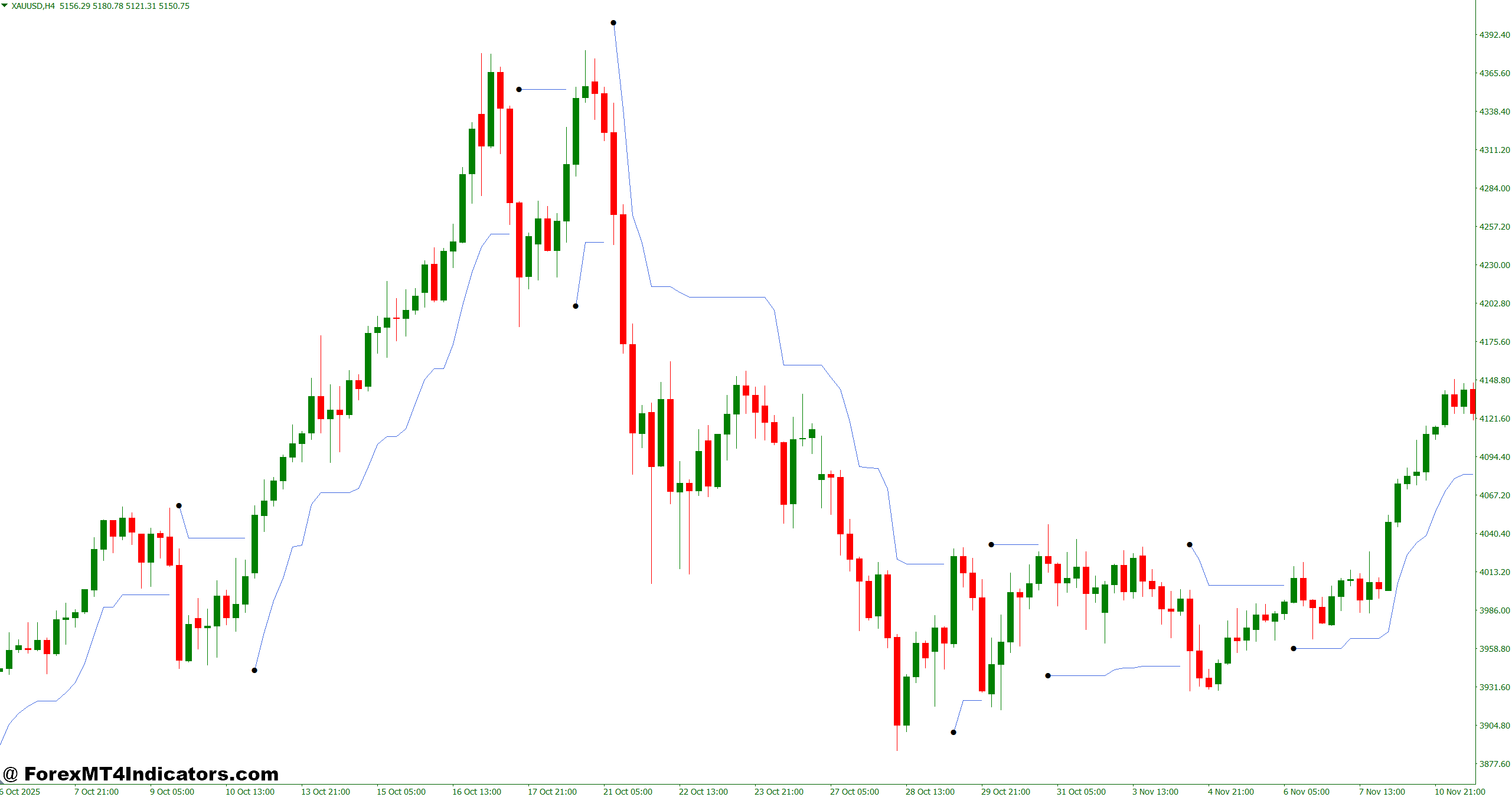
The logic behind the ATR Stop Loss Indicator MT4 is straightforward but powerful.
Step 1 True Range Calculation
True Range measures the greatest of:
- Current high minus current low
- Current high minus previous close
- Current low minus previous close
This captures gaps and strong candles.
Step 2 Average True Range
The indicator averages the True Range over a set number of periods, usually 14.
Step 3 Stop-Loss Formula
- For a long position: Stop = Entry Price − (ATR × Multiplier)
- For a short position: Stop = Entry Price + (ATR × Multiplier)
In practice, consider GBP/USD on the 4-hour chart. If ATR reads 65 pips and the trader applies a 1.8 multiplier, the stop distance becomes 117 pips. That may look wide, but on higher timeframes, volatility justifies it.
When testing this during volatile U.S. CPI releases, stops placed at 1x ATR often got hit quickly. But 2x ATR held better during initial spikes before the trend resumed.
Practical Application in Real Trading Scenarios
Using the ATR Stop Loss Indicator MT4 is not about blindly following numbers. Context matters.
Trend Trading Example
On USD/JPY 1-hour chart, price breaks above resistance at 149.50. ATR reads 22 pips. A trader enters long at 149.60 with a 2x ATR stop (44 pips). Stop sits at 149.16.
Price pulls back 28 pips. A fixed 30-pip stop might survive, but in stronger pullbacks it may not. ATR adapts to average volatility, reducing random stop-outs.
Scalping Scenario
On EUR/USD 5-minute chart, ATR shows 6 pips during London session. With a 1.5x multiplier, stop equals 9 pips. That keeps risk tight while respecting current volatility.
But here’s the thing. During news spikes, 5-minute ATR can expand rapidly. Traders who don’t monitor this may suddenly see their stops widen beyond their comfort zone.
Trailing Stop Use
Some traders use the indicator as a trailing stop tool. As ATR changes and price trends, the stop line shifts accordingly. On gold (XAU/USD) daily chart, this method can help capture 300–500 pip swings without exiting too early.
Still, it won’t prevent whipsaws in choppy markets.
ATR Stop Loss Indicator MT4 Settings, Customization, and Strategy Fit
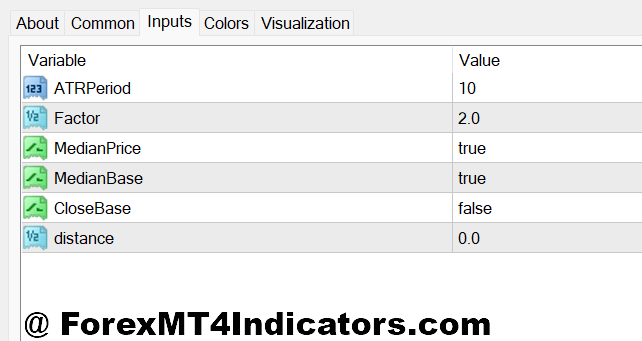
The most common settings include:
- ATR Period: 14 (standard), 10 for faster response, 20 for smoother readings
- Multiplier: 1.5 to 3.0 depending on strategy
- Timeframe: Works on all charts but performs best on H1 and above
For swing traders on AUD/USD daily chart, a 14-period ATR with 2.5x multiplier often balances protection and breathing room. Scalpers may prefer 10-period ATR with 1.5x multiplier.
Position sizing must adjust accordingly. If ATR-based stop equals 50 pips instead of 25, lot size should be reduced to maintain fixed percentage risk, such as 1% per trade.
This indicator pairs well with:
- Moving average crossovers for entry timing
- Breakout strategies around support and resistance
- Trend confirmation tools like ADX
Compared to fixed stop-loss methods, ATR stops adapt better to changing volatility. Compared to Parabolic SAR, ATR stops are less reactive but more stable in strong trends.
However, during sideways markets, ATR can shrink too much, leading to tight stops and frequent stop-outs. That’s a limitation traders must accept.
Advantages and Limitations
Advantages:
- Adapts to market volatility automatically
- Reduces arbitrary stop placement
- Works across forex pairs and timeframes
- Encourages disciplined risk management
Limitations:
- Does not predict direction
- Can widen stops significantly during high volatility
- May cause overconfidence if used without market structure analysis
No indicator replaces reading price action. Traders still need to identify trend direction, key levels, and market conditions.
Trading forex carries substantial risk. No indicator guarantees profits. Losses can exceed deposits if risk is not controlled.
How to Trade with ATR Stop Loss Indicator MT4
Buy Entry
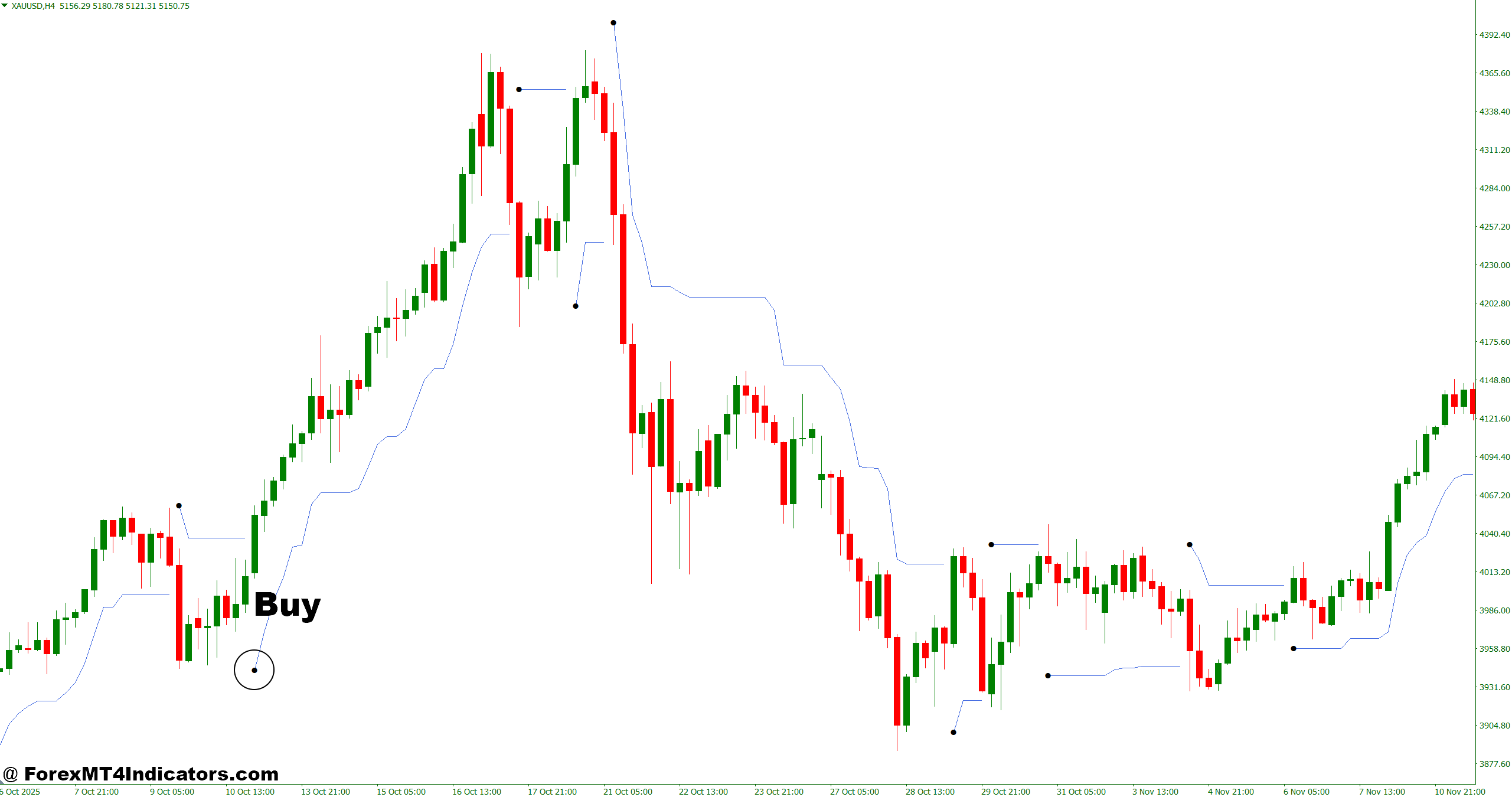
- Enter on bullish breakout with 2× ATR stop – When EUR/USD breaks resistance on the 1-hour chart and ATR(14) reads 18 pips, place stop 36 pips below entry to avoid normal pullbacks shaking you out.
- Buy after pullback in strong uptrend – On GBP/USD 4-hour chart, if price respects the 50 EMA and ATR shows 40 pips, use 1.8× ATR (72 pips) stop below swing low to protect against deep retracements.
- Use ATR contraction before expansion move – If daily ATR on EUR/USD drops from 95 to 60 pips, expect breakout soon; enter on bullish candle close and set 2× ATR stop to capture volatility expansion.
- Trail stop in trending market – On USD/JPY 1-hour uptrend, shift stop every new higher low using 1.5× ATR to lock 30–50 pip gains while giving room for continuation.
- Combine with support zone confirmation – Buy near 4-hour support on GBP/USD with ATR at 35 pips; place stop 70 pips below entry and risk only 1% of account.
- Increase multiplier during news volatility – During NFP, if ATR jumps to 50 pips on EUR/USD 1-hour, widen stop to 2.5× ATR (125 pips) or skip trade if risk exceeds 2%.
- Avoid buy in sideways market – If ATR falls below 10 pips on 1-hour chart and price ranges within 25 pips, skip signals to prevent whipsaw losses.
- Adjust lot size to ATR distance – If stop expands from 25 to 60 pips, cut position size by half to maintain fixed 1% risk per trade.
Sell Entry
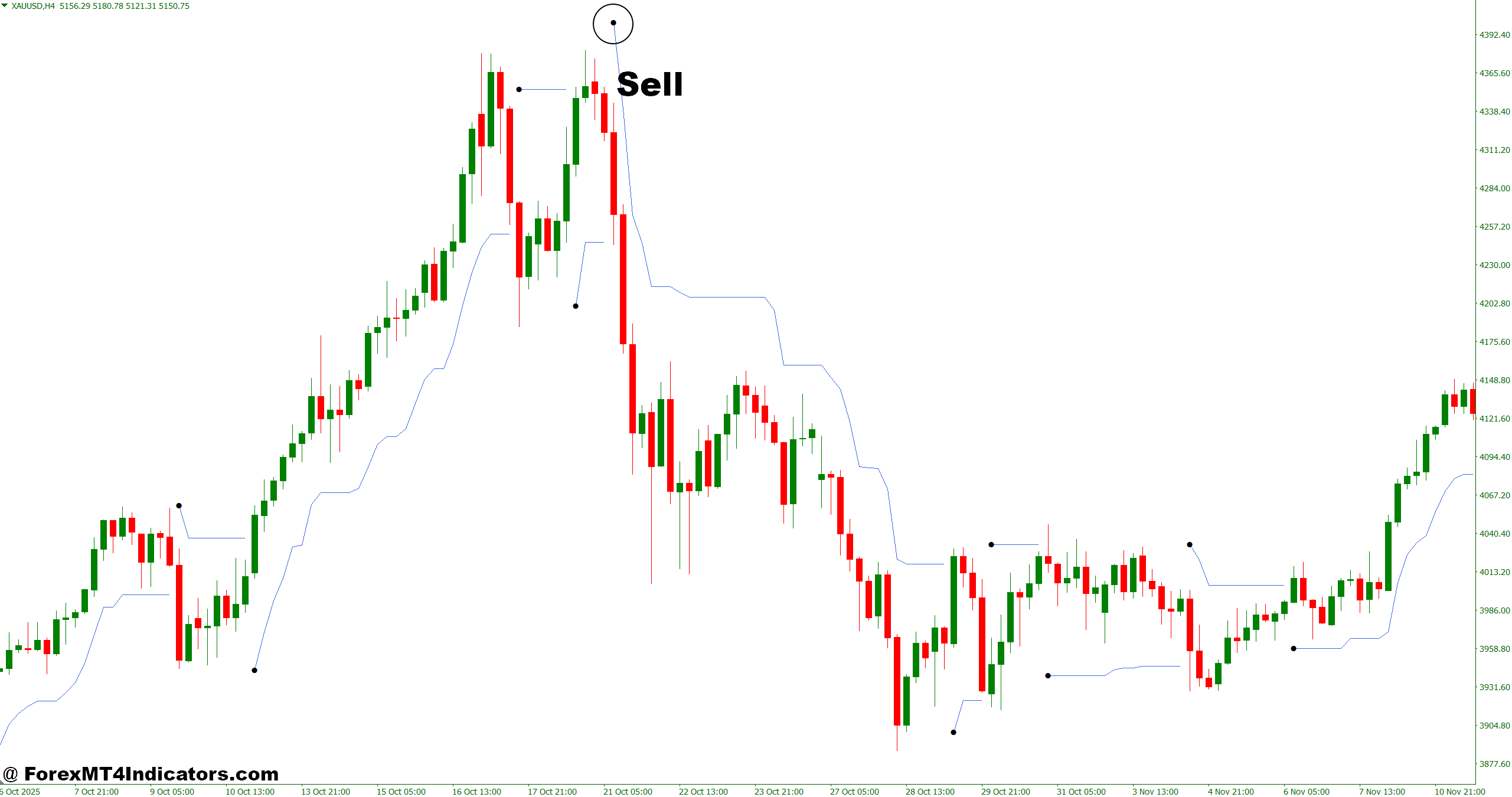
- Sell on bearish breakout with volatility support – When GBP/USD breaks below support on 4-hour chart and ATR reads 45 pips, set 2× ATR stop (90 pips) above entry to survive pullbacks.
- Enter after lower high formation – On EUR/USD 1-hour downtrend, if ATR is 20 pips, place 40-pip stop above recent swing high for better structure-based protection.
- Use ATR expansion as confirmation – If daily ATR rises from 70 to 110 pips during strong selling, enter after bearish candle close and trail with 2× ATR to ride momentum.
- Trail profits in sustained downtrend – On USD/JPY daily chart, move stop using 1.5× ATR after every 100-pip drop to protect gains without exiting too early.
- Combine with resistance rejection – Sell GBP/USD near 4-hour resistance when ATR shows 30 pips; use 60-pip stop and aim for minimum 1:2 risk-reward ratio.
- Avoid selling during low volatility – If 1-hour ATR drops under 12 pips and candles overlap heavily, skip trade to avoid fake-outs.
- Widen stop during high-impact news – If ATR spikes to 80 pips on EUR/USD during CPI release, use 2–2.5× ATR or reduce lot size to keep risk under 1.5%.
- Never ignore position sizing – If ATR-based stop equals 100 pips on 4-hour chart, reduce lot size accordingly; large stops without adjustment can cause 3–5% account drawdown fast.
Conclusion
The ATR Stop Loss Indicator MT4 offers a structured way to manage risk based on actual market behavior. It adjusts stops using volatility data, helps avoid random stop-outs during normal pullbacks, and supports consistent position sizing.
Traders who use it effectively often focus on three key points: aligning ATR settings with timeframe, combining it with trend or breakout strategies, and maintaining strict risk percentages per trade. It works best when volatility matters most, such as during strong trends or major news sessions.
Still, it’s not perfect. In choppy conditions, smaller ATR readings can lead to frequent losses. The real edge comes from combining this tool with solid trade selection. Used wisely, the ATR Stop Loss Indicator MT4 can become a dependable part of a trader’s risk management plan.
Level up your trading Learn to read the chart — not just the indicator eBook · Instant PDF Video Course · 12 modules Trading forex and CFDs carries a significant risk of loss and is not suitable for everyone. Broker links are affiliate links — we may earn a commission at no cost to you.Recommended MT4/MT5 Brokers
Free MT4 Indicator Download

Enter Your Email Address below, download link will be sent to you.