

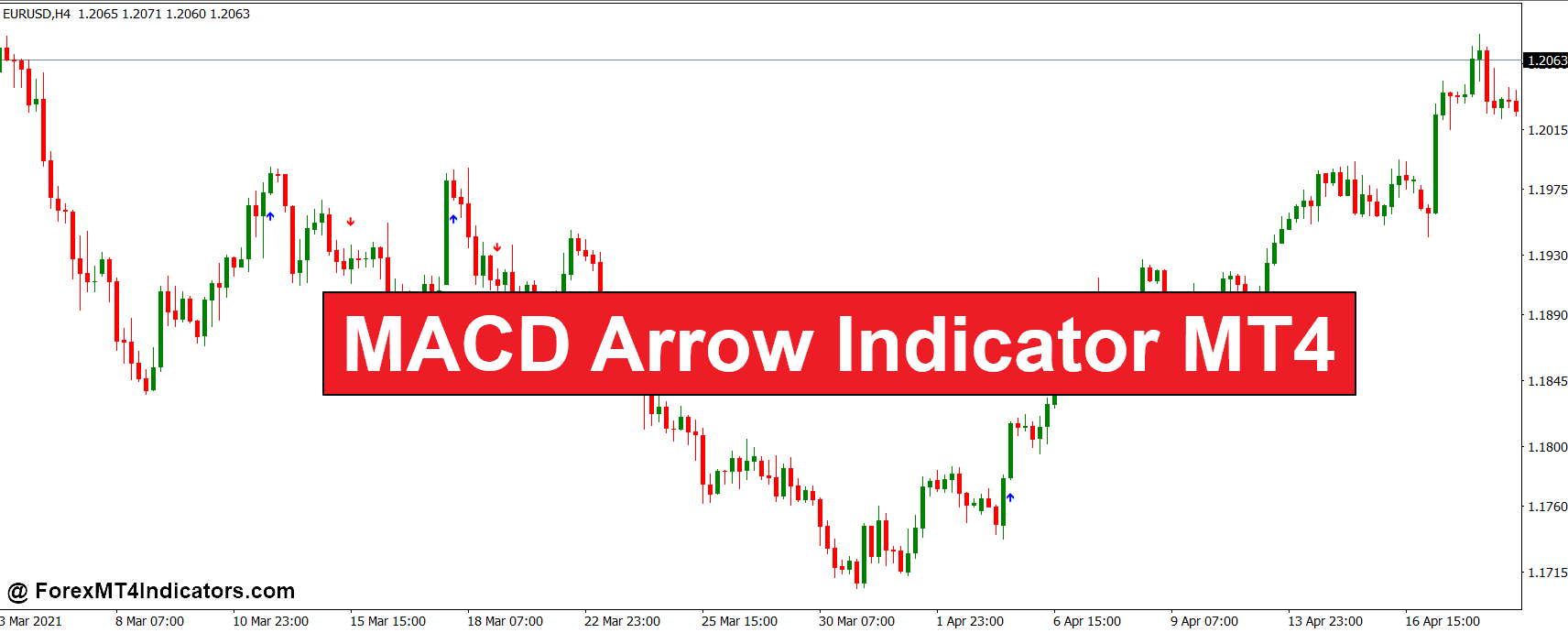
The MACD Arrow Indicator MT4 is a modified version of the classic Moving Average Convergence Divergence (MACD) oscillator. Instead of showing the traditional MACD histogram and signal lines in a separate window, this version converts key MACD events into buy and sell arrows plotted directly on the price chart.
When bullish momentum builds, a green or upward arrow appears below the candle. When bearish pressure increases, a downward arrow is plotted above the candle.
The indicator is built on the same core formula used in the standard MACD:
- The difference between a fast Exponential Moving Average (EMA) and a slow EMA
- A signal line that smooths the MACD value
- Crossovers between these components that indicate momentum shifts
Most versions follow the common settings of 12 EMA, 26 EMA, and 9 signal period. When the fast EMA crosses above the slow EMA and the signal line confirms the shift, the indicator prints a buy arrow. The opposite crossover produces a sell arrow.
What makes this tool attractive is simplicity. Traders don’t need to interpret multiple oscillating lines. The chart simply highlights moments when momentum conditions meet the indicator’s criteria.
But arrows alone shouldn’t drive trading decisions. Experienced traders always check price structure first.
How the Indicator Works in Real Trading Scenarios
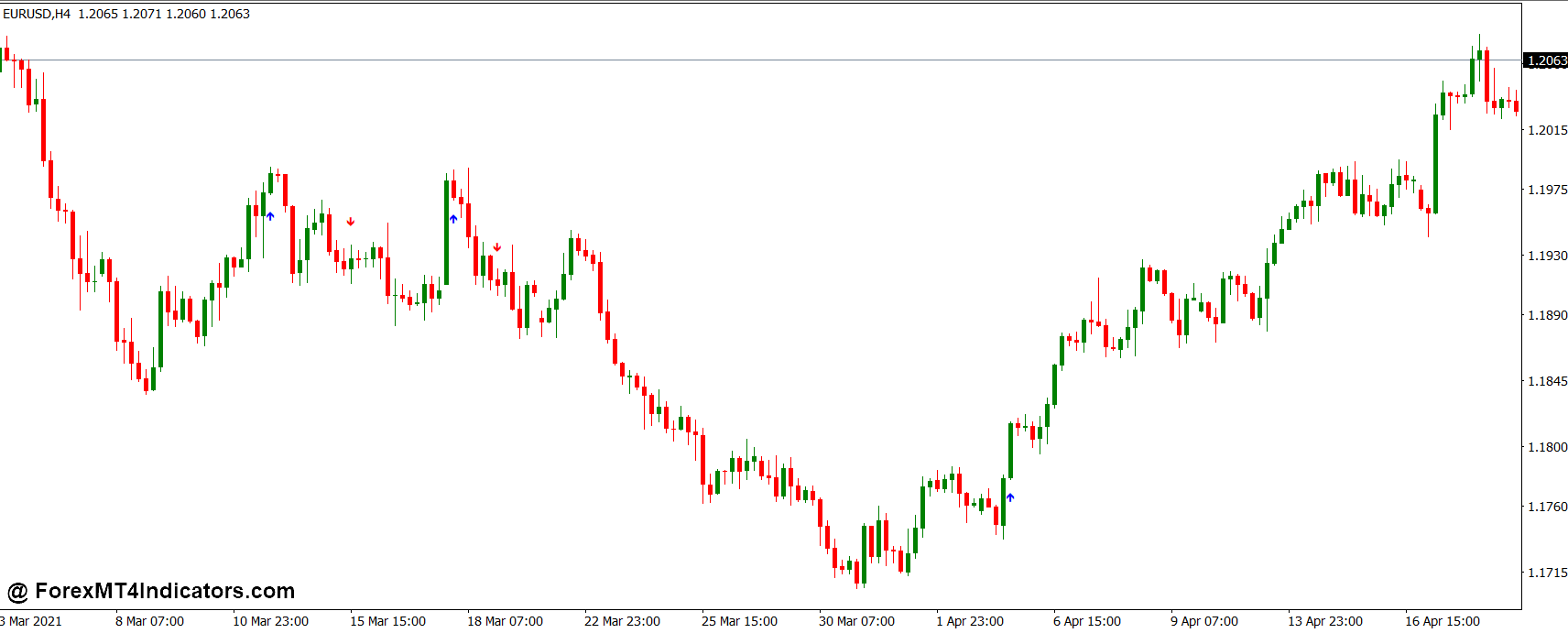
The MACD Arrow Indicator reacts to changes in market momentum. When the difference between moving averages expands in a new direction, the indicator interprets it as a potential trend shift.
Consider a practical scenario.
During a test on EUR/USD on the 1-hour chart, price had been consolidating for several hours near a minor resistance level. After the London open, momentum increased and a bullish arrow appeared below a strong bullish candle. The signal came right after the MACD line crossed above the signal line.
Traders who entered at that point could place a stop loss around 20–25 pips below the recent swing low. In that case, the pair moved roughly 55 pips upward before the next pullback.
On the other side, false signals also happen.
During low volatility periods such as late Asian sessions, MACD arrows can appear repeatedly in sideways markets. These conditions create the classic trading problem known as whipsaw, where price moves slightly up and down without forming a clear trend.
Experienced traders usually filter these signals by combining the indicator with:
- Support and resistance zones
- Trend direction from higher timeframes
- Volume spikes during session openings
For instance, if a sell arrow appears while price is still above a strong daily support area, many traders simply ignore the signal.
MACD Arrow Indicator MT4 Settings and Customization
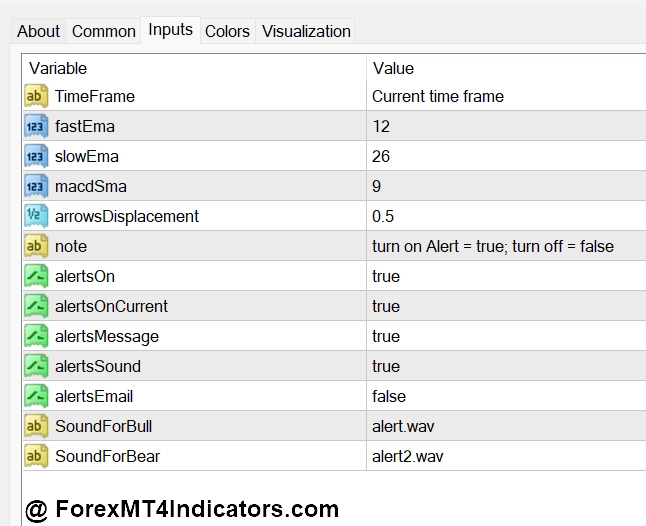
Most installations of the MACD Arrow Indicator MT4 use the standard MACD parameters:
- Fast EMA: 12
- Slow EMA: 26
- Signal line: 9
These settings work well for swing trading and intraday strategies on 30-minute and 1-hour charts. However, traders often adjust them depending on market conditions.
Scalpers sometimes reduce the periods to 8, 21, 5. This makes the indicator react faster, which helps capture small price movements on 5-minute or 15-minute charts. The trade-off is more noise and more false signals.
Swing traders often prefer slightly slower settings such as 16, 32, 9. Slower parameters reduce signal frequency but usually filter out weaker momentum shifts.
Currency pair volatility also matters. For example:
- GBP/JPY tends to produce stronger moves, so faster settings may still work.
- EUR/CHF moves slowly, so slightly slower settings can reduce unnecessary arrows.
Another useful customization is combining the indicator with a trend filter. Many traders place a 50-period moving average on the chart and only take signals that align with the trend direction.
If price stays above the moving average, they only consider buy arrows. If price trades below it, they focus on sell signals.
This small filter often removes many low-probability trades.
Advantages and Limitations of the Indicator
Like most momentum indicators, the MACD Arrow Indicator has strengths and weaknesses. Understanding both sides helps traders avoid unrealistic expectations.
One advantage is clarity. The arrow format removes the need to interpret oscillator crossovers manually. For traders who prefer clean charts, this visual approach speeds up decision making.
Another benefit appears during strong trends. MACD-based signals often perform well when markets develop clear directional moves. In trending environments such as post-news volatility or London session breakouts, arrows often appear near the beginning of a move.
But there are limitations.
MACD is still a lagging indicator because it relies on moving averages. Signals appear only after price has already started moving. In very fast markets, a portion of the move may already be gone before the arrow prints.
Sideways markets create another challenge. When price stays within a tight range, moving averages constantly cross each other. This produces multiple arrows that lead to losing trades.
Comparing it with similar indicators helps illustrate this point.
The classic MACD histogram shows momentum strength more gradually, allowing traders to anticipate shifts earlier. Meanwhile, indicators like RSI divergence sometimes signal reversals before MACD changes direction.
That’s why many traders combine the MACD Arrow Indicator with additional confirmation tools instead of using it alone.
Practical Trading Tips from Experience
Small adjustments often improve the indicator’s reliability.
During backtesting on GBP/USD around major news events, arrows printed frequently right after large candles. Entering immediately after these candles often exposed traders to pullbacks. Waiting for a small retracement of 5-10 pips sometimes produced better entries.
Another useful approach is watching market sessions. Signals during London and New York sessions generally carry more weight than those appearing during quiet hours.
And traders who rely on higher timeframes often use the indicator differently. Instead of entering immediately when an arrow appears, they wait for the next candle to confirm direction.
That extra confirmation can eliminate many weak setups.
How to Trade with MACD Arrow Indicator MT4
Buy Entry
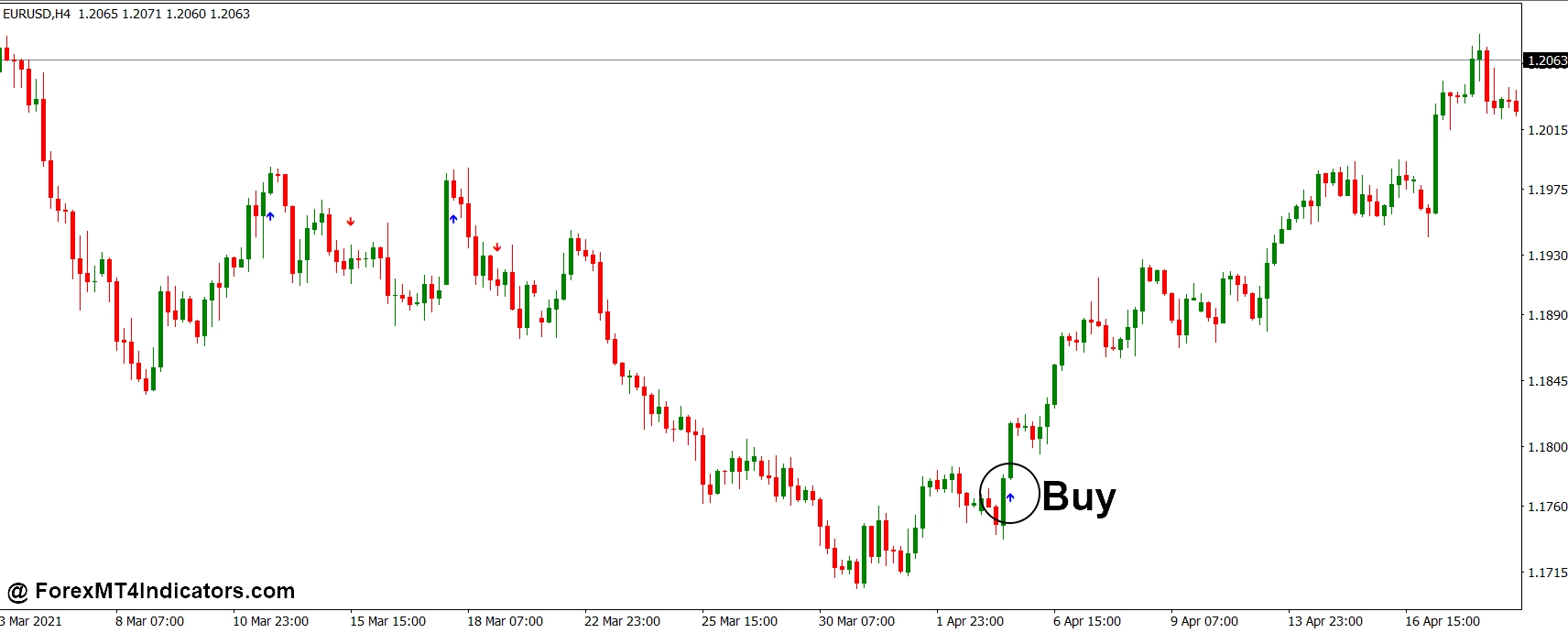
- Wait for a bullish arrow below the candle – Enter a buy trade when the MACD arrow appears under a bullish candle on the 1-hour chart, especially on pairs like EUR/USD. Place a stop loss 20–30 pips below the recent swing low.
- Confirm with bullish candle momentum – Take the buy only if the arrow forms with a strong candle body. For example, on GBP/USD H1, a 25-pip bullish candle after the arrow often shows real momentum.
- Trade arrows near support zones – A buy signal becomes stronger when the arrow appears close to a clear support level or previous demand zone. In many cases price rebounds 40–70 pips from these areas.
- Check higher timeframe trend first – Look at the 4-hour chart. If price is already in an uptrend and a bullish arrow appears on the 1-hour chart, the probability of a 50-pip continuation move improves.
- Use moving average confirmation – Take buy trades only when price stays above the 50-period moving average. If EUR/USD prints a buy arrow but price is below the MA, it often leads to a fake signal.
- Wait for candle close before entering – Don’t enter while the arrow candle is still forming. Wait for the candle to close, then enter on the next candle to avoid early signals.
- Avoid signals during sideways markets – If EUR/USD is moving inside a 15–20 pip range, skip the signal. MACD arrows during consolidation often produce whipsaw trades.
- Target logical profit levels – Many traders set a take profit between 40–80 pips on the 1-hour timeframe, or close part of the trade once price reaches the next resistance level.
Sell Entry
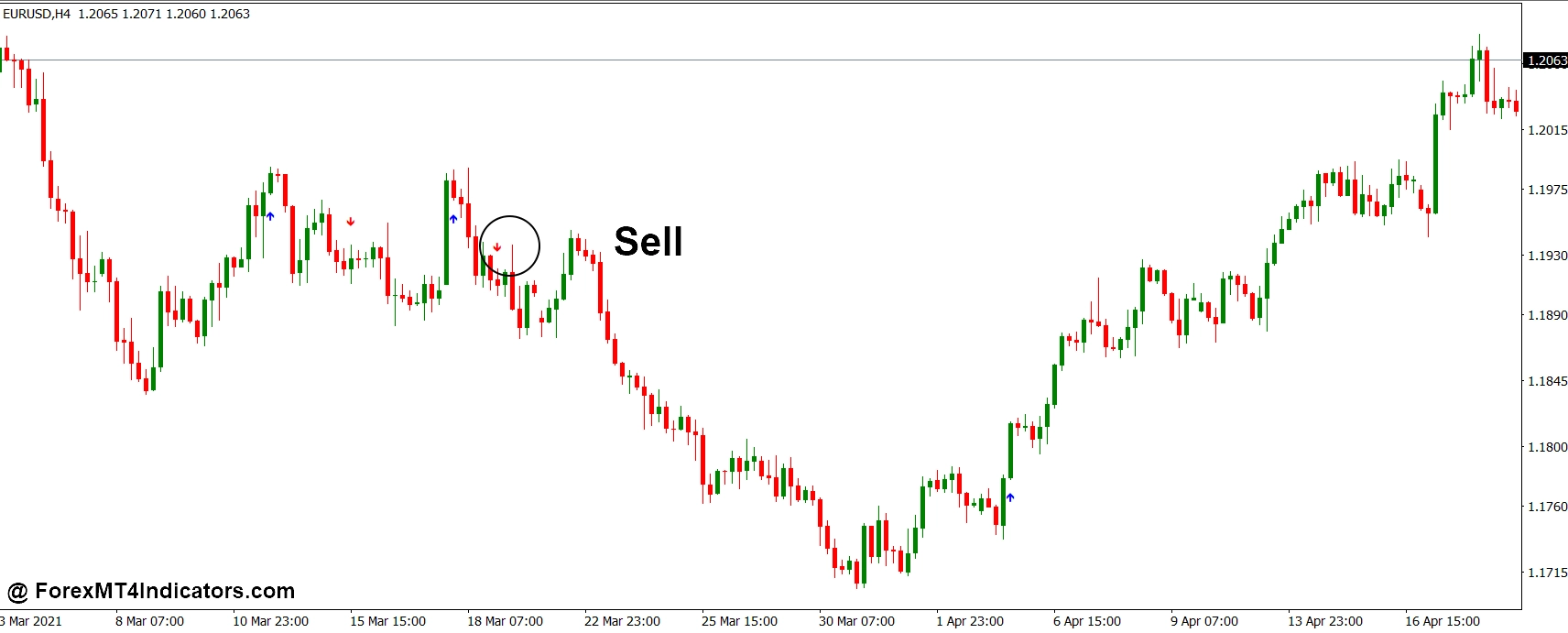
- Enter after a bearish arrow above the candle – Open a sell trade when the arrow appears above a strong bearish candle on GBP/USD or EUR/USD 1-hour charts. Place stop loss 20–35 pips above the recent high.
- Look for resistance confirmation – A sell signal near a major resistance level or supply zone increases reliability. These setups often produce 50-pip downward moves on active pairs.
- Follow the higher timeframe direction – Check the 4-hour trend. If the market is already moving down and a sell arrow appears on the 1-hour chart, the trade aligns with overall momentum.
- Combine with lower highs structure – Take the sell when price forms a lower high followed by the MACD arrow. This structure confirms sellers are controlling the market.
- Use session timing for better moves – Signals during the London or New York session tend to move faster. For example, GBP/USD often drops 30–60 pips after a sell arrow during London volatility.
- Avoid signals right before major news – If a sell arrow appears 15–30 minutes before events like NFP or CPI, it’s safer to skip the trade because price can reverse sharply.
- Wait for small pullback entries – Instead of selling immediately, some traders wait for a 5–10 pip retracement after the arrow to improve entry price and reduce stop loss size.
- Manage risk carefully – Keep risk around 1–2% of account balance per trade. Even strong MACD arrow signals can fail during choppy market conditions.
Conclusion
The MACD Arrow Indicator MT4 simplifies one of the most respected momentum indicators in trading by turning technical signals into clear visual cues. When used correctly, it can help traders spot momentum shifts faster and reduce chart clutter.
Key takeaways include the indicator’s ability to highlight MACD crossovers visually, its effectiveness during trending conditions, and the need to filter signals using market structure or trend direction. Many traders find it especially useful on 30-minute and 1-hour charts when combined with support and resistance analysis.
Still, traders should remember that no indicator guarantees profits. Trading forex carries substantial risk. Market conditions change constantly, and tools like the MACD Arrow Indicator MT4 work best as part of a broader trading strategy rather than a standalone decision system.
Level up your trading Learn to read the chart — not just the indicator eBook · Instant PDF Video Course · 12 modules Trading forex and CFDs carries a significant risk of loss and is not suitable for everyone. Broker links are affiliate links — we may earn a commission at no cost to you.Recommended MT4/MT5 Brokers
Free MT4 Indicator Download

Enter Your Email Address below, download link will be sent to you.