


Tickmill’s current global app supports trading and account management. Use its official store links, check your entity’s available features and distinguish it from the separate MetaTrader mobile apps.
Older descriptions of the Tickmill app as an account-management-only tool can now miss the global product’s trading functions. Tickmill’s current global page says the app supports trading, deposits, withdrawals, transfers and account creation.
That description still needs a regional qualifier. Entity-specific pages and account permissions can differ. This guide explains the current global offering without assuming every download opens the same market list for every reader.
Download from a verified official route
- Open Tickmill’s official mobile-app page.
- Follow its iOS or Android store link for your device. Check the application and publisher on the actual store page.
- Read the current operating-system requirements and permissions.
- Install and open the app only if the offered service is available to you.
- Use your own profile or follow the official account-creation instructions. Keep recovery access to the registered email secure.
The global page also links an Android APK. A direct installation file is a different distribution route from an app store; use only the current official link if you choose it, and understand your device’s installation protections. We did not install or security-test the app.
What the current global app can do
| Function | Provider description | What still needs checking |
|---|---|---|
| Trading | CFDs on supported forex, indices, commodities and cryptocurrencies | Your entity, account and instrument permissions |
| Account management | Create and manage trading accounts | Verification and available account types |
| Funding | Deposit, withdraw and transfer between accounts | Own-name payment rules, methods, charges and processing |
| Security features | Advertised biometric login and account synchronisation | Device support and enabled settings; not an independent security audit |
The global FAQ explicitly says single-stock CFDs are not currently available for trading in the app. Do not read a group-wide instrument list as a guarantee that an individual mobile platform offers every market.
Set up the account before placing an order
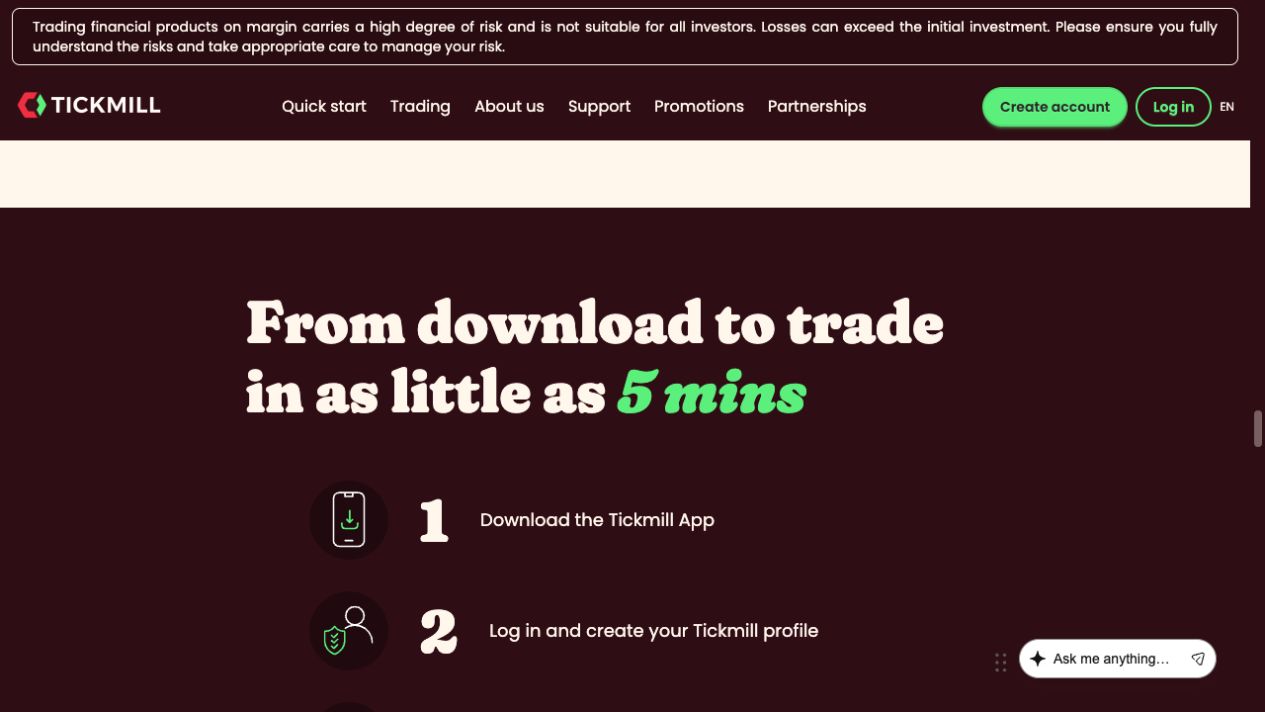
Tickmill’s public illustration runs from download to profile creation, trading-account creation, funding and trading. Its five-minute marketing headline is not an approval time we measured.
- Confirm the profile. Check that the account belongs to you and that the legal entity and residence are correct.
- Complete required verification. Follow the current document request. See the verification guide if a file is rejected.
- Choose the trading account. Read the account-type comparison and verify its currency and platform.
- Inspect the funding route separately. Before a live deposit, check the recipient, credited currency and withdrawal return rules. The deposit guide covers those checks.
- Review the order before confirming. Inspect the symbol, volume, order type, intended stop and the displayed account. Avoid treating a small phone screen as a reason to skip the specification.
If a supported demo route is available to your account, practise the controls first. Ordinary demo funds cannot be withdrawn.
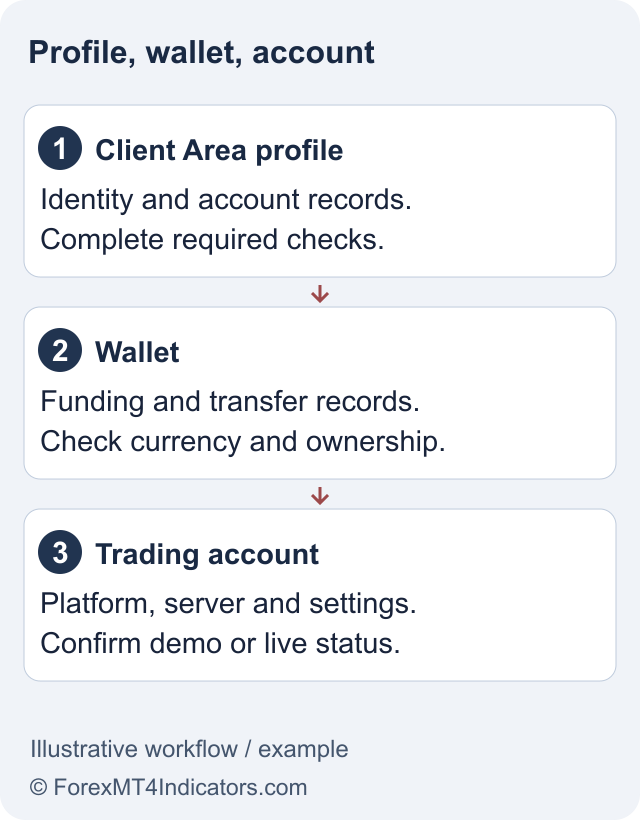
Tickmill App versus MT4 and MT5 mobile
The Tickmill app belongs to the provider’s current integrated offering. MetaTrader mobile apps belong to separate platform families and connect with the appropriate trading-account credentials and server.
Tickmill says MT4 and MT5 remain available. Choosing the app does not make it a replacement for every MetaTrader workflow. If you depend on a desktop custom indicator or EA, check the supported desktop environment in the MT4 or MT5 guide.
The app also does not remove the separate regional restrictions on the TradingView integration. Confirm the actual feature you want instead of assuming that one successful mobile login unlocks every linked service.
If a feature is missing or a payment is pending
First identify whether the issue is the app version, entity availability, account status or the transaction itself. Check the official store for an update, read the account message and compare with the provider’s current regional instructions.
A submitted withdrawal is not the same as money received. Check its status and reference using the withdrawal guide. Avoid repeatedly submitting another request before understanding what happened to the first.
For support, record the device, app version, date and exact error text. Remove unnecessary personal details from screenshots and never share a one-time code. Use the official support route rather than a social-media contact promising to fix the account for a fee.
Frequently asked questions
Can I trade in the Tickmill app?
The current global page says yes for supported CFDs on forex, indices, commodities and cryptocurrencies. Entity and account availability still apply.
Can I trade single-stock CFDs in the app?
The global app FAQ currently says single-stock CFDs are not available for trading in the app.
Is Tickmill App replacing MT4 and MT5?
Tickmill says MT4 and MT5 remain available. They are separate platform routes with their own account credentials and capabilities.
Can I withdraw through the app?
The global page describes withdrawal functionality. The available methods, verification and processing rules depend on the account and payment route.
Does the five-minute setup claim guarantee approval?
No. It is a provider marketing headline, not a measured approval guarantee. Verification and account checks can take longer.
Sources and review scope
Checked on 11 September 2026 using public provider documents and public screens. We did not open or fund an account, submit identity documents or test live order execution. Screenshots show the public interface; instructions after sign-in describe the documented workflow. Available features depend on your residence, legal entity and account.
Official broker websites
Read the current terms and restrictions for your actual residence. These links do not establish that a broker or service is available or authorised where you live.
Forex and CFD trading carries a significant risk of loss and is not suitable for everyone. These are affiliate links; we may earn a commission if you use them.