

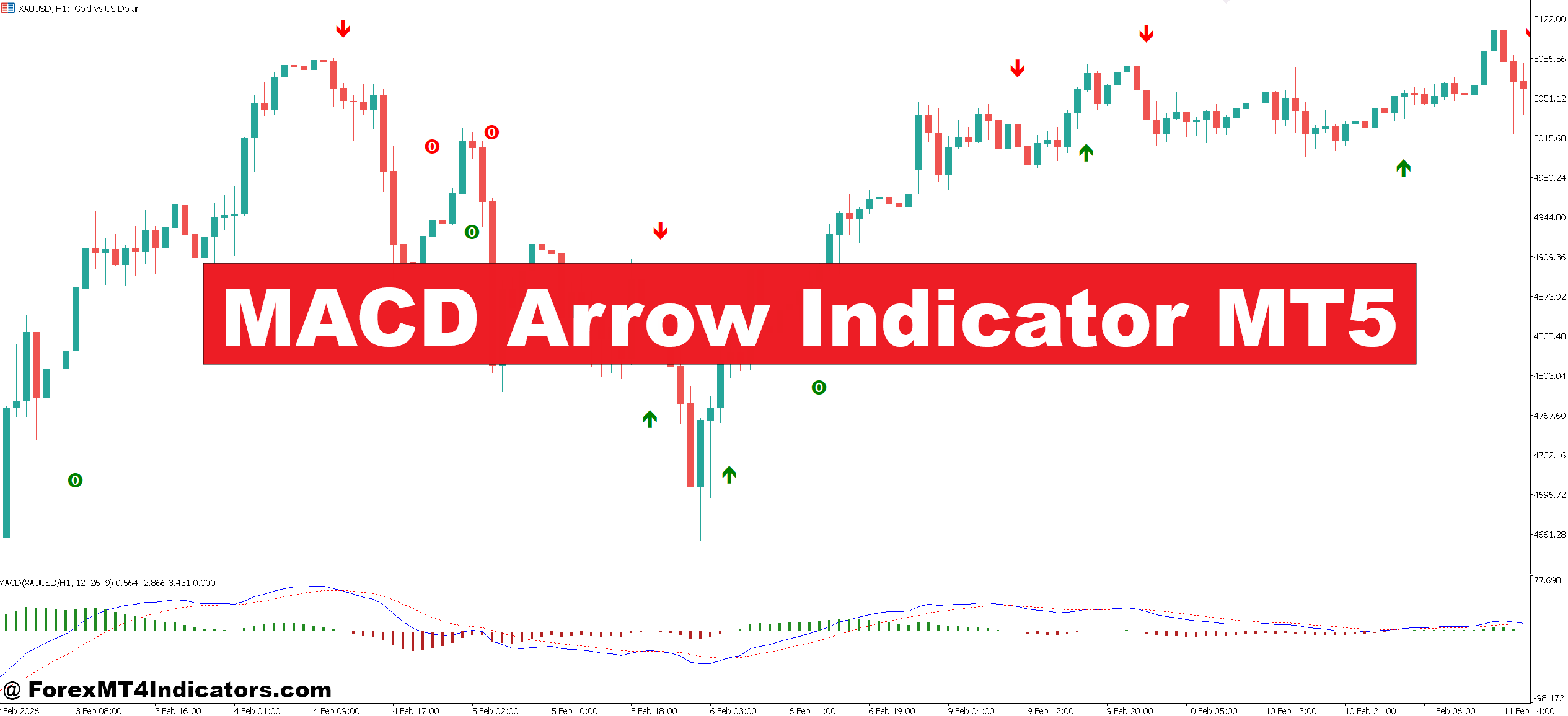
The MACD Arrow Indicator MT5 is a modified version of the standard Moving Average Convergence Divergence (MACD) tool. Instead of showing just the MACD line, signal line, and histogram, it plots arrows directly on the chart when certain conditions are met.
These arrows typically appear when:
- The MACD line crosses above the signal line (bullish signal)
- The MACD line crosses below the signal line (bearish signal)
Some versions also include filters, such as trend direction or momentum strength, to reduce noise.
In simple terms, it converts a traditional lagging indicator into a visual signal tool. Traders don’t need to constantly watch the MACD window—they can focus on price action and react when arrows appear.
How the Indicator Works Behind the Signals
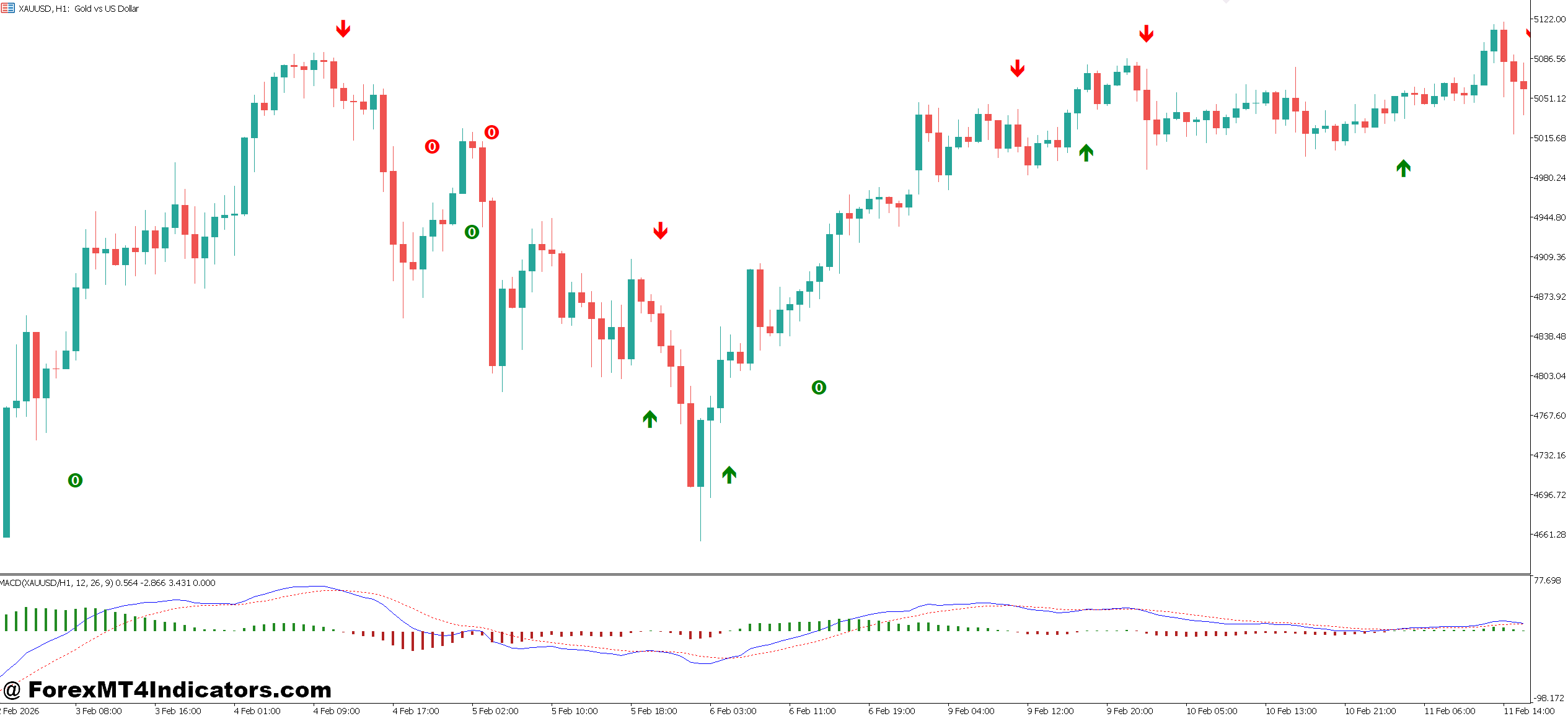
At its core, the MACD Arrow Indicator uses the same calculation as the classic MACD:
- MACD Line = 12 EMA – 26 EMA
- Signal Line = 9 EMA of the MACD Line
When the MACD line crosses the signal line, the indicator prints an arrow.
But here’s where things get interesting. Many MT5 versions add extra logic:
- Momentum filter: Arrows only appear when histogram strength exceeds a threshold
- Trend filter: Signals align with a higher timeframe trend (like H4 direction)
- Candle confirmation: Some require the signal candle to close before plotting
For example, on EUR/USD (1-hour chart), a bullish arrow might appear only after the MACD crossover is confirmed by a strong bullish candle closing above recent resistance. This reduces early entries but improves accuracy.
Still, traders should remember one thing: MACD is a lagging indicator. Signals come after price has already started moving.
Practical Trading Applications
In real trading, the MACD Arrow Indicator works best when combined with structure and context.
Take a scenario on GBP/USD (15-minute chart):
- Price pulls back to a support zone around 1.2650
- A bullish engulfing candle forms
- Shortly after, a MACD Arrow prints a buy signal
This combination gives more confidence. Instead of blindly following the arrow, the trader uses it as confirmation.
Another example comes from volatile conditions like NFP releases. During testing, traders often notice that arrows appear late or get invalidated quickly due to sharp reversals. In such cases, waiting for a retest after the arrow signal can help avoid whipsaws.
A practical approach many traders use:
- Enter trade after arrow appears and candle closes
- Place stop-loss 15–25 pips below recent swing low (for buy trades)
- Target 1.5x to 2x risk (e.g., 30–50 pips)
It’s not perfect, but it creates structure and discipline.
MACD Arrow Indicator MT5 Settings and Customization
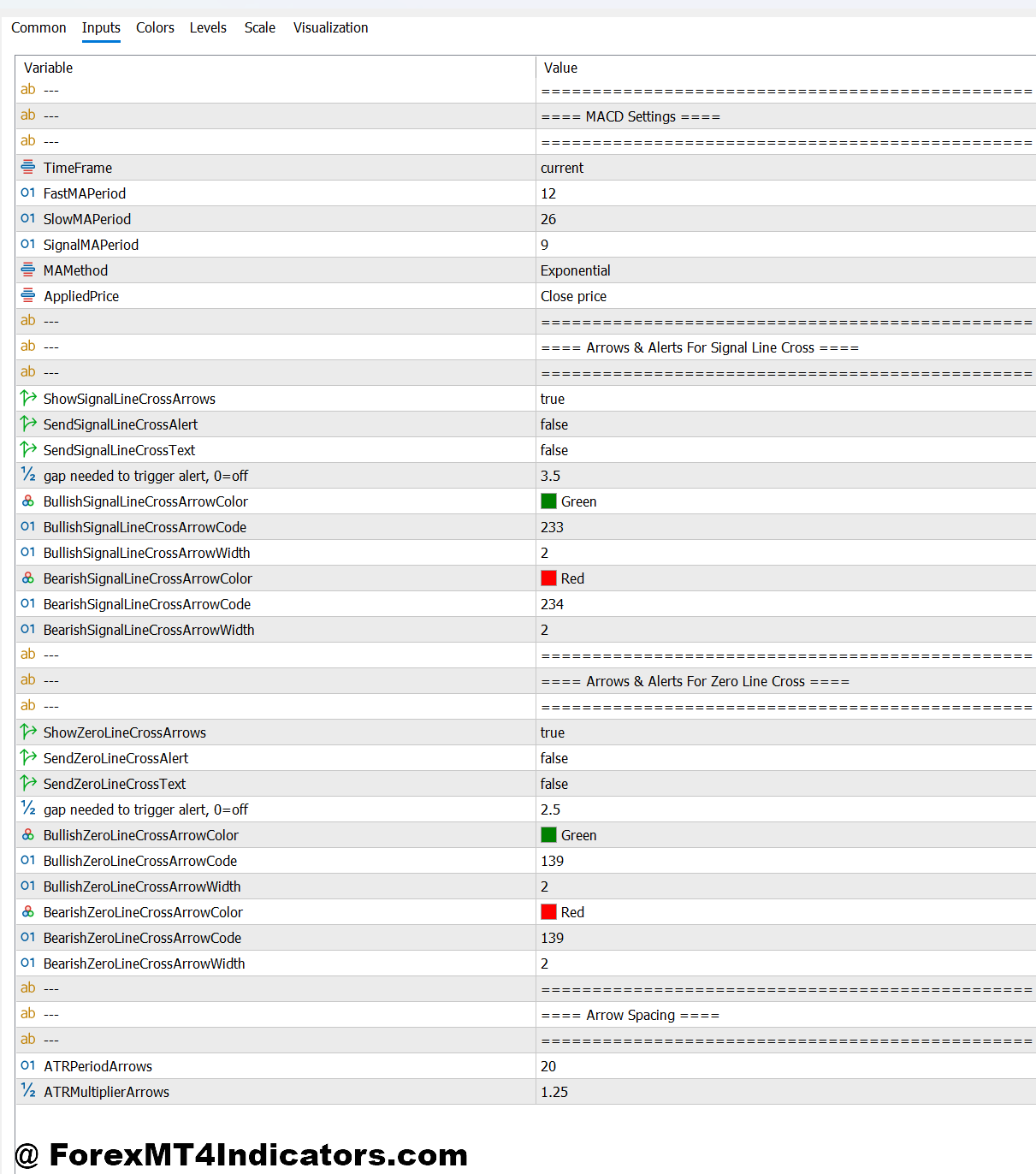
Most MACD Arrow Indicator MT5 versions allow some degree of customization. These settings can make a noticeable difference depending on the trading style.
Common parameters include:
- Fast EMA (default 12): Lower values make signals faster but noisier
- Slow EMA (default 26): Higher values smooth signals but increase lag
- Signal Period (default 9): Adjusts sensitivity of crossovers
For scalping (M5 or M15 charts), traders sometimes reduce settings to 8, 21, 5. This produces more signals but requires strong filtering.
For swing trading (H1 or H4 charts), sticking close to default settings often works better. Signals are fewer but more reliable.
Some traders also combine it with:
- 50 EMA for trend direction
- Support and resistance zones
- RSI (14) for overbought/oversold confirmation
The key is consistency. Changing settings too often leads to confusion and poor results.
Advantages and Limitations
Like any tool, the MACD Arrow Indicator has strengths and weaknesses.
Advantages
- Clear visual signals reduce decision fatigue
- Helps beginners understand MACD crossovers quickly
- Works well in trending markets
- Can be combined easily with other strategies
It’s especially useful for traders who struggle with timing entries using standard MACD.
Limitations
- Signals are delayed due to MACD’s nature
- Performs poorly in ranging or choppy markets
- Can produce false signals during high volatility
- Over-reliance leads to poor trade selection
For example, in sideways EUR/USD conditions (20–30 pip range), arrows may flip frequently, causing multiple losing trades. This is where many traders get frustrated.
That said, no indicator works in isolation. Context always matters.
Comparison with Standard MACD and Similar Tools
Compared to the standard MACD, the arrow version simplifies execution. Traders don’t need to interpret lines or histograms—it’s all visual.
However, experienced traders sometimes prefer the original MACD because it provides more detail. They can spot divergence, momentum shifts, and early trend changes before arrows appear.
Compared to other signal indicators like moving average crossovers:
- MACD Arrow is more momentum-based
- MA crossovers are slower but cleaner
- RSI signals are faster but less reliable alone
So what makes this one stand out? It sits in the middle—faster than MA signals, but more structured than RSI triggers.
How to Trade with MACD Arrow Indicator MT5
Buy Entry
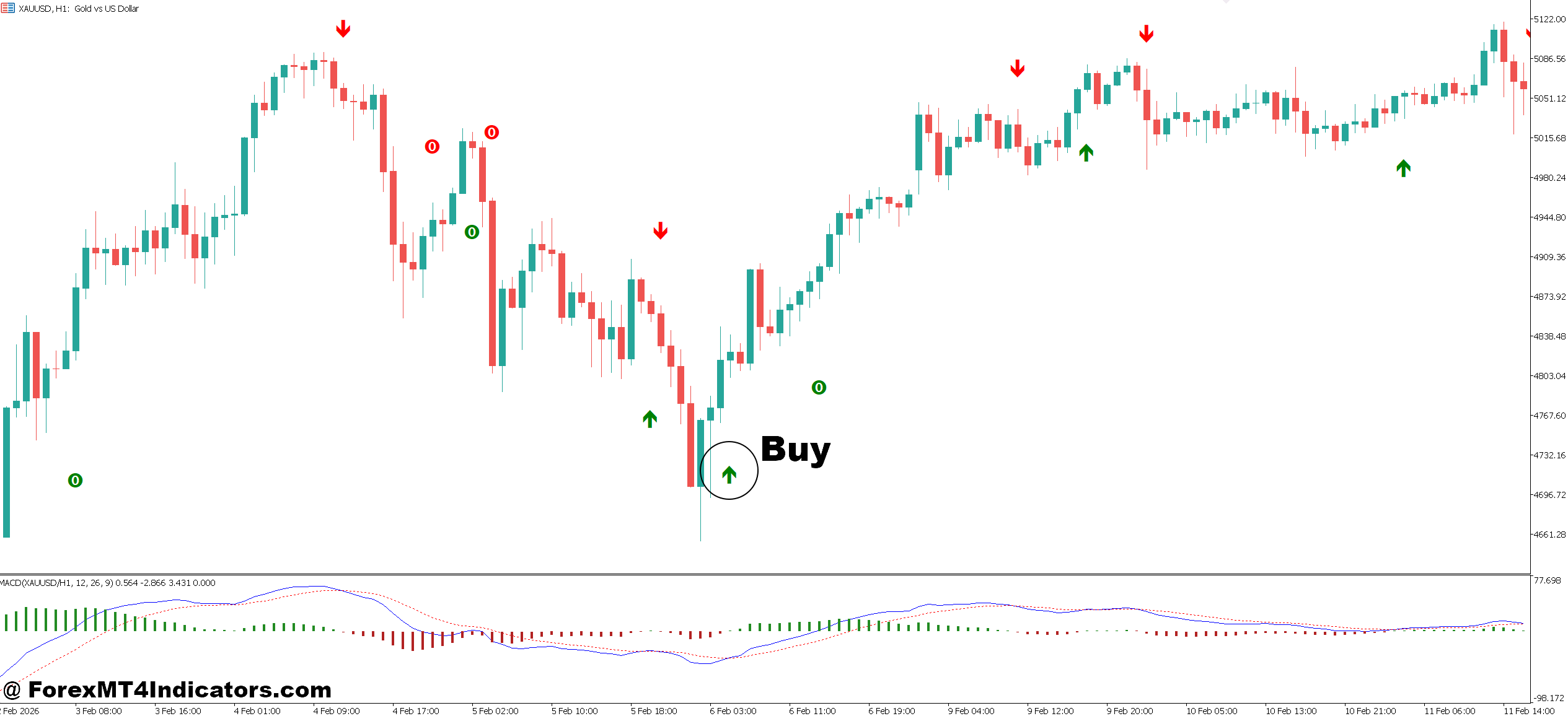
- Wait for bullish arrow on H1 chart – Enter only after the candle closes above the arrow on EUR/USD; this avoids early entries and reduces fake signals.
- Confirm with support zone – Take buy trades when the arrow appears near a strong support level (e.g., 20–30 pip reaction zone) to improve win rate.
- Use trend direction filter – Only buy when price is above the 50 EMA on H1 or H4; this keeps trades aligned with the main trend.
- Enter on small pullback – After the arrow prints, wait for a 5–10 pip retracement before entry to get a better risk-reward ratio.
- Set stop-loss below swing low – Place SL 15–25 pips below recent low on GBP/USD (H1) to protect against sudden reversals.
- Target minimum 1:1.5 ratio – Aim for 30–50 pips profit if risking 20 pips; this keeps the strategy profitable over time.
- Avoid signals in ranging markets – Skip buy arrows when price is stuck in a 20–25 pip range; these often lead to whipsaws.
- Check news timing – Don’t enter buys 15–30 minutes before high-impact news (like NFP); volatility can invalidate signals quickly.
Sell Entry
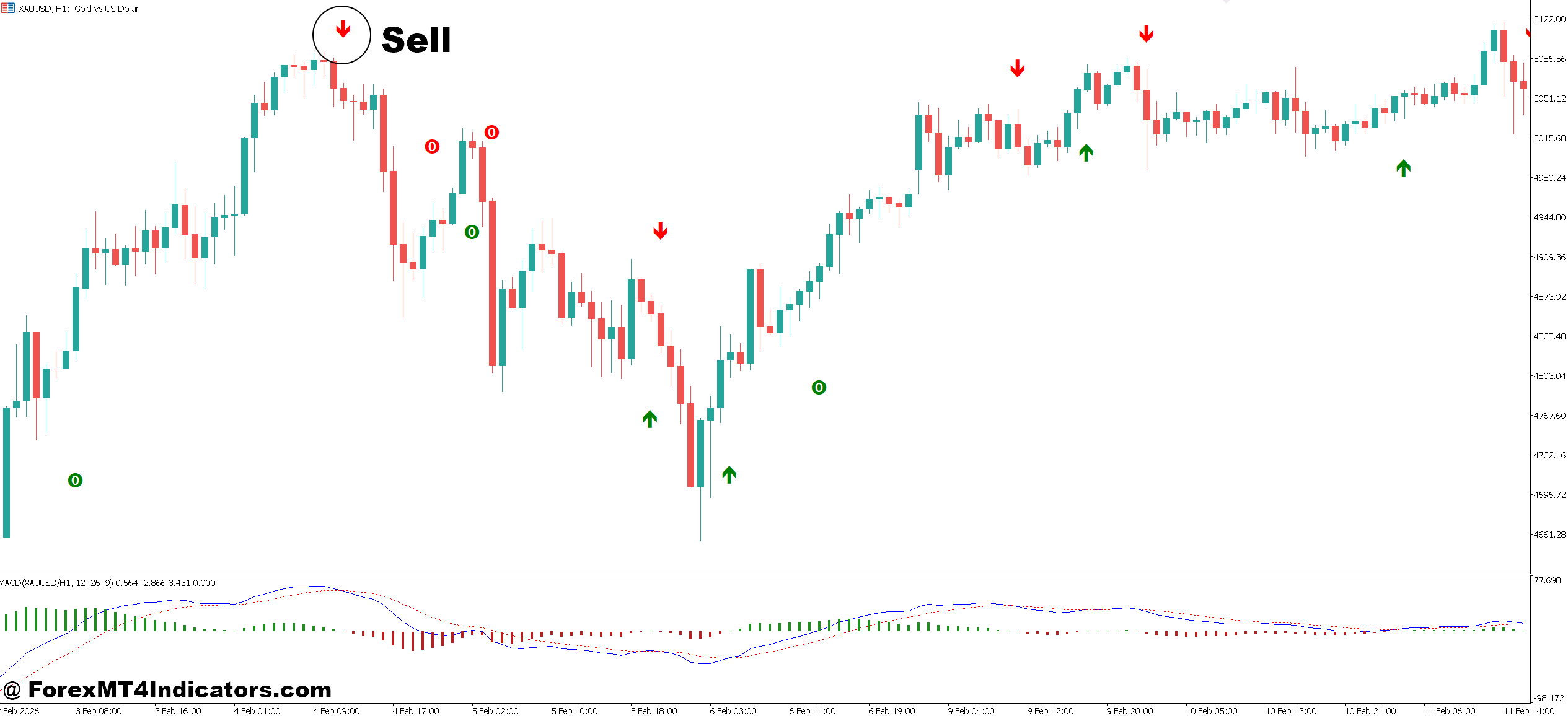
- Wait for bearish arrow confirmation – Enter sell only after candle closes below the arrow on GBP/USD (H1) to avoid false triggers.
- Trade near resistance levels – Take sell signals when price rejects a resistance zone (15–40 pip range), increasing probability of reversal.
- Follow higher timeframe trend – Sell only when price is below 50 EMA on H4 or Daily; this filters weak counter-trend trades.
- Use retracement entry – After arrow appears, wait for 5–15 pip pullback before selling to improve entry price.
- Place stop-loss above swing high – Set SL 20–30 pips above recent high on EUR/USD (H1) for better protection.
- Aim for structured targets – Target previous support zones or 40–60 pips on H4 trades for consistent exits.
- Avoid choppy conditions – Skip sell signals when candles overlap heavily or range is below 25 pips; market lacks direction.
- Be cautious during strong uptrends – Don’t take sell arrows against strong bullish momentum (e.g., consecutive 4–5 bullish candles); wait for confirmation.
Conclusion
The MACD Arrow Indicator MT5 offers a simplified way to read MACD signals and act with more confidence. It doesn’t replace analysis, but it can improve timing when used correctly.
Traders who get the most value from it usually follow a few key ideas: they combine arrows with support and resistance, they avoid trading during choppy markets, and they stick to consistent settings across timeframes. They also manage risk carefully, often risking 1–2% per trade and aiming for at least a 1:1.5 reward ratio.
That said, this tool won’t fix poor discipline or emotional trading. It’s just one piece of the puzzle. Traders should test it on demo accounts, review real trade examples, and adapt it to their strategy.
Level up your trading Learn to read the chart — not just the indicator eBook · Instant PDF Video Course · 12 modules Trading forex and CFDs carries a significant risk of loss and is not suitable for everyone. Broker links are affiliate links — we may earn a commission at no cost to you.Recommended MT4/MT5 Brokers
Free MT4 Indicator Download

Enter Your Email Address below, download link will be sent to you.