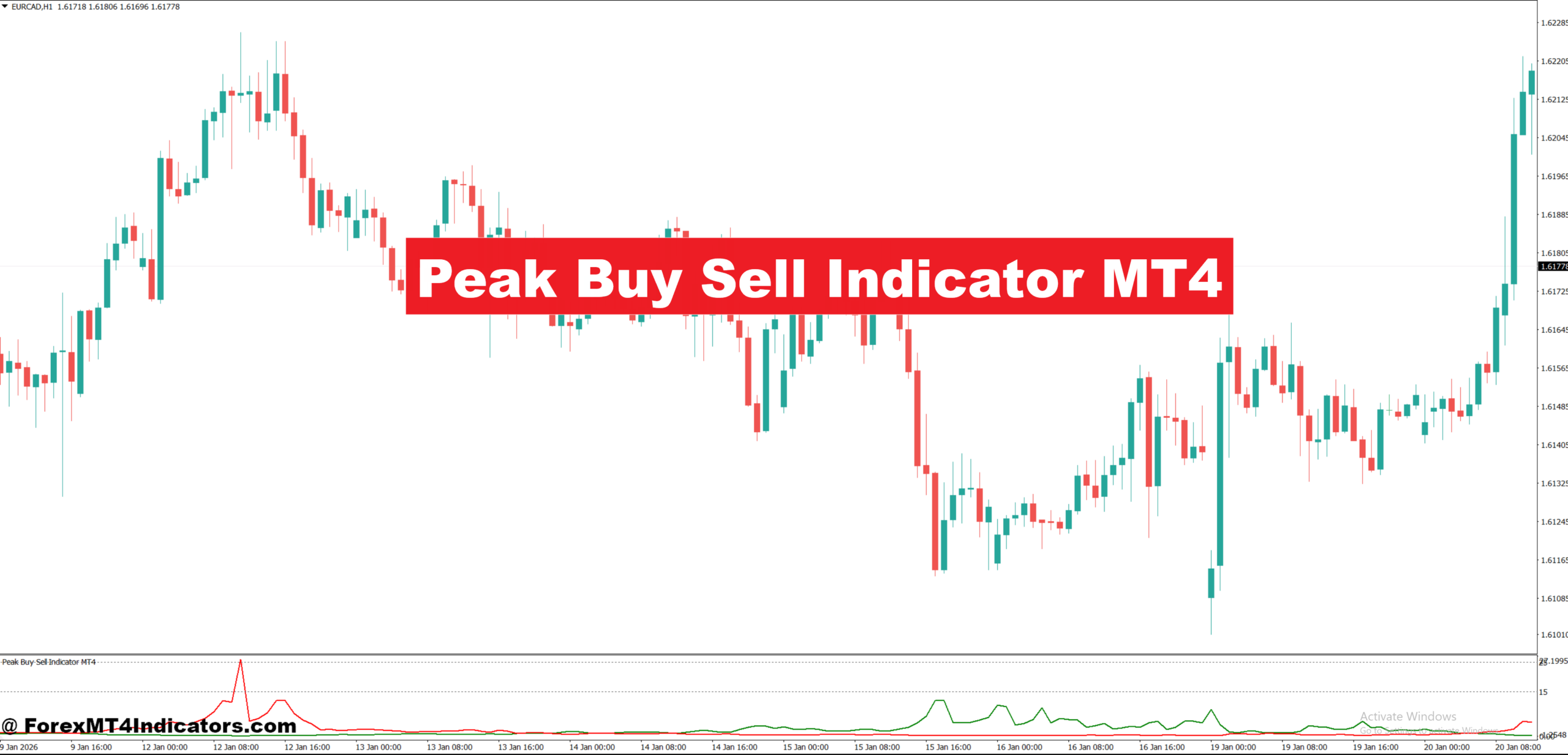
The Peak Buy Sell Indicator MT4 is a technical analysis tool that plots buy and sell signals when price shows signs of exhaustion. Most versions display arrows, dots, or labels directly on the chart. Buy signals usually appear near local lows, while sell signals appear near local highs.
At its core, the indicator blends momentum and price deviation logic. It watches how far price stretches away from its recent average and checks whether momentum is slowing. When price pushes too far too fast, the indicator flags a possible reversal zone.
This makes it different from simple trend indicators. It doesn’t try to follow price. It reacts when price looks overextended. Traders often use it as a timing tool rather than a full strategy on its own.
How the Indicator Works Behind the Scenes
Most Peak Buy Sell indicators rely on a mix of moving averages, oscillators, and volatility filters. A common setup uses a fast moving average to track short-term price direction and compares it to recent price swings. When price deviates beyond a defined threshold, the indicator starts watching for momentum loss.
For example, on EUR/USD H1, price may rally 80–100 pips above a 20-period moving average. If momentum indicators like RSI or a custom momentum filter start flattening near overbought levels, the indicator prints a sell signal. The logic assumes buyers are running out of strength.
On the buy side, the same logic applies in reverse. Sharp drops combined with slowing bearish momentum trigger buy signals near swing lows. Some versions also include a repaint filter, so signals only lock after candle close.
That detail matters. Signals that confirm on candle close tend to be more stable, especially during news or high volatility sessions.
Practical Trading Applications With Real Examples
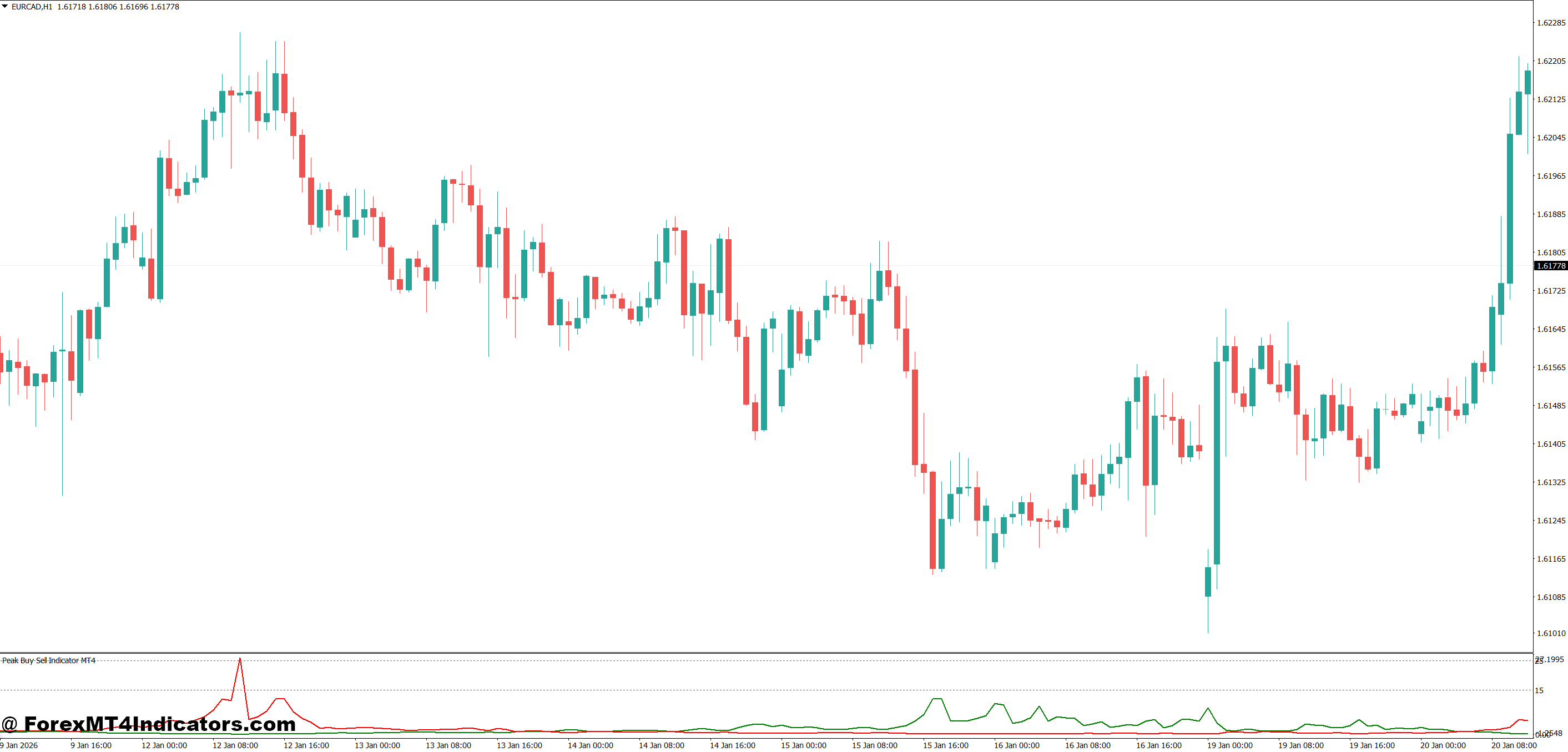
In practice, traders use the Peak Buy Sell Indicator MT4 best in ranging or mildly trending markets. During strong trends, countertrend signals can stack up and fail.
Take GBP/USD on the M30 chart during London session chop. Price often moves in 30–50 pip ranges. When a sell signal prints near the top of that range and aligns with a known resistance zone, traders look for short entries with tight stops. A 15–20 pip stop and a 30–40 pip target keeps risk controlled.
Another example comes from USD/JPY on H1 during Asian session. Price tends to respect intraday highs and lows. When the indicator prints a buy signal near the session low and the previous candle shows rejection, traders may scale in slowly rather than entering full size at once.
When testing this on volatile NFP days, experienced traders usually ignore the first signal after the news spike. Waiting for the second confirmed signal reduces fake-outs caused by spread widening and sudden momentum shifts.
Settings and Customization Tips
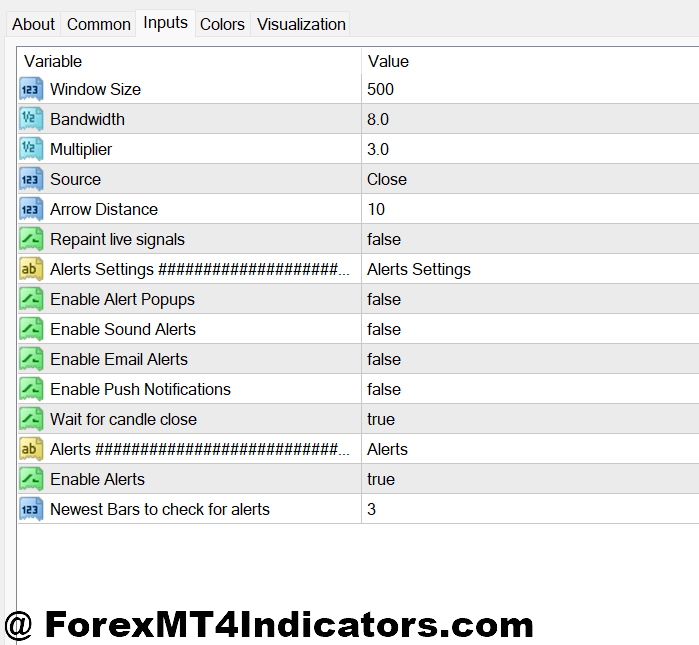
Most versions of the Peak Buy Sell Indicator MT4 allow traders to adjust sensitivity. Lower values generate more signals, which suits scalping on M5 or M15. Higher values filter noise and work better on H1 or H4.
A practical setup many traders use:
- M15–M30: Moderate sensitivity, combined with session highs and lows
- H1: Higher smoothing, fewer signals, stronger confirmation
- H4: Very high filtering, signals used only with trend context
Currency pairs matter too. EUR/USD and USD/JPY respond well to default settings due to smoother price action. Pairs like GBP/JPY need stricter filters because of sharp spikes.
Color and alert settings are not cosmetic details. Clear alerts help avoid late entries, especially when managing multiple charts.
Advantages and Limitations Traders Should Know
The biggest advantage of the Peak Buy Sell Indicator MT4 is clarity. Signals are easy to read, even for tired eyes after long sessions. It also helps traders stop chasing price and wait for pullbacks or exhaustion.
Another strength is flexibility. It works across timeframes and pairs when settings are adjusted properly. Used with support and resistance, it adds structure to discretionary trading.
But it has limits. In strong trends, the indicator can print multiple countertrend signals that fail. This happens often during central bank weeks or strong fundamentals. It also doesn’t manage trades. Stop loss and take profit decisions still depend on the trader.
Trading forex carries substantial risk. No indicator guarantees profits. Losses are part of the process, even with solid tools.
Comparison With Similar Indicators
Compared to RSI alone, the Peak Buy Sell Indicator MT4 offers clearer visual timing. RSI might stay overbought for hours, while this indicator waits for exhaustion confirmation.
Against MACD, the Peak Buy Sell tool reacts faster. MACD lags during quick reversals, especially on lower timeframes. That said, MACD works better for trend confirmation.
Some traders compare it to ZigZag-based tools. ZigZag redraws heavily, which can mislead beginners. Most Peak Buy Sell indicators reduce this issue by confirming signals on candle close.
Used together with trend filters like a 200 EMA, the indicator becomes far more reliable.
How to Trade with Peak Buy Sell Indicator MT4
Buy Entry
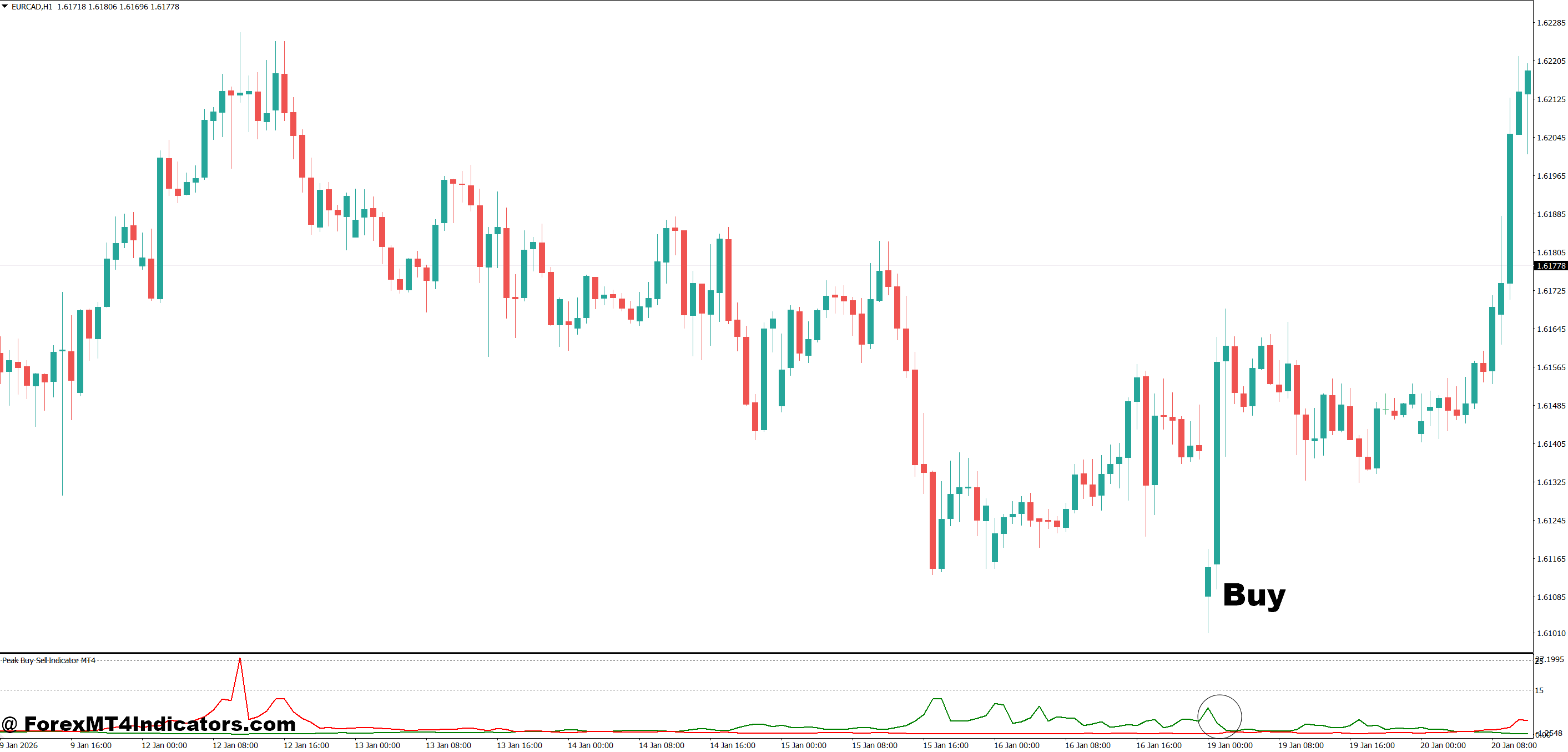
- Confirm buy arrow near support – Enter only when the buy signal forms within 10–20 pips of a clear support level on EUR/USD 1-hour to avoid chasing price.
- Wait for candle close – Take the trade after the signal candle closes bullish to reduce fake-outs, especially on M30 and H1 charts.
- Check recent move size – Prefer buys after a 40–80 pip drop on GBP/USD H1, as shallow pullbacks often keep falling.
- Align with higher timeframe bias – Buy signals work better when H4 trend is bullish and price stays above the 200 EMA.
- Set tight stop loss – Place stop 10–25 pips below the recent swing low to control risk if the reversal fails.
- Target realistic profits – Aim for 1:2 risk-reward, such as risking 20 pips to make 40 pips in range conditions.
- Avoid high-impact news – Don’t take buy signals 30 minutes before or after major USD news; spreads and spikes kill precision.
Sell Entry
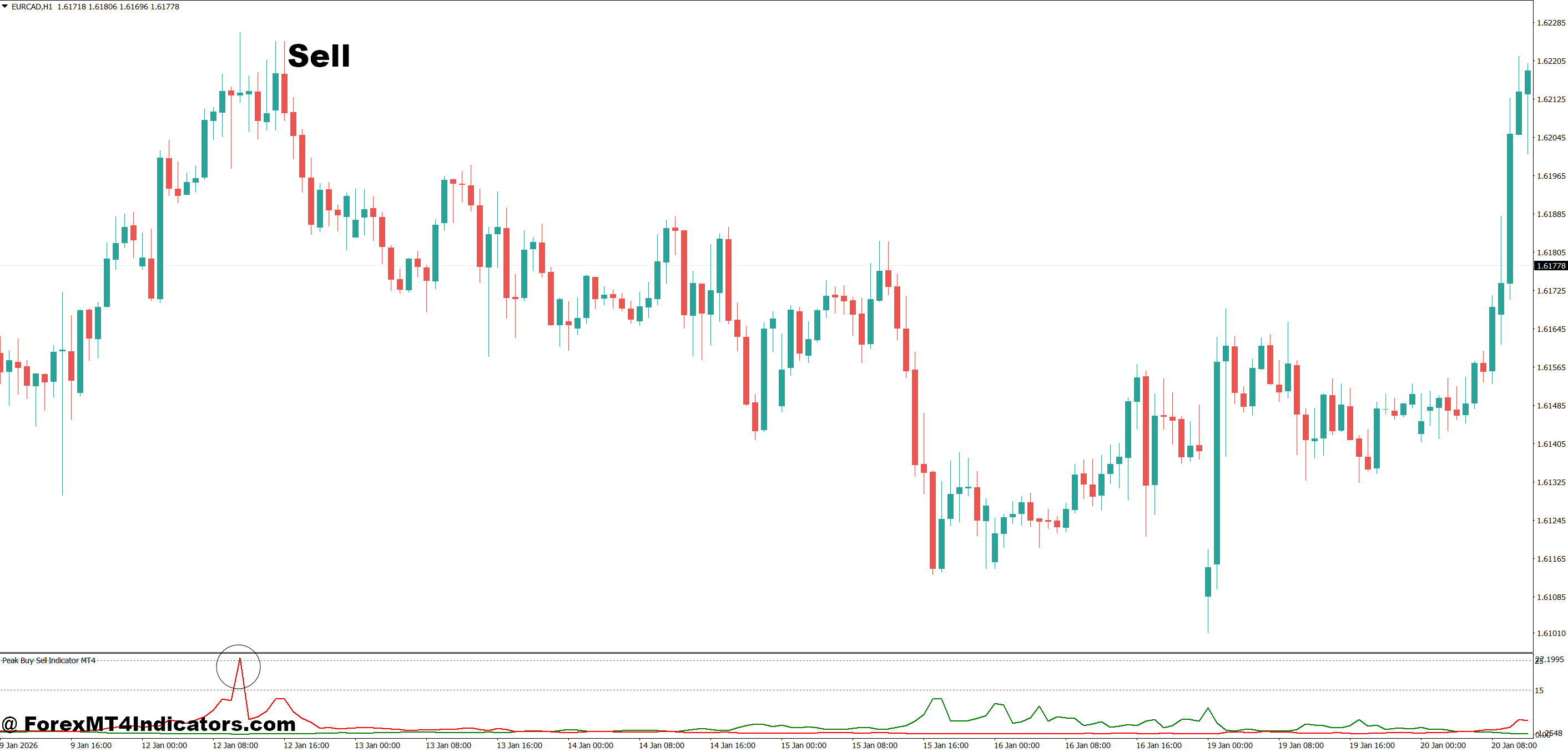
- Confirm sell arrow near resistance – Enter sells only when the signal appears within 10–20 pips of resistance on EUR/USD or GBP/USD.
- Wait for bearish confirmation – Let the signal candle close bearish on H1 or H4 to avoid early entries in strong trends.
- Measure upside exhaustion – Strong sell setups often follow a 50–100 pip rally on GBP/USD H1 with slowing momentum.
- Trade with higher timeframe trend – Sell signals perform better when Daily or H4 trend is bearish and price is below 200 EMA.
- Protect with defined stop – Set stop loss 15–30 pips above the recent high to survive normal pullbacks.
- Lock profits early in chop – In sideways markets, take partial profit at 20–30 pips to avoid reversals.
- Skip strong breakout markets – Don’t sell if price just broke resistance with high volume; the indicator can give false countertrend signals.
Conclusion
The Peak Buy Sell Indicator MT4 helps traders focus on timing rather than chasing moves. Its real value shows up when used with market structure and discipline.
Key takeaways stand out clearly. It highlights overextended price zones where reversals often start. It works best in ranges or controlled trends, not runaway markets. And it improves decision-making when paired with support, resistance, and risk control.
Traders who treat it as a signal tool, not a promise, tend to get the most from it. The next step is simple: test it on a demo account across different sessions and note where signals fail. That insight matters more than any default setting.
Level up your trading
Learn to read the chart — not just the indicator
eBook · Instant PDF
Video Course · 12 modules
Recommended MT4/MT5 Brokers
- ✓ *FREE *$50 to start (withdrawable)
- ✓ Deposit bonus up to $5,000
- ✓ Negative balance protection
Trading forex and CFDs carries a significant risk of loss and is not suitable for everyone. Broker links are affiliate links — we may earn a commission at no cost to you.
Free MT4 Indicator Download

Enter Your Email Address below, download link will be sent to you.