

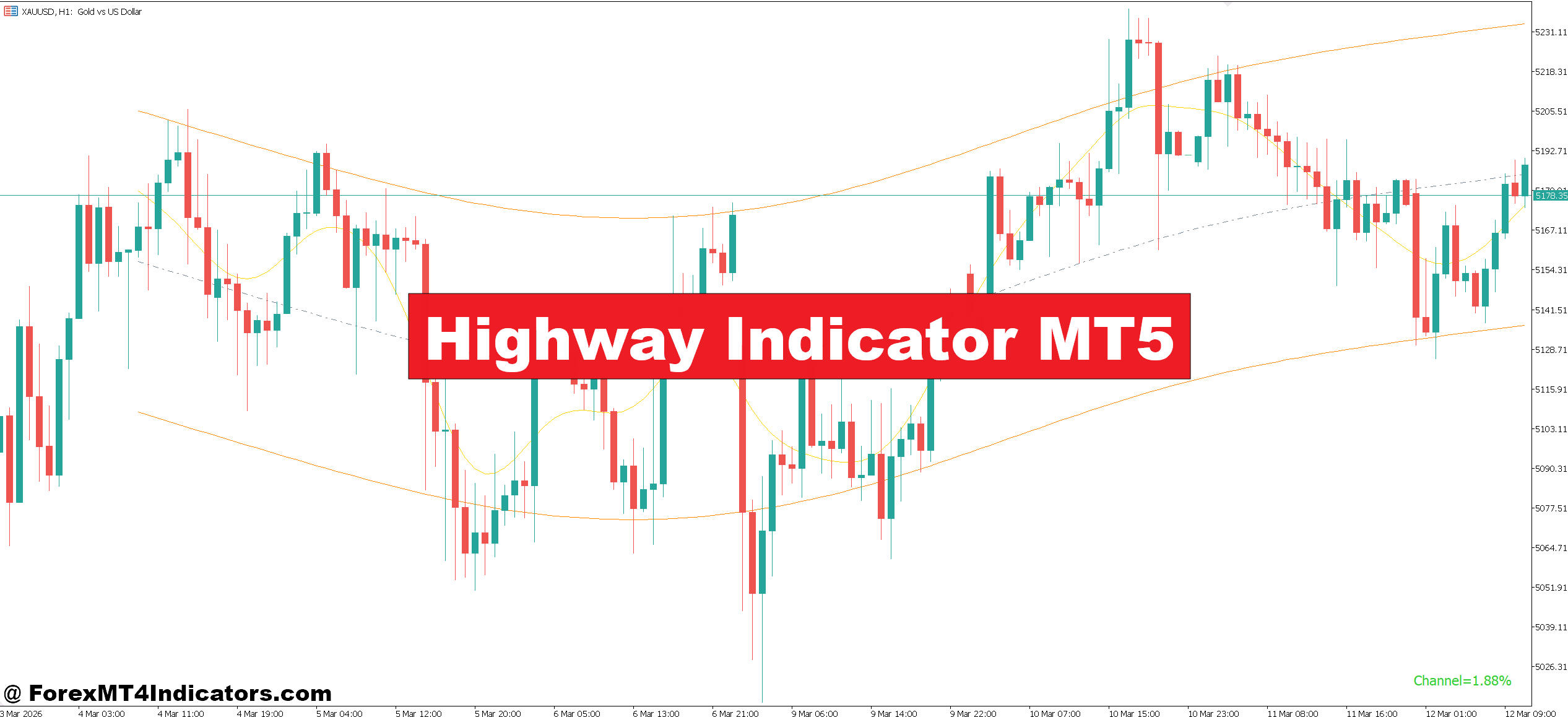
The Highway Indicator MT5 is a trend-following tool that visually represents the market’s direction using layered moving averages or dynamic bands. On the chart, it often appears as a “highway” or channel where price travels within a defined path.
Unlike a single moving average, this indicator combines multiple smoothing techniques to reduce noise. It gives traders a clearer sense of whether the market is trending, consolidating, or about to reverse.
In simple terms, when price stays above the highway, the trend is considered bullish. When it stays below, the market leans bearish. When price moves inside the bands, it signals indecision or consolidation.
This structure helps traders avoid overtrading during choppy conditions—a common mistake, especially on lower timeframes like M5 or M15.
How the Highway Indicator Works
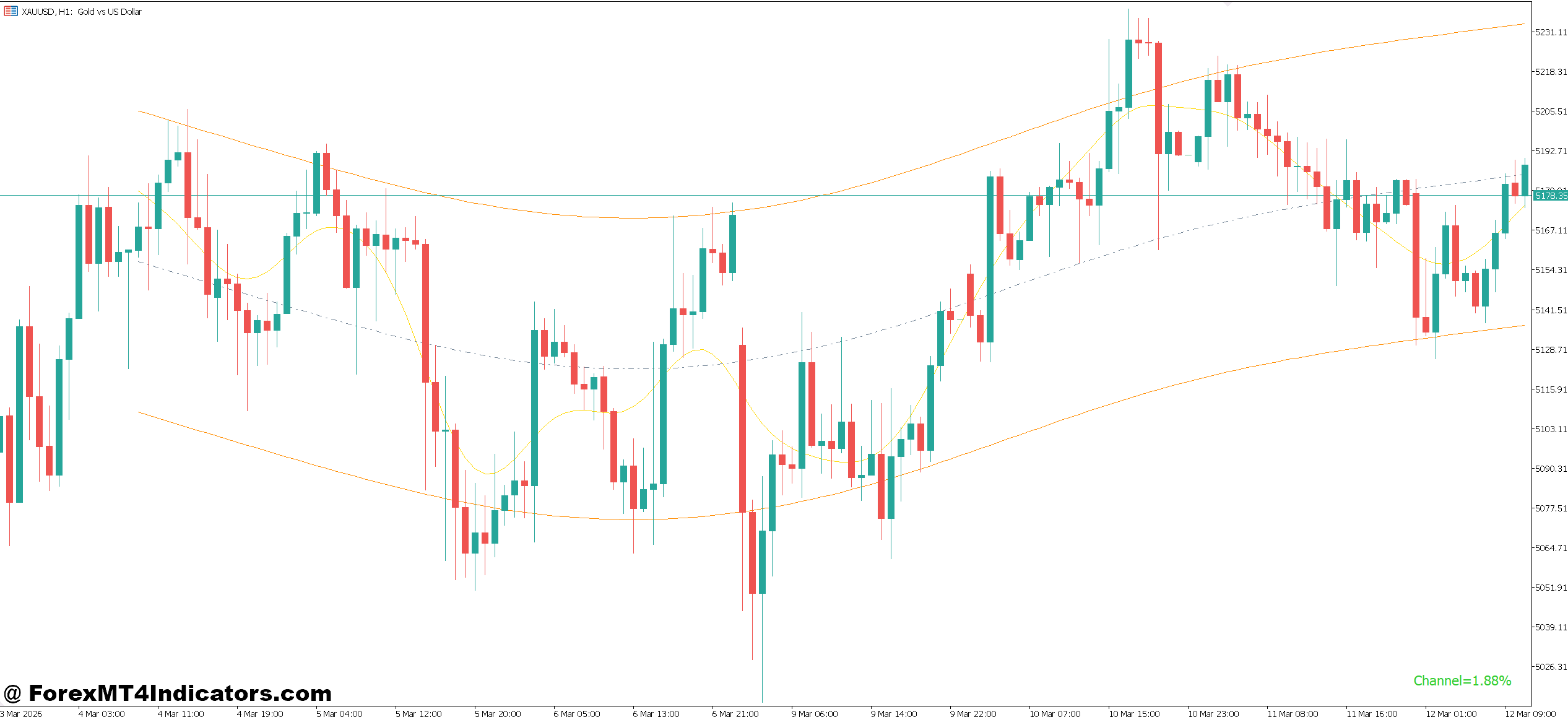
At its core, the Highway Indicator relies on a combination of moving averages and volatility filters. Some versions use exponential moving averages (EMAs), while others apply smoothed averages to reduce lag.
Here’s the logic behind it:
- The center line represents the average market direction over a defined period (e.g., 50 EMA).
- The upper and lower bands expand and contract based on volatility.
- When volatility increases, the highway widens. During quiet markets, it narrows.
This creates a dynamic channel that adapts to market conditions.
In practice, traders watch for three key behaviors:
- Price riding above the upper band (strong bullish momentum)
- Price staying below the lower band (strong bearish momentum)
- Price bouncing inside the channel (range or consolidation)
For example, during a London session breakout on GBP/USD (1-hour chart), price may break above the highway and stay there for several candles. That’s often a sign of sustained buying pressure, not just a temporary spike.
Practical Trading Applications
Using the Highway Indicator MT5 becomes more effective when combined with real market context.
Trend Continuation Trades
One of the most reliable setups is trend continuation. Traders wait for price to pull back toward the highway and then look for confirmation.
Example: On EUR/USD (H1 chart), price is trending upward and remains above the highway. A pullback of 30–40 pips brings price close to the center line. A bullish engulfing candle forms, and price moves back above the upper band. This becomes a potential buy entry, targeting the previous high with a 50–70 pip move.
Breakout Confirmation
The indicator also helps confirm breakouts.
During Asian session consolidation, USD/JPY may trade inside a tight range within the highway. When London opens, a strong candle breaks above the upper band with increased volume. Instead of entering blindly, traders wait for a retest near the band. If price holds, it confirms the breakout.
Avoiding Choppy Markets
Here’s something experienced traders notice quickly—when price keeps crossing the highway back and forth, it signals indecision. This is where many beginners lose money.
In such cases, the best move is no trade. Waiting for a clean breakout or trend saves unnecessary losses.
Highway Indicator MT5 Settings and Customization
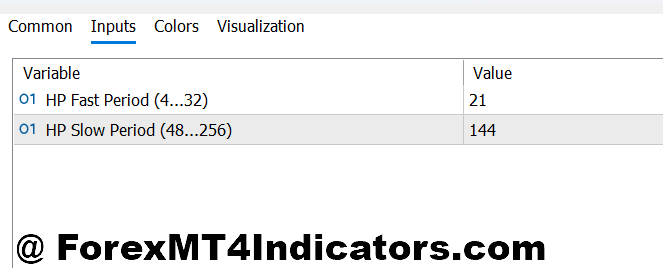
The Highway Indicator MT5 usually allows traders to adjust several parameters:
- Period length (e.g., 20, 50, 100) – Shorter periods react faster but create more noise. Longer periods are smoother but lag more.
- Smoothing method (EMA, SMA, SMMA) – EMAs respond quicker to price changes, making them suitable for intraday trading.
- Band width or deviation – Affects how wide the highway appears during volatility.
For scalping on M5 charts, traders often use shorter periods like 20 or 30. But for swing trading on H4 or daily charts, a 50 or 100 period gives better stability.
A practical tip: when testing this indicator during high-impact news like NFP, widening the bands slightly can help avoid false signals caused by sudden spikes.
Advantages and Limitations
No indicator is perfect, and the Highway Indicator is no exception.
Advantages
- Helps identify clear trends without clutter
- Filters out minor price fluctuations
- Works well with price action strategies
- Adapts to different market conditions
Limitations
- Can lag during sudden reversals
- Less effective in sideways markets
- May give late entries if settings are too slow
For instance, during a sharp reversal on gold (XAU/USD), the indicator might still show a bullish trend for a few candles before adjusting. Traders who rely only on it may miss early reversal signals.
Comparison With Similar Indicators
The Highway Indicator MT5 shares similarities with tools like moving averages and Bollinger Bands, but there are key differences.
- Moving Averages – Simpler but less adaptive. They don’t show volatility expansion like the highway.
- Bollinger Bands – Also use volatility, but they focus more on overbought/oversold conditions rather than trend flow.
- Keltner Channels – Closer in structure, though generally smoother and less reactive.
What makes the Highway Indicator stand out is its balance between trend clarity and adaptability. It doesn’t just show direction—it shows how price behaves within that direction.
How to Trade with Highway Indicator MT5
Buy Entry
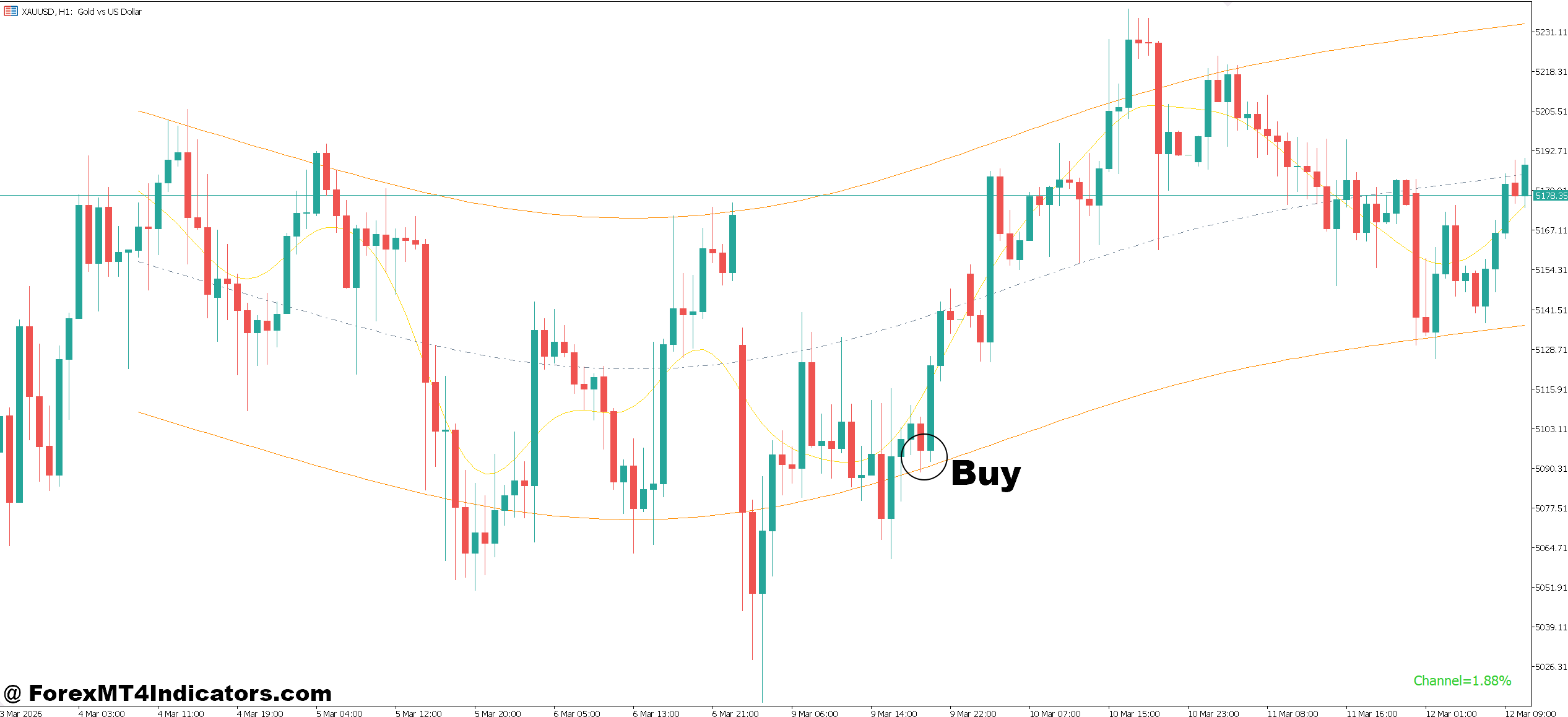
- Trade above the highway channel – Enter buy when price closes at least 10–15 pips above the upper band on EUR/USD (1-hour), confirming strong bullish momentum.
- Wait for pullback to center line – Buy after a 20–40 pip retracement to the middle line, then enter on a bullish candle close; this improves risk-to-reward ratio.
- Confirm with bullish engulfing – Open buy when a bullish engulfing candle forms near the highway support on GBP/USD (H4), showing buyer strength.
- Follow trend continuation – If price rides above the upper band for 3–5 candles, enter on a small pullback and target 50–80 pips continuation.
- Use breakout + retest setup – When price breaks the highway and retests within 10–20 pips, enter buy after confirmation; avoid chasing the breakout candle.
- Check higher timeframe alignment – Only buy when both 1-hour and 4-hour trends are above the highway; this increases win probability by filtering noise.
- Set stop-loss below highway – Place SL 20–30 pips below the lower band to protect against fake-outs and sudden reversals.
- Avoid sideways markets – Skip buy trades when price crosses the highway multiple times within 10–15 candles; this indicates choppy conditions.
Sell Entry
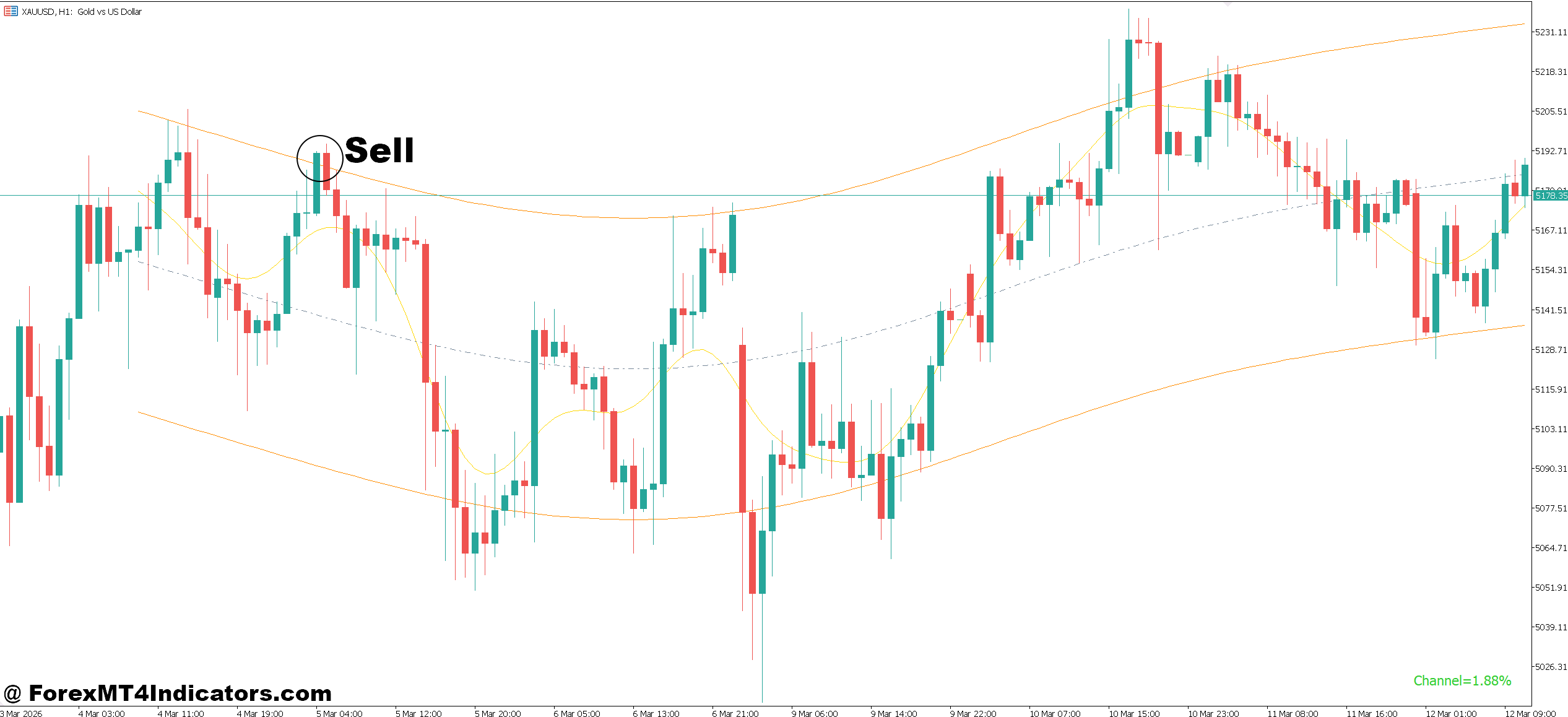
- Trade below the highway channel – Enter sell when price closes 10–15 pips below the lower band on EUR/USD (1-hour), confirming bearish pressure.
- Wait for pullback to center line – Sell after a 20–40 pip pullback to the middle line, then enter on a bearish rejection candle.
- Confirm with bearish engulfing – Open sell when a bearish engulfing candle forms near the highway resistance on GBP/USD (H4), signaling sellers taking control.
- Follow strong downtrend moves – If price stays below the lower band for 3–4 candles, enter on minor retracement and target 50–70 pips downward.
- Use breakout and retest strategy – After a breakdown below the highway, wait for a retest within 10–20 pips before entering sell to avoid fake breakdowns.
- Align with higher timeframe trend – Only sell when both 1-hour and 4-hour charts show price below the highway; this reduces false entries.
- Set stop-loss above highway – Place SL 20–30 pips above the upper band to manage risk and avoid sudden spikes.
- Avoid news volatility trades – Don’t take sell signals during high-impact news like NFP; spreads widen and false moves increase.
Conclusion
The Highway Indicator MT5 offers a structured way to read market trends and reduce noise. Traders who use it properly often focus on a few key ideas: following the dominant trend, avoiding choppy conditions, and waiting for clean pullbacks before entering.
It works best when combined with price action and proper risk management. While it can highlight strong opportunities, it won’t predict every move or prevent losses.
Trading forex carries substantial risk. No indicator guarantees profits.
Used wisely, this tool can help traders stay disciplined and avoid emotional decisions. The next step is simple—apply it on a demo account, test it across different pairs and timeframes, and see how it fits into a personal trading strategy.
Level up your trading Learn to read the chart — not just the indicator eBook · Instant PDF Video Course · 12 modules Trading forex and CFDs carries a significant risk of loss and is not suitable for everyone. Broker links are affiliate links — we may earn a commission at no cost to you.Recommended MT4/MT5 Brokers
Free MT4 Indicator Download

Enter Your Email Address below, download link will be sent to you.