

This guide covers South African questions. Our main XM broker review compares the wider service, costs and customer-feedback concerns. If you live elsewhere, choose the relevant XM country guide and use the terms assigned to your own residence.
The public account page and provider disclosures were checked on 7 September 2026. The public-page captures include 6 September 2026 examples and the registration-form sections captured on 7 September 2026. We inspected public pages, including an unsubmitted registration example. We did not open a customer account, upload identity documents, deposit money or test a withdrawal.
XM ZA and XM Global: understand the two roles
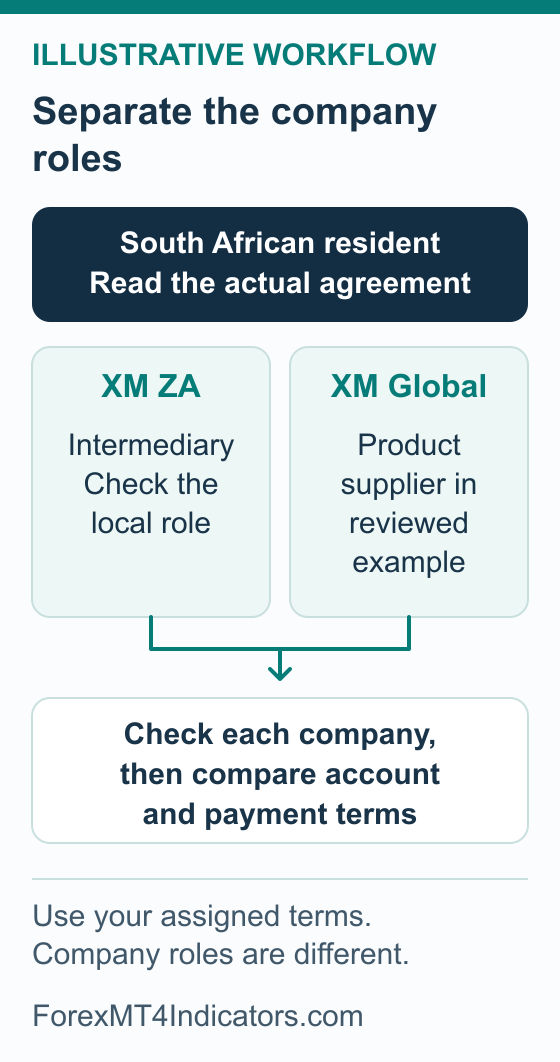
XM ZA’s official disclosure identifies XM ZA (Pty) Ltd as an FSCA-authorised intermediary, FSP number 49976. It says the company does not conduct market making. The FAIS disclosure lists XM Global Limited and/or XM (SC) Limited as product suppliers. The South Africa registration example reviewed below names XM Global Limited.
| Company | Role to recognise | What to check |
|---|---|---|
| XM ZA (Pty) Ltd | South African intermediary/direct marketer | Its current authorisation, permitted services and intermediary disclosures |
| XM Global Limited | Product supplier and the company named in the reviewed registration example | The account agreement, product terms, applicable regulator and complaint route |
The reviewed South Africa registration entry explicitly identifies XM Global, regulated by the FSC in Belize, and says the account falls outside South Africa’s regulatory framework and FSCA oversight. Do not interpret XM ZA’s local FSP number as a statement that the trading account has the same oversight as a locally issued product. Check the exact agreement presented to you.
This matters when a question becomes a complaint. A disagreement about an intermediary’s service and a dispute about a trading account can concern different parties. An office address, brand name or shared logo does not answer which procedure applies.
How to check the provider before registering
- Record the two names separately. Read the legal disclosure on the official route you reach and identify the intermediary, if any, and the account/product provider. If a page redirects, inspect the destination and its disclosure again.
- Use the regulator’s own search. The FSCA provider search is the starting point for the South African intermediary. Search its legal name or FSP number and review the status and services. Compare the entry with the company you intend to use.
- Check the product provider separately. Use the regulator and licence details named in the current agreement. A successful search for the intermediary does not complete this second check.
- Read the agreement and complaints documents. Establish which company supplies the product, what law and dispute process the documents describe, and how to contact that company through a verified channel.
- Resolve any mismatch before money moves. Ask official support to explain a different company name, missing entry or unclear role. Save the answer with the applicable terms.
Use our forex broker selection checklist to compare the result with your requirements. Authorisation is one part of that assessment. It does not establish that a leveraged product is suitable for your budget or that a future withdrawal will be problem-free.
Accounts and minimum deposits shown on the South Africa route
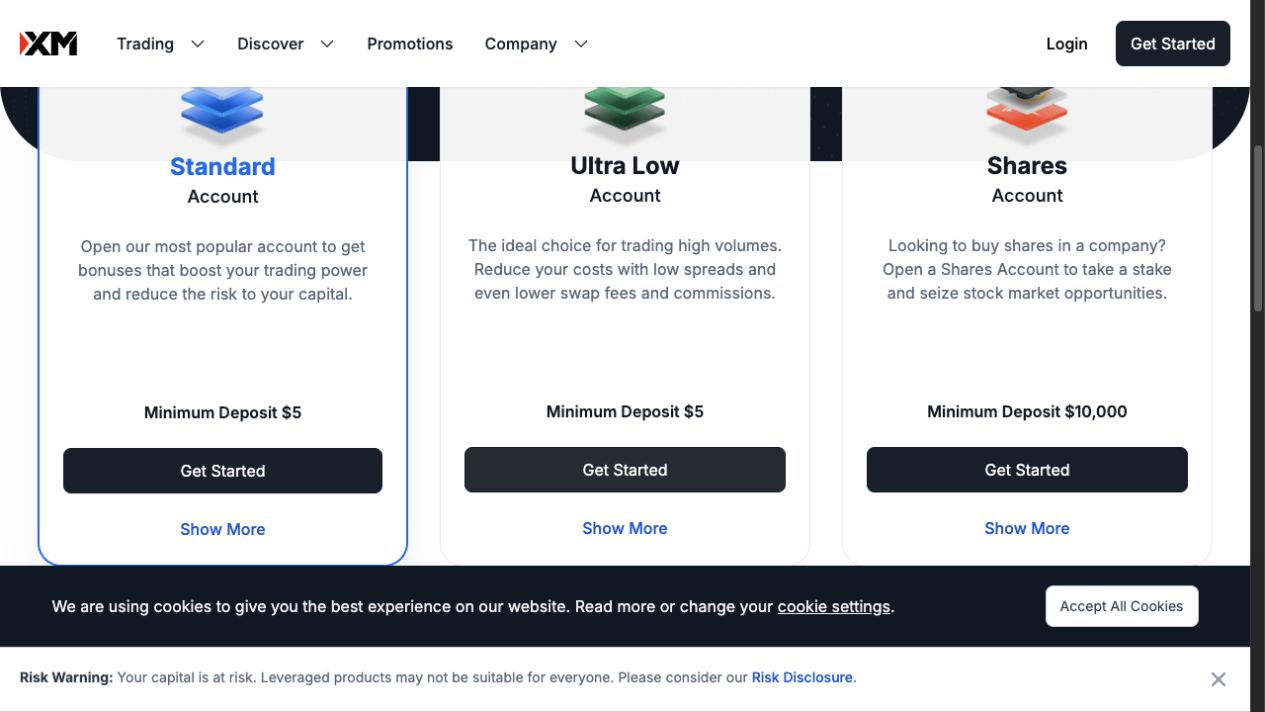
The XMZA account page displayed these account names and minimums on 7 September 2026. Keep the currency attached to each amount, and confirm the product and payment conditions actually offered to your account.
| Account | Displayed minimum | Your next decision |
|---|---|---|
| Standard | USD 5 | Compare the complete trading cost and any applicable promotional conditions |
| Ultra Low | USD 5 | Compare costs for the same instrument, exposure and holding period |
| Shares | USD 10,000 | Investigate the separate shares product and its own requirements |
- Compare the minimum attached to the actual account type. The payment method can impose a different minimum.
- Open the account details to compare the contract and costs before choosing.
For a fair Standard-versus-Ultra-Low comparison, use the same instrument, quantity and intended holding period. Include any commission and overnight charge as well as spread. The XM account-types guide explains the comparison in detail, including contract sizes and platform compatibility.
A payment method can have its own minimum or other conditions. The XM minimum-deposit guide separates those requirements from the account minimum. If the smallest available position is too large for your risk limit, putting the opening minimum into the account does not solve that problem.
A rand payment is different from a ZAR trading account
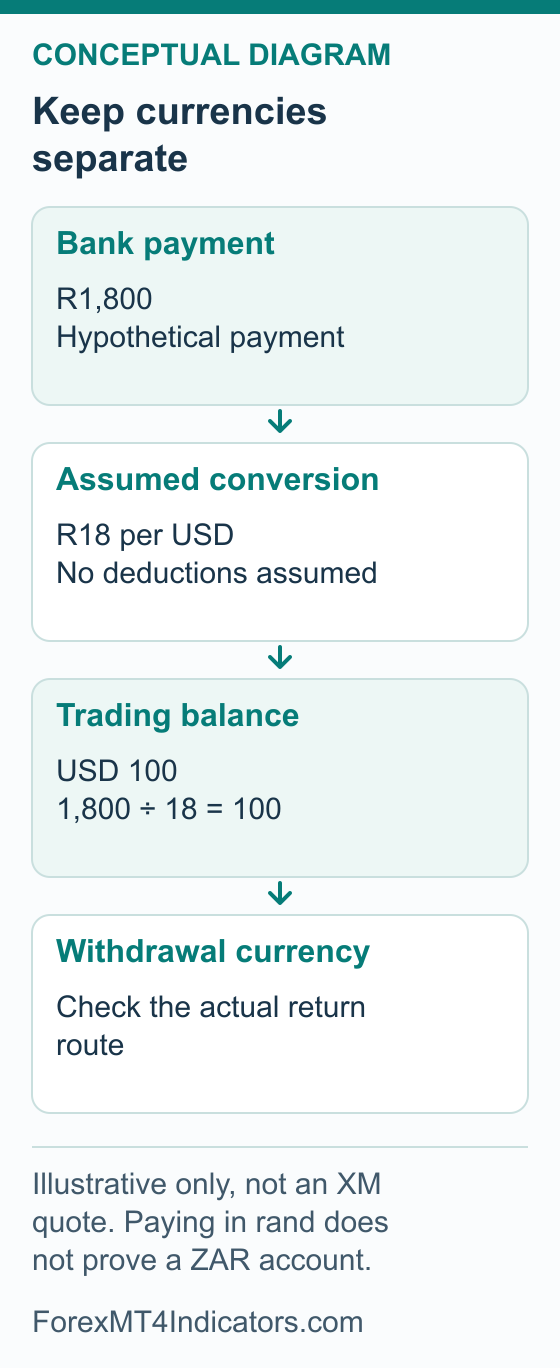
Three currencies can be involved: the currency your bank debits, the base currency used for the trading balance, and the currency received when money comes back. Keep those fields separate. A South African website or a rand payment quote does not prove that ZAR is available as the trading account’s base currency.
| Question | Where to find the answer |
|---|---|
| Will my bank debit rand? | The current payment instructions and bank confirmation |
| Will the trading balance be in ZAR? | The base-currency choices and confirmed details of the selected trading account |
| Who converts the money? | The payment quote, provider terms and receiving-bank instructions |
| What will I receive on withdrawal? | The eligible withdrawal route, transfer currency and receiving provider’s conversion/fee information |
For illustration only, USD 5 at an assumed rate of ZAR 18 per USD equals R90 before additional costs: 5 × 18 = 90. That is arithmetic, not today’s exchange rate or an XM payment quote. A method with a higher minimum or a charge would need a separate calculation.
Use the currency converter for a dated reference, then compare it with the actual payable total. If you want a ZAR account, look specifically for ZAR among the available base currencies before confirming. We have not established a universal ZAR-account entitlement for every South African applicant.
Register from South Africa and prepare verification
The public form pictured below shows a country-of-residence field, email and password. South Africa was selected only to demonstrate that regional entry. No account details were submitted. A banner beside a form does not establish your eligibility for a bonus.
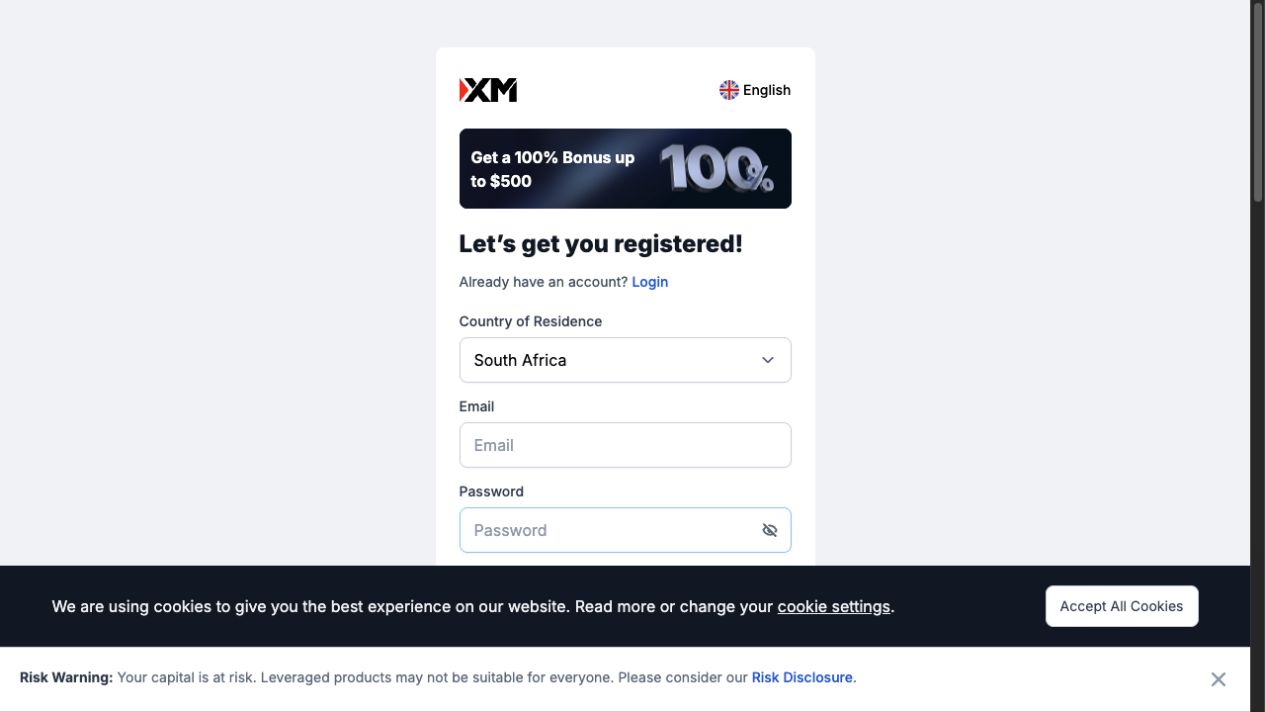
- Select your actual country of residence and check eligibility with the legal entity. This picture is a South African example.
- Use an email account you control; the field is empty in this example.
- Create a unique password privately. Read the legal and consent text before submitting.
- Confirm the regional route and your actual residence. Use South Africa only if that is your residence. If the available country choice or eligibility message does not fit your circumstances, obtain a current answer from official support.
- Read the provider acknowledgement. Confirm the legal company named before accepting an agreement. Do this even if you previously read a regional review or followed an affiliate link.
- Use contact details you control. Enter your own email and create a unique password privately. Review optional marketing choices separately. Never give a helper control of your email or recovery codes.
- Complete the requested profile information accurately. Use details consistent with your documents and answer the questions for your own circumstances. Follow any contact-confirmation instructions in the official flow.
- Read the current verification requirements. Check the accepted identity and address evidence, validity, required sides or pages, and upload rules. Do not assume a South African identity card or a particular bank statement is accepted in every format.
- Submit documents only through the verified process. Keep them readable and unaltered, then check whether the submission is pending, accepted or requires correction. Correct the reason actually given; do not repeatedly upload the same rejected file.
- Confirm the resulting account details. Record the platform, live/demo status, base currency and exact trading server privately. A completed profile and an approved trading account are different stages.
Read the South Africa form before submitting
These two captures show different regions of the same blank XMZA registration form on 7 September 2026. South Africa is selected; no personal details, consent or application were submitted.
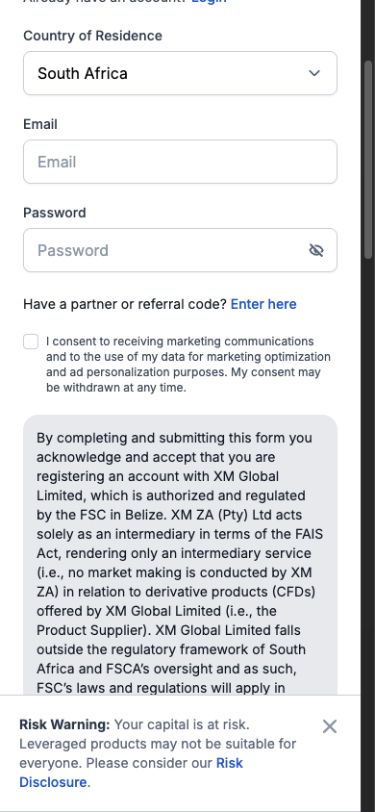
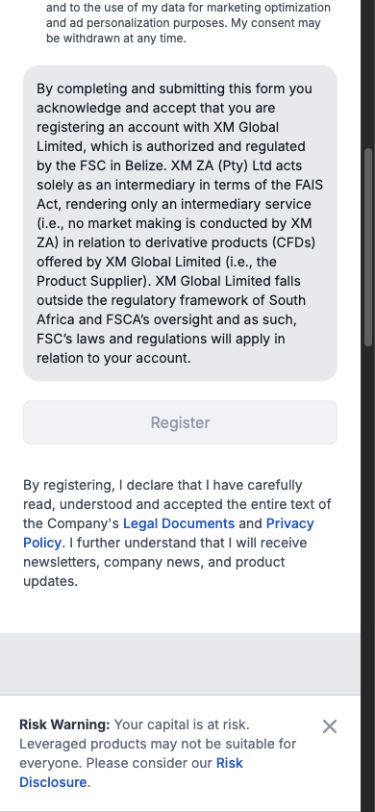
- Check your actual residence and read the full company notice in your own form.
- Use an email address you control, choose a unique password and review the marketing option.
- After registration, follow the confirmation message and complete the profile and document checks requested. Keep track of the resulting status.
The complete XM registration and verification guide covers document problems and access recovery. This regional checklist explains where the South African route needs extra attention without assuming an unobserved sequence of private account screens.
Choose MT4 or MT5 through the official route
Match the account’s platform before choosing a download. An MT4 account should not be treated as an MT5 account, and an indicator compiled for one platform is not automatically compatible with the other. Keep the assigned login, password type and server together.
MT4 download and connection
The official XMZA MT4 page provides device-specific choices. The captured section is for PC. Use the download for your own device, then follow our XM MT4 setup guide to check the account and server and practise the controls on demo.
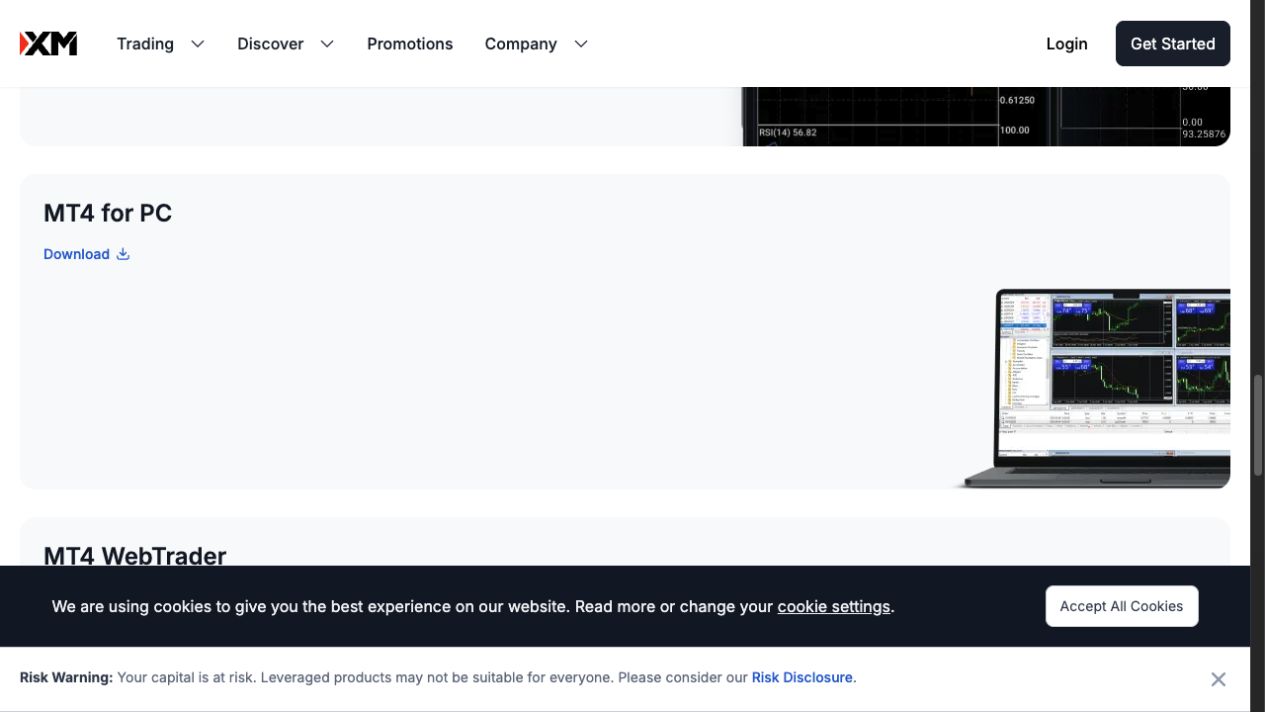
- Match the platform and device: this section is MT4 for PC.
- Use the official Download control for the chosen device, then check the downloaded installer before opening it.
MT5 download and connection
Choose the appropriate device on the official XMZA MT5 page. Our XM MT5 setup guide covers company search, the assigned server and demo order controls. Use the details supplied for your account instead of copying a server name from another trader’s screenshot.
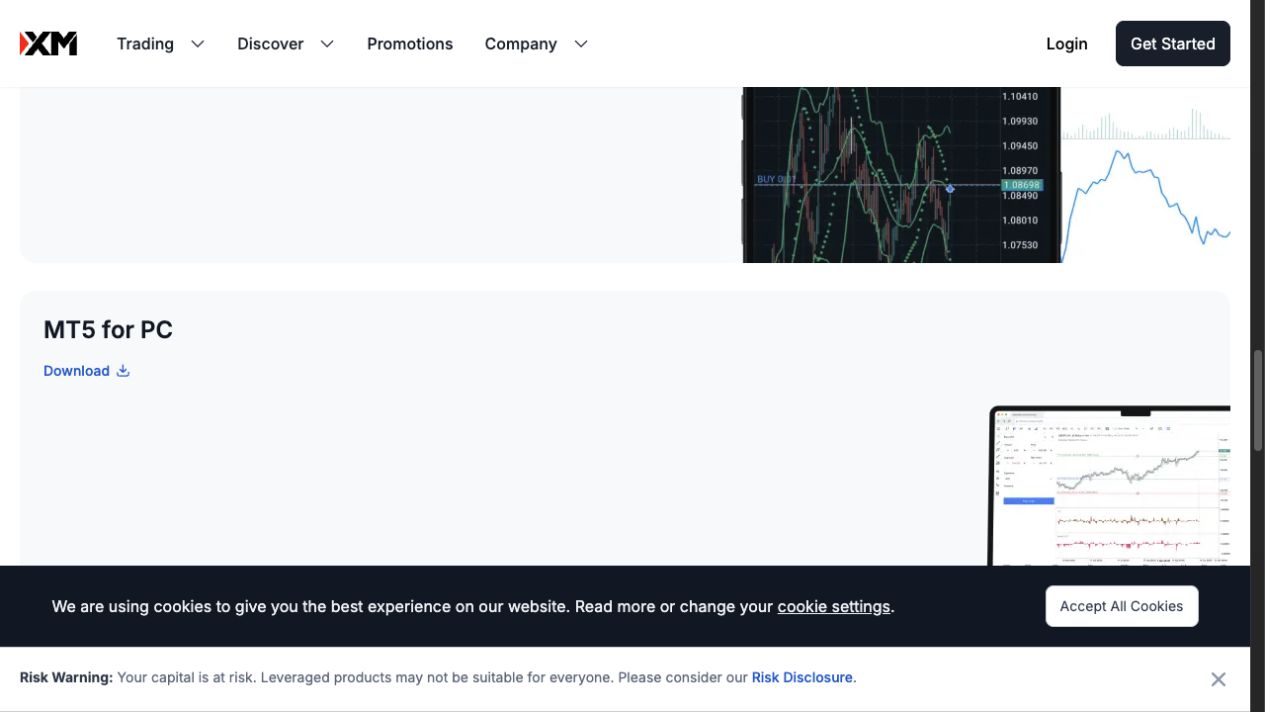
- Confirm MT5 and the intended device before choosing a download.
- Use the official download route, then connect with the matching account and server.
If your aim is to learn the platform, start with the XM demo-account walkthrough. Practise selecting the symbol, checking the contract and identifying open versus closed positions. A virtual result does not establish what will happen in live execution.
Check a South African payment route before depositing
A bank name alone does not establish support. If you use Capitec, FNB, Standard Bank, Absa, Nedbank or another bank, the useful question is which route is actually offered to your verified account. A card payment, a local transfer and an international transfer have different instructions.
- Select the intended trading account. Confirm the account type and base currency before entering an amount.
- Inspect the currently available payment methods. Check the accepted currency, minimum, maximum and ownership requirements. If a preferred method is missing, ask whether it is available to you rather than reusing someone else’s instructions.
- Check the debit and credit amounts separately. Identify any conversion and fee, including charges from your bank or another provider. Compare the expected trading-account credit with your plan.
- Read the return route before authorising. Establish how money paid through that method can be withdrawn and what happens if a card is replaced or the bank account is closed.
- Obtain current instructions from the official flow. Verify the beneficiary, reference and destination before payment. Do not transfer money using bank details posted in comments or sent by an unverified online contact.
- Keep the payment record privately. Save the date, amount, currencies, method and reference. Confirm the actual account credit. If the payment is unclear, trace it before repeating it.
For an international payment, ask your bank which information or requirements apply to your circumstances. This guide does not set out South African exchange-control or tax rules. Those questions depend on the transaction and your situation.
Keep your trading budget separate from the payment threshold. Use the lot-size calculator to estimate cash risk at a planned stop, and the margin calculator to check collateral separately. If you cannot explain both figures, use demo while you learn.
XM South Africa bonuses: compare the offer with your account
Bonus review: 8 September 2026. XM markets deposit bonuses to South African readers, but this review has not confirmed a current no-deposit amount or a complete bonus schedule for your account. Eligible deposit credit can add trading margin. It is not cash you can withdraw, and it is not a reason to increase a position beyond your risk budget.
There are two pieces of evidence to keep separate. XM’s South Africa crypto-CFD landing page advertises deposit bonuses without explaining the full tier schedule. A different regional no-deposit document includes South Africa in a $50 programme dated 3 to 31 January 2023, subject to possible company continuation. We have not verified that continuation. Neither source settles today’s welcome offer.
- Match the provider. Read the bonus issuer’s name alongside your agreement. The distinction between the local intermediary and account provider still matters when a promotion carries an XM ZA logo.
- Get the actual offer. Record the account type, percentage, credit cap, remaining allowance and claim period shown for you. A form banner is only an advertisement.
- Compare the rand cost. Ask which net account-currency deposit would qualify after any conversion or payment charges. Keep your bank debit separate from the promotional credit.
- Read the exit conditions. Check what a withdrawal or transfer would remove, particularly while trades remain open.
The XM bonus and withdrawal-rules guide explains how credit differs from cash. Use those mechanics to question your actual offer; its documented examples are not a confirmed South African bonus schedule.
Prepare a withdrawal and track the money back
The XM withdrawal guide explains the full request and tracing workflow. For a South African destination, confirm the actual eligible method and the currency your receiving account will get. We have not verified a current country-wide bank list or a guaranteed rand arrival time.
- Check verification and the available amount. Read any outstanding request and account restriction. Consider open positions and promotional-credit conditions before reducing the money supporting the account.
- Confirm the permitted destination. Compare the withdrawal choices with your deposit history and current ownership requirements. Ask for the proper procedure if the original card or bank account has changed.
- Review currency, costs and timing. Check whether conversion occurs before or after the transfer. Use the guidance for the selected method and establish whether its timing describes broker processing or arrival at the bank.
- Retain the request confirmation. Record the date, amount, currency, method and reference privately. Establish whether a request already exists before submitting another one.
- Confirm receipt separately. A broker status and a credit at the receiving bank are different evidence. If receipt remains missing, ask for the appropriate payment trace and contact the receiving provider with it.
For an unresolved issue, send a clear record through official support and request the complaint procedure for the company responsible for that service. XM ZA’s FAIS disclosure discusses its intermediary complaint arrangements. Do not assume that those arrangements replace the account provider’s trading-dispute process.
XM South Africa questions
Is XM regulated by the FSCA?
XM ZA’s official disclosure identifies it as an FSCA-authorised intermediary, FSP 49976. The reviewed registration example names XM Global as the account provider and distinguishes its Belize regulatory framework. Check both company roles and your actual agreement; saying only that the brand is regulated leaves out a material detail.
What is the XM minimum deposit in rand?
The public account table above quotes USD minimums. Their rand equivalent changes with the applicable conversion rate and any costs, and your payment route can impose its own threshold. USD 5 would equal R90 only at the illustrative rate of ZAR 18 per USD before additional costs.
Does XM offer ZAR accounts to every South African applicant?
We have not established that. Check ZAR in the base-currency choices for the exact account offered to you. A rand debit from a bank or a South African registration page does not confirm that the trading balance will be held in ZAR.
Can I deposit or withdraw using my South African bank?
Check the methods and destination requirements shown for your account. Identify the actual route, such as card return or bank transfer, before comparing costs and timing. No bank name in this guide should be read as a verified supported-method list.
Does the registration banner guarantee a bonus?
No. Read the XM bonus eligibility and terms guide and the offer attached to your account. Promotional credit is different from withdrawable cash. Account choice and risk planning should still make sense without an assumed bonus.
Where should a South African beginner start?
Read the provider documents, practise on a demo and build a small written plan you can explain. Our beginner’s risk-management guide helps with the cash-risk calculation. A low opening minimum is not evidence that a proposed trade is affordable.
Forex and CFD trading can lead to substantial losses. Use the account’s current terms, protect your personal information and commit money only after you understand the product, costs and withdrawal route.
Sources and review scope
Public sources checked on 6–7 September 2026. Dates and provider scopes are recorded below. Account terms and interface details can vary by provider, location and device. Official documentation examples are identified in their captions.
- XMZA account types: Fresh public page on 7 September 2026 shows Standard USD 5, Ultra Low USD 5, Shares USD 10000. Served XM Global footer; not authenticated availability or universal ZAR base-currency evidence. Checked 2026-09-07.
- XM ZA privacy policy and company disclosure: Current accessible official PDF names XM ZA intermediary FSP49976, no market making, XM Global product supplier; public PDF paragraphs not independent register verification. Checked 2026-09-07.
- XMZA public registration example: Original 6 September 2026 browser capture and AX record with South Africa selected, unsubmitted fields and explicit XM Global/FSC agreement notice. 7 September web extraction returns only app shell; not a fresh authenticated walkthrough. Checked 2026-09-06.
- FSCA financial services provider search: Current official register entry point reached from FSCA homepage. No completed live XM ZA register-result capture is claimed. Checked 2026-09-07.
- XM ZA FAIS disclosure: Official PDF directly opened on 7 September 2026, intermediary role and complaints. PDF also names XM Global and/or XM (SC); not used to override the dated actual registration flow or infer worldwide provider assignment. Checked 2026-09-07.
- XMZA support: Verified official public support route only; no contact or submission performed. Checked 2026-09-07.
- XMZA MT4 download page: Official public platform entry verified on 7 September 2026; original public PC download screenshot retained from 6 September. Not completed download/install/login evidence. Checked 2026-09-07.
- XMZA MT5 download page: Official public platform entry verified on 7 September 2026; original public PC download screenshot retained from 6 September. Not completed download/install/login evidence. Checked 2026-09-07.
- XM public deposit-bonus explanation: Current public XM Global deposit-credit explanation; region-dependent availability/percentage, nonwithdrawable credit. A 100% illustration does not identify a universally available 100% promotion. Bonus-section source checked 2026-09-08.
- XM Global regional no-deposit terms, January 2023: Regional USD50 document includes South Africa among named countries; dated 3–31 January2023 or company continuation. It does not prove September2026 availability or blanket Africa coverage. Bonus-section source checked 2026-09-08.
- XM South Africa crypto-CFD promotion: Public crypto-CFD landing advertises over USD5000 in deposit bonuses, without defining the exact tier schedule or matched country campaign terms. Footer identifies XM ZA intermediary and XM Global product supplier, with XM ZA services for South African residents. Bonus-section source checked 2026-09-08.